 UPDF
UPDF
 UPDF for Windows
 UPDF for Mac
 UPDF for iPhone/iPad
 UPDF for Android
 Nomostar
 UPDF AI Online
 UPDF Sign
 IvyCraft
 Edit PDF
 Annotate PDF
 Create PDF
 PDF Form
 Edit links
 Convert PDF
 OCR
OCR PDF to Word
 PDF to Image
 PDF to Excel
 Organize PDF
 Merge PDF
 Split PDF
 Crop PDF
 Rotate PDF
 Protect PDF
 Sign PDF
 Redact PDF
 Sanitize PDF
 Remove Security
 Read PDF
 UPDF Cloud
 Compress PDF
 Print PDF
 Batch Process
 About UPDF AI
 UPDF AI Solutions
 AI User Guide
 FAQ about UPDF AI
 Summarize PDF
 Translate PDF
 Chat with PDF
 Chat with AI
 Chat with image
 PDF to Mind Map
 Explain PDF
 PDF AI Tools
 Image AI Tools
 AI Chat Tools
 AI Writing Tools
 AI Study Tools
 AI Working Tools
 Other AI Tools
 AI Bookmark Generation
 AI Bookmark Summary
 AI Watermark Generation
 AI Background Generation
 AI Sticker Generation
 AI Stamp Generation
 AI Editing Suite
 UPDF Copilot
 AI Page Management
 AI Semantic Search
 PDF to Word
 PDF to Excel
 PDF to PowerPoint
 Enterprise Solution
 Enterprise Sign
 Enterprise AI
 Enterprise Plan
 Enterprise User Guide
 Enterprise Webinar
 IT
IT Education
 Construction
 Financial Service
 Healthcare
 Insurance
 Legal
Legal Manufacturing
 Government
 Researchers & PhDs
 Solopreneurs & Freelancers
 Lawyers & Legal Professionals
 Real Estate Agents & Brokers
 Education Solution
 Customer Stories
 User Guide
 UPDF Tricks
 FAQs
FAQs UPDF Reviews
 Download Center
 Blog
Blog Newsroom
 Tech Spec
 Updates
 UPDF vs. Adobe Acrobat
 UPDF vs. Foxit
 UPDF vs. PDF Expert

Traditional PDF readers show you the text — but they don't tell you what matters. You're left skimming, guessing, and hoping you didn't miss something important.
Example: For a 90-page financial report, ask the AI reader for the page containing each cited figure and verify the number in the original table before using it in a decision. For a related workflow, see turn a PDF into a mind map.
An AI PDF reader changes this.
Unlike a standard viewer that only displays text, an AI PDF reader interacts with it. It can summarize key points, answer specific questions, translate languages on the fly, extract structured data, and even read content aloud in a natural voice.
So, in this article, the top 10 readers utilize AI technology to provide advanced functionalities, making working with PDF files even more convenient. In that case, read below and discover the best AI PDF tools.
Which Types of AI PDF Readers Fit Your Needs?
Before diving into specific tools, it helps to understand the different categories of AI PDF readers. Each type serves a different use case — some focus on quick Q&A, others prioritize privacy, and some are built specifically for academic research.
Category 1: Hybrid All-in-One (Web + Local) - UPDF AI
| Aspect | Description |
|---|---|
| What it does | Web access + desktop editing + local privacy mode; summarize, chat, translate, edit, convert, and OCR in one workflow |
| Privacy mode | Web version (cloud processing) or desktop version (local processing) — user chooses based on document sensitivity |
| Free tier | 5 documents, 100 questions — no credit card required |
| Best for | Users who need maximum flexibility — students, researchers, professionals, and anyone handling sensitive documents |
Most AI PDF readers lock you into either cloud-only or local-only. UPDF AI is the exception — it gives you both options in one tool, so you don't need to switch between different applications depending on document sensitivity.
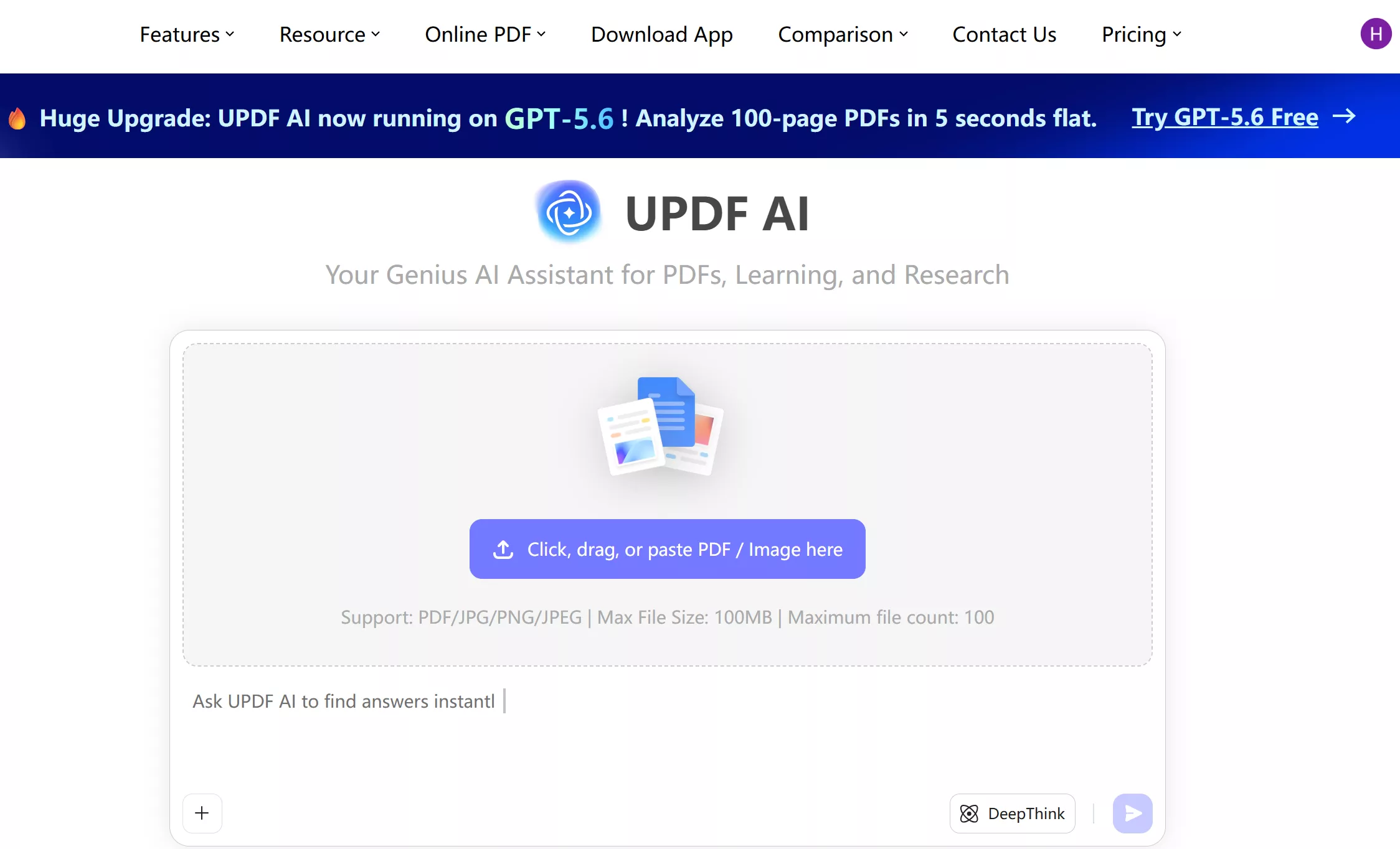
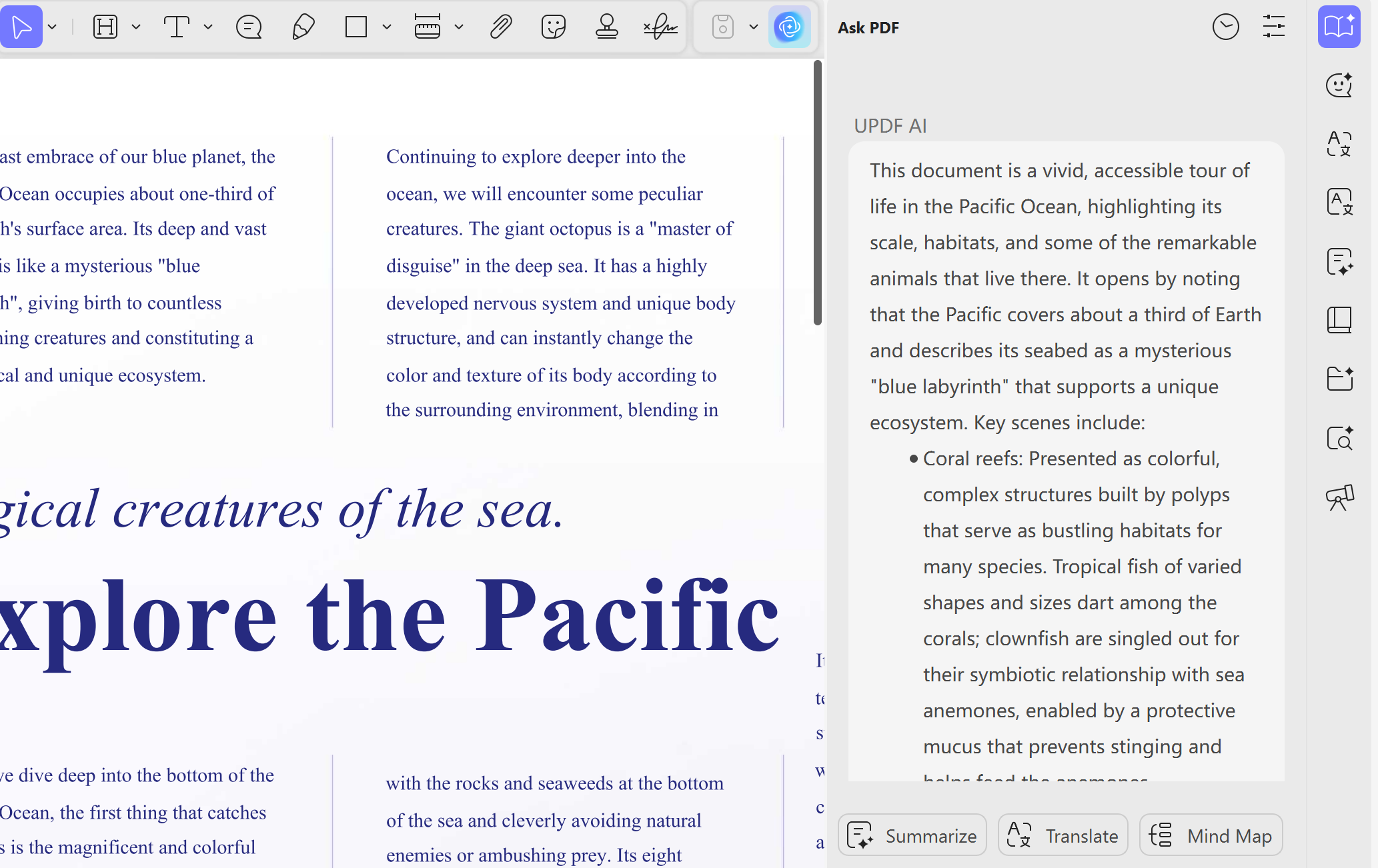
- Summarize PDF: Sometimes, PDF documents can be lengthy and time-consuming to read them entirely. This AI feature of UPDF provides a solution by generating different types of summaries for your documents. Moreover, this feature can help you extract the key information from the document.
- Explain: The Explain feature of UPDF AI is designed to assist you in understanding challenging terms or questions within your documents. When you encounter difficult vocabulary or complex concepts, this feature comes to your aid and provides clear explanations and definitions for the specific terms.
- Translate PDF with AI: This feature allows you to easily translate the content of your PDF documents into any language you desire. Whether you have a document in English and need it in Spanish, French, or any other language, UPDF PDF Reader can assist you.
- Write and Rewrite: Write any topic you ask and rewrite the content you provide in a different style, such as making them longer or shorter or changing the writing style to humor or horror.
- Chat with UPDF AI: You can ask and chat with UPDF AI on any topic. For example, when you need to brainstorm, you can ask UPDF AI to provide you with amazing ideas.
- Chat with AI across devices: UPDF's AI can work on Windows, Mac, Android, iOS, and Online. If you do not want to use the desktop or mobile versions, click the button below to visit the online version directly.
- Generate & Summarize Bookmarks in a click: You can automatically bookmark PDF and summarize bookmarks in simple clicks.
- Custom Stickers & Wallpapers & Stamps: You can create your own stickers, wallpapers and stamps.
- AI Edits Text on PDF: for existing texts, it can help you polish and simplify text, and rewrite tone, etc, for blank text, you can ask AI to help you generate.
- Page Management: You can check and detect blank pages, missing pages, inverted pages and OCR pages with one click and fix them as you want.
- Semantic Search: You can find this word by using synonyms, near-synonyms, related words, or the definition of the target keyword.
- AI Guide: You can directly ask the AI where a certain function is, and it will guide you there, or let it help you set a password.
Pricing Plan
- UPDF Pro Annual Plan: $64.99
- UPDF Pro Perpetual Plan: $94.99
- AI add-on Annual Plan: $79
UPDF provides cost-effective solutions and wants to bring real value to improve its users' productivity.
Supported Systems
- The UPDF application works on Windows, macOS, iOS, and Android. And UPDF's AI Assistant can work online and offline with UPDF. You can click the button below to visit the online version directly.
Do you want to learn more about this AI PDF reader? Watch the video below to experience the powerful AI features and see how the big media BGR talks about UPDF here. What's a more clever choice? Click the button below to download it and try all these features yourself and you will know how amazing it is!
Windows • macOS • iOS • Android 100% secure
UPDF AI is the only tool that covers both cloud-based convenience and local processing privacy within a single platform. The rest of this guide is organized by tool type to help you find the best fit for your specific workflow.
Category 2: Conversational Q&A
| Aspect | Description |
|---|---|
| What it does | Upload a PDF, ask questions in natural language, get answers with page-level citations |
| Key strength | Fastest to get started — no learning curve, perfect for single-document understanding |
| Privacy mode | Files are uploaded to cloud servers for processing |
| Best for | Students, researchers, and professionals who need to quickly understand document content |
ChatPDF
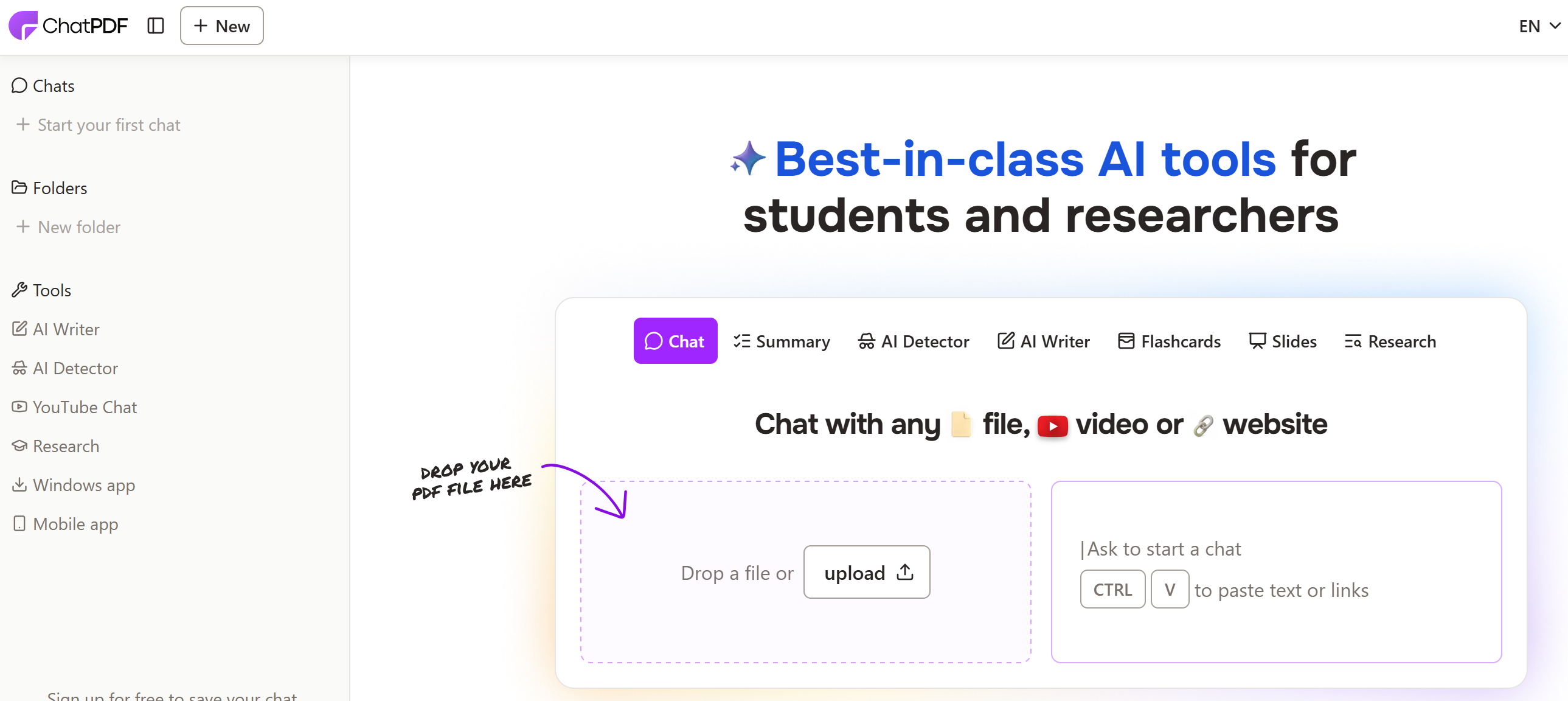
ChatPDF is the most widely used AI PDF reader. Upload a PDF, ask questions, and get answers with page references. Free tier covers 2 PDFs per day, up to 120 pages each, 50 questions per day. It also supports OCR for scanned documents, multi-PDF chat, and automatic flashcard and quiz generation — making it particularly useful for exam preparation and research review.
Best for: Students and researchers who need a quick summary of a single paper without signing up.
Pricing: Free (2/day) / $14.99/mo for unlimited
NoteGPT
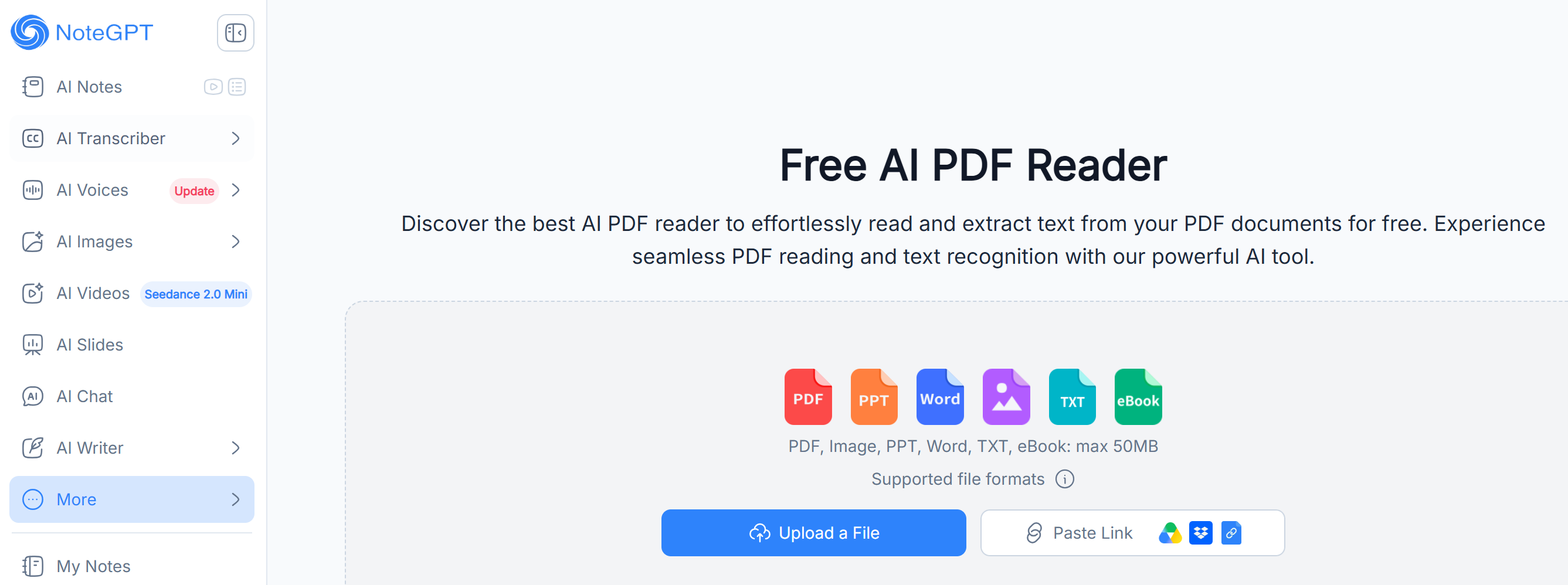
NoteGPT transforms PDFs into interactive study companions. It automatically extracts text, generates concise summaries, key insights, and even mind maps that visually organize information. Beyond PDFs, it also summarizes YouTube videos and web articles, making it a versatile tool for research and learning.
Best for: Students and researchers who want visual organization of information alongside summaries.
Pricing: Free tier / $19.92/mo for unlimited
PDF.ai
PDF.ai lets you chat with any PDF using natural language. Create workspaces to chat across multiple PDFs simultaneously. Built-in OCR handles scanned documents and image-based PDFs. You can read PDFs in one language and ask questions in another — a significant advantage for multilingual research.
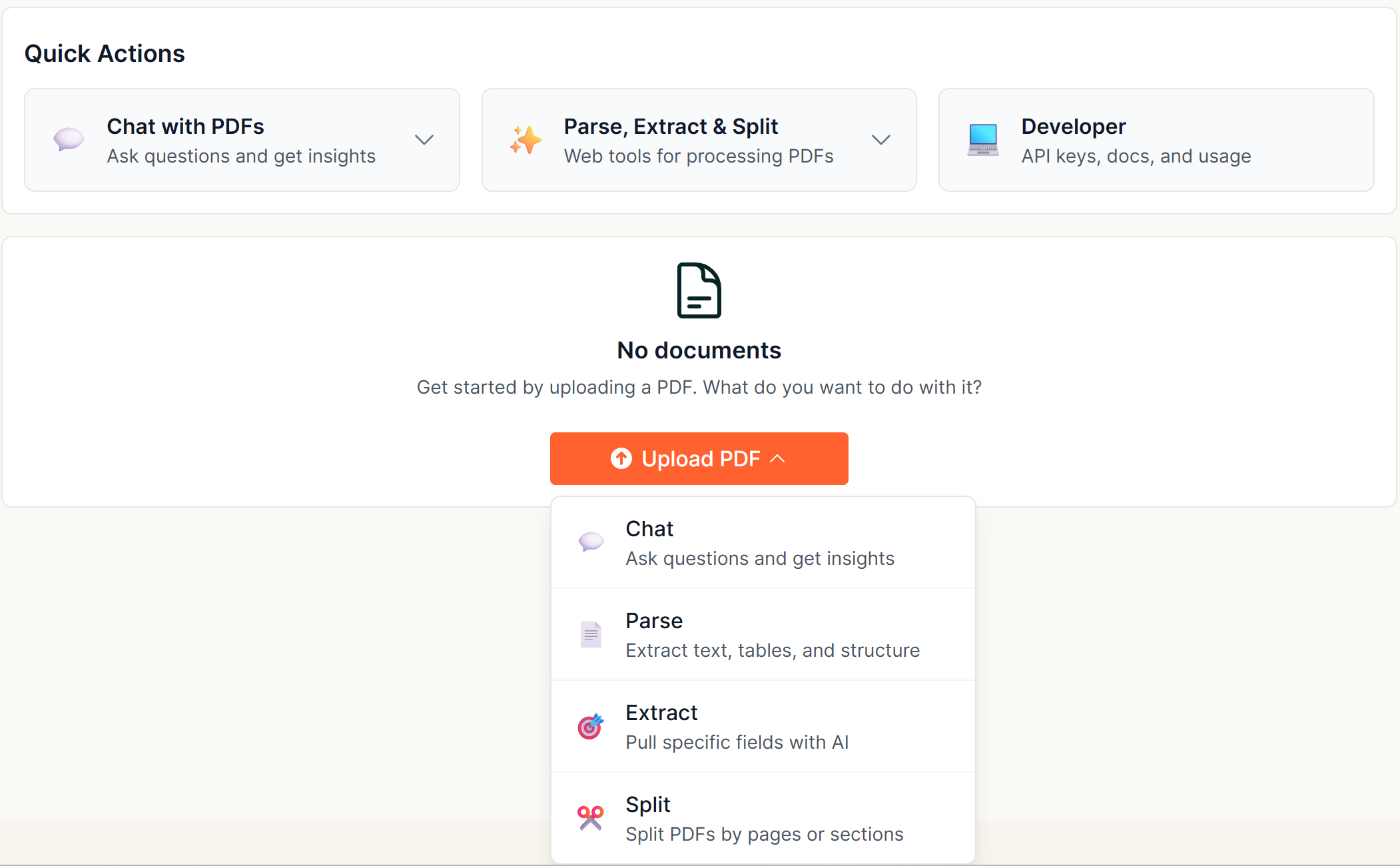
Best for: Researchers managing multiple documents and enterprise users embedding PDF Q&A into their own platforms.
Pricing: 200 credits per month / $49 per month for 3,000 credits, $99 per month for 10,000 credits, $249 per month for 30,000 credits, $599 per month for 100,000 credits
Smallpdf AI
Smallpdf AI is part of a larger 30+ PDF tool suite. Summarize, translate, or chat with any PDF — including papers from Google Scholar. It's free to use with no sign-up required and can handle PDFs with 300k+ words. The Chrome extension provides quick access.
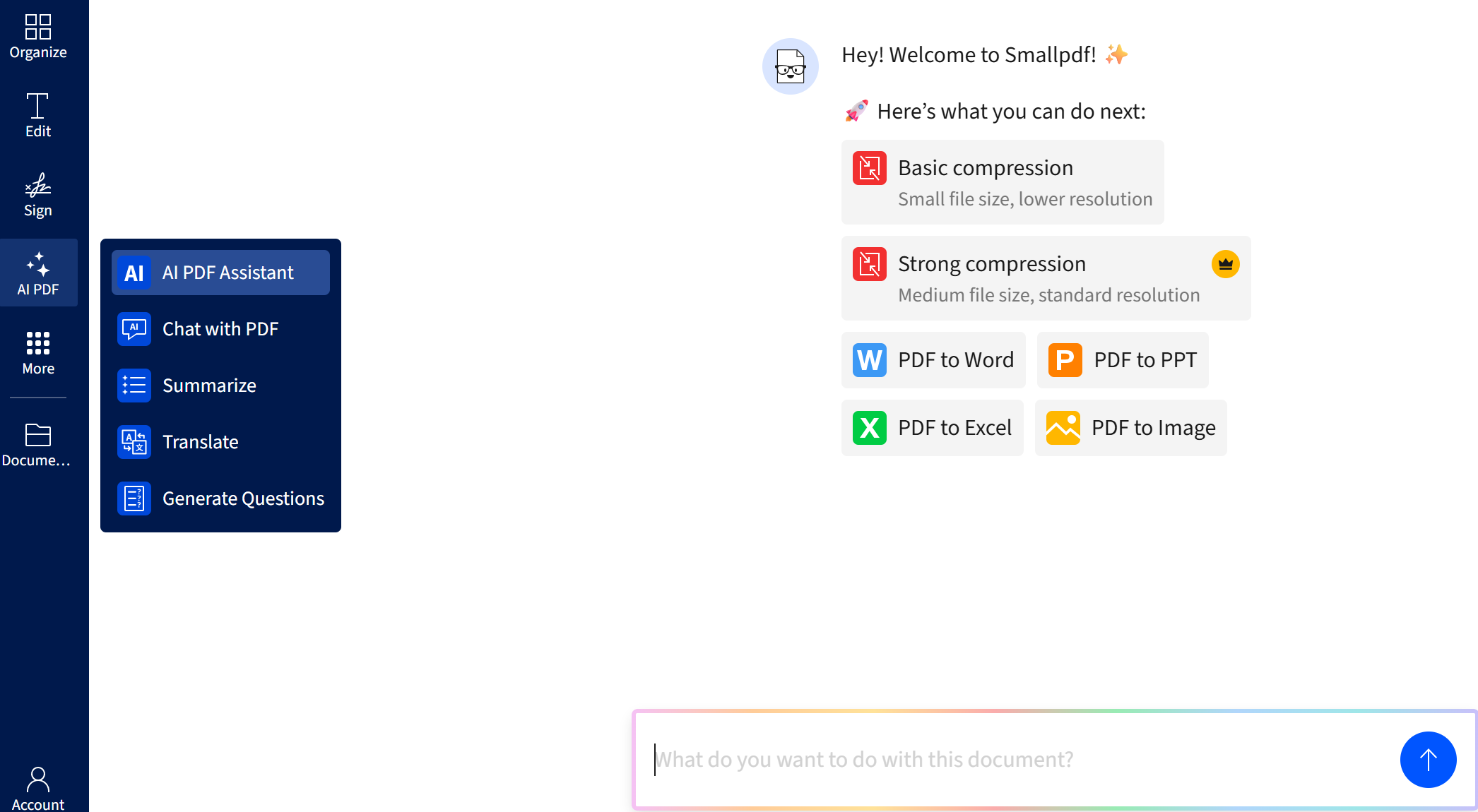
Best for: Users who need a free, no-sign-up summarizer as part of a larger PDF workflow.
Pricing: Free trial/ $15/month
AskYourPDF
AskYourPDF is powered by Claude, ChatGPT, and GPT-4 APIs. Upload PDFs and get instant answers, summaries of reports, research papers, books, contracts, and business documents. The Chrome extension provides quick access from your browser.
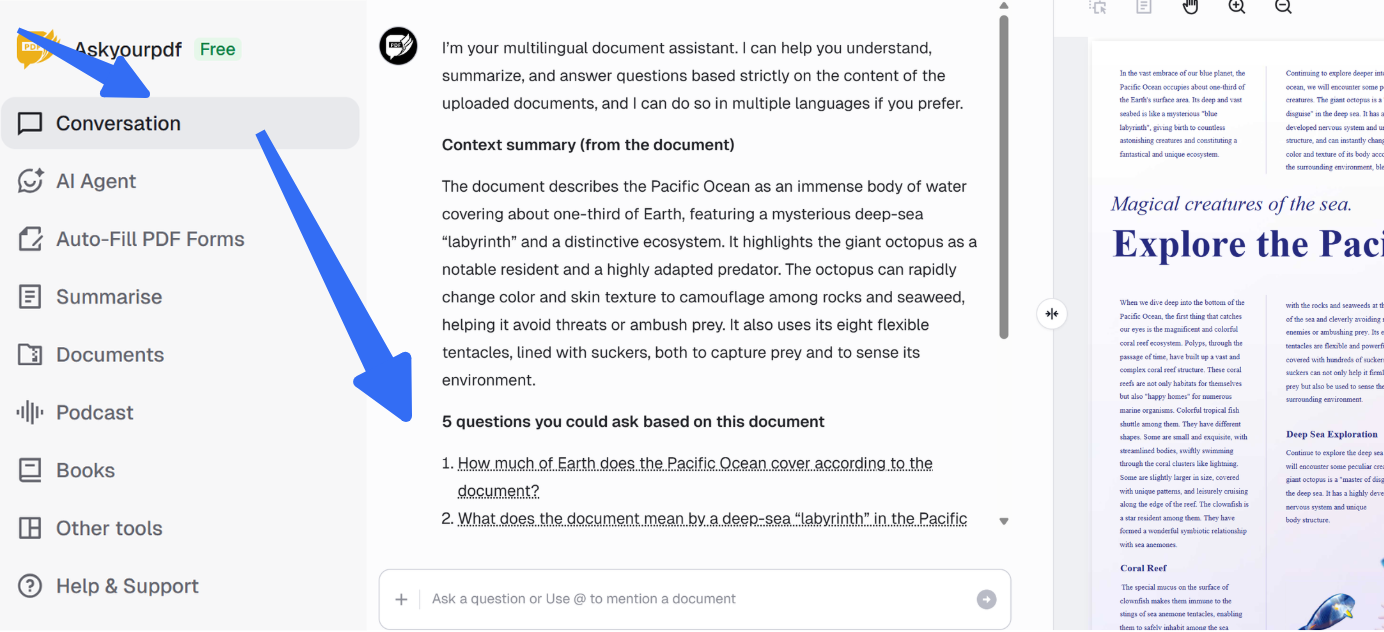
Best for: Users who want flexibility in AI model choice and document formats.
Pricing: Free tier / starts from $14.99 per month
⚠️ Privacy note: All conversational tools require uploading files to the cloud. For sensitive documents, see Category 3 below.
Category 3: Academic / Research-Focused
| Aspect | Description |
|---|---|
| What it does | AI models run directly on your device. Your documents never leave your machine |
| Key strength | Complete privacy, works offline, no accounts or API keys required |
| Privacy mode | 100% local processing |
| Best for | Legal professionals, healthcare workers, researchers, and anyone handling confidential documents |
Noteey
Noteey is a visual knowledge canvas that unifies PDFs, images, sticky notes, weblinks, mind maps, videos, and audio files in one space. Annotate PDFs, make highlights, and break down content on infinite whiteboards to discover new insights. AI-powered OCR extracts text from handwritten notes, scans, and imported PDFs. The deep-linking feature allows researchers to connect information across multiple documents.
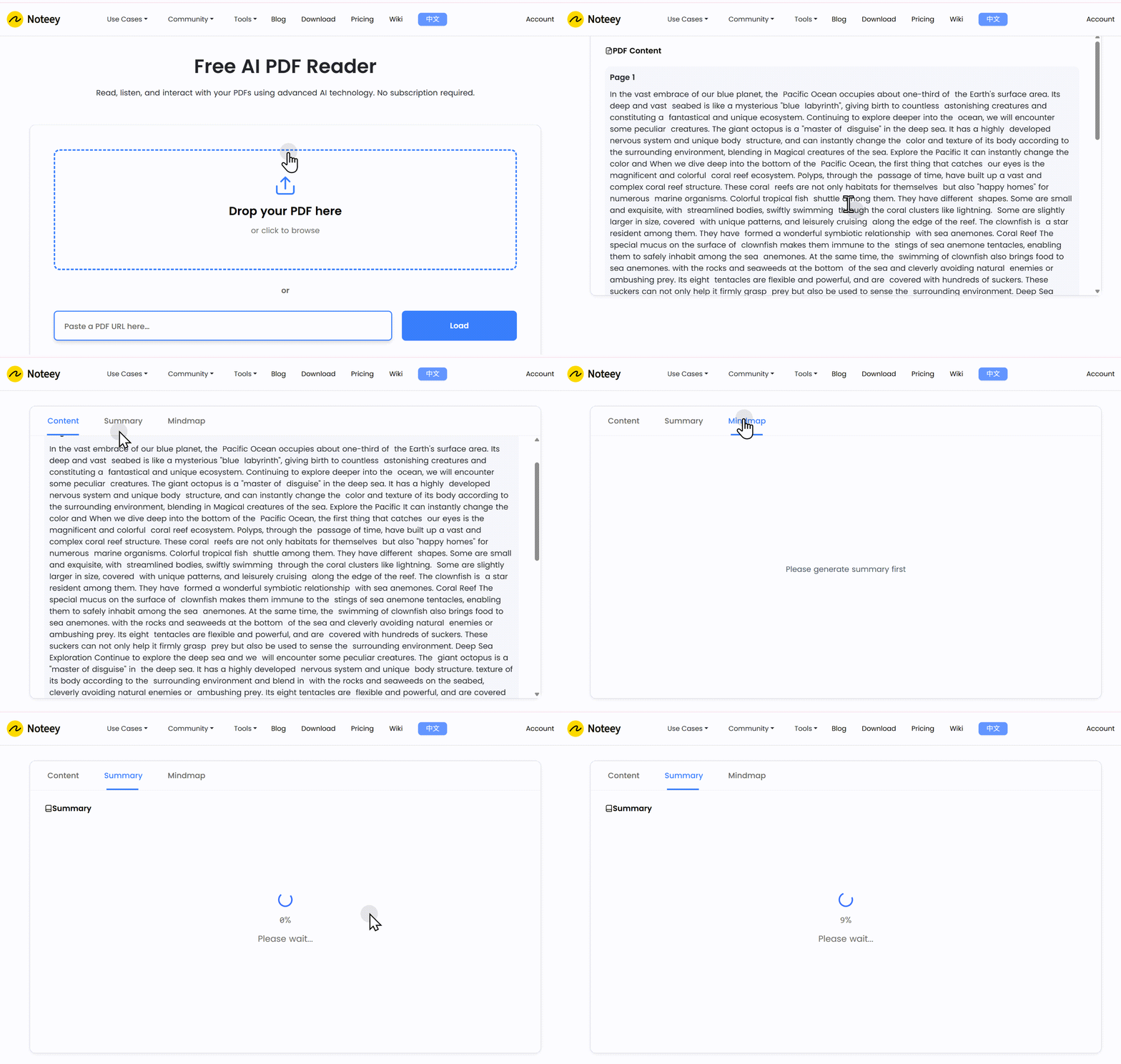
Best for: Researchers, students, and knowledge workers who think visually and want to connect ideas across multiple formats.
Pricing: Limited features on web/$99 for lifetime use on desktop
SciSpace
SciSpace is an AI-powered research assistant built specifically for understanding scientific literature. Access 270+ million academic papers in the SciSpace repository. Chat with scientific PDFs, compare papers seamlessly, and extract key insights. The built-in Copilot AI can instantly explain, translate, and answer questions about complex academic papers. Supports 13 languages and provides citation extraction.
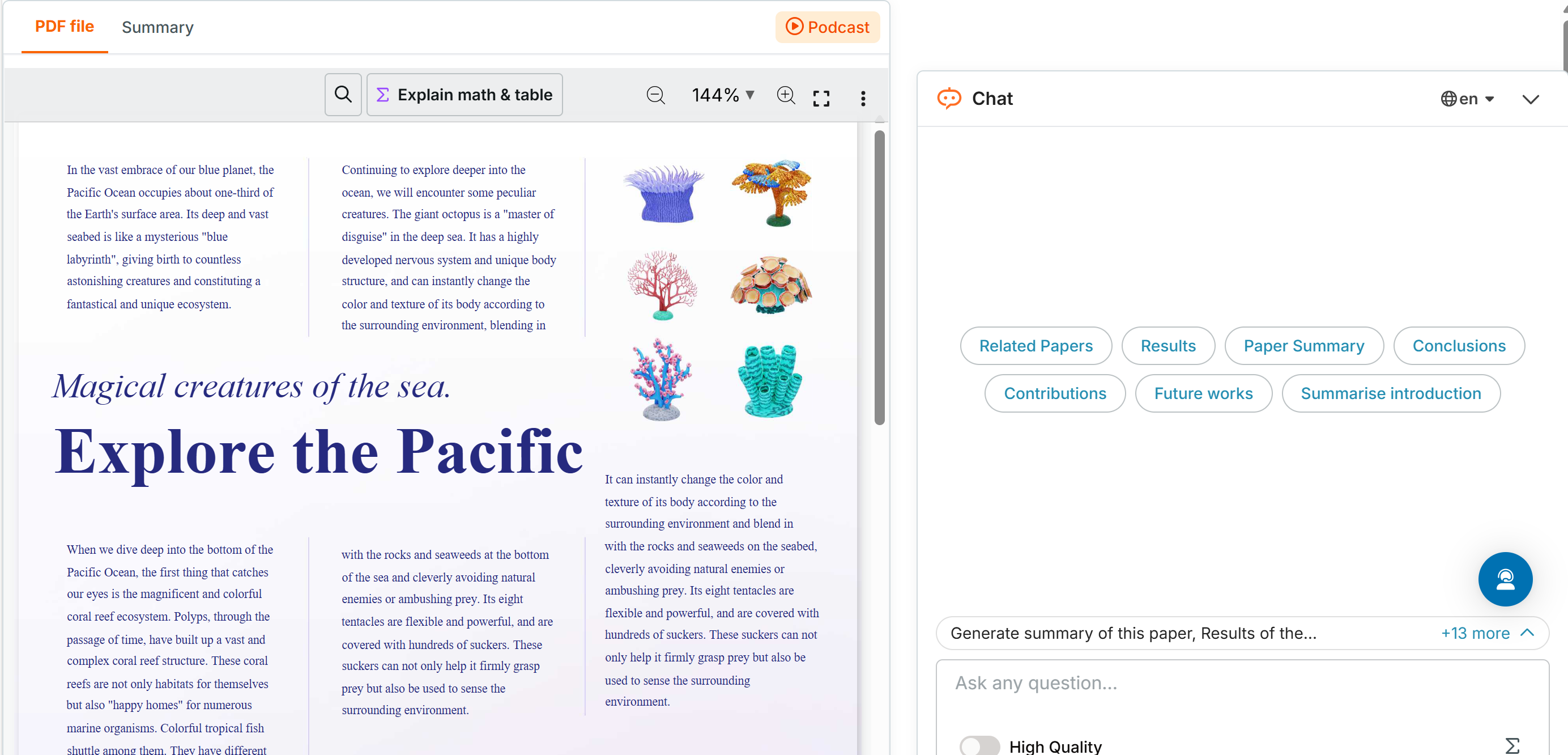
Best for: Researchers, graduate students, and academics working with scientific literature.
Pricing: Free (100MB limit) / $20 per month for 1,200 credits, $90 per month for 10,000 credits
Note on UPDF AI: As covered in Category 1, UPDF AI's desktop mode also offers local processing with the added benefit of full PDF editing capabilities — making it the only hybrid tool that can handle both privacy and editing workflows.
Windows • macOS • iOS • Android 100% secure
Category 4: Text-to-Speech / Audio Readers
| Aspect | Description |
|---|---|
| What it does | Convert PDF text to natural, lifelike audio — allowing you to "read" while multitasking |
| Key strength | Great for auditory learners, commuters, and visually impaired users |
| Privacy mode | Files are uploaded for processing |
| Best for | Auditory learners, commuters, visually impaired users, anyone who prefers listening over reading |
Readloudly
Readloudly is a platform designed specifically to convert written documents into audio narration. Upload a PDF and immediately begin listening using AI voices. Supports over 20 languages with 50+ free AI voices and 1,200+ premium voices. Simple controls for playback, speed adjustment, and section jumping. Quick page navigation allows you to continue listening while browsing the document.
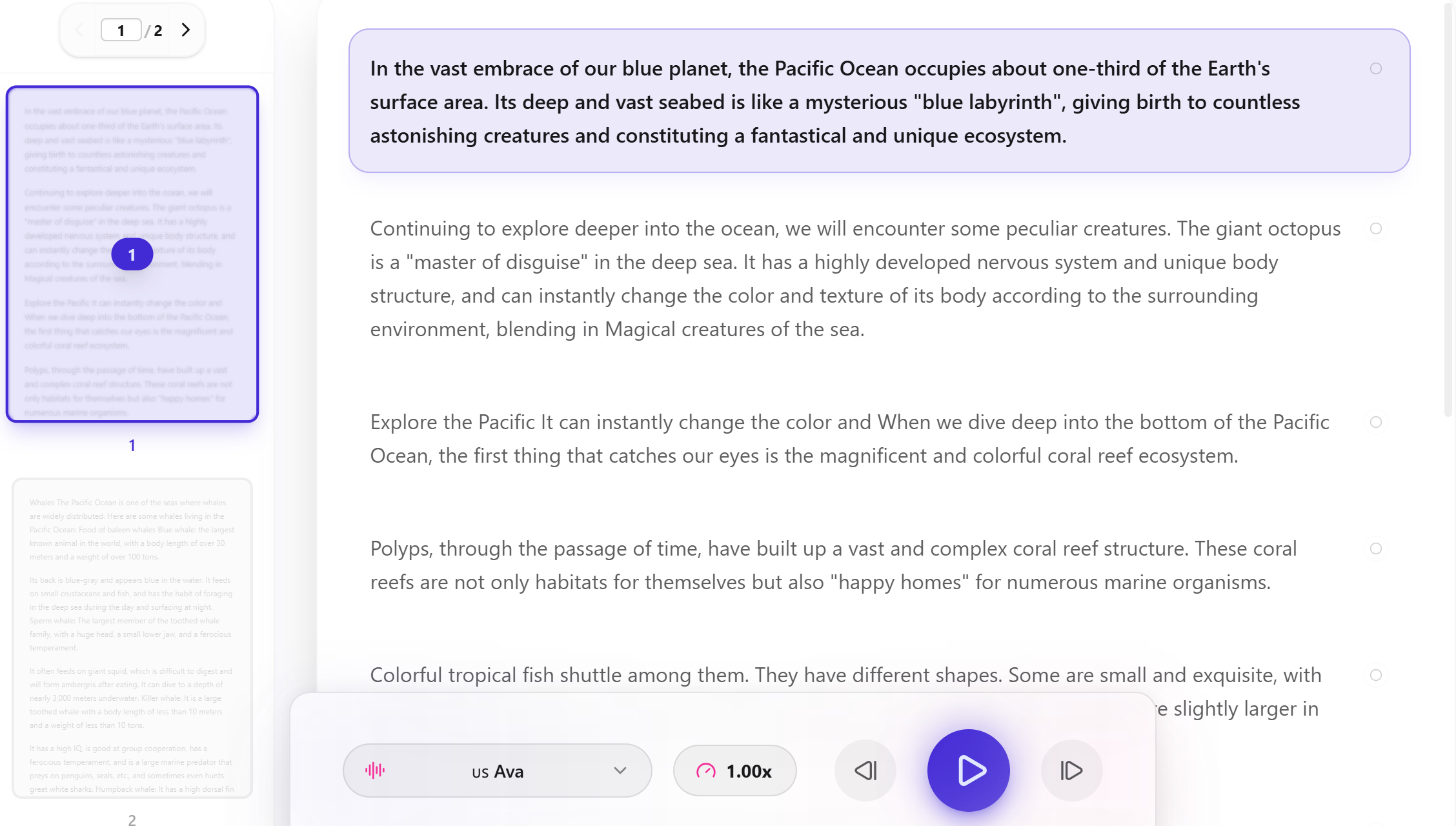
Best for: Auditory learners, commuters, visually impaired users, and anyone who prefers listening over reading.
Pricing: Free tier / $5.9 per month for 500 credits, $19.9 per month for 4,000 credits, $99 per month for 40,000 credits
Paper2Audio
Paper2Audio is a free text-to-speech app that reads aloud PDFs, research papers, ebooks, web articles, and text documents. Supports scanned PDFs — upload and turn them into listenable audio. Reads documents with summaries of visual elements like math. Available as a mobile app and browser extension.
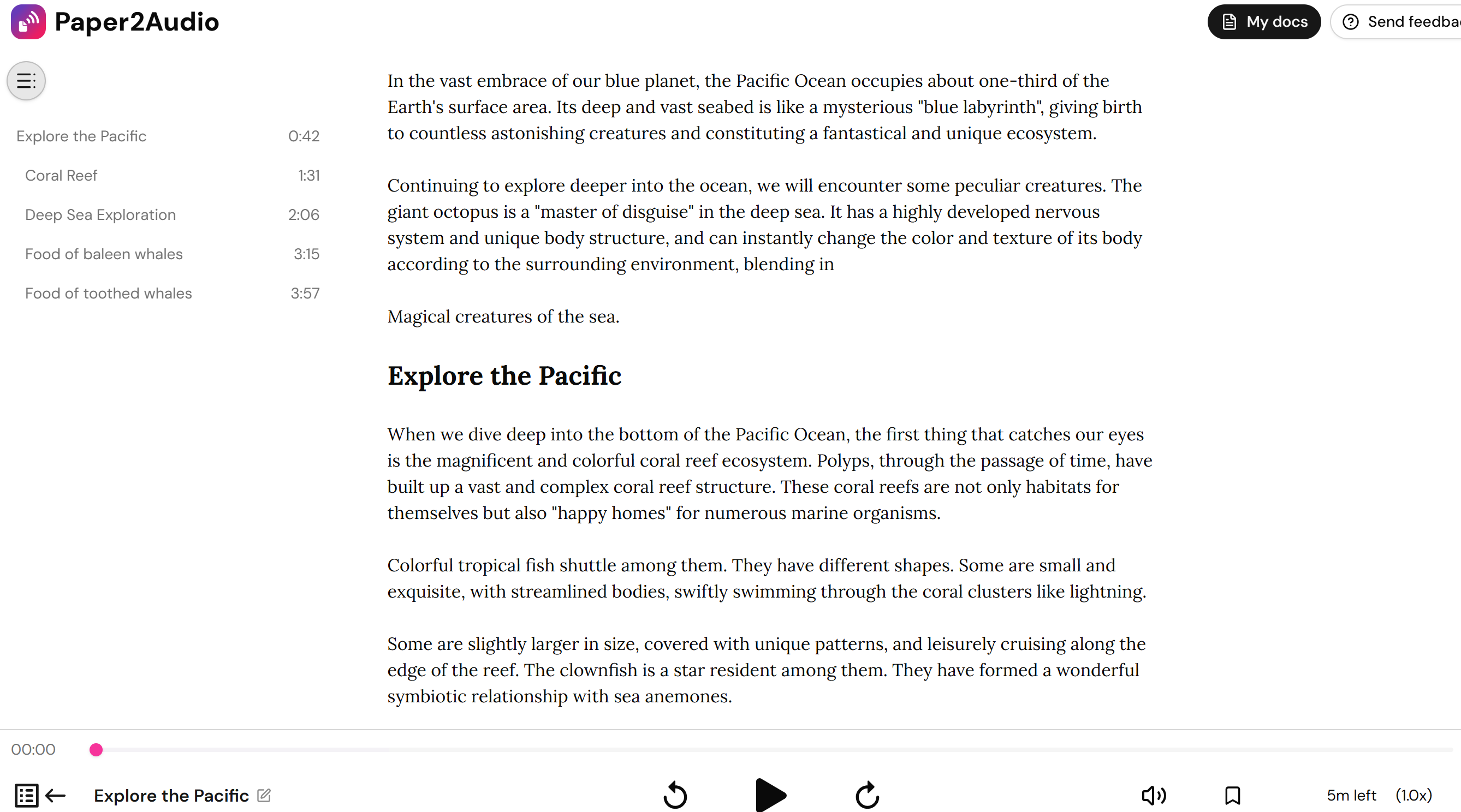
Best for: Researchers and students who want to listen to academic papers while commuting or multitasking.
Pricing: Free trial/ $10 per month
Category 5: Enterprise / Ecosystem-Integrated - Adobe Acrobat AI Assistant
| Aspect | Description |
|---|---|
| What it does | Native Acrobat integration, cross-document Q&A, clickable citations |
| Key strength | Deep integration with the Adobe ecosystem |
| Privacy mode | Cloud (encrypted) |
| Best for | Enterprise users already embedded in the Adobe ecosystem |
Adobe Acrobat AI Assistant
Adobe Acrobat AI Assistant is an add-on to Adobe Acrobat Pro that brings AI-powered document analysis directly into the Acrobat interface. It can summarize long documents, answer questions with clickable citations that jump to the source, and analyze multiple documents simultaneously. The integration is native — you don't leave the Acrobat environment to use AI features.
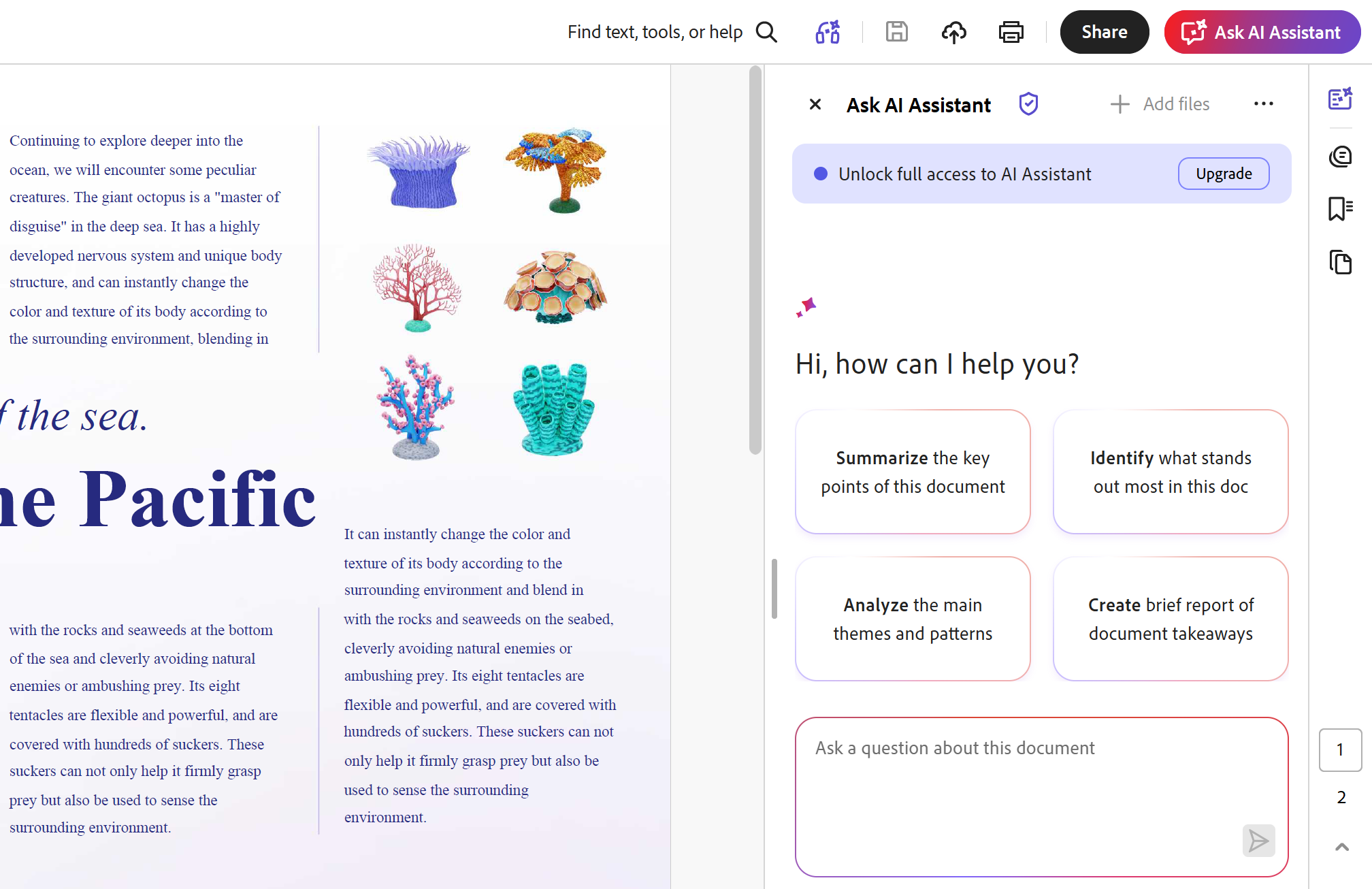
Best for: Professionals, legal teams, and enterprise users who already rely on Adobe Acrobat for document workflows and want PDF AI capabilities without switching tools.
Pricing: Requires Adobe Acrobat Pro subscription ($19.99-$29.99/mo) + AI Assistant add-on (~$4.99/mo)
How to Choose Cloud or Local Processing on AI PDF Reader?
Once you understand the types of AI PDF readers available, privacy becomes the most important decision factor when choosing a tool.
Cloud-Based AI PDF Readers
| Aspect | Description |
|---|---|
| How they work | Upload your PDF to a server, process with a cloud AI model, return results |
| Pros | More powerful AI models, faster processing, no local storage requirements |
| Cons | Your files are uploaded to third-party servers — a significant risk for contracts, legal files, and personal data |
⚠️ Warning: Files uploaded to cloud services may be cached, logged, or accessible before deletion. Never upload confidential documents to free online AI PDF readers unless you've verified their privacy policy.
Local / Offline AI PDF Readers
| Aspect | Description |
|---|---|
| How they work | The AI model runs directly on your device. Your documents never leave your machine |
| Pros | Complete privacy, works offline, no subscriptions or API keys needed |
| Cons | Model capabilities may be more limited than cloud options; requires device storage |
Hybrid Mode — UPDF AI's Unique Advantage
Most AI PDF readers force you to choose between "cloud" or "local." UPDF AI is the only tool that offers both options in one platform:
| Option | How It Works | Best For |
|---|---|---|
| Web version | Cloud processing, accessible from any browser | Everyday documents, quick summaries, non-sensitive content |
| Desktop version | Local processing, files stay on your device | Contracts, legal documents, personal data |
You can switch between modes based on document sensitivity — without switching between different tools.
Windows • macOS • iOS • Android 100% secure
Common Questions About AI PDF Readers
What's the difference between an AI PDF reader and a regular PDF reader?
A regular PDF reader displays text. An PDF AI reader understands it — summarizing, answering questions, extracting data, and translating content. The AI reader can also generate flashcards, mind maps, and audio versions of documents.
Can AI PDF readers handle scanned documents and images?
Yes — tools with OCR capabilities can. ChatPDF, PDF.ai, and UPDF AI all have built-in OCR for scanned documents. Noteey also offers OCR for handwritten notes and scanned PDFs.
Is there a completely local AI PDF reader that doesn't upload anything?
Yes — Noteey processes everything locally on your device. SciSpace offers local processing options. UPDF AI's desktop mode keeps files on your machine. These are the safest choices for confidential documents.
Can I use an AI PDF reader on my phone?
Yes — ChatPDF, Smallpdf AI, and AskYourPDF all have mobile-friendly web versions. Paper2Audio is available as a mobile app. UPDF AI has dedicated iOS and Android apps with full AI features.
Wrapping Up
To summarize, we have provided an overview of the top 10 AI PDF readers, focusing on their unique AI features and compatibility with different systems. This comprehensive list is designed to help users decide when selecting a PDF tool. Among these options, we highly recommend the UPDF tool, which offers many user-friendly features to enhance the PDF reading experience.
With UPDF, you can effortlessly navigate through your PDF documents, annotate and highlight important sections, and even convert files to different formats. Through the button below, you can download this tool instantly.
Windows • macOS • iOS • Android 100% secure
Frequently Asked Questions
Can an AI PDF reader understand scanned documents?
Yes, if the scan is processed with OCR first or the reader includes OCR. Recognition quality affects the answers.
How do I verify an AI PDF reader’s answer?
Ask for page references, open those pages, and compare names, numbers, dates, and conclusions with the source document.
Is it safe to upload confidential PDFs to an AI reader?
Check the provider’s storage, retention, and training policies first. Use a local workflow when the document contains confidential or regulated information.




 Delia Meyer
 Grace Curry
 Enola Miller

 Enid Brown