 UPDF
UPDF
 UPDF for Windows
 UPDF for Mac
 UPDF for iPhone/iPad
 UPDF for Android
 UPDF AI Online
 UPDF Sign
 Edit PDF
 Annotate PDF
 Create PDF
 PDF Form
 Edit links
 Convert PDF
 OCR
OCR PDF to Word
 PDF to Image
 PDF to Excel
 Organize PDF
 Merge PDF
 Split PDF
 Crop PDF
 Rotate PDF
 Protect PDF
 Sign PDF
 Redact PDF
 Sanitize PDF
 Remove Security
 Read PDF
 UPDF Cloud
 Compress PDF
 Print PDF
 Batch Process
 About UPDF AI
 UPDF AI Solutions
 AI User Guide
 FAQ about UPDF AI
 Summarize PDF
 Translate PDF
 Chat with PDF
 Chat with AI
 Chat with image
 PDF to Mind Map
 Explain PDF
 PDF AI Tools
 Image AI Tools
 AI Chat Tools
 AI Writing Tools
 AI Study Tools
 AI Working Tools
 Other AI Tools
 PDF to Word
 PDF to Excel
 PDF to PowerPoint
 Enterprise Solution
 Enterprise Sign
 Enterprise AI
 Enterprise Plan
 Enterprise User Guide
 Enterprise Webinar
 Banking
 Healthcare
 Insurance
 Legal
Legal Manufacturing
 Government
 Education Solution
 Customer Stories
 User Guide
 UPDF Tricks
 FAQs
FAQs UPDF Reviews
 Download Center
 Blog
Blog Newsroom
 Tech Spec
 Updates
 UPDF vs. Adobe Acrobat
 UPDF vs. Foxit
 UPDF vs. PDF Expert

Business finances can be tough to manage for small business owners and startups. The process of following income and profits may be complicated, and not everyone can arrange the figures. A well-prepared P&L statement can simplify this process, showing exactly how money flows in and out of your business.
In this guide, you'll get the answer to "What is a profit and loss statement?" and learn where to find free templates for your business. Moreover, you'll see how UPDF makes filling out and editing financial forms easier, letting you create professional statements without stress.
Windows • macOS • iOS • Android 100% secure
Part 1. What Is a Profit and Loss Statement?
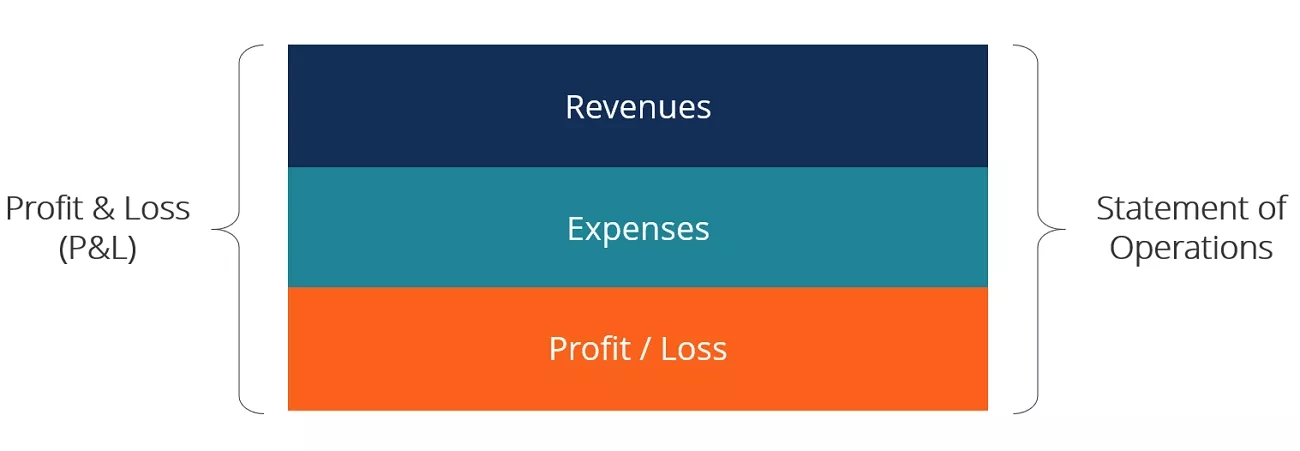
A P&L statement is a report that summarizes revenues and expenses of a firm over a specific period. It shows how much profit or loss the business made to help business owners and freelancers understand their financial performance systematically.
Such statements are essential as they put emphasis on the financial health of a business. Business owners can determine business trends and control costs for informed decisions. It also supports loan applications, attracts investors, and helps plan for growth. With the help of this report, businesses remain profitable and prepared to face financial difficulties.

What Is in a Profit and Loss Statement?
Before learning how to make a profit and loss statement, let's explore the main elements included in this report.
- Total Revenue: Income realized as a consequence of sales within a given period.
- COGS: Direct cost of goods sold required to produce goods or deliver services.
- Earnings Before Expenses: Money that remains after direct costs are fully paid from revenue.
- Operating Expenses: Regular costs of business operations to keep running smoothly.
- Final Profit or Loss: Money that remains after all costs go out from total income.
Part 2. What is the Main Purpose of the Statement of Profit or Loss?
To see the value of a profit and loss statement, let's understand the main purpose behind it.
Main Purpose of the Statement of Profit or Loss
A P&L statement helps business owners understand how money flows in and out. The main purpose behind it is to track profits, monitor expenses, and guide financial decisions effectively. It also provides investors or lenders with a clear snapshot of the business's overall performance. Additionally, it helps identify trends and areas where the business can improve profitability over time.
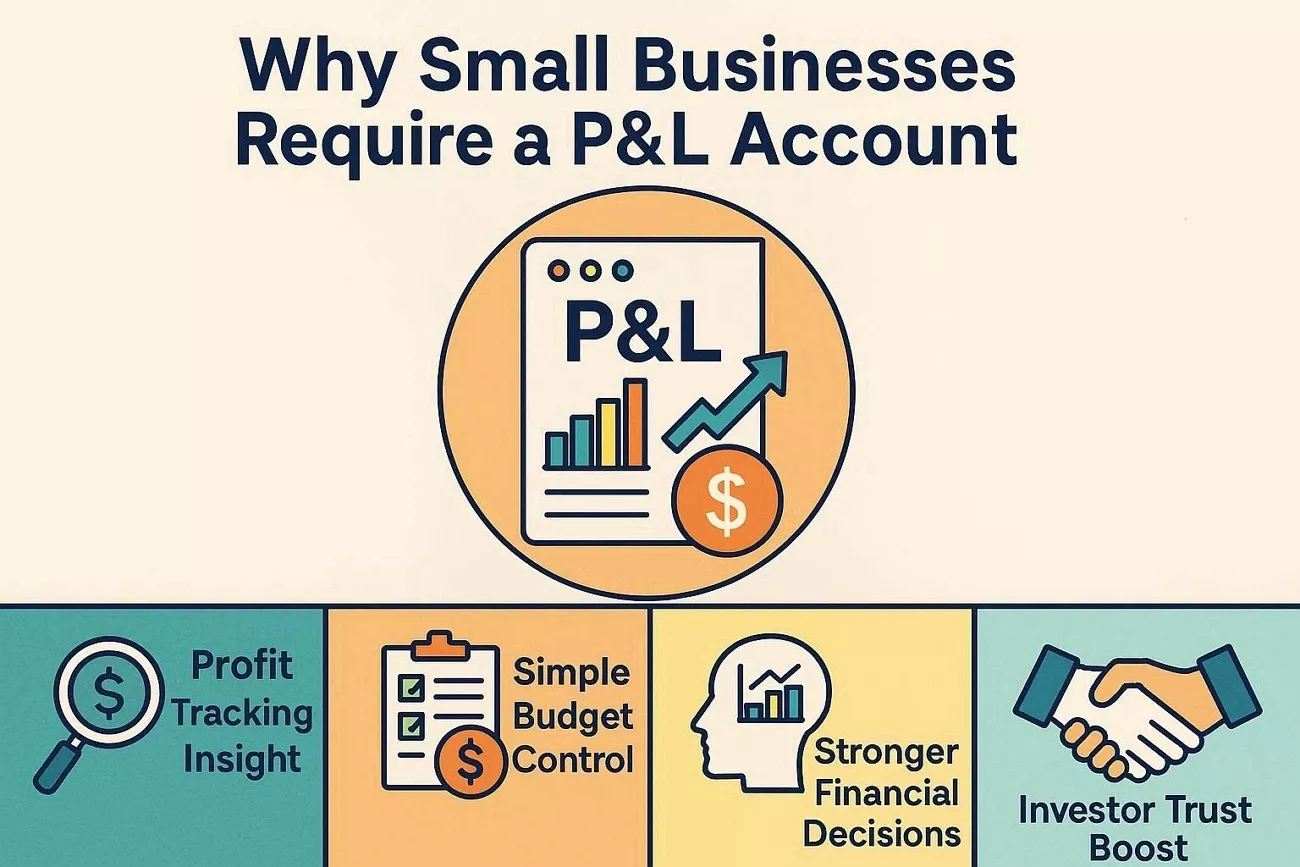
Why Small Businesses Require a P&L Account
Having discussed the answer to "what is a profit and loss statement?", let's explore the reasons why small businesses need a profit and loss account.
- Profit Tracking Insight: Shows business owners how much money the business keeps after spending costs.
- Simple Budget Control: Helps small businesses set budgets and use resources well.
- Stronger Financial Decisions: Supports clear choices about pricing, investments, and everyday operating expenses.
- Investor Trust Boost: Gives banks and investors a clear picture of financial performance.
- Trend Awareness Tool: Reveals income and expense patterns so owners can increase profit and prepare.
Part 3. Who Prepares a Profit and Loss Statement?
Typically, accountants and finance professionals prepare profit and loss statements for businesses. Huge enterprises often have dedicated accounting teams to track income and profits accurately. These professionals ensure that the report complies with accounting standards and provides an accurate view of the business's financial performance.
However, small business owners can also prepare their own statements using the right tools. It assists them in tracking funds and making more efficient growth decisions.
Is It Possible for Me to Do My Own Statement?
Yes, you can prepare your own profit and loss statement without hiring an accountant. Look at these practical tips to organize income and create professional statements.
- Simple Templates: Ready-made templates help organize income and expenses without needing professional help.
- Editable Forms: Use digital tools to edit and annotate accurate profit and loss forms.
- Review Patterns: Check your statements to spot trends and identify areas for improvement.
- Professional Appearance: With the right tools, DIY statements can look polished and ready to share.
Part 4. How to Make a Profit and Loss Statement - Step by Step
Many business owners download a P&L template only to realize it is difficult to update. Making frequent corrections to income often leads to messy files and calculation mistakes. Sharing or submitting a clean, professional statement can also feel frustrating when formats break or data shifts. This is where UPDF becomes a practical solution for filling and editing profit and loss statements in a flexible PDF format.
It integrates with a smart AI assistance - which works as an AI tool for finance, can quickly review figures, summarize financial data, and adjust without rewriting entire forms. UPDF helps turn a static P&L template into an editable document that is accurate to maintain and ready to share when needed.
Guide to Make a Profit and Loss Statement Using UPDF
After introducing the best solution for P&L forms, follow the steps below to learn how to make a profit and loss statement using this tool:
Step 1. Download P&L Template and Import into UPDF
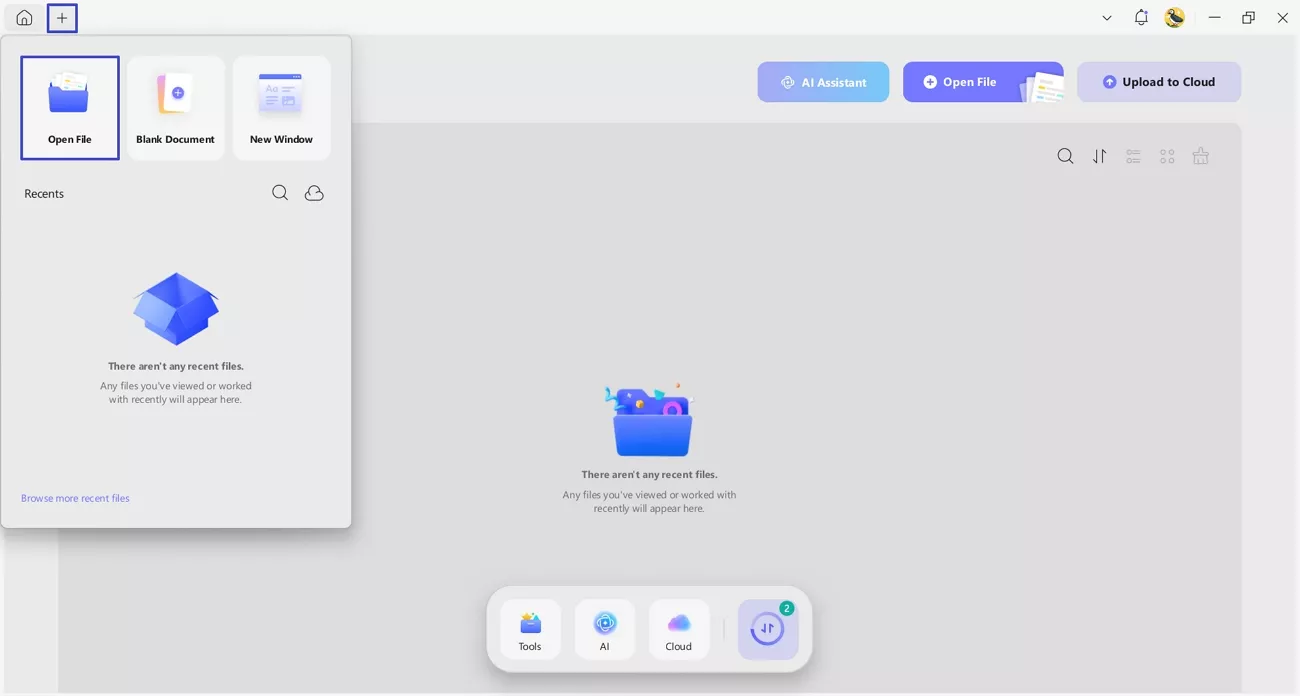
Firstly, download a simple P&L form (you can download a sample here) and import the PDF into UPDF by pressing the "+" icon and clicking the "Open File" option.
Windows • macOS • iOS • Android 100% secure
Step 2. Enter Income and Expenses
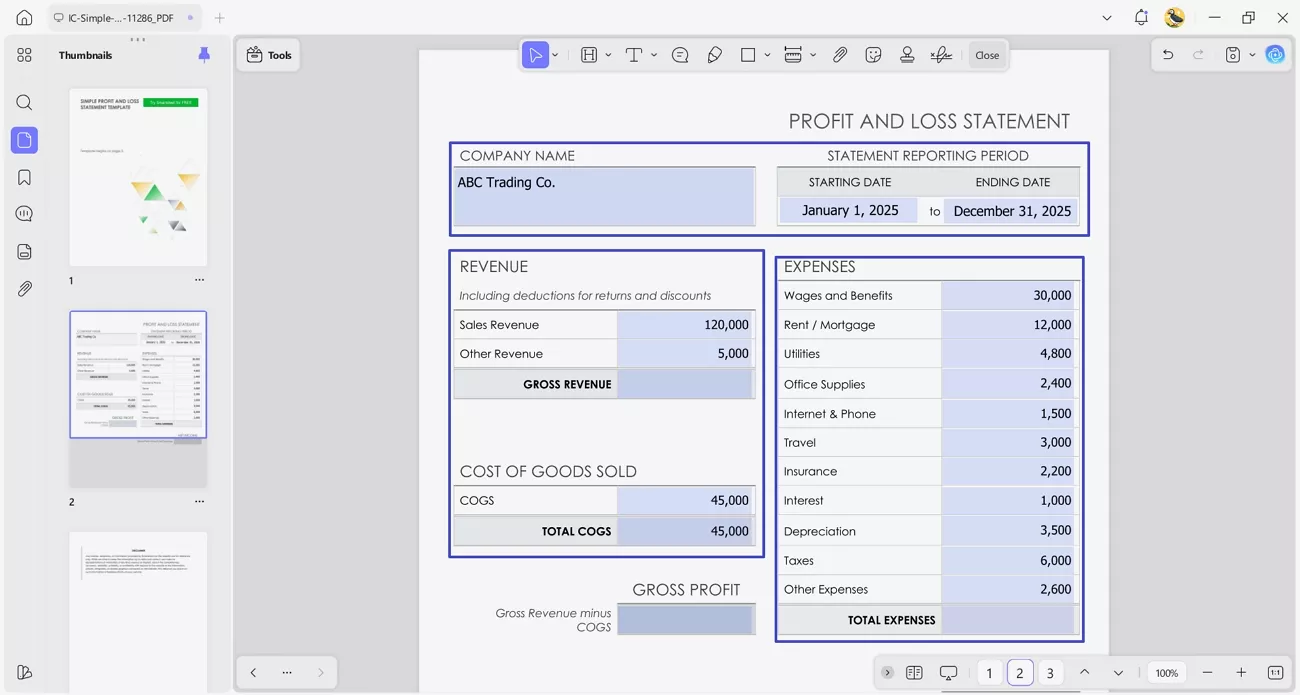
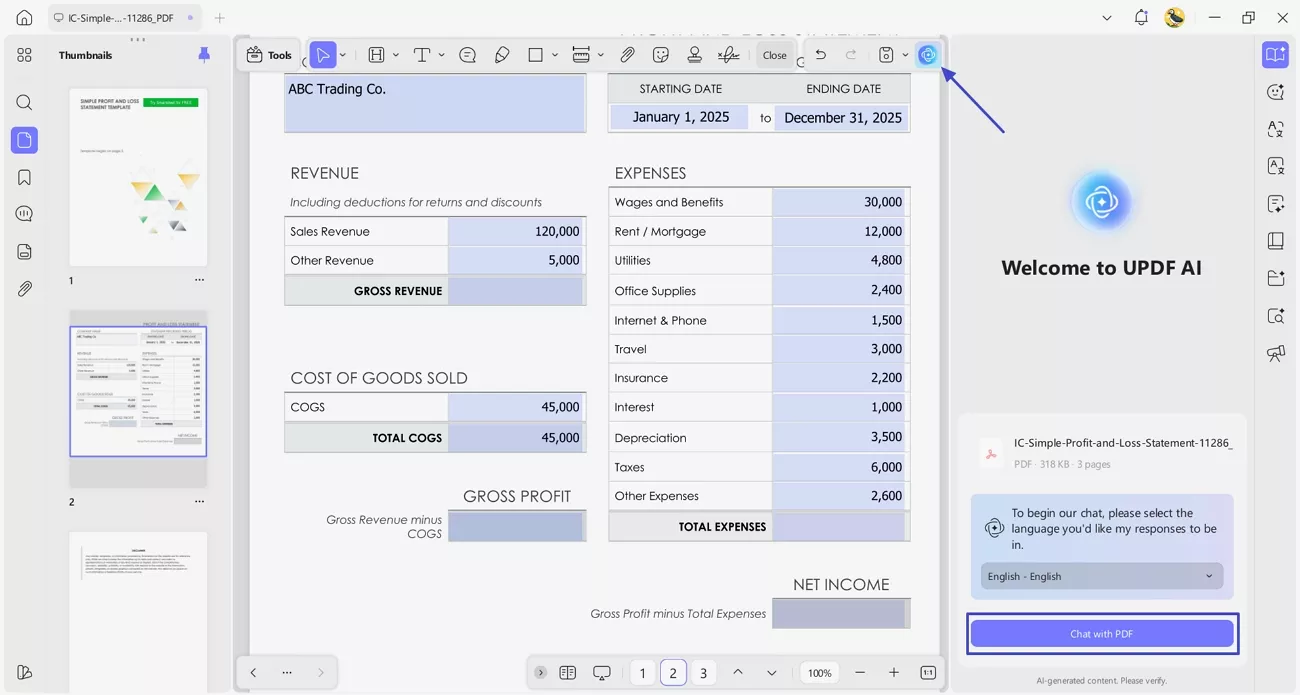
Once you see your PDF, enter the company name if needed and the statement reporting period. Afterwards, fill in the revenue, COGS, and expense fields directly in the form.
Step 3. Access UPDF AI for Totals
Next, press the "UPDF AI" icon in the top right corner and click the "Chat with PDF" button to start a conversation with the PDF.
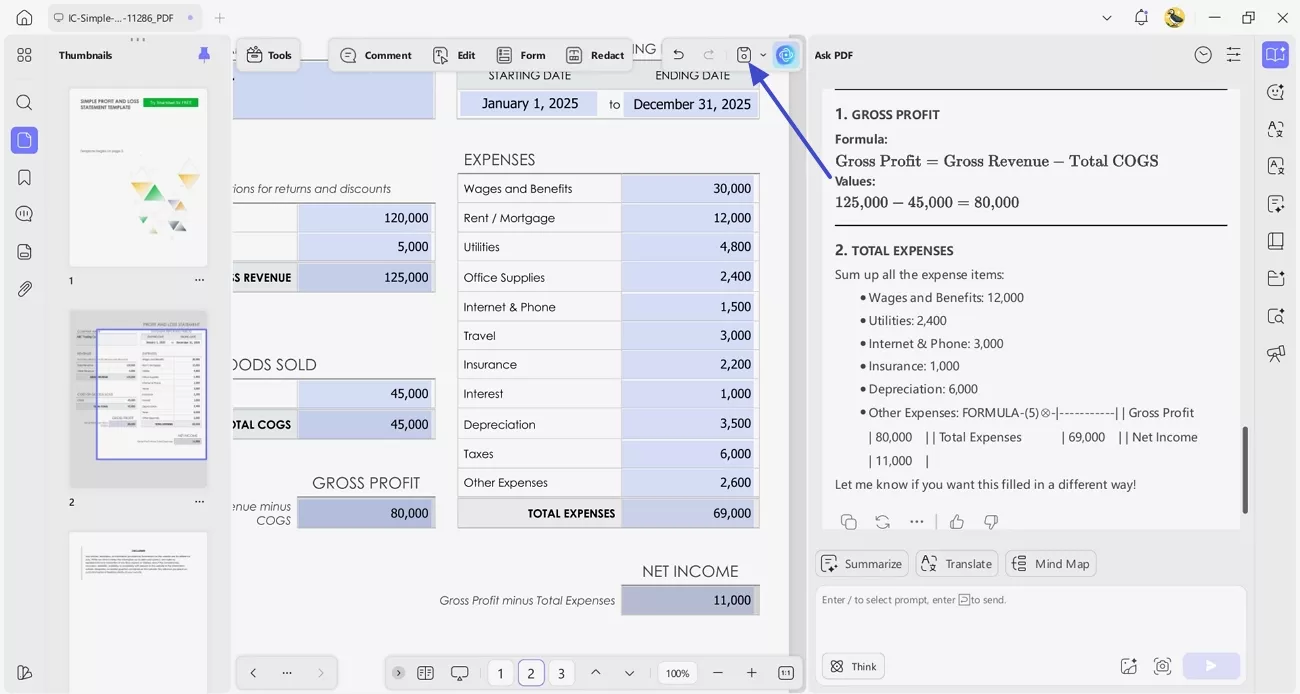
Step 4. Ask UPDF to Calculate Revenue, Gross Profit, and Net Income
Afterwards, ask UPDF AI to calculate the total revenue and gross profit. Once done, use UPDF's form filling tools to fill in the outcomes in the missing editable fields. After the P&L form is finalized, press the "Save" to save the PDF and share if needed.
Part 5. Profit and Loss Form & Free Profit and Loss Template
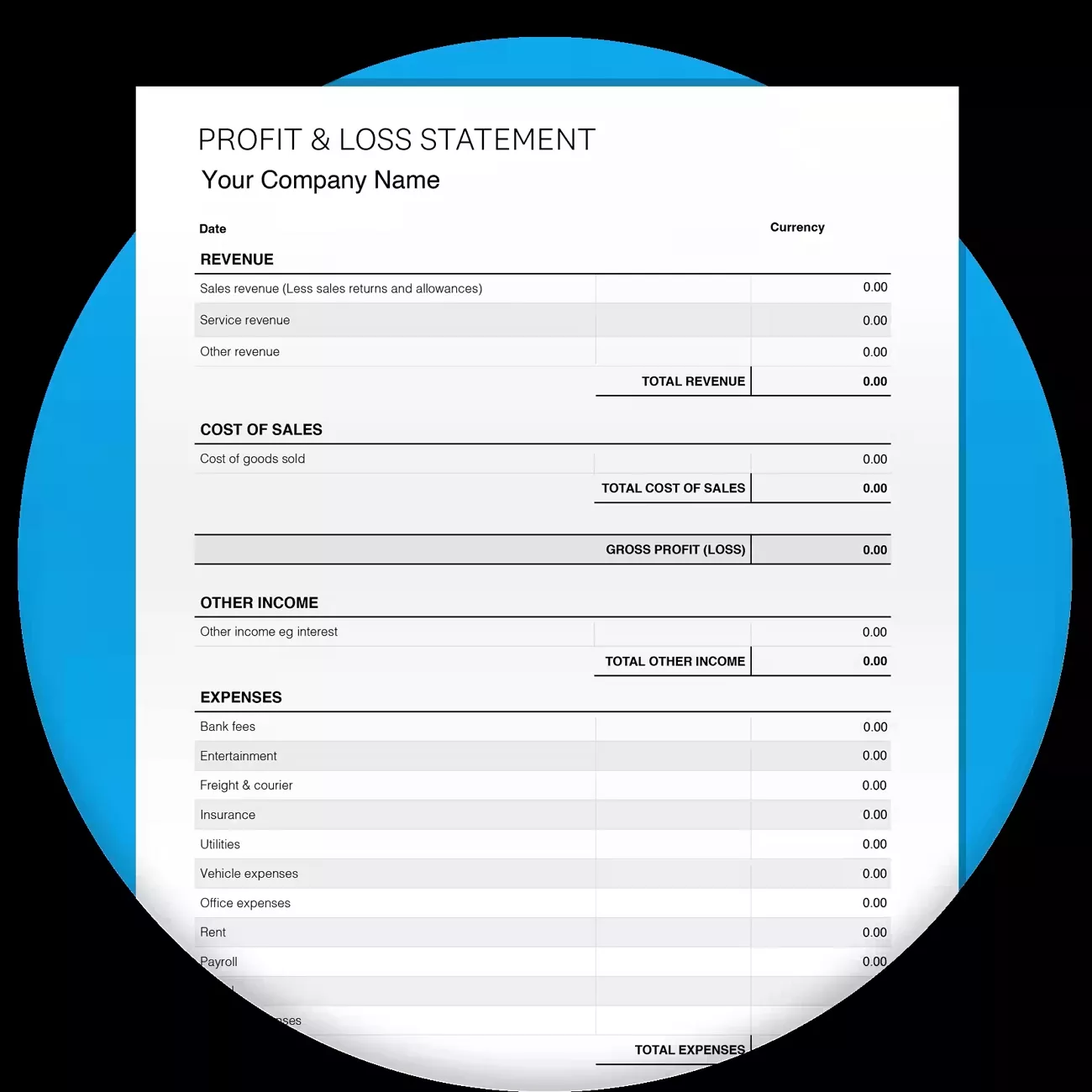
A profit and loss form is a structured document designed to record a business's income, expenses, and net profit over a specific period. Unlike a full accounting report, the form simplifies financial tracking by providing pre-defined sections for revenue, costs, and totals, making it easier to input data accurately.
For small businesses, freelancers, and startups, a P&L form helps organize financial data and prepare statements for reporting. It allows owners to quickly identify trends, control expenses, and make informed decisions without needing complex accounting software.
Where to Find a Free P&L Template?
Now, let's explore some credible sources where you can get a free profit and loss template.
- HubSpot: Provides free templates you can download in PDF format for income, expenses, and net profit.
- Jotform: Offers fillable PDF templates designed for profit and loss reporting that you can customize.
- Smartsheet: Free profit and loss templates with downloadable Adobe PDF versions.
Why Fillable PDFs Are Useful
Let's explore why using fillable PDFs simplifies manual filing and sharing.
- Users can type directly into fields without ever needing to print the document.
- Fillable PDFs maintain professional formatting to make documents look organized.
- These templates can be reused multiple times, saving time and effort for everyone.
- PDFs are easy to share via email or cloud without losing formatting integrity.
- Built-in fields reduce mistakes, so totals and entries remain accurate consistently.
Part 6. What are the Red Flags on a P&L Statement?
A P&L statement is an essential tool, but certain warning signs can indicate financial trouble. After learning how to make a profit and loss statement, identifying these red flags early helps business owners take corrective action before problems escalate.
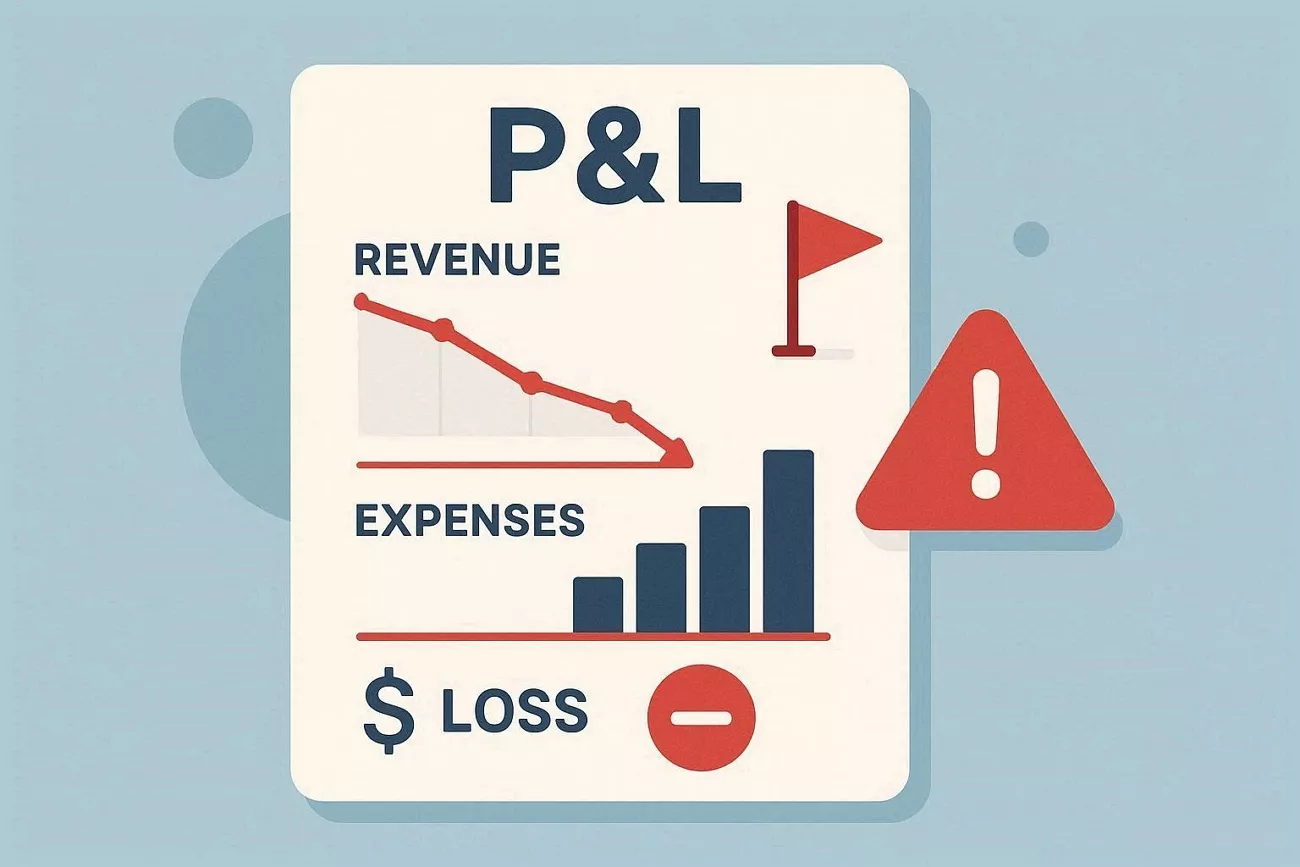
- Declining Revenue Trend: Sales or income go down again and again over several periods and show customer loss.
- Rapid Expense Growth: Business costs increase very fast while sales stay flat, and profit margins fall a lot.
- Persistent Net Losses: The business shows a loss for many months in a row and signals serious financial trouble.
- Calculation Inconsistency Issues: Frequent mistakes appear in numbers or totals that make the profit and loss statement unreliable.
- Unusual Financial Fluctuations: Income or expenses change very fast without clear reasons to suggest errors or unusual business activity.
Conclusion
In summary, understanding "What is a profit and loss statement?" helps business owners track income, expenses, and net profit clearly. This guide explains how to create accurate statements, find free templates, and organize financial data effectively. If you want to fill, edit, and manage P&L forms efficiently, use UPDF for error-free and easily shareable financial reports.
Windows • macOS • iOS • Android 100% secure




 Grace Curry
 高美季子
高美季子 
 Lizzy Lozano
 Enola Miller