UPDF
UPDF
 UPDF for Windows
 UPDF for Mac
 UPDF for iPhone/iPad
 UPDF for Android
 Nomostar
 UPDF AI Online
 UPDF Sign
 IvyCraft
 Edit PDF
 Annotate PDF
 Create PDF
 PDF Form
 Edit links
 Convert PDF
 OCR
OCR PDF to Word
 PDF to Image
 PDF to Excel
 Organize PDF
 Merge PDF
 Split PDF
 Crop PDF
 Rotate PDF
 Protect PDF
 Sign PDF
 Redact PDF
 Sanitize PDF
 Remove Security
 Read PDF
 UPDF Cloud
 Compress PDF
 Print PDF
 Batch Process
 About UPDF AI
 UPDF AI Solutions
 AI User Guide
 FAQ about UPDF AI
 Summarize PDF
 Translate PDF
 Chat with PDF
 Chat with AI
 Chat with image
 PDF to Mind Map
 Explain PDF
 PDF AI Tools
 Image AI Tools
 AI Chat Tools
 AI Writing Tools
 AI Study Tools
 AI Working Tools
 Other AI Tools
 AI Bookmark Generation
 AI Bookmark Summary
 AI Watermark Generation
 AI Background Generation
 AI Sticker Generation
 AI Stamp Generation
 AI Editing Suite
 UPDF Copilot
 AI Page Management
 AI Semantic Search
 PDF to Word
 PDF to Excel
 PDF to PowerPoint
 Enterprise Solution
 Enterprise Sign
 Enterprise AI
 Enterprise Plan
 Enterprise User Guide
 Enterprise Webinar
 IT
IT Education
 Construction
 Financial Service
 Healthcare
 Insurance
 Legal
Legal Manufacturing
 Government
 Researchers & PhDs
 Solopreneurs & Freelancers
 Lawyers & Legal Professionals
 Real Estate Agents & Brokers
 Education Solution
 Customer Stories
 User Guide
 UPDF Tricks
 FAQs
FAQs UPDF Reviews
 Download Center
 Blog
Blog Newsroom
 Tech Spec
 Updates
 UPDF vs. Adobe Acrobat
 UPDF vs. Foxit
 UPDF vs. PDF Expert

To fill a PDF with DocFly, upload your file at docfly.com, open it in the online editor, click any form field to type your answer, then download the finished PDF. DocFly works in any browser with no installation, but free users get a limited number of exports per month (currently officially stated as 3 times/month) and the tool requires an internet connection.
In this guide, we test DocFly’s form-filling workflow step by step, explain its free limits and what it can’t do, and show an offline alternative - UPDF - with unlimited free form filling and stronger privacy.
Windows • macOS • iOS • Android 100% secure
Part 1. What Is DocFly PDF Filler?
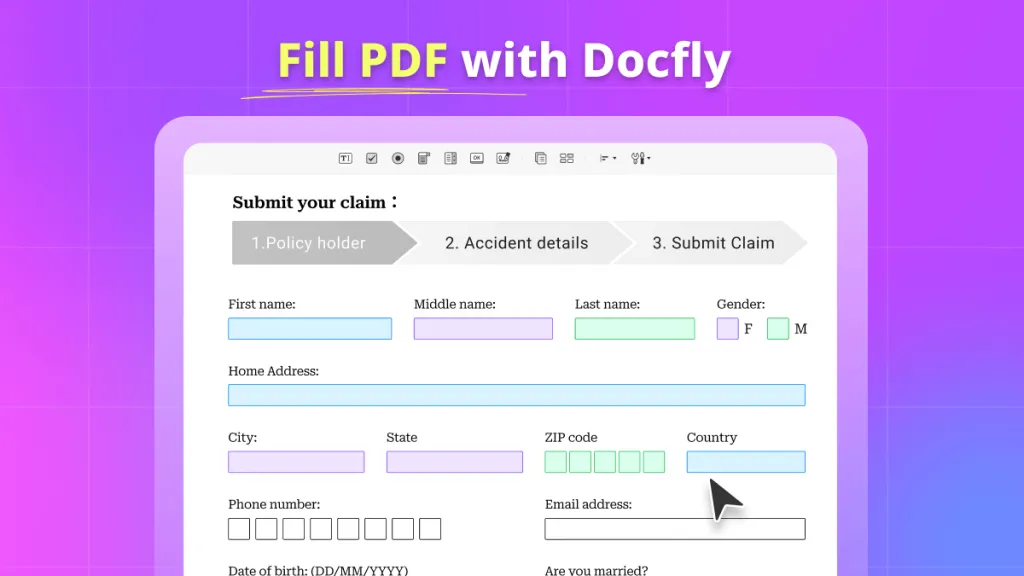
DocFly is a browser-based PDF form filler. You can upload a PDF and work with existing form fields, or add elements such as text, checkboxes, dropdowns, and signatures when a document does not already contain fillable fields.
Try the completed form yourself to see how it behaves for the next person. For a visual companion, the video below focuses on working with PDF forms in UPDF.
What Can You Do with DocFly?
| Feature | What it means |
|---|---|
| Fill existing fields | Enter information into text fields, checkboxes, and dropdowns |
| Fill flat PDFs | Add text and other form elements to PDFs without pre-existing fields |
| Add signatures | Add an e-signature to a form |
| Create form fields | Add fields when the PDF needs to become fillable |
| Download or share | Export or share the completed document |
| Browser-based workflow | No desktop installation is required |
- Fill out PDF forms quickly online, saving loads of time.
- Online PDF editor that helps to edit PDF documents for free online.
- Because DocFly is browser-based, your PDF is uploaded to an online service while you work on it. DocFly states that files are transferred over 256-bit SSL and that guest files are automatically deleted from its servers within 24 hours.
- DocFly works in a browser, so you can use it on supported desktop devices without installing a dedicated PDF application. The trade-off is that the workflow depends on an internet connection.
The caveat to these benefits however is that DocFly is an online tool and this can be a limitation to those who want to access the website offline or from areas with lower connectivity.
Part 2. How to Fill PDF Forms with DocFly
Now, let us learn how you can start filling out a form with DocFly.
First and foremost access its homepage and follow these steps.
Step 1. Upload Your PDF
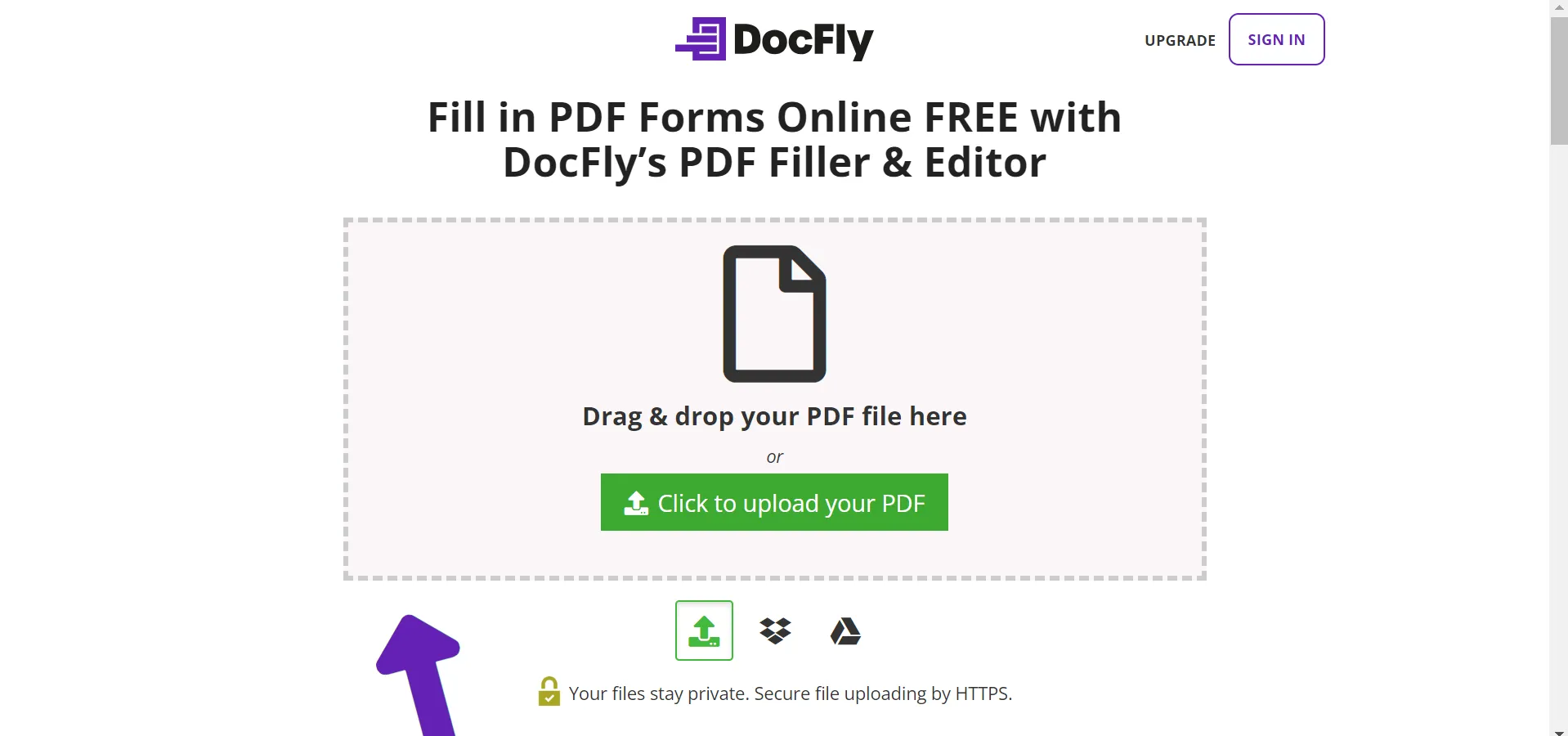
Go to DocFly and upload the PDF you want to fill. You can drag and drop the file or choose it from your device.
Step 2. Open the PDF Filler
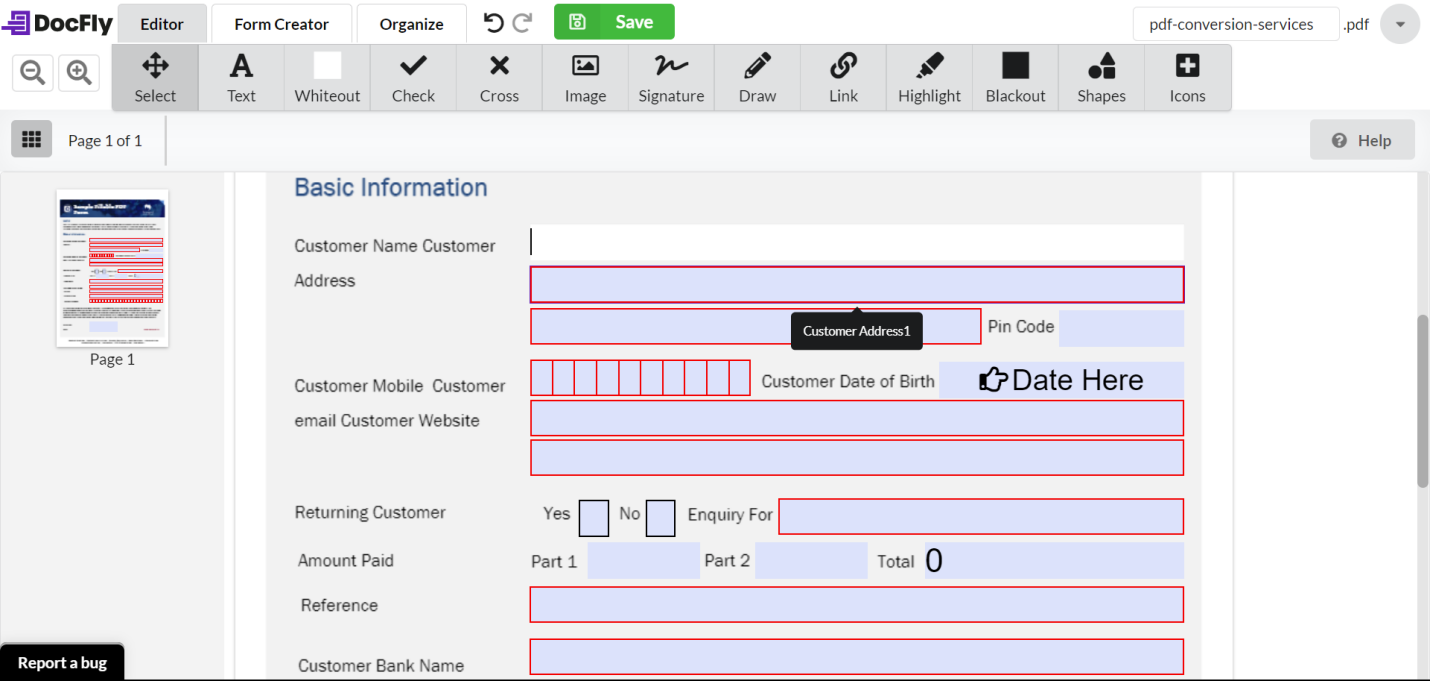
After uploading the document, DocFly opens it in its browser-based editor. From there, you can work with existing form fields or add text and other form elements where needed.
Can You Fill a PDF That Has No Form Fields?
Yes. DocFly supports both interactive PDFs with built-in fields and flat PDFs without pre-existing fields. On a flat PDF, you can place text, checkboxes, and an e-signature directly on the page.
Editor allows you to edit your existing PDF form by selecting fields, and text, adding signatures, links, and so on.
Form Creator: If the PDF does not contain the fields you need, DocFly also provides form-creation tools for adding text fields, checkboxes, dropdowns, date fields, and signature fields.
However, some users report that when adding form fields, text direction rotates 90 degrees — from bottom to top instead of left to right. One user reported: "You can only see the first letter, then you can not see anything." If you encounter this, the only workaround is to rotate the field manually or use a different tool.
Step 3. Download or Share the Completed PDF
DocFly currently allows three free exports per month for visitors. This means you can download, email, print, or save to cloud storage only three times per month. If you exceed that limit, the form you just spent 20 minutes filling out cannot be exported until your account resets or you upgrade to a paid plan.
The Pro plan unlocks unlimited exports for users who need more. But even paid users report concerns about value for money — some feel "the subscription is expensive compared to competitors".
Part 3. DocFly PDF Filler Review: Ease of Use and Limitations
Ease of Use
DocFly's biggest strength is simplicity. The basic workflow is straightforward: upload the PDF, open it in the browser-based editor, fill in the required information, add a signature when needed, and export the completed document.
This makes it a practical option for occasional PDF forms and users who do not want to install desktop software.
Where It Works Well
DocFly is particularly convenient for simple forms, job applications, registrations, and other documents that mainly require text input, checkboxes, dropdowns, or signatures.
Where It Falls Short
The limitations become more noticeable for repeated or offline workflows. Users who frequently reuse the same form, work without a stable internet connection, or need more extensive PDF management may benefit from a desktop application.
Reusing the Same PDF Form
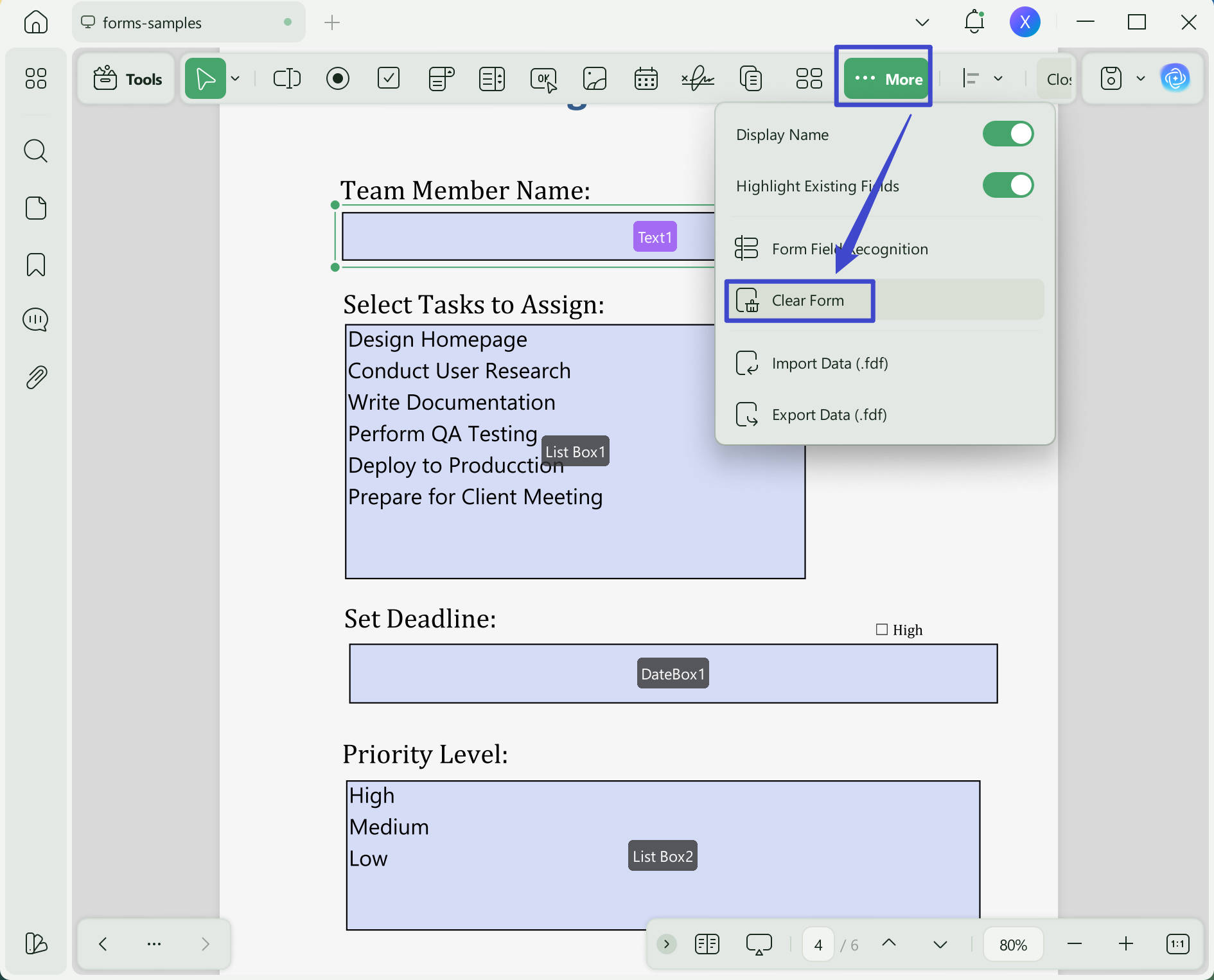
UPDF provides a Clear Form function that can remove entered form data in one action, which is useful for reusable form templates.
One consideration for repeated workflows is how easily you can clear previously entered information and reuse the same template. This matters when the same form needs to be completed for multiple people or cases.
Windows • macOS • iOS • Android 100% secure
DocFly Pros and Cons
| Pros | Cons |
|---|---|
| Browser-based and easy to start | Requires an internet connection |
| No software installation | Free exports are limited |
| Supports common form fields | Less suited to heavy offline workflows |
| Supports e-signatures | Repeated form workflows may benefit from desktop tools |
| Works with PDFs without pre-existing fields | Advanced PDF management is more limited |
Current free usage: 3 exports per month for visitors; Pro unlocks unlimited exports.
Part 4. DocFly Alternative: Filling PDF Forms with UPDF
UPDF is a desktop alternative for users who need more control over PDF form workflows, particularly when working offline or reusing the same form repeatedly.
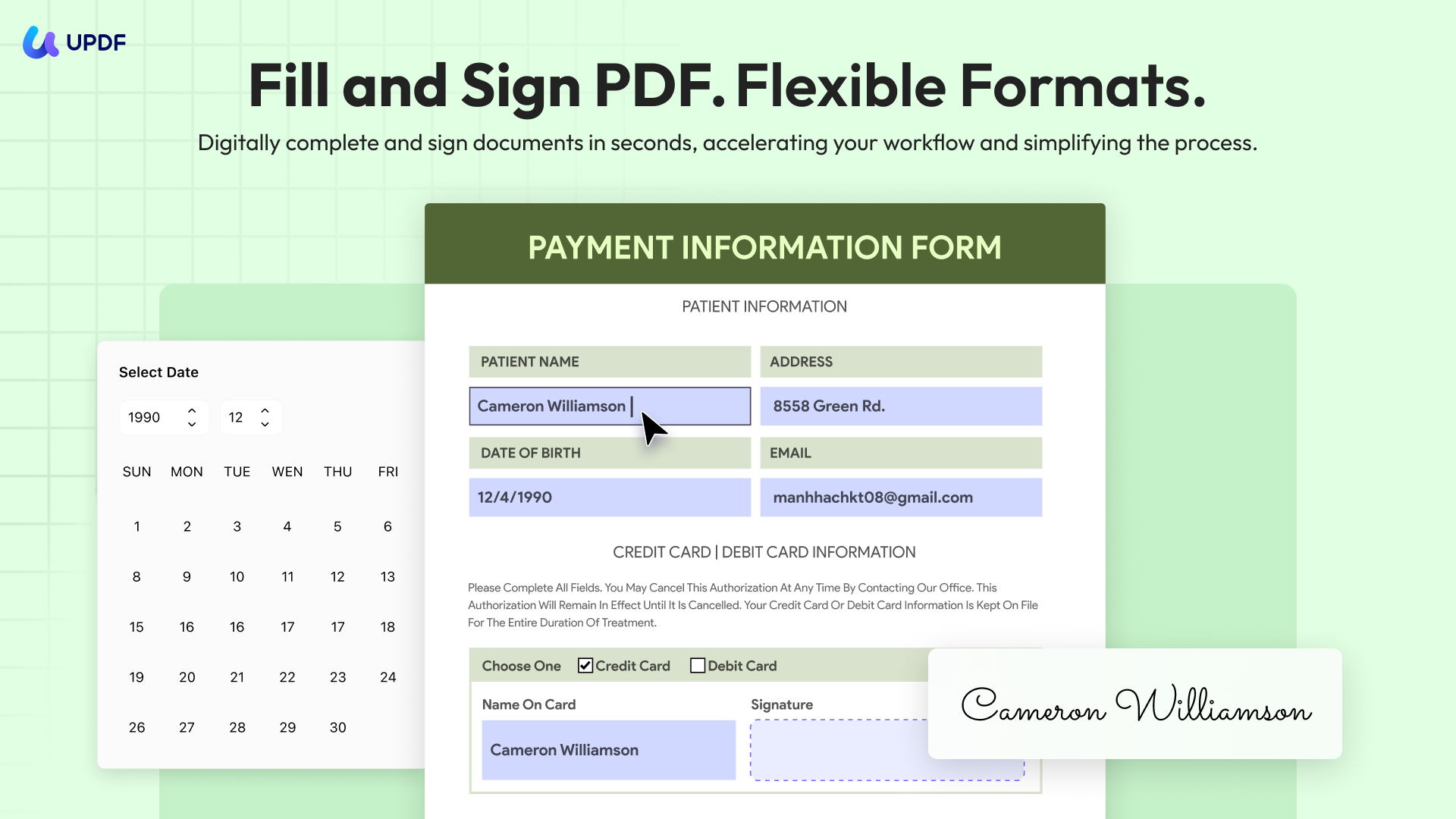
It supports filling existing fields, adding form fields, signing documents, and clearing entered form data.
Windows • macOS • iOS • Android 100% secure
How to Fill a PDF with UPDF
Open the PDF in UPDF and choose the Form tools. If the document already contains form fields, you can enter information directly. You can also add or manage form fields when needed.
For repeated forms, UPDF's Clear Form feature can remove entered data so the same template can be reused.
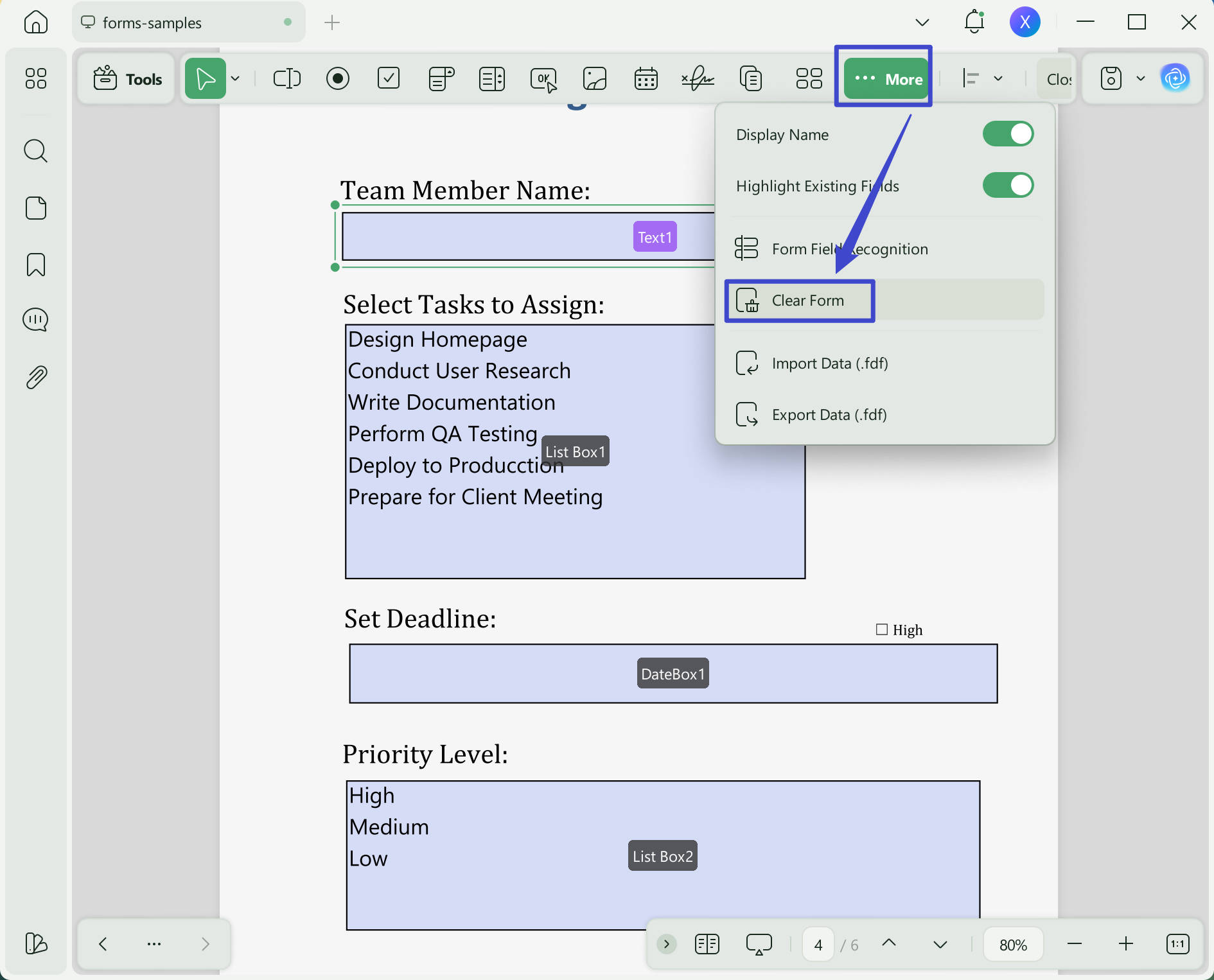
This will instantly clear all the data on your PDF form and make it look brand new to fill out again.
DocFly vs UPDF: Which PDF Filler Fits You?
| Feature | DocFly | UPDF |
|---|---|---|
| Browser-based filling | ✓ | — |
| Desktop/offline workflow | — | ✓ |
| Fill existing fields | ✓ | ✓ |
| Fill PDFs without fields | ✓ | ✓ |
| Add form fields | ✓ | ✓ |
| Add e-signatures | ✓ | ✓ |
| Clear entered form data | Limited/reuse workflow | ✓ |
| Repeated form workflows | Basic | Better suited |
| Best for | Quick online filling | Regular desktop PDF work |
Which PDF Filler Should You Choose?
Choose DocFly if:
You want to fill a PDF quickly in a browser, do not want to install software, and mainly work with occasional forms.
Consider UPDF if:
You frequently fill or reuse PDF forms, prefer a desktop workflow, or need additional PDF management features.
DocFly is a convenient choice for quick browser-based PDF form filling. UPDF is a stronger fit for users who need a desktop workflow and more control over repeated PDF form tasks.
Windows • macOS • iOS • Android 100% secure
FAQ
Is DocFly free for filling PDFs?
DocFly currently offers three free PDF exports per month for visitors. Its Pro plan provides unlimited exports.
Can I sign a PDF with DocFly?
Yes. DocFly includes e-signature functionality for PDF forms.
What happens if I use my 3 free exports?
You cannot export any more documents until your account resets (typically after 30 days) or you upgrade to a paid plan. The form you filled out remains in your account but cannot be downloaded.
Does DocFly add watermarks to free exports?
Yes. In the free tier, DocFly typically adds a web address or watermark to exported PDFs as part of their branding. To remove it, you need to subscribe to a paid plan.
Conclusion
DocFly is a convenient tool for quick browser-based filling. UPDF is a more capable, more private, and more cost-effective solution for regular PDF work. If you want unlimited form filling, offline access, and full control over your documents, UPDF is the smarter choice.
Windows • macOS • iOS • Android 100% secure






 Enid Brown

 Enya Moore
 Grace Curry