UPDF
UPDF
 UPDF for Windows
 UPDF for Mac
 UPDF for iPhone/iPad
 UPDF for Android
 Nomostar
 UPDF AI Online
 UPDF Sign
 IvyCraft
 Edit PDF
 Annotate PDF
 Create PDF
 PDF Form
 Edit links
 Convert PDF
 OCR
OCR PDF to Word
 PDF to Image
 PDF to Excel
 Organize PDF
 Merge PDF
 Split PDF
 Crop PDF
 Rotate PDF
 Protect PDF
 Sign PDF
 Redact PDF
 Sanitize PDF
 Remove Security
 Read PDF
 UPDF Cloud
 Compress PDF
 Print PDF
 Batch Process
 About UPDF AI
 UPDF AI Solutions
 AI User Guide
 FAQ about UPDF AI
 Summarize PDF
 Translate PDF
 Chat with PDF
 Chat with AI
 Chat with image
 PDF to Mind Map
 Explain PDF
 PDF AI Tools
 Image AI Tools
 AI Chat Tools
 AI Writing Tools
 AI Study Tools
 AI Working Tools
 Other AI Tools
 AI Bookmark Generation
 AI Bookmark Summary
 AI Watermark Generation
 AI Background Generation
 AI Sticker Generation
 AI Stamp Generation
 AI Editing Suite
 UPDF Copilot
 AI Page Management
 AI Semantic Search
 PDF to Word
 PDF to Excel
 PDF to PowerPoint
 Enterprise Solution
 Enterprise Sign
 Enterprise AI
 Enterprise Plan
 Enterprise User Guide
 Enterprise Webinar
 Banking
 Healthcare
 Insurance
 Legal
Legal Manufacturing
 Government
 Researchers & PhDs
 Solopreneurs & Freelancers
 Education Solution
 Customer Stories
 User Guide
 UPDF Tricks
 FAQs
FAQs UPDF Reviews
 Download Center
 Blog
Blog Newsroom
 Tech Spec
 Updates
 UPDF vs. Adobe Acrobat
 UPDF vs. Foxit
 UPDF vs. PDF Expert

Everyday PDFs work well for single documents or small print jobs. However, banks or insurance companies sending hundreds of thousands of personalized statements or bills require something extra. Ordinary printing tools struggle with that, as they must keep each page in order, print fast, and make sure every customer gets exactly their pages.
That’s why the industry uses PDF/VT, a special PDF standard built for these massive Variable Data Printing (VDP) jobs. This article explains PDF/VT in simple language and shows how even beginners can start learning PDF workflows using UPDF. You can click the button below to download UPDF for Free. Now, read on to see how PDF/VT solves these big print challenges.
Windows • macOS • iOS • Android 100% secure
Part 1. The Real-World Problem: Printing 100,000 Different Documents
To understand why standard PDFs fall short in high-volume printing, it helps to look at what actually happens in different scenarios. Let’s consider an example where a bank needs to print 100,000 account statements. Each statement is personalized with the customer’s name, address, account number, and balance.
The printing system must keep every page sorted correctly, avoid any mix-up of pages or names, and run at high speed (imagine tens of thousands of pages). In other words, each page must know which customer it belongs to.
This kind of challenge, printing thousands of unique documents in one run, is exactly what Variable Data Printing (VDP) means. VDP is digital printing where text, graphics, or images can change from one piece to the next without slowing the printer.
Other common examples include:
- Utility Bills: Every electric or gas bill has a unique usage chart and charges for each customer. Power companies print them by the million, so PDF/VT makes sure each page’s data stays with the right account.
- Credit Card Notices and Bank Mailers: These are personalized statements and letters. Like invoices or account statements, each is unique to the recipient (name, balance, due date, and more).
- Insurance Letters: Policy renewals or claim updates include private data for each policyholder. These documents must be matched precisely to each customer’s records.
- Government notifications: Tax forms, election notices, or benefits letters are customized for each citizen or address. Agencies need to print large batches without mixing names or addresses.
- Personalized Marketing Mail: Flyers, coupons, or catalogs often have the customer’s name or tailored offers. Marketers use PDF/VT to change names, product recommendations, or discounts on each mail piece, while keeping a uniform design.
If a document is both personal (with sensitive info) and printed in very large numbers, there’s a good chance PDF/VT is behind the scenes. In those cases, PDF/VT ensures each page is sorted correctly, eliminating mix-ups so every customer only sees their own information.
Part 2. So, What Is PDF/VT? (Plain Explanation)
At its core, PDF/VT is just a regular PDF file (version 1.6) fit for variable or transactional printing. In other words, it’s a PDF format designed to handle many unique pages safely and efficiently. VT stands for Variable and Transactional, reflecting that this PDF can handle dynamic content (names, numbers, images) for each recipient, and is built to feed high-speed printers without errors.
PDF/VT is part of the official ISO family of PDF standards. It inherits all the usual PDF features but adds extra structures for high-volume printing. For printers and production systems, this means:
- Keeps Pages Linked to the Correct Recipient: Every page carries metadata (like a mini address label) so the system knows whose page it is.
- Reuses Static Content: Logos, graphics, and fonts that appear on many pages are included once in the file and referenced over and over, rather than duplicated. This saves memory and allows the system to process each unique page faster.
- Runs at High Speed: PDF/VT is optimized so repeated elements are rendered just once, even if printed thousands of times. This keeps the printer fed continuously at full speed, rather than slowing down on repeated work.
- Adds Structure and Rules to a Standard PDF: Such a PDF format includes a “document part” hierarchy (DPart) and tracking fields. Think of this like an internal index or RFID tag for pages. This better organization and built-in tracking dramatically cuts printing mistakes.
Part 3. Should PDF/VT Files Be Created Directly in Professional Software?
PDF/VT files are usually not made by hand or by general-purpose PDF editors. Instead, they’re generated by specialized print workflow tools. Vendors like HP, XMPie, and others provide software that merges customer data with layouts and outputs PDF/VT files.
Generally, these tools handle all the metadata (customer ID, page numbers) and create the DPart structure behind the scenes. Only print service providers or large companies running huge mailings usually need to generate true PDF/VT files.
Part 4. How PDF/VT Ensures Every Page Knows Its Owner?
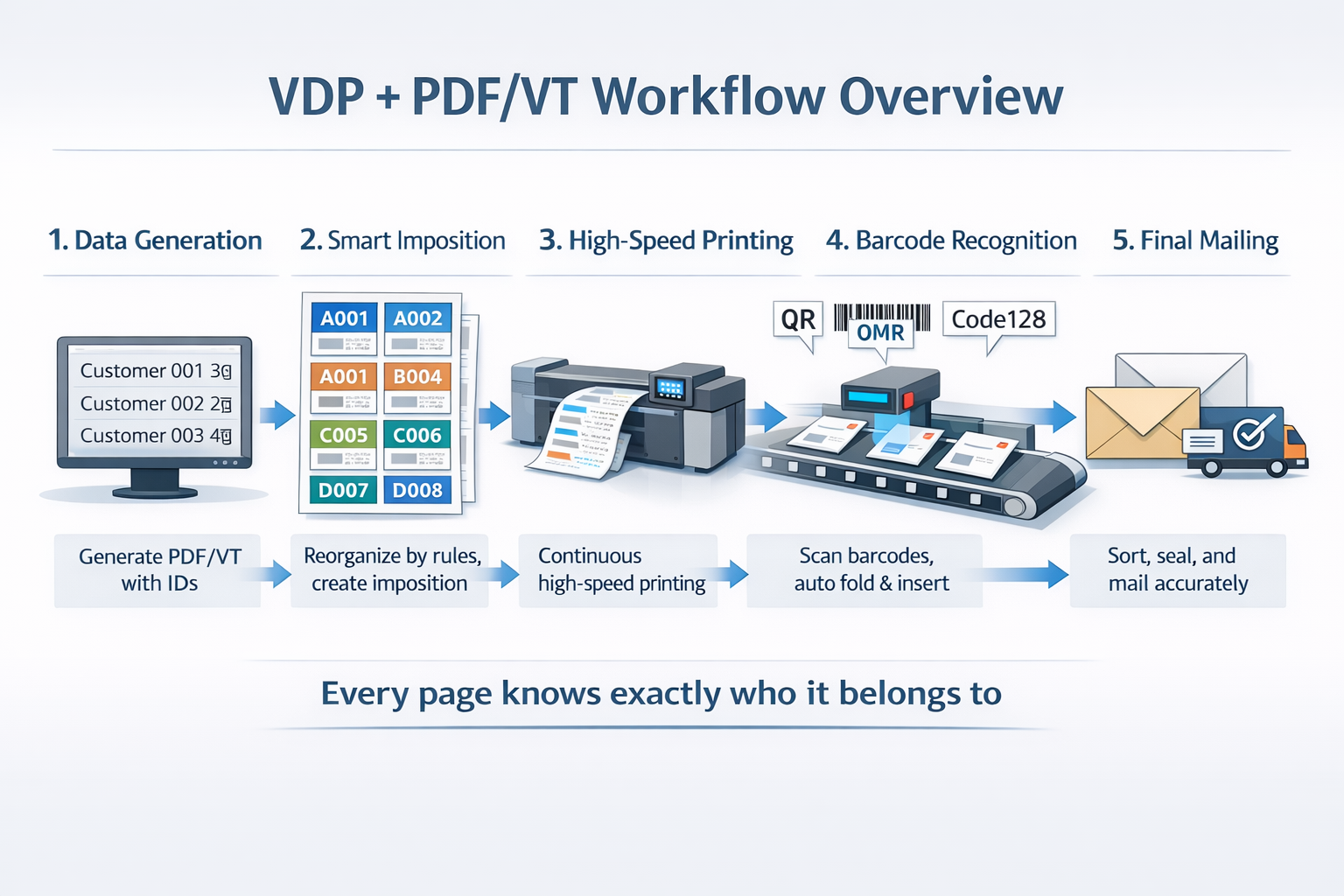
In a typical PDF/VT workflow, a batch of personalized documents is assembled by combining a base design with a customer data set. During this creation phase, the system embeds metadata for each page or document part. For example, each page might be tagged with a Record ID plus customer number, page sequence, postal code,e and binding info.
All this goes into the file’s Document Part Metadata (DPart). In PDF/VT, Adobe introduced a special “DPart tree” that parallels the PDF page tree. Each DPart entry can hold custom fields so that once the file is printed, the system always knows which customer each page belongs to.
Key Highlights of PDF/VT Workflow
Some important elements of PDF/VT workflow include:
Metadata-Driven Pages
As each PDF/VT file is generated, it gets a unique identifier and metadata tags for every document section. This Document Part Metadata (DPM) acts like an internal label.
Rule-Based Imposition
Before printing, a RIP or imposition engine lays out pages on large print sheets following strict rules, not just a simple grid. These rules keep pages for the same customer together, group pages by postal region, separate different binding methods, and more. It prevents mixing pages from different customers or mail runs.
Printing and Post-Press Automation
PDF/VT files also include machine-readable codes. Each page or document part might carry barcodes (like OMR marks, QR codes, DataMatrix) encoding the customer ID, batch and page number.
After printing, finishing equipment (folders, inserters, sealers) reads these codes. Folding machines automatically fold and collate pages, inserters pick the right pages and put them in envelopes, and sorting machines group mail by postal route.
Part 5. Using UPDF as Your Gateway to Understanding PDF/VT
As discussed, PDF/VT is complex and intended for industrial-scale printing. Beginners don’t need to jump straight into specialized print workflows. Instead, UPDF can serve as a practical stepping stone with its user-friendly PDF editor that lets you explore PDF structure and try out basic prepress tasks without special tools.
Although UPDF doesn’t generate PDF/VT files, it does share the same foundations (it works with standard PDF 1.6 files). By using UPDF to annotate or merge PDFs, you’ll see how pages are grouped and labeled. That makes it easier later to grasp what PDF/VT does in a professional press environment.
Windows • macOS • iOS • Android 100% secure
For everyday PDF tasks, such as editing contracts, filling forms, or prepping print-ready pages, UPDF is the right choice for most users. It supports all the usual PDF features:
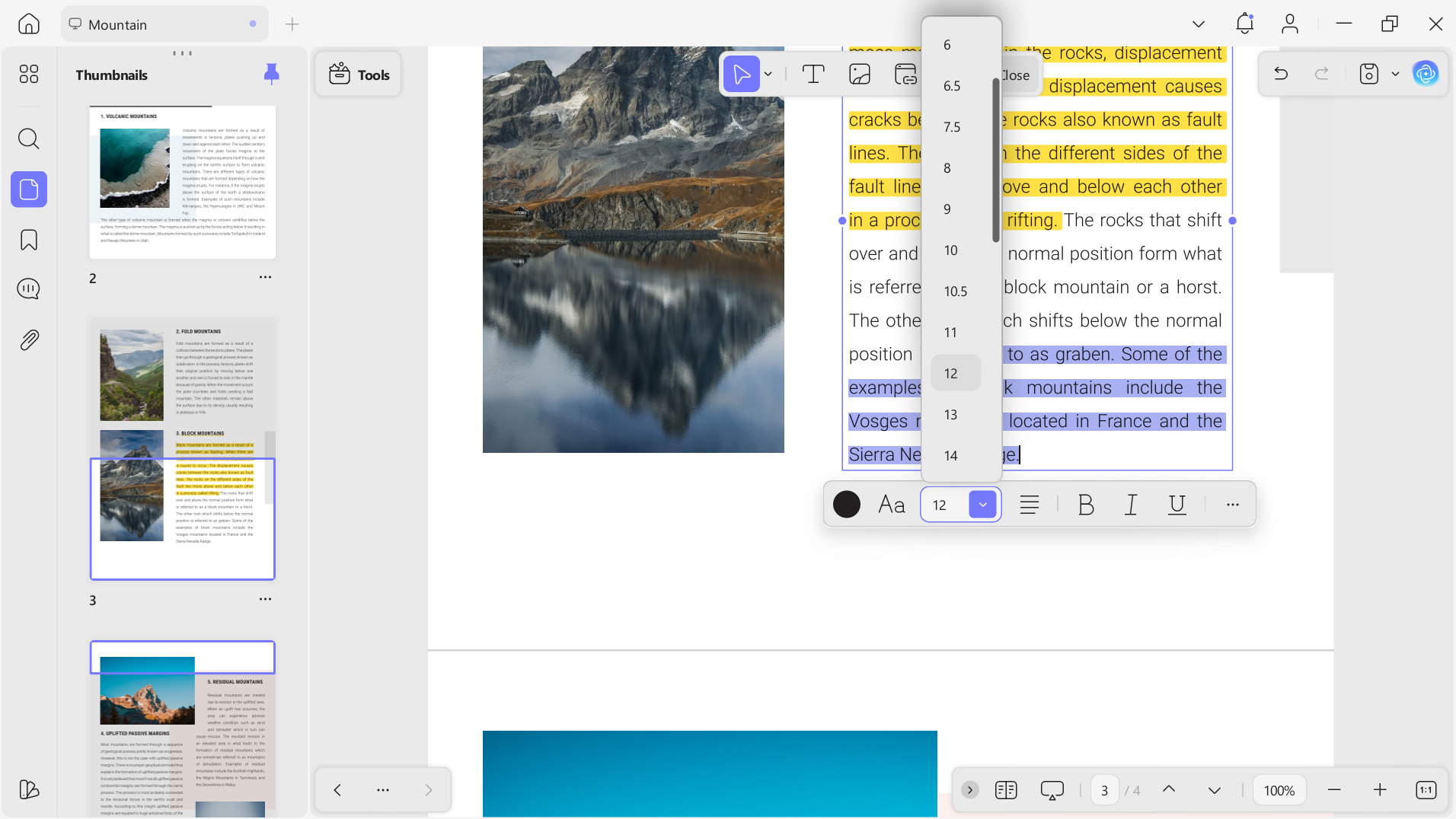
- Editing PDF: With UPDF, you can click any text or image in a PDF and replace it, as easily as in a word processor. You can add or remove pages, change headers/footers, and even edit forms or watermarks.
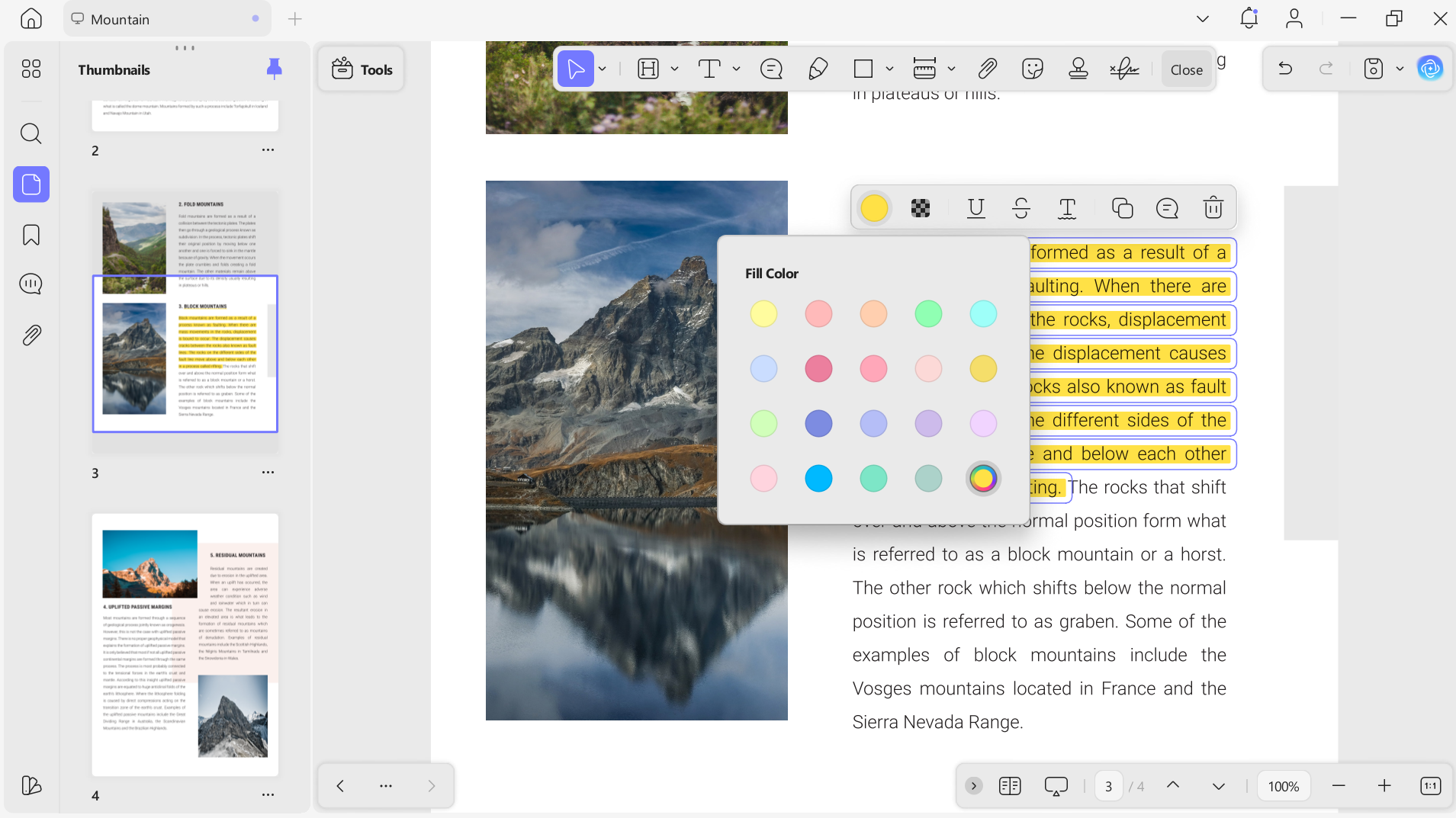
- Annotating Files: UPDF provides an advanced set of annotation tools. You can highlight text, add sticky notes, draw shapes, or stamp documents. All of these comments and highlights are saved right in the PDF, helping teams share feedback.
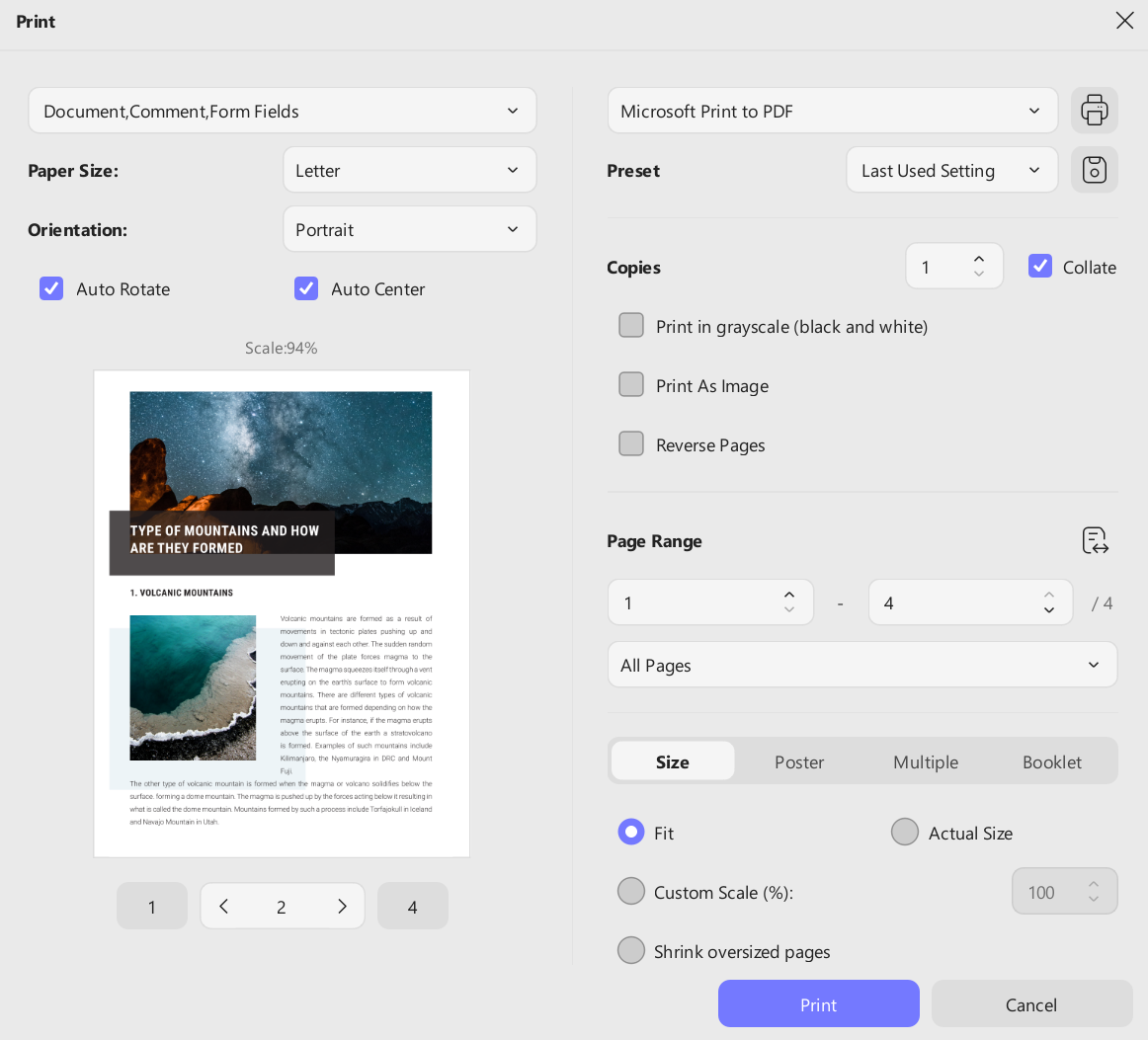
- Printing Documents: This tool can print PDFs to any printer, just like other PDF viewers. You can set page ranges, choose double-sided printing, and select paper sizes. UPDF preserves the PDF’s layout and quality when you print, so what you see on screen comes out correctly on paper.
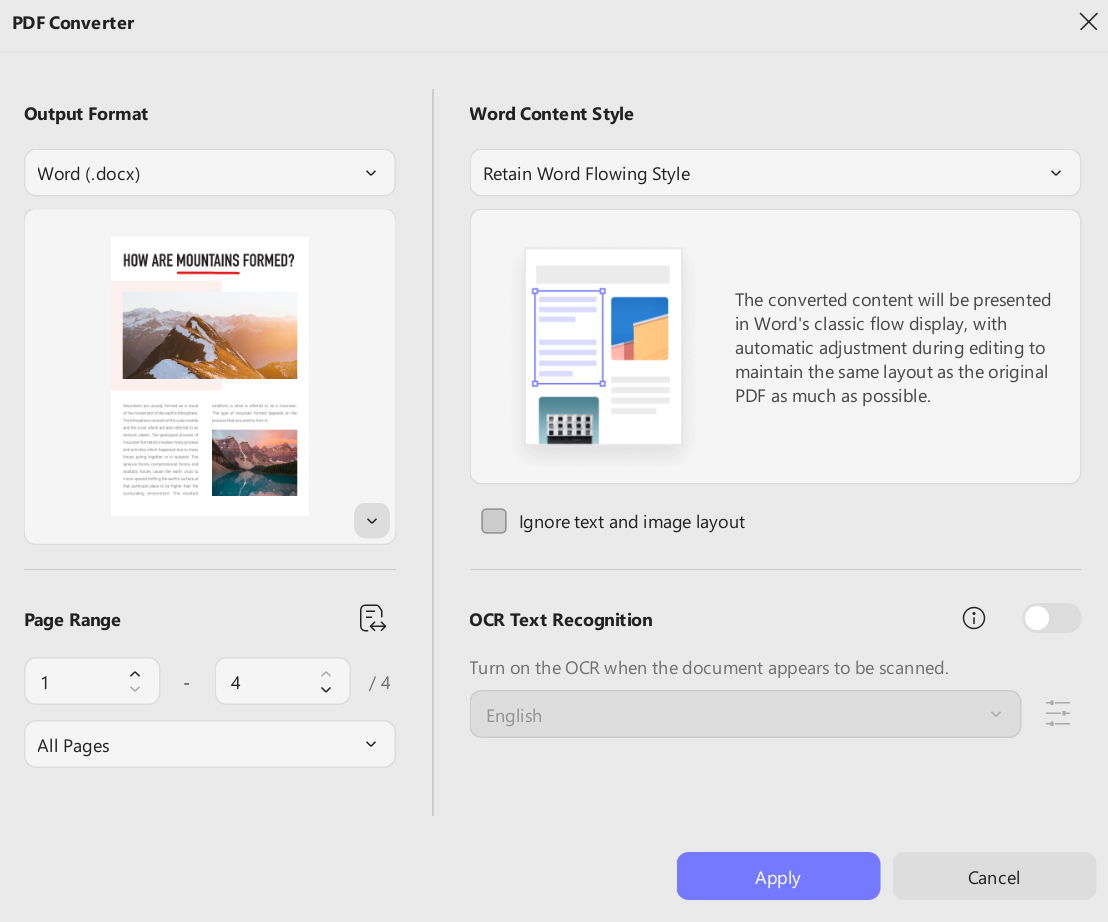
- Converting PDF: UPDF can convert PDFs into other formats and back. For example, you can export a PDF to Word, Excel, images, or text formats. This is handy if you need to extract text or reuse content. UPDF’s converter preserves formatting (fonts, tables, colors) very accurately.
By using UPDF to handle these everyday tasks, you’ll gain confidence with PDFs in general. You’ll learn how pages, fonts, and images are stored in a PDF file, and how metadata is embedded. This practical experience is a perfect gateway to later understanding more advanced workflows like PDF/VT.
Windows • macOS • iOS • Android 100% secure
Conclusion
For most people working with PDFs (editing reports, signing contracts), PDF/VT is overkill. It’s a specialized standard essential in industries like finance or utilities where tens of thousands of personalized pages must be printed flawlessly.
If your work involves such large-scale industrial printing, then PDF/VT is the solution you need. But for anyone else, UPDF offers the right balance of simplicity and power. Download UPDF to handle all the common PDF tasks easily. Purchase the premium version to avoid any limitations on file size and trial watermark.
Windows • macOS • iOS • Android 100% secure







 Delia Meyer

 Enya Moore