 UPDF
UPDF
 UPDF for Windows
 UPDF for Mac
 UPDF for iPhone/iPad
 UPDF for Android
 Nomostar
 UPDF AI Online
 UPDF Sign
 IvyCraft
 Edit PDF
 Annotate PDF
 Create PDF
 PDF Form
 Edit links
 Convert PDF
 OCR
OCR PDF to Word
 PDF to Image
 PDF to Excel
 Organize PDF
 Merge PDF
 Split PDF
 Crop PDF
 Rotate PDF
 Protect PDF
 Sign PDF
 Redact PDF
 Sanitize PDF
 Remove Security
 Read PDF
 UPDF Cloud
 Compress PDF
 Print PDF
 Batch Process
 About UPDF AI
 UPDF AI Solutions
 AI User Guide
 FAQ about UPDF AI
 Summarize PDF
 Translate PDF
 Chat with PDF
 Chat with AI
 Chat with image
 PDF to Mind Map
 Explain PDF
 PDF AI Tools
 Image AI Tools
 AI Chat Tools
 AI Writing Tools
 AI Study Tools
 AI Working Tools
 Other AI Tools
 AI Bookmark Generation
 AI Bookmark Summary
 AI Watermark Generation
 AI Background Generation
 AI Sticker Generation
 AI Stamp Generation
 AI Editing Suite
 UPDF Copilot
 AI Page Management
 AI Semantic Search
 PDF to Word
 PDF to Excel
 PDF to PowerPoint
 Enterprise Solution
 Enterprise Sign
 Enterprise AI
 Enterprise Plan
 Enterprise User Guide
 Enterprise Webinar
 IT
IT Education
 Construction
 Financial Service
 Healthcare
 Insurance
 Legal
Legal Manufacturing
 Government
 Researchers & PhDs
 Solopreneurs & Freelancers
 Lawyers & Legal Professionals
 Real Estate Agents & Brokers
 Education Solution
 Customer Stories
 User Guide
 UPDF Tricks
 FAQs
FAQs UPDF Reviews
 Download Center
 Blog
Blog Newsroom
 Tech Spec
 Updates
 UPDF vs. Adobe Acrobat
 UPDF vs. Foxit
 UPDF vs. PDF Expert

When I wanted a new avatar, my first question was whether I wanted myself or a completely original character. Most anime avatar maker guides act as if you’ve already decided and just dump tools. I even saw people on Reddit asking for a “good enough” generator, unsure which direction to pick.
That pushed me to test both paths, starting with UPDF AI Sticker Maker for characters built from imagination. Then I tried IvyCraft, which transforms real photos into anime while keeping my face recognizable. This guide will help you decide which path fits what you want before you start creating.
Windows • macOS • iOS • Android 100% secure
Part 1. Two Types of Anime Avatar Makers — Know Which One You Actually Need
When I started exploring any anime avatar maker, I realized there are two very different creation paths. One path transforms a real photo into anime, keeping my main facial features recognizable while changing the style. Another path builds an entirely new character from text alone, no selfies involved, and now I’ll walk through both.
Photo To Anime Converters
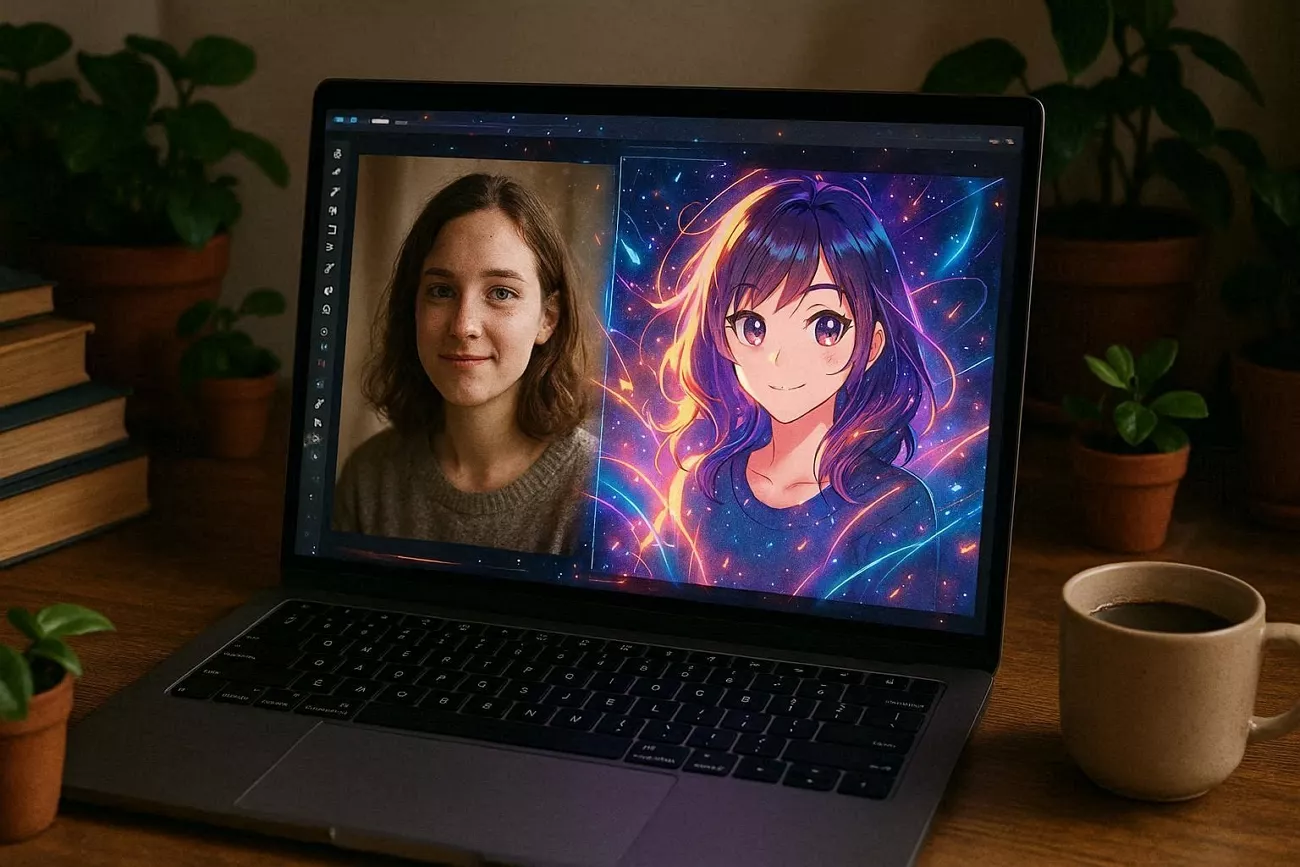
For photo‑to‑anime tools, I begin by choosing a clear selfie with a neutral expression. After selecting the image, I upload it into the interface and let the system process my face automatically. During that process, the tool analyzes features like my eyes and jawline, then redraws everything in anime style. Once the generation finishes, I scan the different versions, download the result, and sometimes adjust details elsewhere.
Text Prompt Character Generators
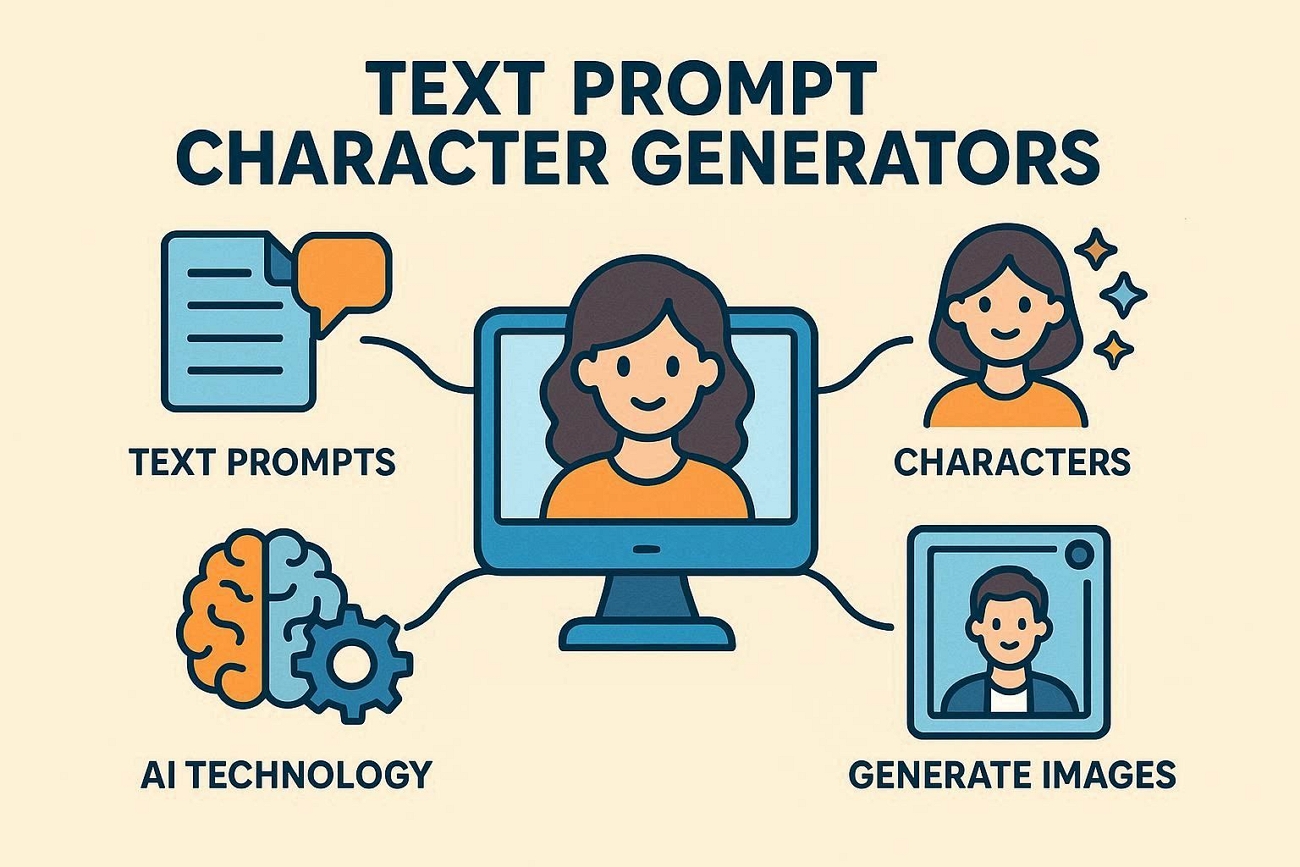
With text‑prompt generators, I first picture the kind of character I want. Next, I write a descriptive prompt that covers hairstyle, pose, and any standout visual traits. The generator interprets those words and turns them into several distinct character designs, each with its own visual twist. After I see the results, I compare the options, pick the most accurate match, and save that version.
Who Each Type Really Fits
When I explored both paths, I realized photo tools work best when I want “anime me.” They are perfect if I need an avatar that still looks like my real face. Prompt‑based generators shine when I want a fresh character with specific style and personality details. Those are what I use when I imagine someone new entirely, rather than turning myself into anime.
Most guides I see focus on one path and ignore the other completely, even for an anime avatar maker. So I decided to cover both from my own experience. Next, I’ll walk through the specific frustrations I hit with the usual tools before finding better options.
Part 2. What I Tried First — and the Friction I Hit
I first tested a bunch of popular AI avatar sites, hoping they would be enough. Let me share some pain points I kept hitting with those usual tools.
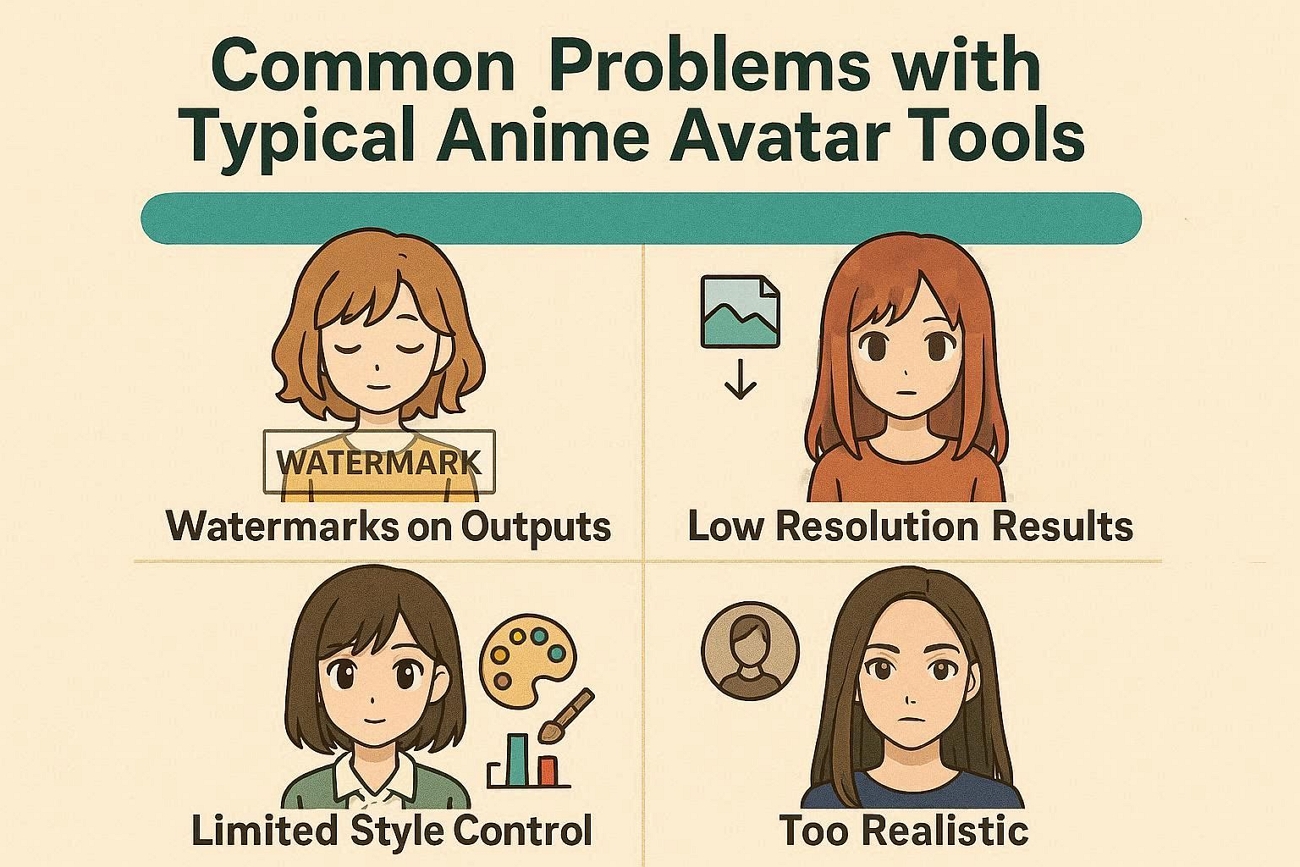
Watermarks on Outputs: Some tools placed big watermarks on every avatar I generated, which ruined clean usage. Simple profile pictures felt unusable when a giant logo covered the character’s face.
Low Resolution Results: Many generators gave me small, blurry images that looked bad on modern screens everywhere. I had to upscale them manually, and the quality often broke.
Limited Style Control: A lot of tools only allowed basic filters, with almost no real style choices. I couldn’t fine‑tune details like mood or shading the way I wanted.
Too Realistic: Photo‑based tools often stick too closely to my real face, changing the main features. When I want a more stylized anime look, the results still feel realistic.
Problems with earlier tools kept stacking up until switching options finally made more sense. That journey led me to two Superace tools, one for photo avatars and one prompt‑based, that I will explain next.
Part 3. Method 1 — Original Character from a Text Prompt (UPDF AI Sticker Maker)
Finding an avatar that was not tied to my real face felt surprisingly hard. I already used UPDF for everyday PDF work, so it was always open on my desktop. With the UPDF V2.5 update, I noticed 10 new built‑in AI Agents available.
From those agents, UPDF AI Sticker Maker stood out as the most creative option. It lets me create an original anime avatar from text alone, no personal photo needed. Each prompt returns three 1024×1024 PNG variations, perfect for any anime avatar maker across major platforms.
Ultimate Guide: How To Use UPDF AI Sticker Maker
After I explored UPDF AI Sticker Maker, I started testing it to make avatars. Follow the steps below to understand exactly how I use this feature:
Step 1. Access AI Generate Sticker
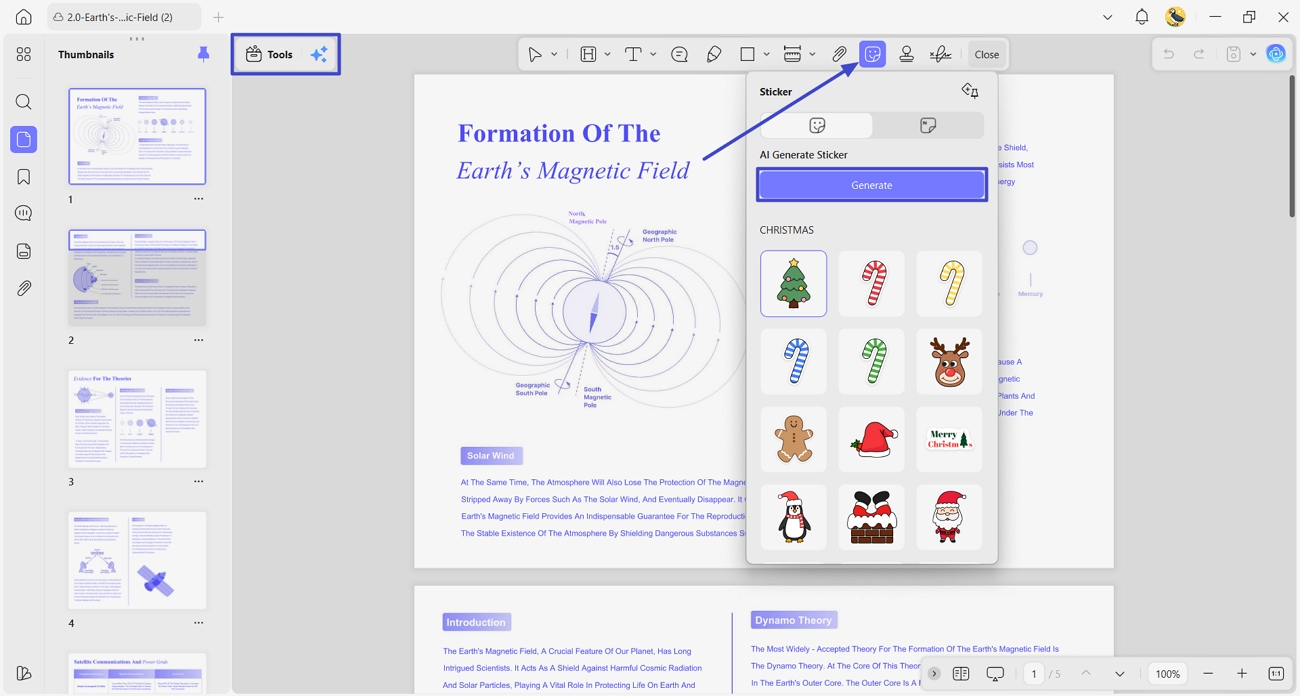
Once you import your PDF into UPDF, click the “Tools” option and choose the “Comment” tool. Afterward, press the “Sticker” icon in the toolbar and click the “Generate” button under the “AI Generate Sticker” section.
Step 2. Generate The Anime Avatar
After that, enter the anime avatar prompt in the text and click the “Generate” button to begin the generation process. Once generated, choose from the 3 sticker options and click the “+” icon to directly use it on the current PDF. You can also download the generated sticker as an image.
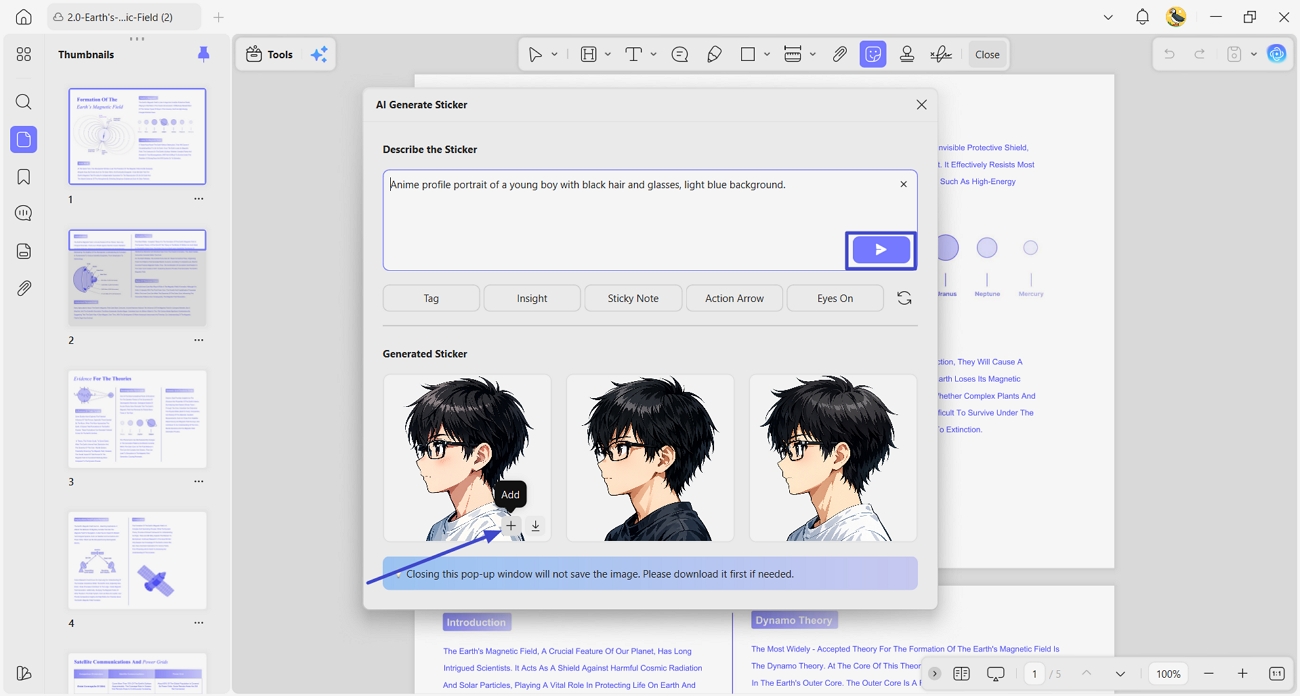
The UPDF’s free plan gives 100 AI credits, and each avatar generation uses only 3 credits. For power users, the AI Assistant plan is $79/year with unlimited use. To upgrade your access, visit the pricing page inside UPDF and choose your plan.
Tips for Getting the Best Anime Avatar Output
- Specify an art style, like chibi, shonen, shojo, or cyberpunk.
- Describe hair, eyes, clothes, and facial expression in simple words.
- Add lighting and mood if you want a special feeling.
- Say “portrait bust framing” for a close-up avatar instead of a full body.
Part 4. Method 2 — Anime Version of Yourself with IvyCraft
When I want an anime avatar that resembles me, I turn to IvyCraft. Created by Superace, the same team behind UPDF, it focuses on accurate likeness. This platform reads my reference photos carefully and builds artwork that still looks like me.
Instead of using a generic filter, it designs details around my real face. This works best for anyone who wants their anime avatar to clearly match their real face.
How to Use IvyCraft for Anime Avatars
First, I use IvyCraft in my workflow to turn real photos into anime portraits. Then, I rely on it when I need avatars that keep my true facial features. Now, go through the steps below to follow the same approach with this anime avatar maker:
Step 1. Upload Your Reference Image
First, log in to your account or register on the IvyCraft dashboard to enter the creation interface. Next, click the “Upload Image” icon to upload your reference image. Enter the prompt in the description and click the “Send” button.
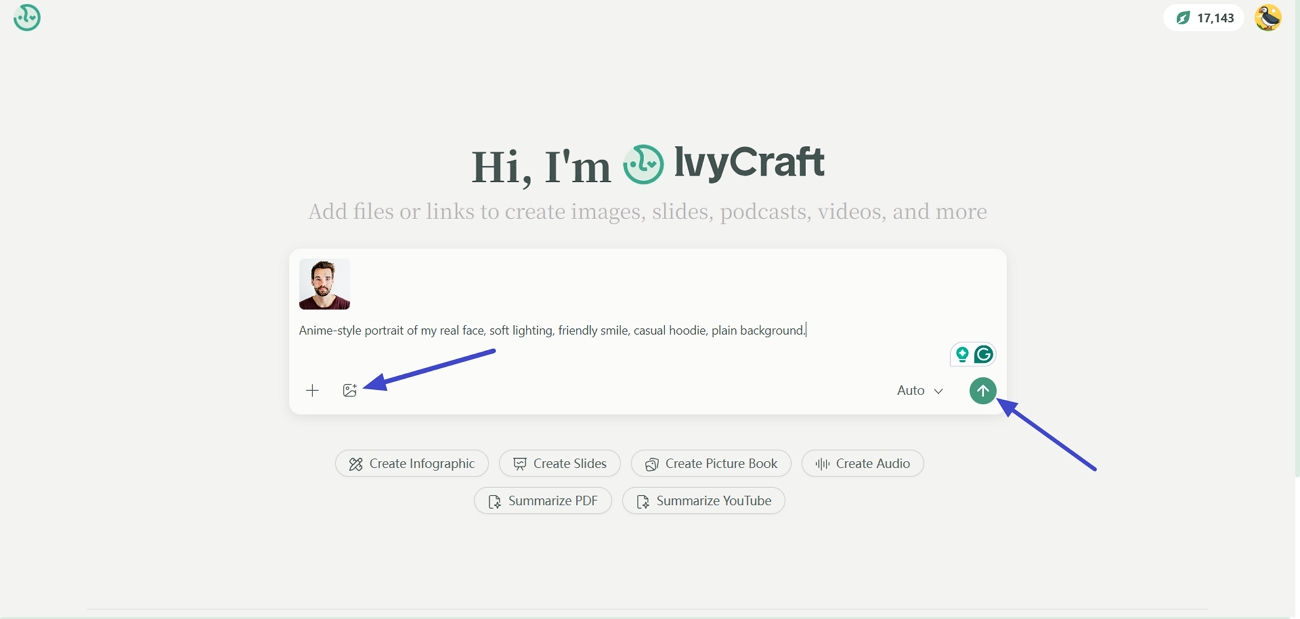
Step 2. Preview The Generated Result
Once the anime is generated, view the results in the preview panel. Lastly, click the “Export” icon to download the output.
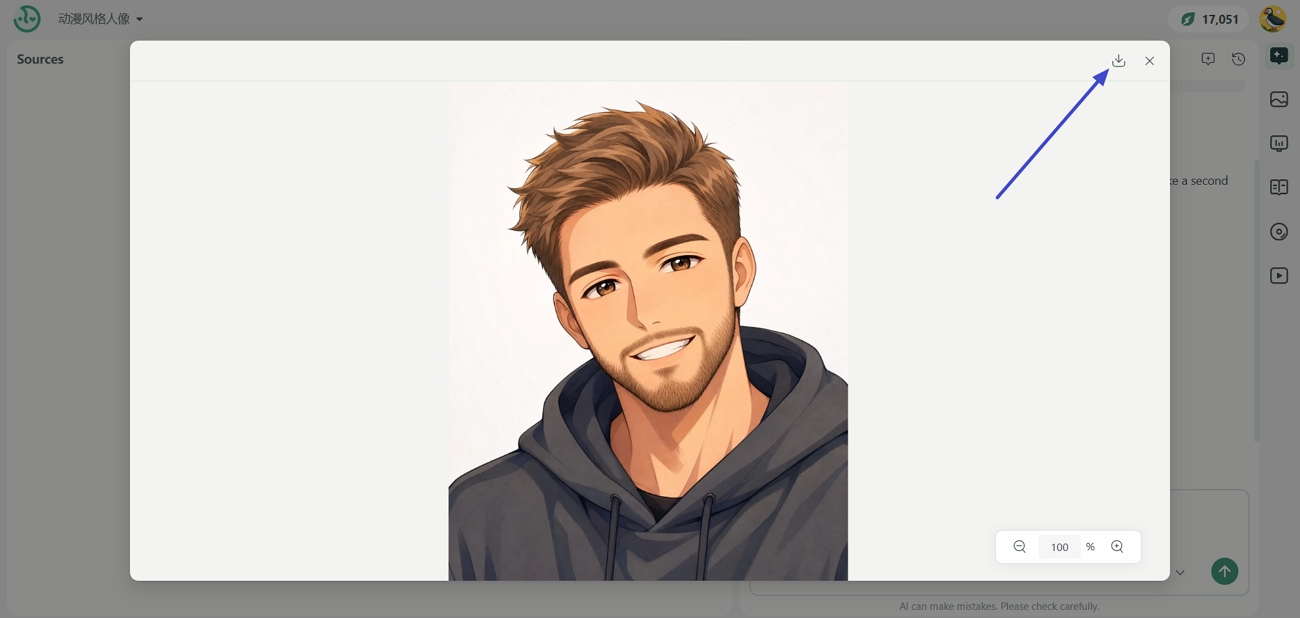
Why I Prefer IvyCraft Over Regular Photo Filters
For anime portraits, this tool feels different because it actually reads my original source photo. Instead of simply placing a style layer over everything, it studies my real facial features. As a result, the final anime avatar keeps recognizable details, not just a generic, stylized character look.
IvyCraft Pricing Plans
In the free trial, you get 1000 credits, and they are deducted based on your usage level. Now, look at the table below to explore the paid plans and choose what fits you:
| Plan | Price/Month | Credits Every Month |
|---|---|---|
| Basic | $10 | 10,000 credits |
| Pro | $20 | 20,000 credits |
| Max | $100 | 100,000 credits |
Part 5. FAQs
What resolution should an anime avatar be for Discord/Twitter/Reddit?
For most platforms, a square image like 512 x 512 pixels stays clear after automatic resizing. Discord and other platforms crop small profile circles, so keep the main face centered.
Can I use AI-generated anime avatars on monetized channels or merchandise?
Many creators do this, but every platform has its own specific commercial limitations. Before using artwork from any anime avatar maker commercially, always read the latest platform ToS.
Is it possible to animate a static anime avatar after generating it?
Yes, you can take a PNG avatar into tools like VRoid Studio, Live2D, or animation apps. Those tools add movement or facial expressions, while your original image generator handles still image creation.
Conclusion
In conclusion, this guide showed how each anime avatar maker's approach fits a different creative goal. Whether I’m designing a completely original character from text or turning my real face into anime, the “best” option depends on what I want to express. For flexible, free-to-start anime avatar creation, I recommend UPDF AI Sticker Maker and IvyCraft as per the need.
Windows • macOS • iOS • Android 100% secure





 Enid Brown

 Enrica Taylor
- poiposes