UPDF
UPDF
 UPDF for Windows
 UPDF for Mac
 UPDF for iPhone/iPad
 UPDF for Android
 UPDF AI Online
 UPDF Sign
 Edit PDF
 Annotate PDF
 Create PDF
 PDF Form
 Edit links
 Convert PDF
 OCR
OCR PDF to Word
 PDF to Image
 PDF to Excel
 Organize PDF
 Merge PDF
 Split PDF
 Crop PDF
 Rotate PDF
 Protect PDF
 Sign PDF
 Redact PDF
 Sanitize PDF
 Remove Security
 Read PDF
 UPDF Cloud
 Compress PDF
 Print PDF
 Batch Process
 About UPDF AI
 UPDF AI Solutions
 AI User Guide
 FAQ about UPDF AI
 Summarize PDF
 Translate PDF
 Chat with PDF
 Chat with AI
 Chat with image
 PDF to Mind Map
 Explain PDF
 PDF AI Tools
 Image AI Tools
 AI Chat Tools
 AI Writing Tools
 AI Study Tools
 AI Working Tools
 Other AI Tools
 AI Bookmark Generation
 AI Bookmark Summary
 AI Watermark Generation
 AI Background Generation
 AI Sticker Generation
 AI Stamp Generation
 AI Editing Suite
 UPDF Copilot
 AI Page Management
 AI Semantic Search
 PDF to Word
 PDF to Excel
 PDF to PowerPoint
 Enterprise Solution
 Enterprise Sign
 Enterprise AI
 Enterprise Plan
 Enterprise User Guide
 Enterprise Webinar
 Banking
 Healthcare
 Insurance
 Legal
Legal Manufacturing
 Government
 Education Solution
 Customer Stories
 User Guide
 UPDF Tricks
 FAQs
FAQs UPDF Reviews
 Download Center
 Blog
Blog Newsroom
 Tech Spec
 Updates
 UPDF vs. Adobe Acrobat
 UPDF vs. Foxit
 UPDF vs. PDF Expert

Some students feel that thesis defense is scary, but a clear plan can slowly change their fear into confidence. This final presentation helps you respond to questions and show that you are ready for independent scholarship. Handled with a clear plan and supportive tools, the process becomes rewarding for motivated candidates.
Digital tools like UPDF make preparation easier by gathering drafts and reading materials into one organized space. It allows you to highlight key findings and keep all revised versions together without losing important details and formatting. Now, we will outline straightforward steps that guide you from early planning to a well-organized performance on defense day.
- Overview: Thesis defense stages guide you from a completed draft through presentation and final committee approval.
- Clarity: Clear expectations let you understand what examiners look for in structure and methodology.
- Preparation: Focused planning supports rehearsing your talk and anticipating likely committee questions in detail.
- Support: Organized documents and slides reduce stress to keep everything accessible when preparing responses for your committee.
Windows • macOS • iOS • Android 100% secure
Part 1. Master's vs. PhD Thesis Defense: Expectations & Standards
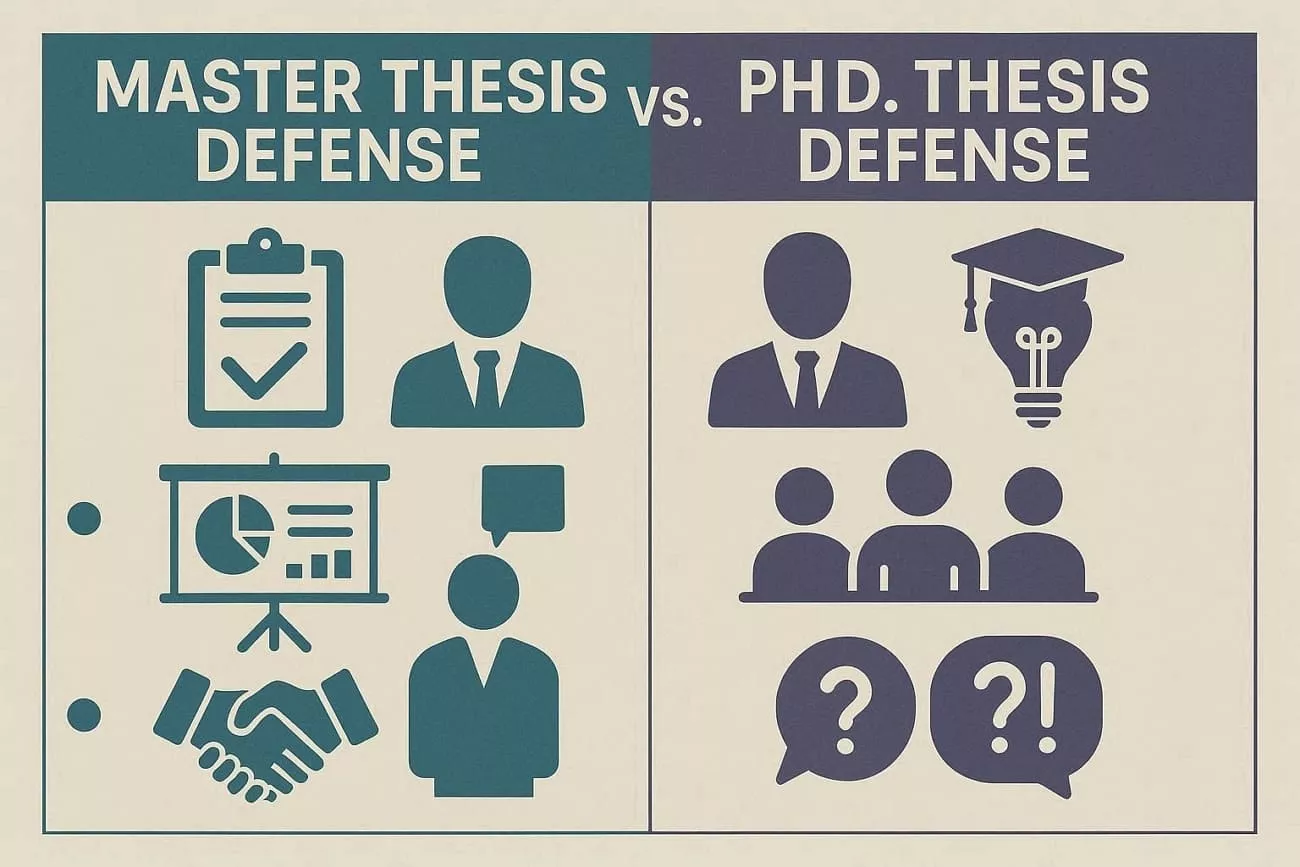
Many students wonder how Master's and PhD defenses differ in expectations and overall standards. Further, we will show how expectations change when moving from a Master's defense to a PhD thesis defense. Contrary to popular belief, the PhD defense is less of a test and more of a peer-level scholarly exchange.
Key Differences in Expectations and Standards
A Master's defense mainly checks understanding of key concepts and the correct use of research methods. On the other hand, a PhD defense looks for deeper insight and more confident discussion with the committee. Committees also expect clearer explanations of choices, stronger methodology defense, and deeper implications at the doctoral level.
How Original Contribution and Methodology Defense Compare
An original contribution at the Master's level often means applying known methods to a smaller, focused research problem. In a thesis defense at the PhD level, original contributions should add something new to theory and available data. Methodology defense in a Master's program focuses on showing you followed accepted steps. Moreover, in a PhD, you must justify why your chosen methods fit the questions better than other options.
Academic rigor rises from clear, solid work at the Master's to deeper critique and synthesis at the PhD level. Now, look at the table below to see these differences in a structured format:
| Aspect | Master's Defense | PhD Defense |
| Main Goal | Show competence | Show independence |
| Original Contribution | Modest, limited scope | Clear, significant advance |
| Methodology Depth | Apply standard methods | Justify and refine methods |
| Question Style | Check understanding | Probe reasoning and choices |
| Academic Rigor | Solid, consistent work | Deeper, critical analysis |
| Literature Use | Covers key sources | Engages broader, complex debates |
| Committee View | Capable graduate | Emerging expert |
| Expected Independence | Guided by a Supervisor | Leads and drives project |
Part 2. The Preparation Timeline: How Long to Put Together a Thesis Defense Presentation?
Some student feel unsure about planning their presentation when deadlines are approaching. For users asking, "How long to put together a thesis defense presentation," we will break preparation into clear weekly steps.
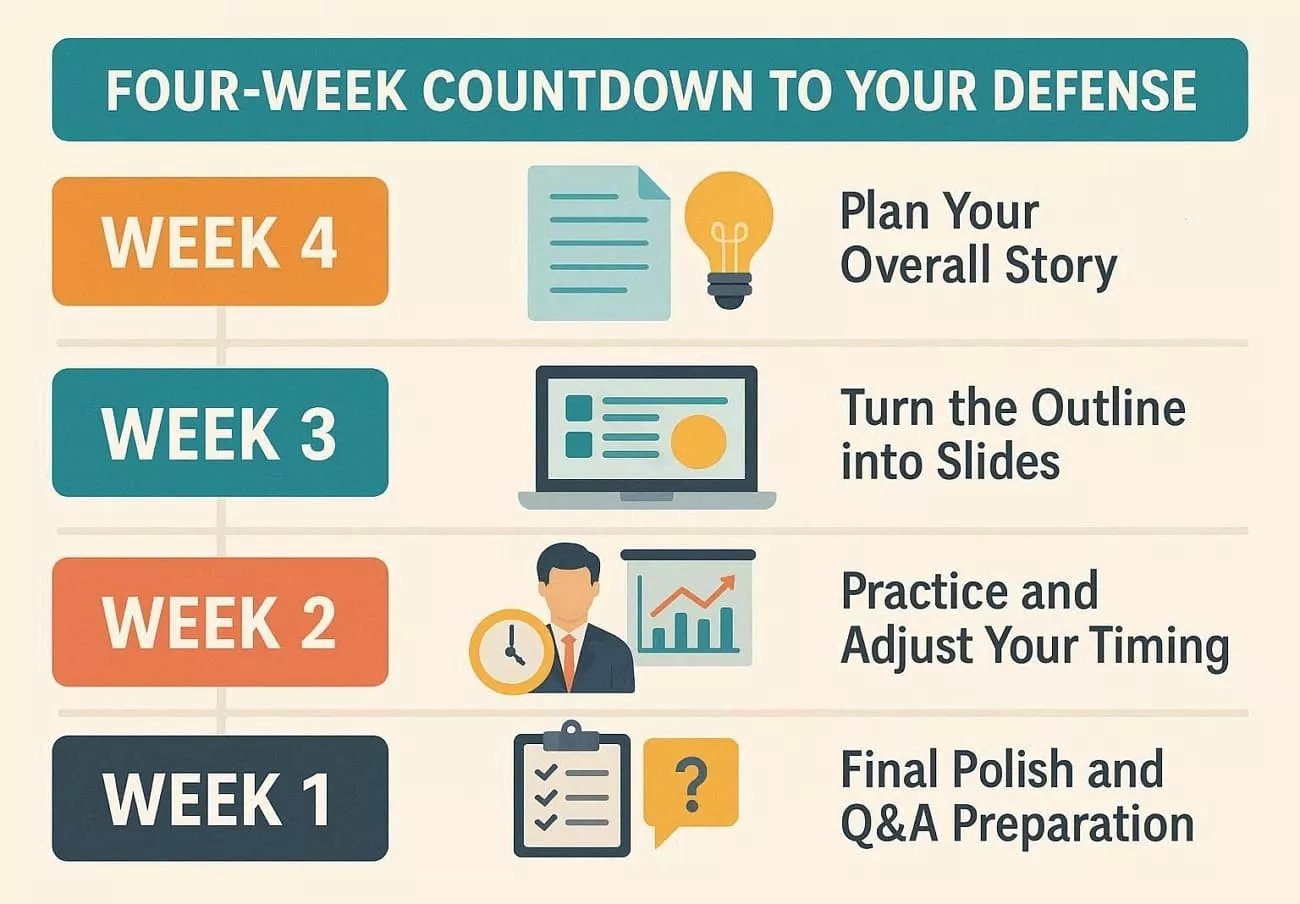
Four-Week Countdown to Your Defense Presentation
This countdown structure helps you see what to do each week without feeling lost and overwhelmed. Now, we will break each week into simple actions that guide you toward your defense day:
In Week 4: Plan Your Overall Story
Use this week to review your thesis and decide which key sections deserve space in slides. Start a simple outline, choose rough slide numbers, and note which results and tables you definitely want to explain.
In Week 3: Turn the Outline Into Slides
Change your outline into draft slides using short bullet points and clear visual elements where possible. Focus on logical order, smooth transitions between sections, and keep each slide focused on just one main idea.
In Week 2: Practice and Adjust Your Timing
Practice speaking with your slides several times, either alone or with a friend, to listen carefully and give feedback. Watch the clock and add brief explanations wherever you feel yourself rushing and losing your main point.
In Week 1: Final Polish and Q&A Preparation
Use this week to fix slide design details, check readability, and remove any repeated and unnecessary information. Prepare answers for likely committee questions about methods and rehearse under conditions similar to the real defense.
Does a PhD Defense Presentation Take Longer to Prepare Than a Master's?
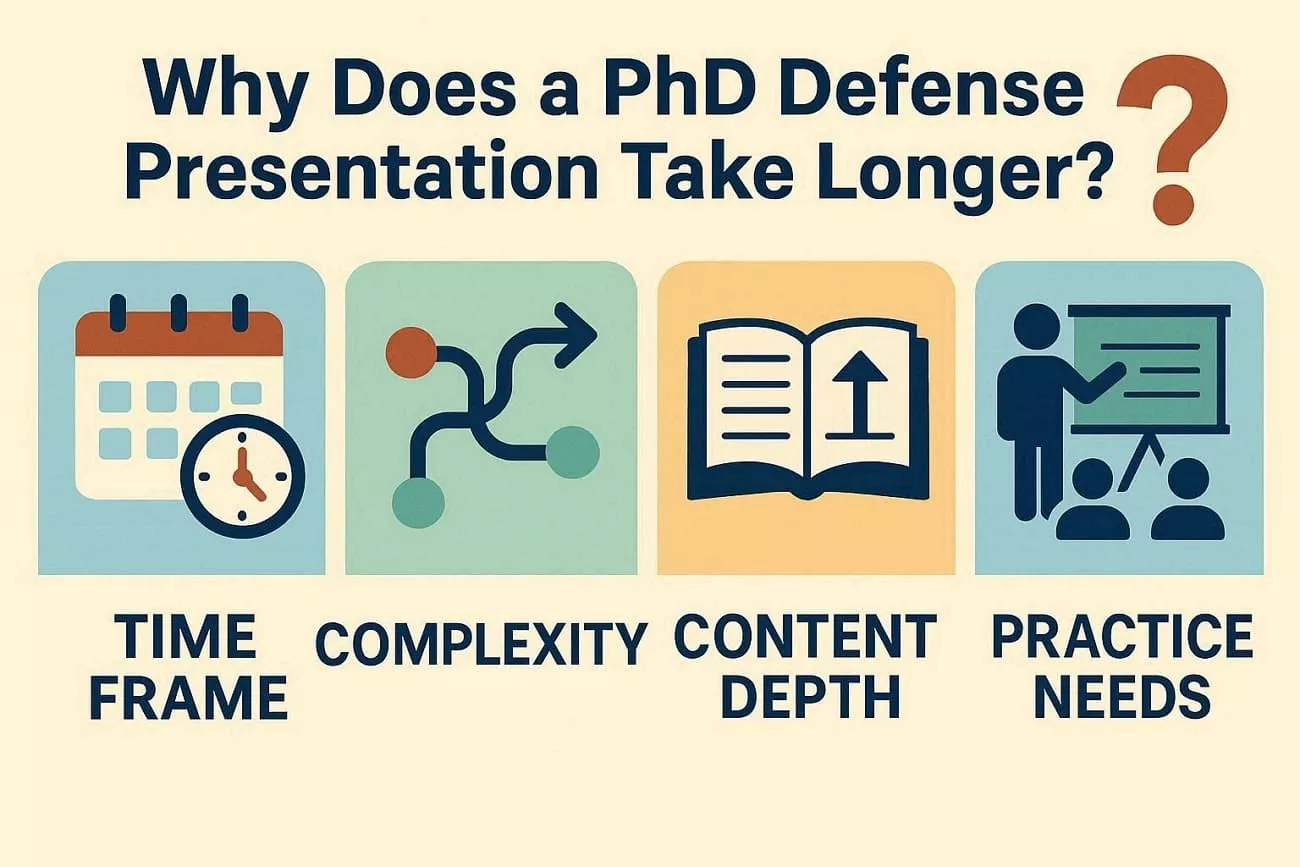
Some students feel a PhD presentation always needs much more preparation time than a Master thesis defense. Preparation time often depends on planning and focus, and now we will explain the main reasons:
- Time Frame: Both levels can usually prepare well with a steady, planned four-week timeline overall.
- Complexity: PhD projects often include more chapters and data; selecting the most important points takes extra care.
- Content Depth: PhD presentations need deeper explanations and stronger links to theory, demanding more revision and thought.
- Practice Needs: PhD students may rehearse more for detailed questions. Master's students often focus mainly on clarity.
How to Reduce Thesis Defense Preparation Time
Students often struggle with long chapters, scattered notes, and older research materials during presentation preparation. They may also lose time trying to manage documents, revisions, and final files in one place. This is where UPDF comes in as a practical academic support tool. UPDF helps students stay organized, reduce preparation stress, and move from a full thesis to clear presentation content.
Windows • macOS • iOS • Android 100% secure
Key Features
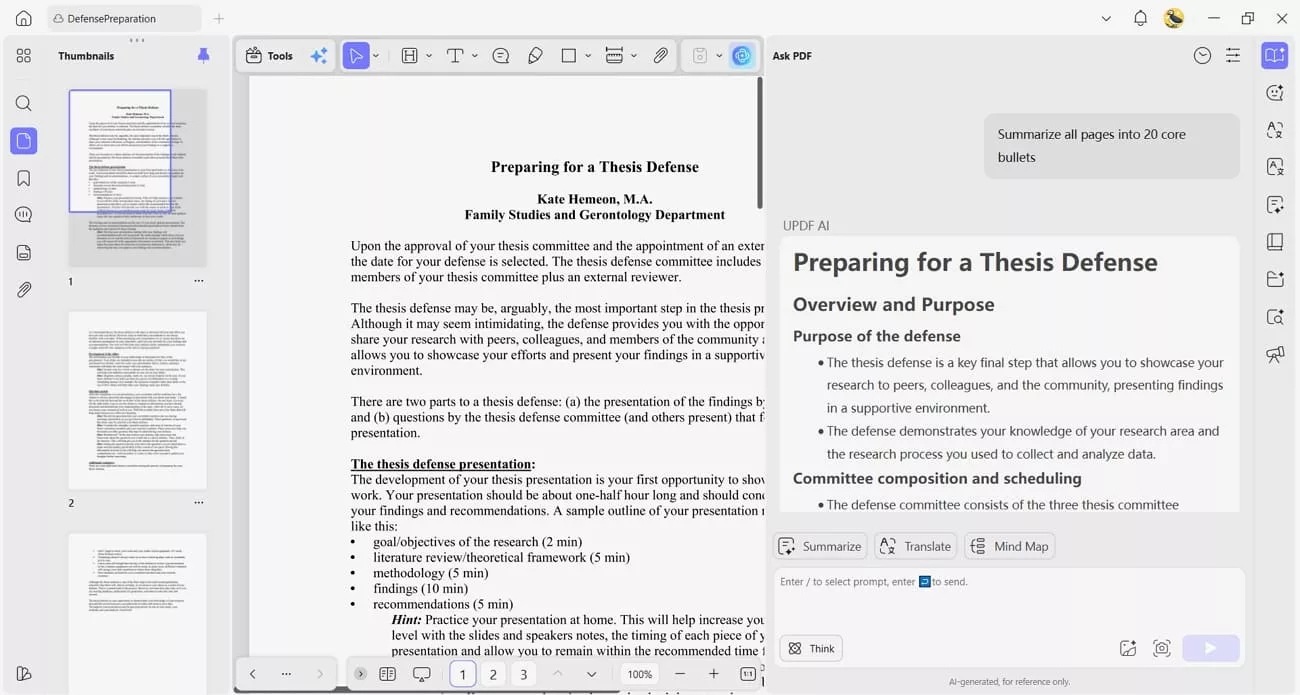
1. Summarize PDF: UPDF can turn a 100-page thesis into 20 core bullet points for faster slide preparation.
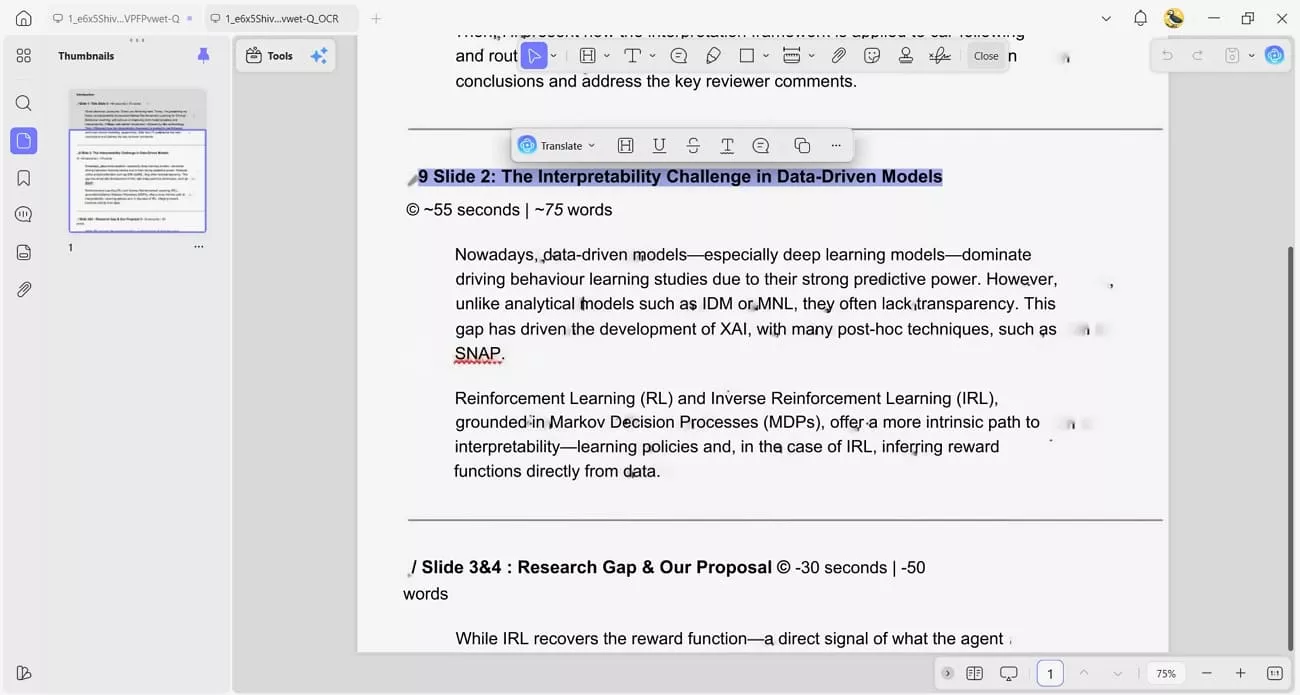
2. OCR PDF: It improves OCR accuracy for scanned research materials and recognizes 38 languages during review.
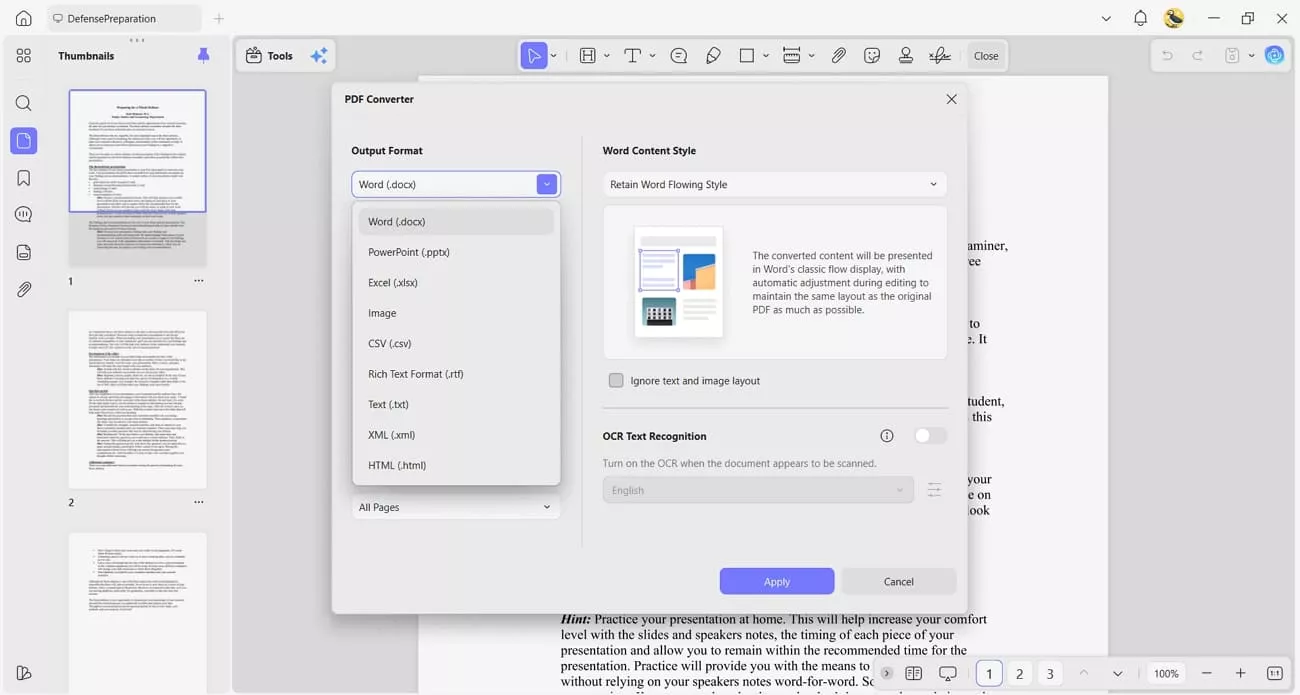
3. Convert PDF: The tool supports formatting retention when converting notes to PDF, keeping academic files clean and usable.
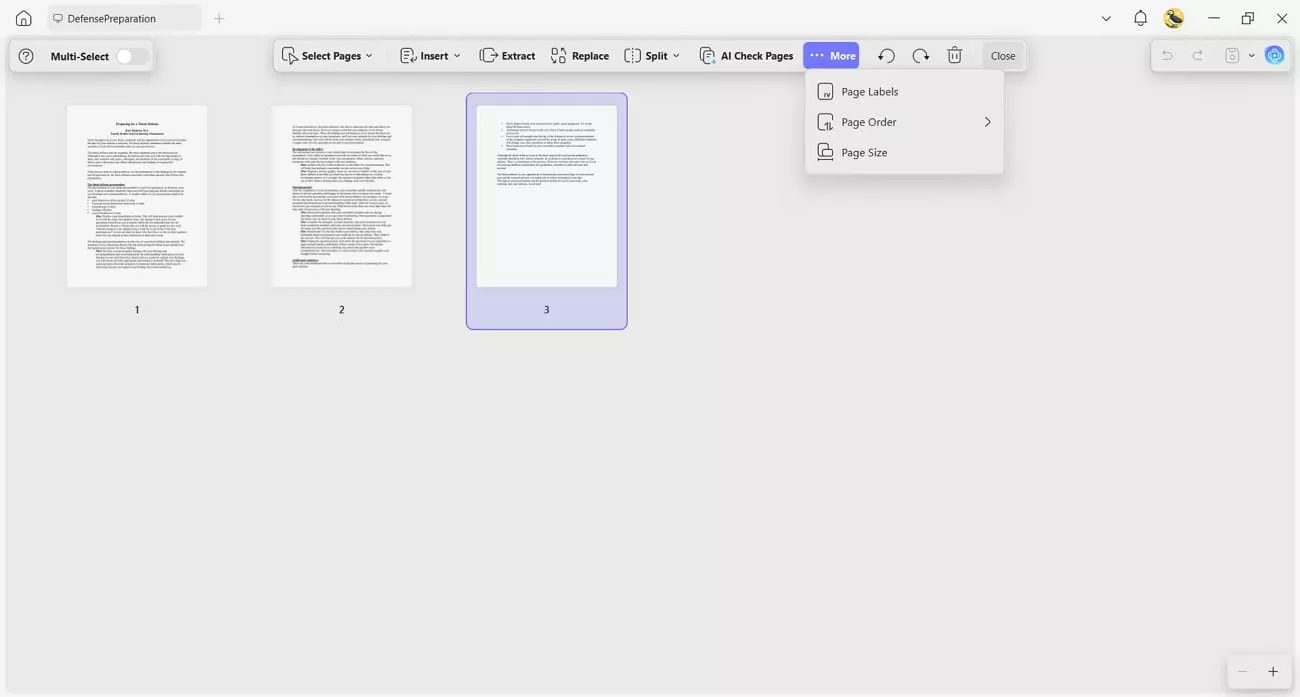
4. Organize PDF Pages: Students can reorder thesis pages more easily, making defense materials simpler to manage and review. Moreover, UPDF also offers a smart page checker which can immediately find the missing, blank, rotated pages for you.
Part 3. 5 Essential Strategies for a Successful Defense
Success in a thesis defense depends on preparation, clear speaking, and simple visual support. In my experience, students perform better when they prepare for questions as carefully as slides. Now, we will share practical strategies that build confidence during both presentation and committee discussion.
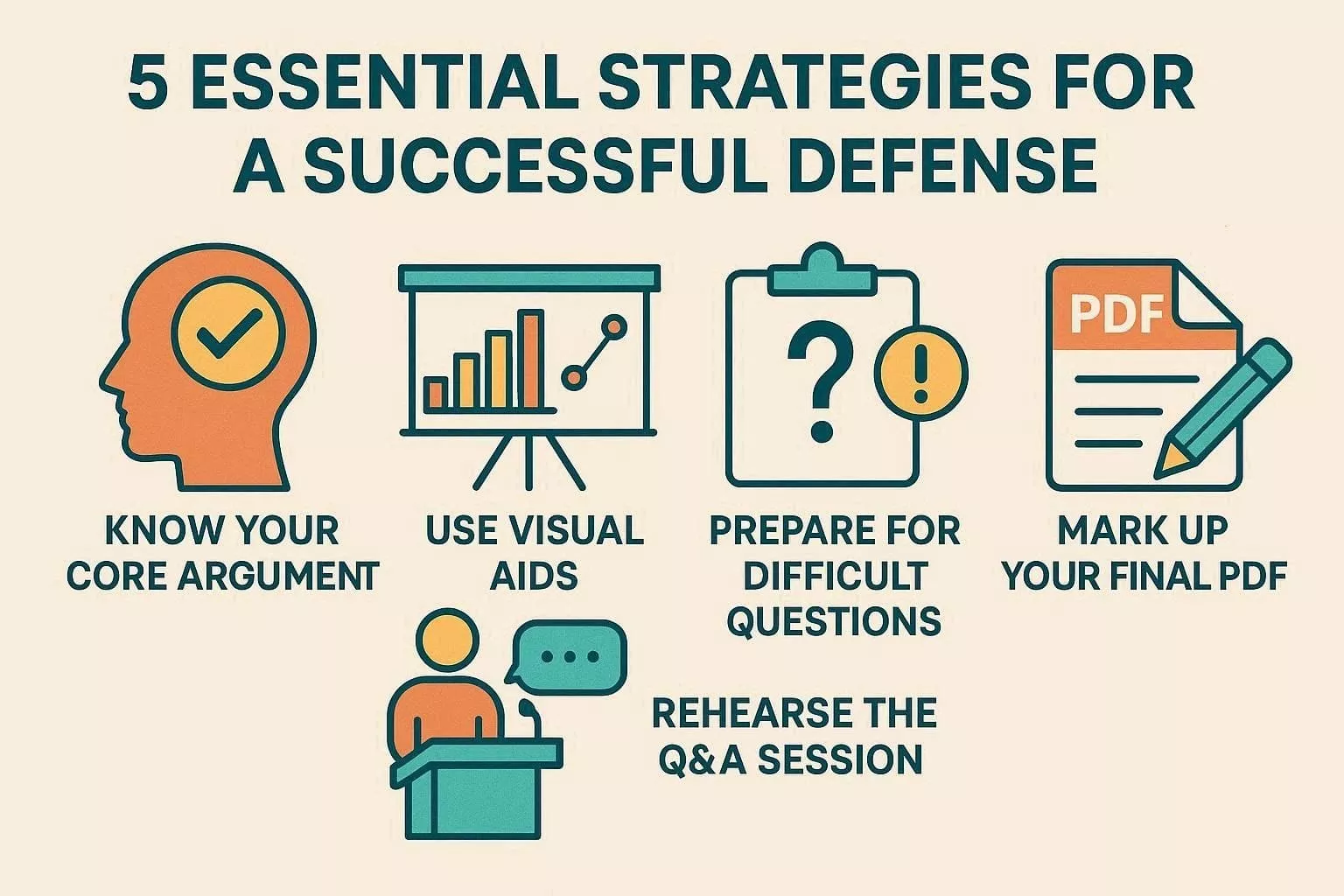
1. Know Your Core Argument
Identify your main research message in one or two clear, easy sentences before presenting. This helps you stay focused when committee questions become broad, detailed, or slightly confusing.
2. Use Visual Aids
Your slides should support your explanation, not repeat every point already written in your thesis. Keep layouts clean, use readable visuals, and remove anything that distracts from your main message.
3. Prepare for Difficult Questions
A step-by-step guide to handling difficult committee questions starts with listening fully before answering calmly. Pause briefly, answer clearly, and support your response with evidence from your research study.
4. Rehearse the Q&A Session
Practice likely questions aloud with a friend or by yourself several times before presenting. This improves your wording and helps you stay calm under pressure.
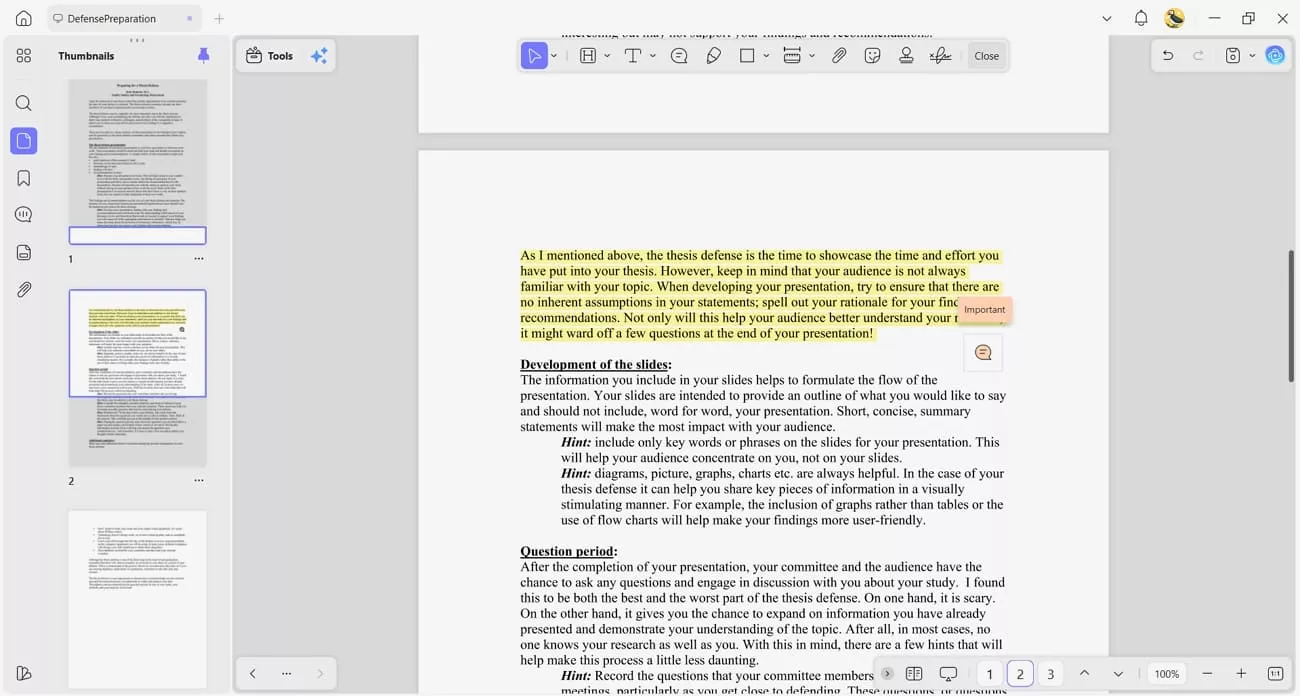
5. Mark Up Your Final PDF
Review your final PDF carefully and note sections that may attract detailed committee questions. UPDF's Annotate feature helps highlight passages and add notes for quick review later.
Part 4. FAQs
How long will it take to put together a thesis defense presentation if I have complex data?
If your data is complex, plan at least four weeks for preparation and slide design. Use early weeks to simplify graphs, group related results, and remove extra technical detail. Final days are for polishing visuals, checking timing, and practicing clear explanations of main findings.
Can I read during the thesis defense?
You can look at brief notes, yet reading full paragraphs sounds flat and less confident. Use short prompts on cards and speak in your own natural words.
What if I fail my thesis defense?
Full failure is uncommon, since committees often ask for revisions instead of outright rejection. If major issues appear, you receive a chance to improve your work. Treat it as guidance for growth, not a final judgment on your abilities and future.
What is the most critical part of a PhD thesis defense?
Sometimes, the Q&A session is the most critical part of a PhD thesis defense. Committee members test your understanding through detailed questions on methods and limitations.
Conclusion
In conclusion, this guide explains thesis defense in simple steps, from understanding expectations to planning a clear presentation. It also shows how to manage complex data, prepare for questions, and use visual aids effectively. Students who want organized materials and smoother preparation can rely on UPDF to keep drafts, notes, and final files in one place.
Windows • macOS • iOS • Android 100% secure









 Lizzy Lozano