UPDF
UPDF
 UPDF for Windows
 UPDF for Mac
 UPDF for iPhone/iPad
 UPDF for Android
 UPDF AI Online
 UPDF Sign
 Edit PDF
 Annotate PDF
 Create PDF
 PDF Form
 Edit links
 Convert PDF
 OCR
OCR PDF to Word
 PDF to Image
 PDF to Excel
 Organize PDF
 Merge PDF
 Split PDF
 Crop PDF
 Rotate PDF
 Protect PDF
 Sign PDF
 Redact PDF
 Sanitize PDF
 Remove Security
 Read PDF
 UPDF Cloud
 Compress PDF
 Print PDF
 Batch Process
 About UPDF AI
 UPDF AI Solutions
 AI User Guide
 FAQ about UPDF AI
 Summarize PDF
 Translate PDF
 Chat with PDF
 Chat with AI
 Chat with image
 PDF to Mind Map
 Explain PDF
 PDF AI Tools
 Image AI Tools
 AI Chat Tools
 AI Writing Tools
 AI Study Tools
 AI Working Tools
 Other AI Tools
 AI Bookmark Generation
 AI Bookmark Summary
 AI Watermark Generation
 AI Background Generation
 AI Sticker Generation
 AI Stamp Generation
 AI Editing Suite
 UPDF Copilot
 AI Page Management
 AI Semantic Search
 PDF to Word
 PDF to Excel
 PDF to PowerPoint
 Enterprise Solution
 Enterprise Sign
 Enterprise AI
 Enterprise Plan
 Enterprise User Guide
 Enterprise Webinar
 Banking
 Healthcare
 Insurance
 Legal
Legal Manufacturing
 Government
 Education Solution
 Customer Stories
 User Guide
 UPDF Tricks
 FAQs
FAQs UPDF Reviews
 Download Center
 Blog
Blog Newsroom
 Tech Spec
 Updates
 UPDF vs. Adobe Acrobat
 UPDF vs. Foxit
 UPDF vs. PDF Expert

Most GRE test-takers fail not due to a lack of intelligence. They fail because they don't have a clear GRE study plan. Instead, random practice, messy notes, and weak schedules slowly cause burnout and poor scores. What works is a simple structure that shows what to study, when to study, and how to review mistakes.
This guide gives practical steps, not theory, so you always know what to do daily. You'll get a clear 12-week plan, a daily schedule, and a simple way to manage materials. Finally, organizing your GRE PDFs with UPDF keeps preparation easy, focused, and stress-free.
Start your GRE prep stress-free by using UPDF to organize and annotate your study PDFs—see Part 5 for a step-by-step guide.
Windows • macOS • iOS • Android 100% secure
Part 1. What is a GRE Study Plan and Why Does It Matter
A GRE study plan is a structured roadmap that breaks your preparation into daily and weekly tasks for Quant, Verbal, and AWA. This plan lets you follow a goal‑oriented plan instead of guessing what to study each day. Students also improve faster when they track progress and review mistakes regularly.

Why Does it Matter?
To see why the best GRE test pre matters, let's explore its main benefits for students.
- Maintains consistency so you study regularly and avoid skipping important topics.
- Focuses on your weaker areas to gradually boost your GRE scores.
- Eases stress by giving you a clear and organized study roadmap.
Random practice feels productive but rarely leads to real progress. A structured plan makes every practice set, mock test, and review session clearly targeted and meaningful. Since many official GRE resources are PDFs, digitally organizing them keeps preparation efficient and focused.
Part 2. A 12-Week GRE Study Plan
Many students wonder, "Is the GRE test difficult?", and that concern often makes planning feel overwhelming. To get the best results, look at the week-by-week plan that builds skills, timing, and confidence gradually.
Weeks 1–2: Foundation & Diagnostic
Let's start by understanding your current strengths and preparing for focused GRE study.
Take a Practice Test
Simulate a real GRE test under timed conditions across all sections. This first diagnostic test will give a clear picture of which topics need the most focus during preparation.
Find Liabilities and Shortcomings
Write down the areas of your strengths and weaknesses to organize the study time. Being aware of your weak areas will enable you to allocate more time to your low-scoring areas and less time to areas where you are already good at.
Collect and Organize Official GRE Materials
Gather official ETS guides and practice test PDFs to create a complete study library in one place. Using UPDF, you can merge, highlight, and annotate these materials to make reviewing easier.
Windows • macOS • iOS • Android 100% secure

Weeks 3–6: Skill Building
After completing the foundation phase, let's explore how the best GRE test pre can strengthen your core skills.
Quant: Arithmetic, Algebra, Geometry
Focus on mastering arithmetic, algebra, and geometry fundamentals to solve GRE problems. Practice in these topics polishes weak areas and builds speed for answering questions under strict time limits.
Verbal: Vocabulary, Text Completion, Reading Comprehension
During this, you can expand your vocabulary and practice text completion along with reading comprehension. You have to review mistakes regularly to gradually increase accuracy across all verbal question types.
Daily Practice and Error Review
Set aside dedicated daily time for both Quant and Verbal to create disciplined study habits. Reviewing errors every day reinforces key concepts and prevents repeating the same mistakes in future practice sessions.

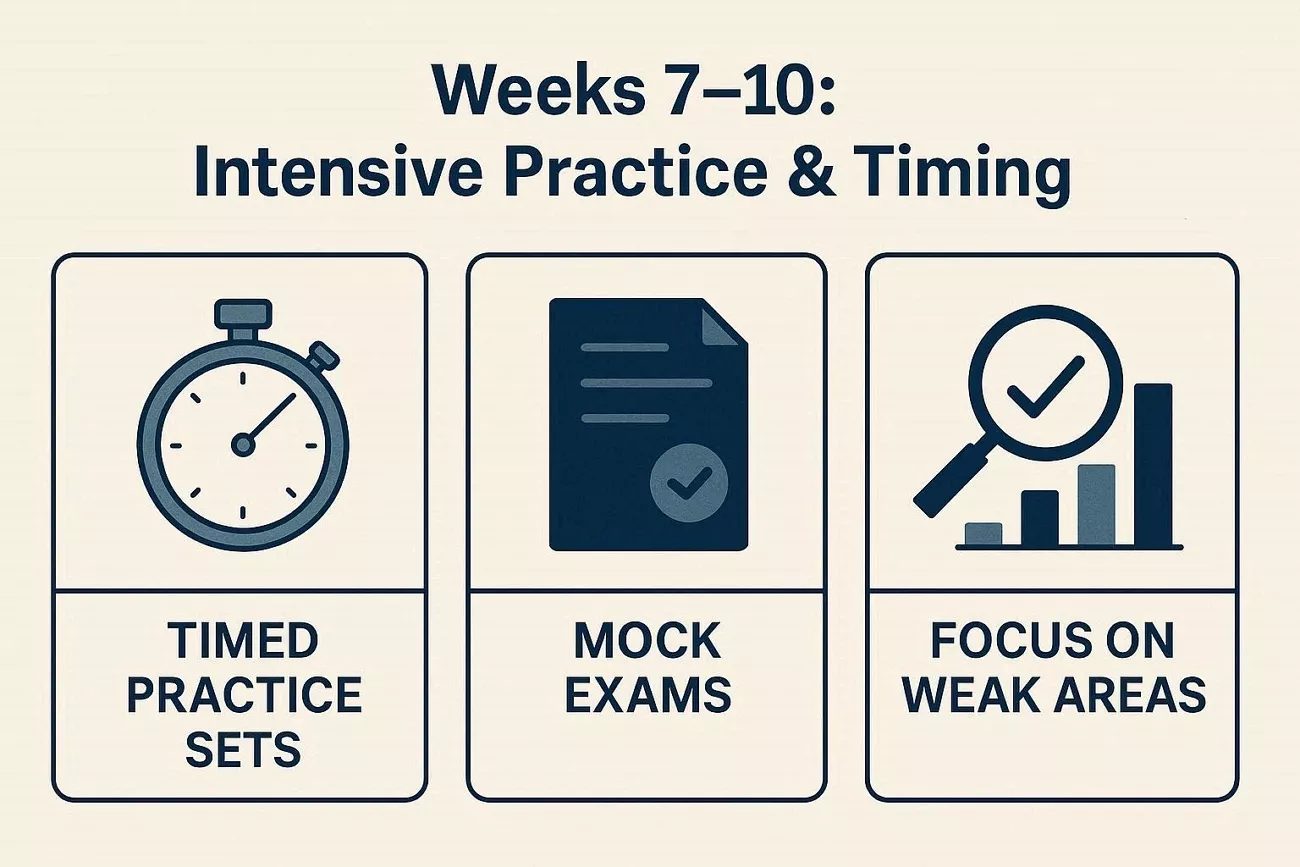
Weeks 7–10: Intensive Practice & Timing
Having discussed the skill-building phase, let's focus on timed practice and intensive preparation for better GRE results.
Timed Practice Sets
Practice timed question sets to improve speed under real GRE conditions. Working under time limits helps you manage pacing and reduces pressure during the actual test.
Mock Exams
Practice Exams to simulate the actual GRE and gauge progress. Review exam papers to identify errors and develop plans in both Quant and Verbal.
Focus on Weak Areas
Dedicate extra time to topics where you scored lowest in earlier practice sets. Use targeted practice to improve performance across all question types.
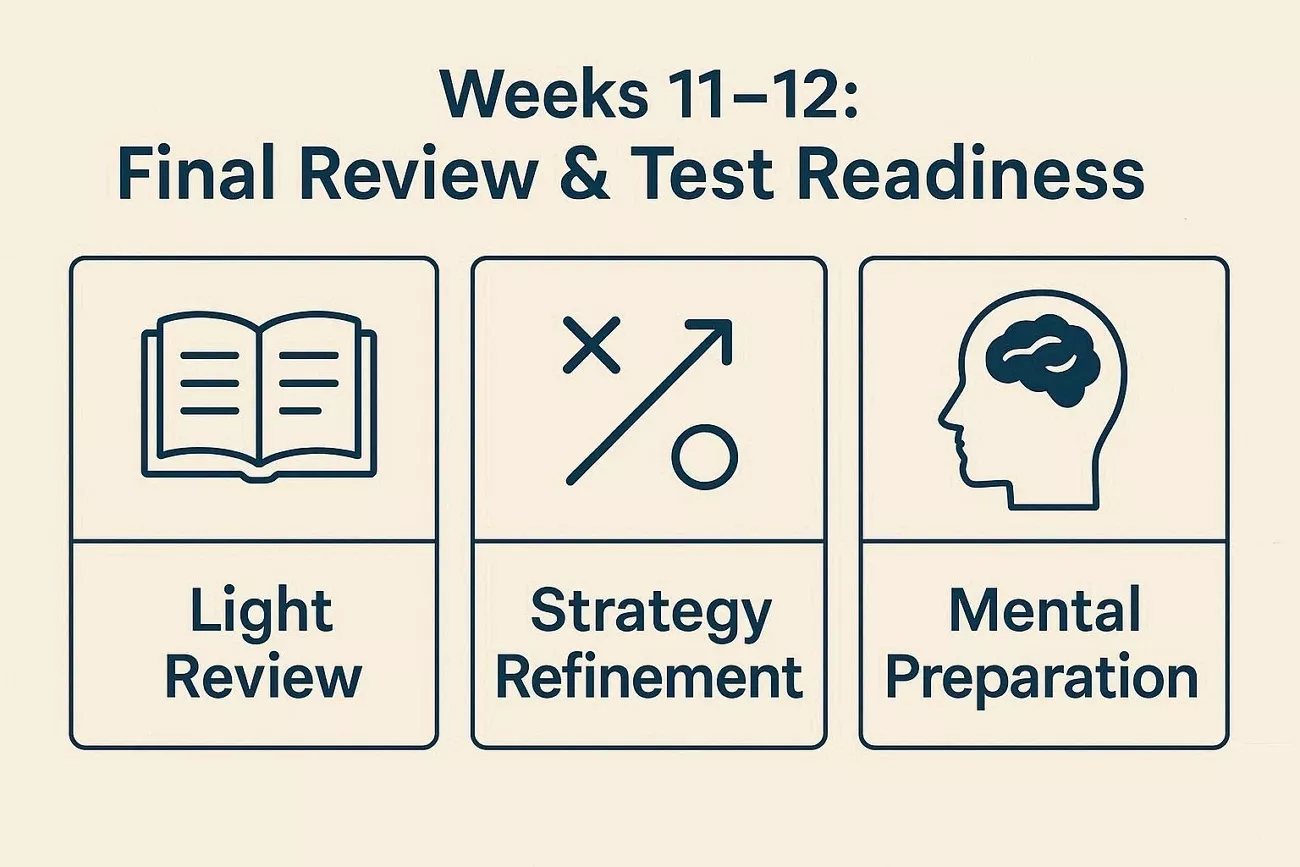
Weeks 11–12: Final Review & Test Readiness
Lastly, let's review the strategies your GRE study plan should focus on before test day.
Light Review
Go over key formulas, vocabulary, and strategies without learning any new topics at this stage. This ensures your knowledge is fresh while preventing overload or unnecessary stress before the exam.
Strategy Refinement
Practice pacing and question approaches to solidify your GRE strategies. It improves your methods to help you make faster decisions on test day.
Mental Preparation
Focus on sleep and a calm mindset to stay confident and alert during the GRE. You can also use UPDF AI to revisit highlighted notes and summarize key points for review.
Part 3. Daily & Weekly GRE Study Schedule Example
Creating a consistent daily and weekly schedule is essential to following your GRE study plan. Let's break study time into manageable blocks to maximize focus and avoid burnout.
Weekday Schedule: 1–2 Hours
Weekdays are ideal for shorter study sessions that fit around classes or work. Now, we will divide study time into focused blocks for each section.
- Quant 30–45 Minutes: Practice problem sets that focus on topics you find difficult.
- Verbal 30–45 Minutes: Study vocabulary and solve reading comprehension and text completion questions.
- AWA 15–30 Minutes: Review your mistakes, mark important points in PDFs, or write one essay each day.
Weekend Schedule: 3–4 Hours
Next, we will focus on making the most of longer weekend sessions to improve your GRE skills.
- Full Practice Sets 90–120 Minutes: Do full Quant or Verbal sections or alternate between them.
- Detailed Review 60 Minutes: Check each mistake carefully and note better strategies in your PDFs.
- AWA Practice 30–45 Minutes: Write essays regularly and work on clearer, more logical arguments.

Balancing Quant, Verbal, and AWA
Distribute your study time each week to ensure all three GRE sections get consistent attention. For example, spend three days on Quant, three days on Verbal, and one day on mixed review or AWA practice.
Part 4. Managing GRE Study Materials Efficiently
Now, let's discuss the main challenges students face without following the best GRE test pre effectively.
- Too Many PDFs: Managing multiple PDFs from ETS guides, practice tests, and vocabulary lists can feel overwhelming daily.
- Scattered Notes: Notes stored across devices make reviewing and tracking progress inefficient and time-consuming for students.
- Tracking Mistakes and Progress: Without proper organization, it is difficult to monitor errors and identify topics needing improvement.
In this situation, a tool like UPDF can help users combine multiple PDFs and review all GRE study materials.
Part 5. Using UPDF & UPDF AI to Execute Your GRE Study Plan
Is the GRE test difficult? Many students struggle to organize GRE PDFs, practice tests, and notes for preparation. This is where UPDF provides a single workspace where users can combine all study materials and highlight key strategies. It also allows annotating, reading passages, and math explanations while syncing study materials across multiple devices.
Moreover, UPDF AI helps students summarize long reading passages and explains complex academic sentences for better understanding. Users can ask questions directly inside GRE PDFs or use Paper Search to quickly locate relevant research. This makes UPDF AI a powerful tool for reviewing mistakes and organizing notes for improved GRE test performance strategically.
Guide to Organizing GRE Study Materials With UPDF
To follow your GRE study plan efficiently with UPDF, go through the steps below:
Step 1. Import Your GRE Materials to UPDF
Download, install, and open UPDF.
Windows • macOS • iOS • Android 100% secure
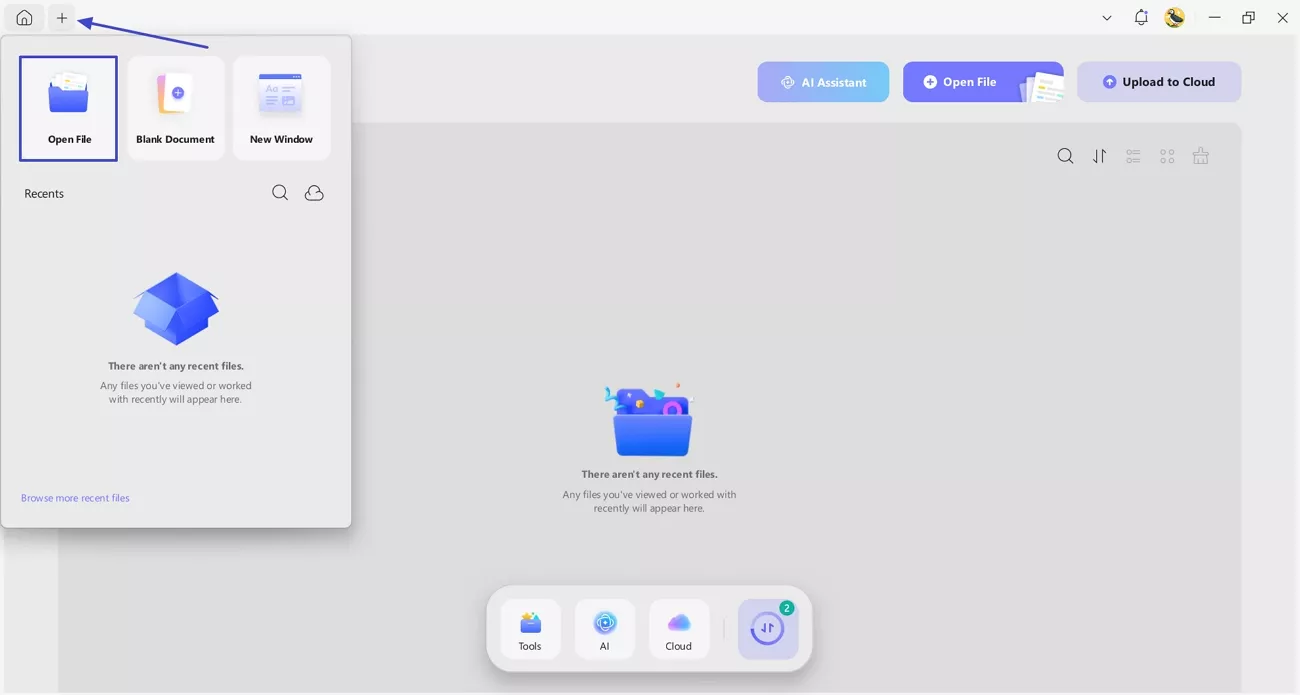
On the main interface, press the "+" icon in the top left corner and click the "Open File" option to import GRE study materials into UPDF.
Step 2. Annotate GRE Study PDF
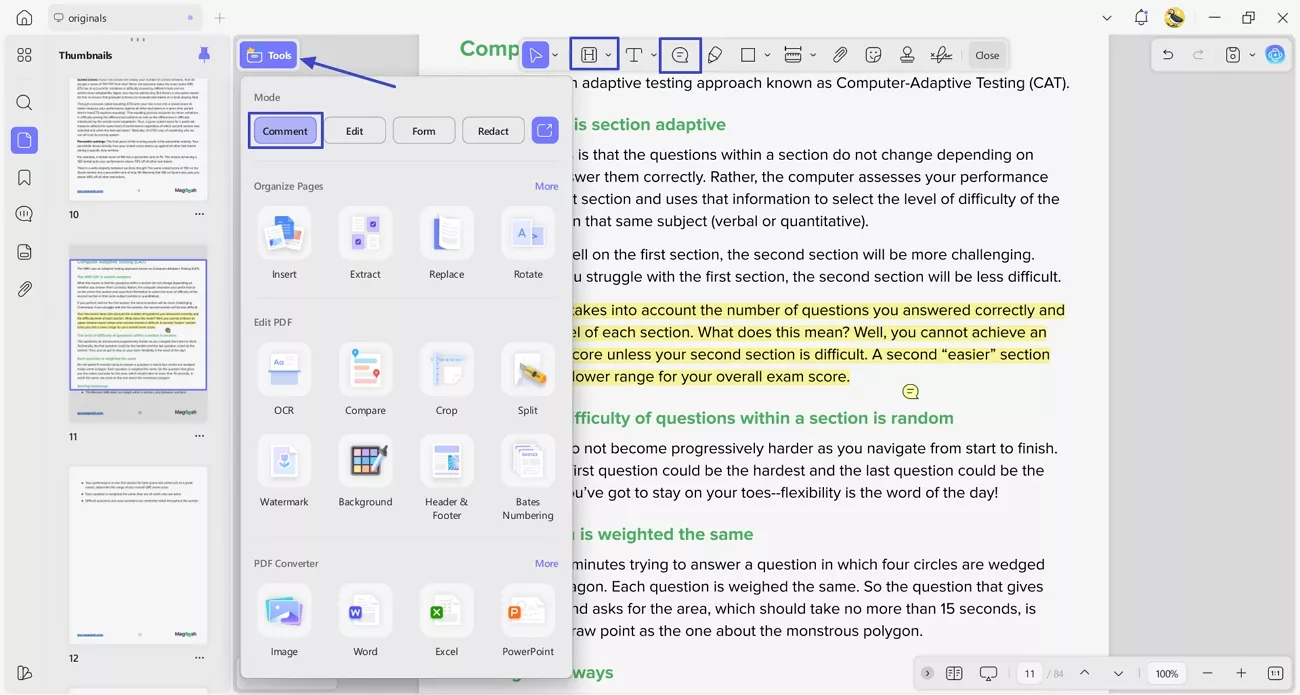
Once imported, press the "Tools" option and click the "Comment" option to enter the comment interface. Next, use the "Highlight" icon and select the text to highlight important information. Afterwards, press the "Sticky Notes" option to create a note with specific content.
Step 3. Summarize Long-Form Content
Next, select the text that you want to summarize and choose the "Summarize" option in the floating pop-up. Afterwards, press the "Notes" icon to save the summarized content as a sticky note. You can also explain and translate the content in more than 13 languages using UPDF AI.

Step 4. Review and Update Weekly
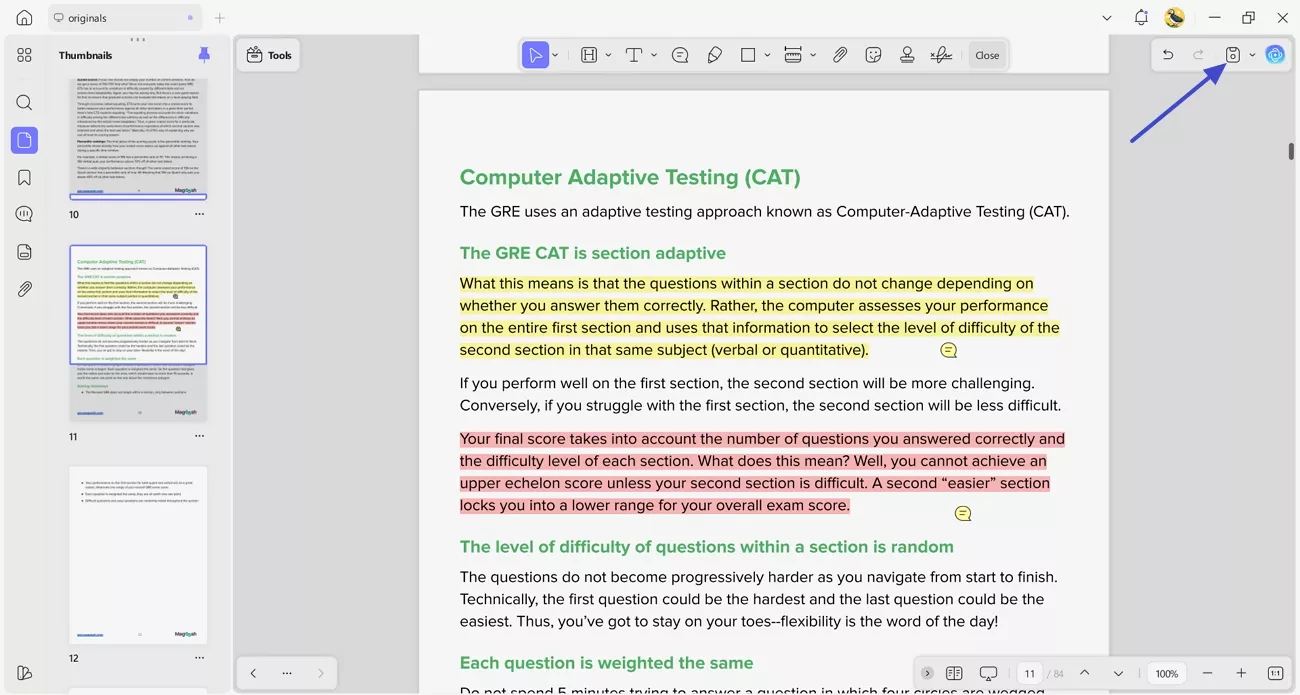
Review the study materials every week and update highlights and sticky notes with the progress. Save your progress every time by pressing the "Save" icon in the top right corner.
Part 6. Common Mistakes That Break a GRE Study Plan
Having learned how UPDF contributes to the best GRE test pre, let's highlight common preparation mistakes to avoid.
- Skipping Diagnostic Tests: Not taking a diagnostic test prevents identifying strengths and weaknesses accurately for focused practice.
- Ignoring Weak Areas: Avoiding difficult topics leads to unbalanced preparation and limits overall score improvement on the GRE.
- Inconsistent Study Schedule: Studying irregularly reduces retention and makes it harder to build strong, lasting skills.
Conclusion
In this guide, you learn how a structured GRE study plan improves focus, consistency, and scores. It highlights common mistakes, provides a 12-week roadmap, and shows practical daily and weekly schedules. If you want to organize your GRE PDFs, track progress, and stay fully prepared for test day, try UPDF to manage all your study materials.
Windows • macOS • iOS • Android 100% secure