 UPDF
 UPDF for Windows
 UPDF for Mac
 UPDF for iPhone/iPad
 UPDF for Android
 Nomostar
 UPDF AI Online
 UPDF Sign
 IvyCraft
 Edit PDF
 Annotate PDF
 Create PDF
 PDF Form
 Edit links
 Convert PDF
 OCR
 PDF to Word
 PDF to Image
 PDF to Excel
 Organize PDF
 Merge PDF
 Split PDF
 Crop PDF
 Rotate PDF
 Protect PDF
 Sign PDF
 Redact PDF
 Sanitize PDF
 Remove Security
 Read PDF
 UPDF Cloud
 Compress PDF
 Print PDF
 Batch Process
 About UPDF AI
 UPDF AI Solutions
 AI User Guide
 FAQ about UPDF AI
 Summarize PDF
 Translate PDF
 Chat with PDF
 Chat with AI
 Chat with image
 PDF to Mind Map
 Explain PDF
 PDF AI Tools
 Image AI Tools
 AI Chat Tools
 AI Writing Tools
 AI Study Tools
 AI Working Tools
 Other AI Tools
 AI Bookmark Generation
 AI Bookmark Summary
 AI Watermark Generation
 AI Background Generation
 AI Sticker Generation
 AI Stamp Generation
 AI Editing Suite
 UPDF Copilot
 AI Page Management
 AI Semantic Search
 PDF to Word
 PDF to Excel
 PDF to PowerPoint
 Enterprise Solution
 Enterprise Sign
 Enterprise AI
 Enterprise Plan
 Enterprise User Guide
 Enterprise Webinar
 IT
 Education
 Construction
 Financial Service
 Healthcare
 Insurance
 Legal
 Manufacturing
 Government
 Researchers & PhDs
 Solopreneurs & Freelancers
 Lawyers & Legal Professionals
 Real Estate Agents & Brokers
 Education Solution
 Customer Stories
 User Guide
 UPDF Tricks
 FAQs
 UPDF Reviews
 Download Center
 Blog
 Newsroom
 Tech Spec
 Updates
 UPDF vs. Adobe Acrobat
 UPDF vs. Foxit
 UPDF vs. PDF Expert

College textbooks can be expensive, but many high-quality, legal alternatives are available as free PDFs or open-access web books. The safest starting points are OpenStax, Open Textbook Library, LibreTexts, and DOAB. For a current commercial edition, check your college library or course reserves instead of assuming that a free download is authorized.
This guide compares six reliable sources for free college textbook PDFs in 2026, explains how to search by title or ISBN, and shows how UPDF can help you read, annotate, search, and summarize a textbook you obtained legally.
Windows • macOS • iOS • Android 100% secure
Important Notice
Part 1. 6 Best Sites for Free College Textbook PDF Downloads
The six sources below focus on openly licensed books, public-domain works, or formal library access. Availability varies by title and edition: some platforms provide a direct PDF, some link to the publisher, and some offer web reading or time-limited borrowing instead of a permanent download.
Quick answer: For current college subjects, start with OpenStax, Open Textbook Library, or LibreTexts. Use DOAB for scholarly open-access books, Internet Archive for public-domain downloads or library borrowing, and Project Gutenberg for classic works. A matching ISBN does not automatically mean that a free legal PDF exists. See more free textbook websites if you need a broader directory.
| Website | Best for | PDF availability | Main limitation |
|---|---|---|---|
| OpenStax | Core undergraduate subjects | All titles | Smaller catalog than a commercial publisher |
| Open Textbook Library | Faculty-reviewed open textbooks | Usually available through the publisher | Formats vary by title |
| LibreTexts | STEM and interdisciplinary study | Available on many records | Some materials are web-only |
| DOAB | Scholarly and graduate-level books | Provided by publishers | Not every result is a course textbook |
| Internet Archive | Older editions and library borrowing | Public-domain downloads; loans for many modern titles | Borrowed titles are not permanent downloads |
| Project Gutenberg | Public-domain classics | PDF is uncommon | Few modern textbooks |
1. LibreTexts
LibreTexts is a nonprofit open-education platform with thousands of textbooks across science, engineering, mathematics, social sciences, humanities, business, and medicine. Its catalog clearly displays the license, author, subject, available formats, and institution for each book.
How to download a PDF from LibreTexts:
- Open the LibreTexts Commons catalog and search by title, author, subject, or keyword.
- Open a book record and check its license, summary, and available assets.
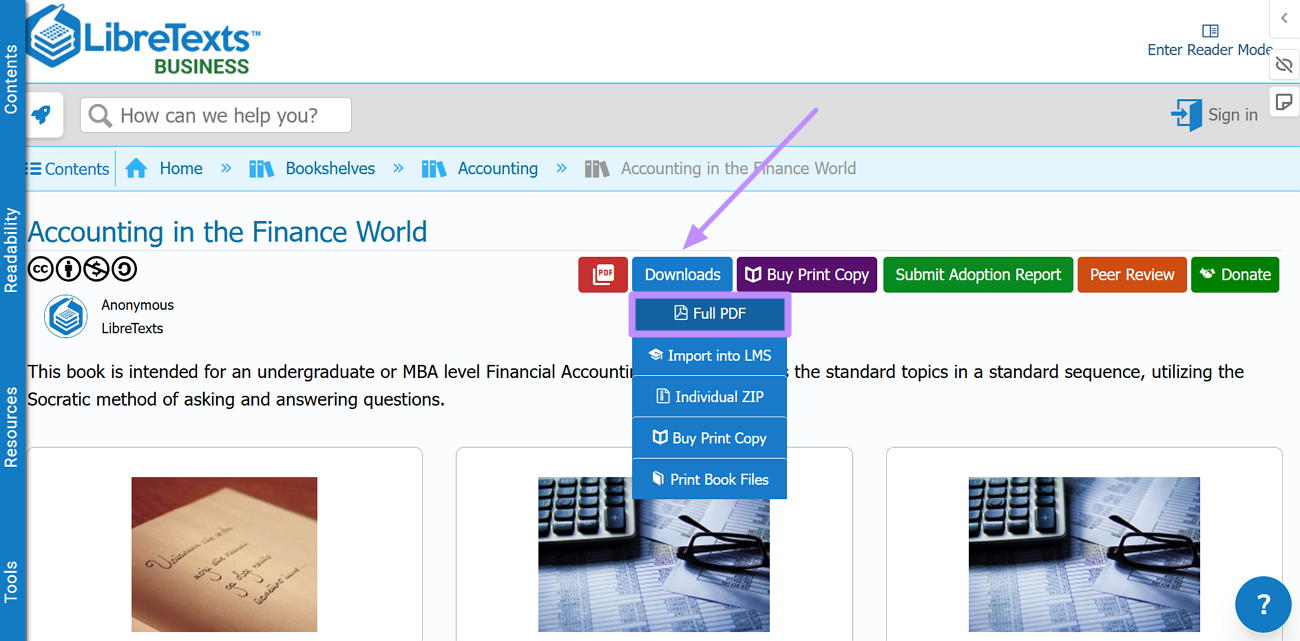
- Select Download PDF when that format is listed. Some records offer Read Online or other formats instead.
2. Directory of Open Access Books (DOAB)
The Directory of Open Access Books (DOAB) indexes peer-reviewed, open-access scholarly books from trusted publishers. It is especially useful for advanced undergraduate and graduate subjects, although it is a directory rather than a single-file library.
DOAB is strongest for academic monographs and research-led books. File formats and download pages are supplied by the publisher, so a title may open on an external publisher or repository website.
How to find and download a book through DOAB:
Step 1. Search by title, author, subject, ISBN, or keyword on DOAB, then open the matching book record and review its license and publication details.
Step 2. Select Download URL(s). DOAB will send you to the publisher or repository that hosts the authorized file; choose PDF there when it is offered.
3. OpenStax
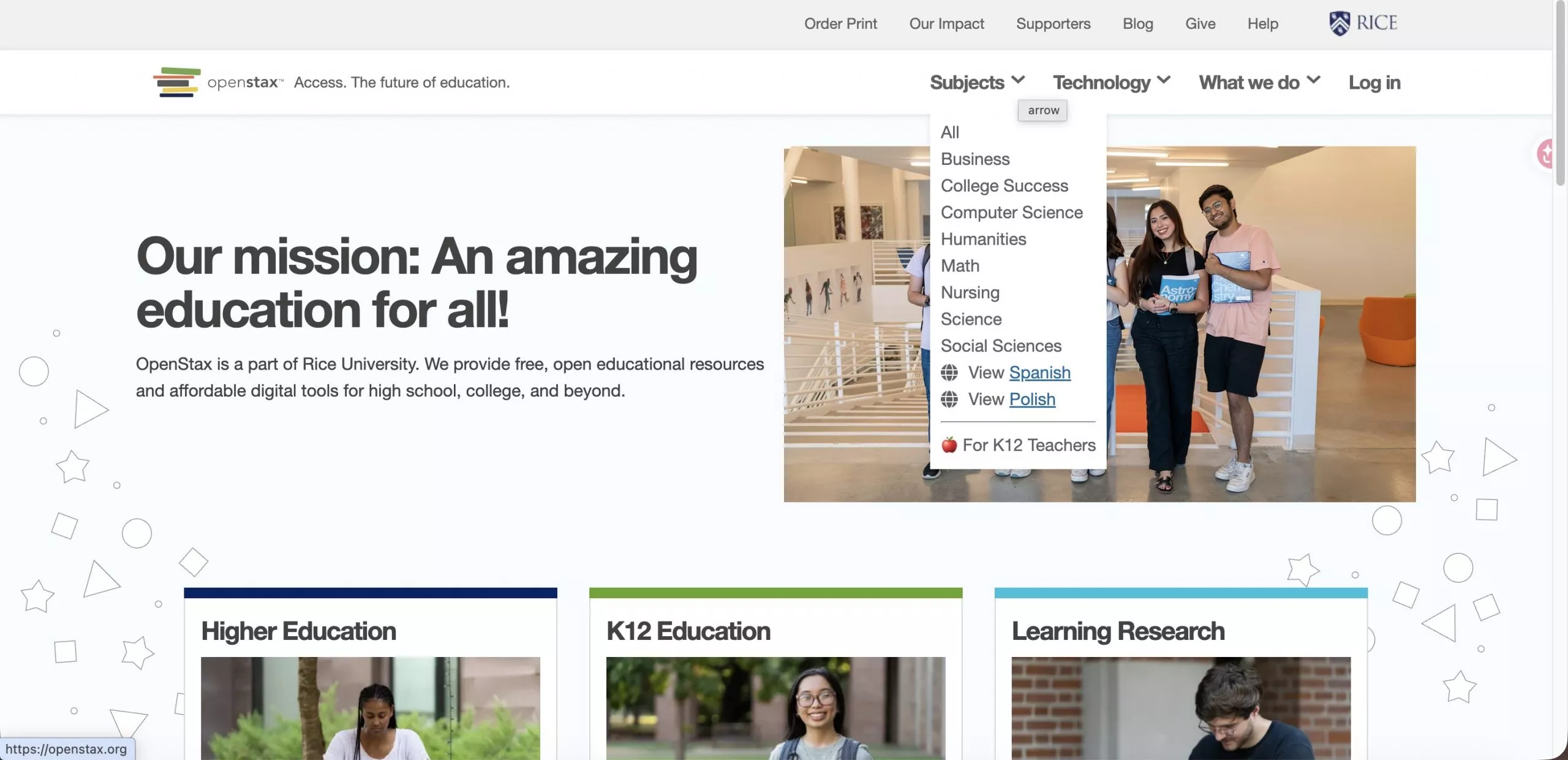
OpenStax provides peer-reviewed, openly licensed college textbooks that are free to read online and available as PDF downloads. Most titles can be read without an account; a small number of titles and optional student resources may require a free sign-in.
Its catalog covers core undergraduate subjects including Business, Computer Science, Humanities, Math, Nursing, Science, Social Sciences, and several others. The trade-off is coverage: OpenStax does not have textbooks for every course or subject, so it works best for students in common general education classes.
Note:
How to download from OpenStax:
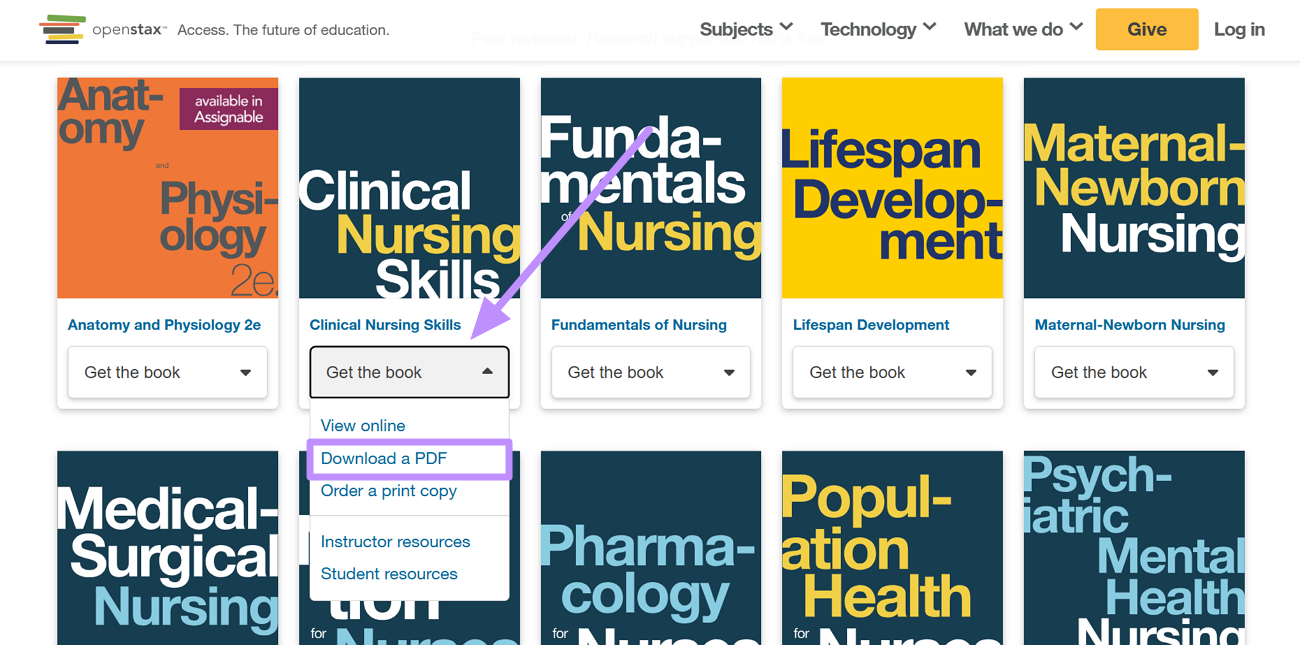
Step 1. On the OpenStax homepage, click Subjects in the top navigation to find your textbook by subject area or title.
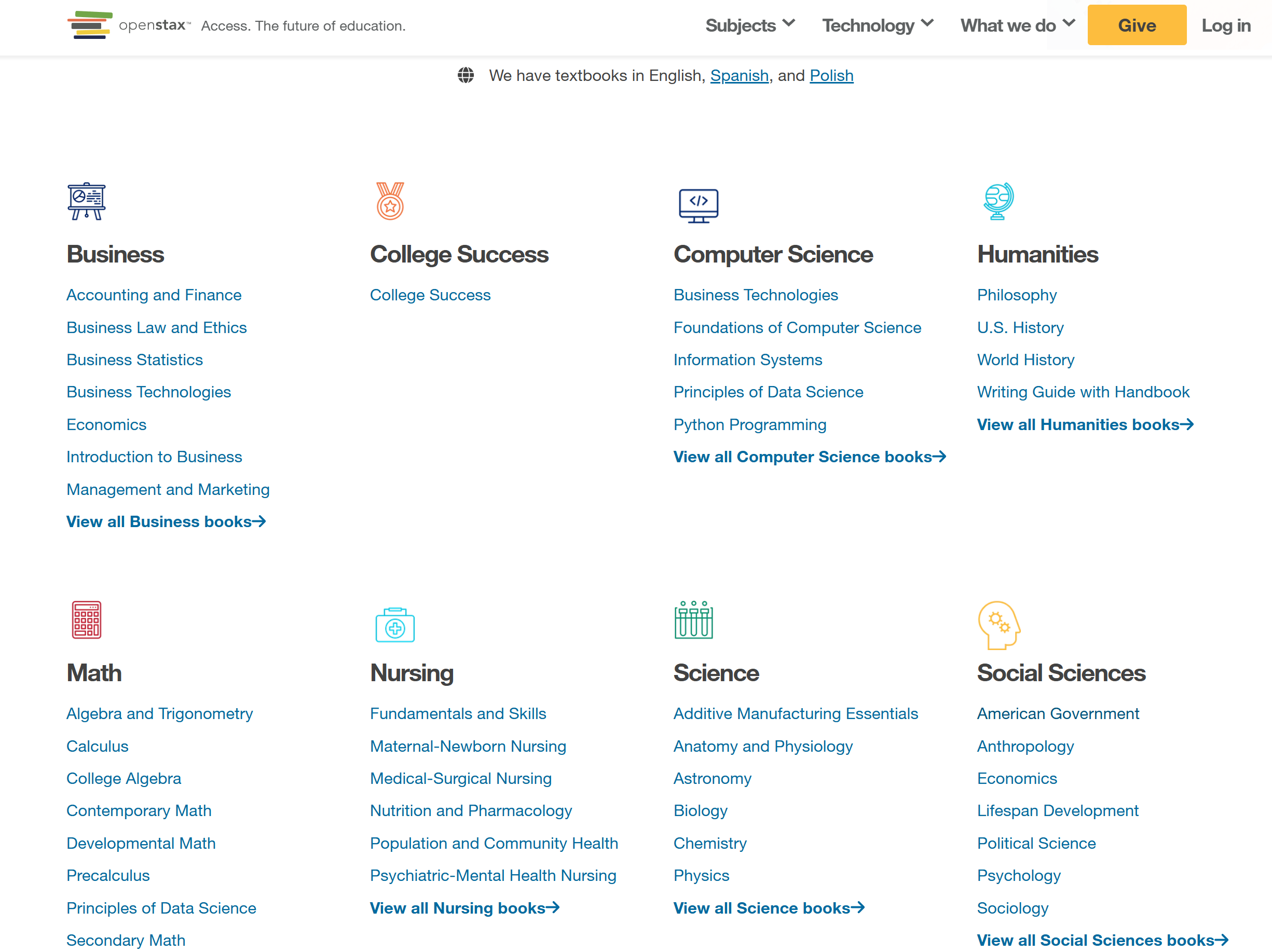
Step 2. Now, hit the Get the Book button and choose Download a PDF from the drop-down menu.
4. Open Textbook Library
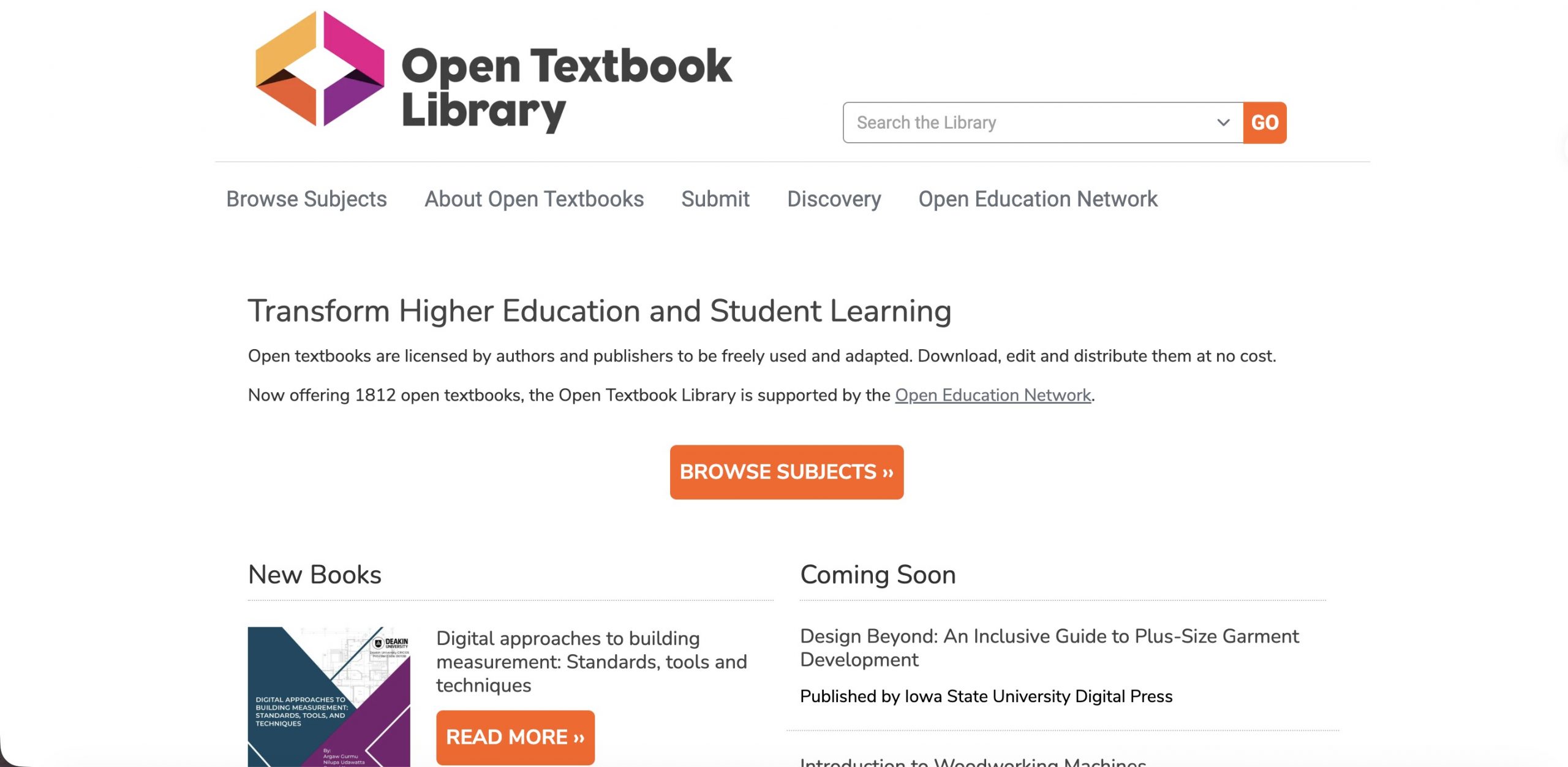
The Open Textbook Library, hosted by the University of Minnesota, offers a curated collection of openly licensed textbooks — all free to download, adapt, and redistribute. Every title has been reviewed and adopted by faculty, meaning the academic quality is generally reliable.
Each listing includes peer reviews from instructors and adoption data showing how widely a textbook is used, which helps you gauge credibility before downloading. The selection spans dozens of disciplines, though the catalog is smaller than OpenStax and the search interface is basic — searching by title or keyword works better than browsing by category.
The exact download link depends on the book’s publisher page, so verify the available format on the title record.
Step 1. Search the Open Textbook Library by title, keyword, or subject and open the book record.
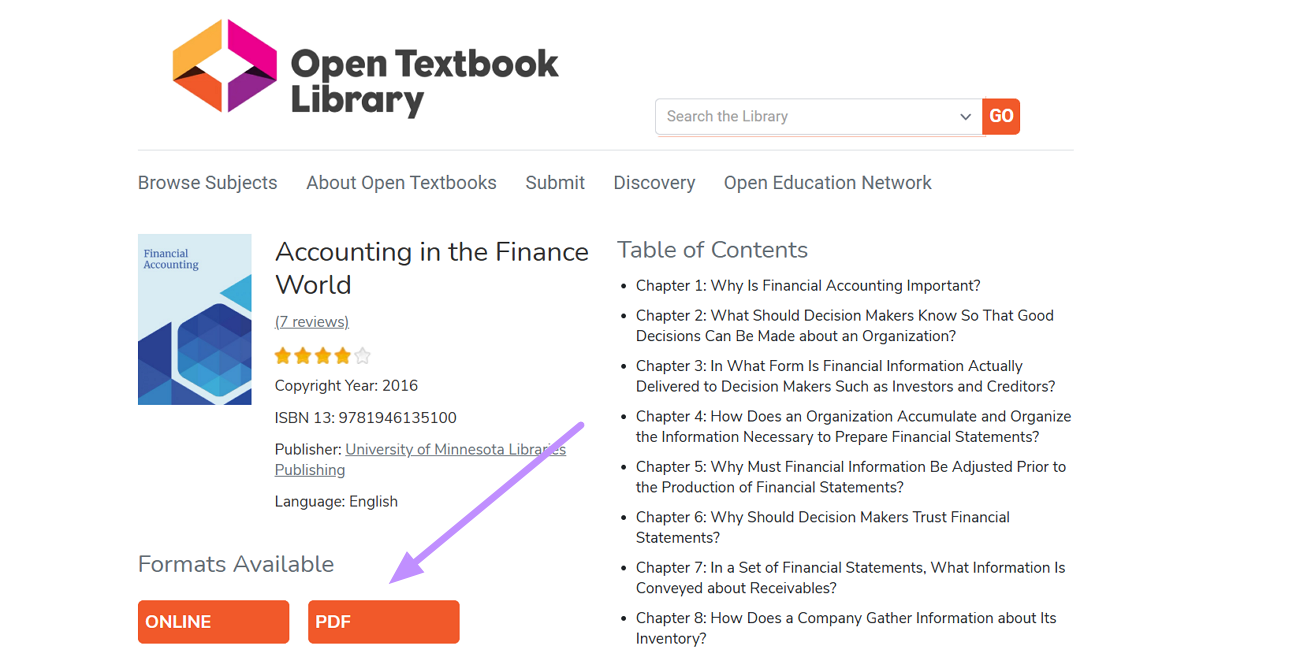
Step 2. Review the license and faculty reviews, then follow the book link. Download the PDF or another portable format offered by the author or publisher.
5. Internet Archive
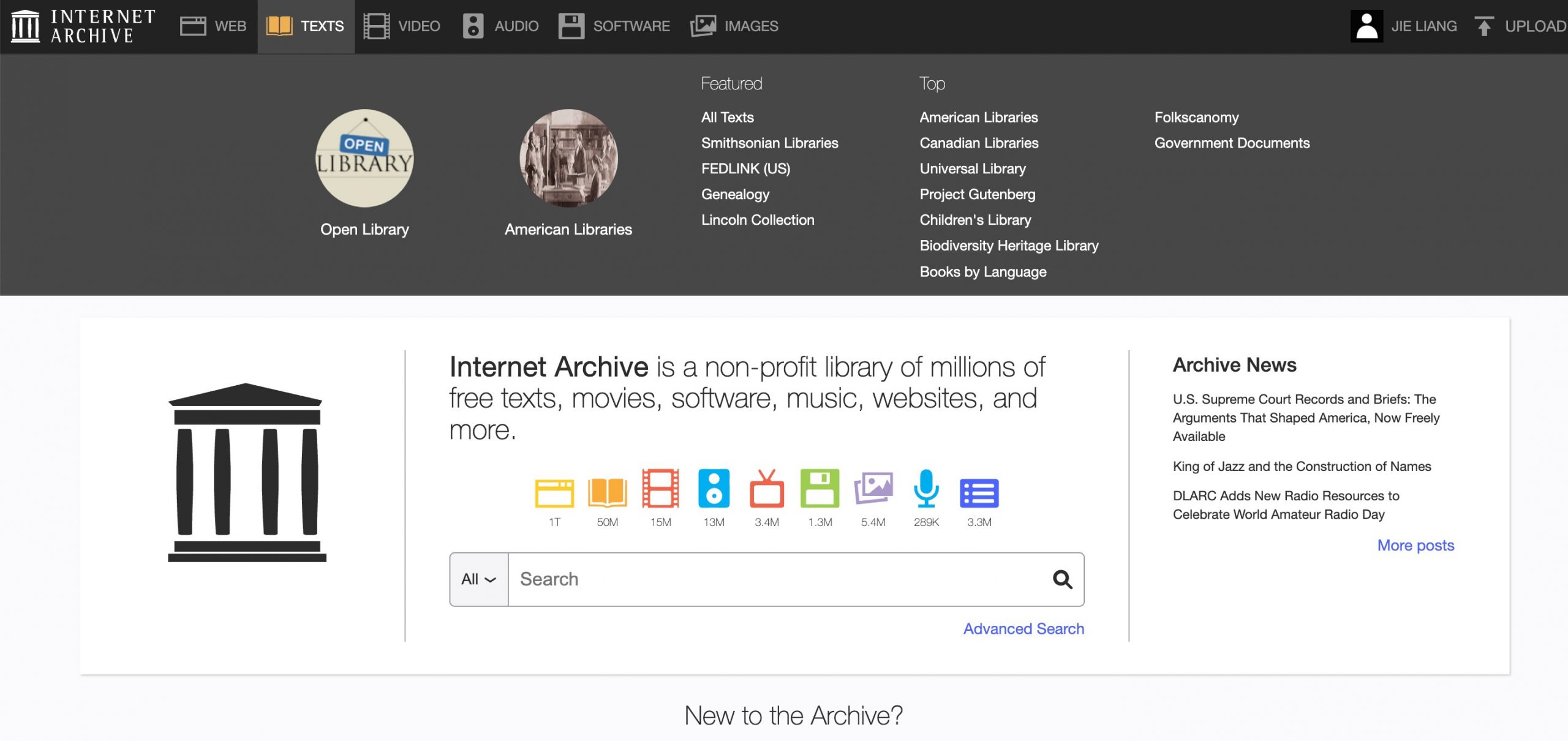
The Internet Archive (and its Open Library initiative) hosts millions of digitized books, including older textbook editions, historical academic texts, and public-domain works. It is a registered non-profit with a formal digital lending model, making it one of the more legally sound platforms on this list for accessing modern titles.
Note
First determine whether the item is a downloadable public-domain work or a book available only through controlled digital lending.
Step 1. Search Internet Archive or Open Library by title, author, or ISBN and open the exact edition you need.
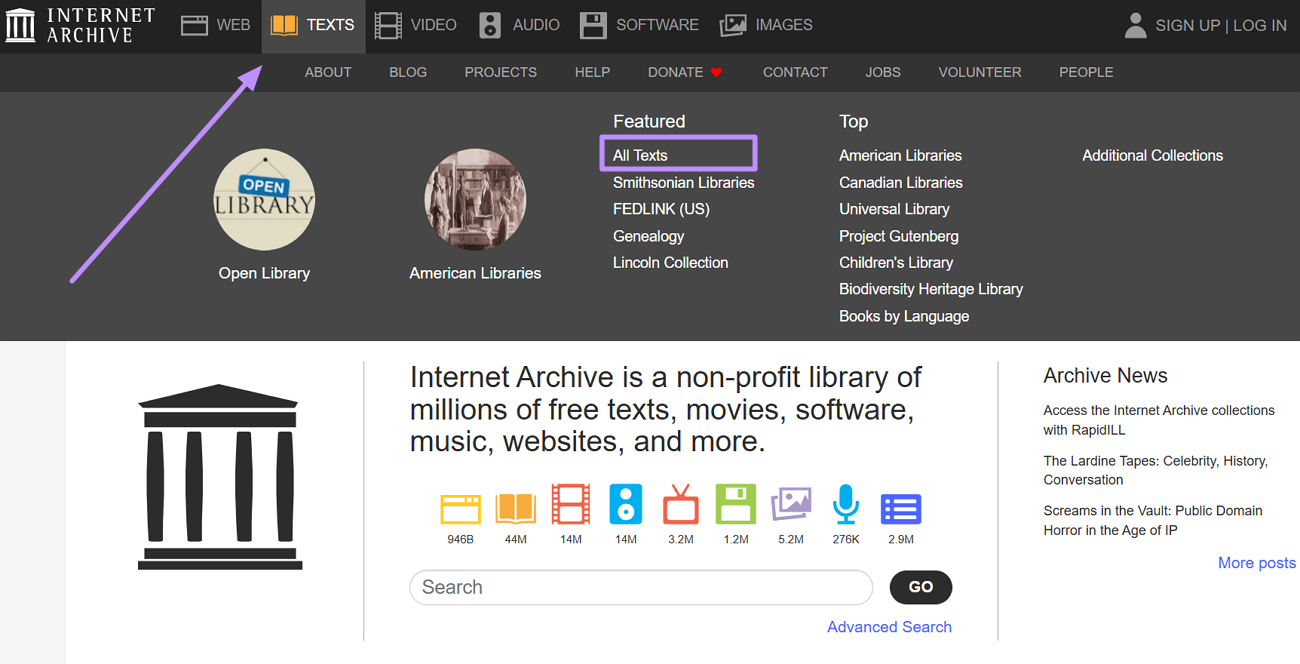
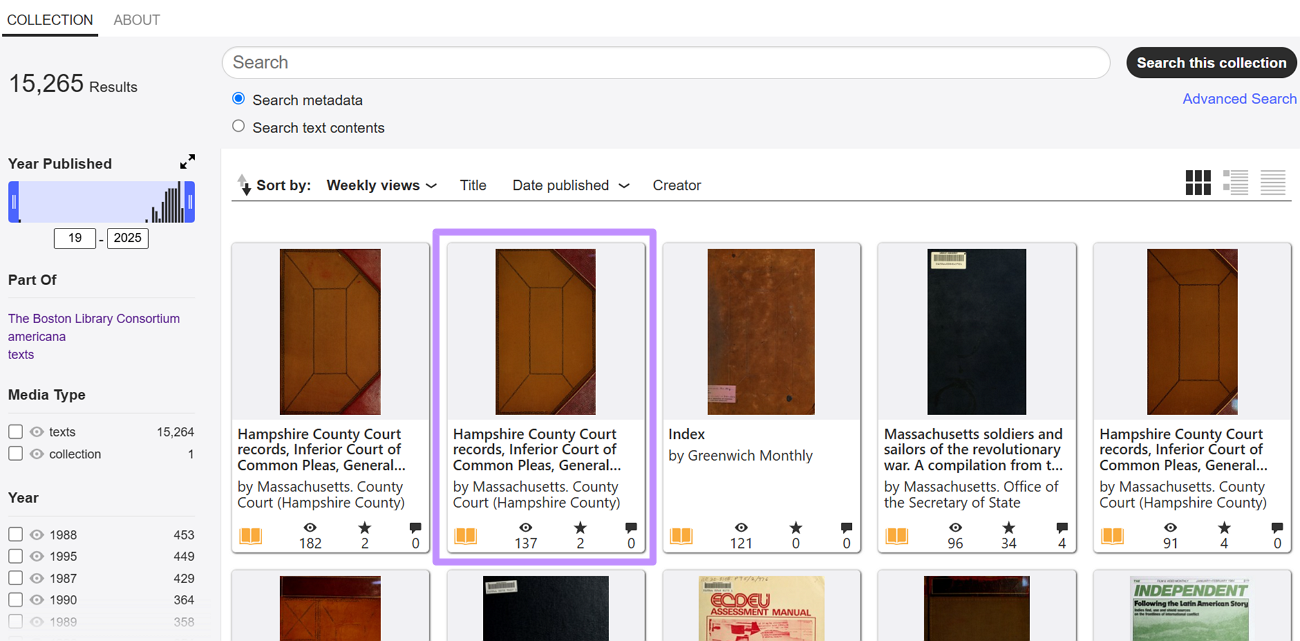
Step 2. Check Access Options. Public-domain items may show PDF under Download Options; many modern books instead show Borrow or Read for a limited loan.
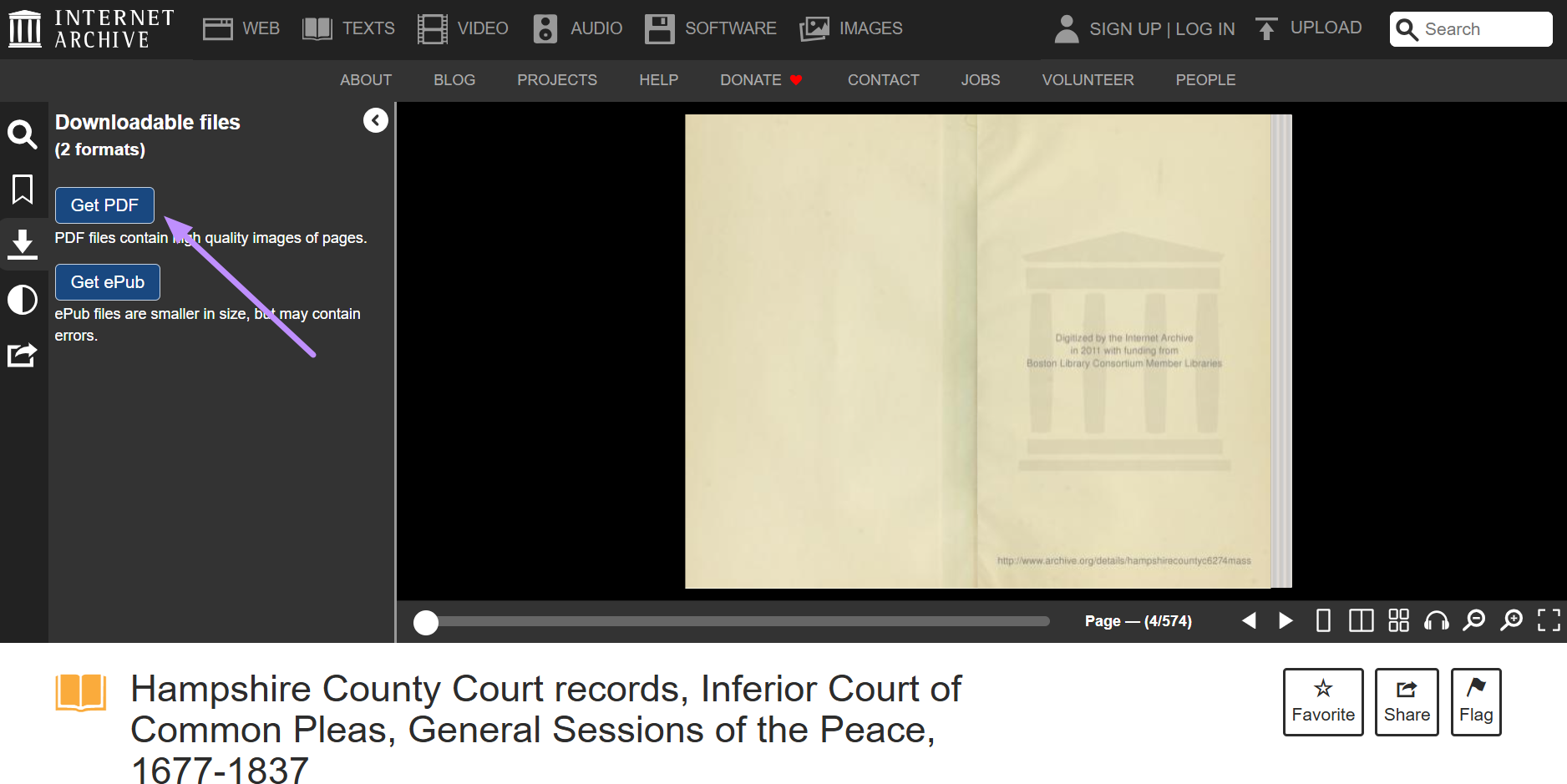
Step 3. Download only when PDF is provided as an authorized option. For a borrow-only title, sign in and use the web reader for the permitted loan period.
6. Project Gutenberg
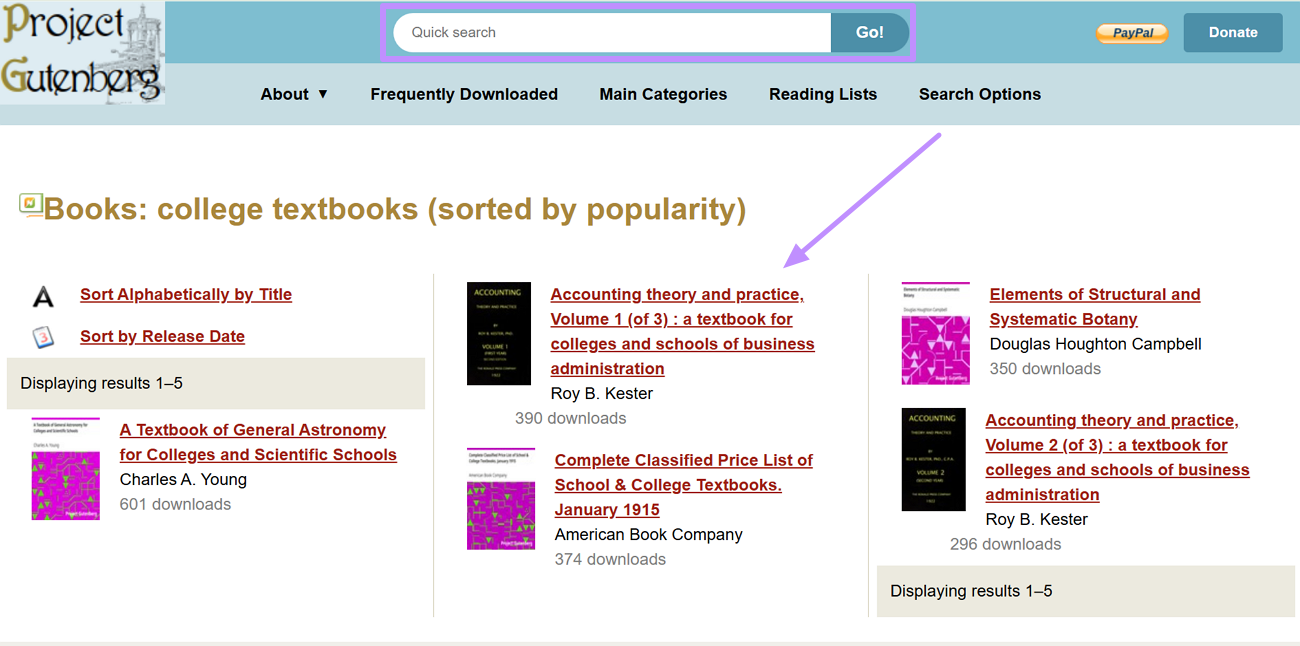
Project Gutenberg is the oldest digital library in the world, offering over 75,000 public-domain titles in EPUB, HTML, and plain text formats — all completely free and legal. It is most useful for college students in humanities disciplines: literature, philosophy, history, and classical texts are well represented.
Nevertheless, Project Gutenberg hardly has any current college textbooks, as there are only a few, if any, modern academic titles.
Project Gutenberg is most useful when your course assigns public-domain literature, philosophy, history, or classic reference works.
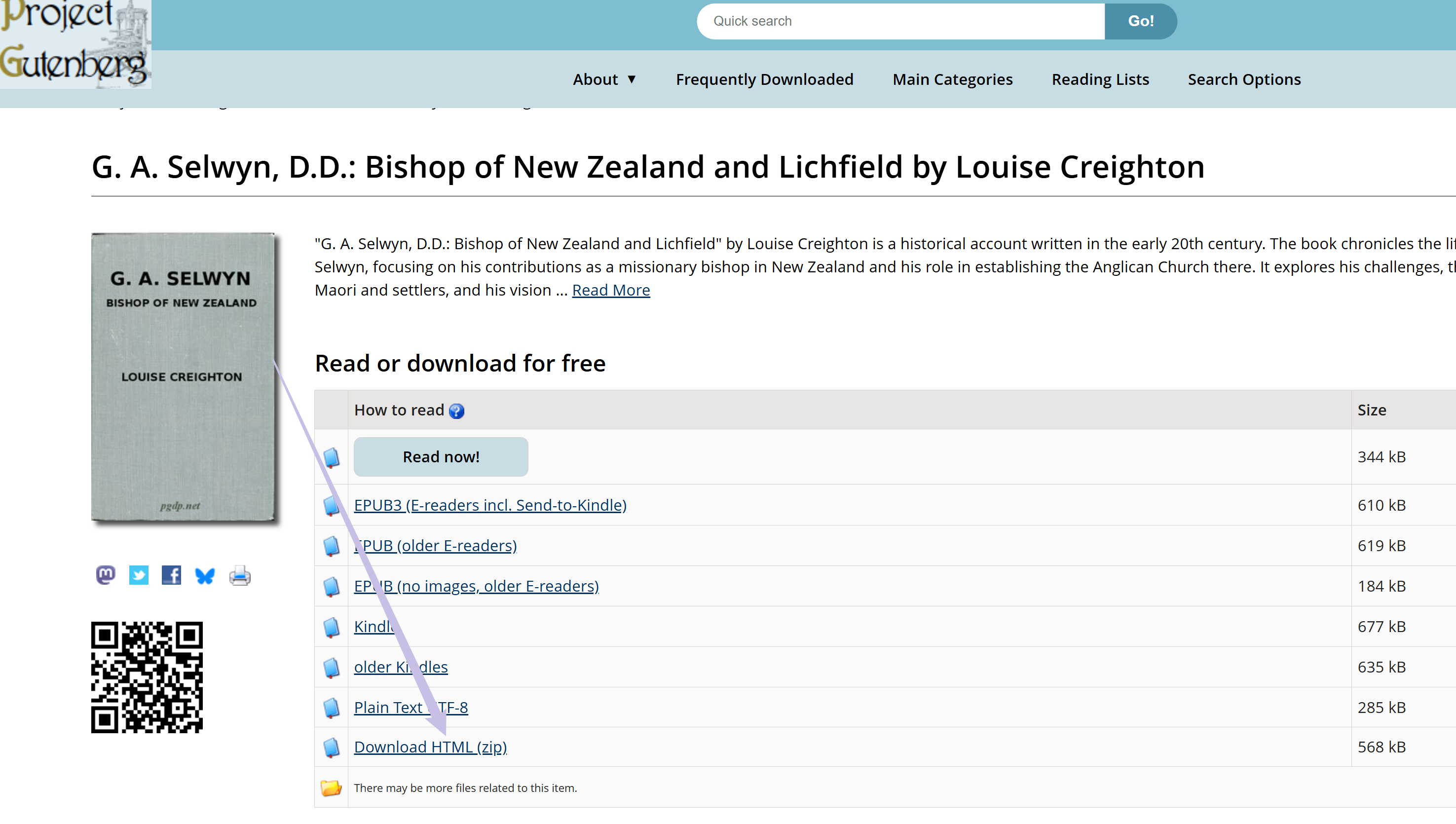
Step 1. Use the Quick Search bar to find the book of your choice. Now, click on the desired book to access its downloading options.
Step 2. Choose an available format. Most titles are offered as EPUB, HTML, or plain text rather than PDF, so use the web version or a compatible e-book reader when PDF is unavailable.
How to Find a Free Textbook PDF by Title or ISBN
- Confirm the exact book. Copy the title, author, edition, and ISBN from your syllabus. Different editions can have different pagination, exercises, and access-code requirements.
- Search authorized open-textbook catalogs first. Try OpenStax, Open Textbook Library, LibreTexts, and DOAB with the title or ISBN.
- Check your college library. Search the catalog, course reserves, and interlibrary-loan options. A librarian may also identify an open textbook that covers the same course outcomes.
- Verify the result before downloading. Match the edition and ISBN, confirm the license or borrowing terms, and check whether the item is a PDF, a web book, or a time-limited loan.
If an authorized source does not offer the current commercial edition for free, use a library loan, course reserve, rental, or a professor-approved open alternative rather than an unverified mirror. Before opening an unfamiliar file, review how to check whether a PDF can contain malware. For a more detailed search workflow, see this textbook PDF download guide.
Part 2. How to Study Downloaded Textbook PDFs More Effectively with UPDF
Downloading a textbook is only the first step. Reading a long PDF becomes easier when you can search by meaning, create chapter bookmarks, add notes, and continue on another device. UPDF brings those study tools together on Windows, macOS, iOS, and Android, so it works as a study workspace for textbooks you obtained legally—not as a textbook download source.
Download UPDF and try the reading, annotation, search, and AI-assisted study workflow on your own textbook.
Windows • macOS • iOS • Android 100% secure
🛍️ Limited-time sale: Eligible plans are currently up to 48% off and include a free lifetime PDF Password Remover for Windows. View the current UPDF offer.
Understand Textbooks Faster with UPDF AI
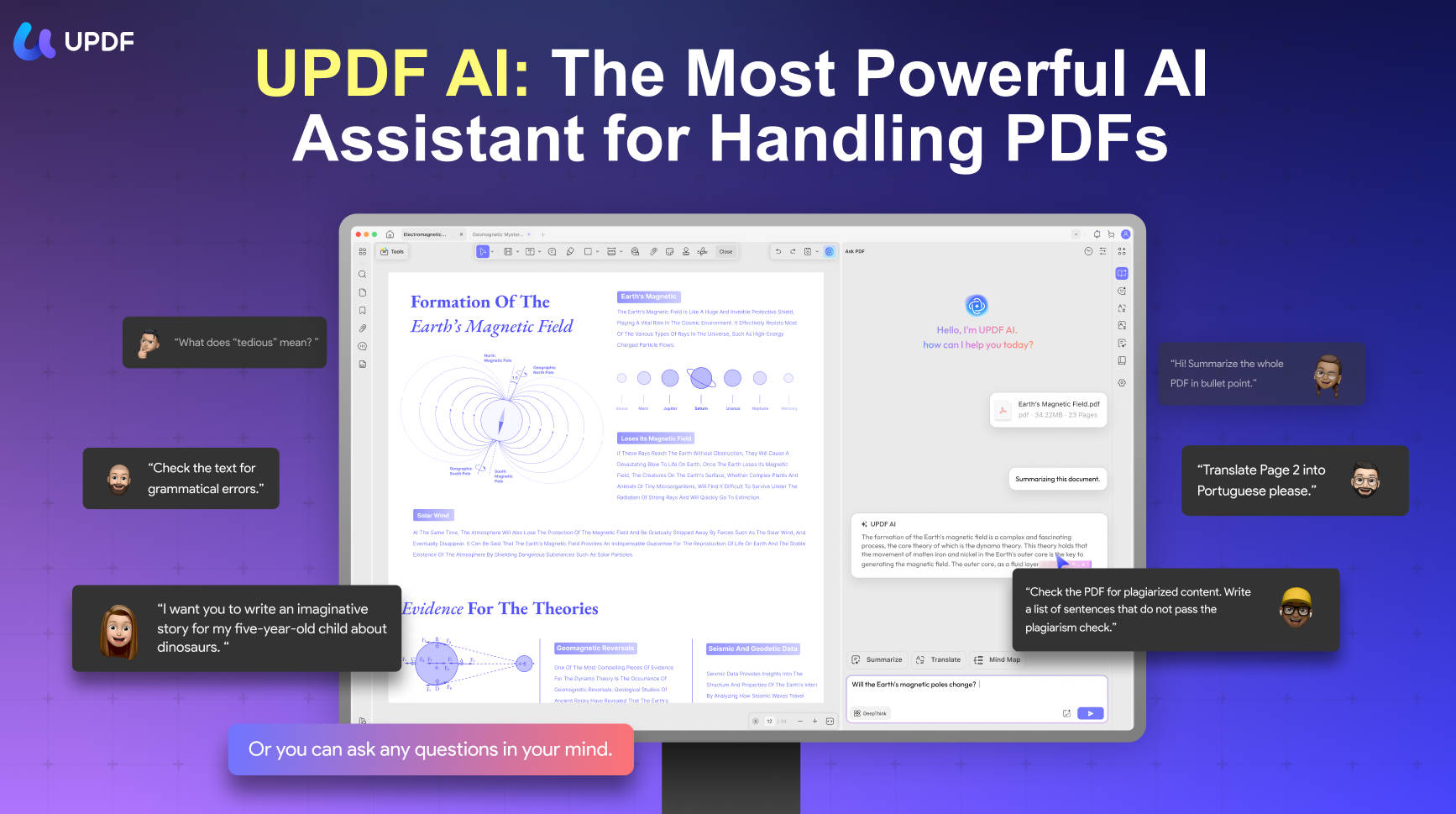
When dealing with dense textbooks or academic language, UPDF AI can help you:
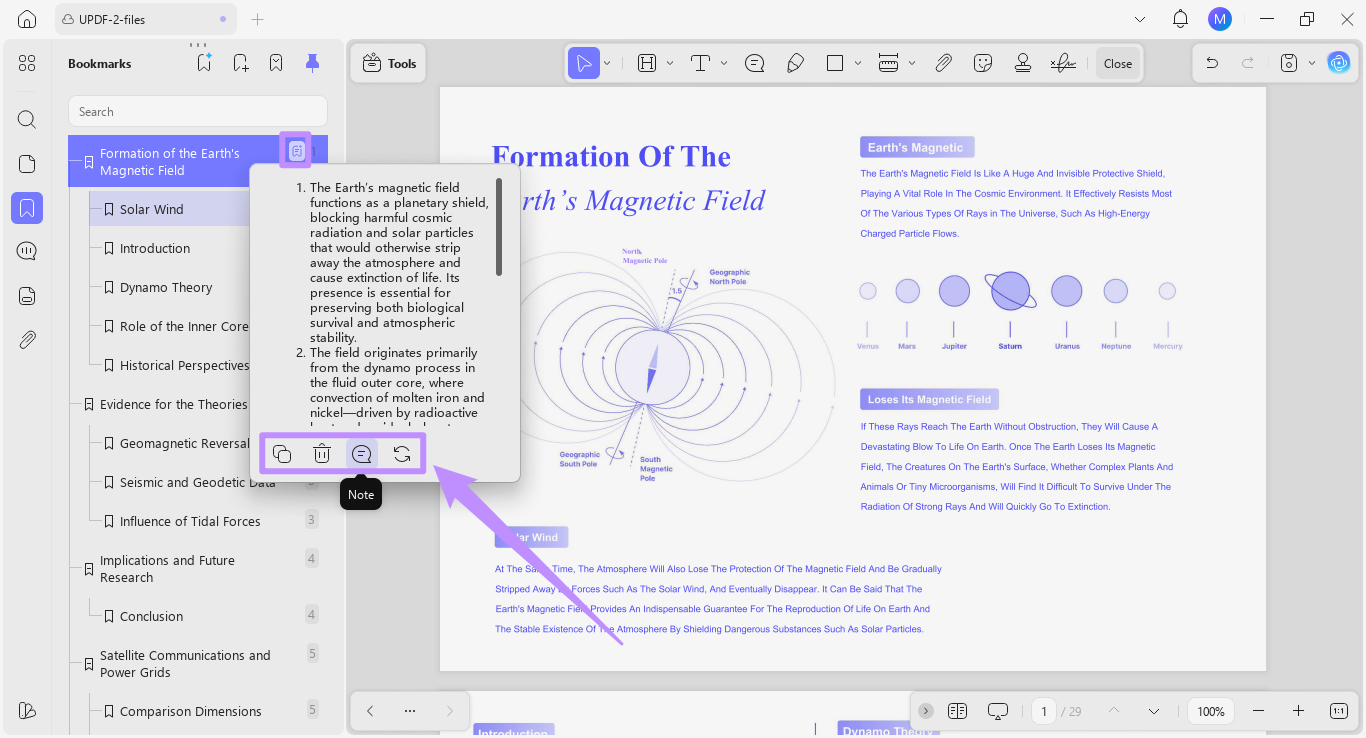
- Use AI Bookmarks to create a navigable chapter structure for a long textbook, then review each generated bookmark against the original table of contents.
- Use the AI Bookmark Summary feature to create short section overviews for revision. AI-generated summaries can omit details, so verify formulas, definitions, and assigned passages against the textbook.
- Explain complex sentences or concepts in simpler terms.
- Translate selected text while keeping the original layout.
- Get word or sentence explanations by selecting text directly in the PDF.
- AI Semantic Search: Unlike standard keyword search, UPDF's Semantic Search surfaces synonyms automatically — so your results include not just exact matches but also related terms, helping you find relevant content across a textbook even when different words are used throughout.
Annotation for Active Reading
- Use highlights, underlines, sticky notes, strikethrough, shapes, and freehand markup for active recall. If you are new to these tools, follow this guide to annotate a PDF.

Research Smarter with Paper Search & Scholar Research
For students who also need to write assignments, essays, or literature reviews, UPDF's AI includes two research tools designed to reduce the time spent hunting through databases:
- Paper Search helps you find related academic papers by topic or keyword and review metadata, abstracts, citation information, and available access links.
- Scholar Research can organize findings from relevant papers into a structured research overview. Check every important claim and citation against the original paper before using it in an assignment.

Windows • macOS • iOS • Android 100% secure
Additional Study Features
- Read Aloud: Listen to supported textbook PDFs hands-free while commuting or reviewing. Availability can vary by platform and document type.
- UPDF Cloud: Upload and access study PDFs across supported desktop and mobile devices. Confirm that important annotations have finished syncing before switching devices.
Download UPDF to turn a legally obtained textbook PDF into a searchable, annotated study resource you can use across desktop and mobile devices.
Windows • macOS • iOS • Android 100% secure
FAQs About Free College Textbook PDFs & Study Optimization
Where can I legally download college textbooks for free?
Start with openly licensed or library-supported sources such as OpenStax, Open Textbook Library, LibreTexts, DOAB, Internet Archive, and Project Gutenberg. Availability depends on the subject, edition, license, and format.
Can I find a free textbook PDF using an ISBN?
You can search an ISBN in open-textbook catalogs and your college library, but an ISBN match does not guarantee that a free legal PDF exists. Confirm the edition and use only an authorized download or borrowing option.
Are OpenStax textbooks really free?
Yes. OpenStax textbooks are free to read online and available as free PDF downloads. Most can be read without an account, although a small number of titles and optional student resources may require a free sign-in.
Can UPDF download college textbooks for me?
No. UPDF is not a textbook source or downloader. Use it after you legally obtain a PDF to read, annotate, search, create bookmarks, summarize sections, translate selected content, and organize study files across supported devices.
Final Words
OpenStax, Open Textbook Library, LibreTexts, and DOAB are the strongest starting points for openly licensed academic material. Internet Archive adds public-domain downloads and controlled borrowing, while Project Gutenberg is best for classic works. Always match the edition and use the license or access method shown by the source.
Once you have a legal textbook PDF, download UPDF to search it, annotate key passages, build bookmarks, and review complex chapters more efficiently.
Windows • macOS • iOS • Android 100% secure





 Enrica Taylor

 Delia Meyer

 Enola Miller