 UPDF
UPDF
 UPDF for Windows
 UPDF for Mac
 UPDF for iPhone/iPad
 UPDF for Android
 Nomostar
 UPDF AI Online
 UPDF Sign
 IvyCraft
 Edit PDF
 Annotate PDF
 Create PDF
 PDF Form
 Edit links
 Convert PDF
 OCR
OCR PDF to Word
 PDF to Image
 PDF to Excel
 Organize PDF
 Merge PDF
 Split PDF
 Crop PDF
 Rotate PDF
 Protect PDF
 Sign PDF
 Redact PDF
 Sanitize PDF
 Remove Security
 Read PDF
 UPDF Cloud
 Compress PDF
 Print PDF
 Batch Process
 About UPDF AI
 UPDF AI Solutions
 AI User Guide
 FAQ about UPDF AI
 Summarize PDF
 Translate PDF
 Chat with PDF
 Chat with AI
 Chat with image
 PDF to Mind Map
 Explain PDF
 PDF AI Tools
 Image AI Tools
 AI Chat Tools
 AI Writing Tools
 AI Study Tools
 AI Working Tools
 Other AI Tools
 AI Bookmark Generation
 AI Bookmark Summary
 AI Watermark Generation
 AI Background Generation
 AI Sticker Generation
 AI Stamp Generation
 AI Editing Suite
 UPDF Copilot
 AI Page Management
 AI Semantic Search
 PDF to Word
 PDF to Excel
 PDF to PowerPoint
 Enterprise Solution
 Enterprise Sign
 Enterprise AI
 Enterprise Plan
 Enterprise User Guide
 Enterprise Webinar
 IT
IT Education
 Construction
 Financial Service
 Healthcare
 Insurance
 Legal
Legal Manufacturing
 Government
 Researchers & PhDs
 Solopreneurs & Freelancers
 Lawyers & Legal Professionals
 Real Estate Agents & Brokers
 Education Solution
 Customer Stories
 User Guide
 UPDF Tricks
 FAQs
FAQs UPDF Reviews
 Download Center
 Blog
Blog Newsroom
 Tech Spec
 Updates
 UPDF vs. Adobe Acrobat
 UPDF vs. Foxit
 UPDF vs. PDF Expert

Quick Answer:
With its advanced editing features, Adobe Acrobat has always been regarded as the best document handler for both personal and professional use. However, with its high price tag, many users may find it difficult to afford this tool.
Such pricing issues have led many to search for ways to access Adobe Acrobat discounts and promo offers to reduce the overall expense. Fortunately, there are 3 methods to save money on Acrobat Pro subscriptions, which we will discuss throughout this article.
Nevertheless, users looking for a much cheaper option can use UPDF for similar or even superior PDF editing capabilities. Download UPDF today and explore its features with a free trial before purchasing the full version to enjoy its capabilities.
Windows • macOS • iOS • Android 100% secure
Part 1. How to Get Adobe Acrobat Pro Discount for Students and Teachers?
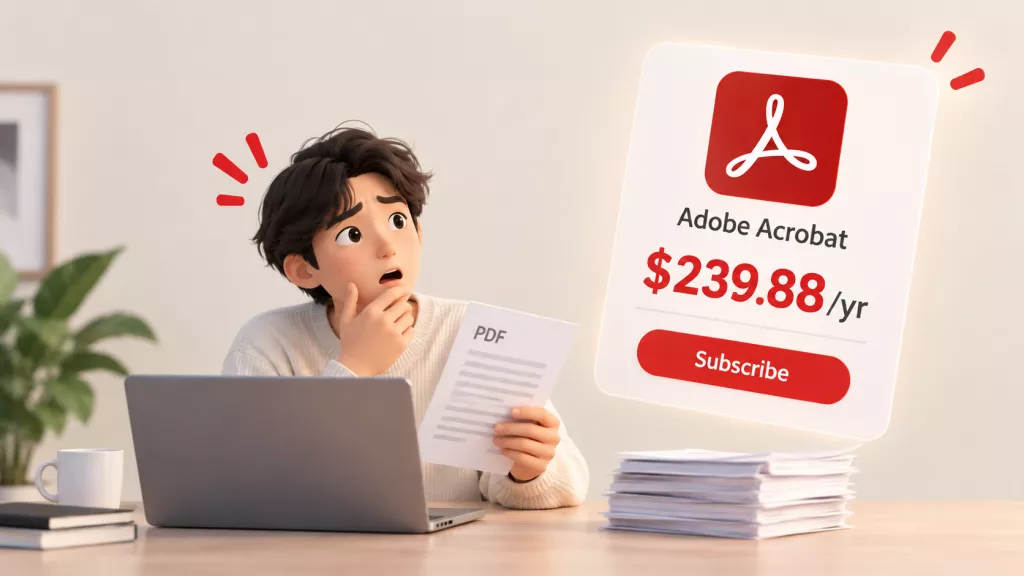
Adobe currently lists Acrobat Pro for Students & Teachers at US$19.99 per month on an annual plan paid monthly. The annual prepaid option is listed at US$239.88 per year. Both require education eligibility, and the listed US cancellation terms apply.
Students and teachers can also choose Creative Cloud Pro, which includes Acrobat Pro and more than 20 other applications. Adobe currently advertises the education plan at US$19.99 per month for the first year, increasing to US$39.99 per month after that on the annual paid-monthly plan.
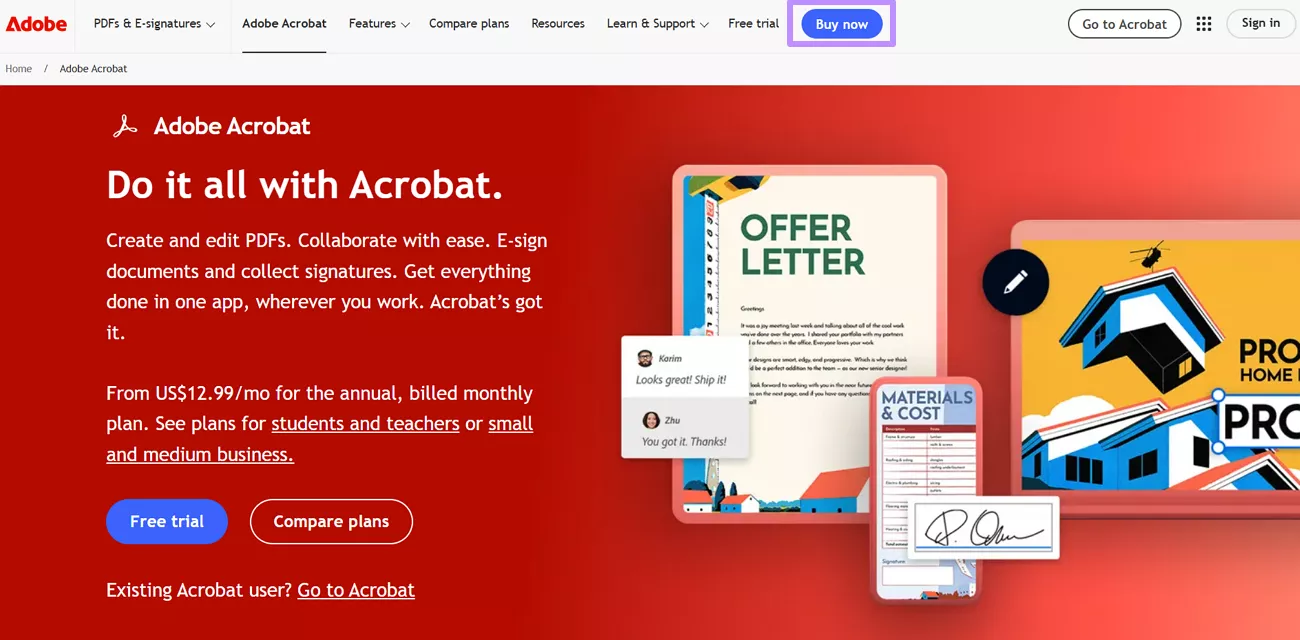
Step 1. Start the process by visiting the official website of Adobe Acrobat Pro on your desired browser. Now, tap on the Buy Now button at the top of the page to reveal all pricing plans.
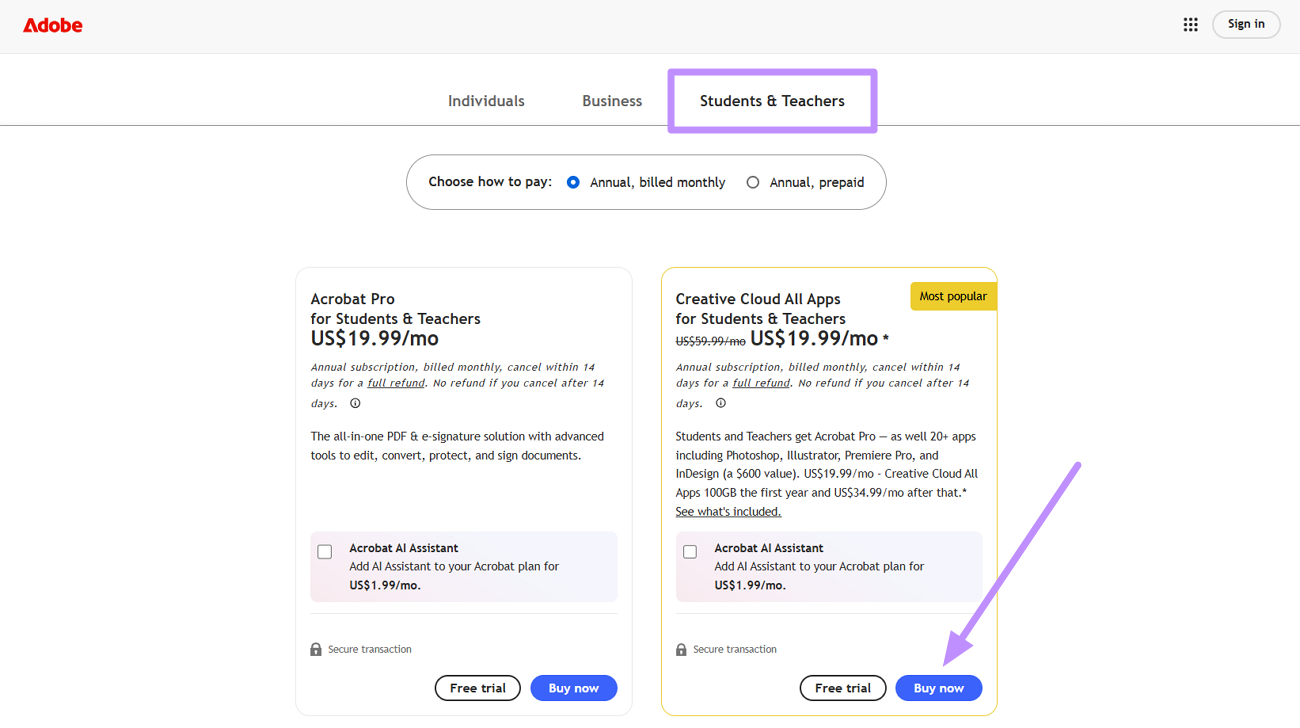
Step 2. Moving forward, switch to the Student & Teacher pricing tab to access the Adobe Acrobat Pro discount. From here, choose how you want to pay and press the Buy Now button under the Creative Cloud All Apps plan to proceed.
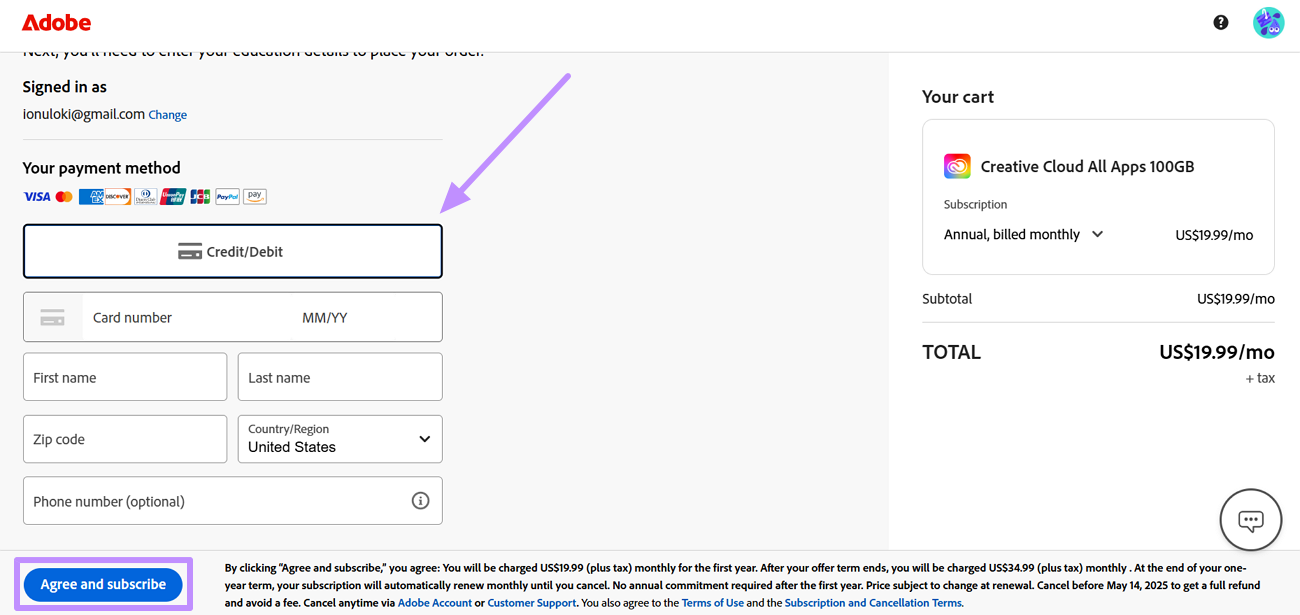
Step 3. On the next page, write your email and proceed to choose the Payment Method from various options, including the Credit/Debit card. Now, fill in the card details and hit the Agree and Subscribe button. Afterward, simply provide details of your institution and education to purchase this discounted plan.
Best for:
- eligible students and teachers who need Acrobat or several Creative Cloud applications.
Not for:
- buyers expecting a permanently lower Acrobat-only monthly price without an annual commitment.
Also Read: How to Get Acrobat Student Discount?
Part 2. How to Get Adobe Acrobat Discount Code as a Subscriber?
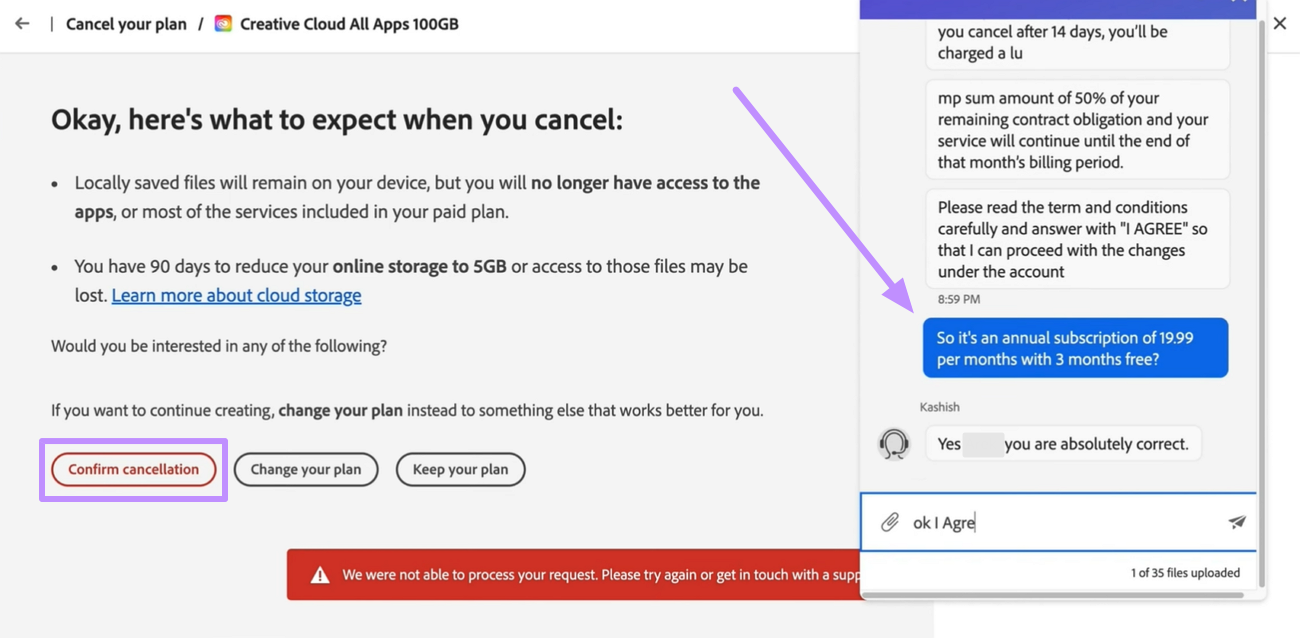
Existing Adobe Acrobat subscribers should initiate the cancellation process to trigger an AI-powered chatbot that inquires about your reason for leaving. While chatting with this bot, simply indicate a high subscription cost. This approach isn't officially advertised by Adobe but has been shared by users on forums like Reddit.
Upon expressing concerns about pricing, users were offered reduced rates, such as $19.99 per month instead of the standard $29.99 per month. However, some users have reported that this method doesn’t work, resulting in actual cancellation. Although it cannot be promised to work, it worth your try. Try the instructions explained below to get the Adobe Acrobat Pro cheap license.
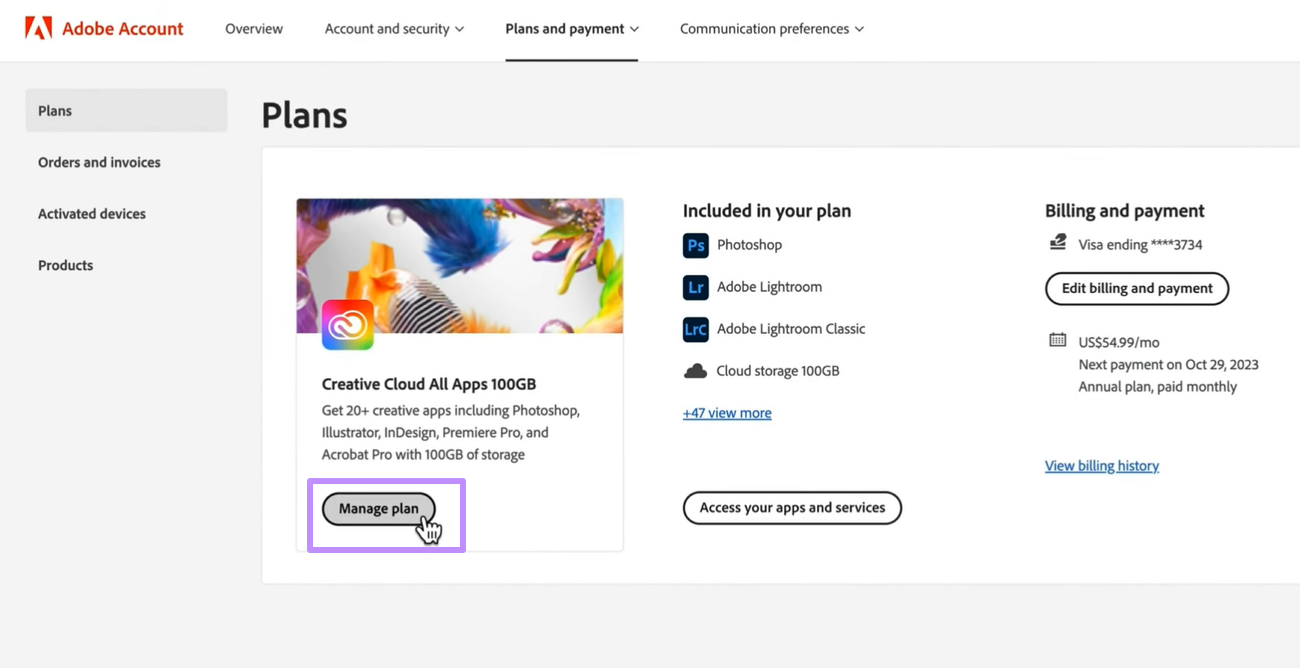
Step 1. For discounted plans, visit the payment page on the Adobe Acrobat site and tap the Manage Plan button to open a new dialog box.
Step 2. Within the Manage Plan screen, tap on the Cancel Your Plan button present within the Available Actions section.
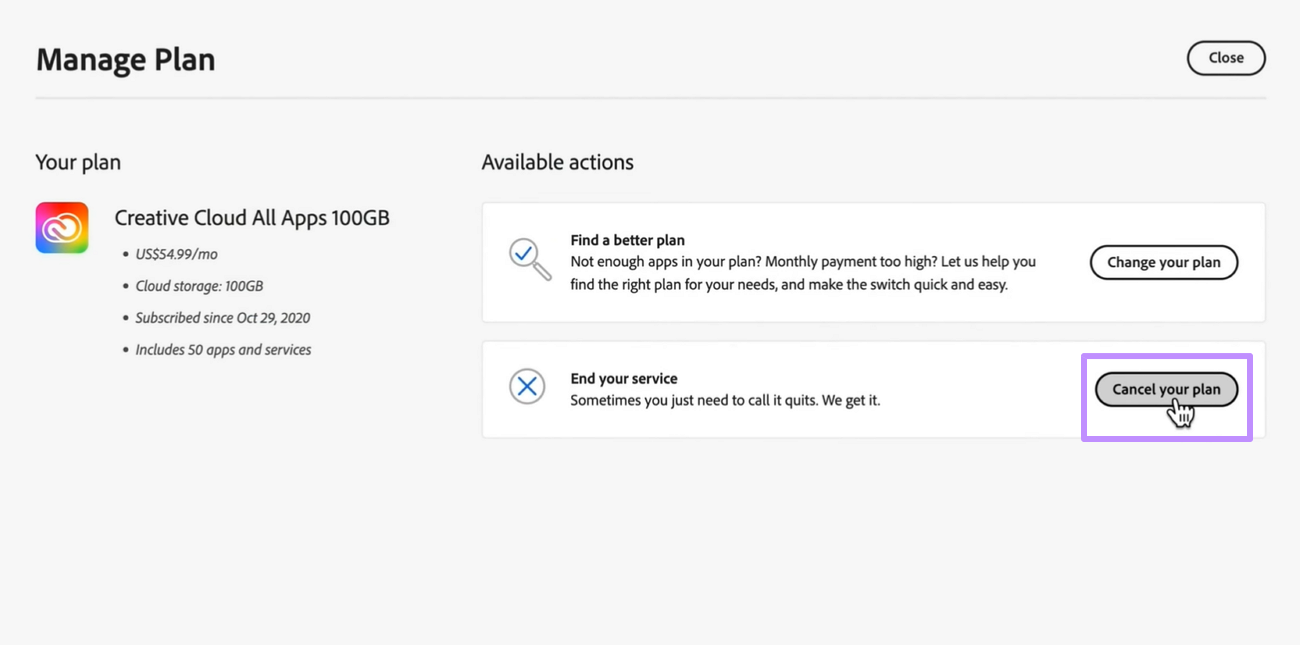
Step 3. Afterward, review the cancellation terms and try to finalize the process by hitting the Confirm Cancellation button. When you repeatedly press this button, an AI chatbot will ask you about the reason for cancellation. Here, complain about the high pricing plan and negotiate an Adobe DC discount for future payments.
Part 3. How Can I Get a Cheap Acrobat License as a New User?
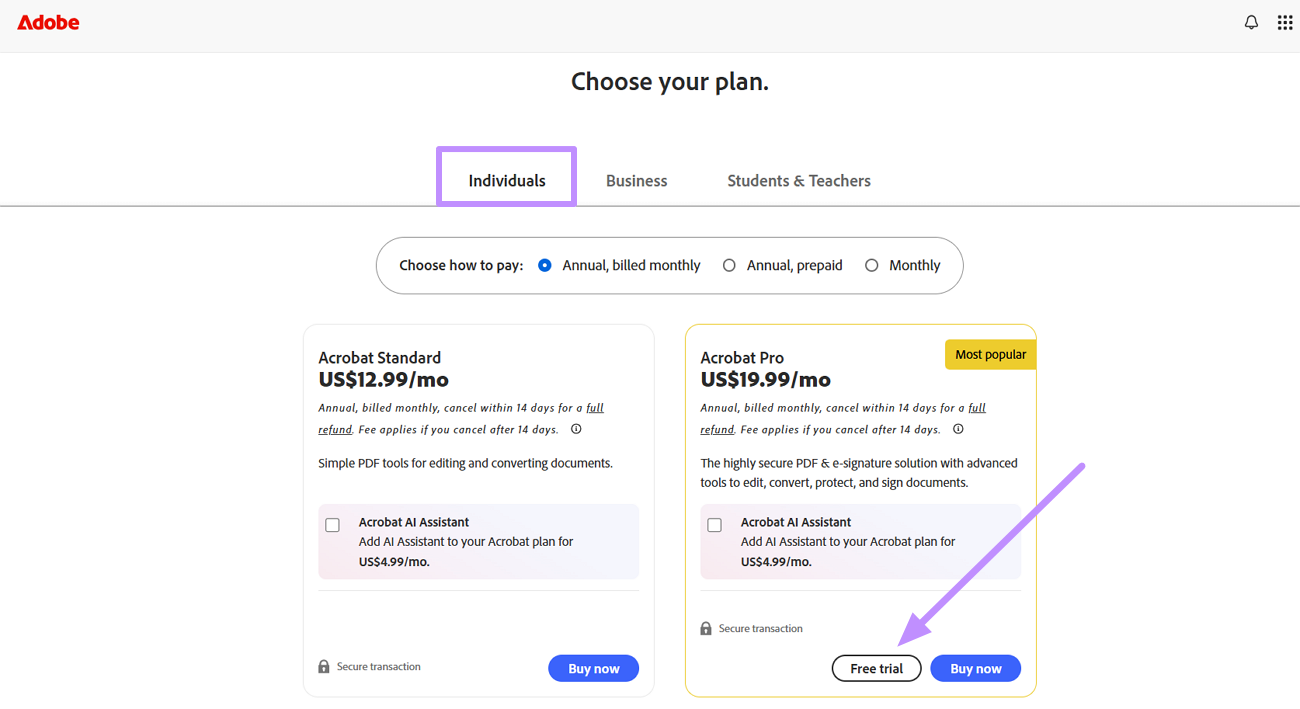
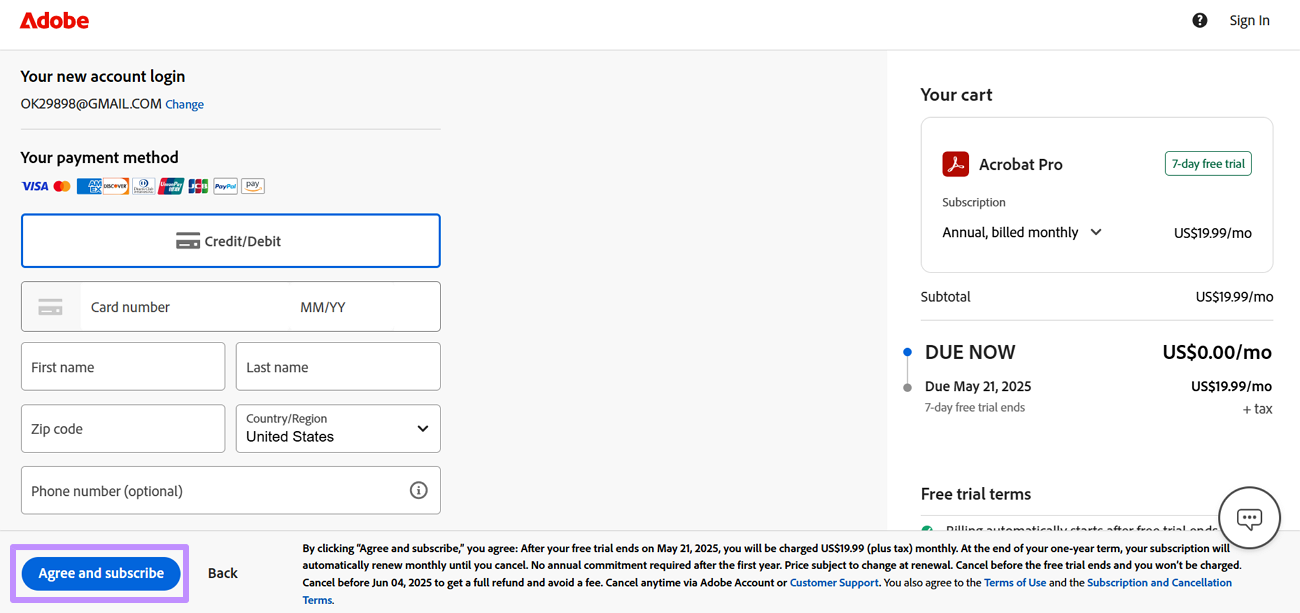
New users can also get the Adobe Acrobat discount code after subscribing to its 7-day free trial by entering their credit card details. However, they need to remove the payment information before the trial concludes.
Hopefully, this subscription cancellation will prompt Adobe’s system to offer you a discounted rate to retain your interest. You can test this method to win a discounted rate after the trial ends using the following method.
Step 1. Initiate this task by accessing the pricing page of Adobe Acrobat Pro and switching to the Individuals tab. Now, tap the Free Trial button under the Acrobat Pro plan after choosing how you want to pay.
Step 2. Proceed to choose your desired payment method and enter the card details in the designated boxes. Then, press the Agree and Subscribe button to initiate the free trial.
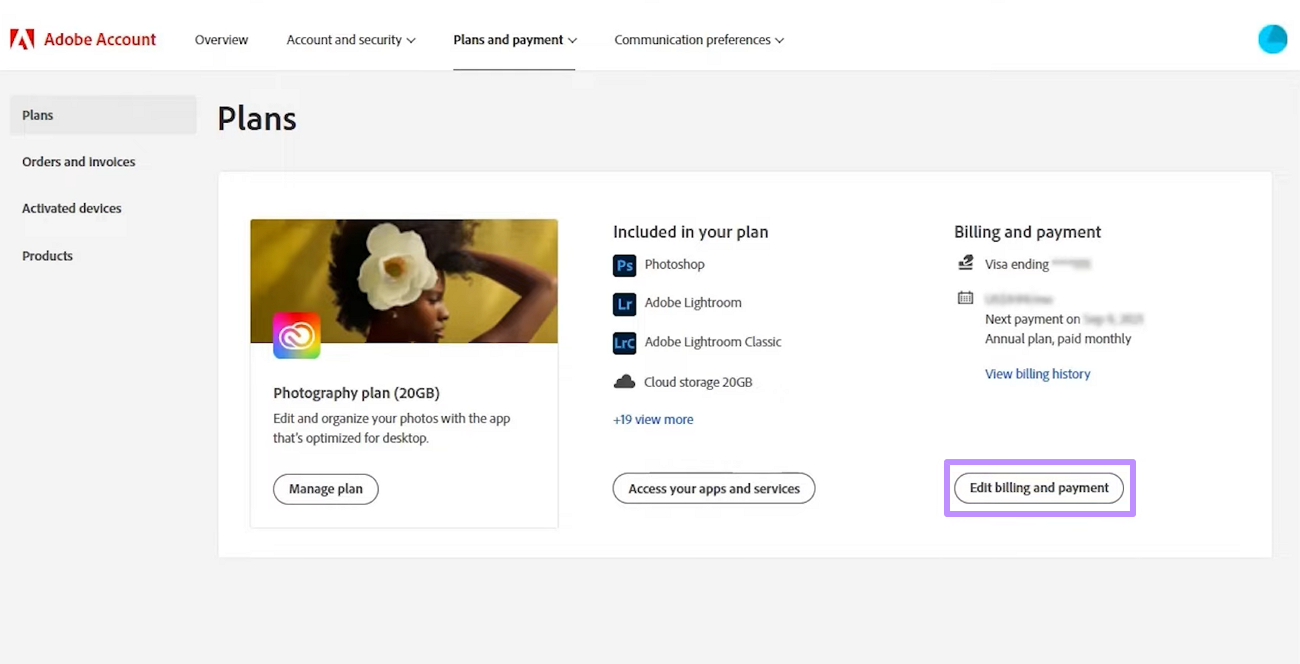
Step 3. When your free trial is about to end, visit the Payment Page on its official website and tap the Edit Billing and Payment button. Finally, remove your credit card details and cancel future subscriptions to potentially negotiate an Adobe Acrobat promo discount with its AI chatbot.
Also Read: How Can You Get an Adobe Acrobat Pro Free Student Account?
Part 4. The Best Alternative to Adobe PDF Editor Online: UPDF
UPDF is a cross-platform PDF application for Windows, macOS, iOS, and Android. Compared with Adobe's free online PDF editor, it provides a more unified workspace for editing existing PDF text, images, links, pages, and other document elements. Acrobat on the web also supports advanced text and image editing for eligible users, so the more meaningful differences are workflow, platform coverage, plan requirements, and price.
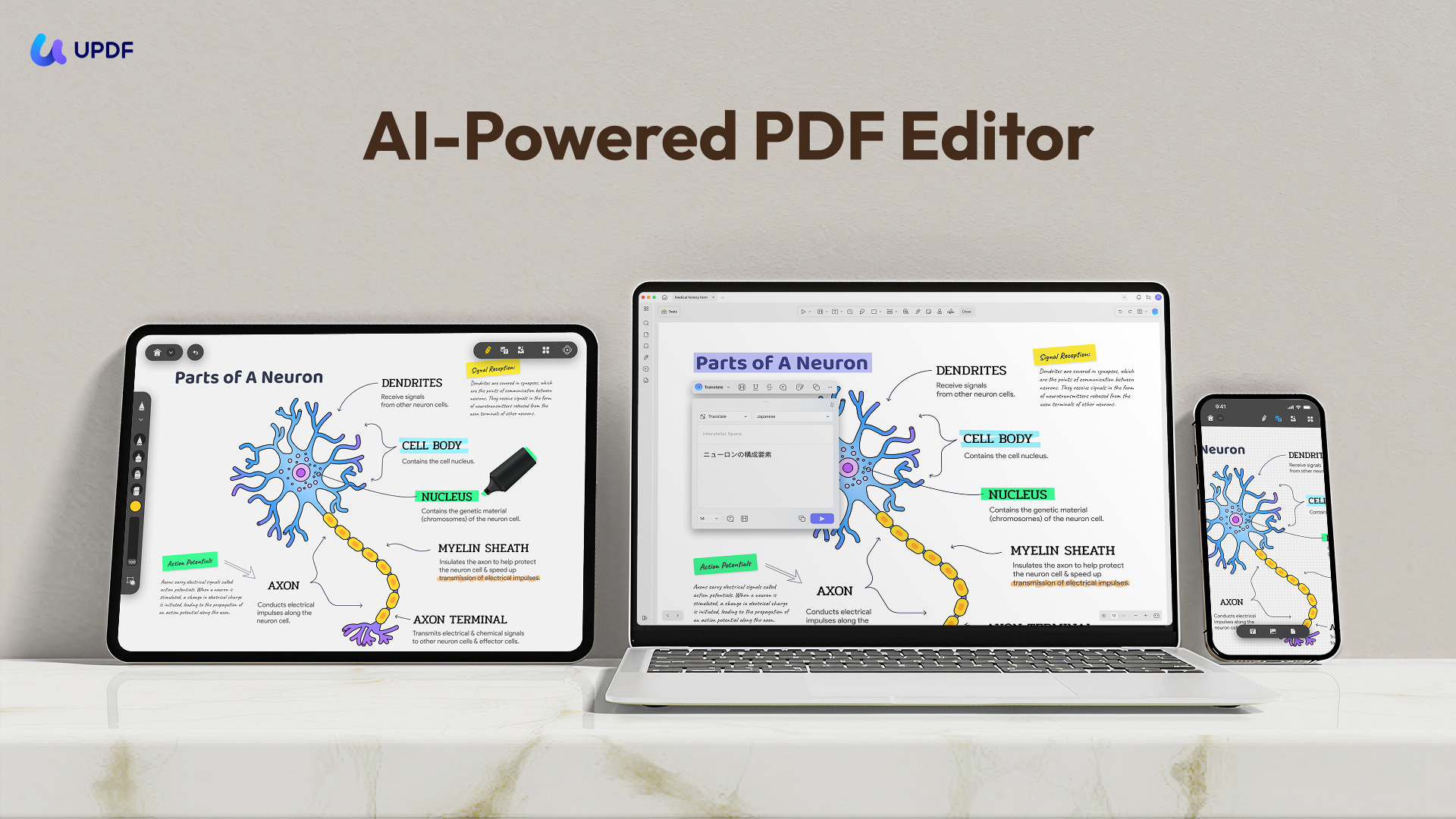
Key capabilities available in UPDF include:
- Edit PDF text, images, links, backgrounds, headers/footers, and more.
- Annotate PDF with 13+ options, including adding stickers.
- Convert PDF to/from Word, image, Excel, PPT, RTF, HTML, CSV, etc.
- Perform OCR to extract text in 38 languages.
- Powerful AI assistant to summarize/translate/explain, generate mind maps, chat with images, and more.
- Protect PDF with open or permission password.
- Sign PDF electronically and digitally.
Feel impressed? Download UPDF and try it out to see how its modern interface and advanced features can assist you.
Windows • macOS • iOS • Android 100% secure
Also Read: UPDF vs. Adobe Acrobat >>
Why We Recommend UPDF
UPDF has the upper hand over Adobe PDF Editor Online in four key areas, as follows:
1. Obvious Price Advantage
UPDF Pro currently costs US$49.99 per year or US$79.99 for a lifetime license. In comparison, Adobe Acrobat Pro costs US$239.88 per year under its annual plan. Based on these listed prices, UPDF's annual plan costs approximately 79% less and saves users about US$189.89 per year. Adobe's annual price is nearly 4.8 times the price of UPDF's annual plan. Please note that UPDF AI Assistant is available as a separate subscription or add-on and is not included in the standard UPDF Pro price.
2. AI Function
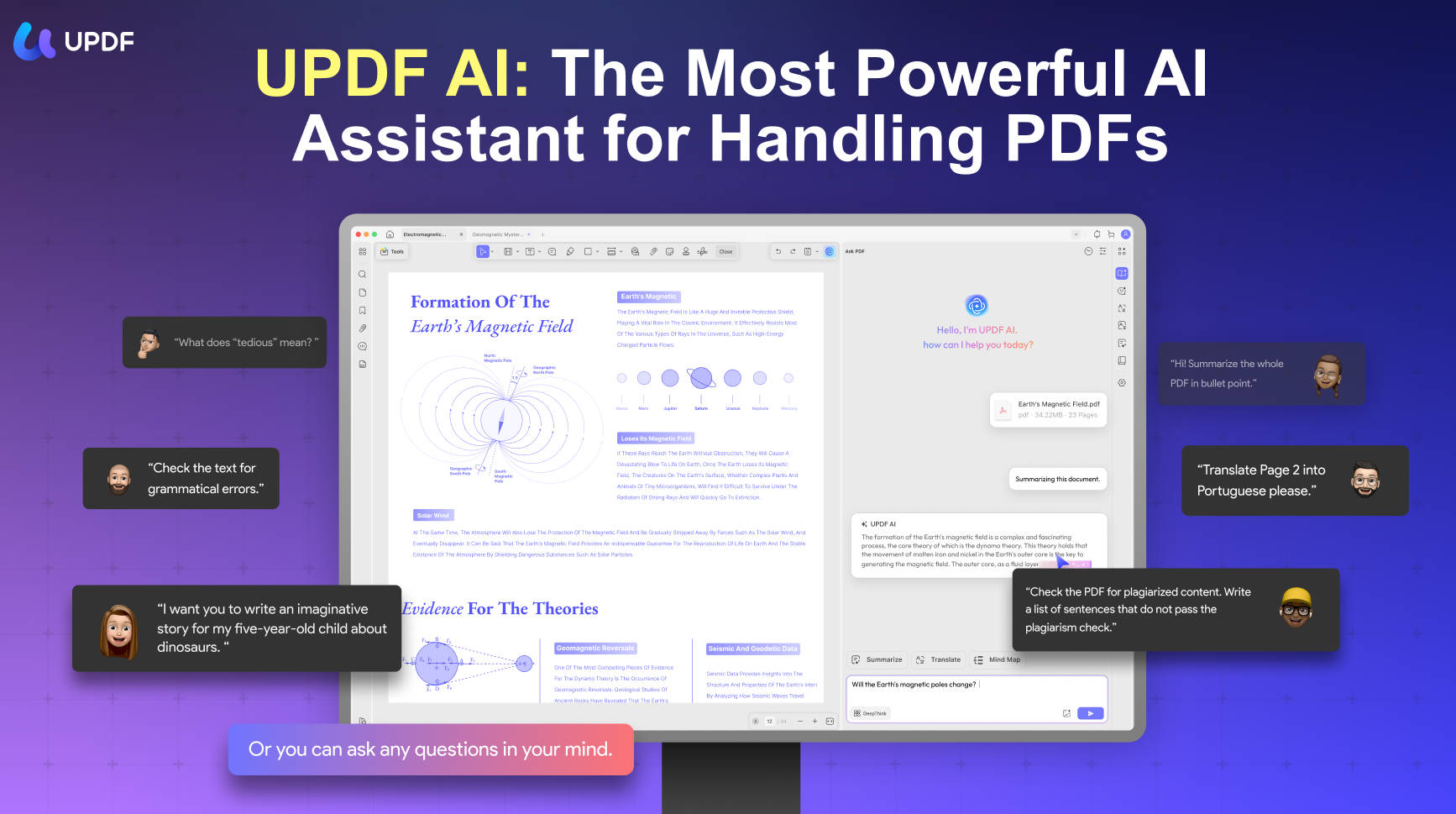
UPDF's AI features are more comprehensive and mature than Adobe. UPDF AI assistant can:
- Summarize PDF by page or content.
- Translate PDF entirely or by page or content.
- Convert PDF to mind map for visual understanding.
- Chat with images.
3. Simple User Interface
UPDF offers an easy-to-use interface with a gentler learning curve. All the features are easily accessible from one place instead of opening different web pages.
4. Extensive Features
The features offered by online tools are not as extensive as those provided by UPDF. With UPDF, you are able to edit existing text/images in PDF, convert PDF into more formats, sign digitally, and access more advanced PDF features.
Check out the following video to learn about Adobe Acrobat Alternative.
FAQs
Q1: Does Adobe offer a permanent Acrobat coupon code?
No universal code is guaranteed. Adobe publishes changing promotions, education pricing, and occasional account-specific offers. Verify every Adobe coupon against the final Adobe checkout page.
Q2: Can I cancel Acrobat without an early termination fee?
It depends on the plan. Adobe lists no early termination fee for month-to-month Acrobat Pro. Annual paid-monthly plans can carry a fee after 14 days, while annual prepaid plans generally receive no refund after 14 days under the listed US terms.
Q3: Are Adobe coupon websites reliable?
Treat them as unverified sources. Codes may be expired, regional, or restricted to new subscribers. Never buy an unauthorized license or install an unknown extension to obtain an Adobe promo.
Conclusion
Official Adobe offers, verified education pricing, and the right billing term are safer than chasing an unconfirmed Adobe Acrobat coupon code. Existing subscribers should inspect the plan type and quoted cancellation fee before entering a cancellation flow, because a possible retention offer is never guaranteed.
UPDF does not replace every Adobe or Creative Cloud workflow. For readers who mainly need a cross-platform PDF toolkit, however, UPDF's yearly and lifetime options provide a lower-cost decision path without an Acrobat annual commitment.
Test the required tools on a copy of a real PDF before deciding which license fits.
Download UPDF for free to test your PDF workflow — installation is free, and Pro removes the trial watermark from exported files.
Windows • macOS • iOS • Android 100% secure




 Engelbert White
 Enola Davis
 Delia Meyer
 Enya Moore