UPDF
UPDF
 UPDF for Windows
 UPDF for Mac
 UPDF for iPhone/iPad
 UPDF for Android
 Nomostar
 UPDF AI Online
 UPDF Sign
 IvyCraft
 Edit PDF
 Annotate PDF
 Create PDF
 PDF Form
 Edit links
 Convert PDF
 OCR
OCR PDF to Word
 PDF to Image
 PDF to Excel
 Organize PDF
 Merge PDF
 Split PDF
 Crop PDF
 Rotate PDF
 Protect PDF
 Sign PDF
 Redact PDF
 Sanitize PDF
 Remove Security
 Read PDF
 UPDF Cloud
 Compress PDF
 Print PDF
 Batch Process
 About UPDF AI
 UPDF AI Solutions
 AI User Guide
 FAQ about UPDF AI
 Summarize PDF
 Translate PDF
 Chat with PDF
 Chat with AI
 Chat with image
 PDF to Mind Map
 Explain PDF
 PDF AI Tools
 Image AI Tools
 AI Chat Tools
 AI Writing Tools
 AI Study Tools
 AI Working Tools
 Other AI Tools
 AI Bookmark Generation
 AI Bookmark Summary
 AI Watermark Generation
 AI Background Generation
 AI Sticker Generation
 AI Stamp Generation
 AI Editing Suite
 UPDF Copilot
 AI Page Management
 AI Semantic Search
 PDF to Word
 PDF to Excel
 PDF to PowerPoint
 Enterprise Solution
 Enterprise Sign
 Enterprise AI
 Enterprise Plan
 Enterprise User Guide
 Enterprise Webinar
 Banking
 Healthcare
 Insurance
 Legal
Legal Manufacturing
 Government
 Researchers & PhDs
 Solopreneurs & Freelancers
 Lawyers & Legal Professionals
 Real Estate Agents & Brokers
 Education Solution
 Customer Stories
 User Guide
 UPDF Tricks
 FAQs
FAQs UPDF Reviews
 Download Center
 Blog
Blog Newsroom
 Tech Spec
 Updates
 UPDF vs. Adobe Acrobat
 UPDF vs. Foxit
 UPDF vs. PDF Expert

Recently, I came across a new experimental Google advanced research tool named Google Scholar Labs that can answer detailed research questions. It is an AI-powered tool that shows all research papers related to the topic. Not only does it run keyword searches, but it also provides summaries, explanations, and much more.
In this article, I will tell you everything about Google Scholar Labs and how it works. Also, I will share an alternative - UPDF AI Online, as Google Scholar Labs doesn’t show how papers are connected with each other. Continue reading this article to find all the necessary information and click the button below to try it.
Part 1.What is Google Scholar Labs?
Google Scholar Labs is an AI-powered research tool that works beyond keyword searches. You can use this tool to ask detailed research questions. Instead of using small phrases, it allows you to enter complex questions. Once the query is added, the tool will start analysing your question and break it down into key topics, sub-headings, and more.
Moreover, once you add the keyword instead of just searching for matching words, it tries to understand what your question really means. After analyzing your question, it turns it into a special code that helps the AI understand the meaning, not just the words. Then it searches through a huge collection of research papers available on the internet and finds useful paragraphs and sentences inside them. After collecting the information, it puts them together and explains the answer in a clear and simple way.
Continue reading this article as below I have mentioned how I have used this research tool and what benefits you can get from it.
Part 2. How I used Google Scholar Labs To Get Answers
Let's see how you can also use this tool to get valuable information.
1. AI-chosen Paper Lists:
I tested this tool multiple times to see what results it generates. Just like other AI tools, it took 1-2 minutes to show the reliable results. When I first tried it, I entered a full and detailed question instead of a short keyword.
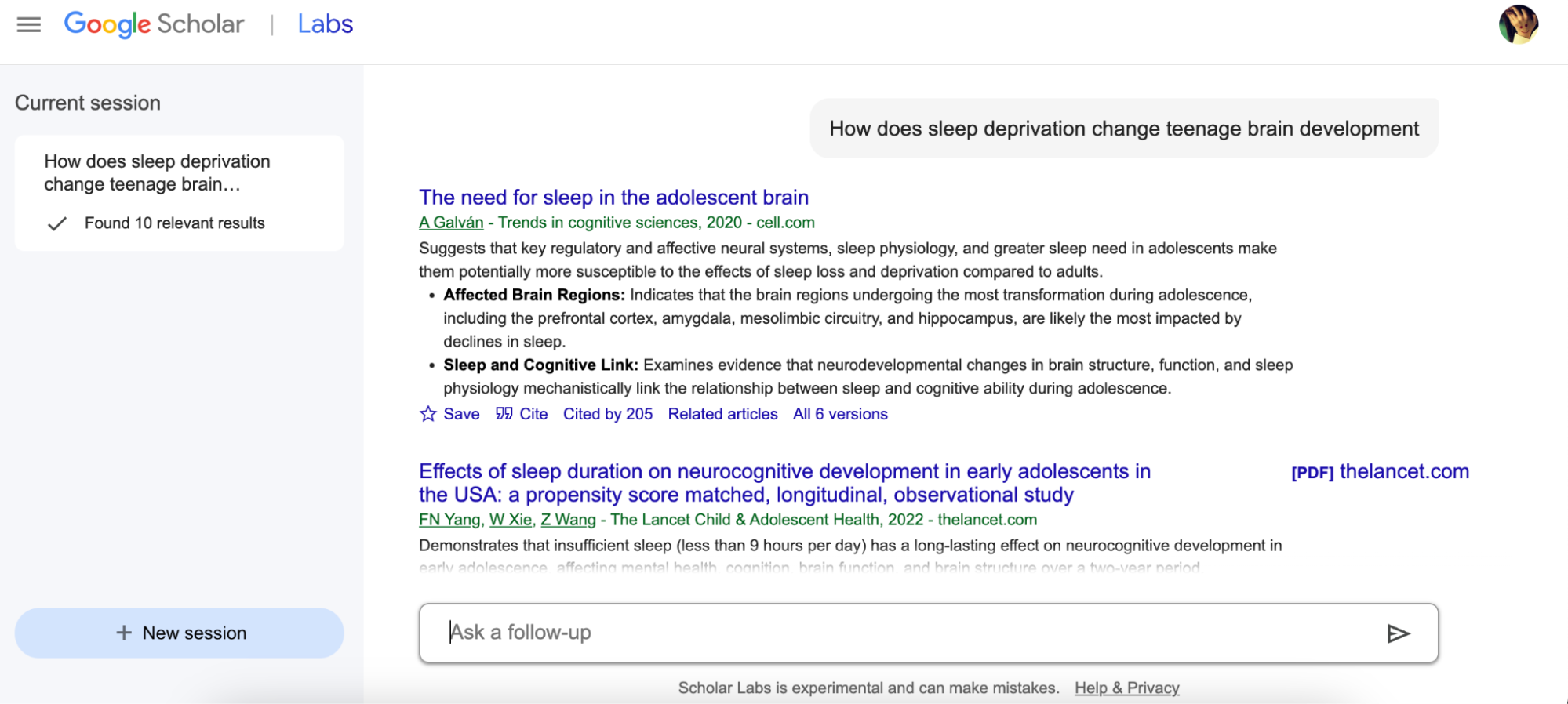
For example, my first question was “How does sleep deprivation change teenage brain development?” As soon as I submitted the question, the tool started to gather the information from the internet and showed me 10 relevant results, as shown in the image below.
2. Summarized Rationales:
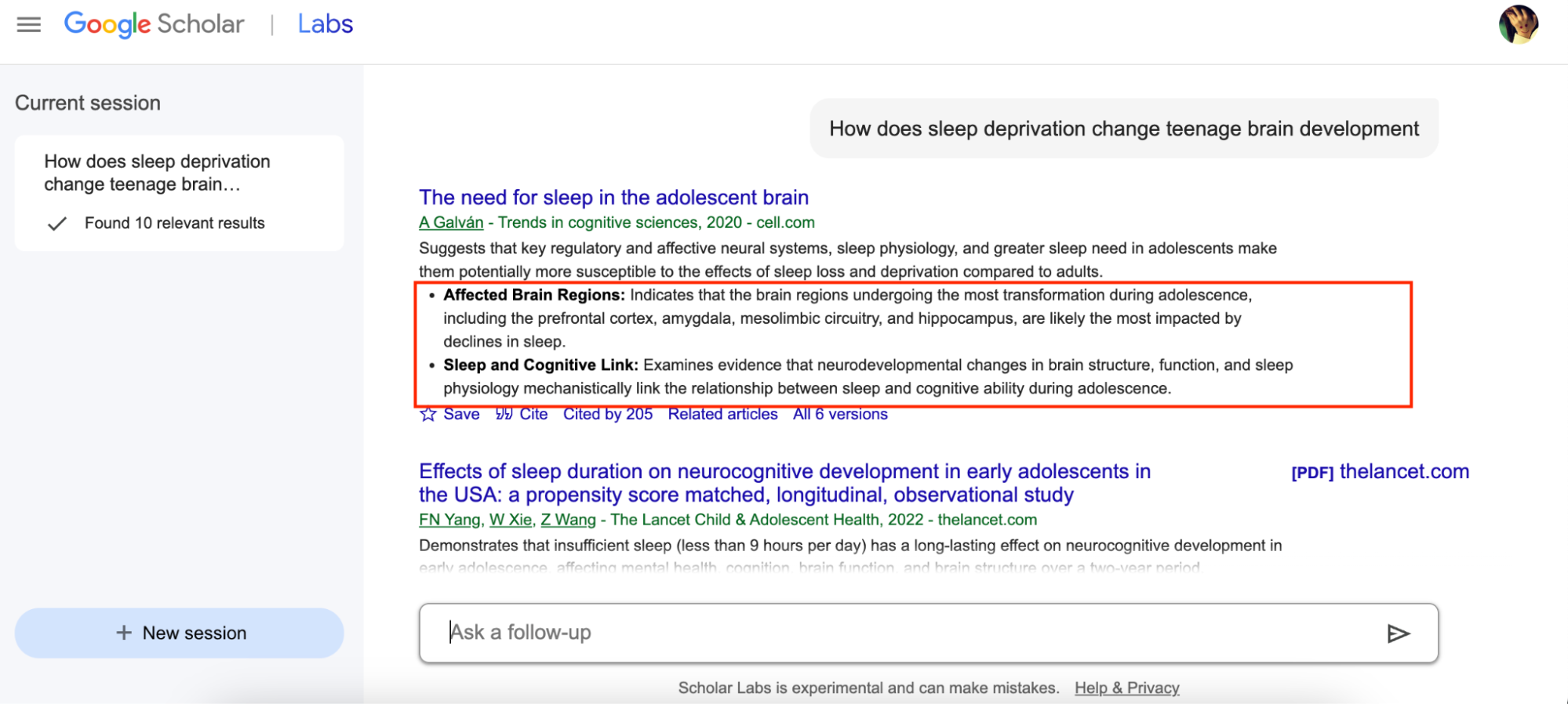
Each paper had a short description along with some key points, which made it easier for me to find the relevant information. This saves time because you don’t have to open every paper to figure out if it’s useful. You can also click the “All Versions” option to see more versions of the same paper.
3. Ask More Questions
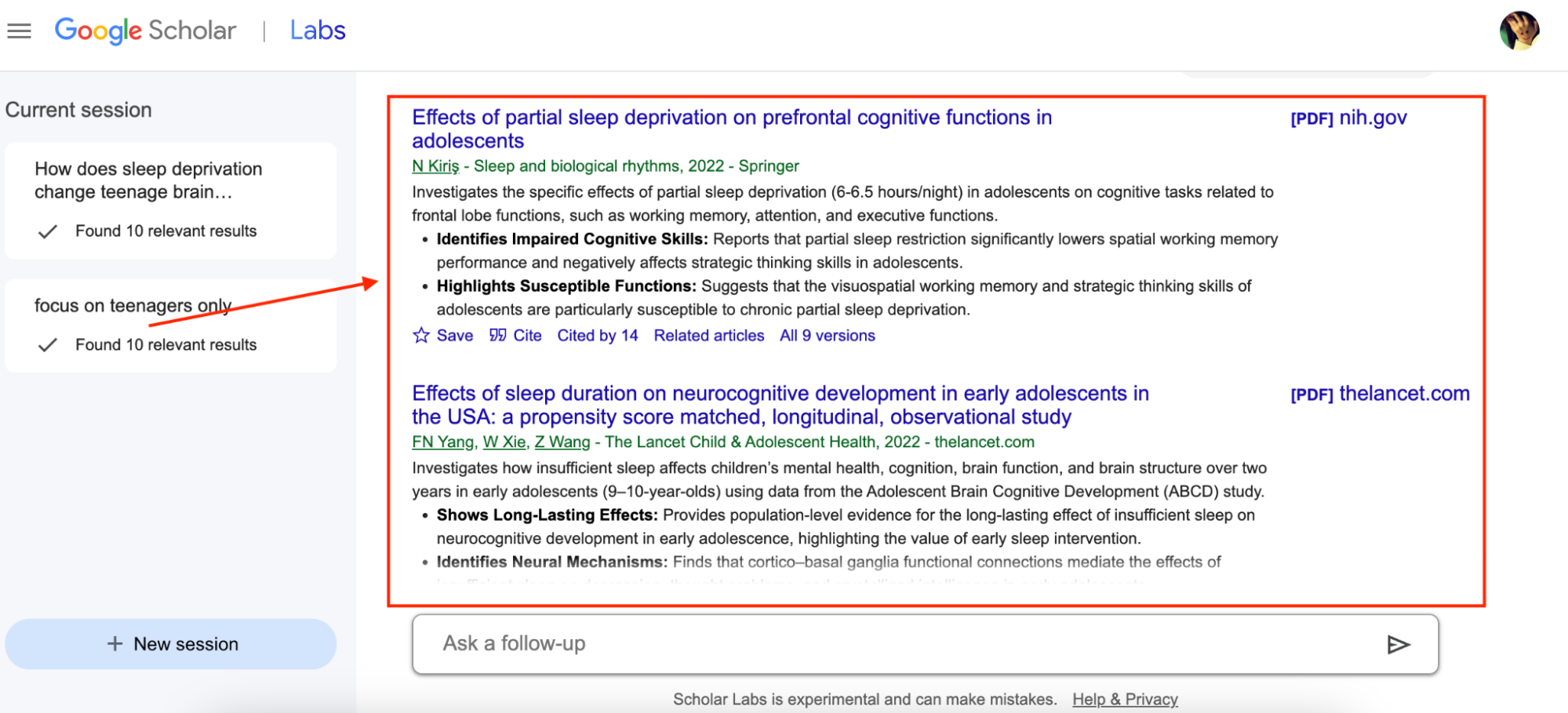
Once you get the list of papers, you can also use the “Ask a Follow-Up” feature to ask more questions. In case you don’t have time to go through all 10 relevant results, you can ask the tool to “Show only Experiments” or “Focus on Teenagers.” The tool will again start analyzing your question to find the best match for you.
4. Get Original Links
The tool gives you links to real PDF files and the official pages of the papers. You can click those links to read the full study. This feature is helpful if you want to verify the provided result.
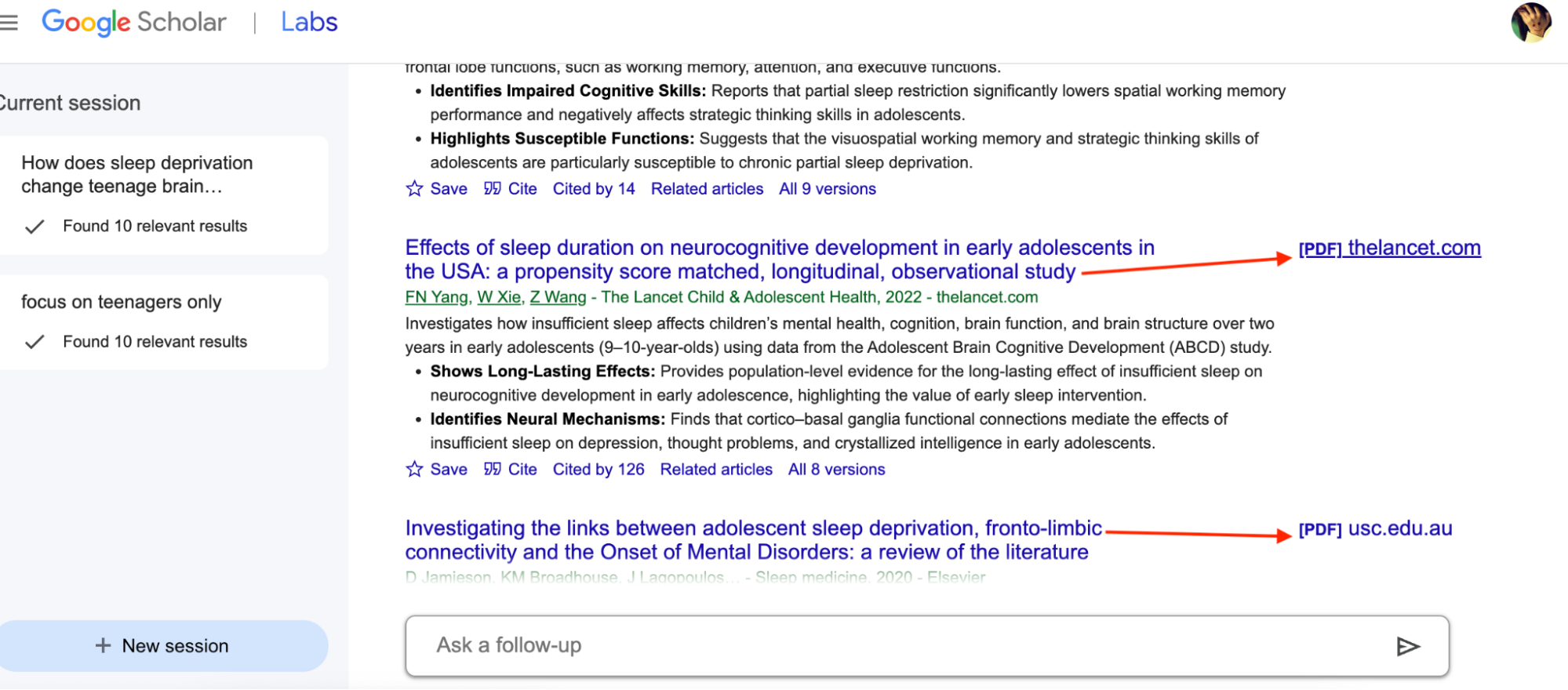
Just like normal Google Scholar, it still gives you links to real PDFs and the official websites of the papers, so you can read the full study if you want more details.
Verdict: Even though Scholar Labs is new and still being tested, it almost works the same as Google Scholar. It still shows clear links to the original PDFs, citations, and the websites where the papers were published. This made it really easy for me to check the full studies whenever I wanted to double-check something or read more. Overall, the tool works well if you want to get quick results.
Part 3. Limitations, Risks, and Open Questions
Google Scholar Labs is a good tool, but just like other apps, it still has some limitations and risks. After testing the tool 4-5 times and reading different comments on various famous platforms like Reddit, I have collected some drawbacks of using this tool. Let’s discuss them one by one.
- Limited Availability and Language Support: According to the official website, only a few users can access Scholar Labs. Also, it only supports English, so you can’t find research papers in other languages.
- Biased Results: Google Scholar Labs can sometimes be biased because it only shows the papers that are already available on Google Scholar. This means you might see only a limited number of studies. It also shows the most popular results, which makes it harder to find the limitations in each paper.
- Incomplete Summaries: The tool works fine, but sometimes it shows only the important data, not the whole information. It means there is a high chance of missing necessary information. Hence, if you read only the summary and skip the full paper, you might miss key information.
- Transparency and Control: You might get the results fast, but still, there is no guarantee that the information is authentic or just AI-generated.Moreover, Google Scholar has indexing and metadata issues, which definitely raise concerns about Google Scholar Labs reliability.
Recently, a user on Twitter also mentioned that papers on Google Scholar are not well-connected to each other. So, it won’t be wrong to say that this tool still needs some improvements.
If you want to use a more reliable tool than Google Scholar Labs, you should try UPDF AI. This tool helps you fast-track your literature review with visual search. Let’s discuss everything about this tool and its wonderful features.
Part 4: Best Google Scholar Alternative—UPDF AI
UPDF AI is an all-in-one AI assistant tool for in-depth research, finding papers, chatting with PDFs, turning PDFs into mind maps, converting documents, visual discussions, and unlimited question answering. The tool offers many advanced features that are hard to find in Google Scholar Labs. With this software, you can quickly find relevant research papers using multiple filter options. Moreover, it allows you to convert PDF files into different formats, such as PPT, Word, and more. Let’s discuss its other top features.
1. Quick Paper Search using Filters
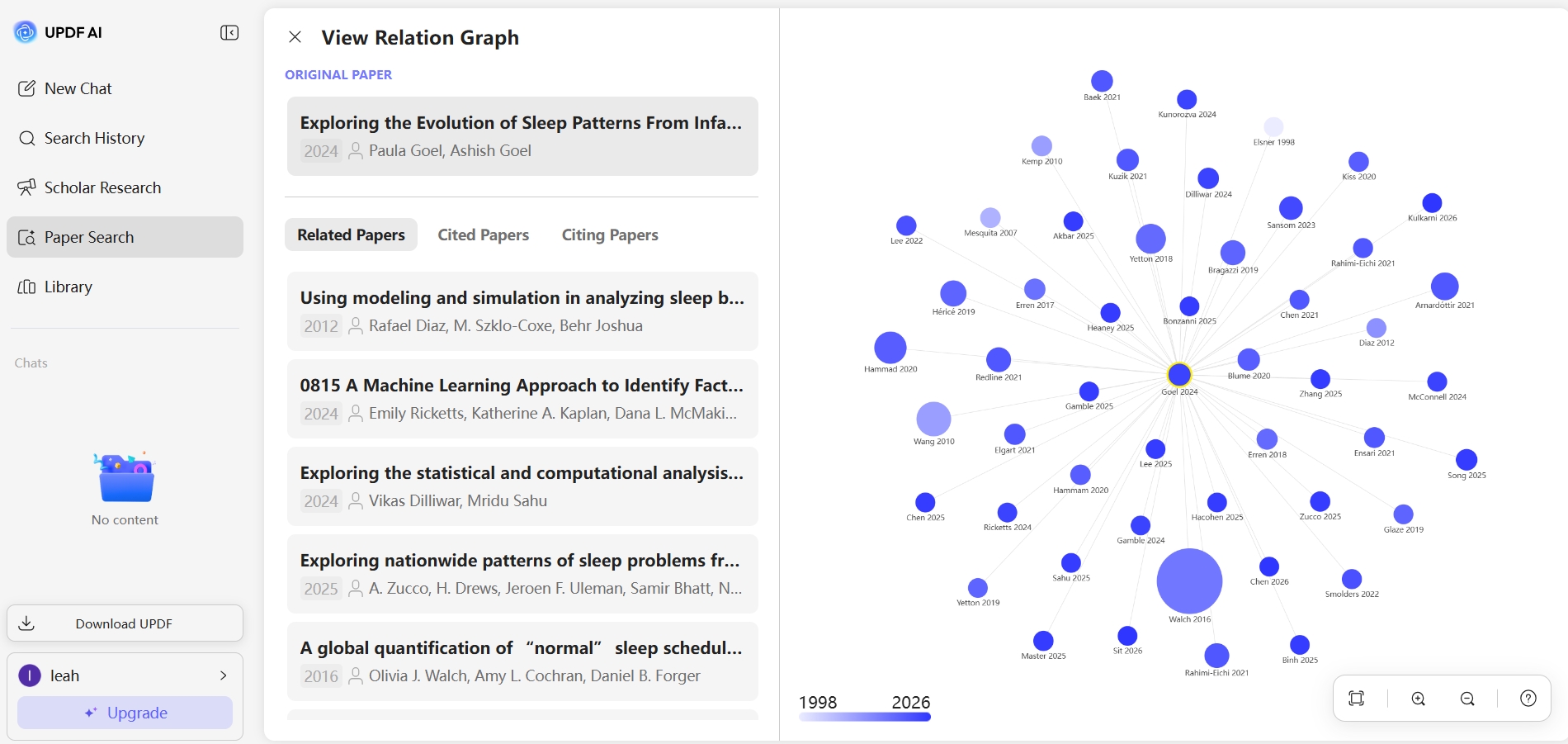
You can use the “Paper Search” option to find relevant studies and explore how they are connected. It gives access to 220+M academic papers. You can also view relationship graphs and related-paper recommendation graphs.
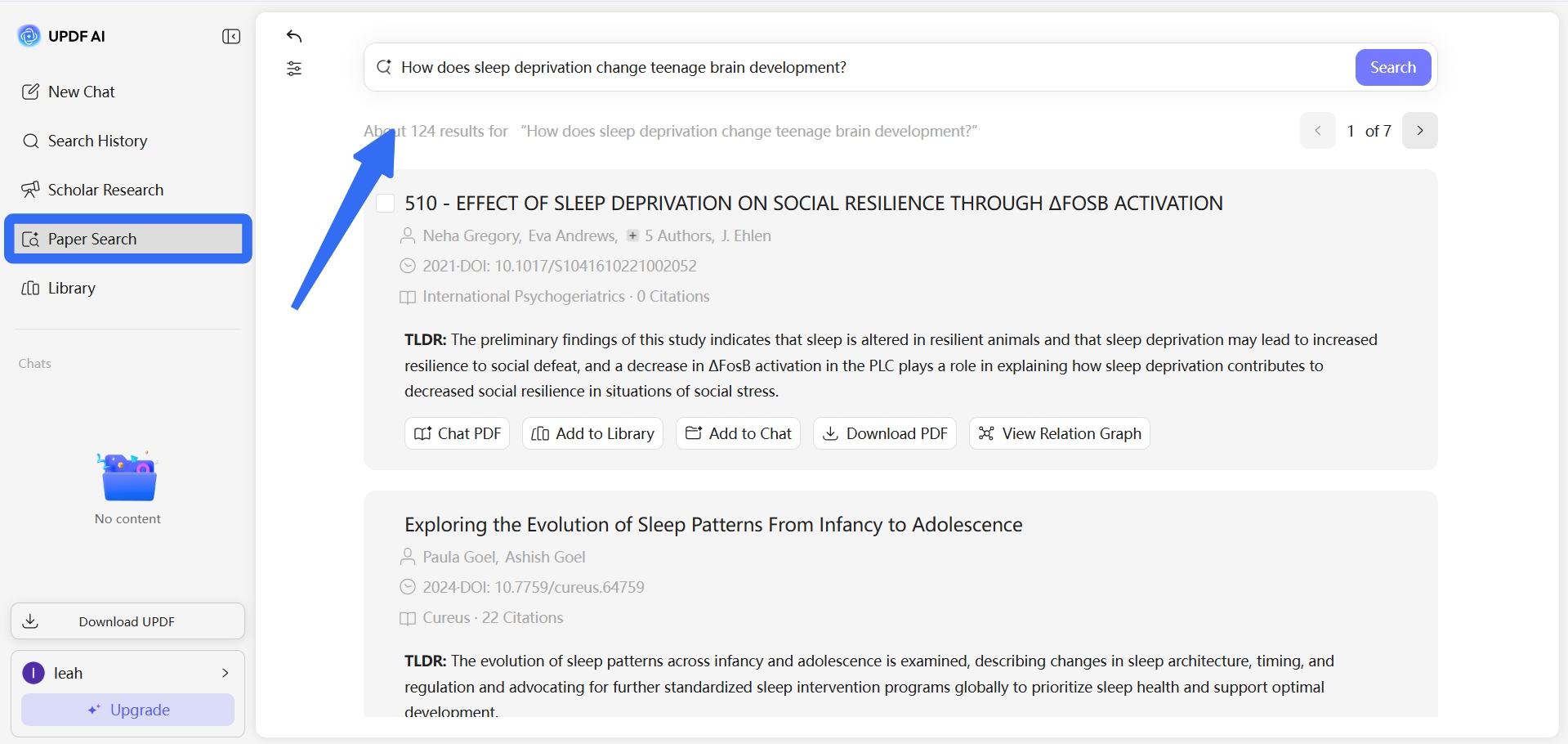
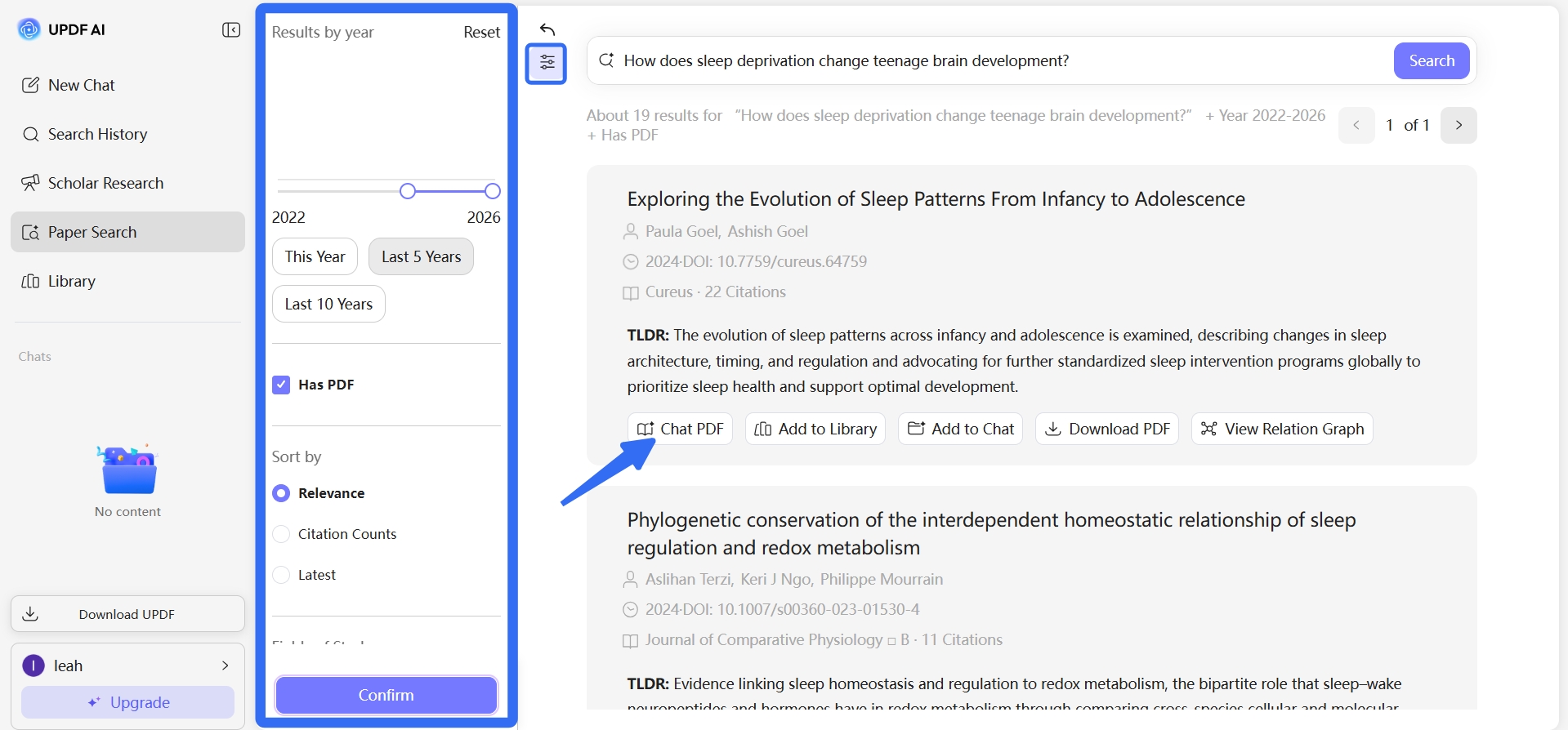
This tool also allows you to use different filters like Year, Field of Study, and more to find relevant papers. This feature will save you a lot of time and is the best way to get faster results. You can use the Add to Chat feature to organize your PDF files in one folder for deep research.
You can also view the graphic relationship of all your literature papers and see how they are connected.
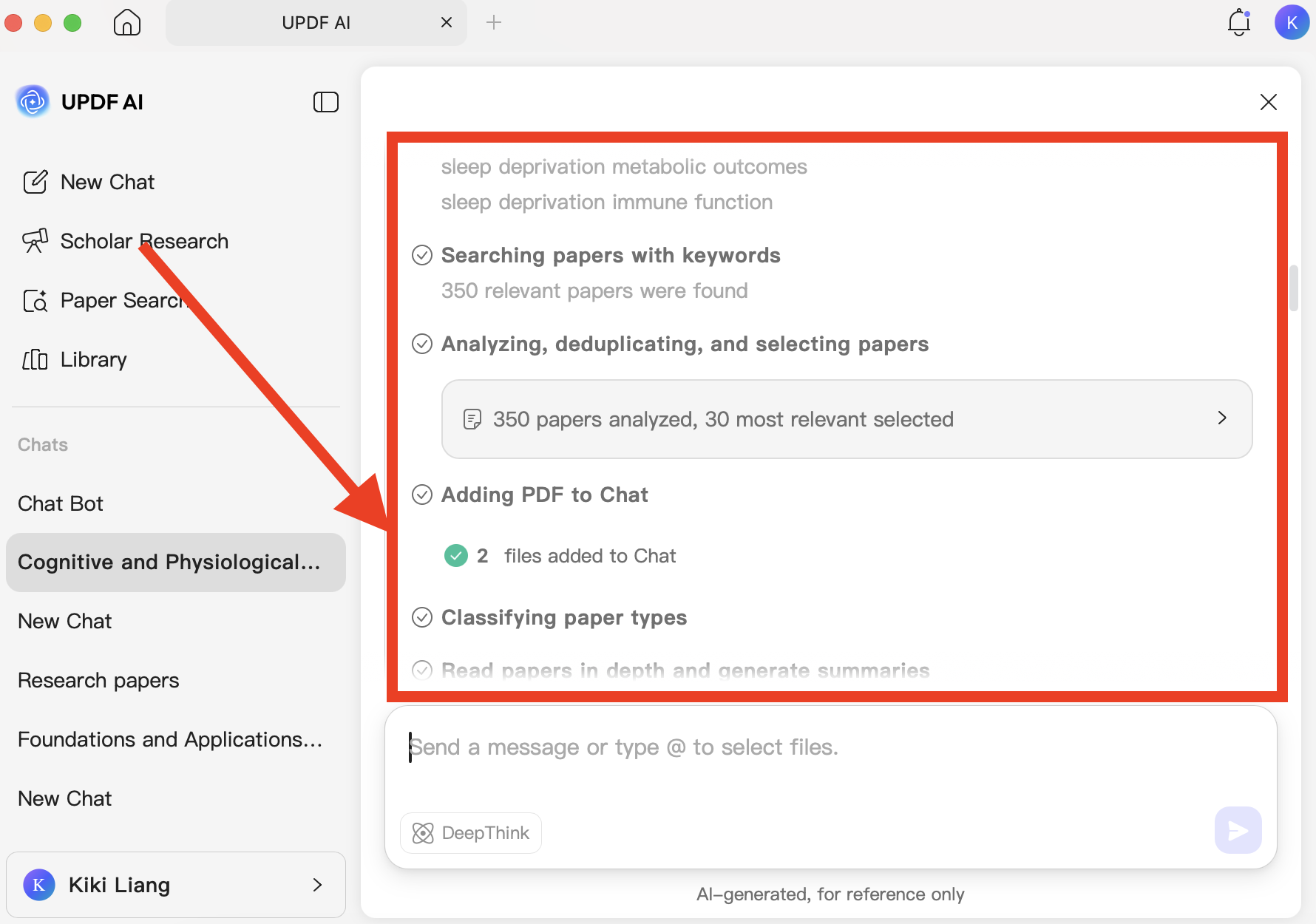
2. Scholar Research
You can use the “Scholar Research” feature to either write a new structured literature review with citations or use your already saved paper and ask UPDF to write a literature review just based on those papers.
3. Summarize / Translate / Convert PDFs (Research Papers)
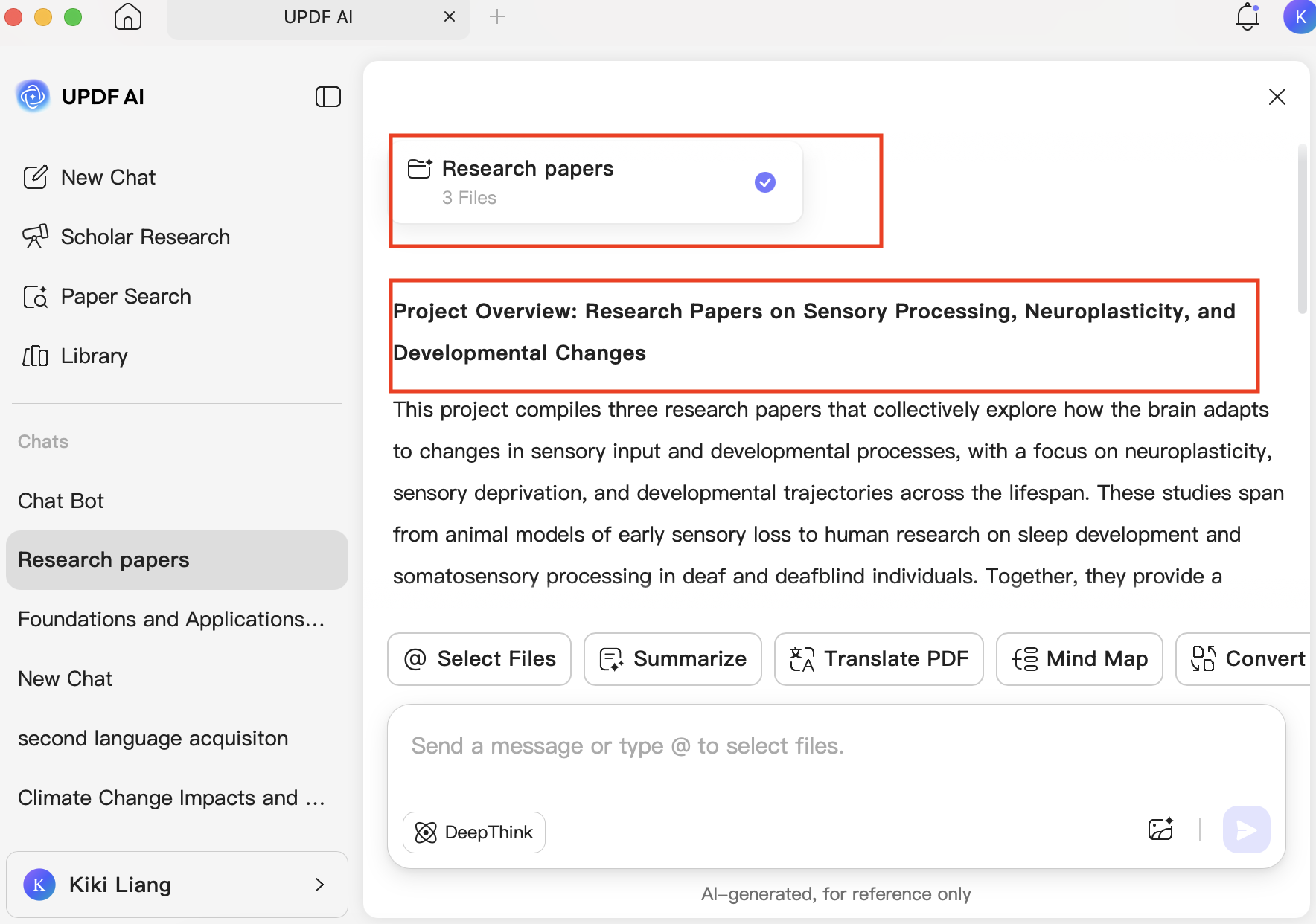
You can use the summarize feature to get an overview of your saved literature papers. The tool detects your papers and provides structured summaries including title, authors, keywords, and more.
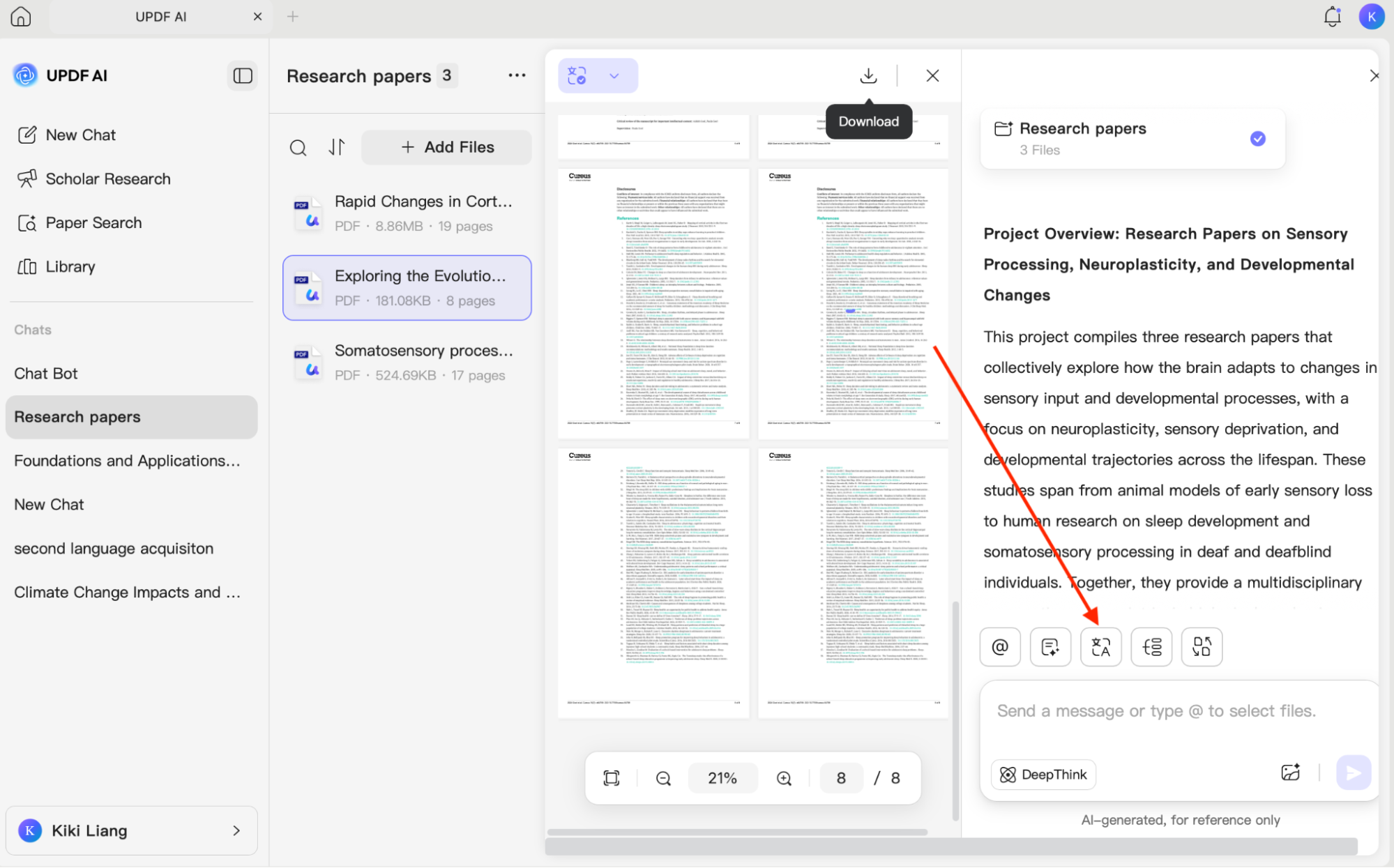
Apart from summarizing, you can use the translation feature to translate your PDFs into other languages. You can choose either side-by-side translation or page-by-page translation.
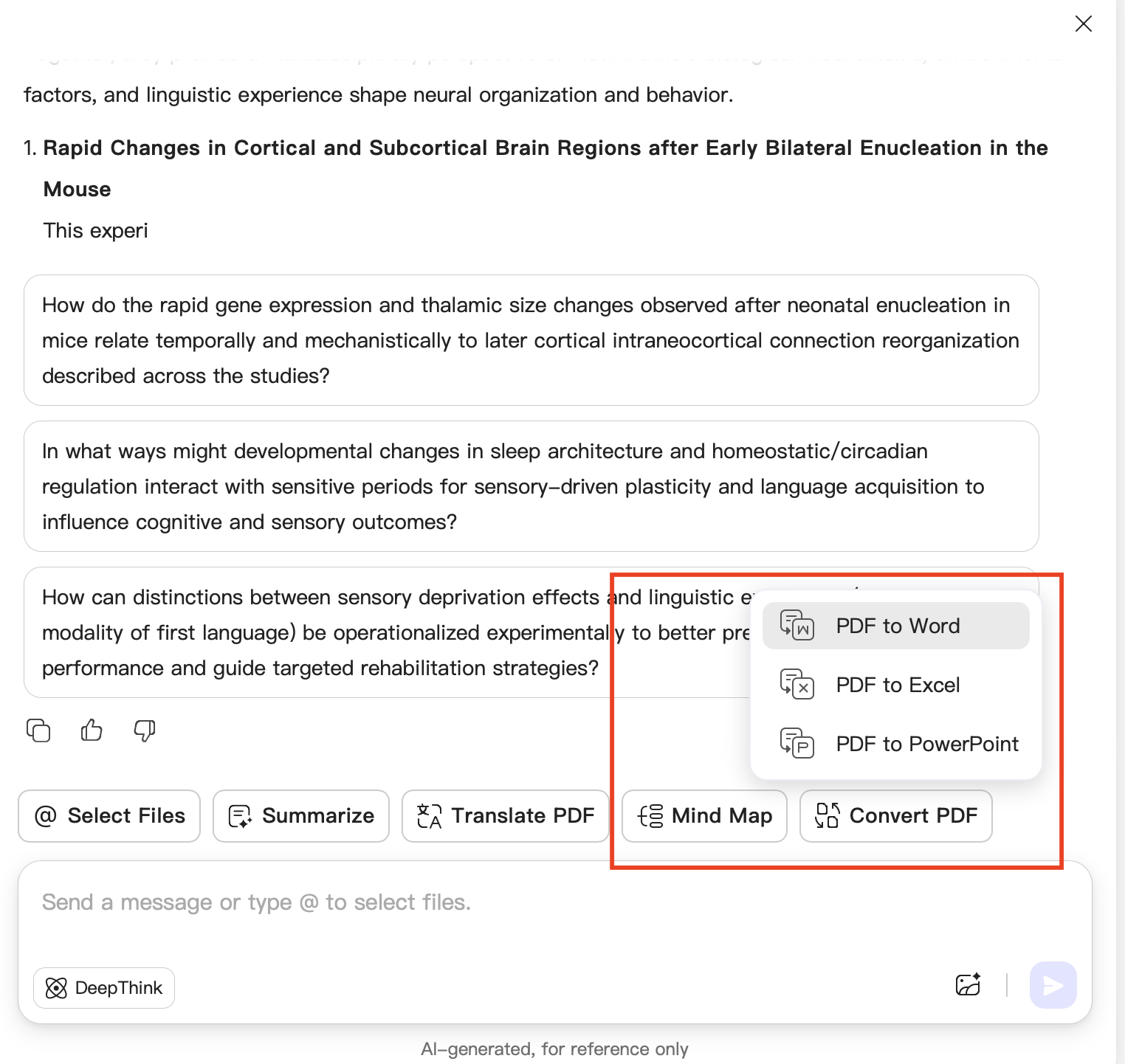
Moreover, you can also try other features, such as Mind Map and converting PDF files into other formats, such as Word, Excel, and PowerPoint.
FAQs
Q1: Can UPDF Scholar Research Be Used for a Thesis or Dissertation?
Yes, it can support early-stage thesis or dissertation work by helping researchers explore a topic, collect relevant papers, identify recurring themes, and develop an initial literature review structure.
Q2: Can UPDF AI Help Identify a Research Gap?
UPDF AI can help reveal potential gaps by comparing the topics, populations, methods, findings, and limitations across relevant papers.
Q3: Can UPDF Paper Search and Scholar Research Replace a Systematic Review?
They can accelerate paper discovery and evidence organization, but they do not replace the formal methodology required for a systematic review.
Conclusion
Google Scholar Labs is a helpful tool that makes academic research faster and easier, but it still has several limitations, such as not showing how papers connect and providing only short, basic summaries. If you want a more reliable and powerful option, UPDF AI is the better choice. It allows you to upload PDFs, chat with PDF to analyze papers in depth, and even convert your files into many different formats. What are you waiting for? Download UPDF now and get started.





 Enola Miller
 Enya Moore
 Lizzy Lozano