UPDF
UPDF
 UPDF for Windows
 UPDF for Mac
 UPDF for iPhone/iPad
 UPDF for Android
 Nomostar
 UPDF AI Online
 UPDF Sign
 IvyCraft
 Edit PDF
 Annotate PDF
 Create PDF
 PDF Form
 Edit links
 Convert PDF
 OCR
OCR PDF to Word
 PDF to Image
 PDF to Excel
 Organize PDF
 Merge PDF
 Split PDF
 Crop PDF
 Rotate PDF
 Protect PDF
 Sign PDF
 Redact PDF
 Sanitize PDF
 Remove Security
 Read PDF
 UPDF Cloud
 Compress PDF
 Print PDF
 Batch Process
 About UPDF AI
 UPDF AI Solutions
 AI User Guide
 FAQ about UPDF AI
 Summarize PDF
 Translate PDF
 Chat with PDF
 Chat with AI
 Chat with image
 PDF to Mind Map
 Explain PDF
 PDF AI Tools
 Image AI Tools
 AI Chat Tools
 AI Writing Tools
 AI Study Tools
 AI Working Tools
 Other AI Tools
 AI Bookmark Generation
 AI Bookmark Summary
 AI Watermark Generation
 AI Background Generation
 AI Sticker Generation
 AI Stamp Generation
 AI Editing Suite
 UPDF Copilot
 AI Page Management
 AI Semantic Search
 PDF to Word
 PDF to Excel
 PDF to PowerPoint
 Enterprise Solution
 Enterprise Sign
 Enterprise AI
 Enterprise Plan
 Enterprise User Guide
 Enterprise Webinar
 Banking
 Healthcare
 Insurance
 Legal
Legal Manufacturing
 Government
 Researchers & PhDs
 Solopreneurs & Freelancers
 Lawyers & Legal Professionals
 Real Estate Agents & Brokers
 Education Solution
 Customer Stories
 User Guide
 UPDF Tricks
 FAQs
FAQs UPDF Reviews
 Download Center
 Blog
Blog Newsroom
 Tech Spec
 Updates
 UPDF vs. Adobe Acrobat
 UPDF vs. Foxit
 UPDF vs. PDF Expert

Being someone who frequently creates and manages documents, I've personally experienced how time-consuming content creation can be. The necessity to create reports and drafts constantly led me to seek a smarter way to manage my workflow. That's when I started exploring the best AI document generators to save time while maintaining quality.
In this article, I'll take a closer look at the top AI document creators and explain how they can simplify document creation and reduce manual work. As a bonus point, I'll also share how UPDF part stands out among all AI document generators I've tried - interested users can click the button below to give it a try for free.
Windows • macOS • iOS • Android 100% secure
Part 1. Can I Use AI to Create a Document?
With an AI document creator, you can create a full document when you give clear instructions about your topic and goal. These tools can quickly draft reports and many other documents from a short prompt or outline that you provide. You still remain in control of the final content, but AI can suggest ideas and make your writing clearer and more organized.
Part 2. What Are The Best AI Document Generators: My Top 5 Picks
After seeing how AI can help me create documents, I started exploring a tool that could make my workflow even easier. Next, I'll share the top AI document generator free and paid options that I found most effective for creating documents quickly.
1. UPDF
UPDF is an AI-powered document generator and PDF editor that helps users create research papers, structured content, and visual summaries with minimal manual work. Its AI features make it especially useful for students, researchers, and anyone who needs to produce documents quickly and accurately.
Windows • macOS • iOS • Android 100% secure
- Scholar Research: UPDF's Scholar Research tool allows you to generate academic-style content from a single topic or keyword. It can search for relevant papers, summarize key findings, and produce structured research outlines or literature-style documents—helping you build high-quality drafts in minutes.
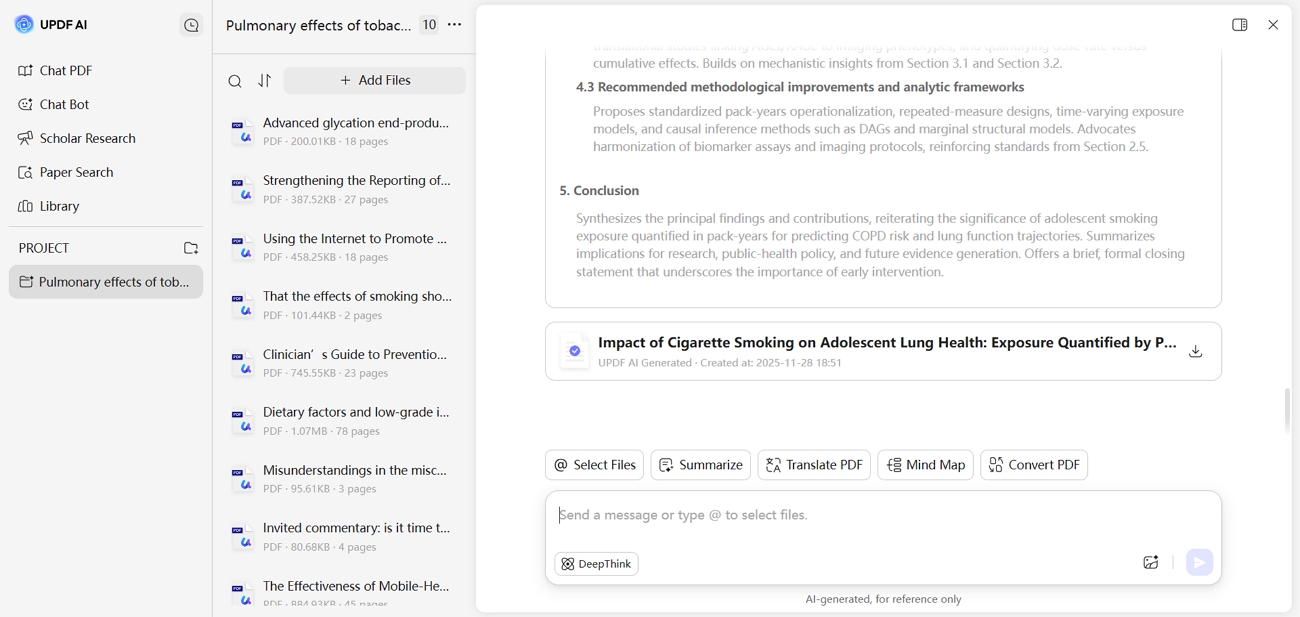
- AI-Generated PDF Creation: Users can start with a blank PDF and let UPDF's AI assistant generate draft content such as reports, articles, or explanations. The generated text can then be refined directly using UPDF's built-in editing tools, creating a smooth end-to-end document workflow.
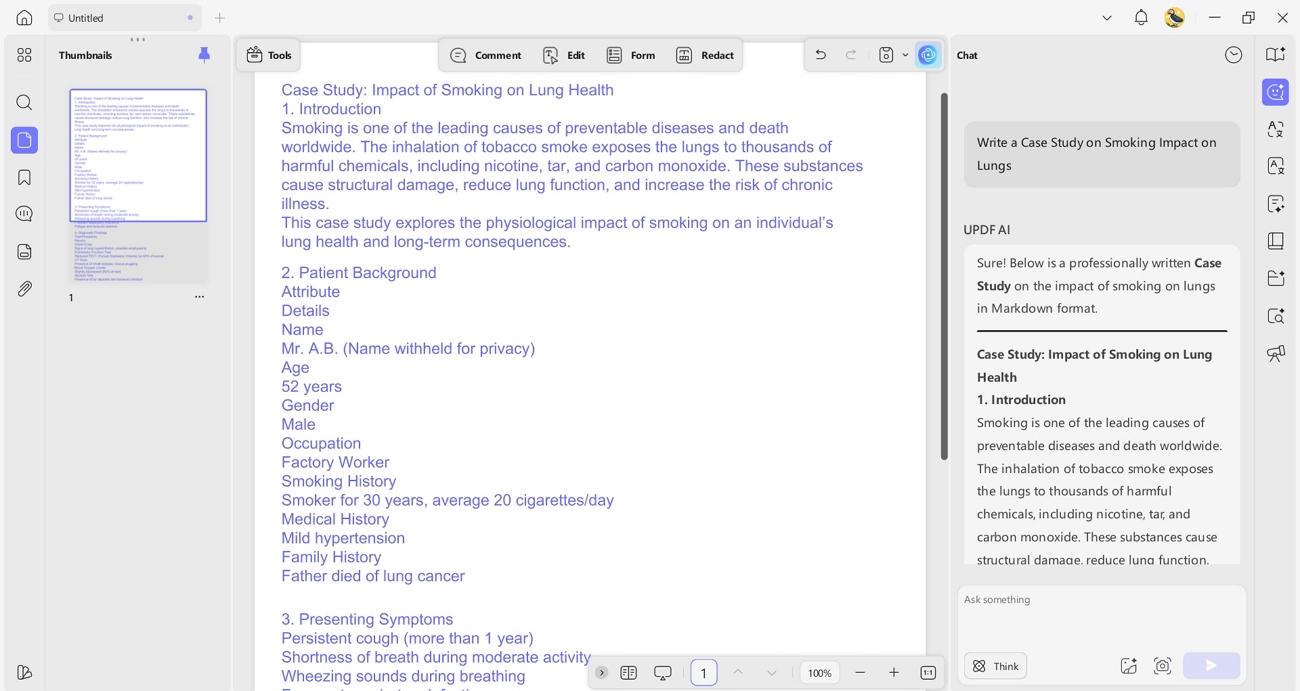
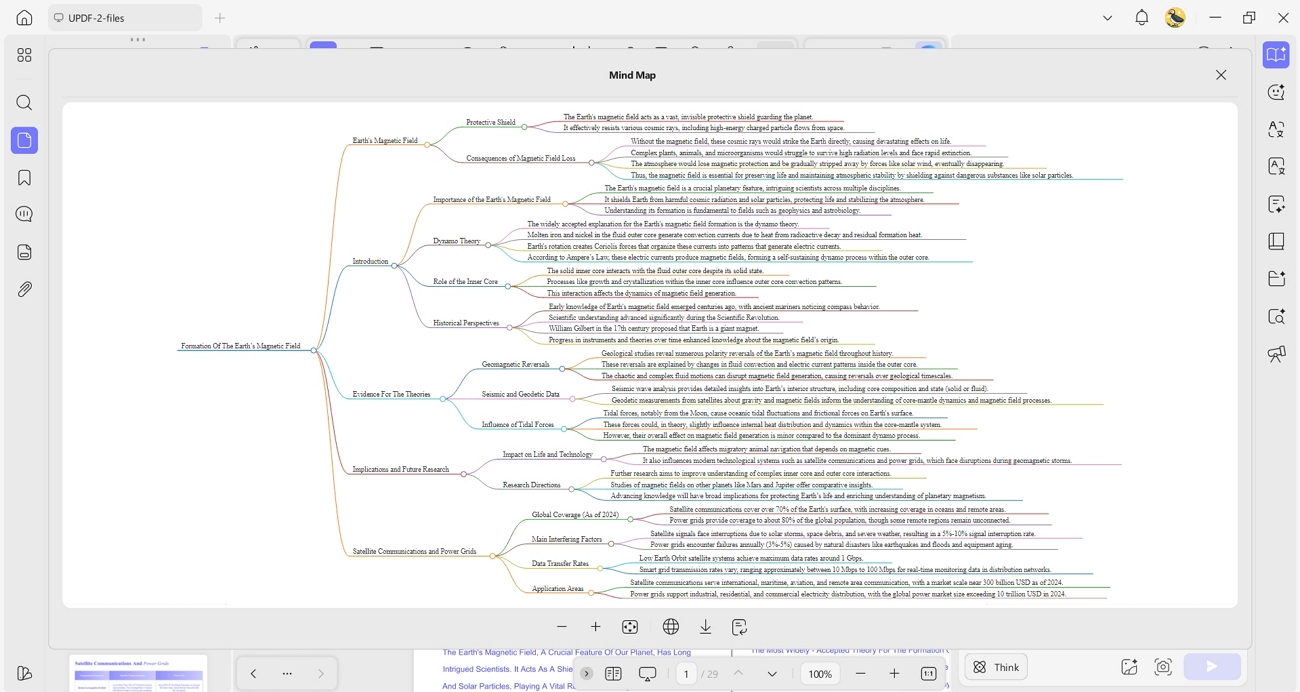
- Mind Map Generation: UPDF can analyze any uploaded PDF and convert its content into a visual mind map, helping users understand structure, main ideas, and connections. This is especially helpful for studying, brainstorming, or reorganizing long documents.
Highlights
- Helps users generate research papers, draft new documents, and organize ideas—all in one tool.
- Eliminates repetitive steps by combining AI generation with full PDF editing capabilities.
- Supports clear, structured outputs such as outlines, summaries, and mind maps for faster document creation.
Guide to Create a Review PDF with UPDF AI's Scholar Research
To quickly generate a structured review with the best AI document generator, follow the steps below:
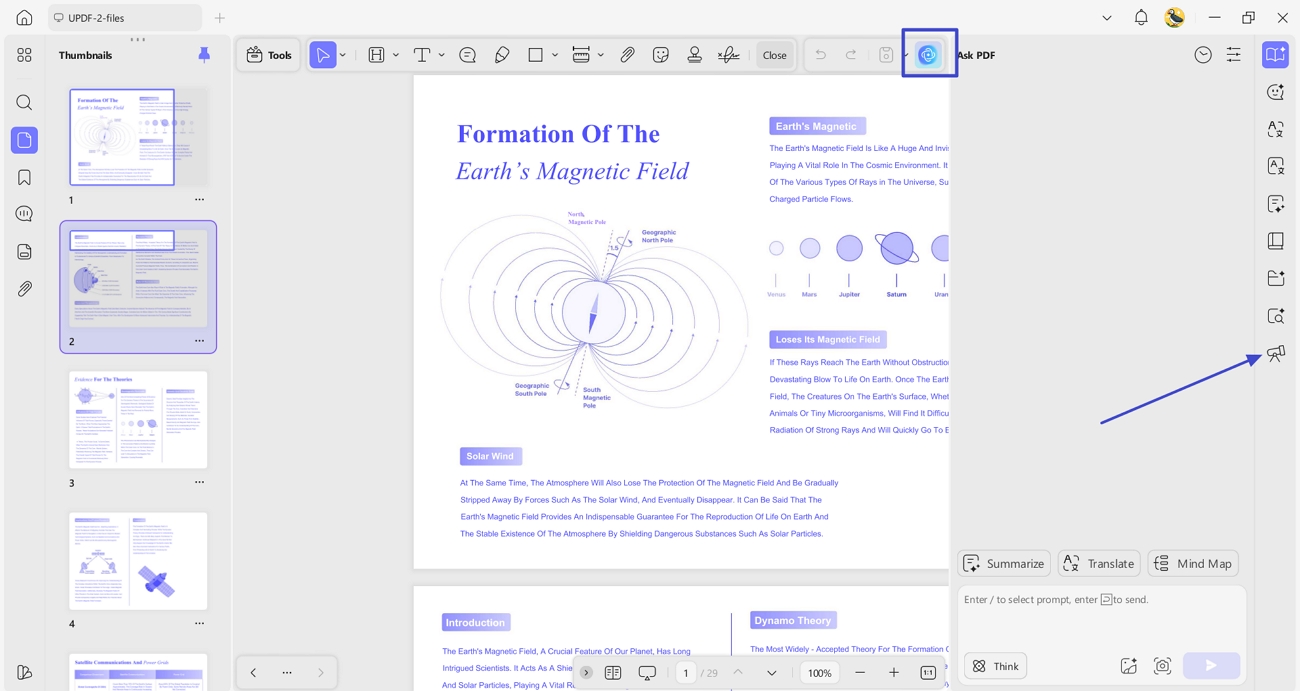
Step 1. Access Scholar Research Feature in UPDF AI
Open a random PDF on UPDF, hit the "UPDF AI" icon in the top right corner and press the "Deep Research" tool from the right-side menu.
Windows • macOS • iOS • Android 100% secure
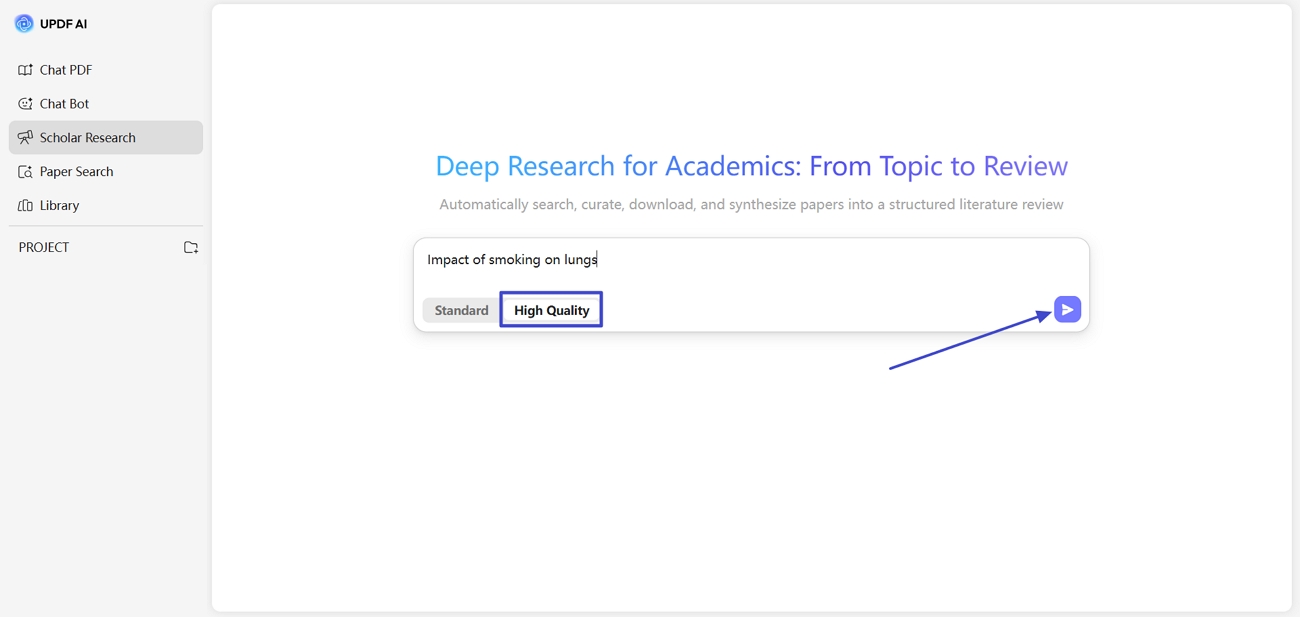
Step 2. Choose Search Preference and Enter Topic
As you'll be directed to the UPDF AI Online interface, enter your topic in the designated box, choose "High-Quality" mode, and hit the "Send" button.
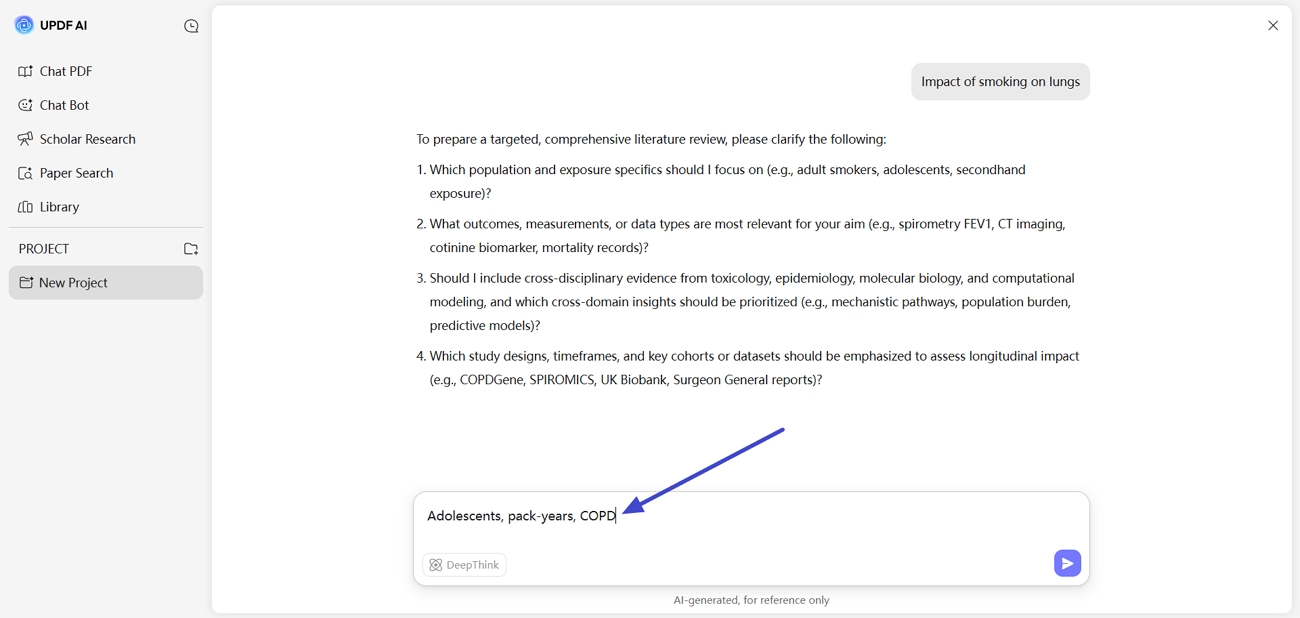
Step 3. Answer Auto-Generated Questions
Next, send the answers to the auto-generated questions in the chat for a comprehensive literature review.
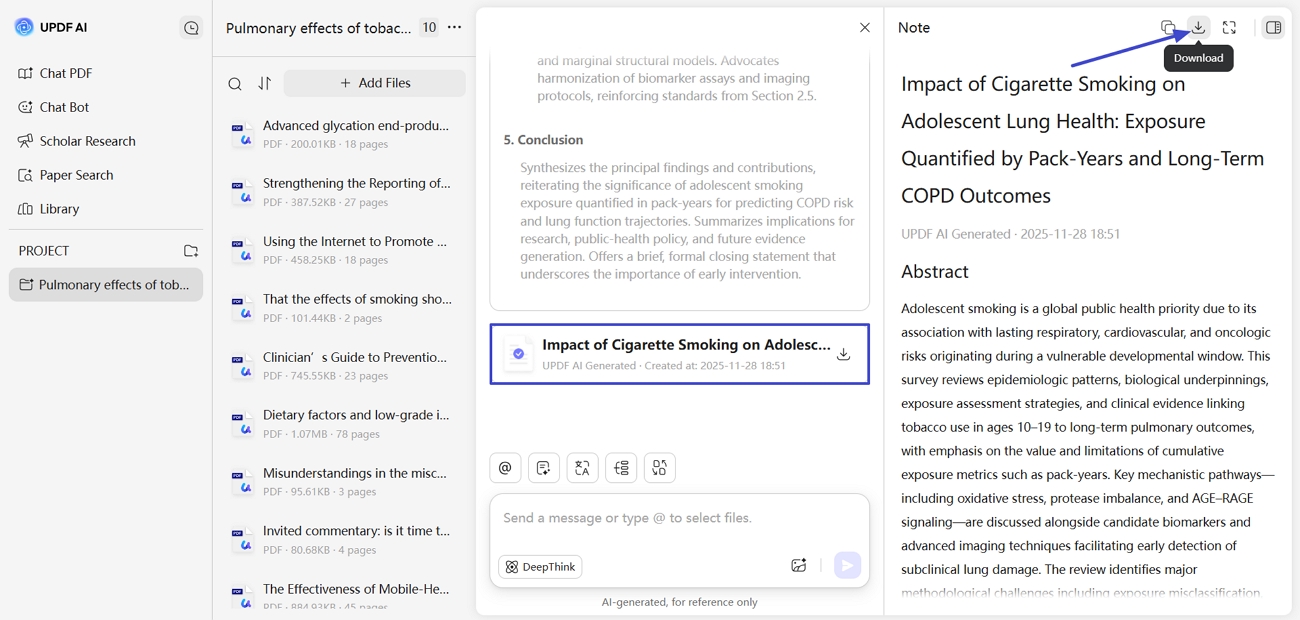
Step 4. Download Review PDF
Next, you'll see a structured PDF review containing key points, summaries, and citations for every reference. Read them online or download a PDF by clicking the "Download" button.
2. Docupilot
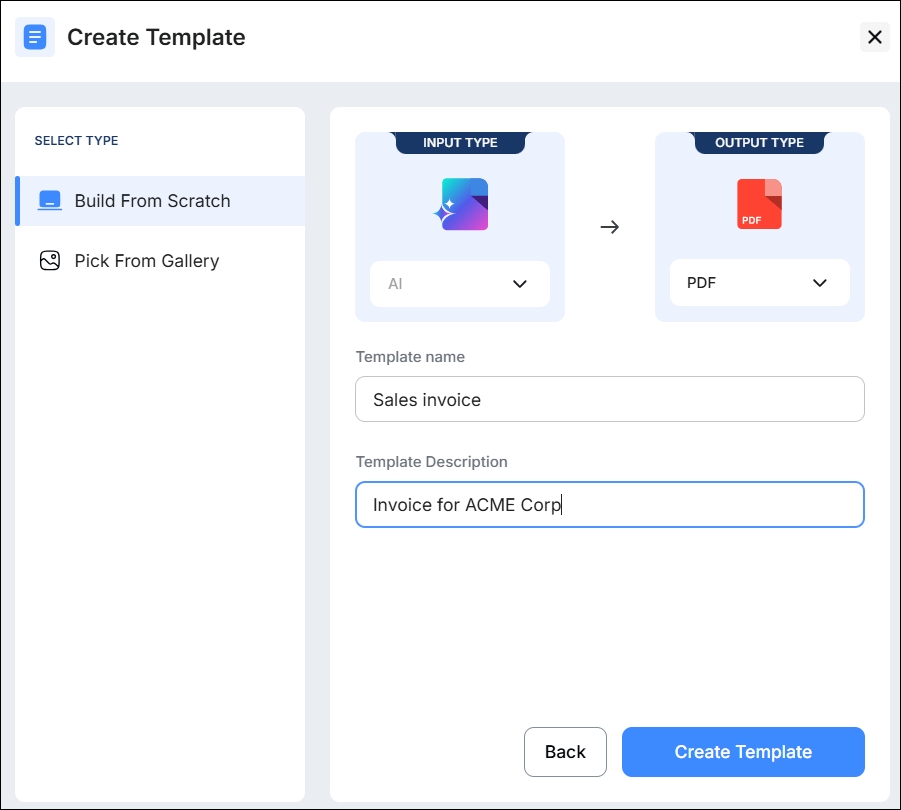
Docupilot represents as an AI document automation platform that turns data from your apps into ready-to-send, personalized documents at scale. It uses rule-based templates, dynamic fields, and conditional logic to assemble accurate contracts, proposals, and reports from a single source of truth. Teams save hours on manual drafting while keeping branding, structure, and key clauses consistent across every generated document.
Key Features
- No-code template builder lets users define placeholders to generate tailored documents from structured data.
- Dynamic data mapping pulls client or case information directly from CRMs into each document.
- Multi-format generation supports outputs like PDF and Word while preserving critical business information accurately.
Highlights
- Helps teams cut document preparation time dramatically for repetitive agreements and onboarding packets.
- Reduces human errors in names and clauses by centralizing data and automating insertion into templates./li>
3. Checkbox AI
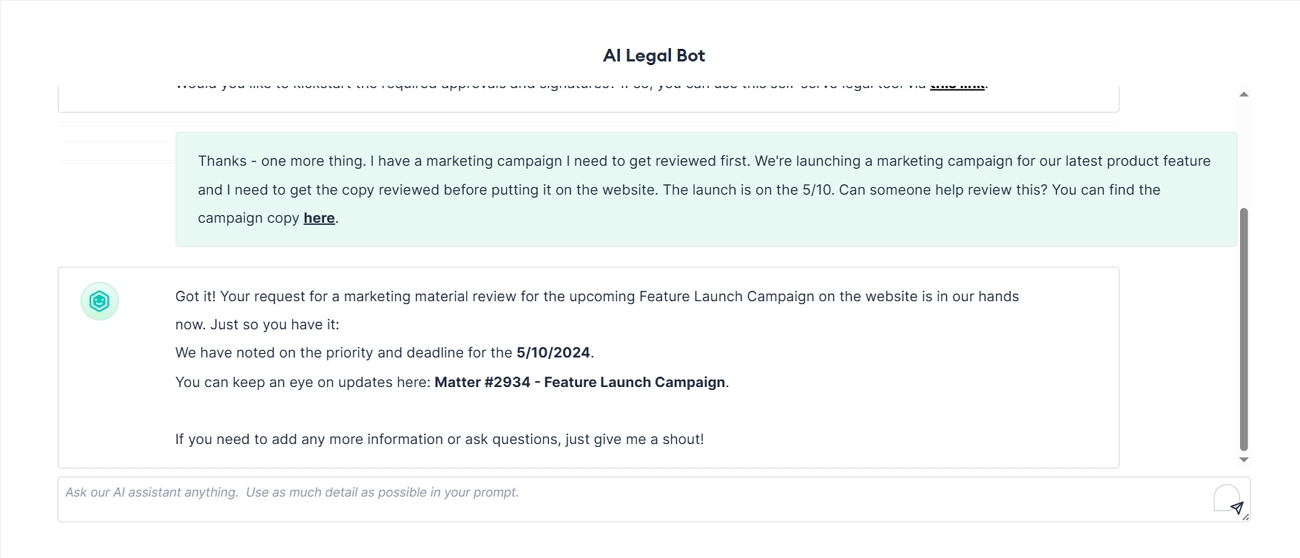
This is one of the best AI document creator tools that focuses on legal teams can automate drafting and approvals across many document types. It uses standardized templates, rules, and workflows to reduce manual edits and cut turnaround times for contracts. Checkbox AI also connects with intake channels and e-signature tools, so teams move from request to signed document in a controlled flow.
Key Features
- Routes documents through configurable workflows for review and e-signature without manual email tracking.
- Automates creation of legal documents from standardized templates and predefined rules to ensure compliance.
- Integrates with tools like Email, Slack, Teams, and CRM to sync data and documents.
Highlights
- Helps legal teams cut time on low-value drafting work and focus on strategic matters.
- Enables no-code automation so lawyers and business users can build workflows without technical skills.
4. Template.net
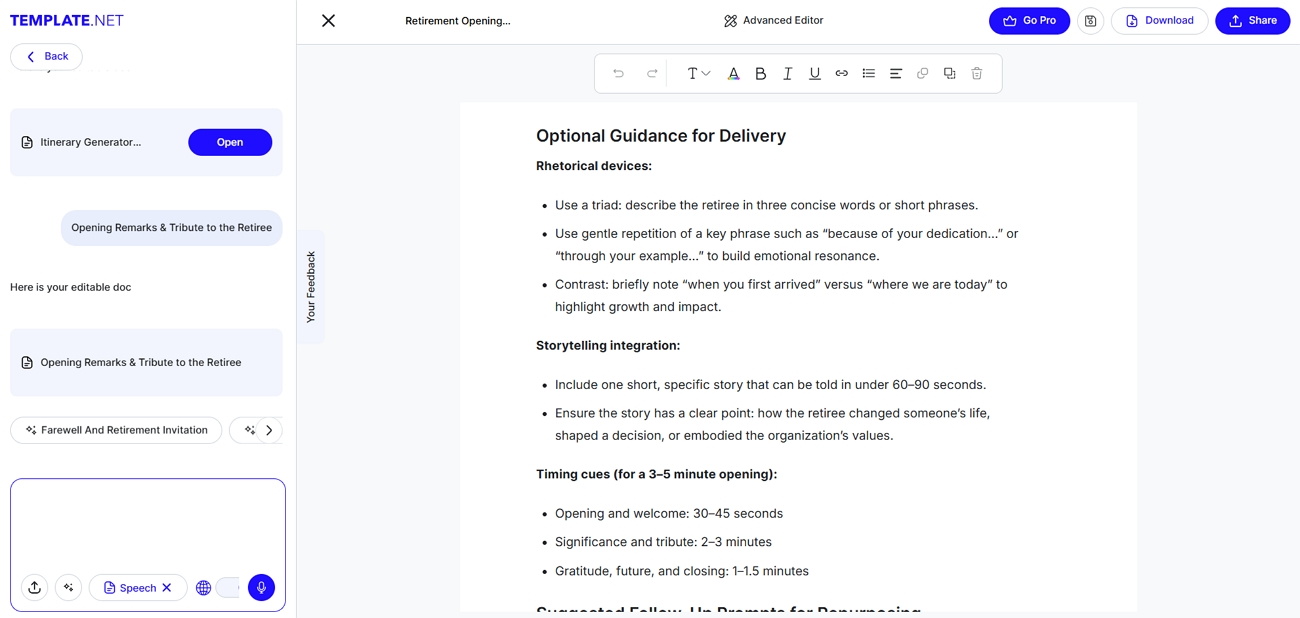
The most versatile AI document generator free tool that turns simple text or voice prompts into complete, editable documents for any purpose is Template.net. It supports business, academic, and creative use cases, with structured drafts ready in seconds. Users then refine tone, layout, and branding inside a browser-based editor, without installing extra software or creating accounts.
Key Features
- Drafts prompt-based structured documents from short requests, including tone, sections, formatting, and suggested headings.
- Editable templates cover reports, proposals, SOPs, manuals, and other formats to match common professional requirements.
- Multilingual support lets users generate documents in many major languages for global audiences and teams.
Highlights
- Real-time proofreading checks grammar, tone, and clarity, helping users keep documents polished and consistent.
- Collaboration options allow teams to edit, comment, and approve inside one shared online workspace.
5. Templafy
Templafy is an AI document generator platform that lets teams draft business content faster with fewer manual steps and errors. This platform connects directly to approved templates, brand assets, and company data, so every new file starts accurately and on-brand. It then uses specialized agents to refine sections, update information, and keep documents consistent across teams at scale.
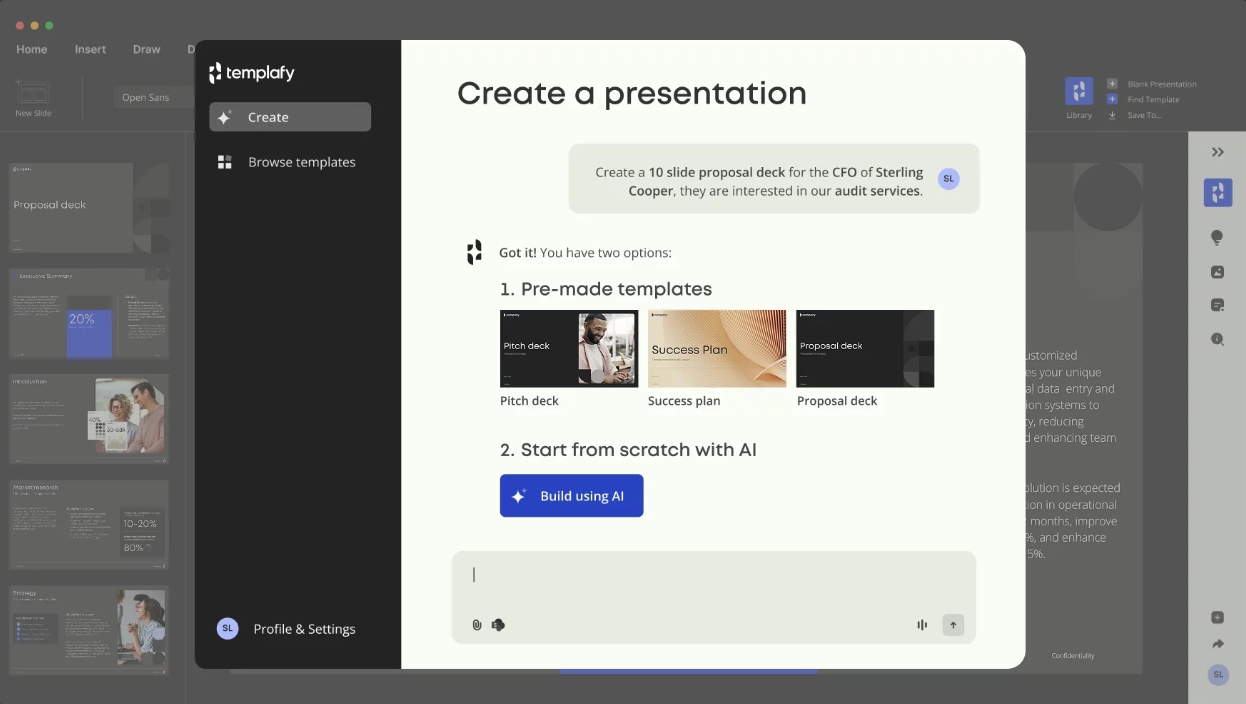
Key Features
- Generate full document drafts from approved templates to help teams start with finished documents.
- Rewrite specific sections through refinement agents that improve clarity and structure in complex documents.
- Surface company knowledge in user workflows to make easy content access for staff without manual searching.
Highlights
- Platform standardizes content for large organizations and protects brand reputation while reducing team efforts.
- Enterprise governance and security exceed common standards, so InfoSec trusts AI-generated outputs with full confidence.
Part 3. AI Document Generator vs. Traditional Documentation Automation Tool
As I explored these tools, I noticed a clear difference between an AI document creator and traditional documentation automation tools, so I wanted to break down how they compare.
| Aspect | AI Document Generator | Traditional Automation Tool | Similarities |
| Content Output | New paragraphs and full drafts | Prewritten clauses and fixed wording | Both save manual work |
| Main Input | Text prompts plus business data | Structured data fields only | Need user input |
| Structure | Flexible sections and headings | Locked layouts and section order | Both organize documents |
| Personalization | Tailored text for each recipient | Same text reused across all recipients | Generate multiple documents efficiently |
| Error Focus | Risk of factual or tone mistakes | Risk of wrong names or values | Both require human review |
Conclusion
In summary, AI document generators are changing how everyday users, teams, and businesses handle repeated writing tasks and complex documents. Therefore, I explored several AI document generator tools that handle different needs, from quick drafts to complex workflows. If you want a single document manager powered by AI that helps you draft, analyze, and organize PDFs, UPDF is the option worth trying next.
Windows • macOS • iOS • Android 100% secure





 Enrica Taylor
 Delia Meyer
 Lizzy Lozano