 UPDF
 UPDF for Windows
 UPDF for Mac
 UPDF for iPhone/iPad
 UPDF for Android
 Nomostar
 UPDF AI Online
 UPDF Sign
 IvyCraft
 Edit PDF
 Annotate PDF
 Create PDF
 PDF Form
 Edit links
 Convert PDF
 OCR
 PDF to Word
 PDF to Image
 PDF to Excel
 Organize PDF
 Merge PDF
 Split PDF
 Crop PDF
 Rotate PDF
 Protect PDF
 Sign PDF
 Redact PDF
 Sanitize PDF
 Remove Security
 Read PDF
 UPDF Cloud
 Compress PDF
 Print PDF
 Batch Process

 About UPDF AI
 UPDF AI Solutions
 AI User Guide
 FAQ about UPDF AI
 Summarize PDF
 Translate PDF
 Chat with PDF
 Chat with AI
 Chat with image
 PDF to Mind Map
 Explain PDF
 PDF AI Tools
 Image AI Tools
 AI Chat Tools
 AI Writing Tools
 AI Study Tools
 AI Working Tools
 Other AI Tools
 AI Bookmark Generation
 AI Bookmark Summary
 AI Watermark Generation
 AI Background Generation
 AI Sticker Generation
 AI Stamp Generation
 AI Editing Suite
 UPDF Copilot
 AI Page Management
 AI Semantic Search
 PDF to Word
 PDF to Excel
 PDF to PowerPoint
 Enterprise Solution
 Enterprise Sign
 Enterprise AI
 Enterprise Plan
 Enterprise User Guide
 Enterprise Webinar
 IT
 Education
 Construction
 Financial Service
 Healthcare
 Insurance
 Legal
 Manufacturing
 Government
 Researchers & PhDs
 Solopreneurs & Freelancers
 Lawyers & Legal Professionals
 Real Estate Agents & Brokers
 Education Solution
 Customer Stories
 User Guide
 UPDF Tricks
 FAQs
 UPDF Reviews
 Download Center
 Blog
 Newsroom
 Tech Spec
 Updates
 UPDF vs. Adobe Acrobat
 UPDF vs. Foxit
 UPDF vs. PDF Expert


The answer depends on what you are buying. Prime Day is usually the better time for Amazon devices, Prime-only offers, and mid-year purchases. Black Friday is usually better for Christmas gifts, comparing several retailers, and finding discounts across a wider range of products and software. Neither event guarantees the lowest price, so check the price history and return terms before ordering.
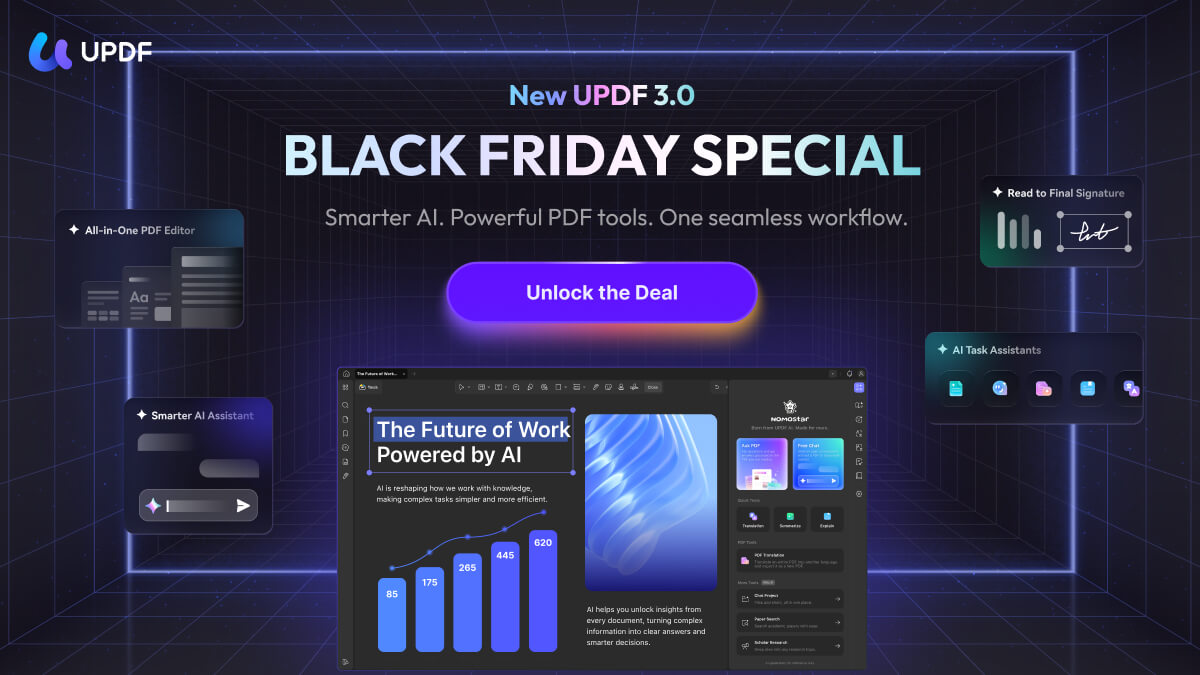
Black Friday is also a strong time to buy productivity software. The UPDF Black Friday Campaign is now live, with up to 48% off plus a free lifetime PDF Password Remover for Windows. UPDF is a PDF and eSign app for Windows, Mac, iOS, and Android, so the offer is relevant if you need to edit, OCR, convert, organize, protect, or sign documents across devices. Download it below to try the workflow before choosing a plan.
Windows • macOS • iOS • Android 100% secure
Part 1. What Are Prime Day and Black Friday?
Both events can deliver worthwhile discounts, but they serve different shopping moments. Prime Day centers on Amazon and Prime members. Black Friday brings together many online and physical retailers shortly before the holiday season.
Amazon Prime Day
Amazon Prime Day is a members-only sales event built around Amazon's store. In 2026, the main event ran from June 23 to June 26, followed by Prime Big Deal Days in October. Amazon devices such as Kindle, Echo, and Fire TV often receive prominent discounts, while other participating brands also offer limited-time deals. The event length and dates can change, so shoppers should confirm the current schedule rather than assume it always lasts 48 hours.

Black Friday
Black Friday falls on the Friday after Thanksgiving. In 2026, it is November 27, followed by Cyber Monday on November 30. Most retailers do not require a paid membership, and many start promotions before the official date. This broader participation makes Black Friday particularly useful for Christmas gifts, large appliances, electronics, subscriptions, and software. For a wider selection of seasonal promotions, see our guide to the best Black Friday deals.

Part 2. Prime Day vs Black Friday: Key Differences
This quick comparison helps you choose the event that better matches your shopping list. Actual prices vary by product and retailer, so the table focuses on access, timing, and typical strengths instead of promising a fixed discount range.
| Factor | Prime Day | Black Friday |
|---|---|---|
| Access | Prime membership is normally required for the main deals | Most retailer deals are open to everyone |
| Timing | Main mid-year event, with an additional Amazon event often held in autumn | Friday after Thanksgiving, with many promotions extending through Cyber Monday |
| Retailers | Deals are purchased through Amazon, although many brands and sellers participate | Amazon, major retail chains, brand websites, local stores, and software vendors |
| Typical strengths | Amazon devices, smart-home products, daily essentials, and selected electronics | Christmas gifts, appliances, electronics, clothing, software, and annual or lifetime plans |
| Shopping pressure | Lightning deals and limited stock can expire quickly | More retailers to compare, but popular products and doorbusters may sell out |
| Best fit | Prime members buying from Amazon or shopping earlier in the year | Shoppers comparing stores or buying gifts near the holiday season |
Which Event Usually Has Better Prices?
There is no universal winner. Prime Day may match or beat Black Friday for Amazon hardware, while Black Friday creates more competition among retailers and usually covers more product categories. Check the same model number, shipping cost, warranty, return window, and previous price before deciding. A large percentage discount is not meaningful if the reference price was temporarily raised.
Part 3. Is Prime Day or Black Friday Better for You?
Choose Prime Day If
- You already have a Prime membership and prefer buying through Amazon.
- Your list includes Kindle, Echo, Fire TV, Ring, or other Amazon-owned devices.
- You need the item now and the current price is already close to its historical low.
- You are shopping in the middle of the year rather than waiting for the holiday season.
Choose Black Friday If
- You are buying Christmas gifts and want a longer return window where available.
- You want to compare Amazon with other retailers or buy in a physical store.
- Your list includes appliances, computers, gaming products, clothing, or software.
- You are interested in annual subscriptions or lifetime software licenses. Our roundup of Black Friday app deals covers this category in more detail.
If your shopping list is mixed, you do not have to choose only one event. Buy time-sensitive Amazon devices when Prime Day reaches a verified low, then use Black Friday to compare gifts, software, and products sold by several retailers.
Part 4. Bonus Tip: UPDF’s Black Friday Campaign
UPDF's current Black Friday offer is designed for people who want one document workspace instead of separate apps for routine PDF tasks and signatures. You can check the current plan details on the UPDF pricing page. The campaign includes up to 48% off and a free lifetime PDF Password Remover for Windows.
Windows • macOS • iOS • Android 100% secure
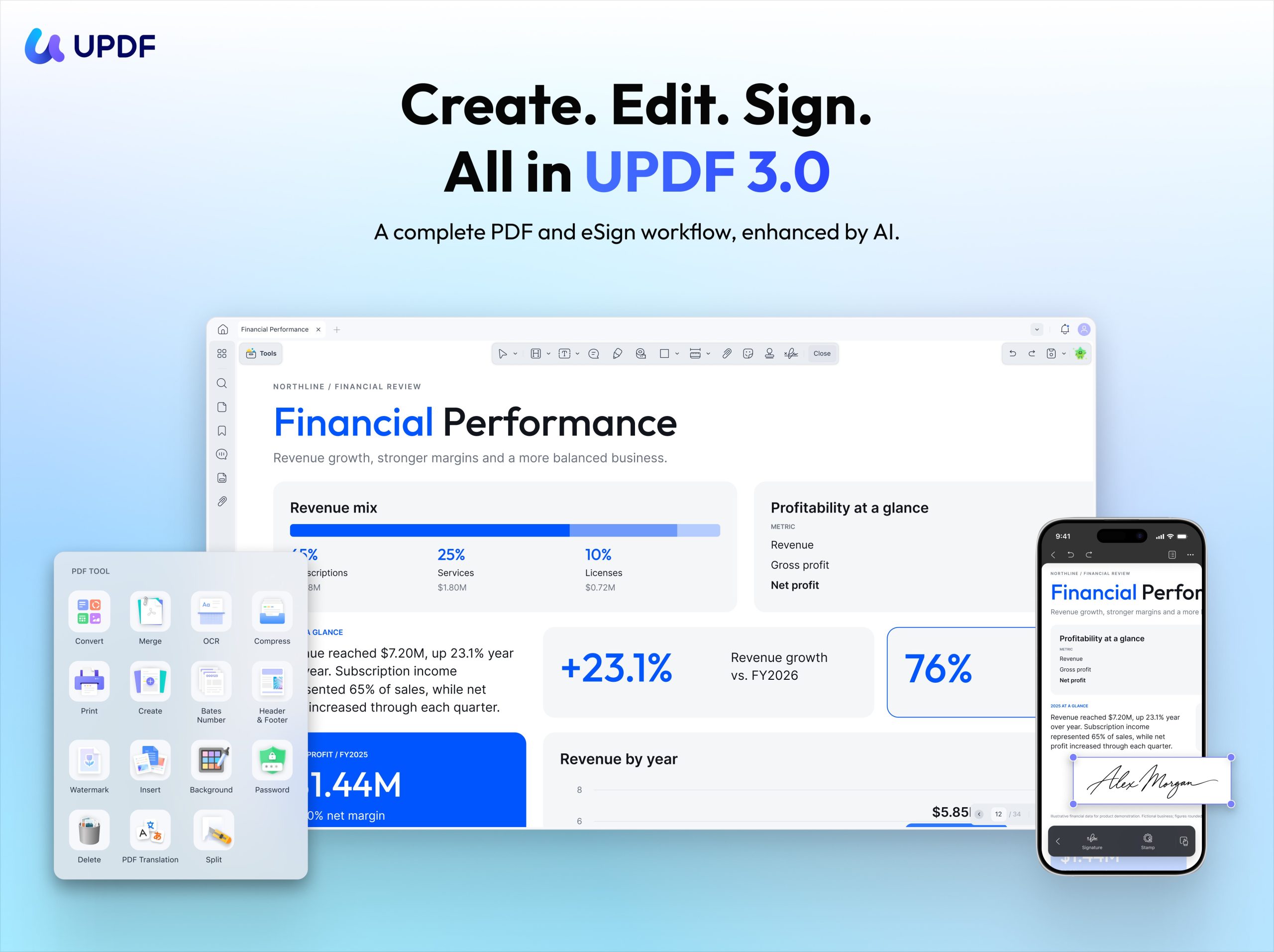
A Complete PDF and eSign Workflow, Enhanced by AI
UPDF covers the full document process from first draft to final signature. You can edit text, images, and links; annotate pages; run OCR on scanned documents; convert files; organize, compare, compress, redact, and protect PDFs; fill forms; and prepare documents for sharing. When a signature is required, the same workflow can continue through adding recipients, sending, signing, tracking, and managing the agreement.
The recently updated UPDF 3.0 keeps these core PDF tools and adds more focused AI support. Its scenario assistants help with tasks such as document review, research, contracts, study materials, and business documents, while custom tasks let users give instructions that match their own workflow. The goal is not to display a long list of AI features, but to finish a real document task inside one app and produce a usable final file.
Useful Shopping and Holiday Document Tasks
1. Scan and Organize Receipts, Invoices, and Warranty Documents
Use the UPDF mobile app (both iOS and Android versions are available) to scan receipts, invoices, product manuals, and handwritten lists, then crop, rotate, reorder, or combine the pages into one PDF. UPDF 3.0 also adds an AI Vision tool on mobile that can scan items such as receipts and business cards, recognize text, and help translate the captured content. This is a useful supporting tool when a receipt contains unfamiliar text, although the main benefit remains keeping the purchase records together.

2. Make Scanned Records Searchable with OCR
Desktop OCR can turn scanned receipts, manuals, and invoices into editable or searchable PDFs. Choose an output mode based on whether you need to correct the text, preserve the page appearance, or simply search the document later. Read the full guide to OCR PDFs for supported options and languages.

3. Combine and Organize Purchase Records
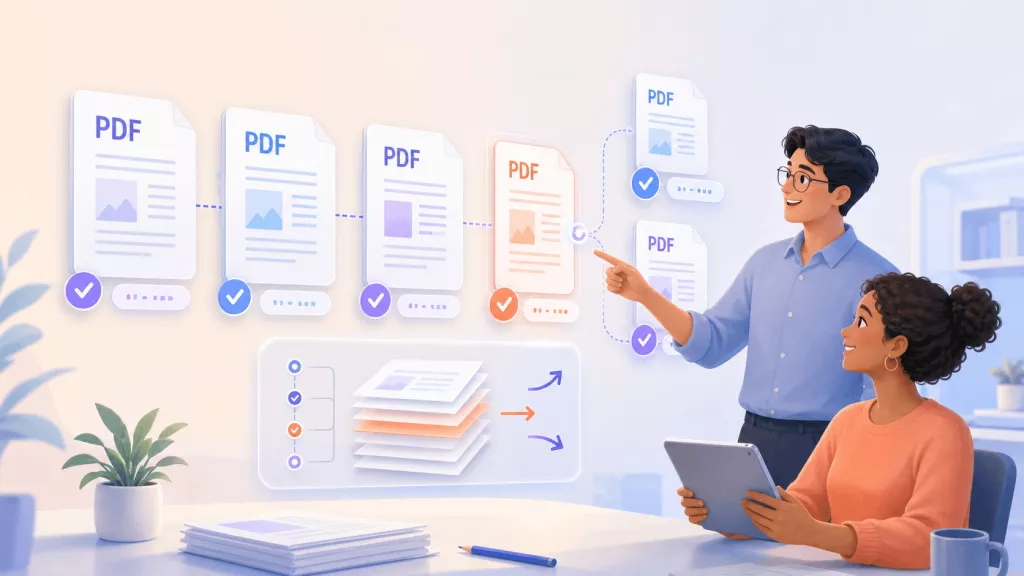
Merge receipts, order confirmations, warranty pages, and manuals into one file. You can then reorder, rotate, replace, extract, or delete pages and compress the final PDF before storing or sharing it. The PDF page organizer guide explains the available page controls.

4. Mark Important Dates and Return Conditions
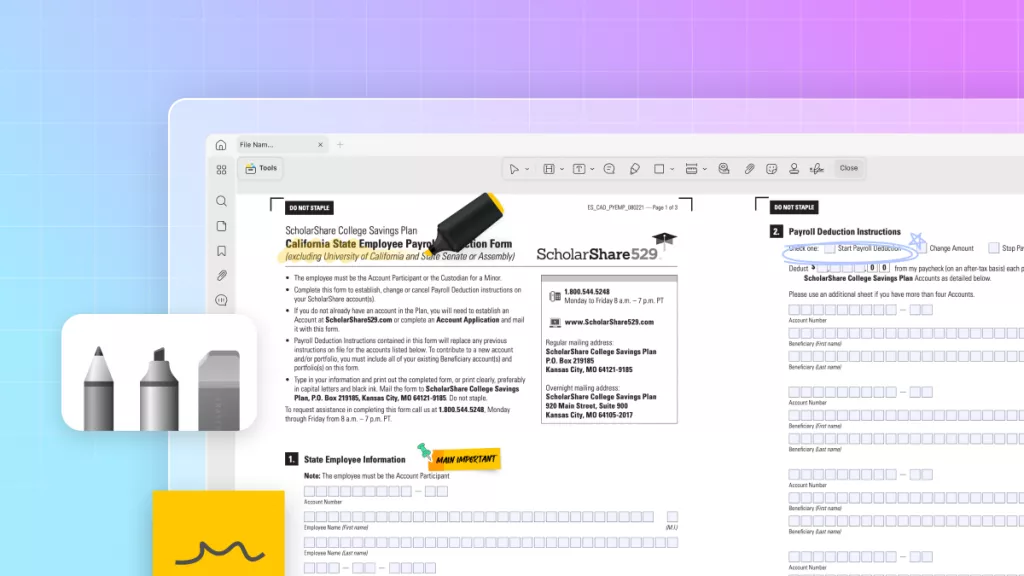
Highlight return deadlines, add notes beside warranty conditions, cross out completed shopping-list items, or attach a comment to a specific paragraph. These annotations remain connected to the PDF, making them easier to review than separate notes. See how to annotate a PDF with highlights, text boxes, shapes, stamps, and drawing tools.

5. Edit, Protect, and Sign Documents in One Workflow
UPDF can also update a warranty form, correct an invoice, redact personal information, add password protection, fill form fields, and prepare a document for signature. For agreements that require other people to sign, the workflow can continue from editing to sending and tracking without moving the document to an unrelated PDF editor. This broader workflow is what distinguishes UPDF 3.0 from a single-purpose receipt scanner.
If you prefer a one-time license, review what an UPDF lifetime plan includes before buying. You can also check the current UPDF discount information for eligibility and campaign updates.
FAQs About Prime Day vs Black Friday
Is Prime Day better than Black Friday?
Prime Day is often better for Amazon devices, Prime-exclusive offers, and mid-year shopping. Black Friday is usually better for Christmas gifts, software, appliances, and comparing prices across multiple retailers.
Should I buy on Prime Day or wait for Black Friday?
Buy during Prime Day if the item has reached a verified historical low or you need it soon. Consider waiting for Black Friday if several retailers sell the same product and you want more prices, bundles, or return policies to compare.
Are Amazon devices cheaper on Prime Day or Black Friday?
Kindle, Echo, Fire TV, Ring, and other Amazon-owned devices often receive strong discounts during both events. Neither event is always cheaper, so compare the exact model with its previous lowest price.
Do you need an Amazon Prime membership for Prime Day?
Most official Prime Day deals require an active Prime membership. Black Friday deals generally do not require a membership, although individual retailers may offer extra discounts to members.
Is Prime Day or Black Friday better for Christmas gifts?
Black Friday is usually more suitable for Christmas shopping because it occurs closer to the holiday season, includes more retailers and product categories, and may offer extended holiday return periods. Shoppers should still verify each retailer’s return policy.
Conclusion
Prime Day works best for many Amazon devices, Prime-only offers, and purchases you need earlier in the year. Black Friday usually gives holiday shoppers more retailers and product categories to compare. Check the exact model and price history instead of assuming one event always offers the deepest discount.
If PDF software is on your shopping list, UPDF's Black Friday offer provides a timely way to try a complete PDF and eSign workflow across desktop and mobile. Download UPDF, test it with your own files, and compare the available annual and lifetime options before choosing a plan.
Windows • macOS • iOS • Android 100% secure






 Enrica Taylor
 Enid Brown

 Engelbert White

 Enola Miller
A common holiday shopping question