 UPDF
UPDF
 UPDF for Windows
 UPDF for Mac
 UPDF for iPhone/iPad
 UPDF for Android
 UPDF AI Online
 UPDF Sign
 Edit PDF
 Annotate PDF
 Create PDF
 PDF Form
 Edit links
 Convert PDF
 OCR
OCR PDF to Word
 PDF to Image
 PDF to Excel
 Organize PDF
 Merge PDF
 Split PDF
 Crop PDF
 Rotate PDF
 Protect PDF
 Sign PDF
 Redact PDF
 Sanitize PDF
 Remove Security
 Read PDF
 UPDF Cloud
 Compress PDF
 Print PDF
 Batch Process
 About UPDF AI
 UPDF AI Solutions
 AI User Guide
 FAQ about UPDF AI
 Summarize PDF
 Translate PDF
 Chat with PDF
 Chat with AI
 Chat with image
 PDF to Mind Map
 Explain PDF
 Scholar Research
 Paper Search
 AI Proofreader
 AI Writer
 AI Homework Helper
 AI Quiz Generator
 AI Math Solver
 PDF to Word
 PDF to Excel
 PDF to PowerPoint
 Enterprise Solution
 Enterprise Sign
 Enterprise AI
 Enterprise Plan
 Enterprise User Guide
 Enterprise Webinar
 Banking
 Healthcare
 Insurance
 Legal
Legal Manufacturing
 Government
 Education Solution
 Customer Stories
 User Guide
 UPDF Tricks
 FAQs
FAQs UPDF Reviews
 Download Center
 Blog
Blog Newsroom
 Tech Spec
 Updates
 UPDF vs. Adobe Acrobat
 UPDF vs. Foxit
 UPDF vs. PDF Expert

Most people use GoodNotes for taking down notes, copying pictures, reading PDFs, etc.. However, more and more users are complaining that Goodnotes has deteriorated over the past one to two years. Therefore, exploring GoodNotes alternatives unveils a world of digital note-taking solutions tailored to diverse needs and preferences. Whether you seek enhanced features or different platform compatibilities, this guide offers valuable insights. Dive in to discover the perfect note-taking app for you—read on to the end for our comprehensive analysis.
Part 1. Top 10 GoodNotes Alternatives (Free & Paid)
This curated list is designed to provide an insightful overview of apps in the market, addressing a range of user requirements and preferences.
#1 UPDF
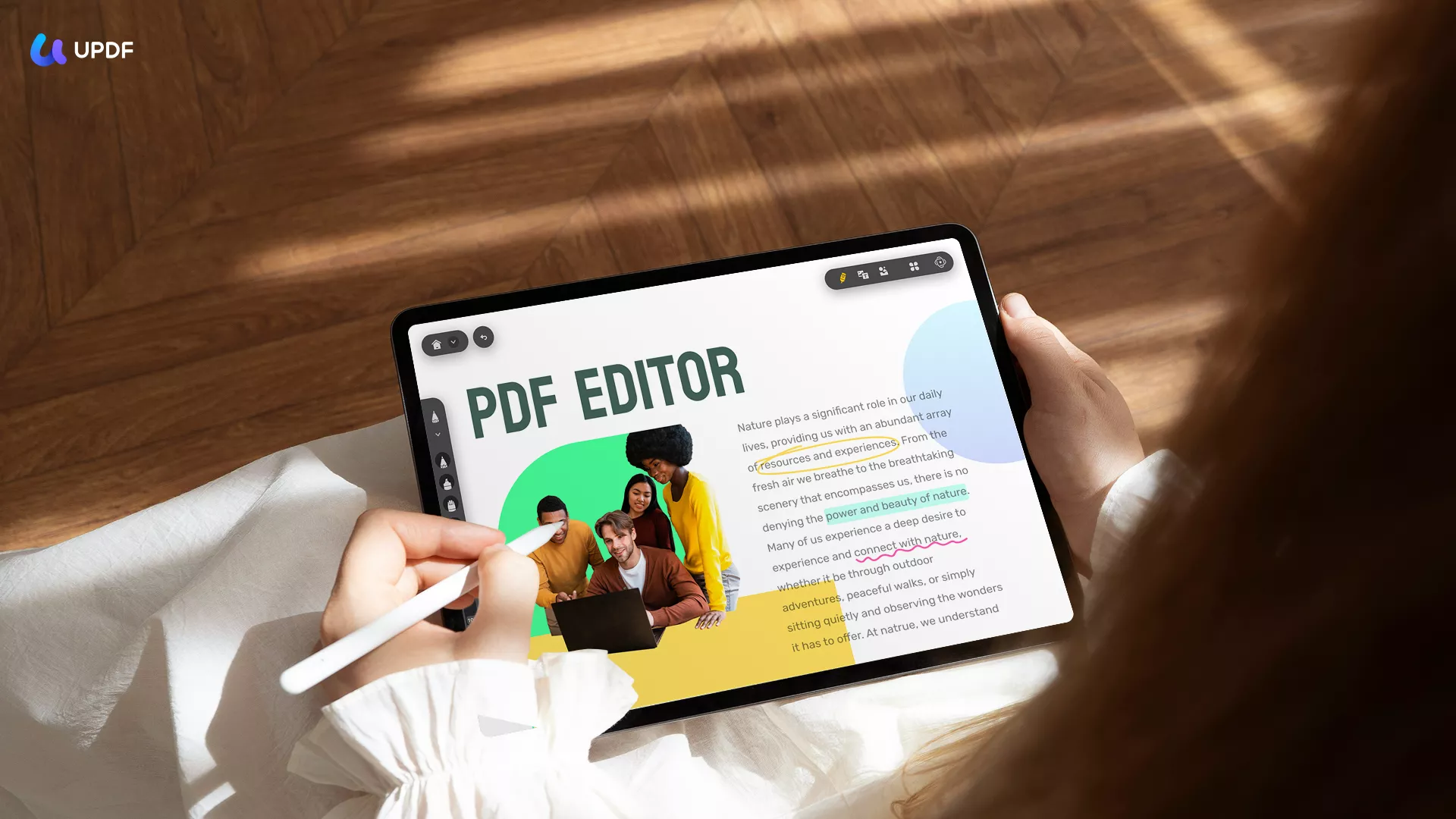
UPDF is a modernized AI-powered PDF editor and note-taking app. It emerges as a versatile GoodNotes alternative, especially appealing for iPad users seeking a seamless note-taking experience. This app stands out with its ability to annotate PDFs — for example, highlight text, underline text, insert stickers and stamps, insert comments directly on documents — and export all the comments for review.
Additionally, you can use its built-in AI to interact with your document through a human-like one-to-one conversation, generate a mind map for any documents, and select any text and ask UPDF AI to summarize, explain, or translate it. Afterwards, you can directly add the explanation as a comment/note. All these features are powered by GPT-5 and DeepSeek R1.
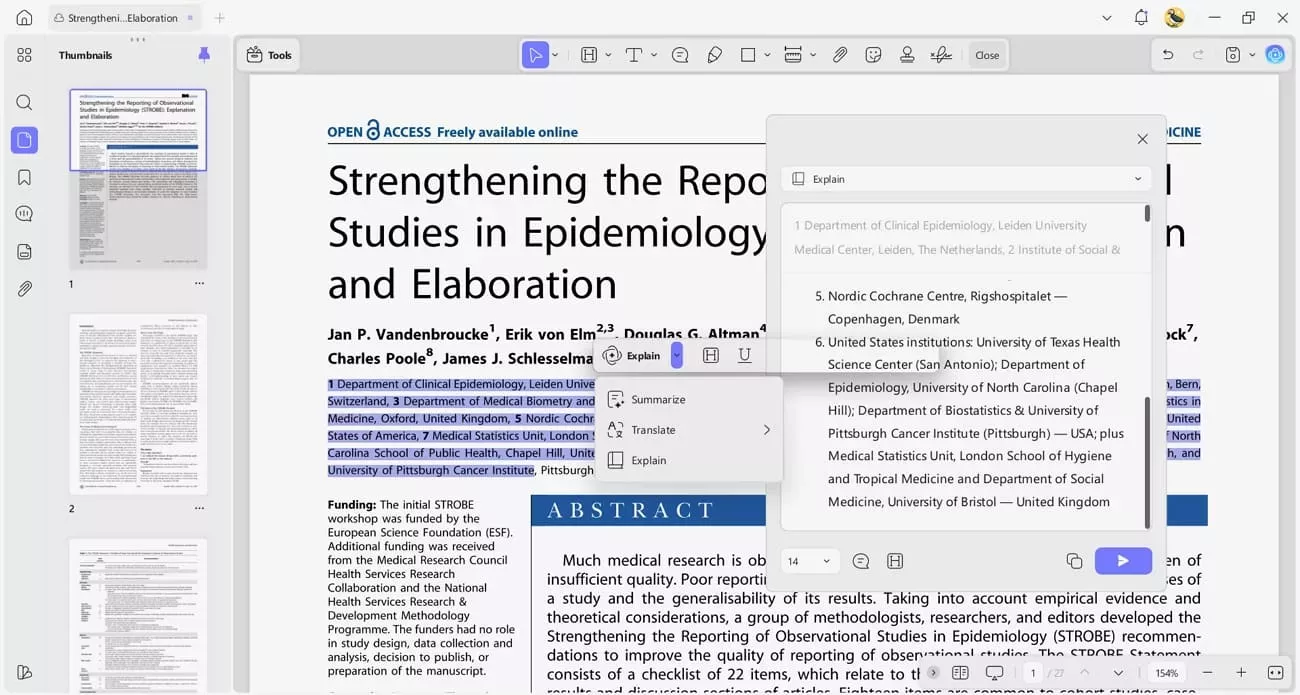
For users on the go, UPDF's compatibility across four platforms—including iOS, Android, macOS, and Windows—ensures your notes are accessible wherever you are. Moreover, UPDF does have a one time subscription option. Download it for a free trial now.
Windows • macOS • iOS • Android 100% secure
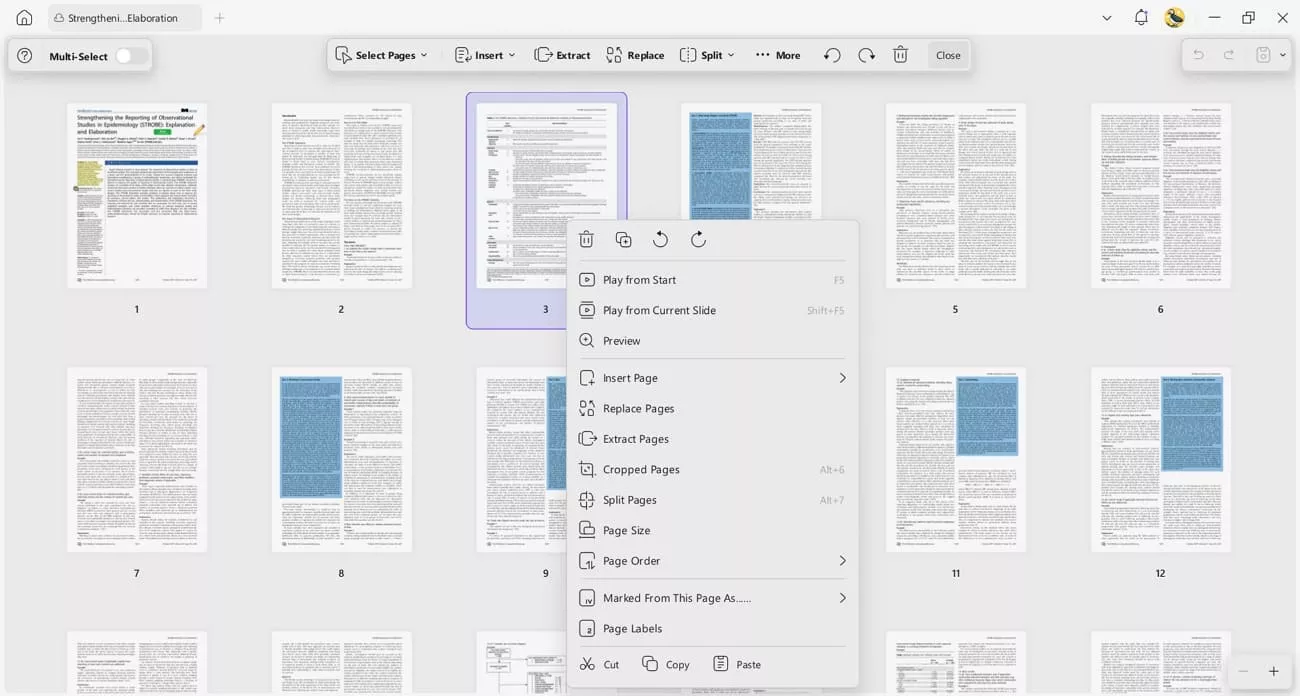
Most users want control over how they manage their documents, so UPDF offers features such as splitting a book into smaller sections and extracting only the pages they need. This flexibility allows you to customize your study materials to fit your workflow. In addition, you can switch between single-page and double-page modes, scroll continuously for a seamless experience, enable a dedicated dark mode for comfortable night reading, and quickly navigate pages with bookmarks.
UPDF has been rated 4.5 out of 5 stars on G2, reflecting its reliability and user satisfaction. The app offers a free version, which, while comprehensive, applies watermarks when saving notes as documents. To remove these limitations, UPDF provides a paid version starting at $39.99 per year, to cater to users requiring more advanced features without restrictions.
Pros:
- Pros include its multi-platform compatibility and robust annotation tools, making it an excellent choice for diverse users.
- Except for taking text notes, you can also add stickers, sticky notes, stamps and many other notes with its annotation tools.
- You can manage these annotations through its comment list, including share and export.
- Being integrated with AI, it makes reading text content easier, especially when you are taking notes on obscure documents.
Cons:
- However, the main drawback is the watermark feature in the free version, which may not suit all users' needs.
Consider giving UPDF a try if you're looking for a comprehensive, cross-platform note-taking solution. Download it and explore further and find the right plan for your requirements.
Windows • macOS • iOS • Android 100% secure
#2 Notion
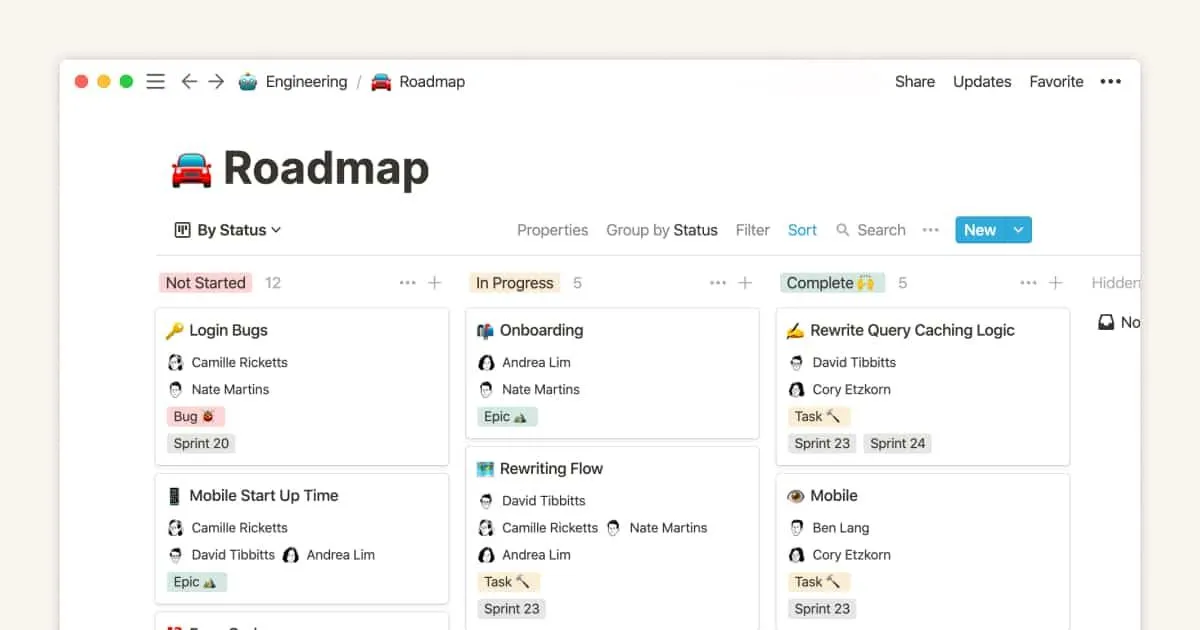
Notion offers a highly flexible workspace that caters to both individual users and teams. Notion's standout features include customizable templates, a drag-and-drop interface, and collaborative tools that enhance productivity. Users can create and share notes, build knowledge bases, and manage tasks with ease. Its G2 rating of 4.6 out of 5 stars reflects strong user satisfaction.
Notion operates on a freemium pricing model, with the free version offering ample functionality for individual users. Paid plans provide additional features like unlimited file uploads and advanced permissions, starting from $12 per user per month for teams.
Pros:
- Pros of Notion include its extensive customization options, robust collaboration features, and the ability to integrate with other apps.
Cons:
- However, its cons lie in the learning curve associated with its wide array of features and potentially overwhelming options for new users.
#3 Microsoft OneNote
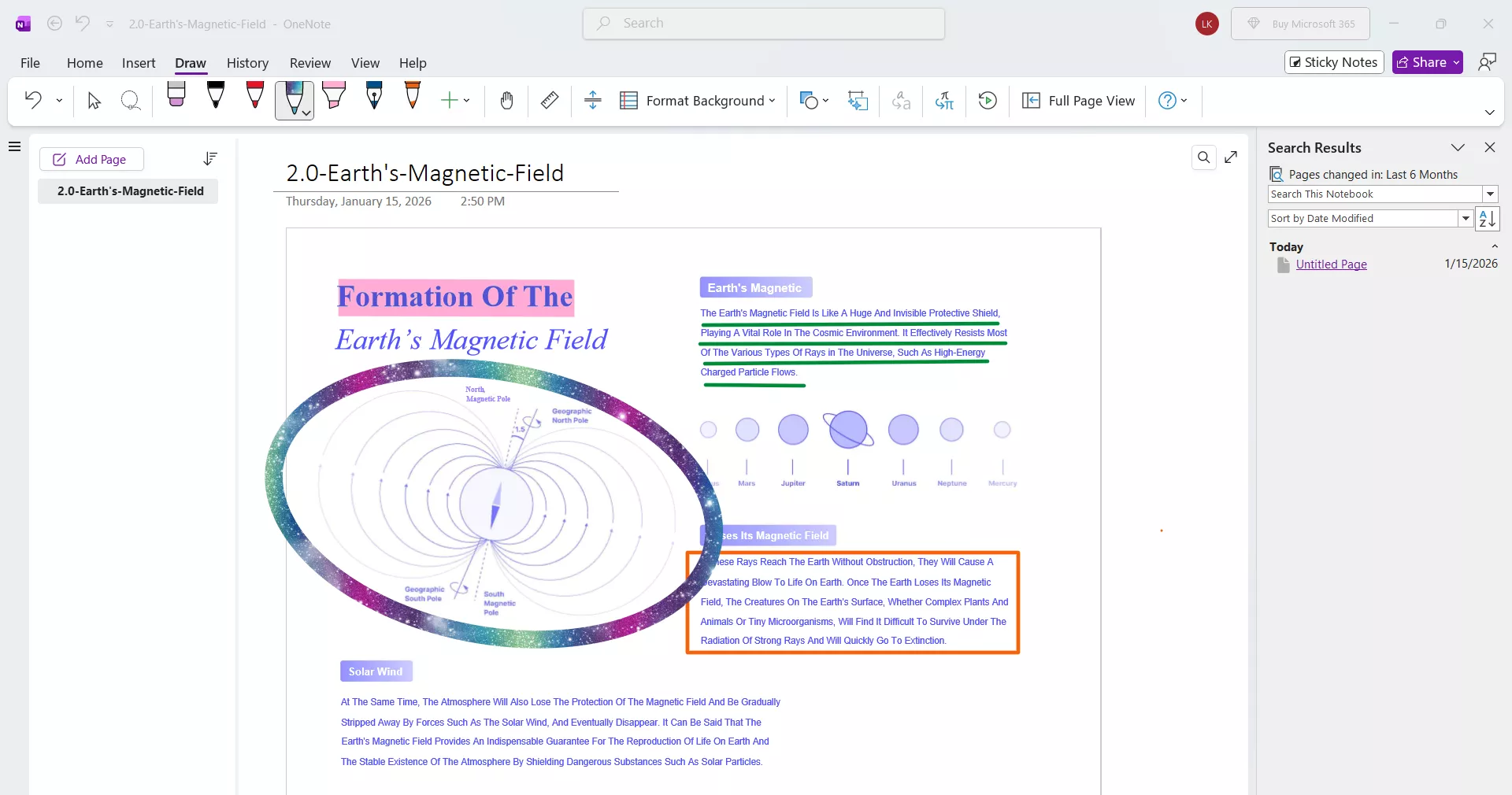
Microsoft OneNote is favored for its integration within the Microsoft ecosystem. Key features include a freeform canvas for note-taking, the ability to insert multimedia elements, and handwriting recognition, particularly beneficial for iPad users with stylus support. G2 ratings of 4.5 out of 5 stars affirm OneNote's effectiveness as a versatile note-taking app. OneNote is free to use, offering substantial value without any financial commitment.
Pros:
- Pros of OneNote include its robust integration with Microsoft Office, extensive organizational tools, and no-cost access.
Cons:
- However, its cons are the potential complexity for new users and occasional syncing issues across devices.
#4 Notability
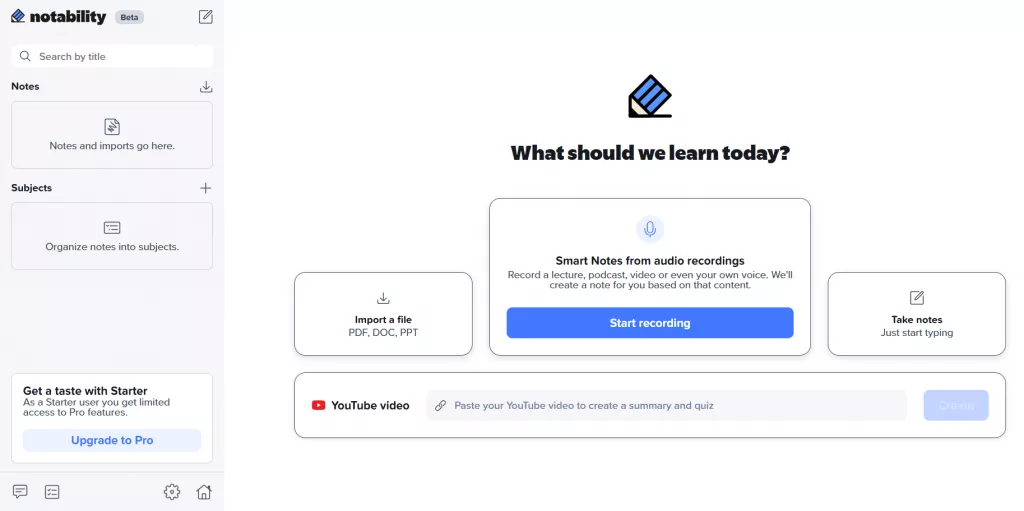
Notability is especially popular among iPad users for its smooth note-taking and sketching capabilities. Notability's key features include the ability to annotate PDFs, record audio while taking notes, and a wide range of writing and drawing tools. Its integration with iCloud ensures that notes are synchronized across all devices, making them accessible anytime, anywhere. G2 ratings of 4.6 out of 5 stars highlight Notability's user-friendly interface and the quality of its handwriting recognition.
The app offers two subscription-based options instead of a one-time purchase:
- The PLUS plan is priced at $20 yearly. It includes everything in the STARTER plan and also offers note summaries, quizzes & flashcards (limited monthly), and audio transcription.
- The PRO plan is priced at $99 yearly. It encompasses all features in the PLUS plan and further provides real - time Smart Notes, unlimited quizzes & flashcards, live transcription, and the ability to chat with your notes.
Pros:
- Pros of Notability are its intuitive design, excellent handwriting and sketching tools, and audio recording capabilities, making it a top choice for interactive note-taking.
Cons:
- However, the cons include the cost of premium features for users who require more than the basic functionalities and the limited availability outside the iOS ecosystem.
#5 Linwood Butterfly
Butterfly is a relatively new player in the note-taking app landscape, offering a unique approach that prioritizes simplicity and visual organization. Key features that set Butterfly apart include its visually oriented interface, easy-to-use diagramming tools for creating flowcharts and mind maps, and seamless syncing across devices. While specific G2 ratings may not be available due to its novelty, early adopters praise its user-friendly design and flexibility.
Butterfly operates on a freemium model, with basic features available for free and premium features unlocked with a subscription. Pricing details are tailored to provide options for both individual users and teams, ensuring accessibility to its broad range of functionalities.

Image source: Linwood Butterfly
Pros:
- Pros of Butterfly include its emphasis on visual organization, making it particularly appealing to visual learners, and its cross-platform compatibility.
Cons:
- Cons may include a limited feature set compared to more established apps and a potential learning curve for users unfamiliar with diagram-based note-taking.
#6 eiNote
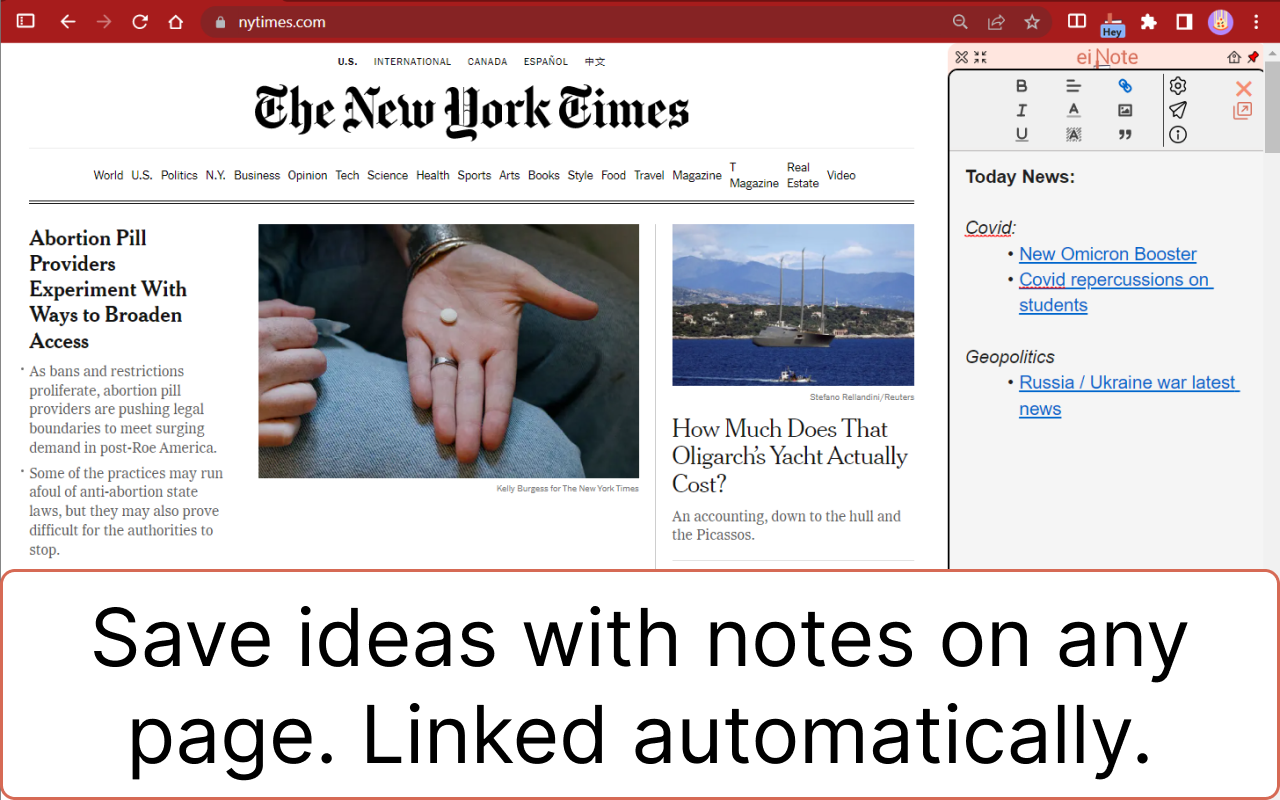
eiNote stands out for its clean interface and simple functionality, making it an excellent choice for those who want to focus on taking notes without the clutter of excessive features. Key features of eiNote include streamlined note organization, customizable pen tools for handwriting and drawing, and the ability to insert images and PDFs into notes. While specific G2 ratings might not be available, user feedback highlights its ease of use and effectiveness for basic note-taking needs. Pricing for eiNote is straightforward, offering a free version with basic functionality and a paid subscription starting at $50 per year that unlocks additional features like cloud syncing and advanced editing tools.
Pros:
- Pros of eiNote include its user-friendly interface, which is ideal for quickly capturing notes and ideas. The app's focus on essential note-taking features reduces complexity and learning time.
Cons:
- However, its cons may include limited functionality compared to more comprehensive note-taking apps and the lack of advanced collaboration tools.
#7 Freenotes
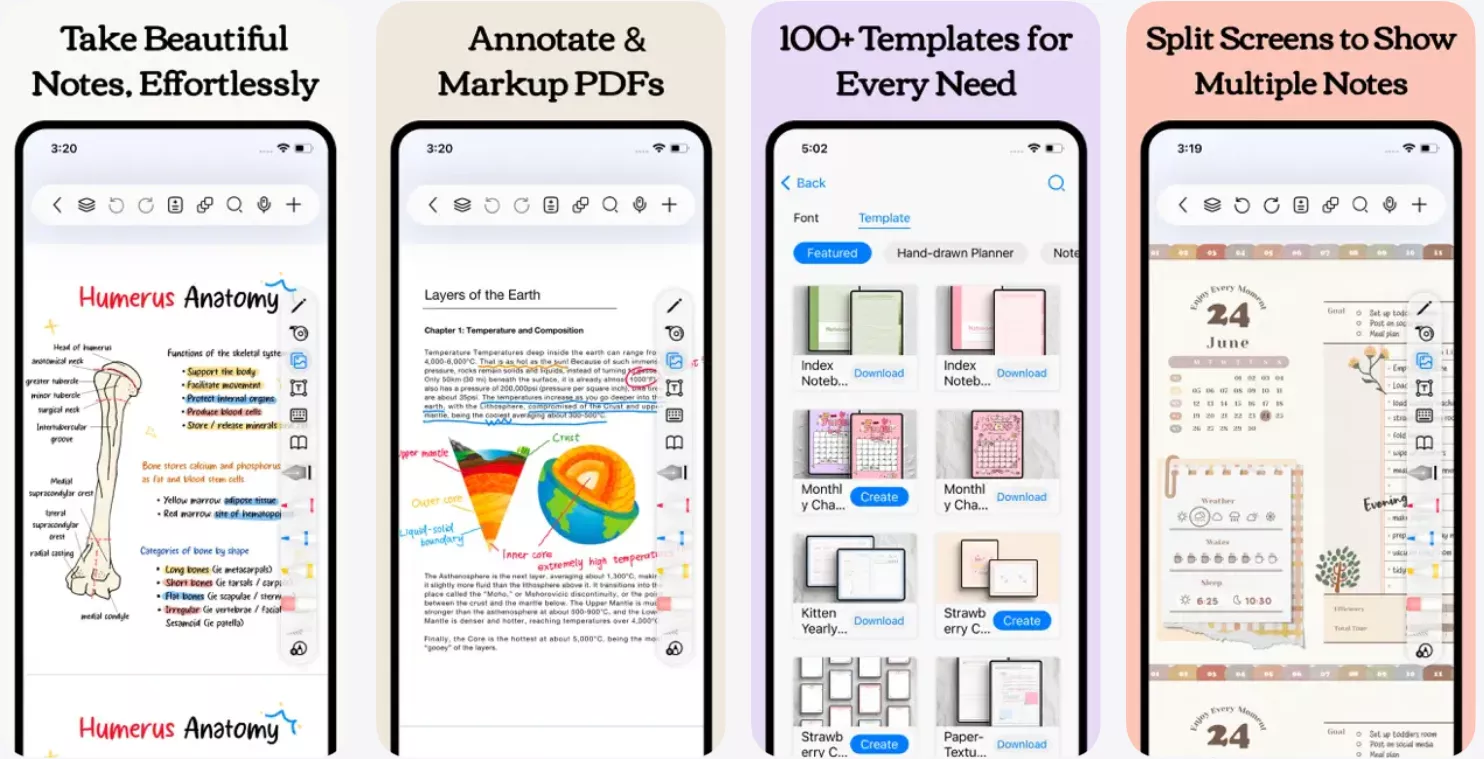
Freenotes is designed to offer a straightforward, clutter-free environment for jotting down ideas, making lists, and organizing thoughts effectively. The core features of Freenotes include a minimalist interface, basic text formatting, and the ability to categorize notes into notebooks for better organization. While it may not boast the extensive functionalities of more complex apps, its simplicity is where its strength lies, appealing to users looking for a no-fuss note-taking solution. Freenotes has a 4.7 out of 5 star rating on the App Store. Freenotes is free to use, with optional in-app purchases for users who need additional features.
Pros:
- The pros of Freenotes include its user-friendly interface and the absence of unnecessary features, making it ideal for quick note-taking.
Cons:
- On the downside, its limited functionality compared to competitors might not satisfy users looking for comprehensive note-taking and organizational tools.
#8 Easy Notes
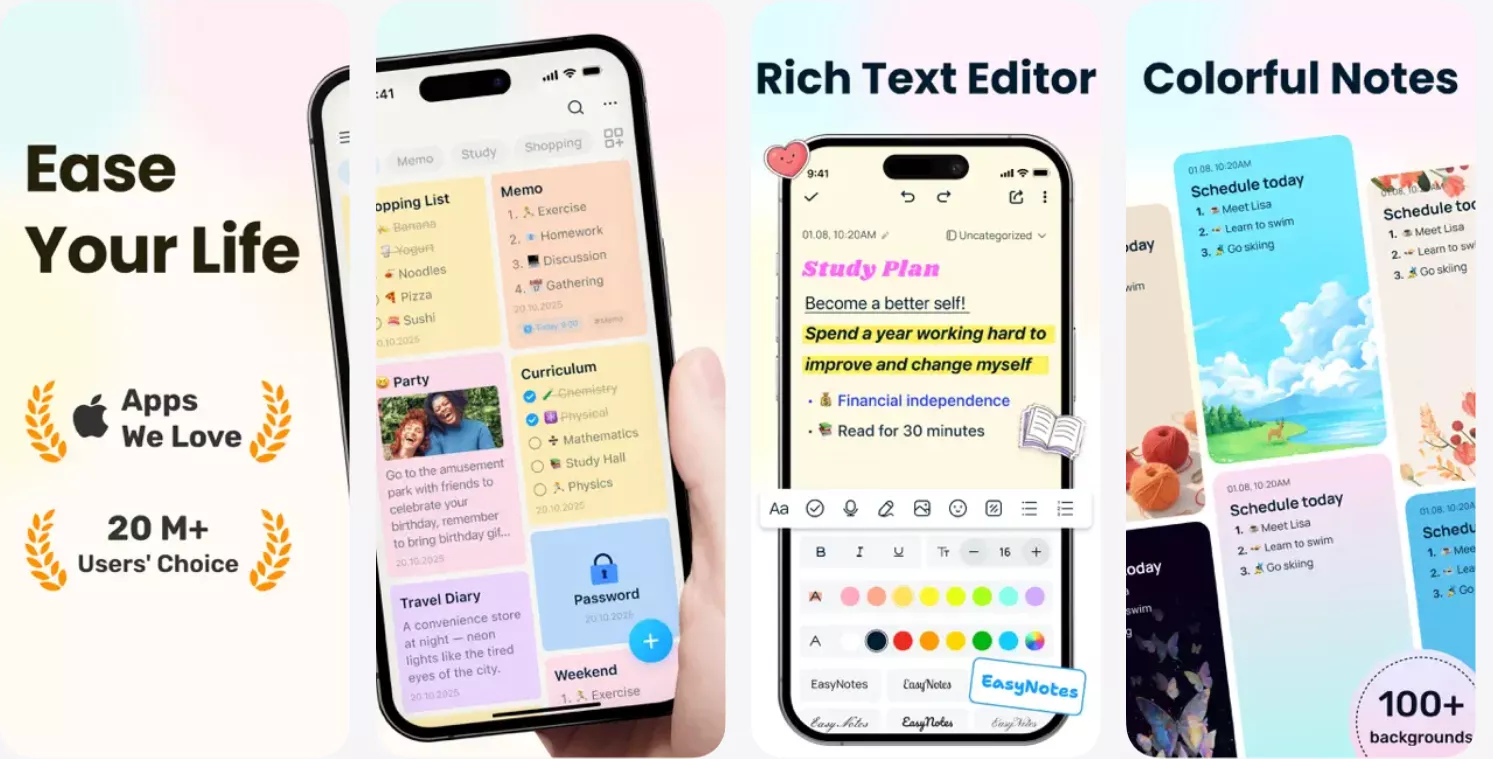
Easy Notes offers a clean interface that allows users to quickly jot down thoughts, make lists, and organize their ideas without the complexity of more feature-rich applications. Important features include basic text formatting, the ability to insert images, and simple organizational tools like notebooks and tags. Easy Notes is rated 4.8 out of 5 stars on the Google Play Store. Easy Notes is a free app, making it an accessible choice for anyone looking to manage their notes without financial outlay. There are in-app advertisements, with an option to upgrade to a paid version to remove advertisements and access additional features.
Pros:
- Pros of Easy Notes include its no-cost access, straightforward user interface, and essential note-taking functionality.
Cons:
- The cons are the presence of ads in the free version and limited features compared to more comprehensive note-taking solutions.
#9 Noteful
Noteful stands out with its sleek design and a suite of tools that accommodate diverse note-taking styles, from typed notes to hand-drawn sketches, making it particularly appealing for tablet users with stylus support. Key features of Noteful include customizable note templates, a variety of pen styles and colors for freehand writing, and the ability to import PDFs for annotation. Noteful is rated 4.7 out of 5 stars on the App Store. Pricing for Noteful is structured to offer both free and premium tiers. The free version provides basic note-taking capabilities, while the premium subscription provides access to more advanced features such as unlimited notebooks and cloud synchronization.

Pros:
- Pros of Noteful include its versatility in note creation, attractive interface, and the option for cloud backup.
Cons:
- Cons include the limitations in the free version and a subscription model for access to premium features.
#10 Zoho Notebook
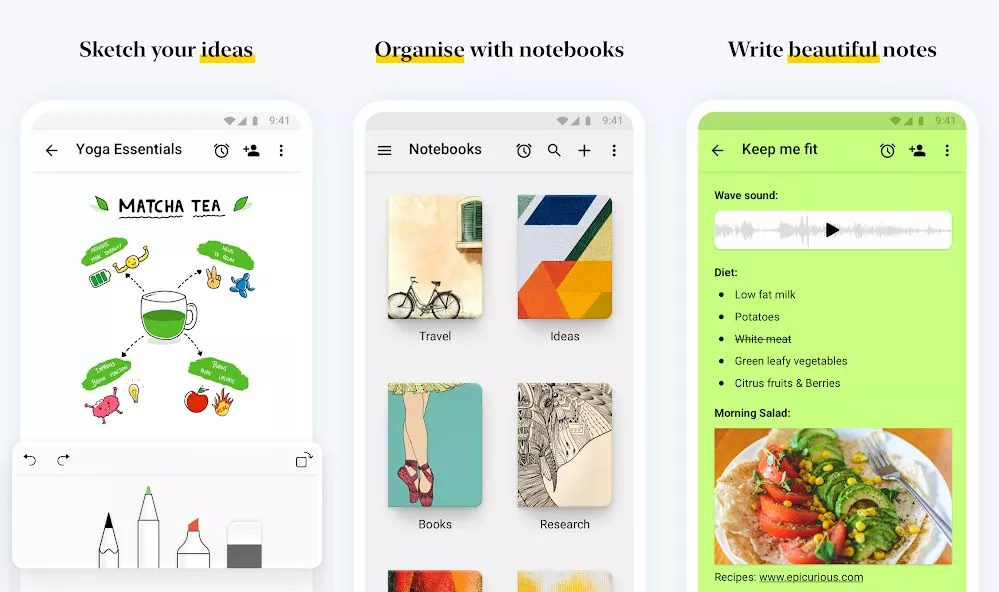
Zoho Notebook distinguishes itself with its unique notebook-themed interface, allowing users to customize their digital notebooks with covers and organize notes in a visually satisfying manner. Key features include text, voice, and photo notes, alongside document scanning capabilities, making it versatile for various types of data collection and note-taking needs. Zoho Notebook's integration with the broader Zoho ecosystem enhances its appeal for users of Zoho's productivity suite. Its G2 ratings of 4.4 out of 5 stars reflect appreciation for its user-friendly design and functionality, marking it as a reliable choice for personal and professional note-taking. Zoho Notebook is completely free, offering its full range of features without cost, setting it apart from many competitors in the note-taking app space.
Pros:
- Pros of Zoho Notebook include its rich text options, intuitive organization system, and entirely free access.
Cons:
- Cons might be its relatively limited third-party integrations compared to some alternatives and the potential for users to desire more advanced features in a note-taking app.
Part 2. Comparison Chart: Top 10 GoodNotes Alternatives
| Alternative | Supported Platforms | Key Features | Rating | Pricing |
| UPDF | Mac, Win, iOS, Android, Online (AI Only) | More than 20+ note-taking tools with AI assistant, Multi-platform support | 4.5 / 5 (G2) | Free version available; Subscription starting at $39.99/year (full features including PDF editing, annotating, converting, filling and signing, etc.) |
| Notion | iOS, Android, Win, Mac | Customizable templates, Collaborative tools | 4.6 / 5 (G2) | Free version available. Subscription starting at $8/month |
| Microsoft OneNote | Win, Mac, iOS, Android, Web | Freeform canvas, Multimedia insertion, Handwriting recognition | 4.5 / 5 (G2) | Free |
| Notability | iOS, Web | Audio recording and transcription, note summaries, quizzes and flashcards | 4.6 / 5 (G2) | Plus: $20 yearly Pro: $99 yearly |
| Butterfly | Win, Linux, Mac, Android, iOS, Web | AI-powered summaries, Collaborative spaces, Multimedia support | N/A | Free version and subscriptions available. |
| eiNote | Web | Handwritten notes recognition, PDF export, Custom templates | N/A | Free version available. Subscription starting at $50/year |
| Freenotes | iOS, Android | Simple note-taking, Voice notes, Cross-device syncing | 4.7 / 5 (App Store) | Free |
| Easy Notes | iOS, Android | Basic text formatting, Image insertion, Organizational tools | 4.8 / 5 (Google Play Store) | Free with ads, Premium version available. |
| Noteful | iOS | Customizable templates, Variety of pen styles, Cloud synchronization | 4.8 / 5 (App Store) | Free version and subscriptions available. |
| Zoho Notebook | iOS, Android | Text, voice, photo notes, Document scanning, Customizable covers | 4.4 / 5 (G2) | Free |
Dive into the seamless world of digital note-taking with UPDF today. Experience unmatched versatility across all your devices. Don't let watermarks hold you back; upgrade to our premium version for the ultimate freedom in document management. Click here to download UPDF and transform your note-taking journey now!
Windows • macOS • iOS • Android 100% secure
Part 3. FAQs About GoodNotes Alternatives
Q1. Is OneNote being phased out?
No, OneNote is not being phased out. Microsoft continues to support and update OneNote, integrating it closely with the Office 365 suite and Windows ecosystem, ensuring its place as a key player in note-taking apps.
Q2. Is Evernote better than GoodNotes?
Whether Evernote is better than GoodNotes depends on your needs. Evernote excels in cross-platform syncing and information retrieval, while GoodNotes is praised for its handwriting recognition and drawing capabilities, especially on iOS devices.
Q3. What do Mac users use instead of OneNote?
Mac users looking for alternatives to OneNote often turn to apps like Notability for handwritten notes and drawings, or UPDF for a more integrated macOS and iOS experience, offering simplicity and powerful note-organizing features.
Conclusion
In conclusion, while there are numerous GoodNotes alternatives, each with its unique strengths, UPDF stands out for its versatility and user-friendly interface. Ideal for those seeking a comprehensive digital note-taking solution, we highly recommend giving UPDF a try. Discover how it can elevate your note-taking experience today.
Windows • macOS • iOS • Android 100% secure
Disclaimer





 Grace Curry
 Enid Brown
 Enola Miller
 Engelbert White
Avoid this Note-taking app!
Anyone who's joined Med School, bought iPad and looking forward to take digital notes, My only advice to you would be not to spend your hard-earned money on Goodnotes , despite its good reviews on appstore!
The app was way better 5-6 years back (hence the good reviews) but in the recent 1-2 years, the updates and uncooked decisions by the team turned this app into nothing less than an absolute Trash! I can't go to other apps as I've years of time invested in this app to make notes! But you guys better choose some other apps.