UPDF
UPDF
 UPDF for Windows
 UPDF for Mac
 UPDF for iPhone/iPad
 UPDF for Android
 UPDF AI Online
 UPDF Sign
 Edit PDF
 Annotate PDF
 Create PDF
 PDF Form
 Edit links
 Convert PDF
 OCR
OCR PDF to Word
 PDF to Image
 PDF to Excel
 Organize PDF
 Merge PDF
 Split PDF
 Crop PDF
 Rotate PDF
 Protect PDF
 Sign PDF
 Redact PDF
 Sanitize PDF
 Remove Security
 Read PDF
 UPDF Cloud
 Compress PDF
 Print PDF
 Batch Process
 About UPDF AI
 UPDF AI Solutions
 AI User Guide
 FAQ about UPDF AI
 Summarize PDF
 Translate PDF
 Chat with PDF
 Chat with AI
 Chat with image
 PDF to Mind Map
 Explain PDF
 PDF AI Tools
 Image AI Tools
 AI Chat Tools
 AI Writing Tools
 AI Study Tools
 AI Working Tools
 Other AI Tools
 AI Bookmark Generation
 AI Bookmark Summary
 AI Watermark Generation
 AI Background Generation
 AI Sticker Generation
 AI Stamp Generation
 AI Editing Suite
 UPDF Copilot
 AI Page Management
 AI Semantic Search
 PDF to Word
 PDF to Excel
 PDF to PowerPoint
 Enterprise Solution
 Enterprise Sign
 Enterprise AI
 Enterprise Plan
 Enterprise User Guide
 Enterprise Webinar
 Banking
 Healthcare
 Insurance
 Legal
Legal Manufacturing
 Government
 Education Solution
 Customer Stories
 User Guide
 UPDF Tricks
 FAQs
FAQs UPDF Reviews
 Download Center
 Blog
Blog Newsroom
 Tech Spec
 Updates
 UPDF vs. Adobe Acrobat
 UPDF vs. Foxit
 UPDF vs. PDF Expert

Producing high-quality research starts with a reliable search engine. Google Scholar has been the go-to platform for decades. It allows you to search journals, books, theses, and conference papers, while tracking citations.
However, many new users struggle to understand this research platform. Therefore, this article provides a complete review of the Google Scholar search engine, its features, benefits, limitations, and more.
While Google Scholar is widely used, AI-powered platforms are emerging as smarter tools for research. UPDF AI Online is one such tool that helps you find papers and analyze them for deeper insights. Visit it now to learn more!
Part 1. What Is the Google Scholar Search Engine?
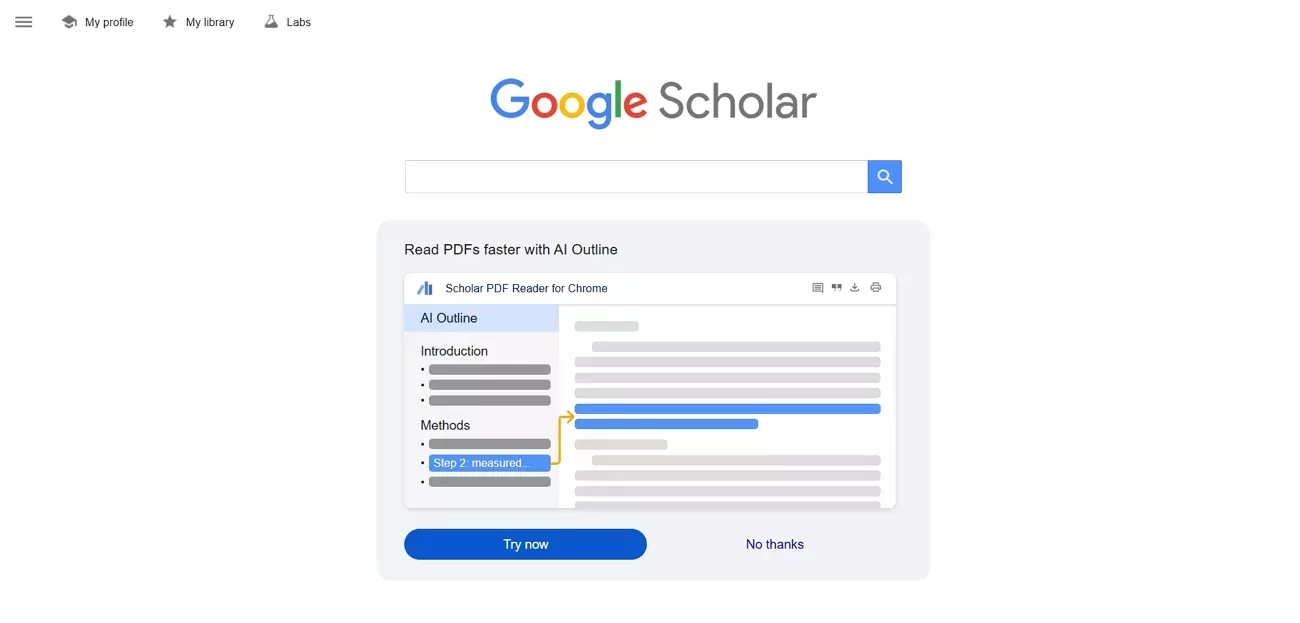
Google Scholar is an academic search platform that allows you to find scholarly literature from various online repositories. Instead of generally indexing all websites, it focuses on scholarly platforms, online journals, and university libraries. As a result, it makes it easy to find research articles, theses, books, and court opinions with a simple search query.
1.1 History and Background
Google Scholar was developed by Alex Verstak and Anurag Acharya, who dreamed of making a platform that would help researchers solve problems ten times faster. The solution was providing easier access to scientific data. Thus, Google Scholar as a search engine came into being in 2004.Since its launch, the platform has undergone significant upgrades. Citation importing was added in 2006, and a journal digitization program began in 2007. In the year 2012, scholars were also able to create personal citation profiles. And not long after, in 2013, an update introduced the Scholar Library feature, which allowed researchers to save and organize their search results in a digital library. Today, Scholar also offers features like metrics for tracking journal and field impact, and profiles for notable academics such as Albert Einstein and Richard Feynman.
1.2 Main Features of Google Scholar
Google Scholar offers many useful features to help you find and organize academic literature. Below, I've explained these features under three main categories.
1. Search for Scholarly Articles
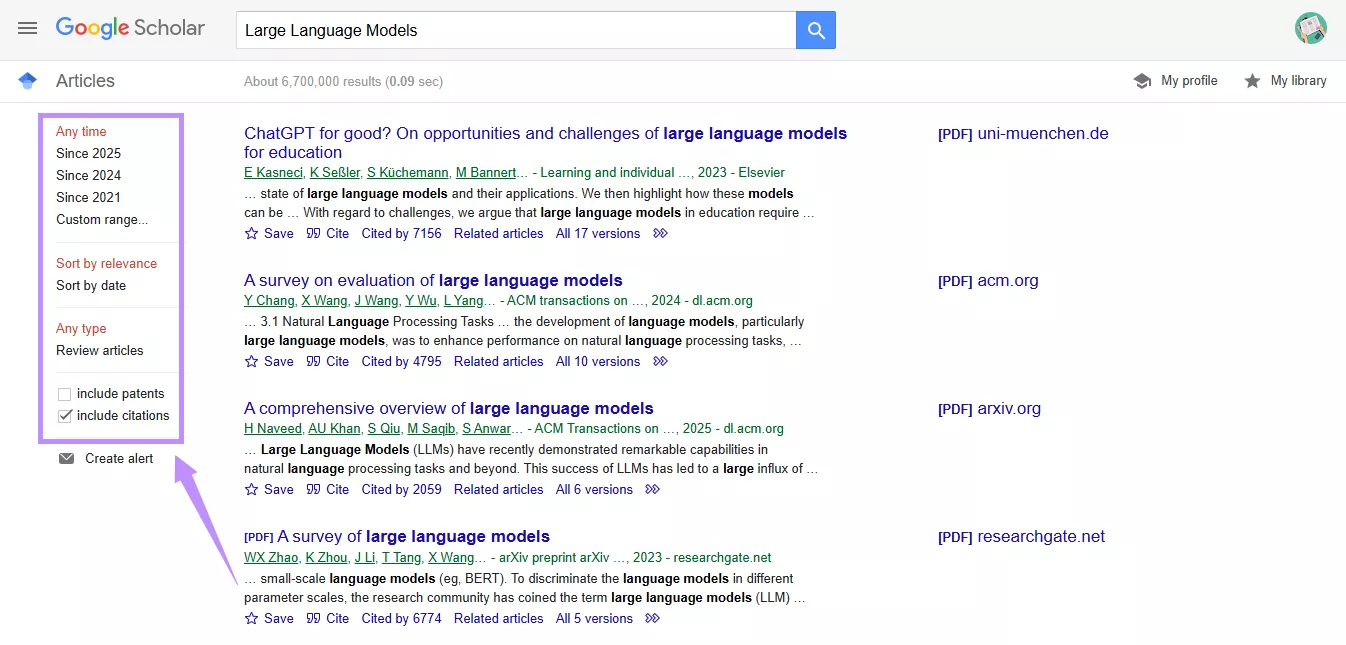
Google Scholar Search Engine allows you to find journal articles, books, theses, dissertations, and conference papers. You can search using keywords, publication titles, and even author names. In addition, it lets you filter results by publication year, date, and type.
Some uses of this feature include:
- Conducting a literature review for a new research topic.
- Finding studies published in a specific time frame.
- Identifying different publication versions of the same study.
2. Citation and Metrics Overview
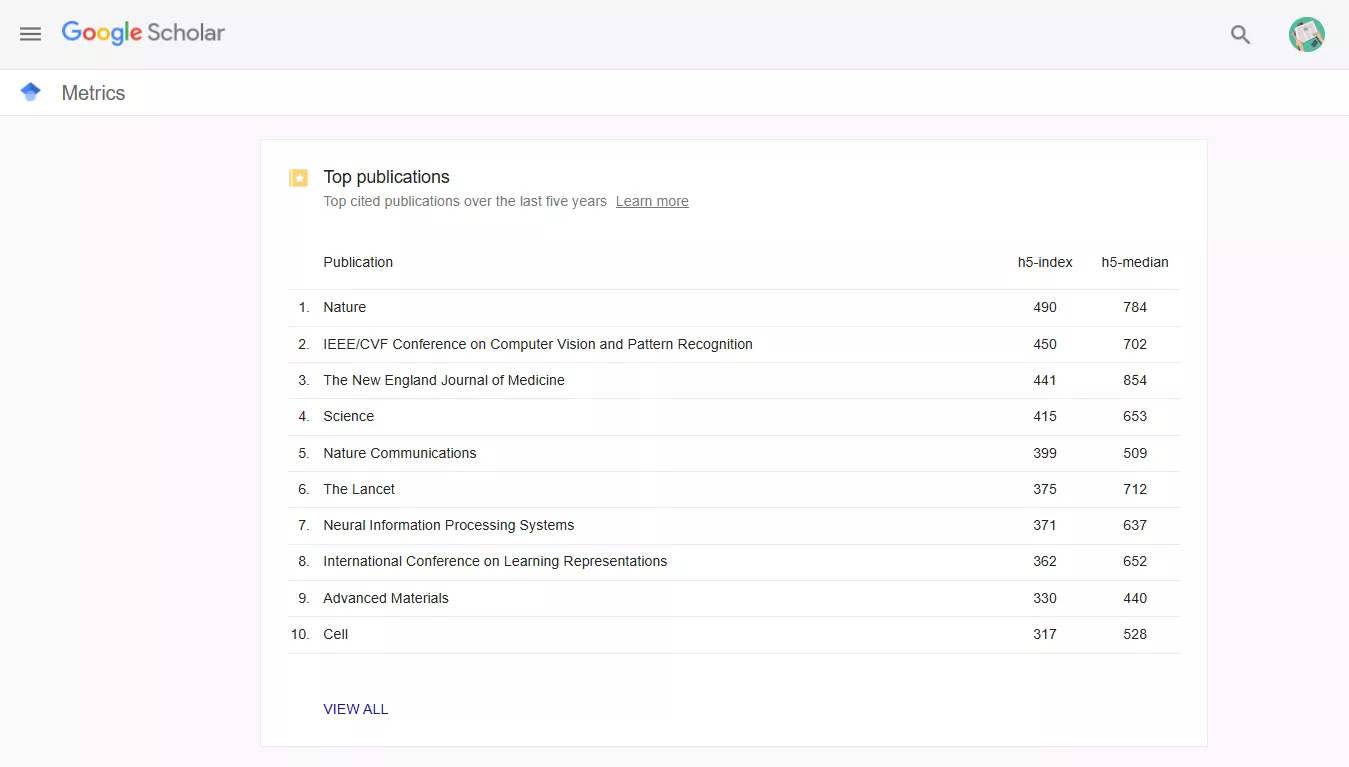
It allows you to view the exact citation counts for each publication with links to newer studies that reference it. Moreover, the metrics enable you to view the top-cited publications from the past five years and statistics for the top funding agencies.
This can be helpful to:
- View how often a paper has been cited
- Identify related research through the "Cited by" feature
- Review author profiles with citation metrics and h-index data
3. Alerts and Library Integration
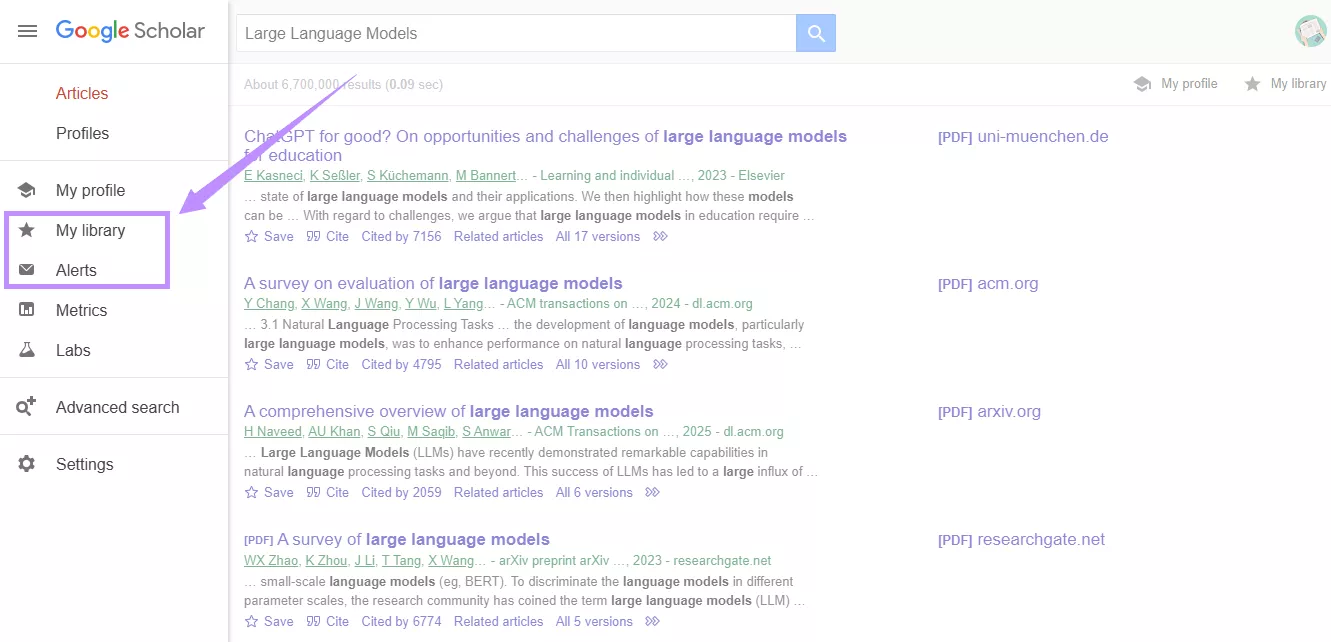
Google Scholar allows you to set up alerts to receive notifications when new papers relevant to your query are published. Moreover, you can save the articles in your personal library for quick access later on.
Here's how this feature can be helpful in practice:
- Finding newly published studies in a narrow research field.
- Creating a reading list for thesis or dissertation work.
- Exporting citations directly into EndNote or other reference managers.
1.3 Strengths and Limitations of Google Scholar
Here's a look at the pros and cons of Google Scholar search engine, so you can see if it's a reliable choice for you.
Pros:
- Everyone can use it without any special training.
- You can perform more thorough and controlled manual research.
- It provides access to sources not available in standard web searches
- It shows results across multiple disciplines in a single search.
- It supports both manual and automatic citations via reference managers.
Cons:
- Limited filters to perform advanced searches with precision.
- No AI-driven understanding of research content or context.
- Citation counts can include low-quality and duplicate sources
- No tools to analyze or interact with full documents.
1.4 Is Google Scholar Search Engine Free?
Yes, Google Scholar as a search engine is completely free to use. You can search for scholarly literature without paying any fee. However, access to the full text is not always without cost. This is because the indexed articles are hosted on publisher websites. Most of these require you to pay a certain amount for access. Meanwhile, some papers are available for free through open-access journals or through your institution's online repository.
Part 2. UPDF AI Online: A Better Way to Handle Academic Research with AI
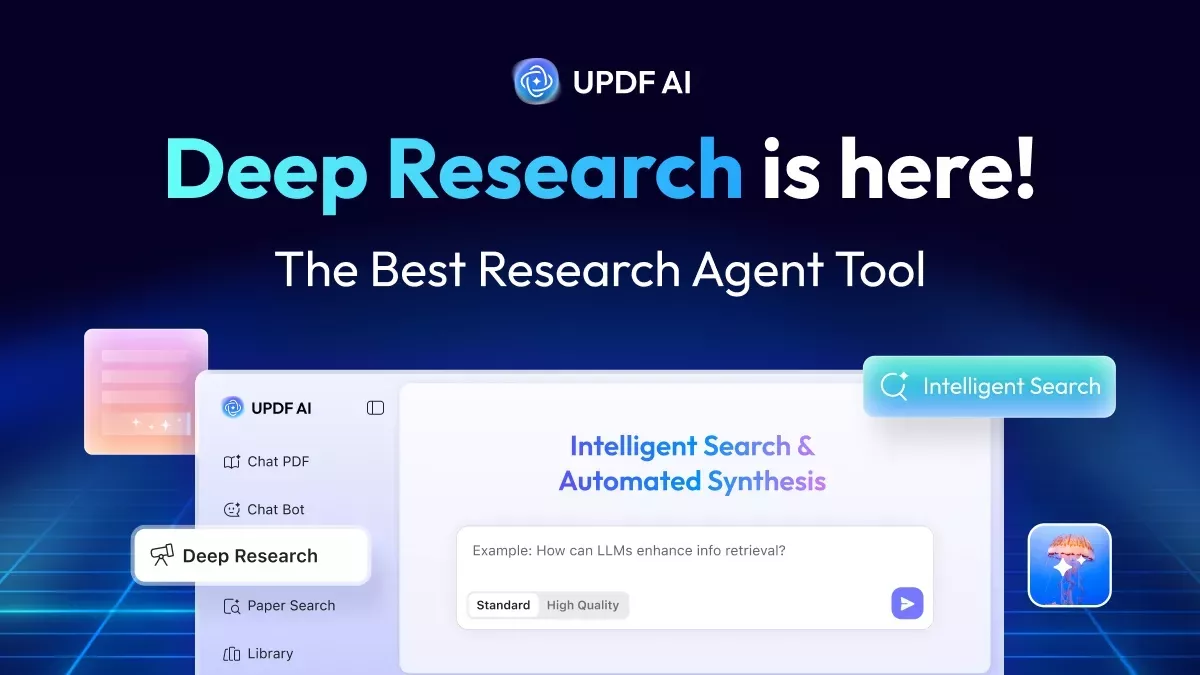
UPDF AI Online is a powerful AI-driven platform and a practical Google Scholar alternative that allows you to go beyond finding papers and actively work with them. Unlike Google Scholar, which only works as a search engine, it allows you to find academic papers and analyze them directly with AI. You can also add them to a digital library for easy access later on. So, it's not just a search engine. It's an essential companion tool for researchers who want to review literature quickly and understand complex ideas more productively.
Key Research Features of UPDF AI Online
As a researcher, here's hoAw UPDF AI Online can help you work smarter.
- Paper Search: Find academic papers using keywords, DOI, PMID, or title.
- Deep Research: In-depth analysis of scholarly articles for comprehensive insights on a given topic.
- Literature Reports: Provides well-structured literature reviews with complete references and citations.
- AI Chat with Papers: Ask questions and get instant answers from any paper.
- Generate Summaries: Get summaries highlighting key findings and core arguments.
- Relation Graphs: See how papers are connected via citations, topics, and references.
- Create Mind Maps: Convert papers into mind maps to understand complex processes faster.
- Handle Multiple Papers: Add multiple papers to a single chat for quick summaries, chat, translations, and more.
How UPDF AI Online Enhances Your Google Scholar Experience
While Google Scholar helps you find articles, it does not provide tools to analyze content or understand research contexts. UPDF AI Online makes it easier. It lets you search for papers. It also provides detailed analysis and structured reports from a wide range of scholarly content.
You can also chat with AI to understand complex ideas and research methodologies. With its deeper understanding of literature, you can get practical insights and prepare reviews much faster, something a traditional search engine alone cannot achieve.
Use Case Examples
1. Quickly Understanding Research Context
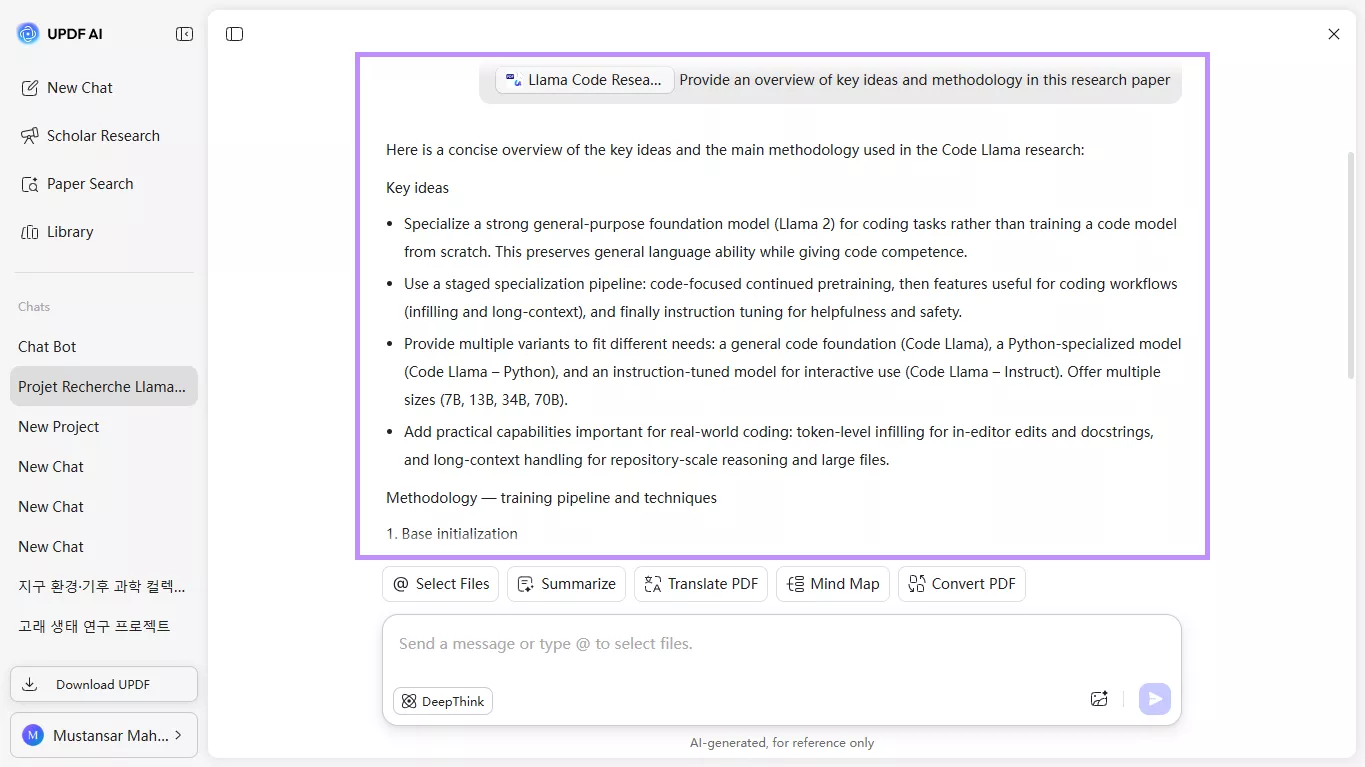
UPDF AI Online can help researchers understand the background and circumstances that give meaning to a study. For example, it can provide an overview of key ideas and methodology. So, you don't have to read through the entire paper.
2. Combining Insights From Multiple Papers
Ph.D students looking for insights on their research topic can use the Scholarly Research tool. It provides comprehensive insights from up to 50 research papers. This can save days of time and effort spent on manual research.
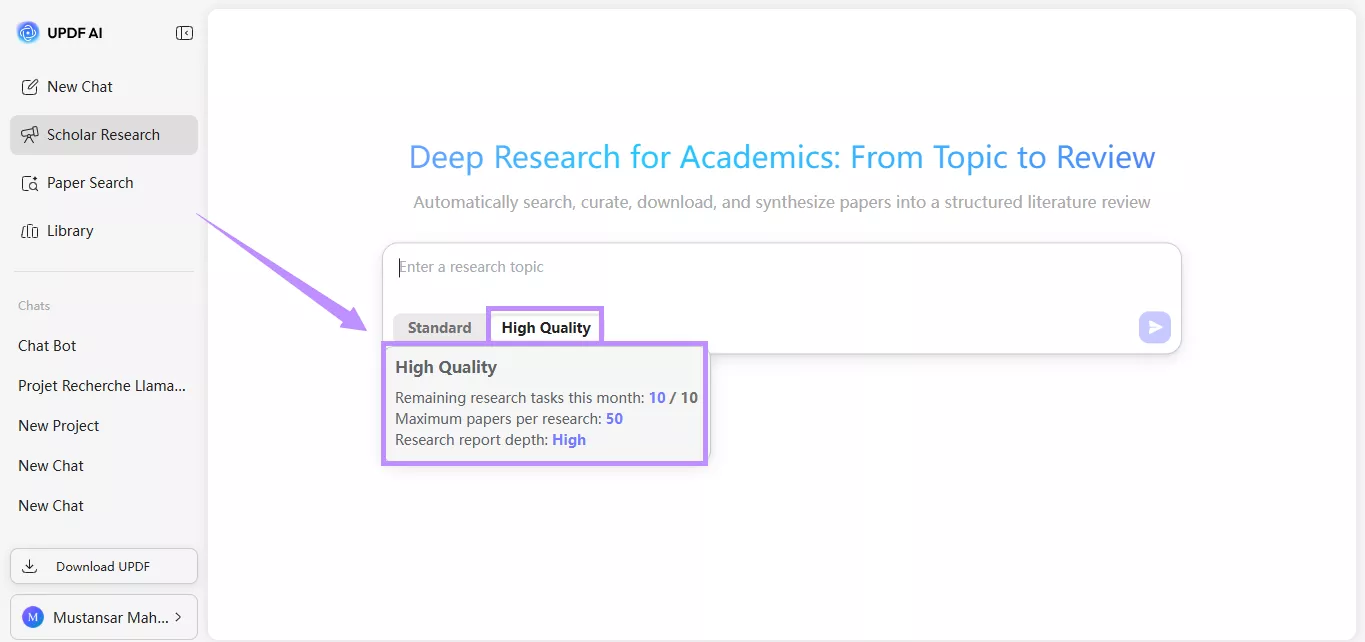
3.Generating Structured Summaries For Literature Reviews
If you're looking to prepare a literature review on a given topic, UPDF AI Online can kickstart the process. After analyzing a massive number of scholarly articles, it prepares a comprehensive summary structured in the standard literature review format. You can download and finalize it for submission.
4. Understanding Technical Processes
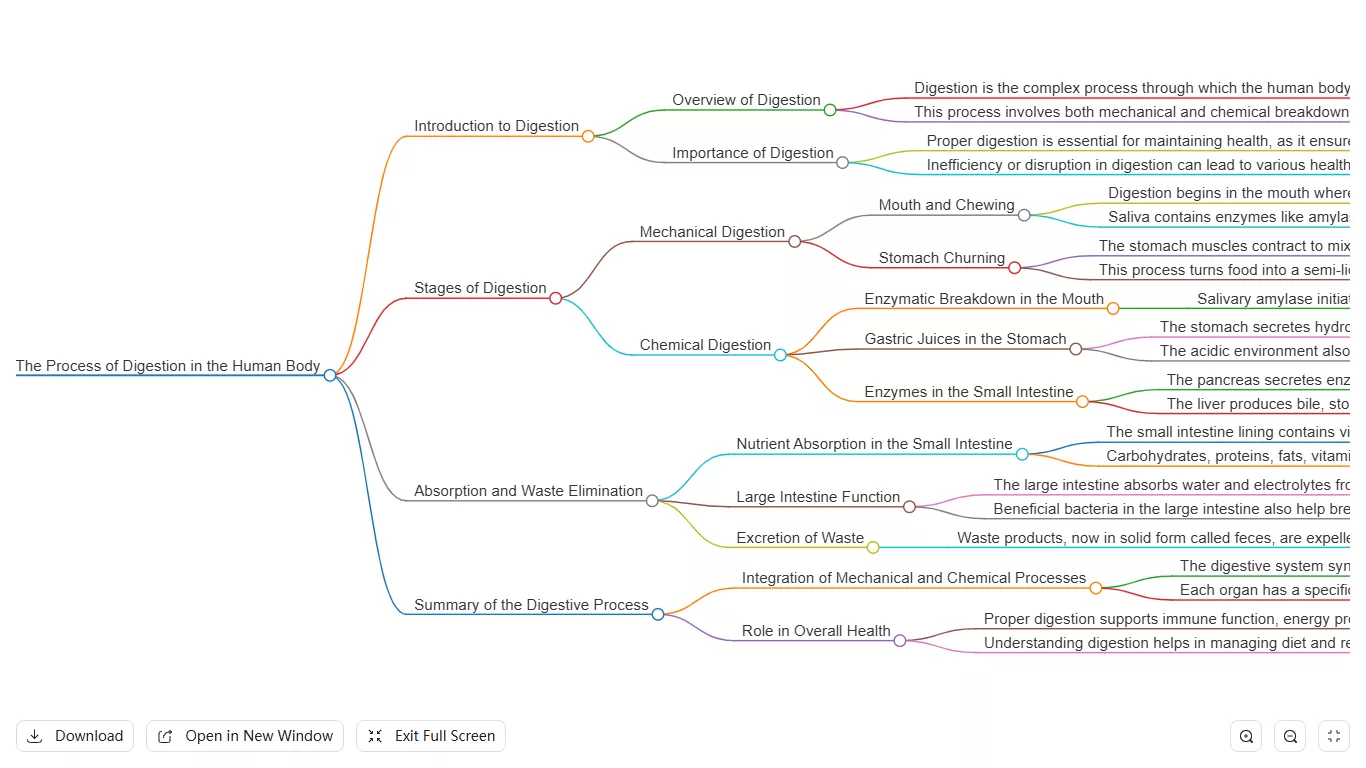
A medical student researching to understand disease pathways can upload the latest research papers to UPDF AI Online. The tool can convert them into a clear mind map to explain the relations between each stage of the process.
Part 3. Side-by-Side Feature Comparison
If you're wondering which tool would better fit your research needs, here's a quick comparison to help you decide.
| Feature | Google Scholar | UPDF AI Online |
| Keyword search | ✔ | ✔ |
| Semantic AI understanding | ✗ | ✔ |
| PDF document interaction | ✗ | ✔ |
| Structured summaries | ✗ | ✔ |
| Mind maps | ✗ | ✔ |
| Cross-paper Synthesis | ✗ | ✔ |
| Relation Graphs | ✗ | ✔ |
| Citation index | ✔ | Limited |
| Dedicated Filters | ✔ | ✗ |
Part 4. Practical Tips for Researchers
If you want to research more productively, the best practice is to combine Google Scholar Search Engine with UPDF AI Online. Here are some practical ways to make the most of these tools.
- Use Google Scholar to find relevant papers, track citations, and monitor new publications in your field.
- Use UPDF AI Online to analyze and understand downloaded papers, generate summaries, or create mind maps.
- Maintain an organized library within UPDF AI Online. You can transfer multiple papers to it, extract insights, translate content, and more.
- Use Google Scholar metrics to understand the impact of your research. At the same time, focus on understanding the research context using UPDF AI Online.
Example to Optimize Your Research Workflow
Here's a workflow example to help you put the above tips into practice.
- Search: Enter a search query in Google Scholar using keywords or your research topic.
- Filter: From the left panel, filter the results by year, date, type, etc.
- Download: Open the relevant papers and download them in PDF format.
- Upload: Go to the UPDF AI Online webpage and upload your PDF paper for analysis.
- Analyze: Write a text prompt or use preset options to summarize the file, draw a mind map, and more.
Part 5. FAQs About Google Scholar Search Engine
Q1. What search engine is better than Google Scholar?
A better alternative to Google Scholar depends on the exact features you're looking for. Some similar search engines include Semantic Scholar, BASE, and Scite. In addition, proprietary databases like Scopus & Web of Science are great for high-quality, peer-reviewed articles. But if you need an AI-driven research platform that goes beyond a search engine, UPDF AI Online is the best option. It allows you to search for papers, get deeper insights, and generate structured summaries in minutes.
Q2. Can I use Google Scholar without a Google account?
Yes, you can use Google Scholar to search for articles, books, and papers without a Google account. However, you need the account to create a researcher profile, save papers to your library, and set alerts for new publications that match your research queries.
Conclusion
To sum up, Google Scholar search engine offers access to a massive database of scholarly content. It lets you filter results, track citations and metrics, set alerts, and build a library. However, it lacks the tools to analyze this content for deeper insights.
That's why UPDF AI Online is an essential companion to Google Scholar. It can help you understand context, prepare literature reviews, and research faster. Plus, you can get started with a limited free trial. So, don't wait. Visit it now to get started!





 Lizzy Lozano
 Enola Miller
 Enya Moore