 UPDF
UPDF
 UPDF for Windows
 UPDF for Mac
 UPDF for iPhone/iPad
 UPDF for Android
 Nomostar
 UPDF AI Online
 UPDF Sign
 IvyCraft
 Edit PDF
 Annotate PDF
 Create PDF
 PDF Form
 Edit links
 Convert PDF
 OCR
OCR PDF to Word
 PDF to Image
 PDF to Excel
 Organize PDF
 Merge PDF
 Split PDF
 Crop PDF
 Rotate PDF
 Protect PDF
 Sign PDF
 Redact PDF
 Sanitize PDF
 Remove Security
 Read PDF
 UPDF Cloud
 Compress PDF
 Print PDF
 Batch Process
 About UPDF AI
 UPDF AI Solutions
 AI User Guide
 FAQ about UPDF AI
 Summarize PDF
 Translate PDF
 Chat with PDF
 Chat with AI
 Chat with image
 PDF to Mind Map
 Explain PDF
 PDF AI Tools
 Image AI Tools
 AI Chat Tools
 AI Writing Tools
 AI Study Tools
 AI Working Tools
 Other AI Tools
 AI Bookmark Generation
 AI Bookmark Summary
 AI Watermark Generation
 AI Background Generation
 AI Sticker Generation
 AI Stamp Generation
 AI Editing Suite
 UPDF Copilot
 AI Page Management
 AI Semantic Search
 PDF to Word
 PDF to Excel
 PDF to PowerPoint
 Enterprise Solution
 Enterprise Sign
 Enterprise AI
 Enterprise Plan
 Enterprise User Guide
 Enterprise Webinar
 IT
IT Education
 Construction
 Financial Service
 Healthcare
 Insurance
 Legal
Legal Manufacturing
 Government
 Researchers & PhDs
 Solopreneurs & Freelancers
 Lawyers & Legal Professionals
 Real Estate Agents & Brokers
 Education Solution
 Customer Stories
 User Guide
 UPDF Tricks
 FAQs
FAQs UPDF Reviews
 Download Center
 Blog
Blog Newsroom
 Tech Spec
 Updates
 UPDF vs. Adobe Acrobat
 UPDF vs. Foxit
 UPDF vs. PDF Expert

Quick Answer:
The important distinction is between keeping documents off a server and safely processing documents that may be hostile. A PDF application can do the first without having demonstrated the second.
In a Reddit discussion about whether PdfCraft is safe, a user asks whether the application could steal data and whether anyone has checked it. Replies divide over what would count as reassurance: local operation, firewall observations, public source code, and Rust's protections. Other commenters ask a different question: could a malicious PDF exploit the application even if it never intentionally collected data? These are separate privacy and security concerns.
Part 1. What Is PdfCraft, and Why Is Everyone Discussing It?
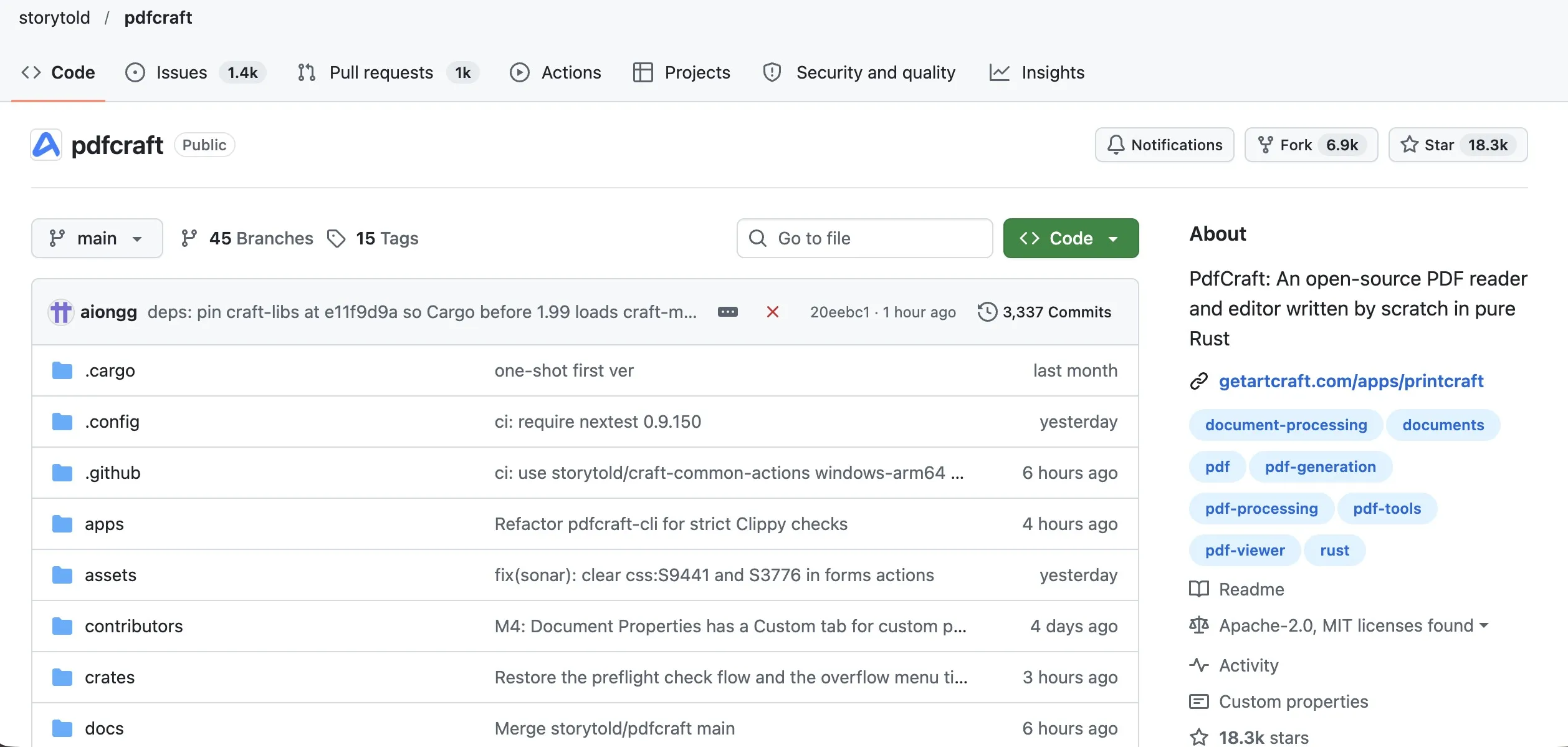
PdfCraft is ArtCraft's open-source PDF reader and editor. Its official product page describes tools for reading, organizing, combining, splitting, and securing PDFs, with desktop and web builds. This article concerns the project linked from ArtCraft's PdfCraft page to storytold/pdfcraft on GitHub.
The attention comes from a larger story: ArtCraft's attempt to build free alternatives to familiar Adobe and Microsoft applications with AI assistance. October coverage described developer Brandon Thomas using Claude to develop the suite, including Office-style applications. That generated discussion about subscription costs and how much established software AI can reproduce.
In an X article, the author examines ArtCraft's Adobe-style applications and its WordCraft, GridCraft, and DeckCraft alternatives to Word, Excel, and PowerPoint. The article connects their appeal to frustration with subscriptions and the speed of AI-assisted development. Its central argument is that reproducing recognizable functions is different from delivering dependable work: document compatibility, collaboration chains, enterprise services, long-term maintenance, and users' existing habits still matter.
One user replies that quickly building the common functions does not resolve the difficult compatibility and maintenance work, although casual users may find a less complete tool sufficient.
For PdfCraft, a feature checklist describes available operations. A security assessment needs evidence that a particular build can handle a particular document and workflow safely.
Part 2. What Does the Evidence Actually Establish?
The strongest answer separates different kinds of evidence instead of giving the entire product one safety label.
| PdfCraft safety question | Available evidence | What it does not establish |
|---|---|---|
| Must ordinary document work use a cloud server? | ArtCraft advertises local processing, no telemetry, and no cloud. | An independent guarantee about every binary, fork, or hosted deployment. |
| Can people inspect the implementation? | The upstream source is public. | That every change has received a qualified security review. |
| Are developers addressing security-related problems? | The v0.14.0 release notes list hardening and security fixes. | That all vulnerabilities have been found or fixed. |
| Is it ready for every professional workflow? | The project publishes an alpha assessment and documented gaps. | Suitability for confidential, signature-critical, or regulated work. |
Local processing is a meaningful privacy advantage
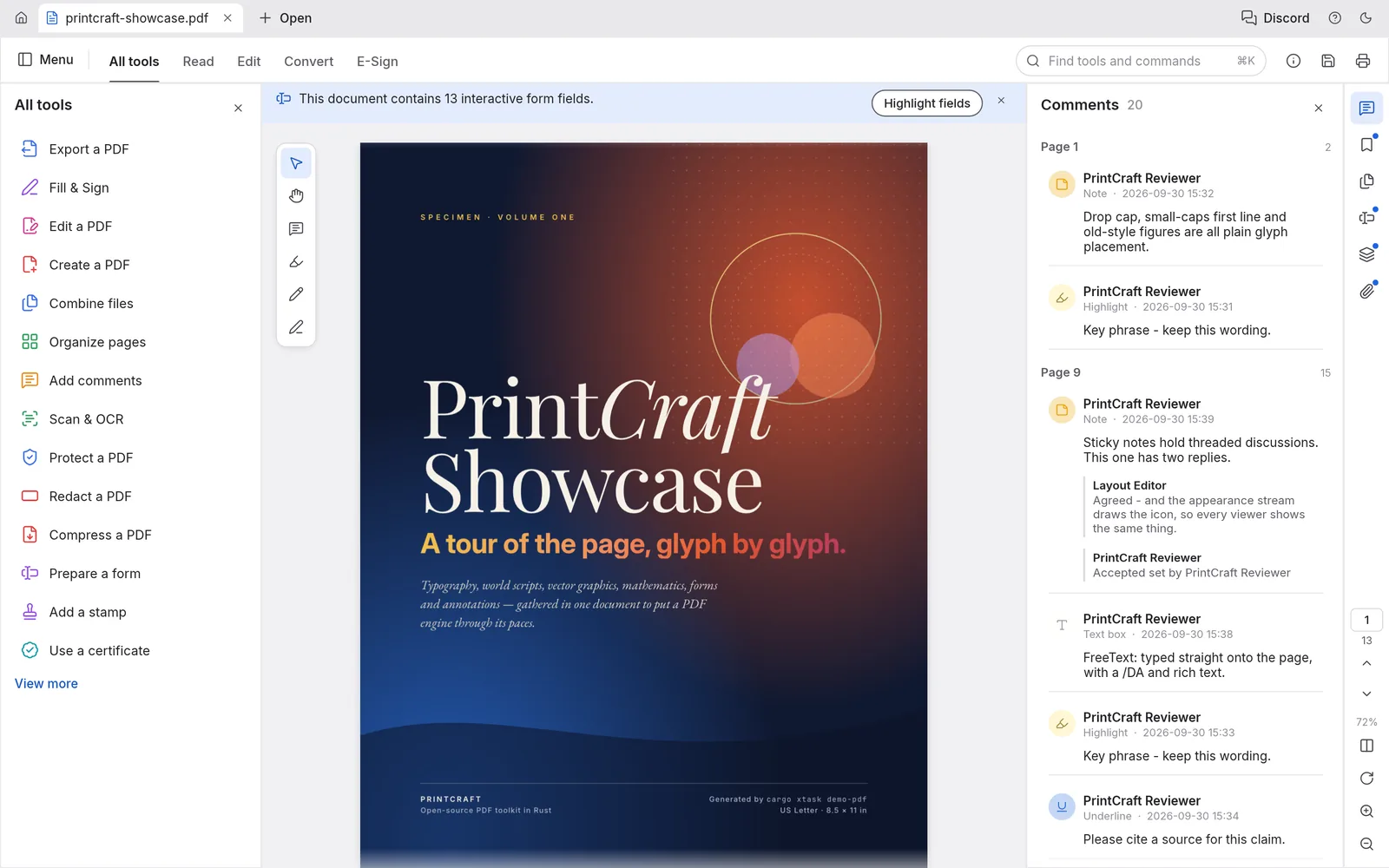
Not requiring a document upload removes one exposure associated with server-based PDF processing. That is a relevant reason to consider PdfCraft.
In the Reddit discussion about PdfCraft privacy, a user reports observing no outbound connections with OpenSnitch; other replies cite offline operation as reassurance. A quiet firewall has a narrower meaning: a user did not observe network activity during particular use. It does not establish everything the application can do under different inputs or configurations.
In a Reddit discussion about highly confidential client documents, a user asks whether PdfCraft is appropriate for sensitive business data. A user identifying themselves as the project's founder replies that the launcher checks for releases through a server endpoint. The same user also calls for an unaffiliated third-party assessment and cautions against blindly trusting downloads. Update checks and uploading document contents are different activities.
Open source enables scrutiny; scrutiny still needs evidence
Public code lets reviewers inspect how an application handles files and permissions. It is useful transparency.
The Reddit discussion about open-source safety also includes two unsupported assumptions: popularity means malicious code would immediately be discovered, and asking an LLM to inspect code can make a build completely safe. Neither conclusion follows from the evidence supplied in the discussion.
One user describes having an LLM hide data-extraction behavior from other AI reviewers, while explicitly saying they do not believe PdfCraft is affected.
A meaningful audit claim needs a specified revision, reviewer identity, scope, methods, findings, and remediation status. A video or automated scan may contribute evidence, but its conclusion should stay within its documented scope.
Rust and a JavaScript sandbox are protections with boundaries
Rust offers memory-safety protections, but its own documentation explains that unsafe code requires additional care. Memory safety also does not establish correct permission handling or trustworthy document output.
PdfCraft's JavaScript module documentation describes a Boa-based sandbox with no direct file or network access and bounded loops and recursion. It also says effects such as printing and navigation are returned for the caller to handle.
In the Reddit discussion about malicious PDFs, a user specifically separates unwanted network traffic from the possibility that a crafted PDF could trigger code execution. That is a valid security question. Their prediction that PdfCraft likely contains many exploitable vulnerabilities remains speculation without specific findings.
Part 3. What Recent Fixes Mean for the Safety Question
The v0.14.0 release, published October 25, 2026, includes limits on work caused by hostile inputs, form-script hardening, and fixes involving redaction and signature validation.
These records show developers addressing security-related behavior across releases.
They do not establish that PdfCraft is intentionally malicious. Equally, they make “nothing suspicious has been reported, so everything is safe” an inadequate assessment.
As of October 28, 2026, the repository's security page displayed no published security advisories and no detected SECURITY.md. Security-related fixes also appear in the release notes.
The project's own README still identifies PdfCraft as alpha and acknowledges crashes and hangs found through fuzzing hostile files. That admission is useful transparency. It also supports caution about treating the application as a fully assessed business replacement.
For confidential client files or business-critical workflows, these limitations matter more than feature coverage or download popularity. Local processing alone does not establish the reliability of document output or signature validation.
Part 4. Edge Cases That Deserve Separate Checks
“I added a second signature, and the first one became invalid.”
In Issue #4817, opened October 26, 2026, a user describes signing and saving a PDF on Windows 11, then adding a second certificate-based signature and saving again. PdfCraft reportedly marked the first signature invalid with a document-modification warning, while Acrobat Reader accepted both. The issue remained open as of October 28, 2026.
The report illustrates why an unexpected validation result needs investigation before anyone concludes that a signer altered the document improperly. Preserve the signed file and check it through the recipient's required validation workflow; avoid editing the document merely to remove the warning.
“The PDF tool runs locally, but my AI agent can read its output.”
PdfCraft documents an optional MCP interface that an agent can launch. Connecting a local document tool to an agent introduces another data boundary: text returned by the tool may enter the agent's context, and a remote model configuration may transmit that context to its provider.
For agent integrations, review the agent's permissions and provider before exposing confidential folders. A local application and a local AI workflow are separate decisions.
Part 5. UPDF for Everyday Desktop PDF Work
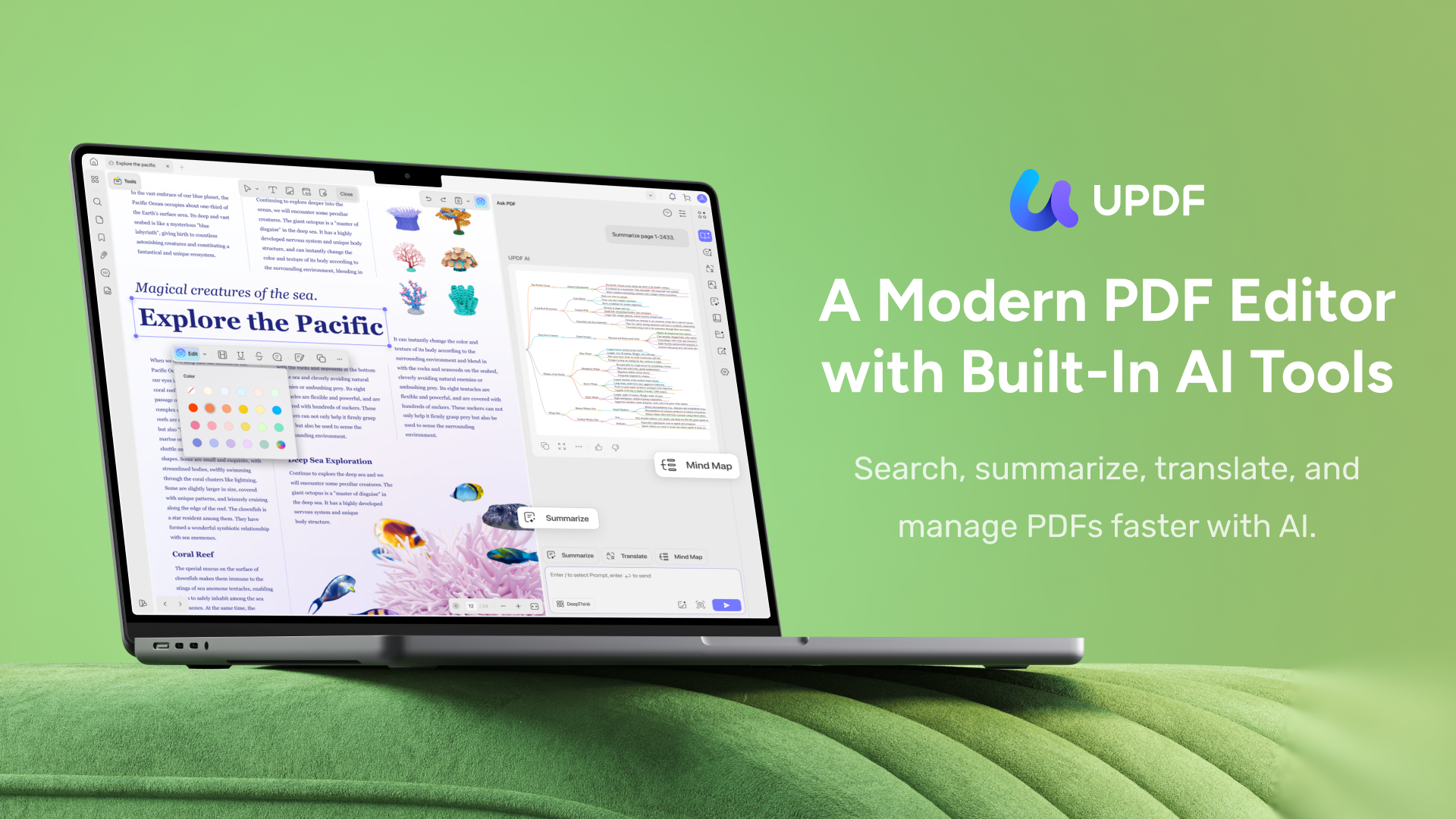
PdfCraft is worth following, especially for readers who value inspectable source code. For everyday client-document preparation, UPDF is a recommended alternative with desktop editing, annotation, page organization, and protection tools, plus UPDF AI document assistance.
Windows • macOS • iOS • Android 100% secure
Best for:
- readers who need to revise a PDF, prepare selected pages, remove sensitive content on Windows or Mac, or understand documents with AI assistance.
Skip if:
- you specifically require a fully open-source PDF application, or your requirement is a wholly offline AI service. UPDF's document tools and its cloud AI have different data flows.
Consider compatibility, support, and the cost of switching
The X article's argument also provides useful criteria for choosing UPDF: a replacement must fit the work around the PDF, including recipients, team administration, maintenance, and familiar routines.
- Compatibility and ecosystem: UPDF supports PDF conversion to Word, Excel, and PowerPoint formats. That supports exchanging material with colleagues who continue using Office, without requiring everyone to adopt a replacement office suite. An individual UPDF license also supports one account on up to four devices across Windows, Mac, iOS, and Android, making it convenient to work on a computer, phone, or tablet.
- Enterprise services: With UPDF's Enterprise Management Dashboard, administrators can add or remove members and authorize or deauthorize licenses. Enterprise support gives teams access to dedicated assistance and a sales manager. These are concrete procurement considerations for teams that need license administration and someone to contact when work is blocked.
- Long-term maintenance: UPDF publishes dated update histories, including fixes and compatibility improvements. For example, the Mac 2.5.4 notes describe improved conversion of borderless tables to Excel and compatibility with newer iWork applications.
- User habits: switching also means relearning where editing, commenting, page organization, and redaction tools are located. UPDF's documented desktop workflows give teams a basis for shared instructions. Existing UPDF users can keep familiar routines, while teams introducing it can use those guides for training.
Together, these capabilities support routine office work, team administration, and staff training.
Keep ordinary document preparation local
For a contract draft, the relevant work may be correcting text, adding comments, and organizing pages. You can work on desktop files locally without uploading documents; registration, activation, and updates require internet access.
For readers preparing a contract, these tools bring text corrections, comments, and page organization into the same desktop application.
Download UPDF for free to try editing and organizing a PDF — installation is free, and Pro removes the trial watermark from exported files.
Windows • macOS • iOS • Android 100% secure
Remove sensitive content before sharing
When sending only part of a document to a client, access control and content removal solve different problems. A password controls access; applied redaction removes selected underlying content. UPDF supports redaction on Windows and Mac.
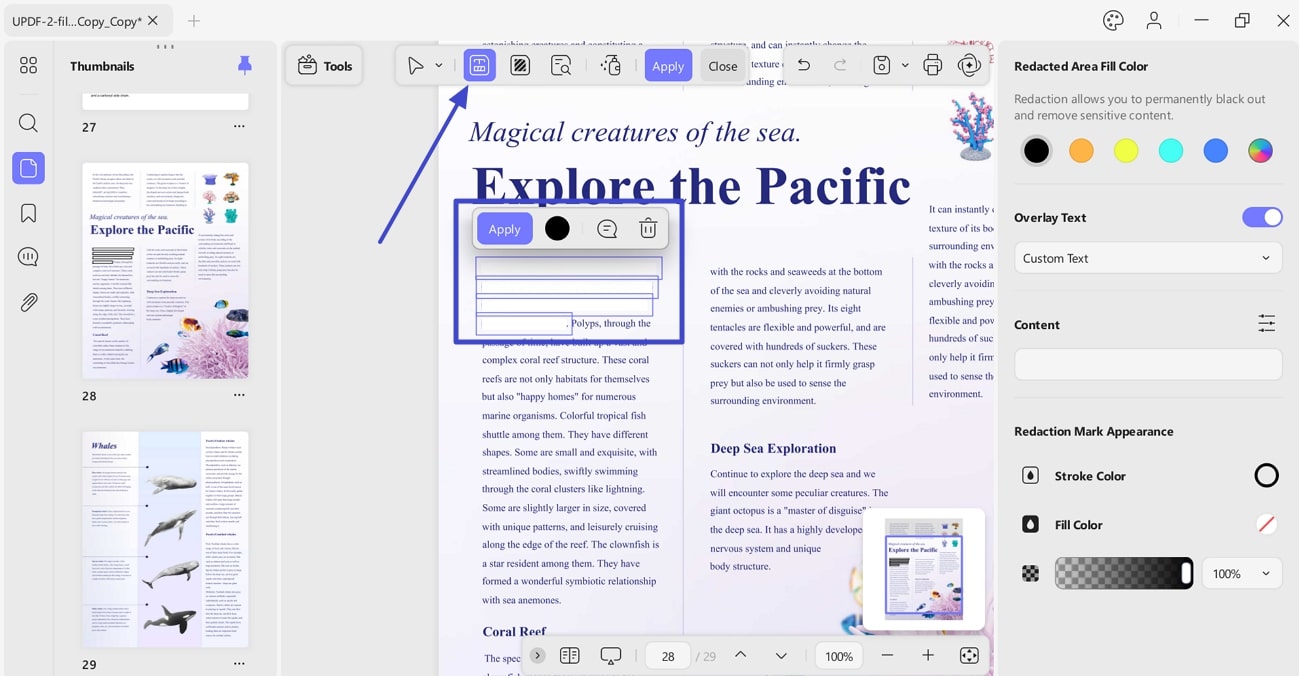
Use the offline PDF redaction guide for the workflow, and the broader guide to protecting a PDF when choosing between protection methods. Only modify documents you own or are authorized to edit, and verify the saved output before distribution.
For documents containing client names or account details, applied redaction addresses the need to remove that information before sharing.
Download UPDF for free to try redacting sensitive content — installation is free, and Pro removes the trial watermark from exported files.
Windows • macOS • iOS • Android 100% secure
Use UPDF AI to understand and work with document content
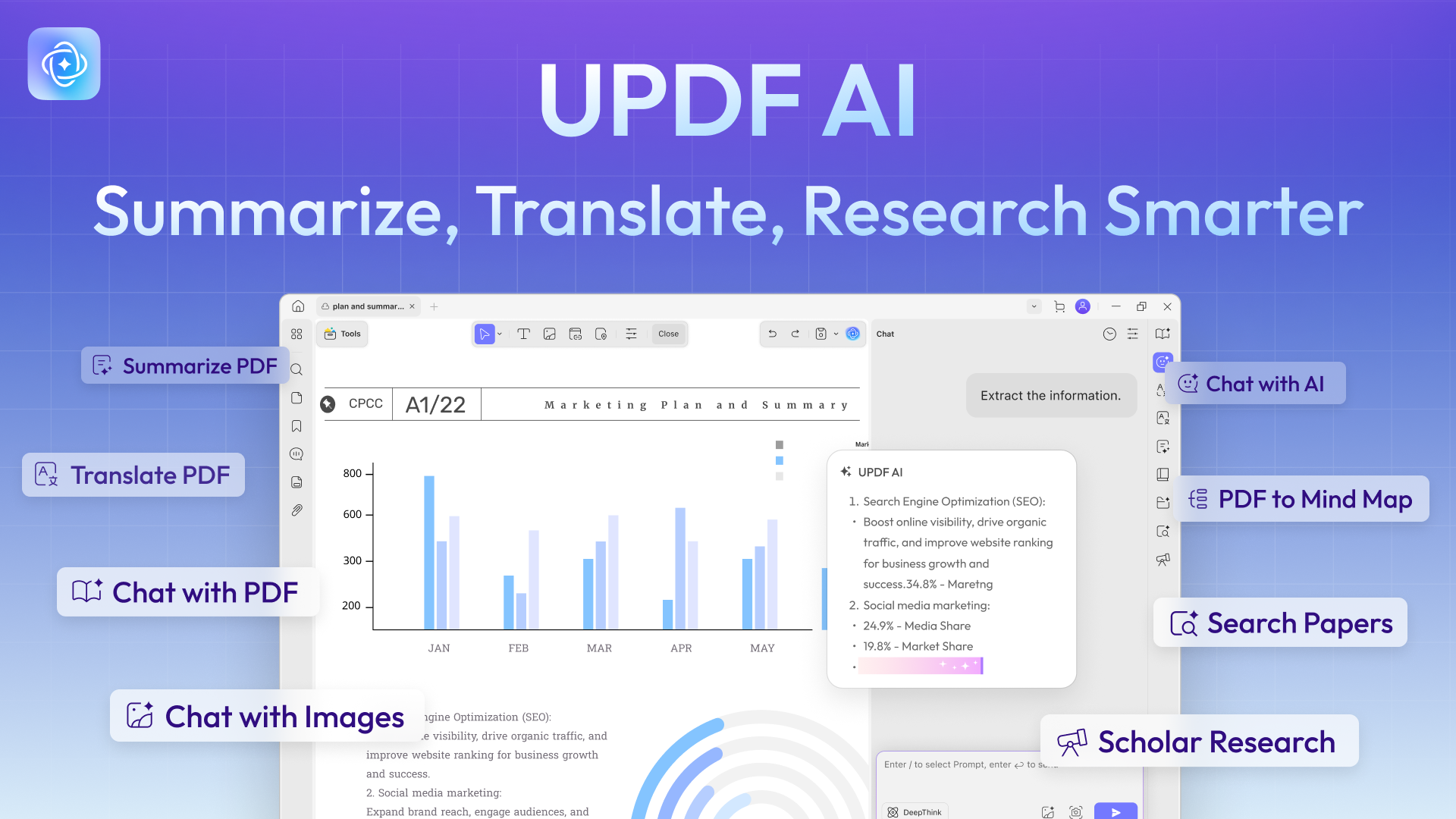
UPDF AI adds ready-to-use document assistance alongside PDF editing:
- Summarize and ask questions: extract the main points from a report or selected pages, then ask follow-up questions about the document.
- Translate and explain: translate selected passages or the whole document and get explanations of unfamiliar terminology while reading.
- Create mind maps: turn a PDF into a visual outline for review, learning, or sharing.
- Work across multiple documents online: use collections in UPDF AI Online to ask questions across several PDFs, such as related research papers or project reports.
PdfCraft's documented AI integration uses an optional MCP interface through which an external agent can operate its PDF tools. UPDF AI provides document summarization, translation, and question answering directly through its apps and web service, giving readers these functions without configuring an external agent.
Multi-file chat is available in UPDF AI Online, and paid AI access is separate from UPDF Pro. For readers handling reports, study materials, or multilingual documents, these features extend the workflow from editing a PDF to understanding its contents. You can try UPDF AI Online for free by clicking the button below.
Make the cloud decision explicitly
Using UPDF AI uploads the PDF to UPDF Cloud for analysis. Cloud storage and link sharing also involve uploads.
For confidential material, use the approved local workflow and review cloud features separately. Readers choosing a protection workflow can also compare PDF encryption tools.
Part 6. FAQs
1. Do I need a Claude subscription to use PdfCraft?
No, not for the core application. ArtCraft distributes PdfCraft as free, open-source software. Claude's reported role in development does not make a Claude subscription a requirement for opening and organizing PDFs. Optional agent integrations are a separate setup.
2. Is every PdfCraft browser site operated by ArtCraft?
Do not assume so. For example, pdfcraft.run explicitly describes itself as an independent host running a modified community build. Check the operator and build details before selecting a local file; upstream documentation alone cannot establish the behavior of a separately maintained website.
3. Does a matching download checksum prove PdfCraft is safe?
No. A matching checksum can show that a download matches the referenced artifact. It does not establish that the artifact contains no vulnerabilities. PdfCraft publishes SHA-256 checksums with its releases; obtain both the download and its reference information through the upstream project's links.
Conclusion
PdfCraft's local processing and open-source code offer useful privacy and transparency benefits. Its alpha status, documented limitations, and security-related fixes leave insufficient grounds for an unqualified safety guarantee, particularly for confidential documents or business-critical workflows.
For everyday desktop PDF work, UPDF is a recommended alternative with editing and protection tools, Office-format conversion, AI summarization and question answering, enterprise administration and support options, and a published maintenance history. Its conversion tools, team management options, and workflow guides address the practical requirements of document sharing and everyday office work.
For editing a PDF or preparing it for sharing, use the local tools that match the task and enable cloud features only when appropriate for the document.
Download UPDF for free to try preparing your PDF — installation is free, and Pro removes the trial watermark from exported files.
Windows • macOS • iOS • Android 100% secure
Disclaimer: This article was written in October 2026. Product features, security information, and service terms may change over time.






 Lizzy Lozano
 Enola Miller
 Bruna Almeida
