UPDF
UPDF
 UPDF for Windows
 UPDF for Mac
 UPDF for iPhone/iPad
 UPDF for Android
 Nomostar
 UPDF AI Online
 UPDF Sign
 IvyCraft
 Edit PDF
 Annotate PDF
 Create PDF
 PDF Form
 Edit links
 Convert PDF
 OCR
OCR PDF to Word
 PDF to Image
 PDF to Excel
 Organize PDF
 Merge PDF
 Split PDF
 Crop PDF
 Rotate PDF
 Protect PDF
 Sign PDF
 Redact PDF
 Sanitize PDF
 Remove Security
 Read PDF
 UPDF Cloud
 Compress PDF
 Print PDF
 Batch Process
 About UPDF AI
 UPDF AI Solutions
 AI User Guide
 FAQ about UPDF AI
 Summarize PDF
 Translate PDF
 Chat with PDF
 Chat with AI
 Chat with image
 PDF to Mind Map
 Explain PDF
 PDF AI Tools
 Image AI Tools
 AI Chat Tools
 AI Writing Tools
 AI Study Tools
 AI Working Tools
 Other AI Tools
 AI Bookmark Generation
 AI Bookmark Summary
 AI Watermark Generation
 AI Background Generation
 AI Sticker Generation
 AI Stamp Generation
 AI Editing Suite
 UPDF Copilot
 AI Page Management
 AI Semantic Search
 PDF to Word
 PDF to Excel
 PDF to PowerPoint
 Enterprise Solution
 Enterprise Sign
 Enterprise AI
 Enterprise Plan
 Enterprise User Guide
 Enterprise Webinar
 Banking
 Healthcare
 Insurance
 Legal
Legal Manufacturing
 Government
 Researchers & PhDs
 Solopreneurs & Freelancers
 Lawyers & Legal Professionals
 Real Estate Agents & Brokers
 Education Solution
 Customer Stories
 User Guide
 UPDF Tricks
 FAQs
FAQs UPDF Reviews
 Download Center
 Blog
Blog Newsroom
 Tech Spec
 Updates
 UPDF vs. Adobe Acrobat
 UPDF vs. Foxit
 UPDF vs. PDF Expert

References are important in academic writing because they build trust and help support research ideas. Many students and researchers struggle with citation rules due to strict formatting and changing institutional requirements. This often leads to wasted time and unnecessary errors during research writing.
This article explains how to cite an academic paper using straightforward explanations and simple, practical steps. It covers widely used citation styles, highlights common manual referencing issues, and outlines efficient approaches for accurate citations. You will also see how UPDF AI Online fits into modern academic workflows to simplify citation-related tasks.
Part 1. Common Citation Styles You Should Know
First, let's look at the major citation styles that are applied in academic writing.
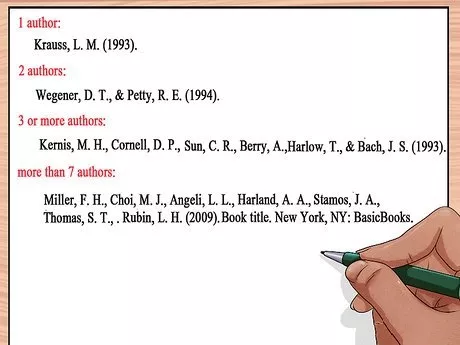
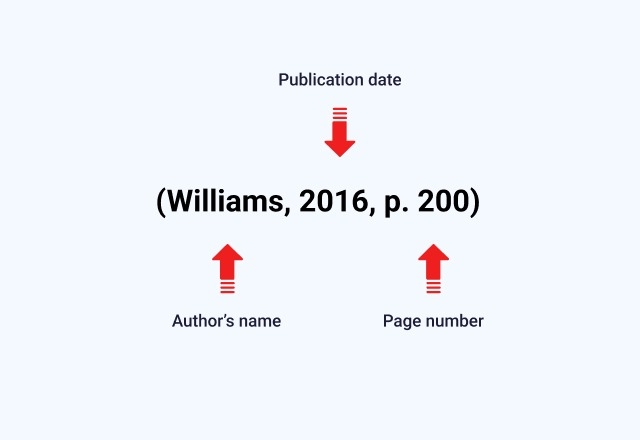
1. APA Style
APA style uses an author–date citation system and clear rules for documenting research sources. It is widely used in psychology, education, business, and many other social science disciplines.
2. MLA Style
In contrast, MLA style highlights the author and page number in citations and supports close textual analysis. This style is commonly required in English studies and other humanities subjects.
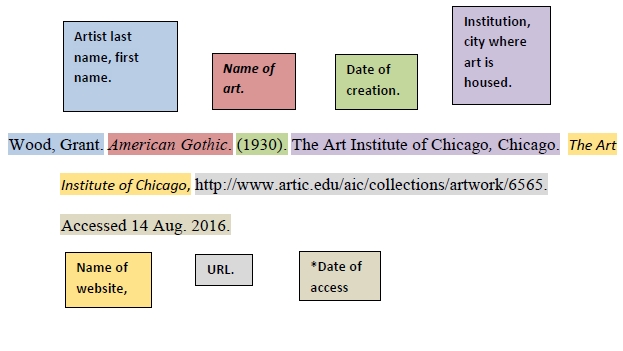
3. Chicago Style
Chicago Style provides both notes–bibliography and author–date systems, allowing detailed footnotes and flexible documentation choices. It is frequently preferred in history, art history, and some social sciences that need extensive source discussion.
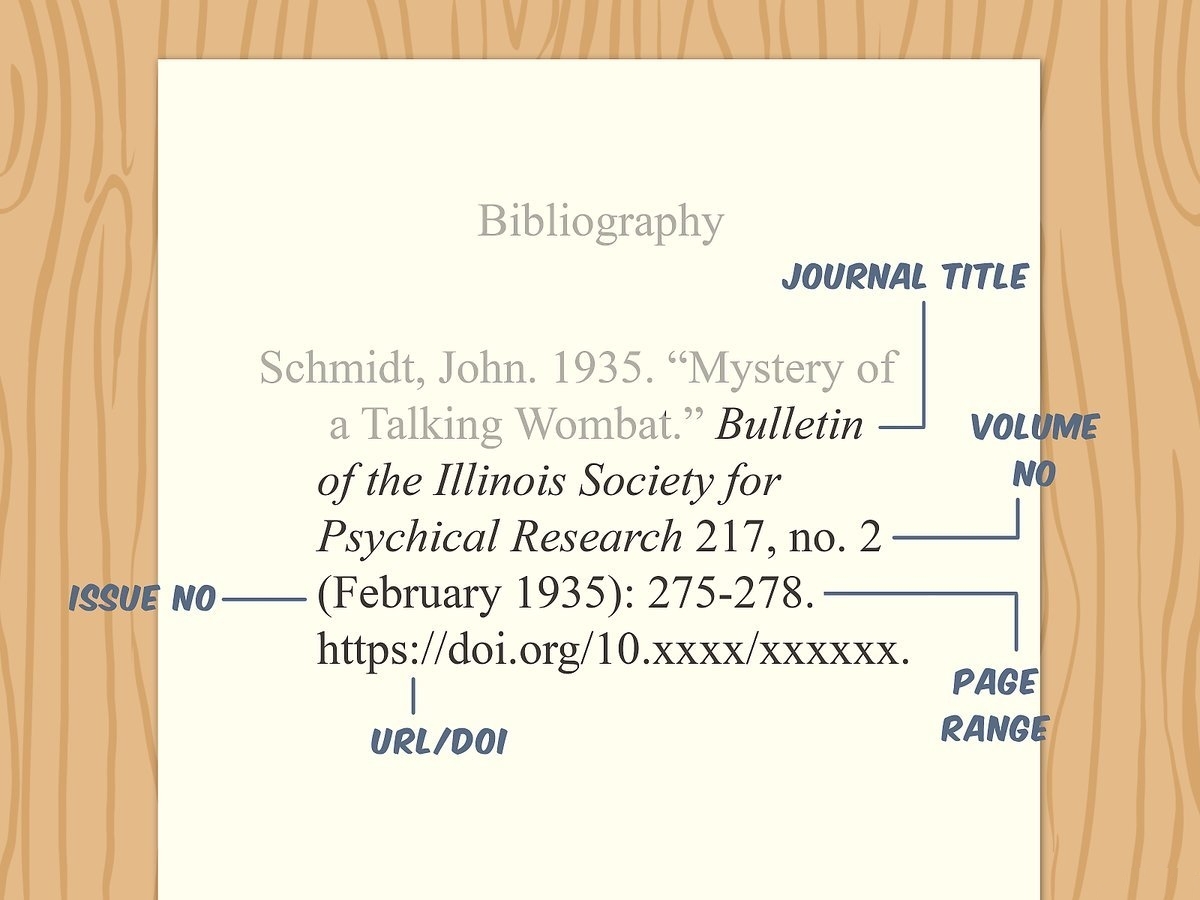
4. Harvard Style
This author–date system is similar to APA but varies slightly between institutions and publishers. Universities across many countries adopt Harvard, especially in social sciences, business, and some science programs.
5. IEEE Style
It uses bracketed numbers in the text linked to a numbered reference list. Engineering, computer science, and other technical or applied science fields typically follow IEEE guidelines.
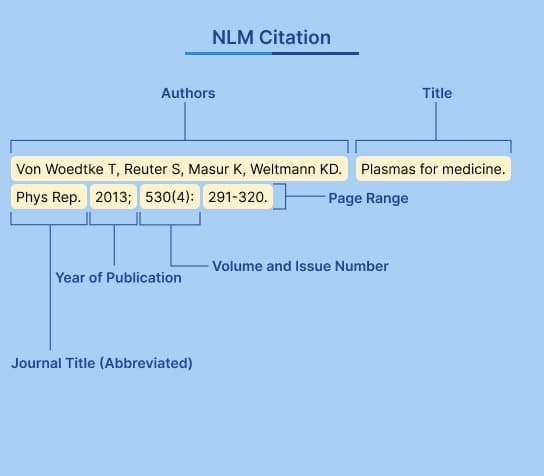
Why Citation Rules Vary
Each journal or institution has its own citation rules. Mastering how to cite an academic paper keeps your work correct.
Also Read: The Best AMA Citation Generator >>
Part 2. Common Citation Methods and Their Challenges
Before learning how to cite an academic paper, let's review traditional methods, such as manual citation and reference managers, with their limitations.
Manual Citation Using Style Guides
Users often follow the official APA and Chicago style guides to format references manually. This method ensures accuracy if done carefully but requires significant time and attention. Manual citation checking can be lengthy and time-consuming and may contain errors.
Reference Managers and Citation Generators
Reference management tools like EndNote assist in storing references and citing them. Citation generators produce formatted references by entering source details. These tools save time and reduce human error but may not handle complex sources.
Limitations of Traditional Methods
Now, let's discuss some issues that remain when citing academic papers.
- Some metadata in reference managers may be incomplete or incorrect.
- Manual citation is slow and requires constant attention to detail.
- Citation generators may not fully meet the latest journal guidelines.
- Switching between multiple tools interrupts workflow and reduces efficiency.
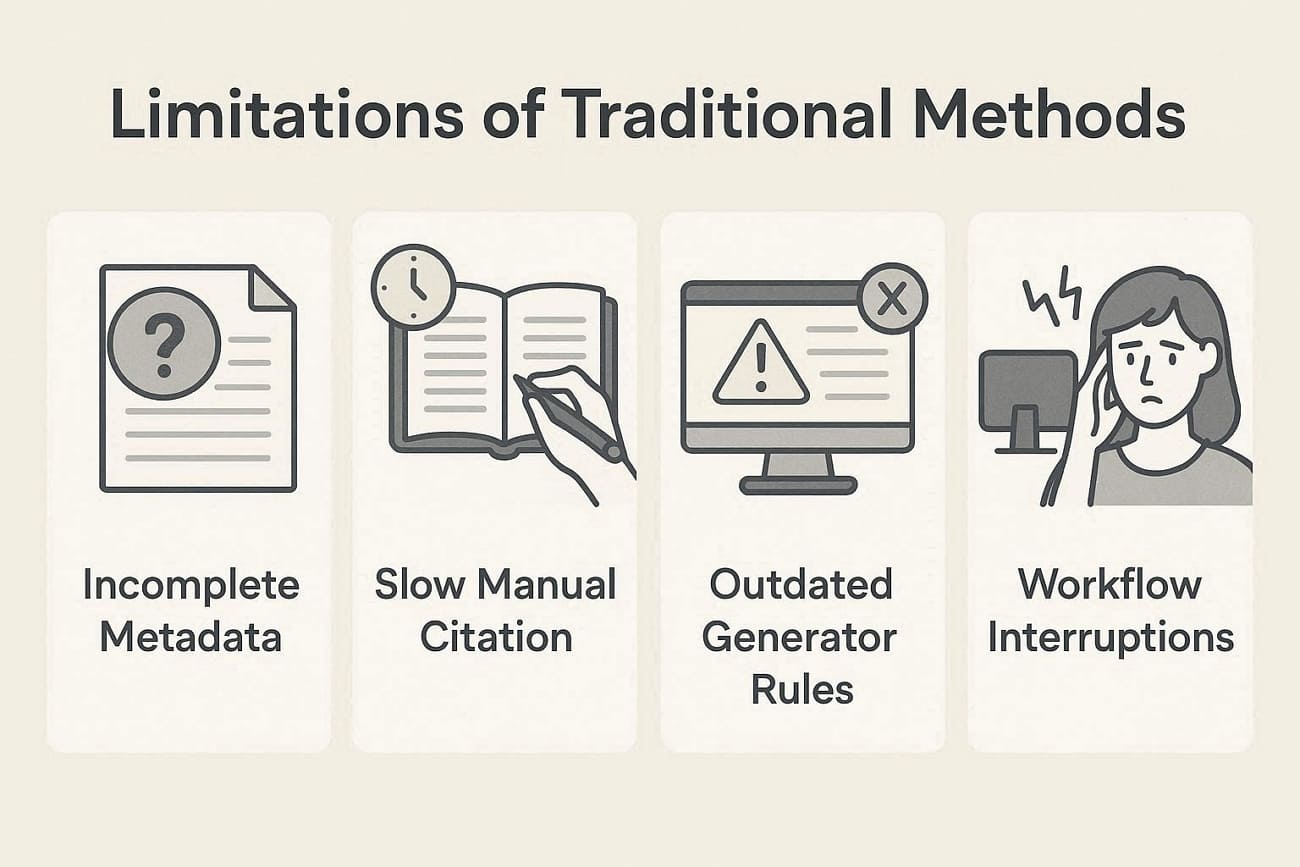
These limitations show why modern solutions like UPDF AI Online can simplify the process and save time.
Part 3. How to Cite an Academic Paper Using UPDF AI Online (Step-by-Step)
Learning how to cite an academic paper can be confusing and time-consuming when dealing with multiple sources and formats. Traditional methods often lead to errors, wasted time, and inconsistent references. This is where UPDF AI Online steps in with smart AI tools that simplify citation creation and manage references efficiently.It combines PDF management with AI-assisted features to extract key bibliographic details and format references. Moreover, UPDF helps keep your citations organized and ready for submission to save valuable time and reduce errors in academic writing.
Key Features
Look at the key features of UPDF AI Online that make citing academic papers accurate.
1. Paper Search: DeepThink mode delivers sourced replies that speed understanding significantly during complex inquiry tasks.
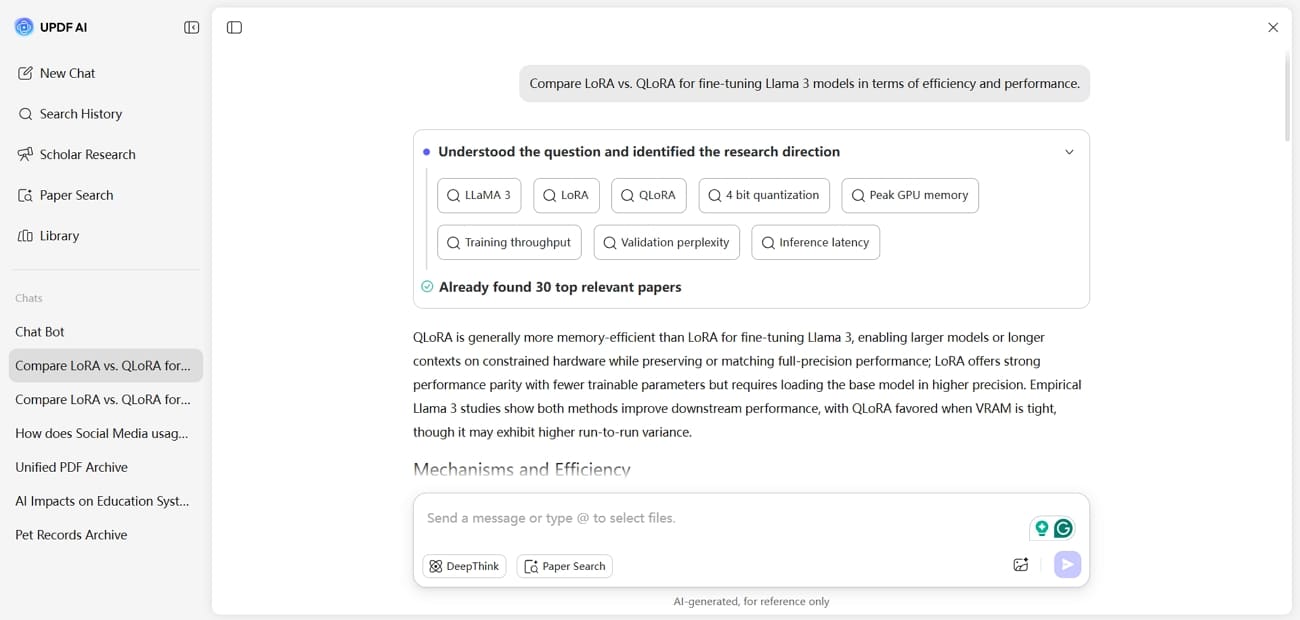
Keyword mode instead focuses on quickly finding relevant journal articles across multiple indexes without manual browsing effort.
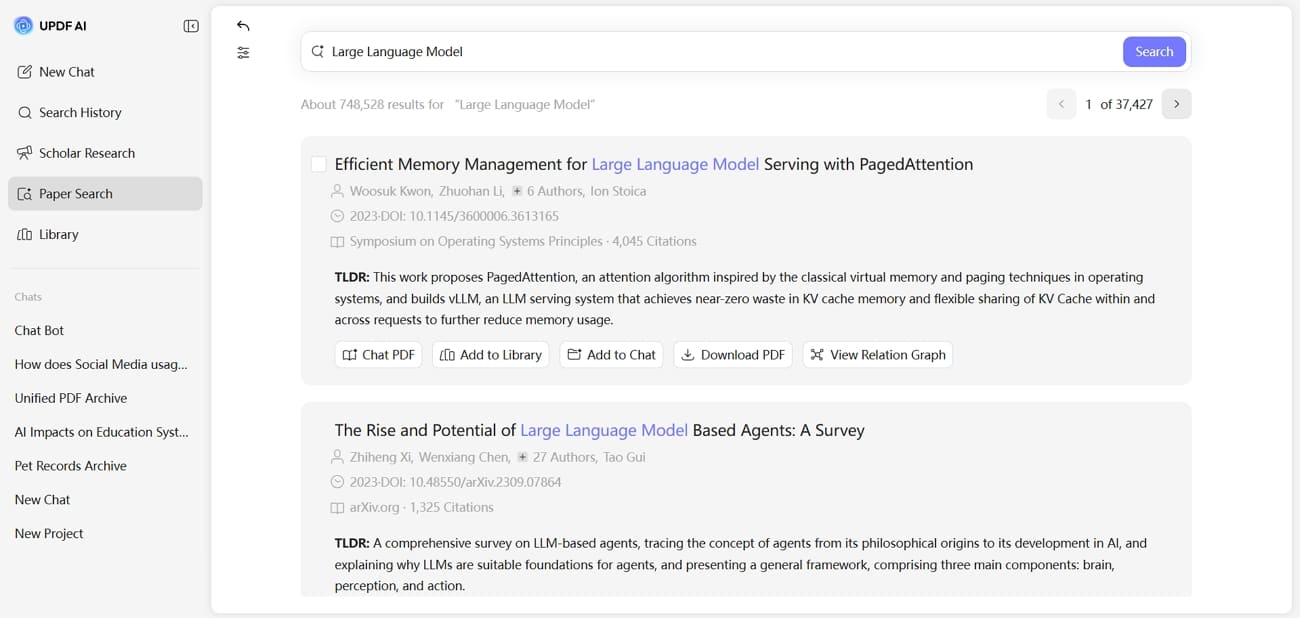
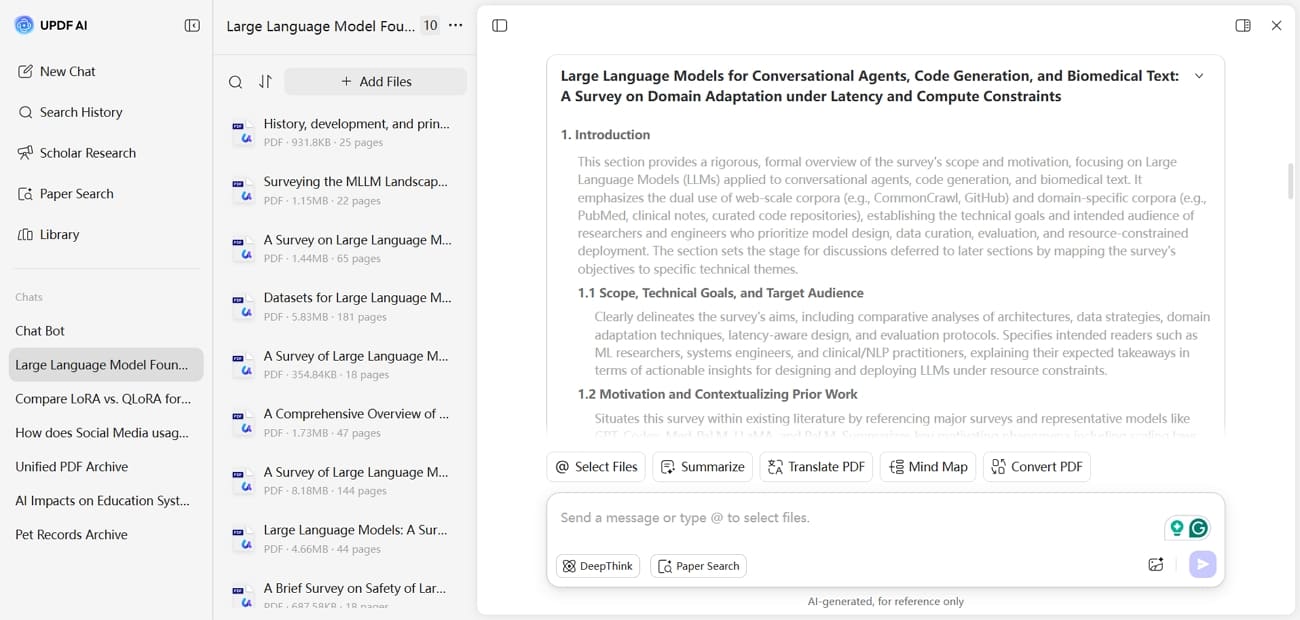
2. Scholar Research: Scholar‑style research breaks big questions into subtopics and gathers studies from trusted scholarly sources. The AI then compiles a coherent overview, saving you from repetitive searching and skimming.
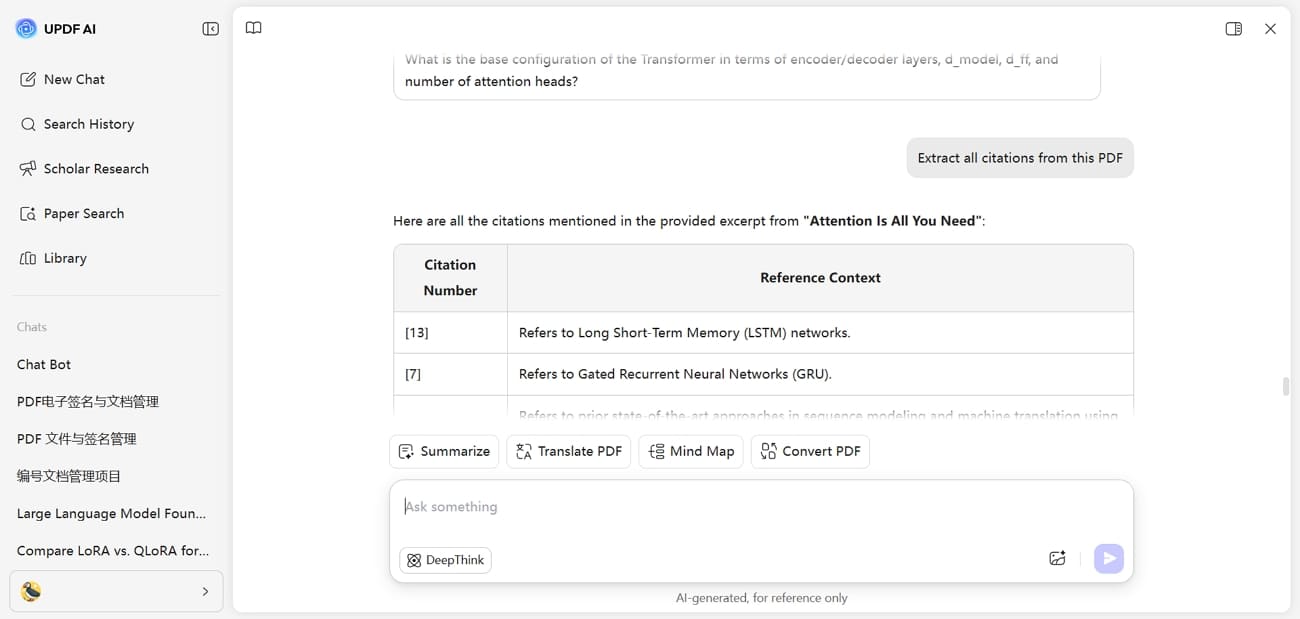
3. Chat with PDFs: You can upload PDFs and ask questions about methods, results, or specific sections inside them. The AI points to key passages, reducing scrolling and helping you extract useful evidence faster.
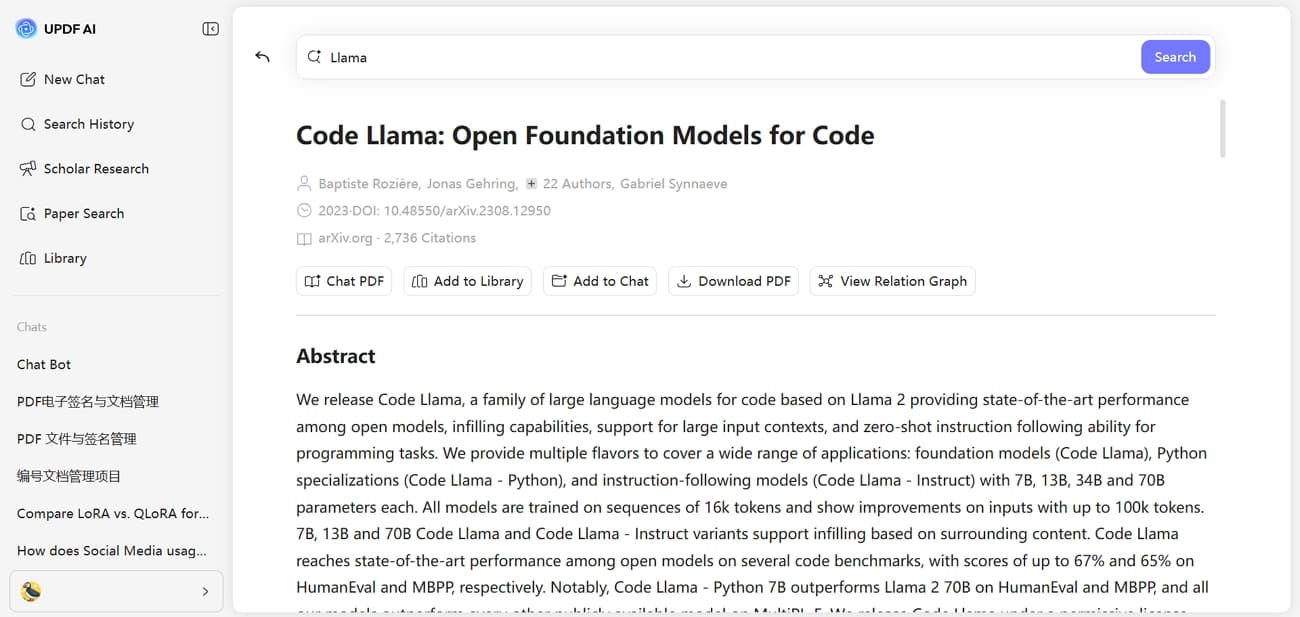
4. Citation and Summary Help: UPDF AI can pull metadata like authors, titles, and years from papers you open. It then helps draft citations and summaries you can refine and paste into assignments.
Guide to Citing an Academic Paper Using UPDF AI Online
Now, follow the steps below to learn how to cite an academic paper with the help of UPDF AI Online:
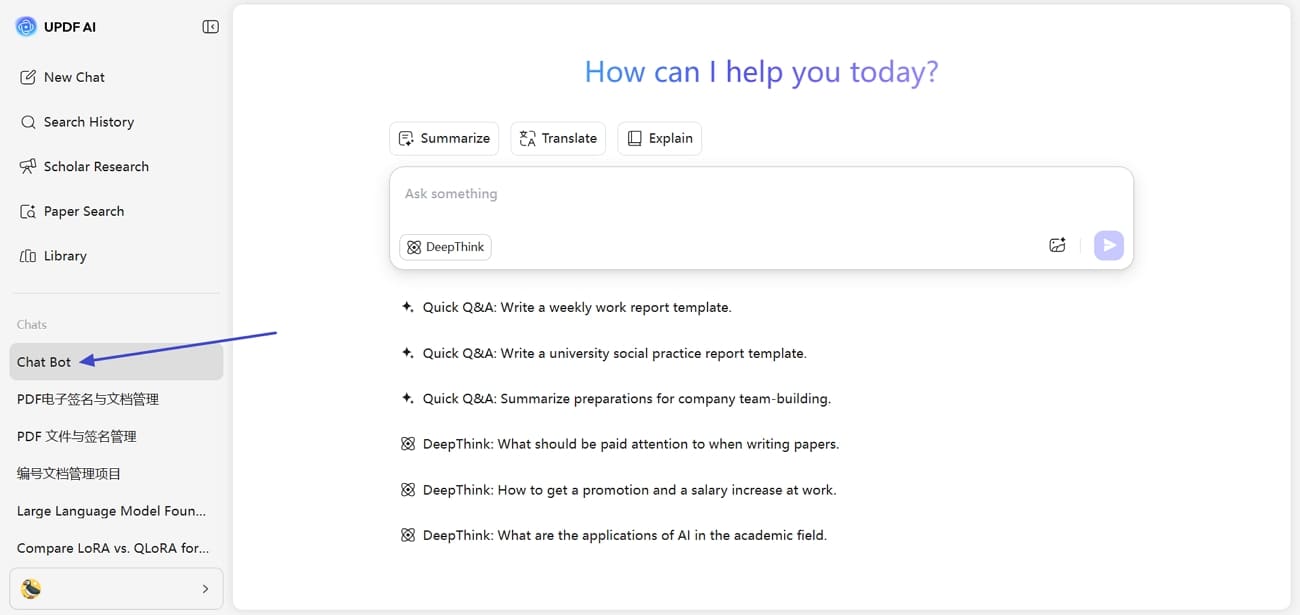
Step 1. Access UPDF AI Online Chat Bot
Once you access the main interface, click the "Chat Bot" option in the left panel. In this chat feature, you can ask any question or queries other than generating citations.
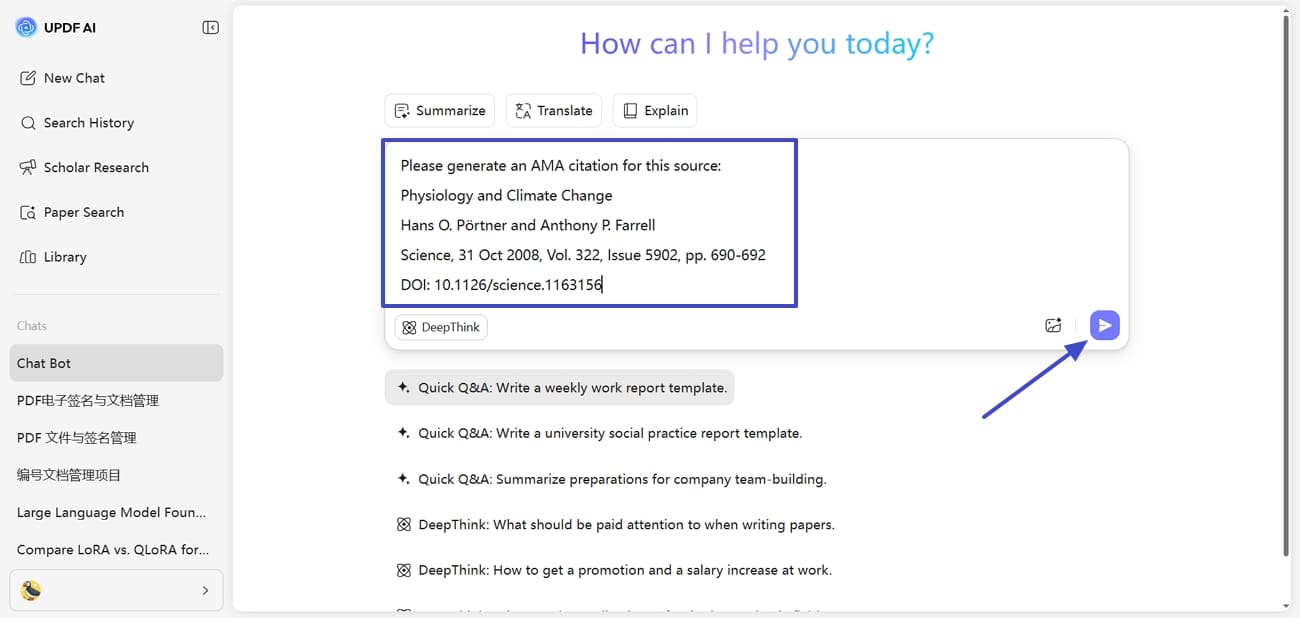
Step 2. Enter Source Information with Citation format
Next, enter your source, such as author, title, and year, with the citation format you want. Afterwards, press the "Send" button to give the command. You can generate citations in any format you want.
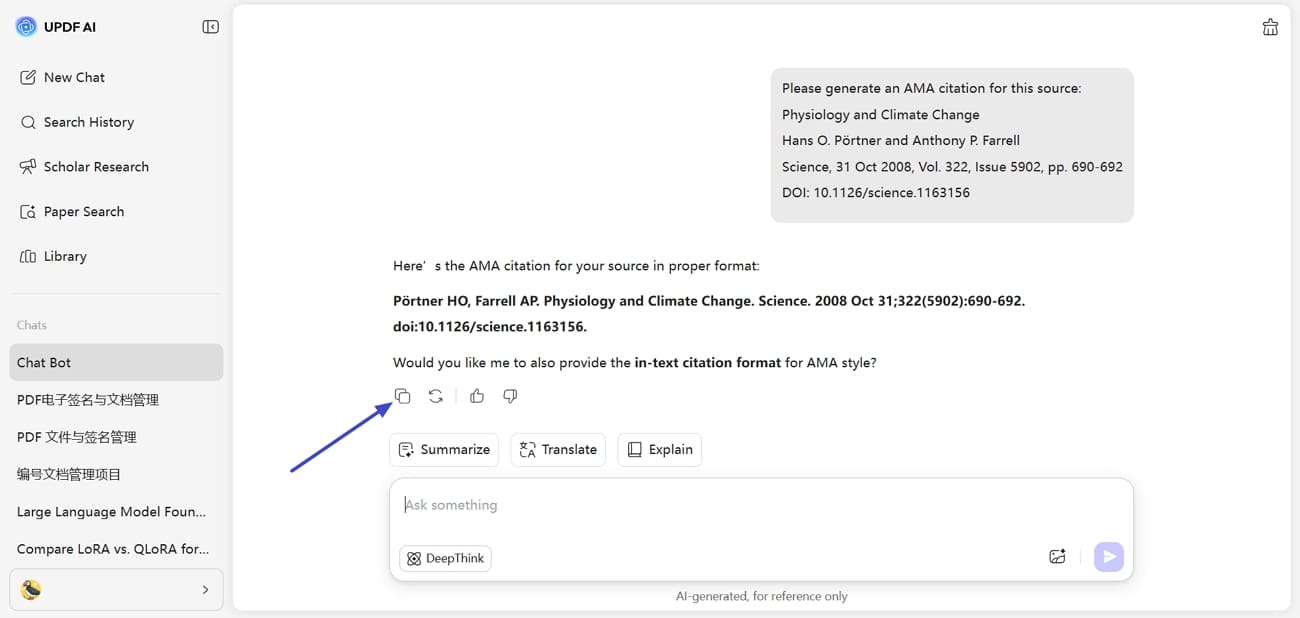
Step 3. Copy the Generated Citation for Use
After you get the generated citation, press the "Copy" icon to use it in your academic writing. Repeat these steps to create citations for multiple sources.
Part 4. Why UPDF AI Online Stands Out as a Citation Tool
After learning how to cite an academic paper, let's move on to why you should consider UPDF AI Online as your first priority for citation generation.
Why UPDF AI Online Is Different
UPDF AI Online stands out by combining citation generation with direct PDF handling in one platform. This setup reduces manual steps, minimizes formatting mistakes, and keeps references consistent across documents. Users can review sources, extract details, and manage citations without switching between multiple tools.
Choosing Free or Paid UPDF AI Online
The free version supports basic citation tasks and light academic use. Long-term research often requires advanced AI features and higher limits for document handling. Check out the pricing plan to upgrade to the paid version and unlock full citation and PDF tools.
Conclusion
In summary, learning how to cite an academic paper accurately is essential for credible research and avoiding mistakes. Traditional methods are often time-consuming and prone to errors. Understanding citation styles and common challenges helps save time and improve consistency. If you want the most reliable workflow combined with advanced AI features, try UPDF AI Online with its premium version.









 Enya Moore
 Enola Miller