 UPDF
UPDF
 UPDF for Windows
 UPDF for Mac
 UPDF for iPhone/iPad
 UPDF for Android
 Nomostar
 UPDF AI Online
 UPDF Sign
 IvyCraft
 Edit PDF
 Annotate PDF
 Create PDF
 PDF Form
 Edit links
 Convert PDF
 OCR
OCR PDF to Word
 PDF to Image
 PDF to Excel
 Organize PDF
 Merge PDF
 Split PDF
 Crop PDF
 Rotate PDF
 Protect PDF
 Sign PDF
 Redact PDF
 Sanitize PDF
 Remove Security
 Read PDF
 UPDF Cloud
 Compress PDF
 Print PDF
 Batch Process
 About UPDF AI
 UPDF AI Solutions
 AI User Guide
 FAQ about UPDF AI
 Summarize PDF
 Translate PDF
 Chat with PDF
 Chat with AI
 Chat with image
 PDF to Mind Map
 Explain PDF
 PDF AI Tools
 Image AI Tools
 AI Chat Tools
 AI Writing Tools
 AI Study Tools
 AI Working Tools
 Other AI Tools
 AI Bookmark Generation
 AI Bookmark Summary
 AI Watermark Generation
 AI Background Generation
 AI Sticker Generation
 AI Stamp Generation
 AI Editing Suite
 UPDF Copilot
 AI Page Management
 AI Semantic Search
 PDF to Word
 PDF to Excel
 PDF to PowerPoint
 Enterprise Solution
 Enterprise Sign
 Enterprise AI
 Enterprise Plan
 Enterprise User Guide
 Enterprise Webinar
 IT
IT Education
 Construction
 Financial Service
 Healthcare
 Insurance
 Legal
Legal Manufacturing
 Government
 Researchers & PhDs
 Solopreneurs & Freelancers
 Lawyers & Legal Professionals
 Real Estate Agents & Brokers
 Education Solution
 Customer Stories
 User Guide
 UPDF Tricks
 FAQs
FAQs UPDF Reviews
 Download Center
 Blog
Blog Newsroom
 Tech Spec
 Updates
 UPDF vs. Adobe Acrobat
 UPDF vs. Foxit
 UPDF vs. PDF Expert

Many users consider purchasing a PDF Extra Lifetime license to avoid subscriptions and reduce long-term software costs. A one-time payment feels practical for professionals, students, and small teams handling PDF documents daily. However, not every lifetime license guarantees unlimited updates, full features, or consistent long-term usability. Some limitations become apparent only after purchase, particularly regarding updates, platforms, and advanced PDF tools.
If you're evaluating a true lifetime PDF solution with free lifetime updates & upgrades and cross-platform support, it's worth checking UPDF's Lifetime Plan. You can also download UPDF to explore its full feature set before making a decision.
Windows • macOS • iOS • Android 100% secure
Part 1. Does PDF Extra Offer a Lifetime License?
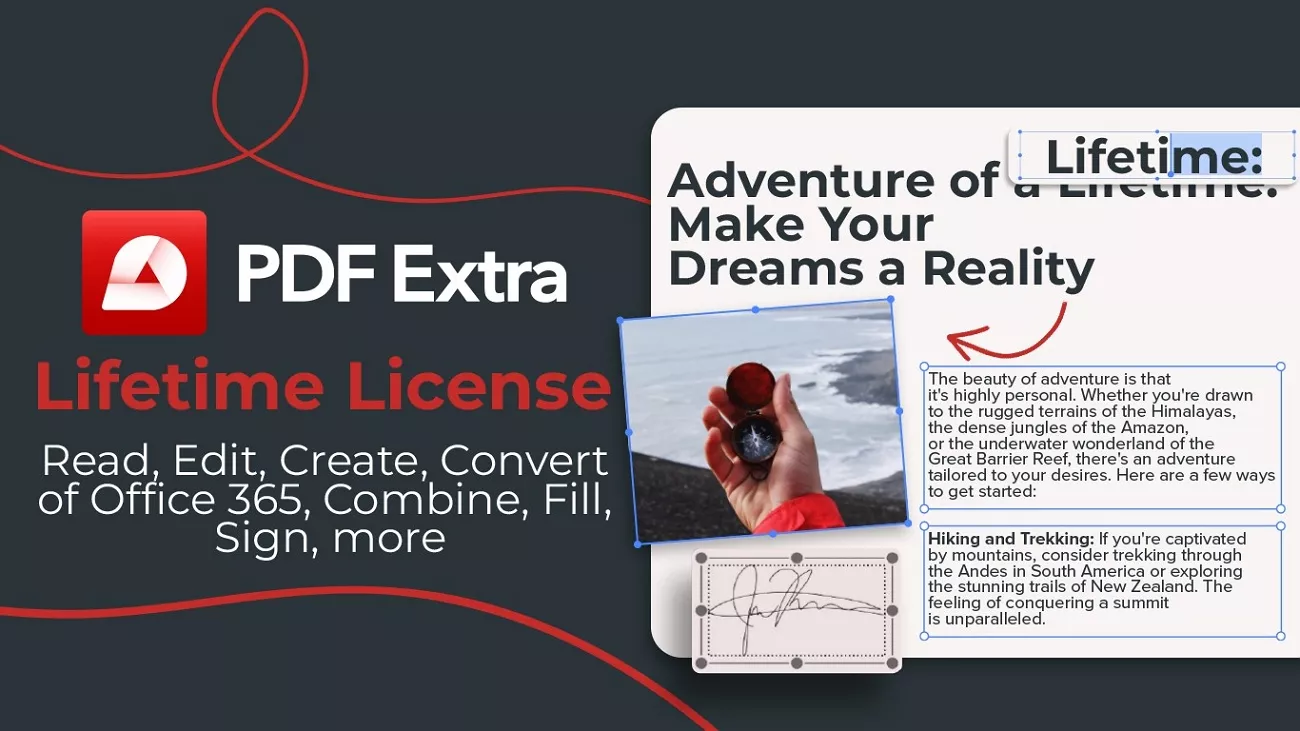
Yes, PDF Extra does offer a lifetime license option, often promoted as a one-time purchase for desktop use. At first glance, this appeals to users who dislike subscriptions and want permanent access. However, the definition of "lifetime" can be unclear and restrictive in practice.
In many cases, the PDF Extra lifetime plan covers only the current major version. Future major upgrades may require additional payments, thereby reducing the real long-term value. Platform limitations and feature gaps also affect usability over time.
Considerable Alternative to PDF Extra Lifetime
When you want to invest in an endless PDF solution, UPDF Pro Lifetime offers a bundle of more capabilities and cross‑platform flexibility in a one‑time purchase. UPDF Pro Lifetime is usually the smarter long‑term choice if you want a one‑time purchase that stays modern. You can use one license on 2 desktops + 2 mobiles at the same time. It works across all your devices and includes advanced tools like OCR and AI, so do consider it before PDF Extra.
Windows • macOS • iOS • Android 100% secure
Part 2. PDF Extra Lifetime Pricing and What You Get
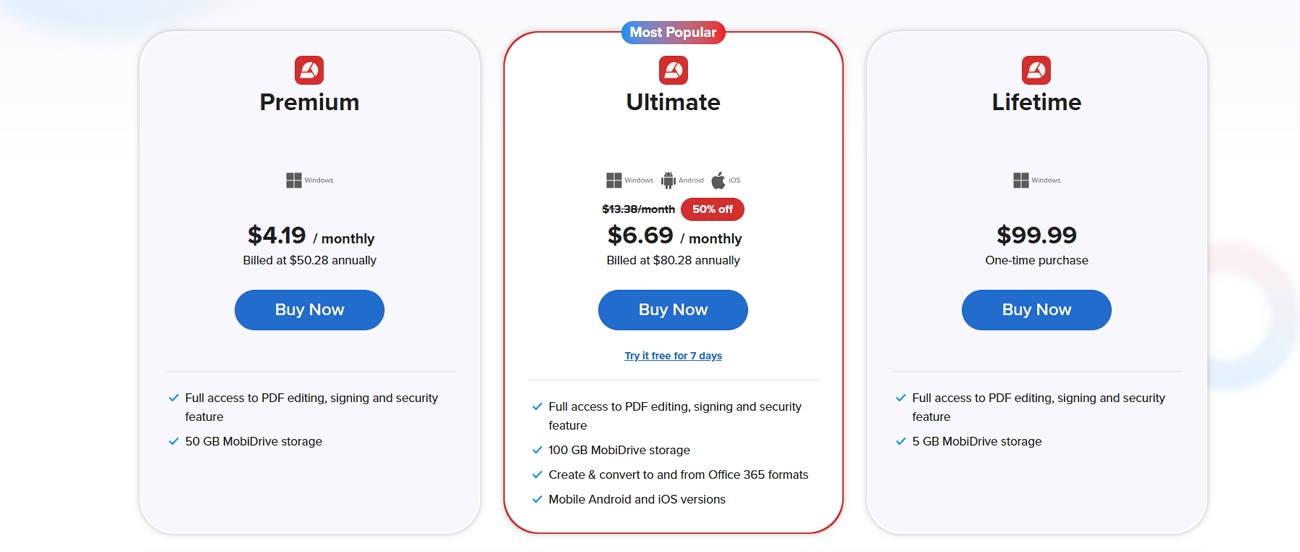
The PDF Extra Lifetime plan is designed for individual desktop users who prefer paying once instead of committing to ongoing fees. Its pricing can vary depending on promotions or resellers, which may affect perceived value at checkout. However, users should evaluate whether the license scope and long-term usability align with their workflow needs. Now, look at the table below to know its pricing and features that it offers.
| Aspect | What You Get |
| Price | $99.99, without promotions and reseller discounts. |
| License Scope | 1 user on 1 Windows PC |
| Core Editing | Edit text and images in existing PDFs |
| Page Management | Merge, split, and reorder PDF pages |
| Forms & Signing | Electronic signatures and digital timestamps |
| Cloud Storage | 5 GB |
Part 3. Common Issues With PDF Extra Lifetime Plans
Many users like the idea of a "buy once, use for years" PDF Extra Lifetime plan, but it is not always trouble‑free. Let's discuss several recurring issues that are worth knowing about before you decide to rely on it:
- Confusing "Lifetime" vs. Subscription: People sometimes think they bought lifetime access when it is actually a yearly or limited‑term plan.
- License and Device Limits: The license is typically tied to a single user and a single PC, so changing or resetting devices can cause activation issues.
- Unclear Update or Upgrade Policy: Users may not know whether big future versions are included or if "lifetime" only covers the current generation.
- Cloud and Multi‑Device Restrictions: Lifetime access to the editor does not always include unlimited cloud storage or multi-device use.
- Refund Policies: Refund policies and support quality can vary by store or reseller, and this can lead to delays in resolutions.
Part 4. A True Lifetime Alternative: UPDF Lifetime
Having discussed the drawbacks of having a PDF Extra Lifetime license, many users look for alternatives that can replace it. UPDF Lifetime is a single payment that unlocks all important features and tools in the app for permanent use. This plan lets you avoid repeating charges while still getting a complete set of functions in one convenient package.
Unlike traditional PDF tools subscriptions, UPDF's plan removes all recurring charges, so you pay once and get access to advanced tools forever. That means you keep using the latest version with better tools and performance without paying anything additional later. UPDF offers lifetime licenses for both individual users and enterprise teams to make it flexible for different needs.
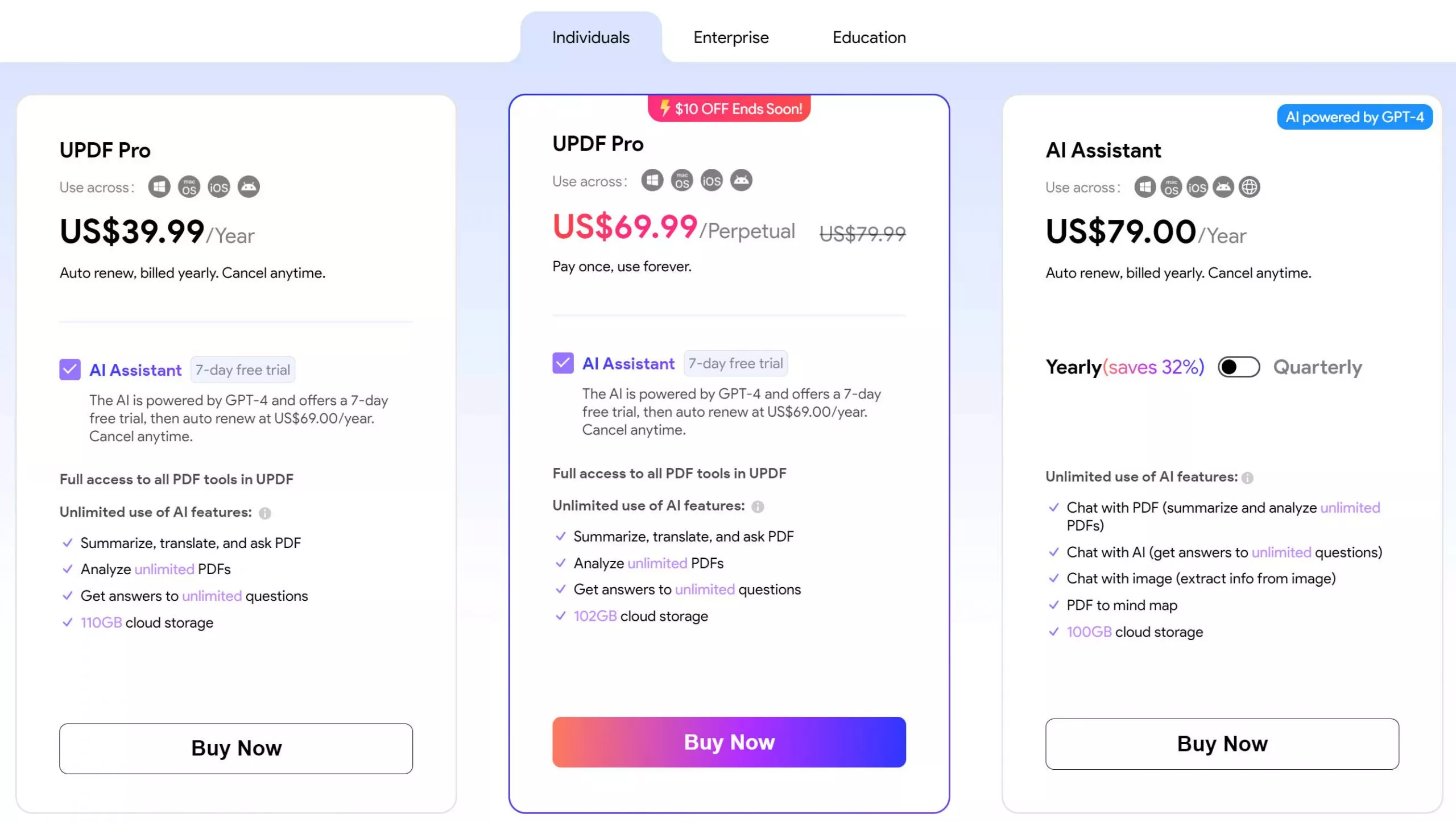
UPDF Lifetime Plans: Individuals & Enterprise
Individual users get wider device coverage for personal work, while enterprise users receive licenses structured for team environments. The pricing reflects usage scale rather than feature restrictions, making it easier to choose the right option. Look at the table below to see what these plans offer.
| Plan Type | Pricing | Devices Per License | Best For | Platforms Supported |
| Individual Lifetime | $69.99/lifetime license | 4 devices | Students, researchers, freelancers, everyday users | Windows, macOS, iOS, Android |
| Enterprise Lifetime | $129/lifetime license/user | 4 devices/user | Corporate teams, businesses | Same platforms, plus admin console for organizations. |
If you want a lifetime PDF solution without hidden limits, UPDF Lifetime is a practical choice. One payment gives long-term access with ongoing improvements and broad device support.
Part 5. PDF Extra Lifetime vs. UPDF Lifetime
After reviewing both lifetime options separately, the differences become clearer when placed side by side. Let's compare PDF Extra Lifetime and UPDF Lifetime across key features and long-term value to help you decide which one is perfect for you.
| Aspect | PDF Extra Lifetime (MobiPDF) | UPDF Lifetime |
| Pricing | $99.99/lifetime license | $69.99/lifetime license |
| Cloud Storage | 5 GB MobiDrive storage | 2GB |
| PDF Editing | Edit, fill/sign forms, convert, and organize pages | Edit, annotate, convert, create, organize, crop/split, flatten, compare, forms, protect, batch files |
| Devices Covered | 1 Windows PC/license | 4 devices across Windows, macOS, iOS, and Android |
| Platforms | Windows desktop (MobiPDF for Windows) | Full cross‑platform support on desktop and mobile |
| AI Features | Limited AI features | Built‑in AI: chat with PDF, summarize, translate, mind map, paper search, deep research |
| Lifetime Updates | No future major upgrades | Lifetime plan explicitly includes ongoing updates and new features |
Conclusion
To wrap up, this article explored PDF Extra Lifetime, its pricing, features, and common limitations. While the plan offers a one-time license, users may face update restrictions, device limits, and unclear long-term value. For those seeking a truly reliable, feature-rich PDF solution with cross-platform support and lifetime updates, we recommend opting for the UPDF Lifetime license as a smarter choice.
Windows • macOS • iOS • Android 100% secure







 Enola Miller
 Enola Davis
 Enrica Taylor
  Delia Meyer
 Engelbert White