UPDF
UPDF
 UPDF for Windows
 UPDF for Mac
 UPDF for iPhone/iPad
 UPDF for Android
 Nomostar
 UPDF AI Online
 UPDF Sign
 IvyCraft
 Edit PDF
 Annotate PDF
 Create PDF
 PDF Form
 Edit links
 Convert PDF
 OCR
OCR PDF to Word
 PDF to Image
 PDF to Excel
 Organize PDF
 Merge PDF
 Split PDF
 Crop PDF
 Rotate PDF
 Protect PDF
 Sign PDF
 Redact PDF
 Sanitize PDF
 Remove Security
 Read PDF
 UPDF Cloud
 Compress PDF
 Print PDF
 Batch Process
 About UPDF AI
 UPDF AI Solutions
 AI User Guide
 FAQ about UPDF AI
 Summarize PDF
 Translate PDF
 Chat with PDF
 Chat with AI
 Chat with image
 PDF to Mind Map
 Explain PDF
 PDF AI Tools
 Image AI Tools
 AI Chat Tools
 AI Writing Tools
 AI Study Tools
 AI Working Tools
 Other AI Tools
 AI Bookmark Generation
 AI Bookmark Summary
 AI Watermark Generation
 AI Background Generation
 AI Sticker Generation
 AI Stamp Generation
 AI Editing Suite
 UPDF Copilot
 AI Page Management
 AI Semantic Search
 PDF to Word
 PDF to Excel
 PDF to PowerPoint
 Enterprise Solution
 Enterprise Sign
 Enterprise AI
 Enterprise Plan
 Enterprise User Guide
 Enterprise Webinar
 Banking
 Healthcare
 Insurance
 Legal
Legal Manufacturing
 Government
 Researchers & PhDs
 Solopreneurs & Freelancers
 Education Solution
 Customer Stories
 User Guide
 UPDF Tricks
 FAQs
FAQs UPDF Reviews
 Download Center
 Blog
Blog Newsroom
 Tech Spec
 Updates
 UPDF vs. Adobe Acrobat
 UPDF vs. Foxit
 UPDF vs. PDF Expert

With over 120 million documents, Scribd is a massive digital library, but its DRM and online-only reading restrict free access. The good news: you can convert Scribd to PDF for offline storage. This article explains different ways to download PDFs from Scribd.
Better yet, converted PDFs often have formatting errors and are uneditable. Professional tools like UPDF let you edit, annotate, OCR, and convert—turning "saving" into true "ownership."
Windows • macOS • iOS • Android 100% secure
Bonus
Part 1. Can You Download PDFs from Scribd?
Yes, but only under specific conditions. Scribd follows strict licensing rules, and the ability to download a document depends on:
- Your Scribd subscription status
- Whether the uploader enabled downloading
- Copyright permissions granted by the content owner
If the document includes a Download button on its page, Scribd officially allows saving it.
Part 2. How to Download PDF Files from Scribd
Follow these steps to download files while staying fully compliant with Scribd’s policies:
Step 1. Go to Scribd.com and sign in to your account. If you’re new, you can start with a trial.
Step 2. Search for or open the book, paper, or document you want to save, and then click on the Save button.
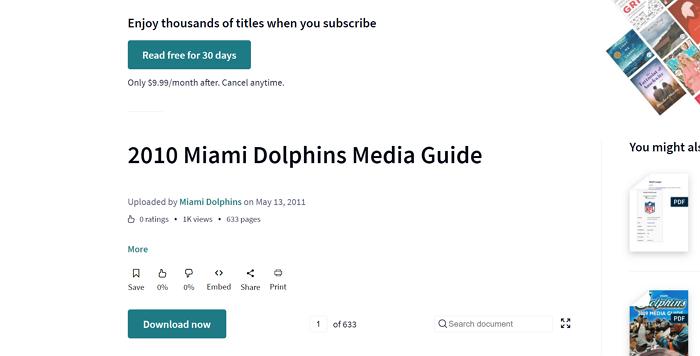
Step 3. Go back to Scribd Home and you'll find the PDF book that you've saved before, click on it and then the Read more button. If the uploader or publisher has enabled downloads, you will see a Download button under the file.

Step 4. Click Download and select PDF as your format. Some documents may offer only TXT or other formats, depending on license permissions.
Note: Not all Scribd files can be downloaded—this is normal and depends on the rights holder’s settings.
Part 3. Other Legitimate Ways to Access Scribd Content
There are other methods to obtain PDFs from Scribd. These include uploading documents and downloading Scribd audiobooks and podcasts. These alternatives offer flexibility and additional ways to access Scribd content.
Method 1. By Uploading
One alternative method to download PDFs from Scribd is by uploading your own documents. When you upload a document to Scribd, you are granted free access to other documents for a limited time. This method involves creating a Scribd account and uploading a document that meets their requirements. Once uploaded, you can browse and download other documents for free during your access period. This approach is legal and adheres to Scribd's terms of service, providing a legitimate way to access needed documents.
Method 2. Download Scribd Audiobooks & Podcasts
Besides downloading PDFs, Scribd also offers a rich library of audiobooks and podcasts. To access these, you can use the Scribd app. First, install the Scribd app on your device and log in to your account. Browse through the audiobook and podcast sections to find content you're interested in. Once you've selected an audiobook or podcast, you can download it for offline listening directly within the app. This method is ideal for on-the-go access to Scribd's audio content.
For your PDF needs, don't forget to utilize UPDF for reading, annotating, and editing downloaded documents seamlessly.
Bonus: Handle All PDF Editing Needs After Converting from Scribd
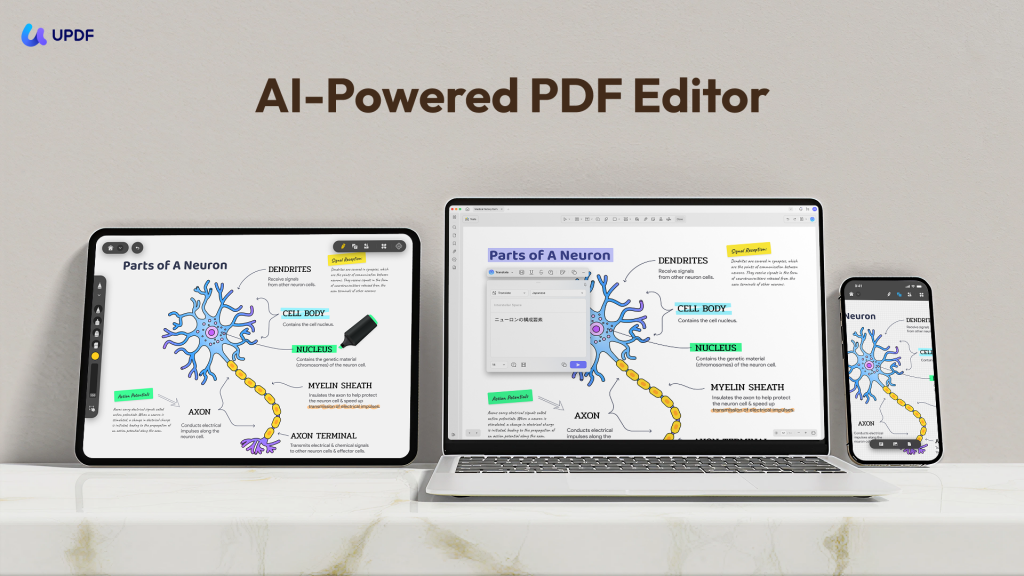
Once you've converted your Scribd files, consider using UPDF to further enhance your PDF documents. UPDF has nearly a dozen other features to help with reading and document management. This includes the following. You can click the button below to download UPDF and give it a test.
Windows • macOS • iOS • Android 100% secure
- Read PDF: Improve your PDF readability with multiple layouts, including single-page view, two-page view, scrolling, or two-page scrolling.
- AI Assistant: UPDF's AI capabilities enable you to summarize long PDF contents, translate them into different languages, and provide explanations for better understanding.
- Convert PDFs: Quickly and accurately convert PDFs to and from various formats like Word, Excel, and more, maintaining the original layout and format integrity.
- OCR PDF: The advanced OCR feature in UPDF can recognize text in scanned PDFs across 38 languages, making your documents editable and searchable.
- Batch PDF: Insert a single PDF into multiple files collectively without quality loss.
- Edit PDF: UPDF allows you to edit text and images in your PDFs as easily as you would in a Word document.
- Organize PDF: Efficiently manage your PDF pages by extracting, splitting, rotating, reordering, or adding new pages.
- Compress PDFs: Decrease the file size of your PDFs without compromising quality.
- Annotate PDFs: UPDF offers extensive annotation tools, including highlights, text boxes, attachments, and shapes, for an intuitive reading and editing experience.
- Fill and Sign: Design and add electronic signatures to your PDFs.
- UPDF Cloud: With the power of cloud computing, you can view your PDF from any device.
Conclusion
In conclusion, whether you rely on Scribd's official download options or access documents through legitimate alternatives, downloading PDFs from Scribd is now within your reach. These tools and techniques provide flexible and reliable ways to access the documents you need. Once you've successfully downloaded your PDFs, elevate your experience with UPDF. With its robust reading, annotating, and editing capabilities, UPDF ensures you can manage your documents efficiently and effectively. Try UPDF today and take your PDF management to the next level, making the most out of your downloaded Scribd files.
Windows • macOS • iOS • Android 100% secure
Notice: This guide does not encourage bypassing Scribd’s technical restrictions or copyright protections. All methods described comply with Scribd’s official policies and applicable copyright laws.






 Enid Brown

 Delia Meyer