 UPDF
UPDF
 UPDF for Windows
 UPDF for Mac
 UPDF for iPhone/iPad
 UPDF for Android
 UPDF AI Online
 UPDF Sign
 Edit PDF
 Annotate PDF
 Create PDF
 PDF Form
 Edit links
 Convert PDF
 OCR
OCR PDF to Word
 PDF to Image
 PDF to Excel
 Organize PDF
 Merge PDF
 Split PDF
 Crop PDF
 Rotate PDF
 Protect PDF
 Sign PDF
 Redact PDF
 Sanitize PDF
 Remove Security
 Read PDF
 UPDF Cloud
 Compress PDF
 Print PDF
 Batch Process
 About UPDF AI
 UPDF AI Solutions
 AI User Guide
 FAQ about UPDF AI
 Summarize PDF
 Translate PDF
 Chat with PDF
 Chat with AI
 Chat with image
 PDF to Mind Map
 Explain PDF
 PDF AI Tools
 Image AI Tools
 AI Chat Tools
 AI Writing Tools
 AI Study Tools
 AI Working Tools
 Other AI Tools
 AI Bookmark Generation
 AI Bookmark Summary
 AI Watermark Generation
 AI Background Generation
 AI Sticker Generation
 AI Stamp Generation
 AI Editing Suite
 UPDF Copilot
 AI Page Management
 AI Semantic Search
 PDF to Word
 PDF to Excel
 PDF to PowerPoint
 Enterprise Solution
 Enterprise Sign
 Enterprise AI
 Enterprise Plan
 Enterprise User Guide
 Enterprise Webinar
 Banking
 Healthcare
 Insurance
 Legal
Legal Manufacturing
 Government
 Education Solution
 Customer Stories
 User Guide
 UPDF Tricks
 FAQs
FAQs UPDF Reviews
 Download Center
 Blog
Blog Newsroom
 Tech Spec
 Updates
 UPDF vs. Adobe Acrobat
 UPDF vs. Foxit
 UPDF vs. PDF Expert

In today's world, where technology has driven every task into the digital era, manual and physical techniques are outdated. As someone who works closely with digital documents every day, I’ve seen how quickly the role of a PDF company has evolved. A tool originally used only for viewing files has become a full-scale PDF business ecosystem. It supports automation, intelligent workflows, transformations and adapting to today’s fast-paced business environment. I wanted to dive into the insights on which platforms actually deliver real value for professionals.
In this article, I walk through UPDF and compare it with other well-known players, sharing what genuinely stood out to me. You can click the button below to try it out by yourself.
Windows • macOS • iOS • Android 100% secure
Part 1. UPDF
Overview
When I first explored UPDF, I was surprised by how much thought and effort had been put into making it both powerful and accessible to everyone. UPDF is developed by Superace Software Technology Co., Ltd., a technology-driven company focused on modern document productivity. The company was founded in September 2021, and just 3-4 months later, UPDF for iOS was released. The company was founded with a mission to simplify how people interact with PDFs by removing the difficulties traditionally associated with document editing, signing, and collaboration.
Today, UPDF serves more than four million users worldwide, including major enterprises across industries such as DUPONT, Hilton, TOYOTA, etc. It includes prominent manufacturing, hospitality, finance, and energy companies. Seeing recognisable organisations using the platform gave me confidence that this PDF company understands real business requirements rather than just individual consumer needs.

Mission And Vision
What resonated with me most is UPDF’s emphasis on accessibility and intelligent productivity. The company aims to make advanced document tools available to everyone, not just to professional users. Instead of clubbing features and complexity, UPDF focuses on speed, clarity, and automation. This mindset aligns well with how modern PDF business operations function today: faster decisions, smarter workflows, and secure collaboration.
Product Ecosystem
UPDF operates across three main products (you can click the buttons below to try out each corresponding product separately):
- UPDF Desktop and Mobile App – A full-featured PDF editor for daily work. The key feature here is compatibility. I can start working on my desktop, then edit the same document on my Android and share it with my faculty, who uses it on his iOS device. So there is no need to go for a third-party application. When it comes to PDFs, UPDF provides premium editing, annotating, and format conversion features. If it's about automation, it integrates AI tools. For bulk documents, it offers batch processing and an OCR-based system for fast recognition and data extraction.
Windows • macOS • iOS • Android 100% secure
- UPDF AI Online – AI-powered document understanding and assistance. It uses advanced AI versions for PDF handling. It also offers important PDF-based modes, such as PDF Q&A and Chat Mode. Users can upload their documents directly and start communication regarding them; they can summarise, translate, and interpret PDFs.
- UPDF Sign – Secure digital signing and approval workflows. A easy to use feature for e-signs that replaces the traditional methods for faster and paperless agreements.
Core Features And Strengths
UPDF offers:
- Reading, highlighting, and annotation tools
- Full text and image editing, and layout adjustments
- Format conversion between Word, Excel, images, PDFs, and more
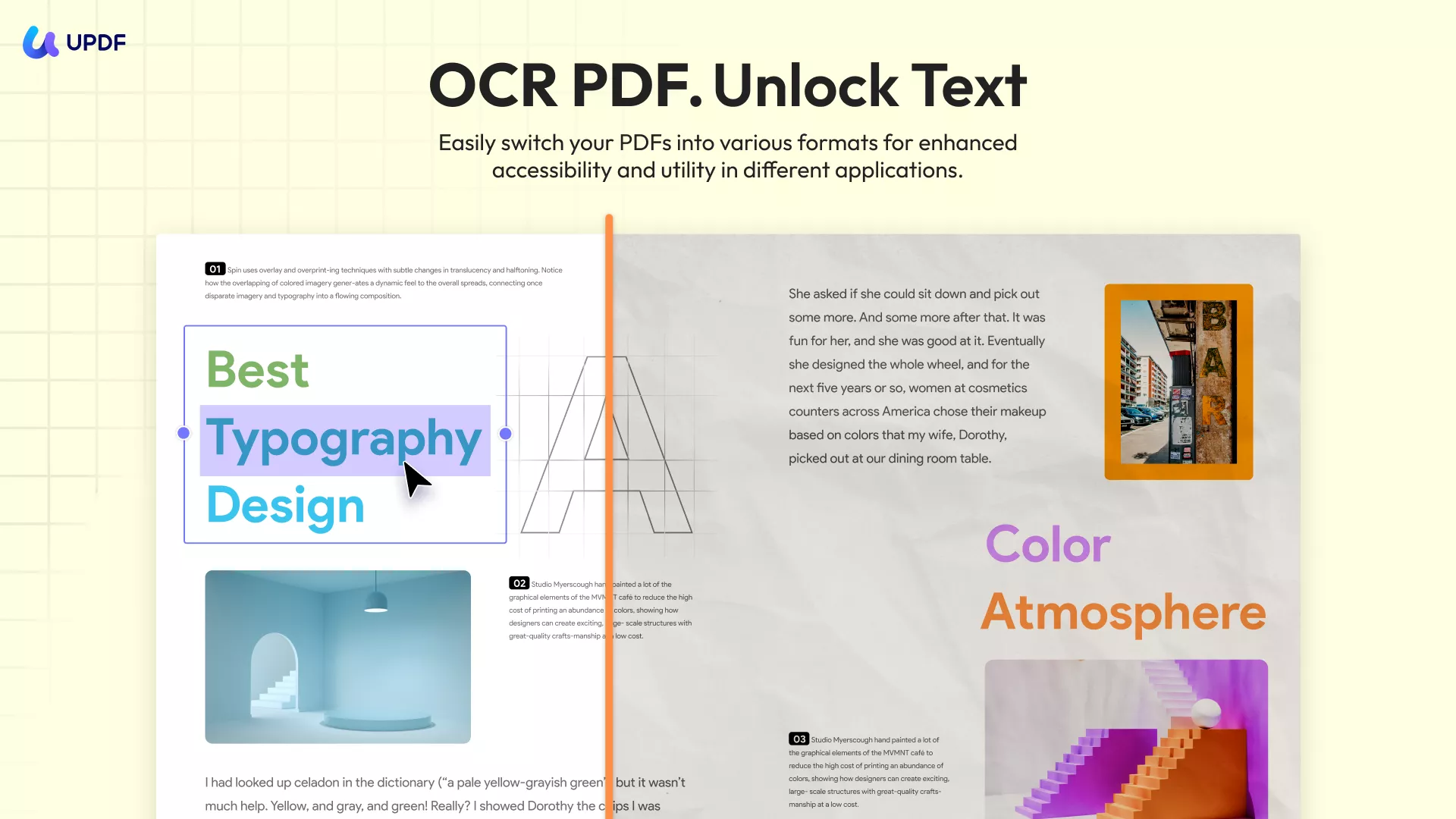
- OCR for scanned documents. It supports over 38+ different languages
- Batch processing for large document sets
- Page organisation (e.g. merge, split, rotate, reorder, extract)
- PDF/A and PDF/E archival support
- PDF/X print production support
- AI assistant for summarizing, translating, generating mind maps, searching academic papers, and providing academic insights.
The OCR engine performs well even on low-quality scans, saving me hours of manual correction. From a governance perspective, UPDF also offers cloud connectivity and LAN deployment options for organisations requiring tighter data control.
Windows • macOS • iOS • Android 100% secure
Company milestones
I’ve always found UPDF’s journey fascinating because it shows how quickly a focused vision can turn a product from concept to a widely used tool. The company behind UPDF, Superace Software, was founded in September 2021, and just a few months later, the first UPDF releases for Windows and Mac appeared in May 2022.
Moreover, most recently, the UPDF 2.0 upgrade in May 2025 brought improved speed and usability, as well as expanded smart features. You can watch the video below to see the changes. This path shows that UPDF is turning into something bigger in future. It’s said that UPDF will have another major update in 2026, so it’s definitely something to look forward to.
Pricing Plans
| Plan Type | Pricing | Offerings |
| Free | $0 | Basic PDF editing tools (trial watermarks added) |
| UPDF Pro - Annual | $59.99/Year (around $5 per month) | Full PDF editing, annotation, OCR, conversion, signing, cloud storage (10GB) |
| UPDF Pro - Lifetime | $89.99/Lifetime | Lifetime access to all core PDF tools and features |
| AI Assistant - Annual | $79.00/Year (around $6.6 per month) | Includes all Pro features plus AI-powered tools like summarizing, translating, and chat |
| UPDF Sign | $69.00/Year (around $5.75 per month) | 300 signatures, 20GB cloud storage |
UPDF’s lifetime plan is a one-time fee that includes lifetime updates and upgrades, so you pay once and continue receiving future improvements without recurring costs, giving you long-term value and peace of mind.
Part 2. Foxit
Overview
Foxit is another well-established name in the PDF business space, founded in 2001 by Eugene Xiong. The company operates under Fujian Foxit Software Development Joint Stock Co., Ltd., and has built a strong reputation over the years for lightweight PDF tools and enterprise-grade solutions. Foxit’s global footprint and public market presence demonstrate its maturity as a technology organisation.
From what I’ve observed, Foxit appeals strongly to corporate environments that prioritise compliance, document security, and integration with enterprise systems.
Mission And Market Position
Foxit positions itself as a productivity and document automation company rather than merely a PDF viewer. Their mission is to help organisations accelerate digital workflows while maintaining compliance and security standards. This resonates with enterprises managing high volumes of documents across departments such as legal, HR, and finance.
Product Portfolio
Foxit offers a range of products, including:
- Foxit Reader: Designed for fast and lightweight PDF viewing, basic annotations, highlighting, and form filling.
- Foxit Mobile PDF: Built for smartphones and tablets, allowing users to view, edit, scan, and sign PDFs while working remotely
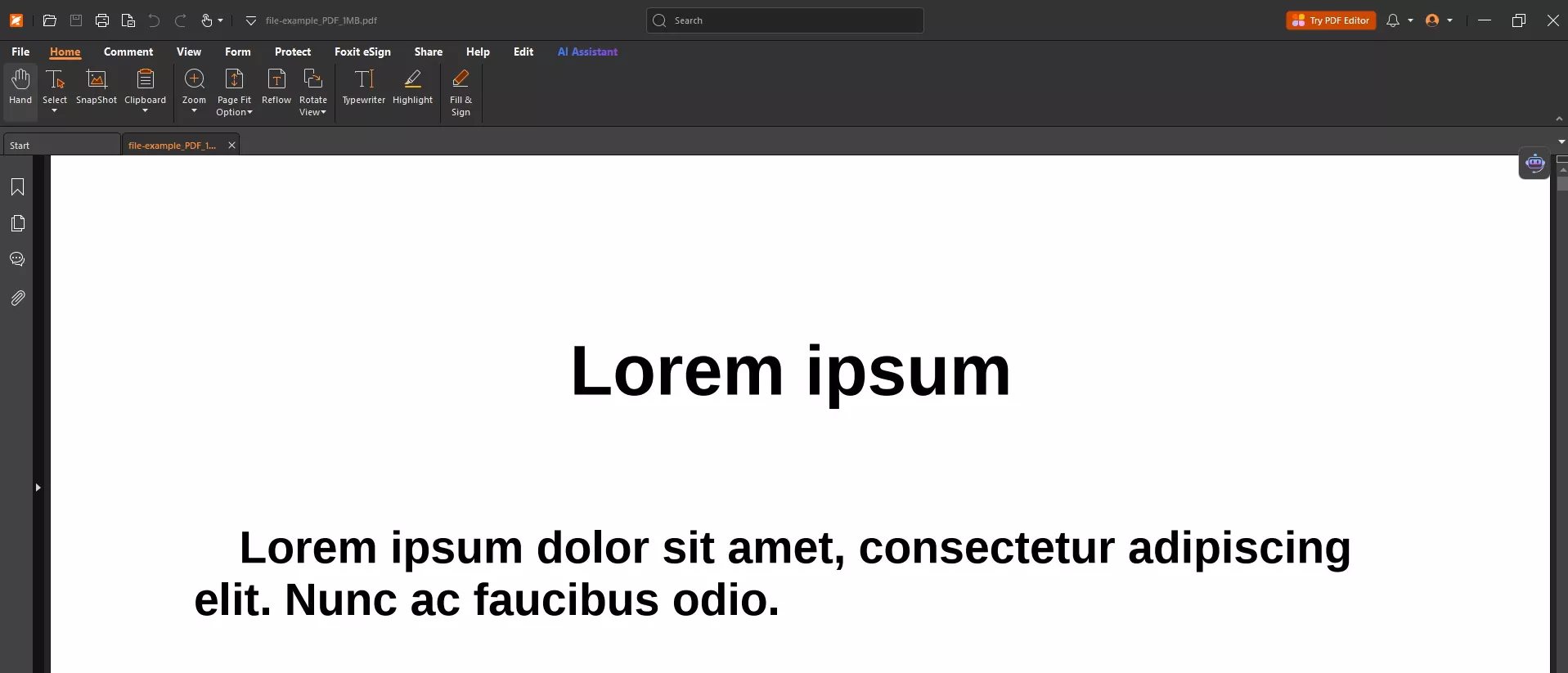
- Foxit PDF Editor: A full-featured editing tool that supports advanced editing, conversion, OCR, and is best suited for business users
- Foxit PDF iFilter
Each product targets a specific segment of document workflows. Foxit PDF Editor is the flagship editing tool, offering robust annotation, form handling, and security controls.
Supported Platforms And Pricing
Foxit supports Windows, macOS, mobile devices, and browser-based access depending on the product line. Pricing typically follows a subscription-based model with enterprise licensing options. In my experience reviewing their pricing, I think it focuses on corporate budgets rather than affordability for individuals.
Strengths And Business Use Cases
Foxit excels in:
- Enterprise document security
- Workflow automation
- End-User Productivity (enables users to use desktop software, mobile apps, and cloud services)
- Integration with document management systems
- Volume Automation (offers a strong server to handle large-scale documents)
- Software Development (helps developers to include PDF technology in their apps)
Organisations that already operate large IT ecosystems may find Foxit’s integration capabilities valuable. However, the learning curve can be steeper for casual users compared to newer platforms.
Financial Stability And Growth
Foxit has demonstrated consistent investment in product development and in expanding into cloud-based services. Being publicly traded adds transparency around financial performance and long-term stability, which matters when organisations select a strategic PDF business partner.
Milestones And Industry Presence
Over the years, Foxit has evolved from a lightweight PDF reader into a comprehensive document management provider. Its expansion into cloud services, security tooling, and workflow automation demonstrates a steady shift toward enterprise digital transformation.
Part 3. Adobe
Overview
Adobe Inc. is an American multinational software company headquartered in San Jose, California. It was founded in December 1982 by John Warnock and Charles Geschke.
Adobe is often the first name people associate with PDFs, and understandably so. As the original creator of the PDF format, Adobe has shaped how documents are shared and standardised globally. The company operates at a massive scale, serving creative professionals, enterprises, governments, and educational institutions. In many ways, Adobe represents the legacy foundation of the PDF business world.
From my experience, Adobe solutions need to lay their attention on deep functionality and enterprise reliability over simplicity. This makes them powerful.
Customer Base
Adobe’s reach as a PDF company becomes even clearer when you look at the scale of its customer base. According to industry estimates, Creative Cloud — Adobe’s flagship subscription ecosystem — had grown to more than 40 million paid subscribers, representing a significant annual increase. Having millions of paying customers not only highlights Adobe’s brand strength but also reflects the trust in its products.
Many major companies, including Walmart, Apple, Autodesk, and UnitedHealth Group, use Adobe in the USA.
Product Portfolio
Adobe’s PDF offerings are centred around Acrobat, available in both desktop and cloud versions. It supports:
- Advanced editing and formatting
- Secure document sharing and permissions
- Digital signatures and identity validation
- Cloud storage and collaboration
- Accessibility compliance tools
Adobe also integrates tightly with its Creative Cloud ecosystem, which benefits organizations already embedded in Adobe workflows.
Adobe Product Overview And Pricing
When talking about major players in the document and creative software space, Adobe stands out for its broad suite of tools that serve both individual creators and large enterprises. Some of Adobe’s most featured products include:
Acrobat Reader: A free application for opening, reviewing, commenting on, and signing PDF files, making it a useful tool for document purposes.
Firefly: Adobe’s generative AI platform helps users quickly create images, text effects, and visual assets.
Adobe Express: A lightweight design tool that allows users to create social posts, presentations, and marketing visuals without having pro design skills.
Photoshop: A professional image editing platform used globally for photo manipulation, graphic design, digital art, and creative logos, etc.

Supported Devices
Adobe’s software ecosystem supports a wide range of devices, including:
- Windows PCs and Mac computers for full desktop applications
- iOS and Android mobile devices for on-the-go access
- Web browsers for cloud-based workflows without installation
This flexibility allows professionals to work seamlessly across desktops, laptops, tablets, and smartphones, ensuring continuity whether they are in the office, at home, or traveling.
Pricing Plans
Adobe structures its pricing to cater to a variety of needs. For PDF work, pricing typically includes:
- Acrobat Reader: Free for basic viewing, commenting, and signing of PDFs
- Acrobat Standard DC: Around $12.99 per month with core editing and conversion tools
- Acrobat Pro DC: Around $19.99 per month with advanced editing, redaction, and comparison features
- AI Assistant add-on: An additional $4.99 per month for AI-driven productivity tools within Acrobat
Strengths In Large Organizations
Adobe performs exceptionally well in environments that demand strict compliance, audit trails, and enterprise governance. Its security controls and document lifecycle management features are robust. For regulated industries, this level of control remains attractive.
However, for fast-moving teams seeking agility, Adobe’s interface and licensing complexity can slow adoption.
Financial Performance
When I looked at Adobe’s most recent financial reports, what stood out to me was the company's consistent growth in revenue and profitability. Adobe’s financial performance shows strong recurring revenue, driven by subscription services like Creative Cloud and Acrobat. According to Adobe Reports Record Q4 and FY2025 Revenue, “Adobe achieved revenue of $23.77 billion in FY2025, which represents 11% year-over-year growth as reported and in constant currency.”
Company Milestones
Delving into Adobe’s history felt like tracing the evolution of digital creativity itself. From its founding in the early 1980s by innovators who helped invent the PDF format to becoming a global leader in creative and document software, Adobe’s journey has been remarkable. Along the way, key milestones — like the launch of Acrobat, the transition to subscription-based services, and the recent integration of generative AI and much more.

Part 4. Nitro
Overview
Nitro Software Limited was founded in 1997 by Sam Chandler and Rich Wenzel. It also has Nitro Software Limited (ASX: NTO), which is currently delisted. Nitro positions itself as a productivity-focused PDF company, primarily aimed at business environments. The platform focuses heavily on document automation, e-signatures, and workflow optimisation. In many ways, Nitro attempts to bridge the gap between Adobe’s enterprise power and lighter consumer tools.
Mission
At its core, Nitro aims to remove complexity from document tasks like editing, signing, and managing PDFs so users can focus more on meaningful work and less on technicalities. To achieve this, the company builds intuitive tools powered by modern features, including AI, powerful editing capabilities, and robust security measures, that help teams of all sizes operate more efficiently. Nitro’s solutions are trusted globally, with millions of users ranging from individual professionals to some of the world’s largest corporations. Its claim is: Nitro is trusted by 67% of the Fortune 500.
Core Offerings
Nitro provides:
- PDF editing and conversion
- Digital signing workflows
- Team collaboration features
- Cloud-based document management
- Analytics for document usage
I found Nitro’s interface clean and business-oriented, making it approachable for professionals who want efficiency without complexity overload.
Product Overview
Nitro offers the following famous products:
Nitro PDF – As the name suggests, it respects its brand by offering swift document processing for editing, sharing, and transformation.
Nitro Sign – Lets users sign documents electronically in a secure and legally binding way, saving time and paper.
Nitro Identity – Ensures secure verification of user identities across digital workflows, protecting sensitive information.
Pricing And Deployment
Nitro’s pricing model typically targets mid-sized businesses and enterprise teams. While more affordable than Adobe, it can still feel premium for individuals or startups.
| Plan Name | Pricing | Who It’s For |
| Nitro PDF Standard | ~$15 per user/month (billed annually) | Individuals, teams, and small businesses need full PDF editing features |
| Nitro PDF Plus | Custom pricing (contact sales) | Larger teams/enterprises needing advanced security & analytics |
| Nitro PDF Classic | ~$250 one-time (Windows desktop) | Single users who prefer a one-time license option |
Financial Performance
When I analyse Nitro’s financial performance, what stands out most is the company’s rapid revenue growth and ongoing expansion in the SaaS market. In the financial year 2021, Nitro reported total revenue of approximately US $50.9 million,
The company’s Annual Recurring Revenue (ARR) rose to around US$ 46.2 million.
Company Milestones
Reflecting on Nitro’s evolution, I see a journey defined by technology and global expansion. Founded in 2005 in Melbourne, Nitro began as a small team focused on creating smarter, more user-friendly tools for document workflows, including PDF editing and e-signing

Part 5. Comparison: Which PDF Company Fits Your Needs
After hands-on exploration of these platforms, I realised that selecting the right PDF company depends heavily on features and pricing rather follwing major brand names.
UPDF stands out as one of the most cost-effective options, offering comprehensive editing, annotation, conversion, and AI-powered tools for only about US$59.99 per year, or a one-time US$89.99 lifetime license. It works across Windows, macOS, iOS, and Android.
In contrast, Nitro Pro delivers robust PDF editing, form-filling, and e-signature tools that many professionals need, but its pricing is significantly higher — often around US$179.99 as a perpetual license, with subscriptions available at similar costs.
Adobe Acrobat, long considered the industry standard, commands the highest price, with annual plans running up to roughly US$239.88, though it offers advanced features and deep integration with Adobe’s ecosystem.
Other editors like Foxit are also strong contenders; Foxit offers subscription and perpetual options in the mid-range, like US$129.99, also proving free trial for 14 days.
Conclusion
After exploring these platforms in depth, I’ve come to see that the role of a PDF company has shifted far beyond simple file viewing. Today’s PDF business demands speed, intelligence, security, and flexibility. While legacy platforms like Adobe and Foxit continue to serve large enterprises well, they often carry complexity and cost that slow innovation.
What impressed me most about UPDF is how it aligns with modern technology and offers all the features required by a typical user or business. All in all, it is best because it offers a range of traits, from affordability to performance.
Windows • macOS • iOS • Android 100% secure







 Lizzy Lozano
  Enrica Taylor
 Enola Davis