 UPDF
UPDF
 UPDF for Windows
 UPDF for Mac
 UPDF for iPhone/iPad
 UPDF for Android
 UPDF AI Online
 UPDF Sign
 Edit PDF
 Annotate PDF
 Create PDF
 PDF Form
 Edit links
 Convert PDF
 OCR
OCR PDF to Word
 PDF to Image
 PDF to Excel
 Organize PDF
 Merge PDF
 Split PDF
 Crop PDF
 Rotate PDF
 Protect PDF
 Sign PDF
 Redact PDF
 Sanitize PDF
 Remove Security
 Read PDF
 UPDF Cloud
 Compress PDF
 Print PDF
 Batch Process
 About UPDF AI
 UPDF AI Solutions
 AI User Guide
 FAQ about UPDF AI
 Summarize PDF
 Translate PDF
 Chat with PDF
 Chat with AI
 Chat with image
 PDF to Mind Map
 Explain PDF
 PDF AI Tools
 Image AI Tools
 AI Chat Tools
 AI Writing Tools
 AI Study Tools
 AI Working Tools
 Other AI Tools
 AI Bookmark Generation
 AI Bookmark Summary
 AI Watermark Generation
 AI Background Generation
 AI Sticker Generation
 AI Stamp Generation
 AI Editing Suite
 UPDF Copilot
 AI Page Management
 AI Semantic Search
 PDF to Word
 PDF to Excel
 PDF to PowerPoint
 Enterprise Solution
 Enterprise Sign
 Enterprise AI
 Enterprise Plan
 Enterprise User Guide
 Enterprise Webinar
 Banking
 Healthcare
 Insurance
 Legal
Legal Manufacturing
 Government
 Education Solution
 Customer Stories
 User Guide
 UPDF Tricks
 FAQs
FAQs UPDF Reviews
 Download Center
 Blog
Blog Newsroom
 Tech Spec
 Updates
 UPDF vs. Adobe Acrobat
 UPDF vs. Foxit
 UPDF vs. PDF Expert

Using AI often sounds simple, but many people quickly run into a problem while trying to get the desired output. They don’t know how to phrase prompts in a way that produces the results they actually want. Even small changes in wording can lead to very different outputs, which makes the process frustrating and unreliable.
OpenAI Prompt Packs address this by offering ready-made prompts built around real roles and tasks. Still, good prompts are only half the solution. The real challenge is applying AI output to everyday work. That’s where UPDF AI fits in with its document-centric approach.
By bringing AI directly into document-based workflows (reports, research papers), UPDF helps turn AI responses into practical results. Read till the end to learn about OpenAI Academy Prompt Packs and explore UPDF AI functionality. You can click the button below to have a free try.
Part 1. My Early Struggles with AI Prompts
When I first started experimenting with ChatGPT and other LLMs, I assumed good output would come automatically. I quickly realized that the quality of results depended heavily on how I framed my prompts. I tried simple one-line questions and even copied prompts from online forums. Sometimes the responses were impressive, and other times they were completely off-track.
So, this inconsistency made me reflect on my own role in the interaction rather than blaming the model. I tested different approaches, including asking the same question in multiple ways and adding context. Through these experiments, I discovered that prompting is less about asking what you want and more about explaining how you want it.
My early experience felt like trial and error, and each failure taught me something about intent. The main problems I faced during this phase were:
- I didn’t know how much context to include.
- My prompts were often ambiguous, leading to unpredictable outputs.
- I failed to specify the role, tone, or format I wanted.
- I expected consistent results from poorly structured prompts.
Part 2. Discovering OpenAI Prompt Packs
After struggling with inconsistent outputs and unclear prompts, I began searching for better ways to interact with AI models. That’s when I discovered OpenAI Prompt Packs, which changed my prompting experience. Instead of guessing how to phrase a prompt every time, I found structured sets of ready-to-use prompts.
OpenAI Academy Prompt Packs are collections of prompts organized around specific roles, use cases, or workflows. They’re published on the OpenAI Academy platform, and each pack offers a collection of prompts optimized to help you accomplish common tasks relevant to a particular job. These packs are essentially templates you can plug into ChatGPT to get consistent outputs right away.
How to Find OpenAI Prompt Packs?
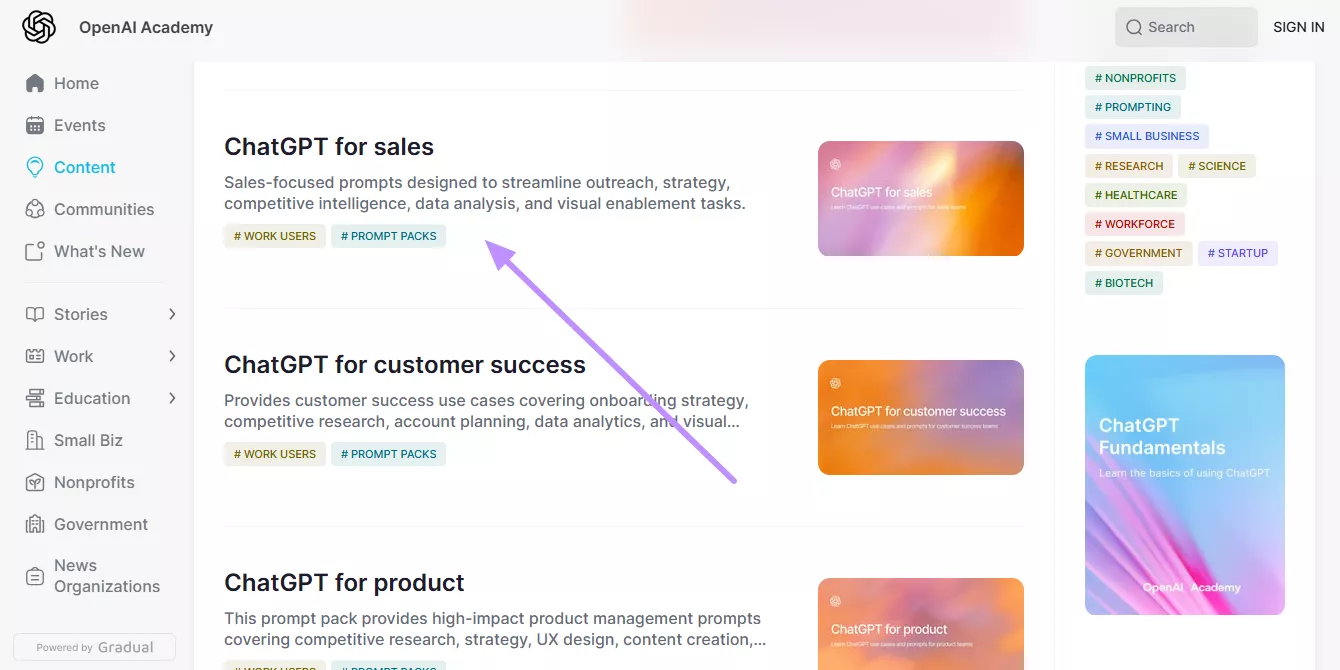
To access these packs, you visit the OpenAI Academy website and look for the Prompt Packs tag or category. You can browse by topic or role and select the ones most relevant to your needs.
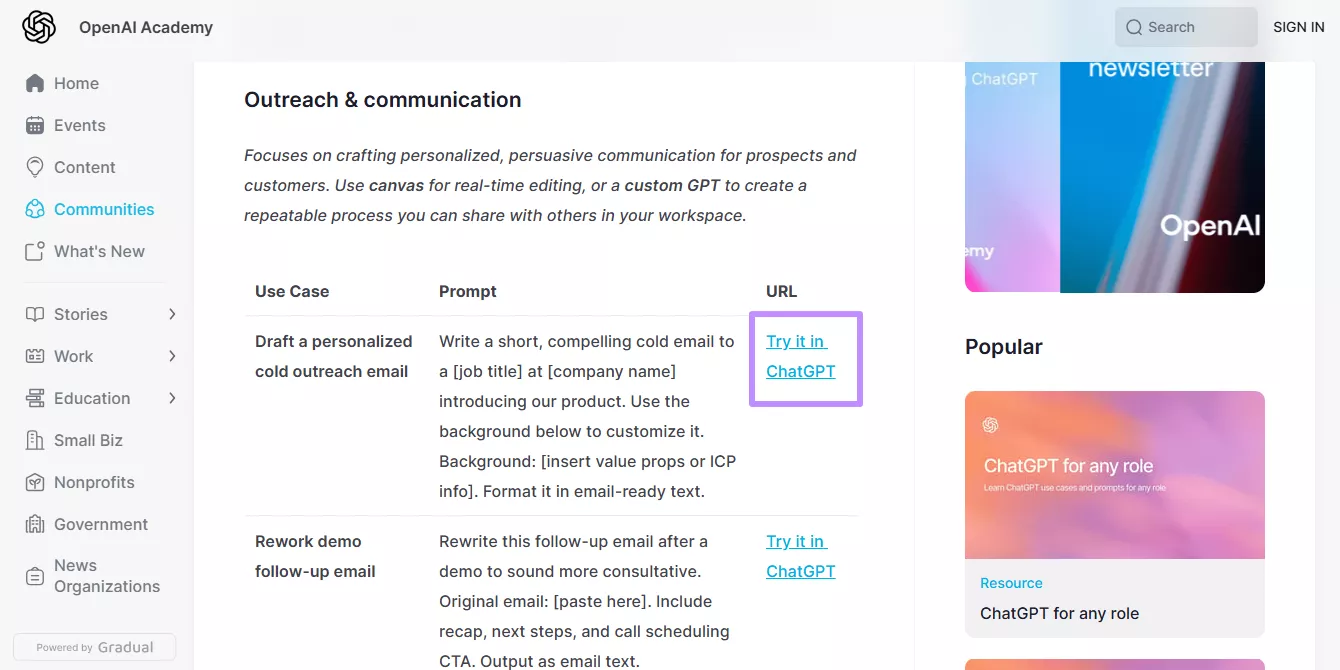
Once you find a pack that fits your use case, you can copy the prompts and paste them into ChatGPT. Alternatively, press the Try it in ChatGPT button and personalize the prompt. This approach reduced my time spent on crafting prompts from scratch, and helped me get understanding of patterns of effective prompting.
Versatility of OpenAI Prompt Packs Across Different Roles
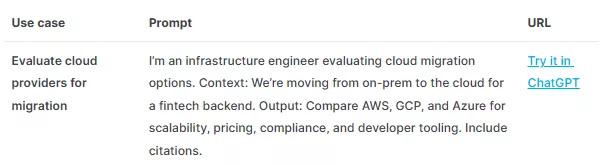
One of the most valuable things I discovered about OpenAI Prompt Packs is how thoughtfully they’re designed for different professional roles. Instead of offering generic prompts, each of the following packs focuses on the real responsibilities and outcomes that matter in a specific job.
1. Sales
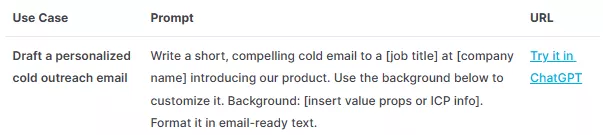
Sales prompt packs help with conducting outreach, developing sales strategies, researching competitors, analyzing pipeline data, and creating presentation materials that support clearer, more confident conversations with prospects.
2. Product Management
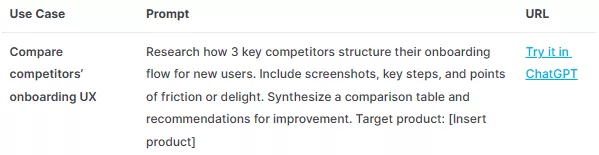
Product managers benefit from prompts designed for writing PRDs, prioritizing features, analyzing user feedback, and communicating product decisions clearly to both technical and non-technical stakeholders.
3. Engineering and Technical Roles
This OpenAI Academy Prompt Pack supports debugging, documentation, code reviews, and breaking down complex technical concepts into language that other teams can understand.
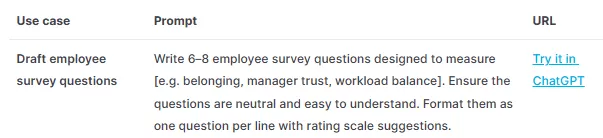
4. Human Resources and People Operations
HR prompt packs are optimized for drafting job descriptions, screening candidates, creating interview questions, managing performance reviews, and handling sensitive employee communication thoughtfully.
Using Prompt Packs for Marketing UPDF
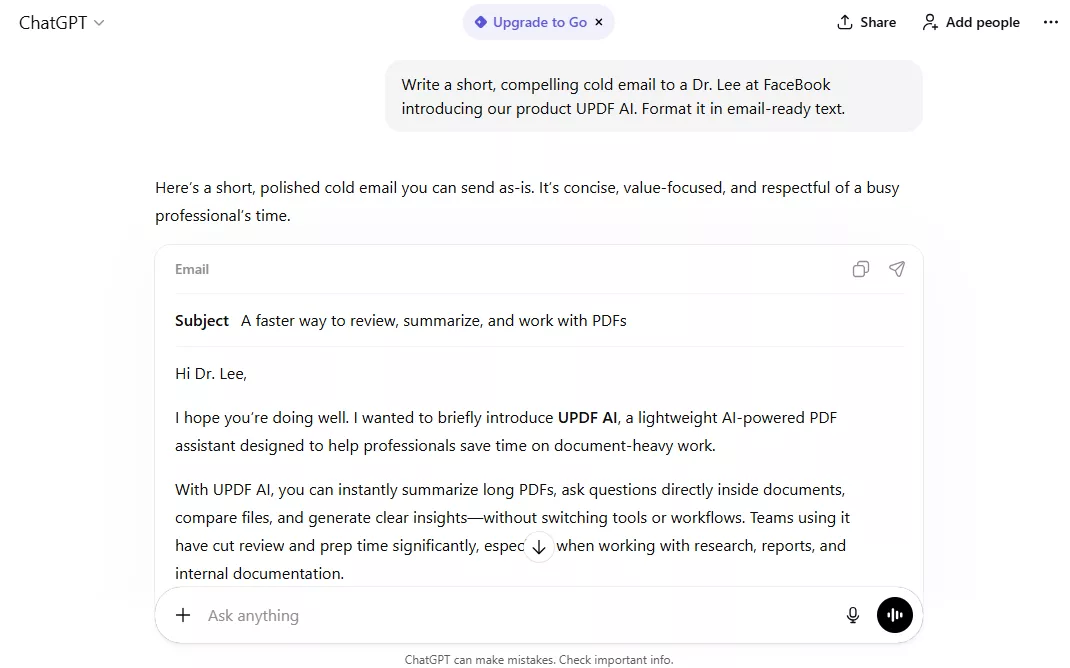
One practical way I applied OpenAI Prompt Packs was while working on the marketing strategy for UPDF AI. Instead of starting from a blank page, I used a marketing-focused prompt pack to structure my workflow. The prompts guided me through audience definition and content angles fit for different platforms.
For example, I used one prompt to generate cold emails for UPDF AI aimed at business professionals. Instead of experimenting with the AI, I was directing it. That shift saved time and made my work feel more intentional.
This experience helped me realize that prompt packs are starting to function like SOPs or toolkits that are embedded directly into role-specific workflows.
Part 3. Why Do OpenAI Prompt Packs Matter?
After seeing how OpenAI Academy Prompt Packs transformed my own workflow, I started to appreciate how they’re changing the way work gets done across teams and roles. Such prompt packs can help in the following ways:
1. Prompt Packs Democratize AI Usage Across Roles
Prompt packs remove the skill gap between beginners and advanced users. Anyone can apply proven prompting patterns, which makes AI useful across roles without requiring deep technical knowledge or constant trial and error.
2. Team Collaboration and Consistency
With the help of OpenAI Prompt Packs, teams can enjoy faster onboarding, shared delivery standards, and predictable outputs. These prompt packs ensure everyone works from the same structure, reducing rework and dependency on individual prompting styles.
3. Prompts Are Becoming Infrastructure
Prompts now shape how work gets done, not just how questions are asked. What differentiates people is no longer phrasing skill, but their understanding of business goals, real data, and situational context.
4. Scalability and Repeatability of Work
Using prompt packs, workflows can be reused and scaled across projects and teams. Instead of reinventing processes, organizations can repeat high-quality outputs reliably while maintaining operational clarity.
Future Outlook: Looking ahead, AI workflows will become embedded directly into daily work. OpenAI Prompt Packs will standardize thinking, while human judgment remains essential for strategy and decision-making.
Part 4. Extending AI Workflows into Daily Execution
In many roles, work still revolves around documents, such as reports, research PDFs, and internal guidelines. Even with AI tools available, these documents often remain isolated from the workflows where decisions are actually made. This is where tools like UPDF make a real difference. By adding AI features directly into document workflows, tasks like summarizing can happen while you’re actively editing the file.
Windows • macOS • iOS • Android 100% secure
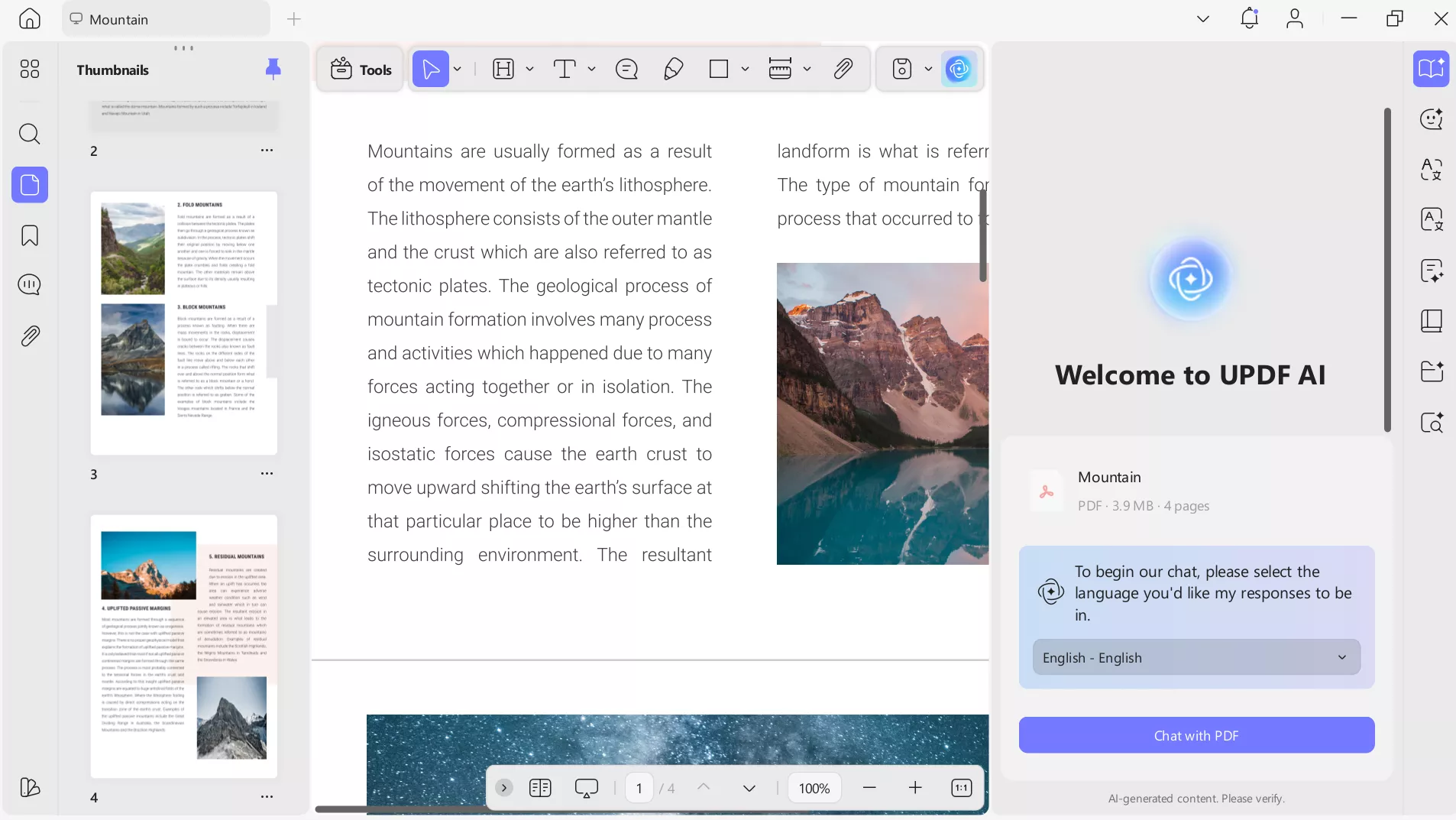
Using UPDF AI, you can even translate files or create mind maps while interacting with the documents. Instead of switching between apps or copying content back and forth, AI will become part of everyday execution. This transforms AI from a separate step into a natural extension of the workday.
UPDF Features
- UPDF AI: With this feature, you can summarize long documents, making it easy to grasp key points in seconds. It can explain complex concepts in simple language and translate text into multiple languages for global teams. You can even generate mind maps to visualize ideas and workflows.
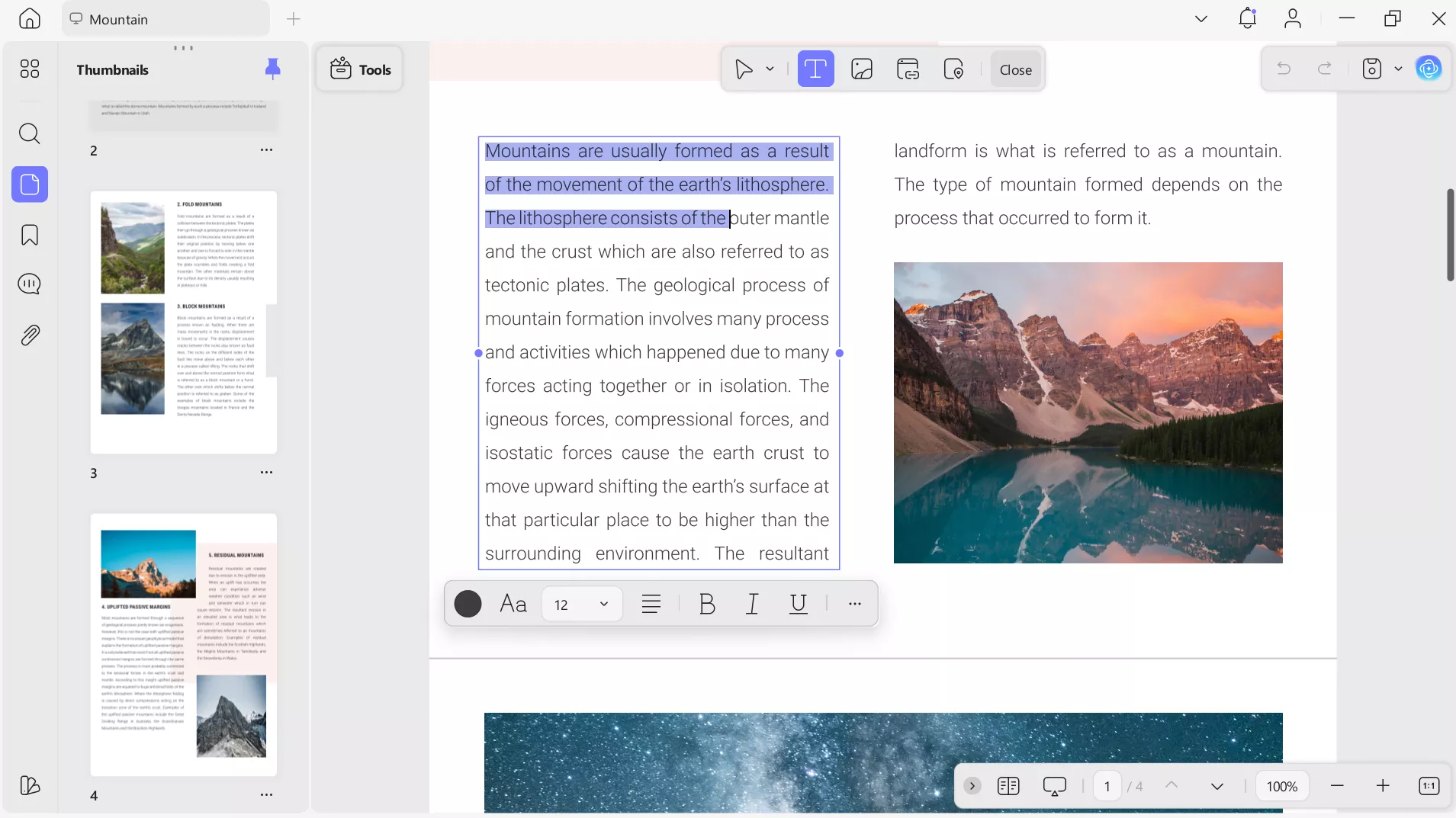
- Advanced Editing: While working on UPDF, you can edit PDFs just like Word documents. You can change text, adjust formatting, and rearrange content. Such features are ideal for anyone needing quick corrections without converting files.
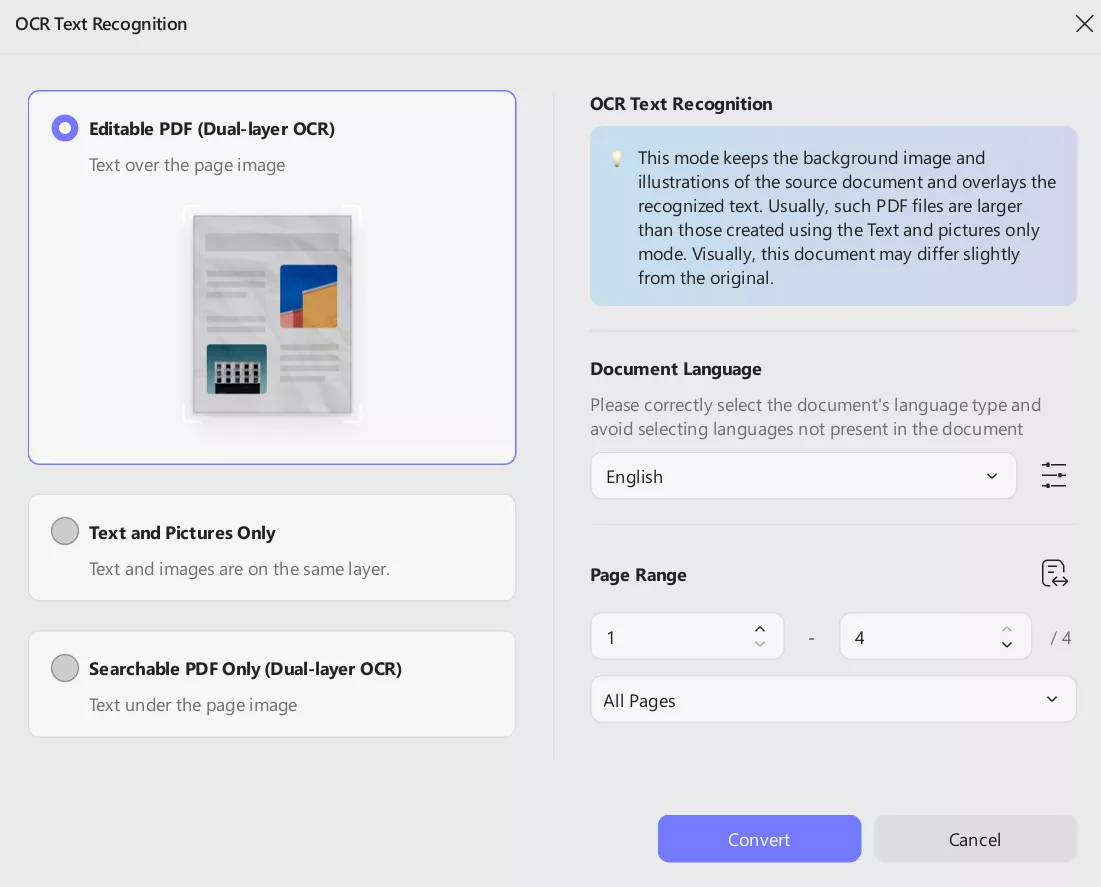
- Optical Character Recognition: You get to convert scanned PDFs or images into fully searchable and editable text with UPDF. So, this tool is perfect for digitizing old documents and extracting data from invoices without retyping everything manually.
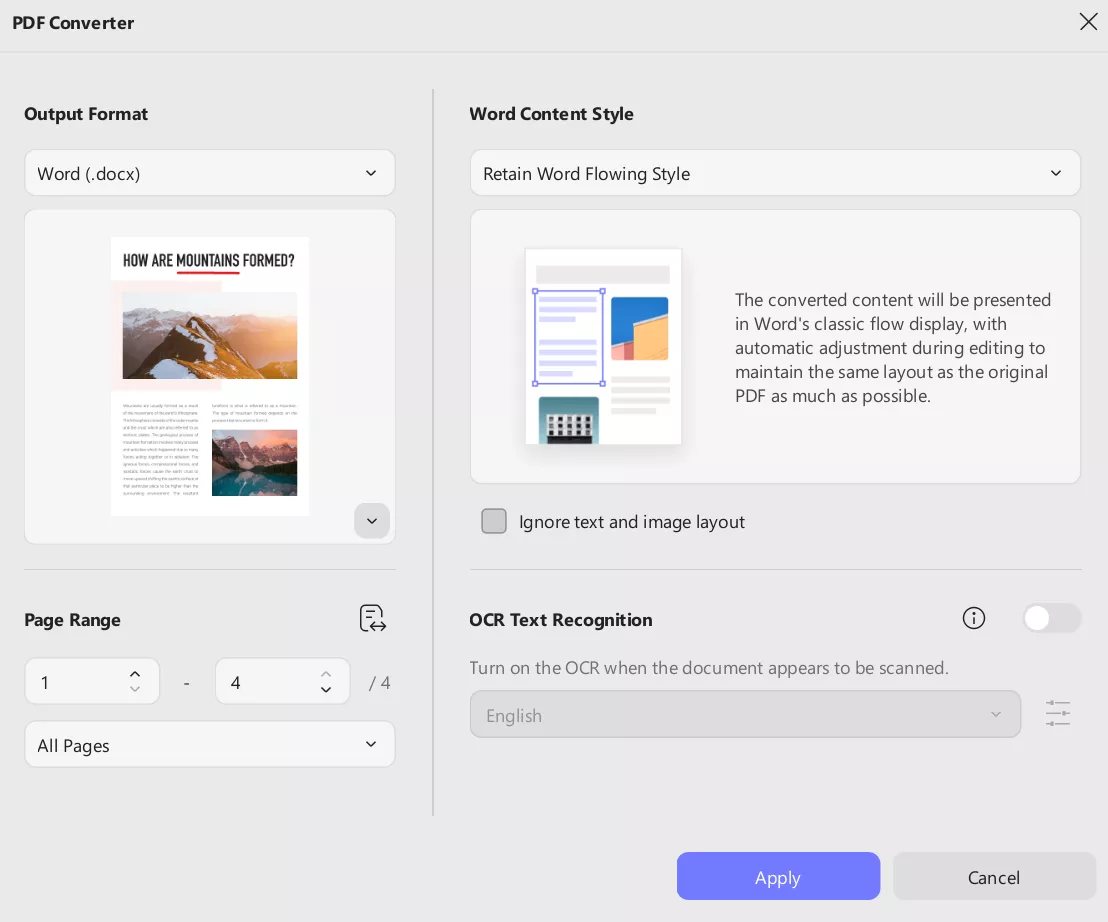
- High-Fidelity Conversion: UPDF helps you convert PDFs to Word, Excel, TXT, or JPG, and vice versa. This tool does so while keeping layouts, fonts, and formatting intact. It becomes useful for presentations or collaborative editing across different software.
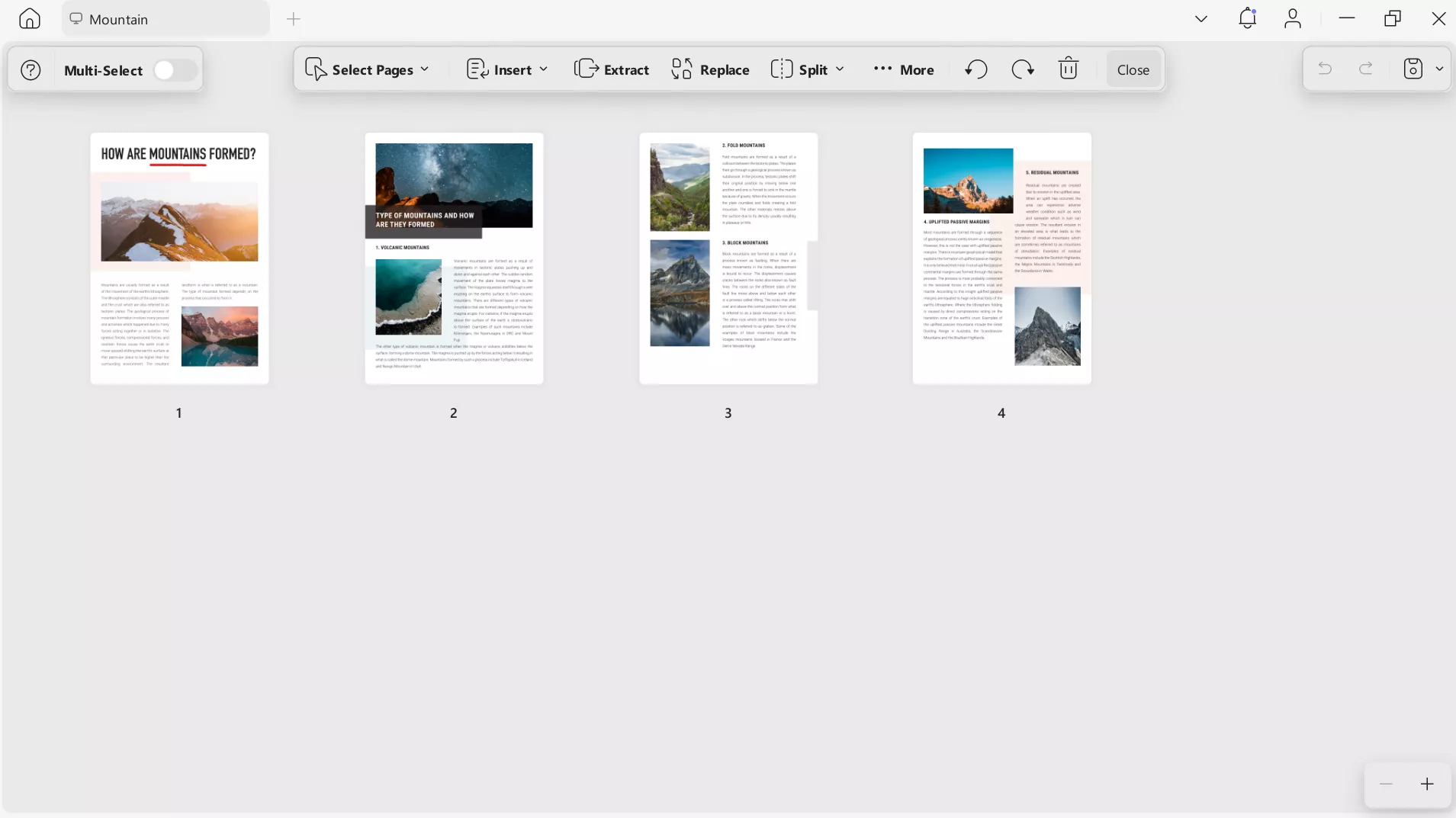
- Document Management: Using UPDF, you can merge multiple PDFs or split large files into smaller ones. It even lets you reorder pages or add headers, footers, and watermarks to your files. Teams can use this tool to organize reports, proposals, or research materials.
- Security and Signing: You will be able to protect documents with passwords and redact confidential information using UPDF. This PDF tool even lets you sign contracts with the help of its e-signature and digital signature features.
- Annotation Tools: UPDF offers multiple markup tools to let you highlight, comment, underline, or draw directly on PDFs. Using these features, you can review drafts or provide feedback with ease.
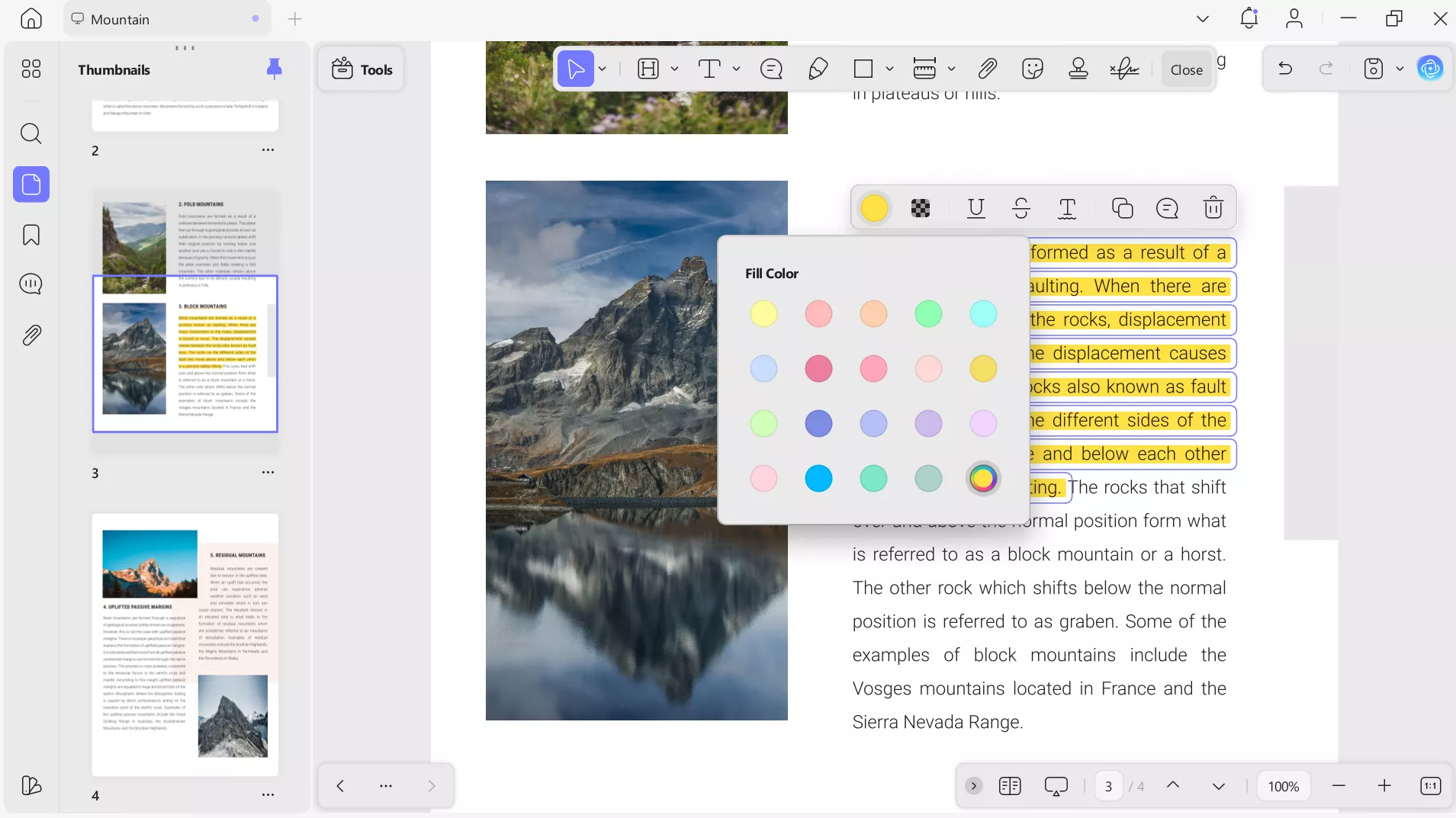
- Device Flexibility: This PDF editing and management tool works across Windows, Mac, and mobile devices. With only one license, you can use UPDF across 4 different devices for better productivity.
Windows • macOS • iOS • Android 100% secure
Conclusion
All in all, working with AI taught me that results depend on having structured workflows, like OpenAI Prompt Packs, that guide outputs reliably. Tools like UPDF AI take this a step further by embedding AI directly into document-based work. With such a tool, you can summarize reports and translate text while editing the document.
For anyone who wants to make their work more organized, UPDF is a practical choice. Download and purchase UPDF now to make AI an everyday part of your workflow.
Windows • macOS • iOS • Android 100% secure






 Enola Miller
 Idham Wijaya
 Lizzy Lozano
 Engelbert White
 Enya Moore