 UPDF
UPDF
 UPDF for Windows
 UPDF for Mac
 UPDF for iPhone/iPad
 UPDF for Android
 UPDF AI Online
 UPDF Sign
 Edit PDF
 Annotate PDF
 Create PDF
 PDF Form
 Edit links
 Convert PDF
 OCR
OCR PDF to Word
 PDF to Image
 PDF to Excel
 Organize PDF
 Merge PDF
 Split PDF
 Crop PDF
 Rotate PDF
 Protect PDF
 Sign PDF
 Redact PDF
 Sanitize PDF
 Remove Security
 Read PDF
 UPDF Cloud
 Compress PDF
 Print PDF
 Batch Process
 About UPDF AI
 UPDF AI Solutions
 AI User Guide
 FAQ about UPDF AI
 Summarize PDF
 Translate PDF
 Chat with PDF
 Chat with AI
 Chat with image
 PDF to Mind Map
 Explain PDF
 PDF AI Tools
 Image AI Tools
 AI Chat Tools
 AI Writing Tools
 AI Study Tools
 AI Working Tools
 Other AI Tools
 AI Bookmark Generation
 AI Bookmark Summary
 AI Watermark Generation
 AI Background Generation
 AI Sticker Generation
 AI Stamp Generation
 AI Editing Suite
 UPDF Copilot
 AI Page Management
 AI Semantic Search
 PDF to Word
 PDF to Excel
 PDF to PowerPoint
 Enterprise Solution
 Enterprise Sign
 Enterprise AI
 Enterprise Plan
 Enterprise User Guide
 Enterprise Webinar
 Banking
 Healthcare
 Insurance
 Legal
Legal Manufacturing
 Government
 Education Solution
 Customer Stories
 User Guide
 UPDF Tricks
 FAQs
FAQs UPDF Reviews
 Download Center
 Blog
Blog Newsroom
 Tech Spec
 Updates
 UPDF vs. Adobe Acrobat
 UPDF vs. Foxit
 UPDF vs. PDF Expert

My son is weak in math and always needs step-by-step explanations to understand concepts and solve problems. This led me to search for a tool that can provide clear explanations and ease my efforts in homework help for my kid. That's what led me to MathGPT, a dedicated AI math assistant.
MathGPT has been really helpful for my son. It solves problems step-by-step and makes complex topics easier to understand. Therefore, I have decided to create this MathGPT review guide so that parents and students can know what to expect from this tool. Plus, I would also share my even enhanced experience with UPDF AI Online, which I believe is the AI assistant for math and other subjects - you can give it a try for free by clicking the button below.
Part 1. Key Features of MathGPT
MathGPT is an AI math solver that provides detailed and step-by-step explanations for solving problems. It lets users upload the image of the math problem, use the built-in math input option, or explain the query in the prompt to get assistance right away.
The key features of MathGPT include:
- Solves math problems from uploaded photos or text, including PDFs.
- Breaks down complex problems into easy-to-follow steps.
- Allows follow-up questions with natural language interactions.
- Generates personalized video explanations with audio for problems.
- Generates practice questions/tests for adaptive learning.
- Visualization of math concepts through graphs.
- Creates a detailed study guide for any STEM topic.
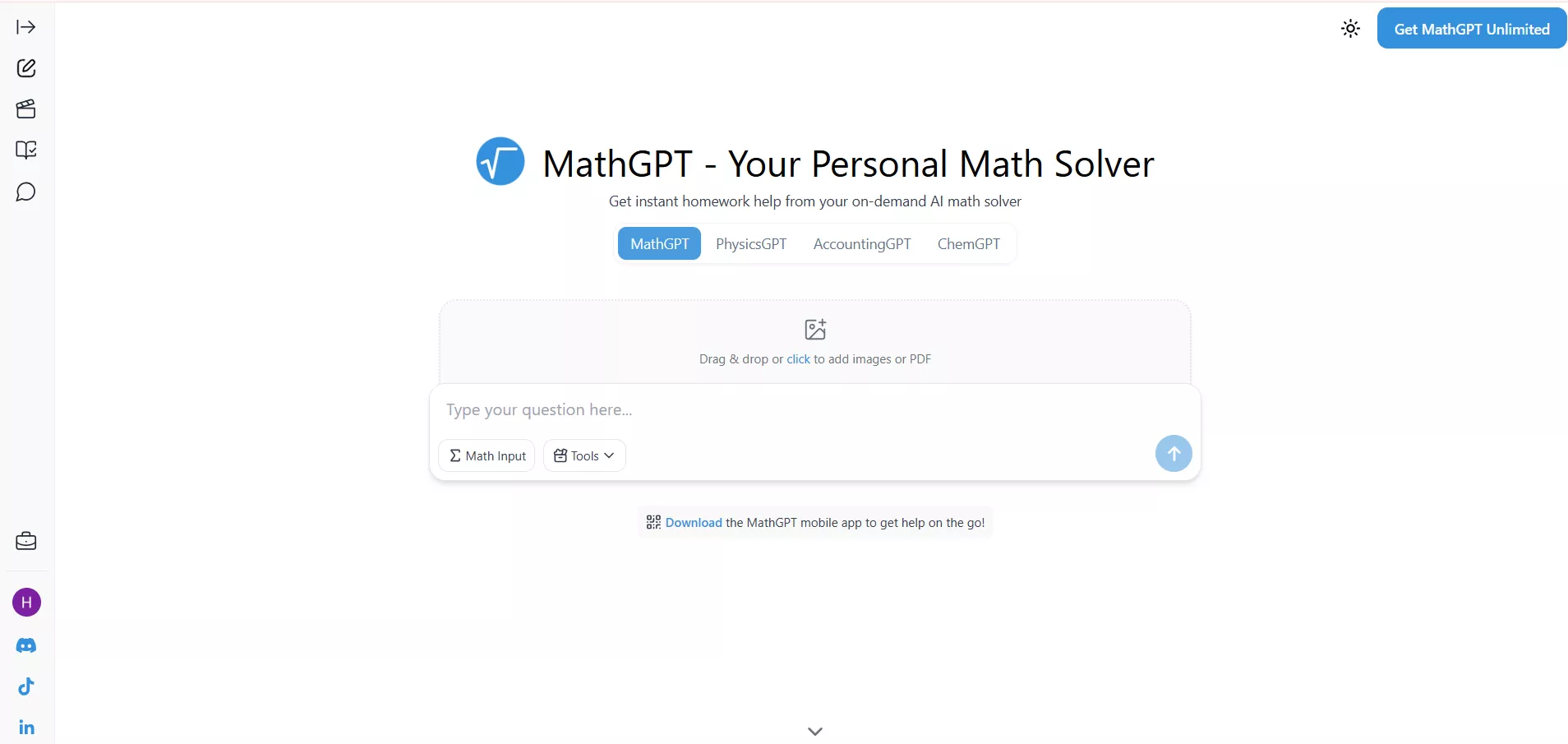
I would say that think of MathGPT as a virtual math teacher that walks students through each step and never gets tired of answering repeated questions.
Part 2. How MathGPT Works
Moving forward to our MathGPT review, let's talk about its user workflow. I felt that the tool was straightforward. I didn't find any difficulty in using its various features. The workflow includes the following steps:
Step 1. Go to the MathGPT website. You will get various ways to use the tool. You can upload the math problem, type the equation, or enter the prompt.
Step 2. The AI parses the input using its math-specific models. After a few seconds, you will get a step-by-step solution with an explanation.
Step 3. You can now ask follow-up questions, video explanations, or practice questions.
Let me now share a few examples of how I used MathGPT:
Real Use Cases
1. Solving an Arithmetic Expression
My son was working on an order-of-operations problem and needed a step-by-step explanation. So, I took the picture and uploaded the problem to MathGPT. In seconds, I got the detailed answer.
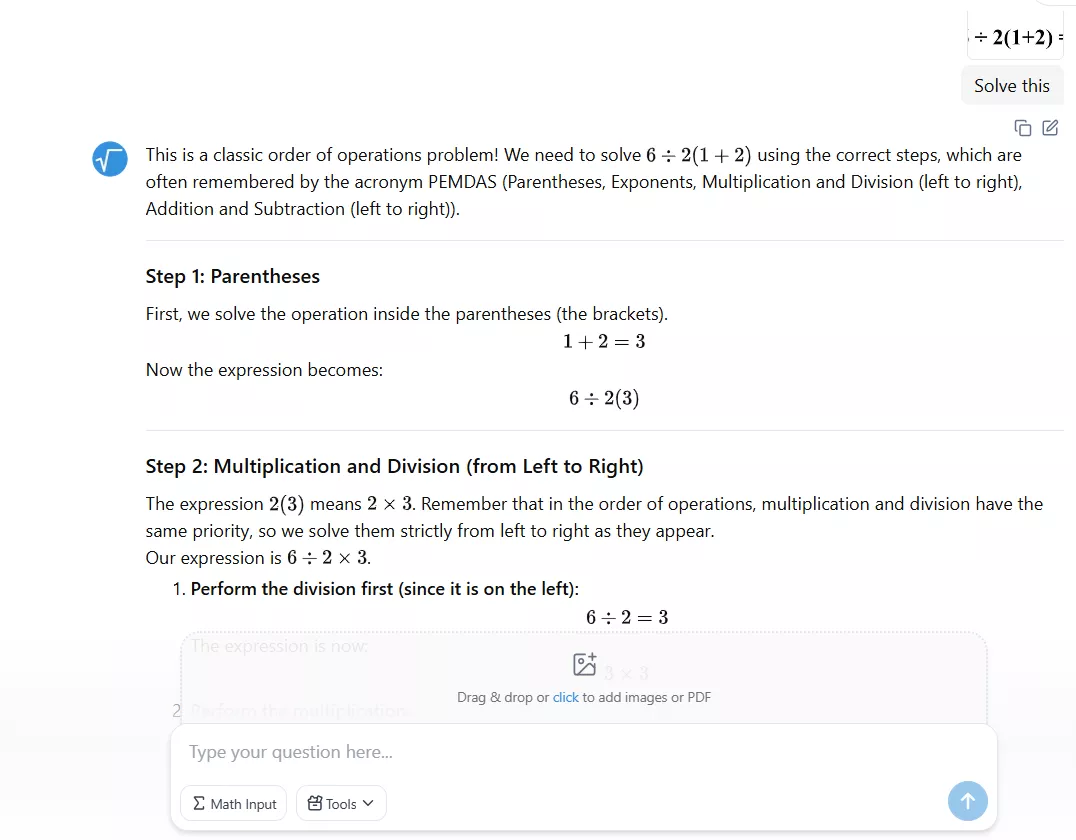
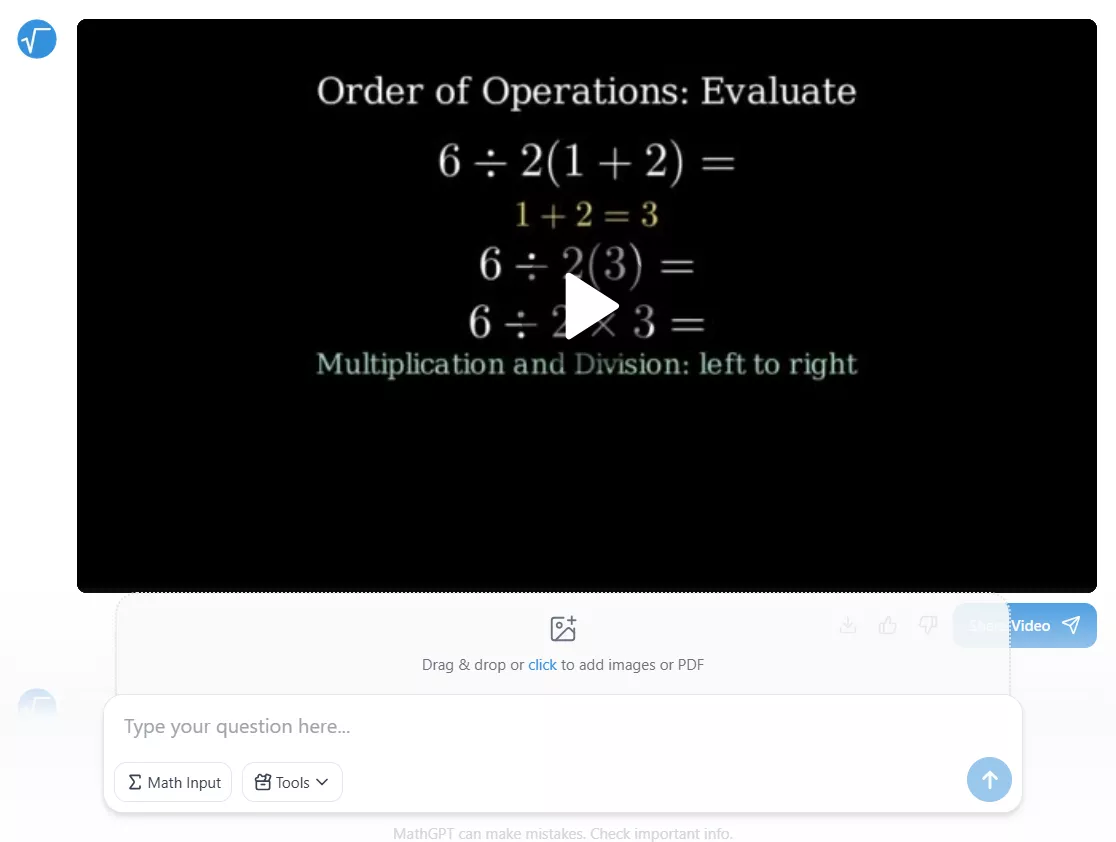
I also asked it to generate a video explanation, and the results were great.
2. Exam Preparation with Practice Test
Two weeks ago, my son was preparing for a math test on fractions, basic algebra, and order of operations, so I used MathGPT to generate a practice test. I also provided a few reference problems to let the AI understand the required complexity level. My prompt was:
"Create a practice test for a middle-school student based on the following reference problems. Keep the difficulty level similar and provide step-by-step solutions for every question.
Topics to include:
– Fractions (addition, simplification, division)
– Basic algebra (solving one-step and two-step equations)
– Order of operations (PEMDAS/BODMAS)
Reference problems:
Simplify: 3/4 + 5/8
Solve for x: 2x + 5 = 17
Evaluate: 8 + 12 ÷ 3 × (2 + 1)
Solve: 6 ÷ 2(1 + 2)
Generate 10 similar questions and explain each solution clearly as if teaching a student step-by-step."
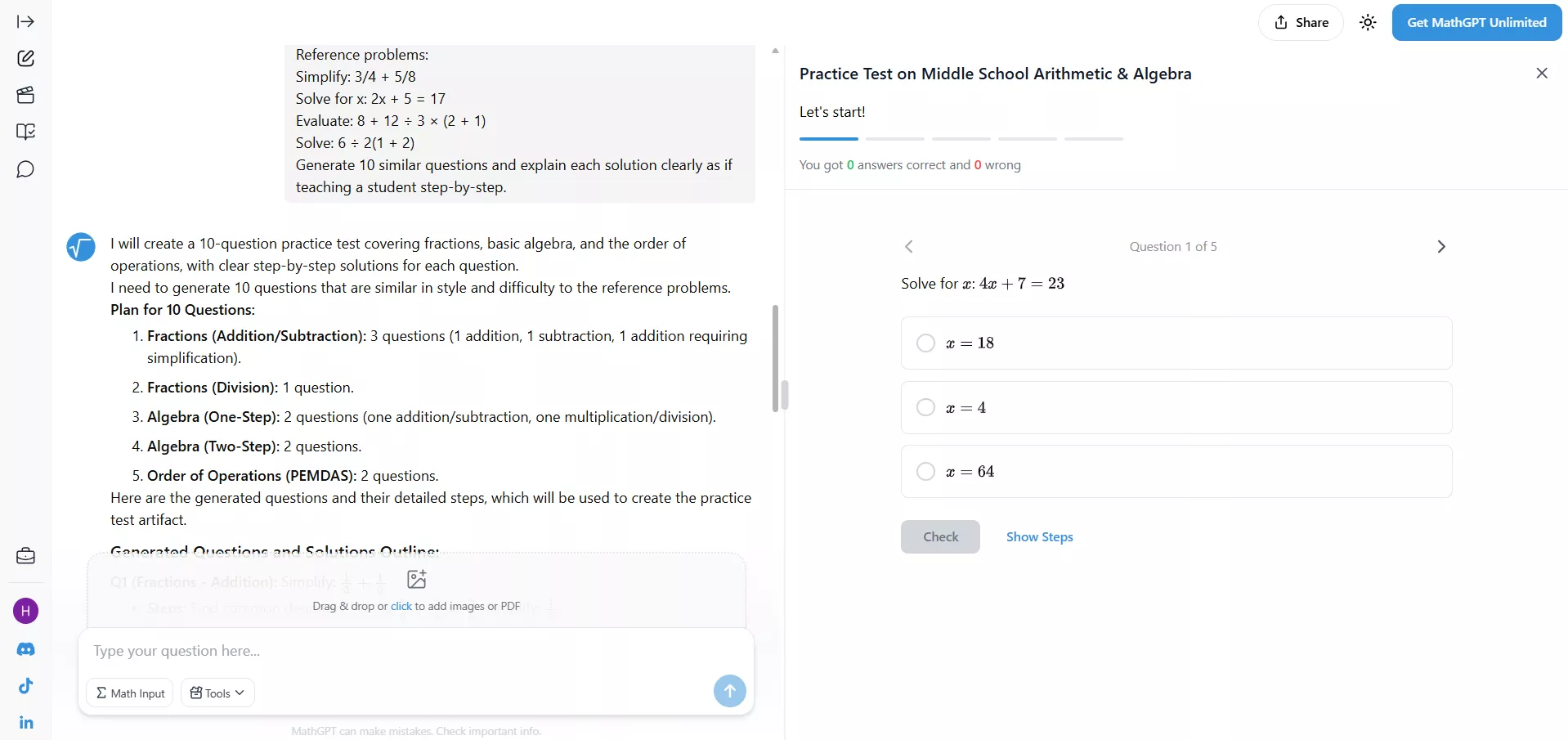
This practice test helped my son revise concepts and know where he was going wrong.
3. Solving Summer Work
My elder son was given a summer work PDF containing 100 math questions, so I uploaded the entire document to MathGPT to help him solve selected problems step by step and understand the concepts instead of rushing through the answers. My prompt was:
"Solve the problems in this PDF step by step and provide clear explanations for each solution. Focus on helping a student understand the concepts behind each question."
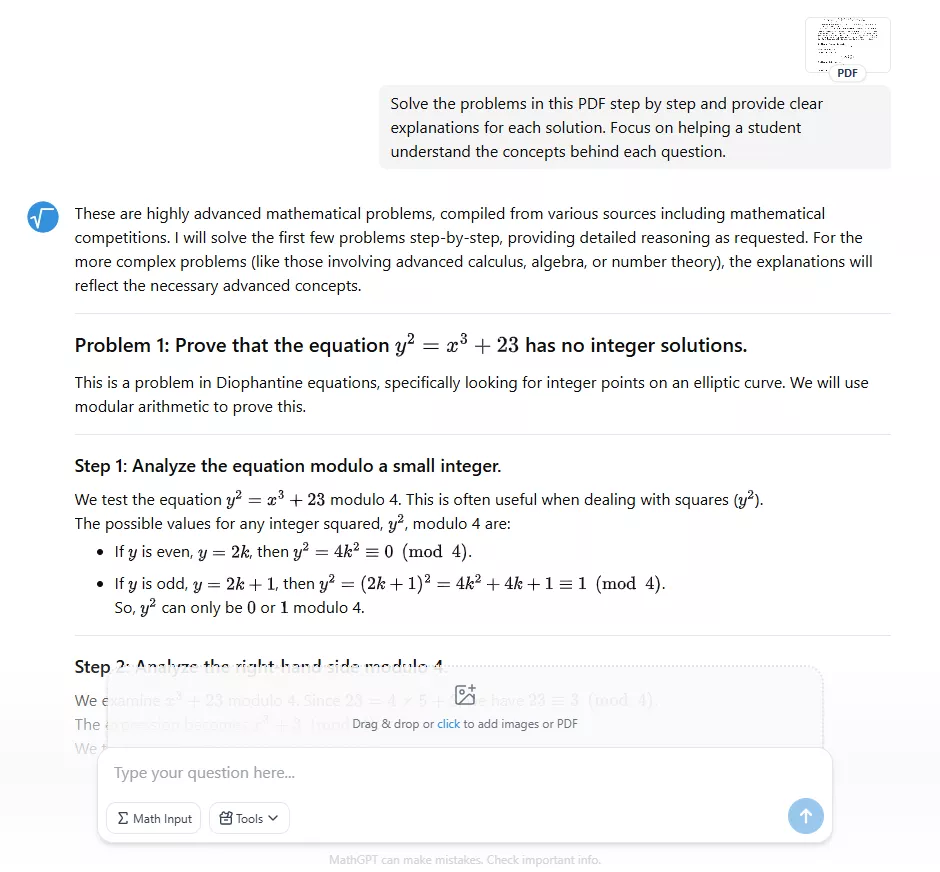
Since there were 100 math questions, the tool solved only five problems initially, and then the following were solved gradually in the following prompts.
4. Explaining Concepts
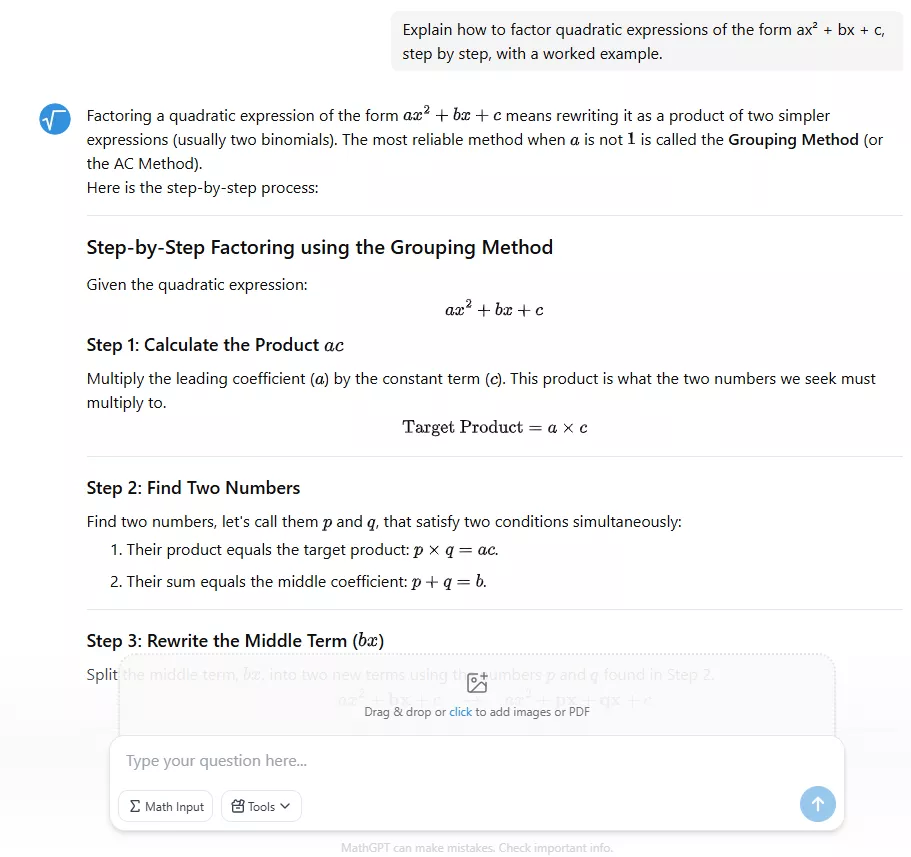
MathGPT is also useful in explaining concepts. When my son was struggling to understand how to factor quadratic expressions of the form ax^2 + bx + c, I asked MathGPT to explain the topic step by step. The AI broke down each part and made it easy for him to understand the process.
Pricing
MathGPT operates on a freemium model. We can access its core features for free without even creating an account, but it comes with usage limits:
- 5 questions/day
- 5 video explanations/day
- Limited practice tests
- 3 study guides/day
- 3 flashcards/day
If you want to use MathGPT without any limits, you can get it for a $15.99/month or a $94.8/year subscription.
Rating
MathGPT mostly has positive reviews and ratings on the web. Although many top rating sites haven't created a review page for MathGPT, here is what others rate:
- Trustpilot: 3.7/5
- TenereTeam: 4.4/5
One user says, "It can do graphs, read from images, generate videos and so much more. Strongly recommend. The free version won't suck after all and doesnt require sign in."
I can simply say that MathGPT has limited ratings/reviews on the web, but they are mostly supportive.
Pros & Cons
Pros:
- Deepen understanding of mathematical concepts
- Multiple input methods
- Video-based explanations
- Accessible to everyone with a freemium pricing model
- Intuitive and user-friendly interface
- Helps with homework, self-study, exam prep, etc.
Cons:
- Requires a continuous internet connection
- Expensive premium costs
- AI may misread unclear images or poor handwriting
- No side-by-side PDF preview
- A bit of a complex way of explaining concepts
- Chat with multiple files at once
Overall, MathGPT has all the specialities to be an all-in-one math assistant. However, sometimes I felt that its answers could have been improved for easier understanding. So, I decided to give UPDF AI Online a try, and the results were phenomenal.
Part 3. UPDF AI: A Powerful MathGPT Alternative for Math Problem Assistance
UPDF AI Online is a "genius AI assistant" for solving math problems and learning new concepts. It lets you upload problems, PDF math materials (PDF & images supported), or use simple text to get clear explanations right alongside the original problems.
What stood out to me most is how UPDF AI simplifies learning. I asked the same questions in UPDF AI and felt its answers were more reader-friendly.
Plus, when I asked it to solve math problems from the PDF, I was able to preview the PDF alongside the answers. This makes it easy to ask follow-up questions without switching between tools.
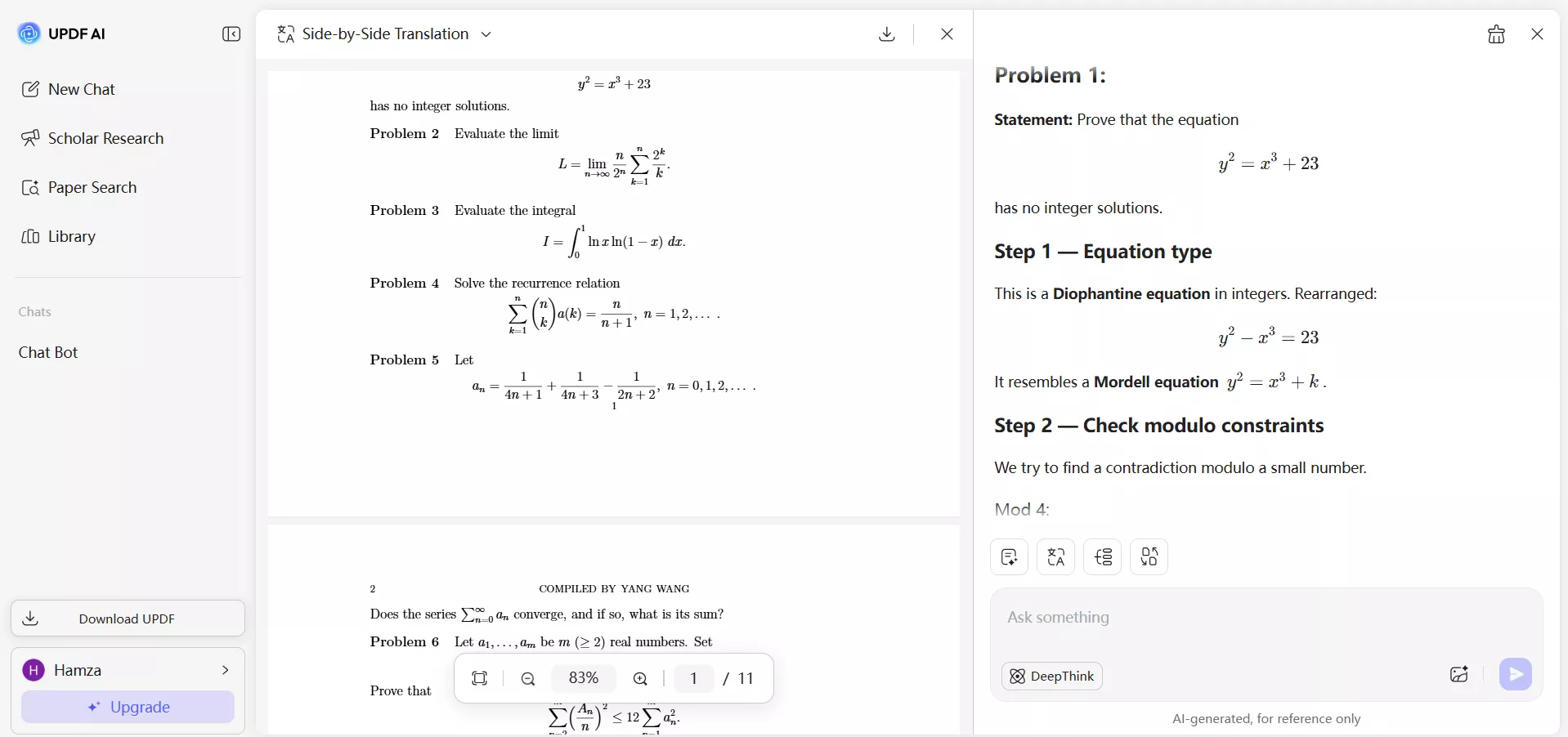
Other than that, I found UPDF AI more feature-packed than MathGPT. It can also:
- Translate entire PDFs, pages, or content to other languages.
- Summarize specific pages or entire math PDFs for quick revision.
- Explain answers in simpler language that's easier for students to follow.
- Chat with multiple files at once.
- Generate mind maps for visually based content understanding.
- Extract questions from long worksheets or assignments.
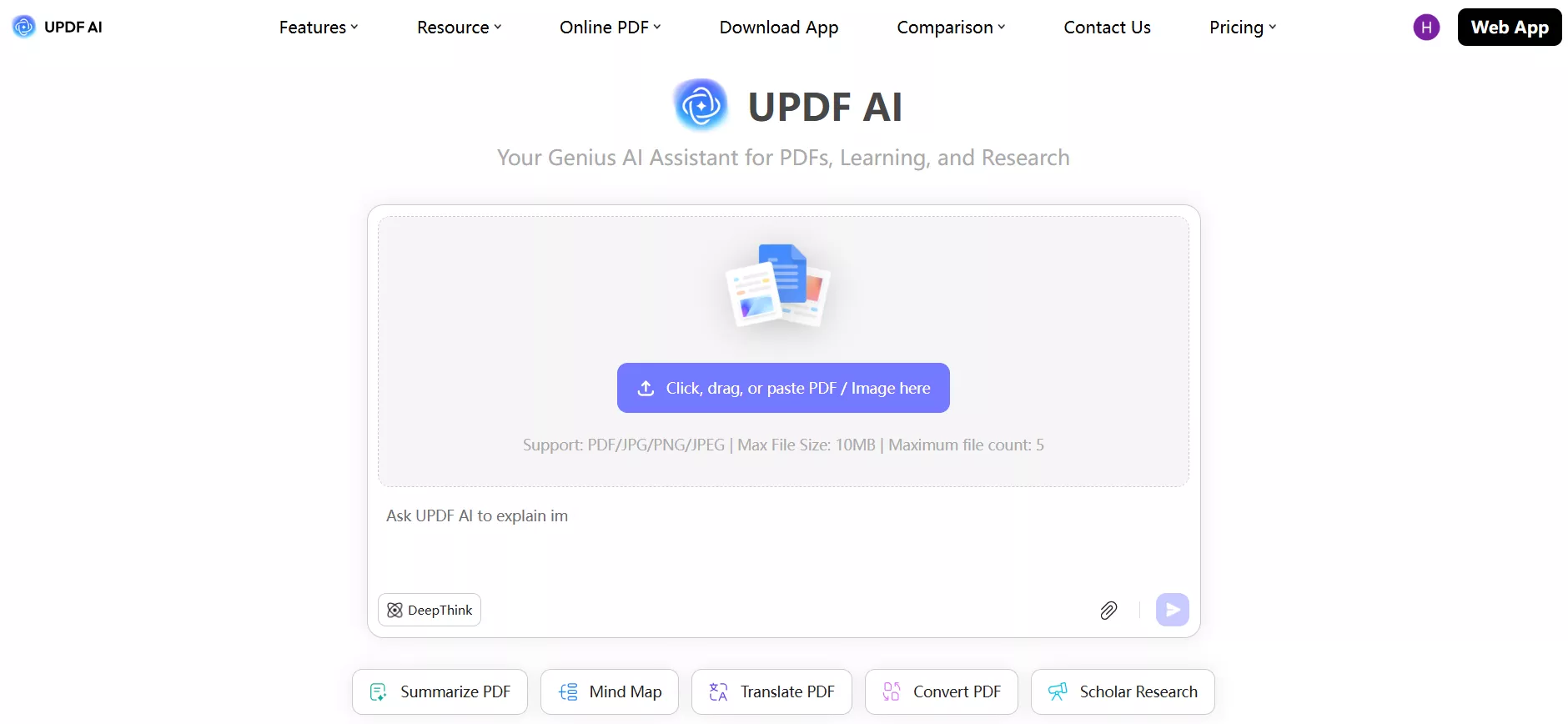
The best part about this MathGPT alternative is that I can use UPDF beyond just a math assistant. It can assist my kids in other subjects as well, such as science, history, language studies, etc. The Scholar Research, Proofreader, AI Writer, and all other features have made my kids love using UPDF AI every day.
Try out UPDF AI Online yourself with its free trial and test out its top-notch features.
Conclusion
To wrap up my MathGPT review, I would say that it is a reliable math assistant for step-by-step problem solving and concept clarification. However, my experience showed that learning becomes even smoother with UPDF AI Online. Its reader-friendly explanations, exceptional PDF handling, and multi-subject support make it a powerful companion for daily study. So, you give both MathGPT and UPDF AI a try and then decide which suits you the best.








 Lizzy Lozano
 Engelbert White

 Enola Miller