UPDF
UPDF
 UPDF for Windows
 UPDF for Mac
 UPDF for iPhone/iPad
 UPDF for Android
 UPDF AI Online
 UPDF Sign
 Edit PDF
 Annotate PDF
 Create PDF
 PDF Form
 Edit links
 Convert PDF
 OCR
OCR PDF to Word
 PDF to Image
 PDF to Excel
 Organize PDF
 Merge PDF
 Split PDF
 Crop PDF
 Rotate PDF
 Protect PDF
 Sign PDF
 Redact PDF
 Sanitize PDF
 Remove Security
 Read PDF
 UPDF Cloud
 Compress PDF
 Print PDF
 Batch Process
 About UPDF AI
 UPDF AI Solutions
 AI User Guide
 FAQ about UPDF AI
 Summarize PDF
 Translate PDF
 Chat with PDF
 Chat with AI
 Chat with image
 PDF to Mind Map
 Explain PDF
 PDF AI Tools
 Image AI Tools
 AI Chat Tools
 AI Writing Tools
 AI Study Tools
 AI Working Tools
 Other AI Tools
 AI Bookmark Generation
 AI Bookmark Summary
 AI Watermark Generation
 AI Background Generation
 AI Sticker Generation
 AI Stamp Generation
 AI Editing Suite
 UPDF Copilot
 AI Page Management
 AI Semantic Search
 PDF to Word
 PDF to Excel
 PDF to PowerPoint
 Enterprise Solution
 Enterprise Sign
 Enterprise AI
 Enterprise Plan
 Enterprise User Guide
 Enterprise Webinar
 Banking
 Healthcare
 Insurance
 Legal
Legal Manufacturing
 Government
 Education Solution
 Customer Stories
 User Guide
 UPDF Tricks
 FAQs
FAQs UPDF Reviews
 Download Center
 Blog
Blog Newsroom
 Tech Spec
 Updates
 UPDF vs. Adobe Acrobat
 UPDF vs. Foxit
 UPDF vs. PDF Expert

When I first opened my waitlist notification, a strange mix of disappointment and cautious hope filled me. I knew this limbo wasn’t the end but a new chance to reaffirm my commitment. That realization introduced me to the transformative potential of crafting a thoughtful letter of continued interest.
It provides updates, conveys professionalism, and reminds admissions officers why their program aligns perfectly with personal ambitions. In this guide, I’ll walk through my approach, emphasizing structure, tone, sincerity, and meaningful updates. I’ll also show how UPDF’s AI editing tools refine wording, adjust formatting, and polish every final draft.
Windows • macOS • iOS • Android 100% secure
Part 1. What Is a Letter of Continued Interest?
After I first discovered the concept, I realized it was more powerful than it sounded. A letter of continued interest example is a short message expressing ongoing enthusiasm for a chosen program. Its main purpose is to show genuine commitment and update the admissions office about new achievements and progress.

Applicants should send their LOCI within 1 to 2 weeks of receiving the waitlist notice. Doing so shows a genuine interest in joining the program.
Key Difference: Waitlist vs. Deferral
Now, I'll show how a waitlist differs from a deferral before crafting your own letter:
| Status | Meaning | Next Step |
| Waitlist | The school may admit you later if space becomes available. | Send a LOCI to strengthen your chances. |
| Deferral | Your application is postponed for review in a later admission round. | Be patient and follow instructions. |
A proper LOCI reminds the school that I am still serious about joining their program. It keeps my name remembered by the admissions team and can improve my final admission chances.
Part 2. Letter of Continued Interest Format
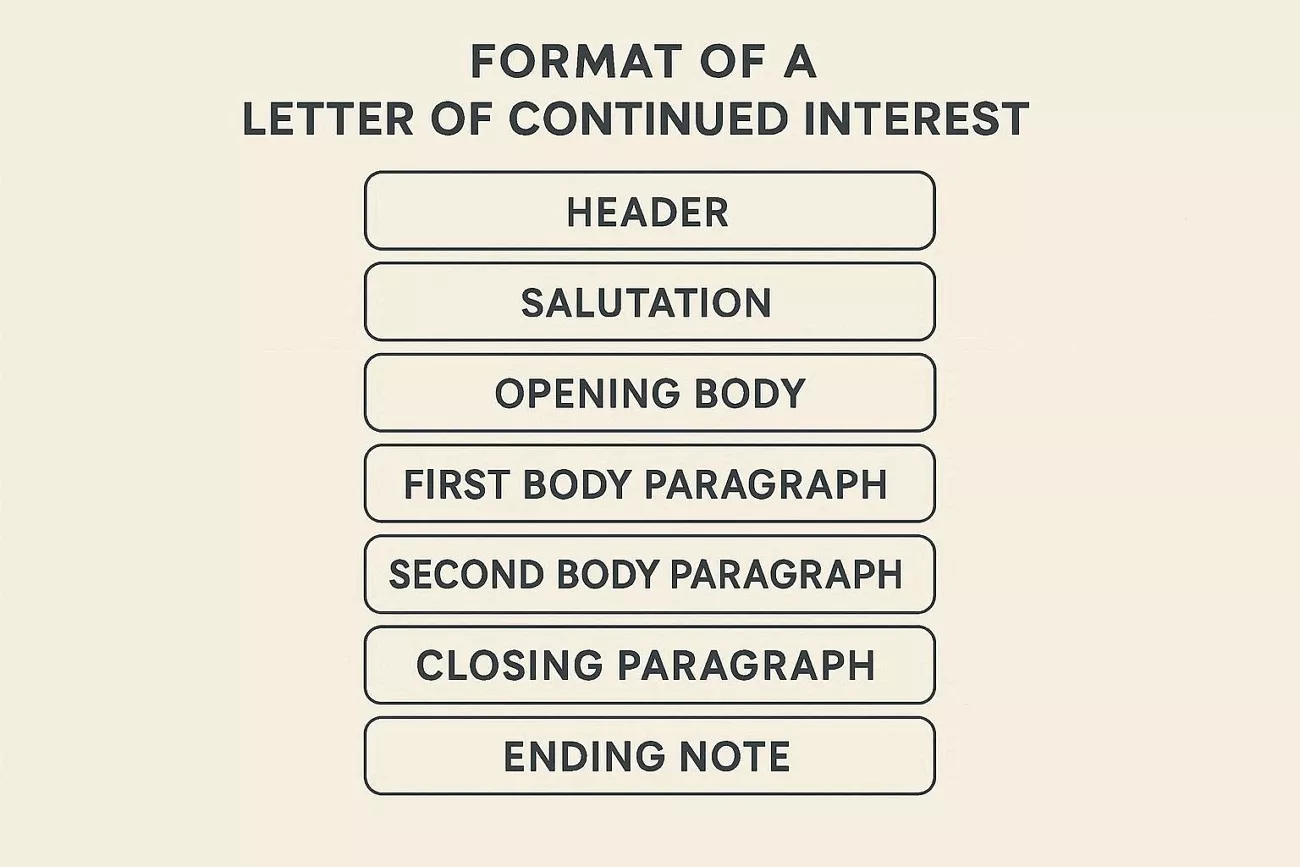
A clear structure helps this letter feel focused and easy for admissions to review. Next, I will break down the ideal letter of continued interest format into simple parts.
- Header: Your name comes first, followed by the school’s admissions office address.
- Salutation: Then use an admissions officer’s name if known and a simple group greeting if not.
- Opening: Thank the committee for reviewing your application and express your interest in their program.
- First Body Paragraph: Share updates since submitting your application. Focus on information that strengthens your profile after the original application was submitted.
- Second Body Paragraph: Explain why this program remains your top choice with specific courses.
- Third Body Paragraph: Optionally describe briefly how you hope to contribute to campus life.
- Closing Paragraph: End with another thank you and say you can share more details if needed. Keep your words polite so your interest feels strong and non-pushy.
- Ending Note: Use a professional closing like Sincerely and then write your full name.
Other Important Tips
Sometimes I write better when I keep a few simple rules in mind while drafting letters. Next, look at length and formatting in a clear way that feels natural.
- Length Advice: Remember to be no longer than one page because of the admissions reader who may have only a few minutes to finish the letter.
- Tone: Speak with polite and confident words and do not sound upset and desperate about the waitlist.
- Formatting: Set normal margins and clear paragraphs so the letter looks neat and is simple to follow.
Part 3. How UPDF Helps You Craft the Perfect LOCI?
When I start a letter of continued interest with no guidance, I feel stuck and overwhelmed fast. This is where UPDF comes in as a simple PDF manager with built-in AI tools that help. With the release of UPDF V2.5, I discovered they added advanced AI features for more focused writing.
Windows • macOS • iOS • Android 100% secure
My Pain Points When Writing a LOCI
Writing a LOCI still feels stressful for me, even when I know the basic format. Now, I will share some pain points that I faced in a letter of continued interest example, and solutions to them.
Pain Point 1: Starting from Scratch Feels Overwhelming
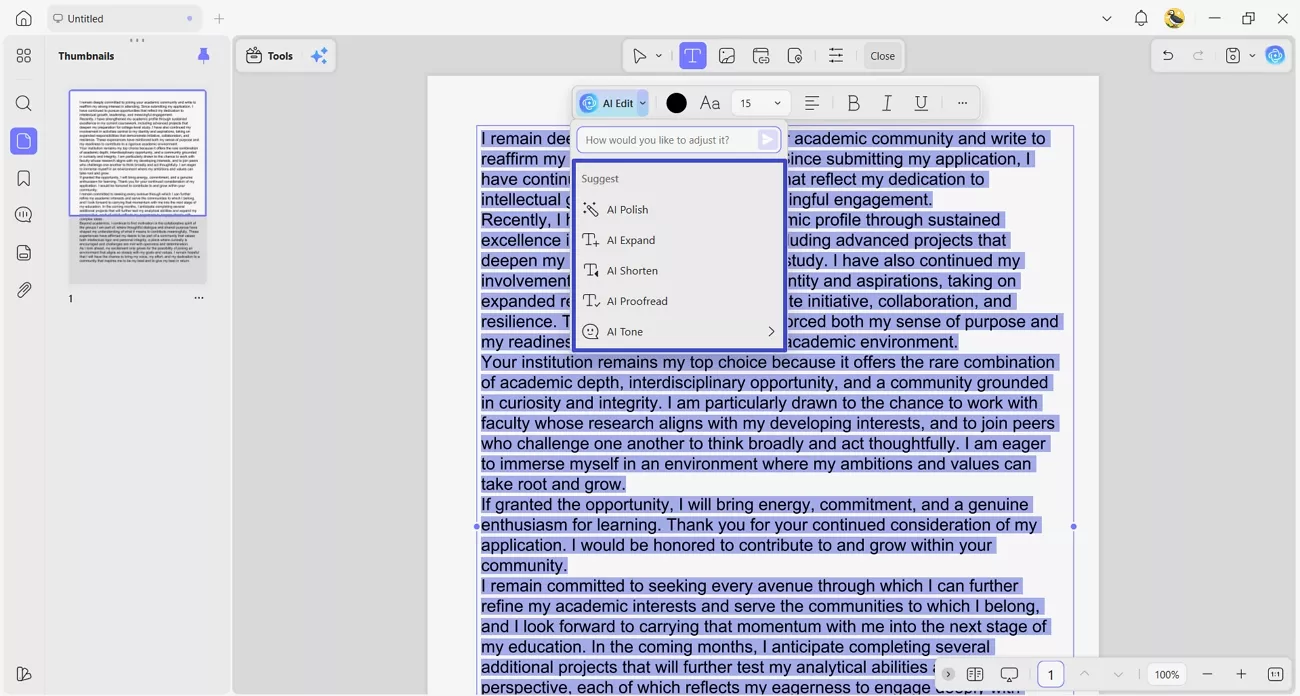
Once I first started writing, I stared at the page and had no idea what to write. Here, I used the Advanced AI Editing Agent in UPDF, which helped me create a LOCI from scratch.
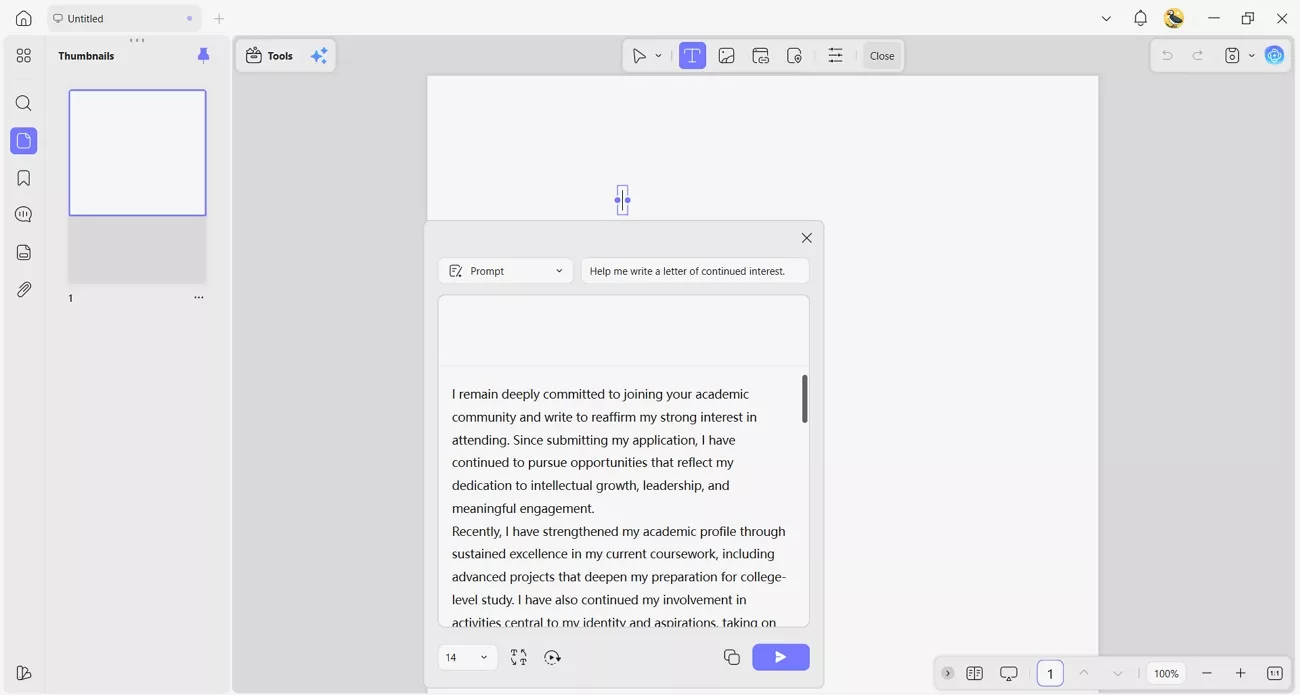
After drafting, it also lets me edit, proofread, shorten, and expand my text using AI.
Beyond AI editing, UPDF also offers other smart features on its online, mobile, and desktop versions.
Pain Point 2: Ensuring Professional Formatting and Layout
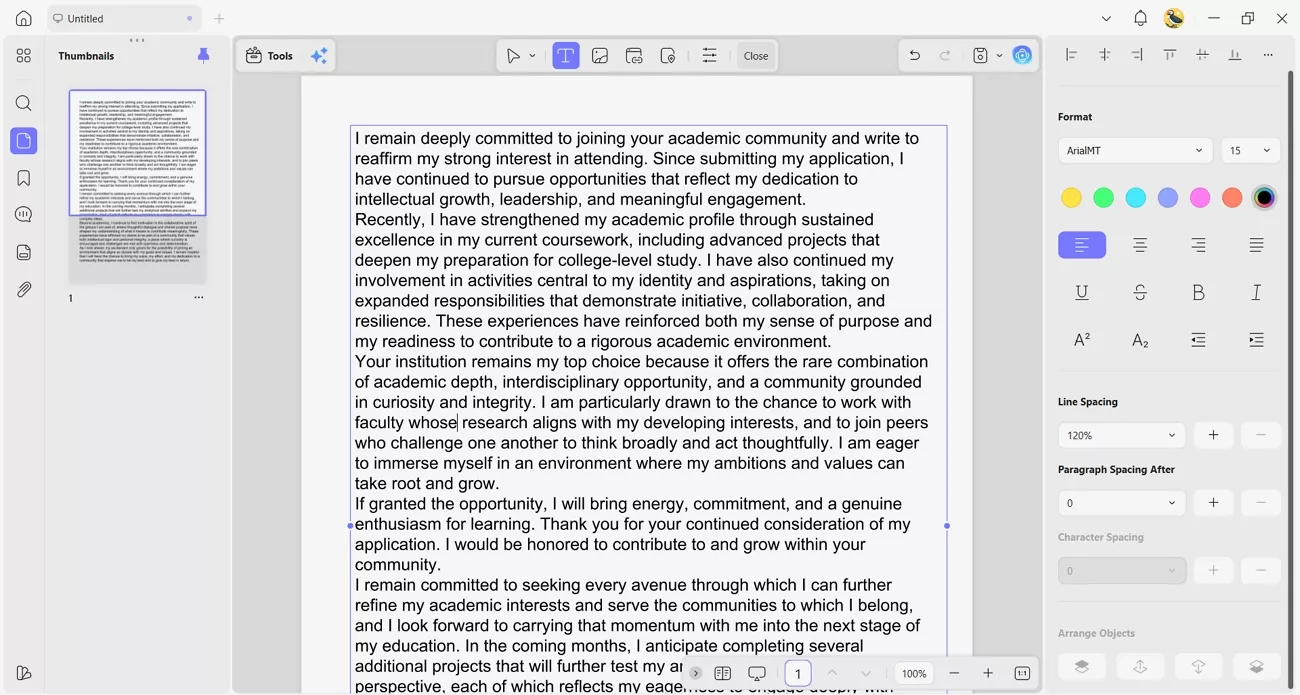
Even when my content felt solid, the overall look of my letter still seemed unprofessional and uneven. With UPDF’s editing tools, I adjust every part of the letter of continued interest format directly in the PDF. I change text, fonts, and spacing, and fix alignment so the whole page looks clean and balanced.
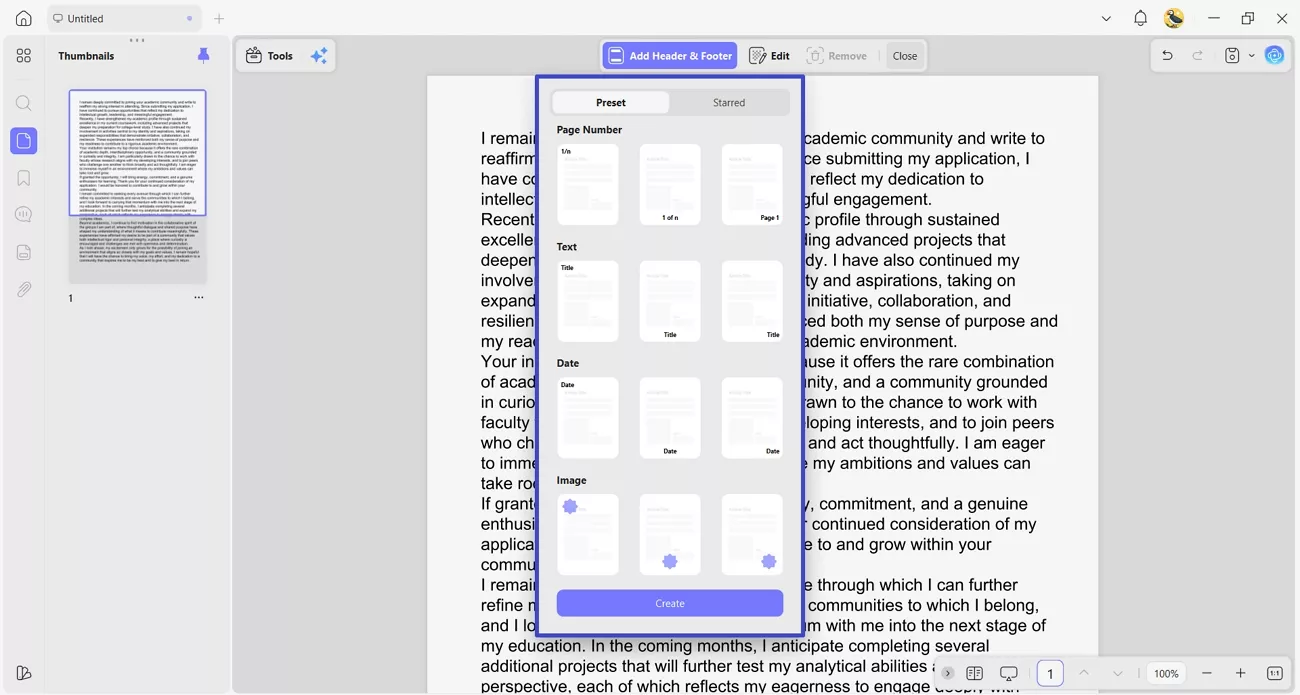
It also lets me add headers, footers, and a simple letterhead, which makes the LOCI feel polished.
Pain Point 3: Multiple Versions Become Confusing
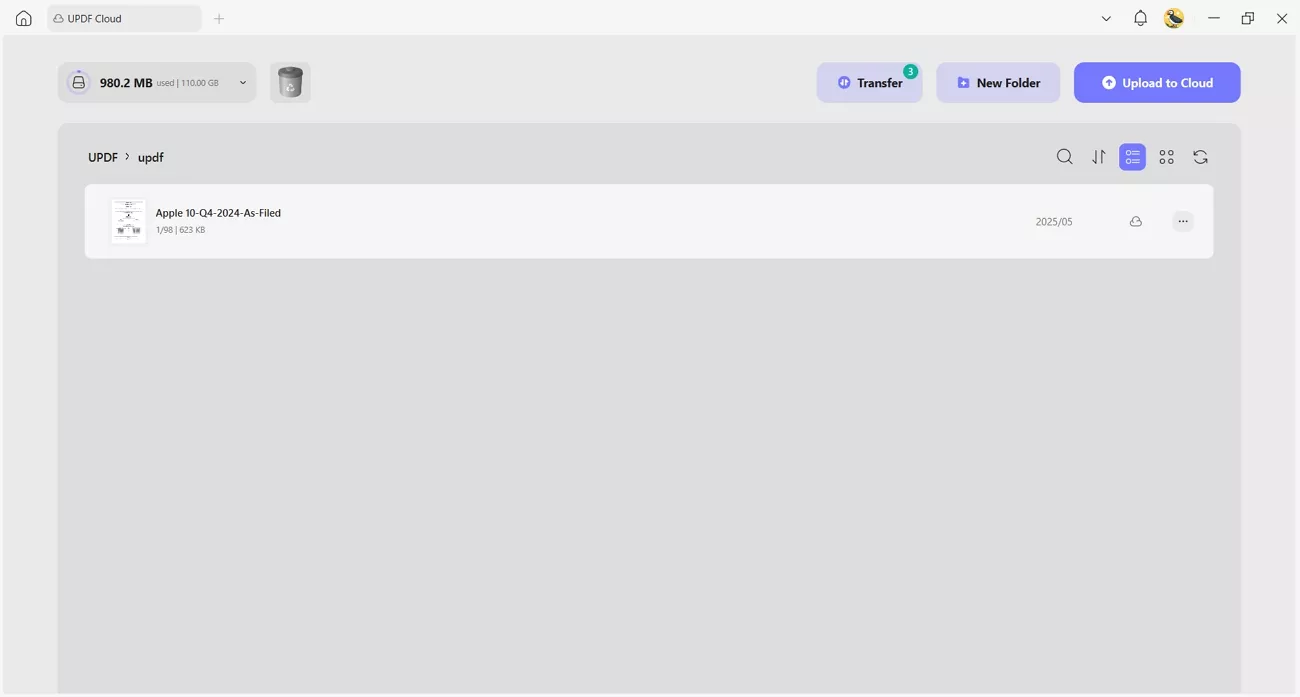
When I saved different LOCI drafts on my laptop and phone, I kept losing track easily. With UPDF Cloud, my letters stay synced across devices, so I always open the latest version.
Pain Point 4: Saving and Sharing in the Right Format
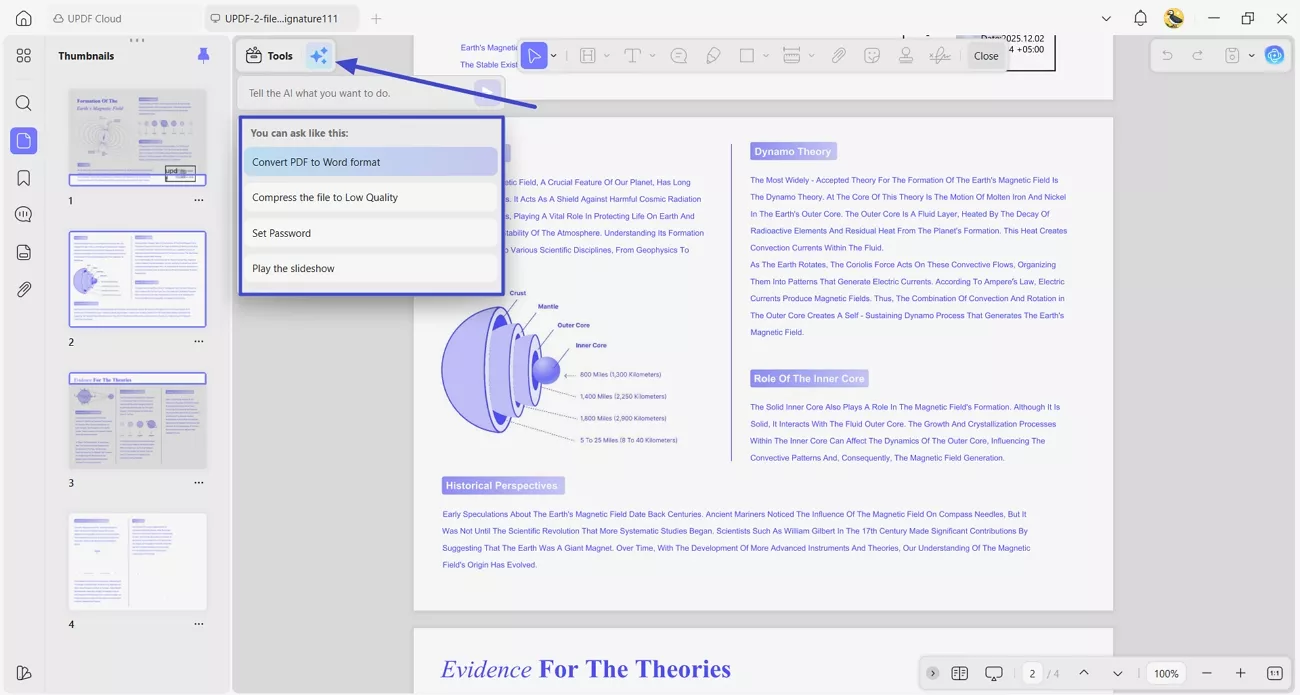
Sometimes I worry whether my LOCI will open correctly for every school and look professional everywhere. UPDF lets me export the final letter as a clean PDF. If a school prefers an editable file, I quickly convert the same letter into a Word document. When needed, I can also ask UPDF Copilot to handle conversion tasks, so everything stays simple.
Windows • macOS • iOS • Android 100% secure
Part 4. Mistakes to Avoid While Writing LOCI
When I wrote my first LOCI, I made small errors that weakened my message. Explore the common pitfalls below so your own letter of continued interest example stays focused and effective.
- Being Too Generic: Sending almost the same LOCI to different schools without any real customization.
- Repeating Original Application: Restating essays instead of adding new updates or fresh, relevant information.
- Sounding Desperate: Using phrases that demand admission or compare rejections from other schools negatively.
- Making it Too Long: Writing several dense pages instead of keeping the letter short and respectful of time.
- Including Irrelevant Updates: Adding minor personal changes without strong academic activity achievements.
- No Proofreading: Leaving grammar mistakes that make the letter appear rushed and unprofessional.
Part 5. FAQs
1. How likely is it to get accepted after being deferred?
Admission after deferral is possible but never guaranteed, because it depends on space, pool strength, and policies.
2. Is it worth writing a letter of continued interest?
Yes, a clear letter of continued interest format helps you share updates and show serious, ongoing interest.
3. Can you send more than one letter of continued interest?
Usually, one well-timed LOCI is enough for most schools in a single application cycle. If significant new achievements appear later, some schools may accept one additional, brief update email or letter.
Conclusion
In conclusion, I explained how to handle deferrals and write a confident letter of continued interest. This process often feels confusing and stressful when decisions take months, and nothing seems to change. If you want to draft, edit, and polish your LOCI like me, I recommend using UPDF to save time. Meanwhile, keep building your profile and remember this waitlist moment never decides your future.








 Enola Miller