 UPDF
UPDF
 UPDF for Windows
 UPDF for Mac
 UPDF for iPhone/iPad
 UPDF for Android
 Nomostar
 UPDF AI Online
 UPDF Sign
 IvyCraft
 Edit PDF
 Annotate PDF
 Create PDF
 PDF Form
 Edit links
 Convert PDF
 OCR
OCR PDF to Word
 PDF to Image
 PDF to Excel
 Organize PDF
 Merge PDF
 Split PDF
 Crop PDF
 Rotate PDF
 Protect PDF
 Sign PDF
 Redact PDF
 Sanitize PDF
 Remove Security
 Read PDF
 UPDF Cloud
 Compress PDF
 Print PDF
 Batch Process
 About UPDF AI
 UPDF AI Solutions
 AI User Guide
 FAQ about UPDF AI
 Summarize PDF
 Translate PDF
 Chat with PDF
 Chat with AI
 Chat with image
 PDF to Mind Map
 Explain PDF
 PDF AI Tools
 Image AI Tools
 AI Chat Tools
 AI Writing Tools
 AI Study Tools
 AI Working Tools
 Other AI Tools
 AI Bookmark Generation
 AI Bookmark Summary
 AI Watermark Generation
 AI Background Generation
 AI Sticker Generation
 AI Stamp Generation
 AI Editing Suite
 UPDF Copilot
 AI Page Management
 AI Semantic Search
 PDF to Word
 PDF to Excel
 PDF to PowerPoint
 Enterprise Solution
 Enterprise Sign
 Enterprise AI
 Enterprise Plan
 Enterprise User Guide
 Enterprise Webinar
 Banking
 Healthcare
 Insurance
 Legal
Legal Manufacturing
 Government
 Researchers & PhDs
 Solopreneurs & Freelancers
 Lawyers & Legal Professionals
 Real Estate Agents & Brokers
 Education Solution
 Customer Stories
 User Guide
 UPDF Tricks
 FAQs
FAQs UPDF Reviews
 Download Center
 Blog
Blog Newsroom
 Tech Spec
 Updates
 UPDF vs. Adobe Acrobat
 UPDF vs. Foxit
 UPDF vs. PDF Expert

The Schedule C tax form is a required IRS document for sole proprietors and independent contractors who report business income. Many self-employed people struggle with this form because it requires accurate income numbers and well-organized expense records for proper completion. Small errors on the C Tax forms can cause higher tax bills and unwanted attention from the IRS.
Understanding how to complete the form helps workers avoid mistakes and report income correctly. This guide explains the form step by step and shows how tools like UPDF can help organize documents and simplify the filing process.
Windows • macOS • iOS • Android 100% secure
Part 1. What is a Schedule C Tax Form?
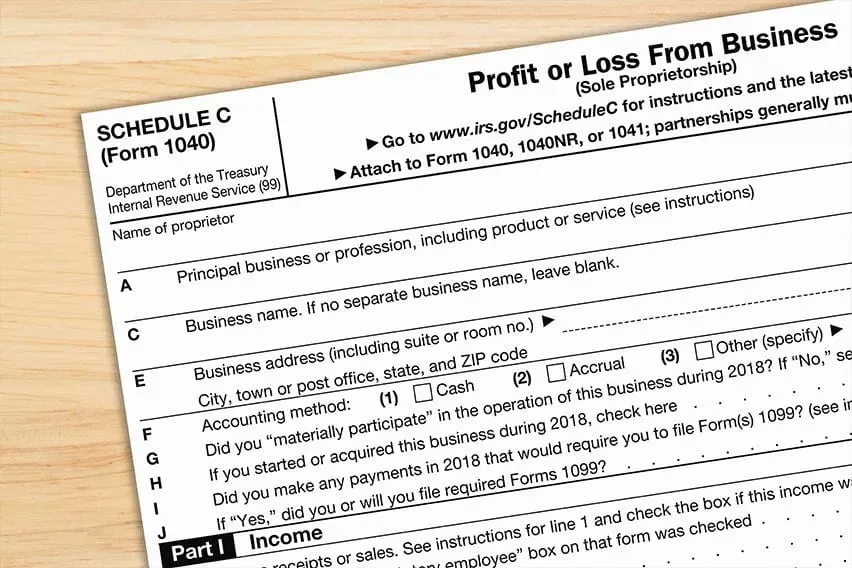
A common question for new freelancers is, what is a Schedule C tax form used for in yearly filings. Schedule C is an IRS tax form called "Profit or Loss from Business," used to report small business income and expenses. Individuals file it with their main tax return Form 1040 when they run a business alone, including a single-member limited liability company.
On this form, you list total business income and allowed business costs, which are used to find business profit or loss. Finally, that profit or loss is added to your personal tax return as self-employment income for the year.
Who Needs to File Schedule C
Now, we will explore the main types of people who typically need to file Schedule C.
- Freelancers: Individuals who work for themselves and earn money outside traditional employer‑employee arrangements.
- Independent Contractors: People paid per project or contract who must report their own business income.
- Small Business Owners: Sole proprietors are responsible for reporting profits, losses, and deductible business expenses.
- Single‑Member LLC Owners: Individuals whose one‑owner LLC's business activity is reported on their personal tax return.
Users can download the official Schedule C tax form PDF directly from the IRS Schedule C form page on the IRS website. Once they have downloaded, they are free to use digital tools such as UPDF to organize and annotate the PDF. This assists in simplifying the form to be reviewed and well-organized to file the taxes.
Also Read: How to Fill Out 1040 >>
Part 2. What is a Schedule C Tax Form Used For?
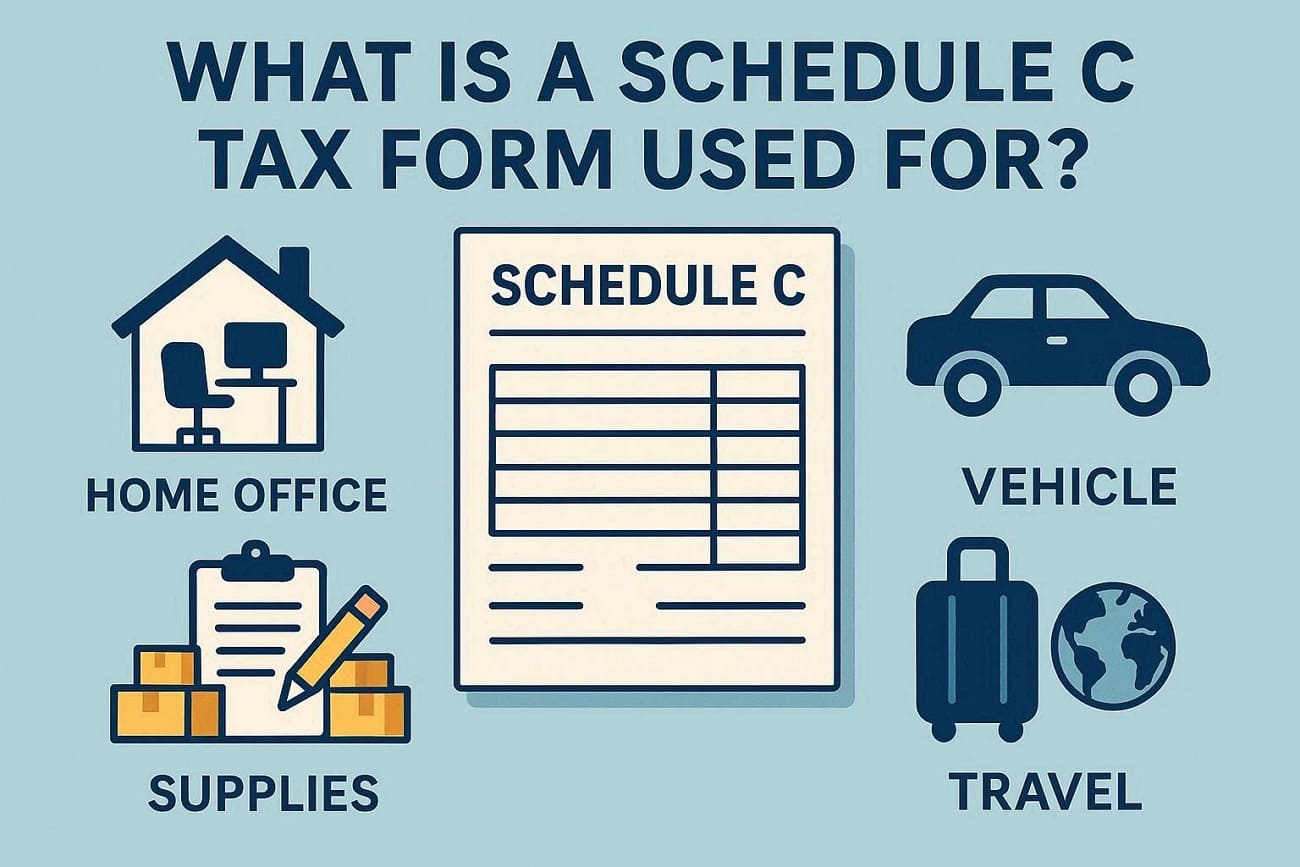
Many people want to understand "What is a Schedule C tax form used for" when filing taxes. It is used to report your business income, along with ordinary and necessary business expenses, to the government. The form then calculates your net profit or loss, which is carried to your personal tax return for income and self‑employment tax purposes.
Common Expense Categories
Here are several frequent write‑offs that appear on Schedule C and help reduce your taxable business profit.
- Home Office: Money spent on a small workspace at home, used mainly for your business.
- Vehicle: Costs for using your car for business, like mileage and fuel.
- Supplies: Items you regularly use in your work, like paper, printer ink, tools, or software.
- Travel: Expenses for business trips, including transportation, lodging, and certain meals while away from home.
Who Benefits from Accurate Filing
For many small business owners, the Schedule C tax form formally both their income and their peace of mind. Sole proprietors and freelancers, in particular, often see smoother tax seasons and fewer surprises when every figure on the form is thoughtfully checked. Over time, these accurate returns can build a reliable record of the business, which supports future planning and financial decisions.
For example, using UPDF, you can highlight each expense category, annotate totals from receipts, and verify numbers before entering them on the tax form. This review process helps reduce mistakes and improve accuracy.
Part 3. How to Fill Out a Schedule C Tax Form?
Filling out Schedule C tax forms becomes much easier when you break it into clear steps. Now, follow the steps below to learn how to fill out a Schedule C tax form with the help of UPDF:
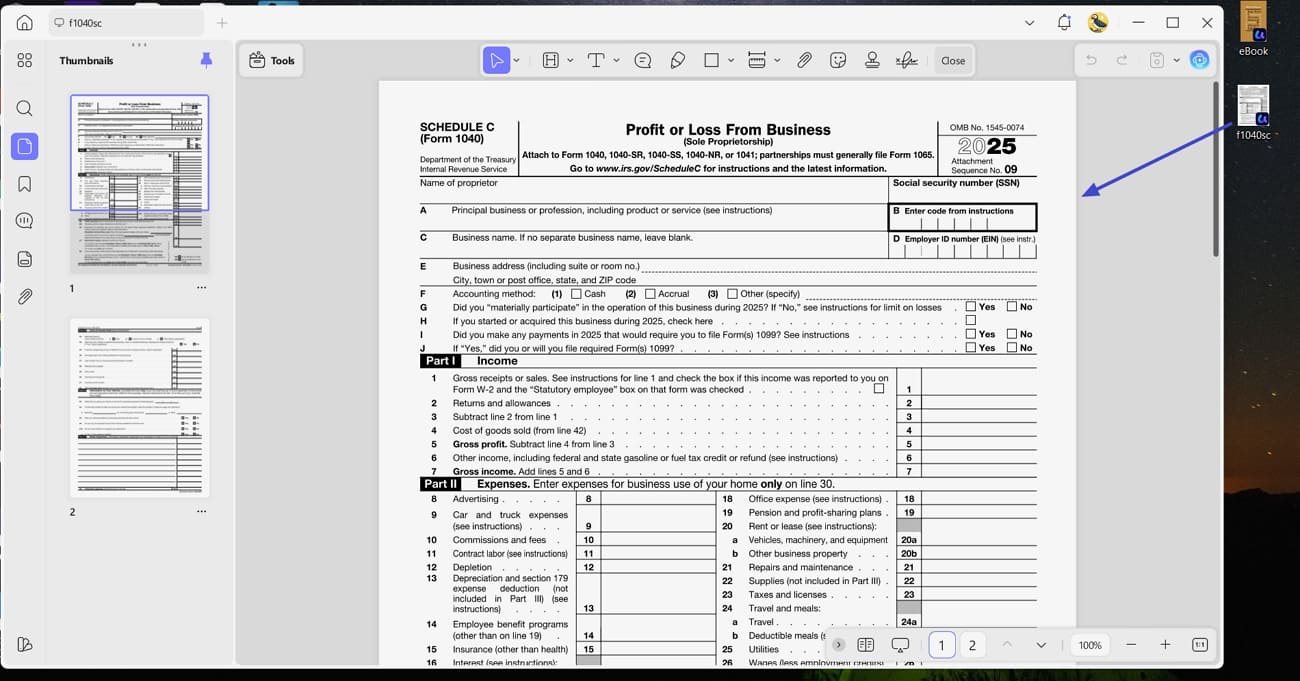
Step 1. Download and Open PDF Form in UPDF
First, access the official IRS website and download the Schedule C form. Next, install UPDF and drag and drop the tax form on the UPDF interface to open it.
Windows • macOS • iOS • Android 100% secure
Step 2. Fill Out Personal and Business Information
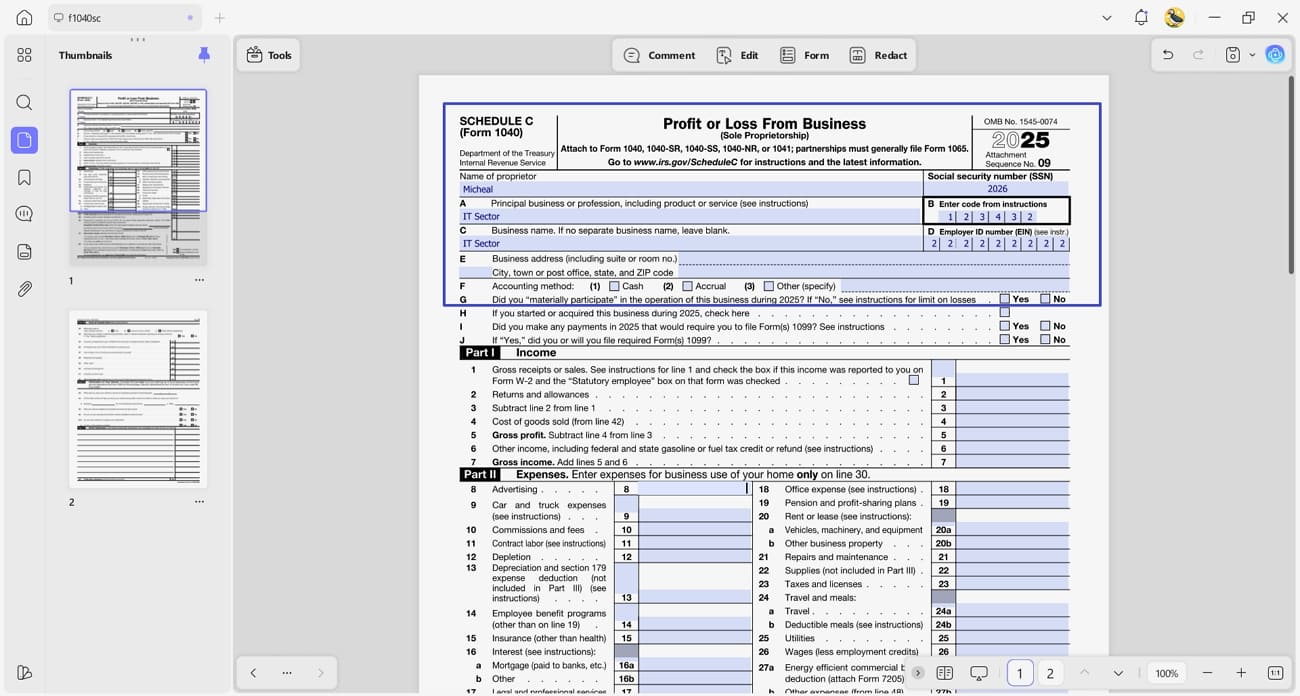
Next, press the text fields and enter your name, social security number, and business details. Choose the correct principal business code that matches your activity.
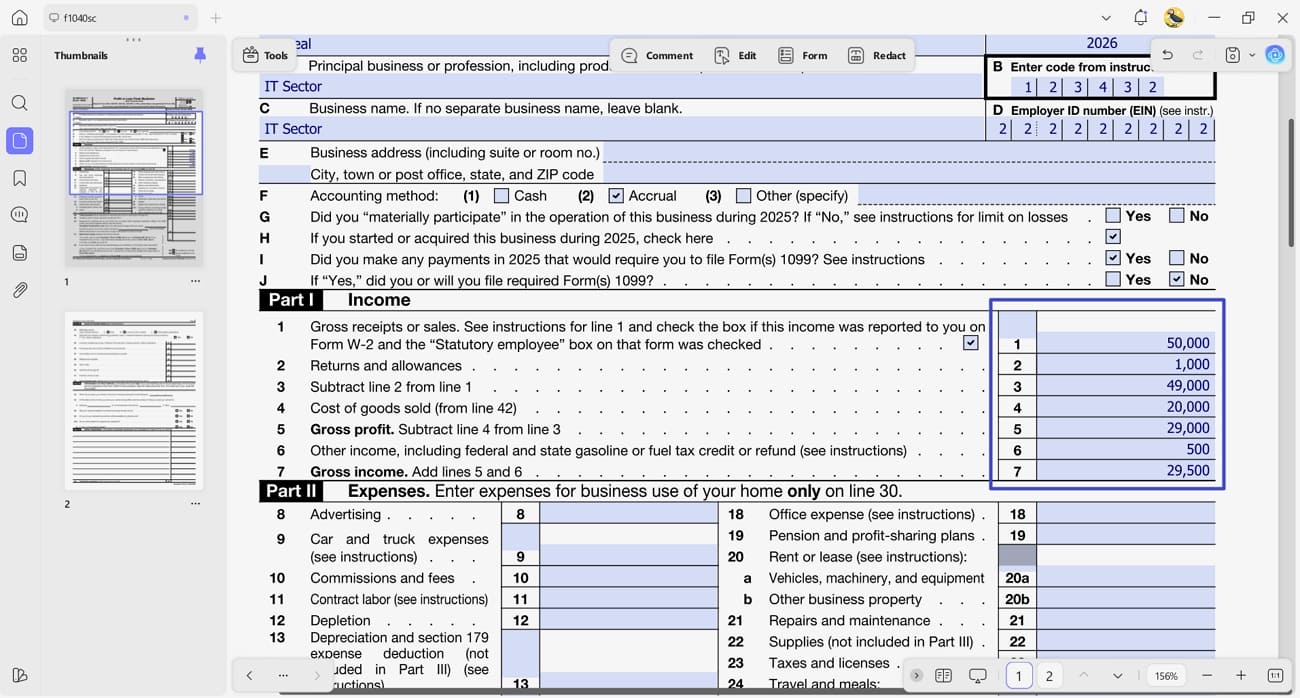
Step 3. Enter Income Details
Afterwards, report all gross receipts from your business in the "Income" section. This includes cash, checks, online payments, and Form 1099 income. Do not subtract expenses here.
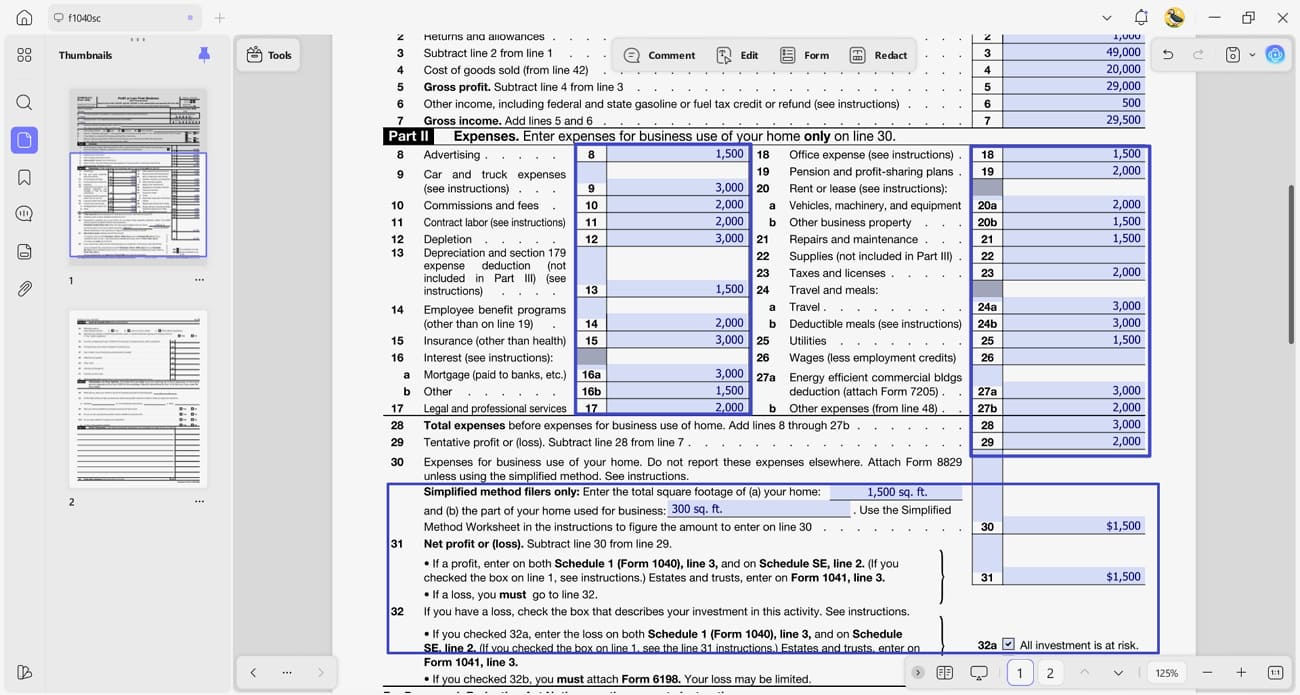
Step 4. Full Out Expenses Section
Move on to the "Expenses" section and list deductible expenses by category. Only include expenses that are ordinary and necessary for your business. Keep records to support each entry.
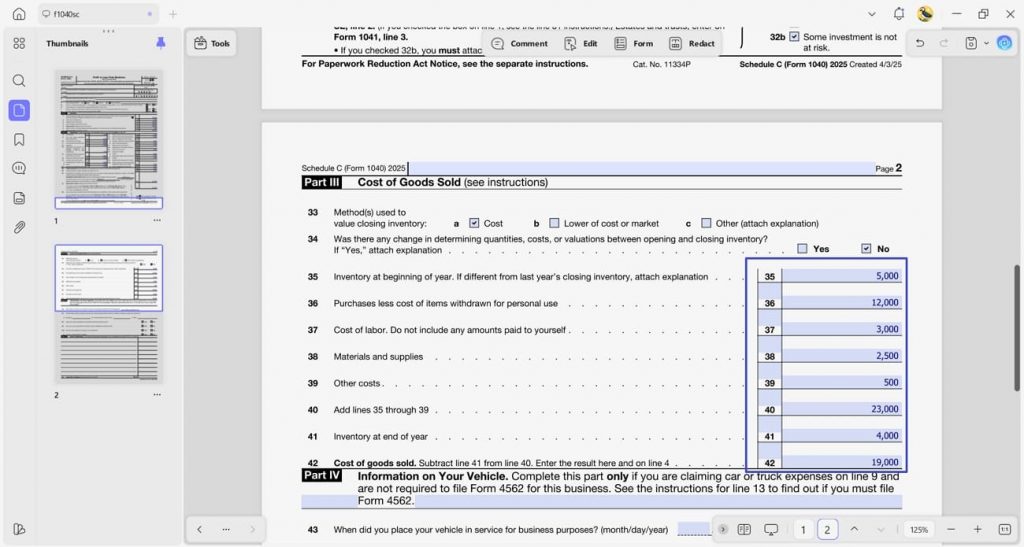
Step 5. Complete The Cost of Goods Sold Section
If your business sells products, you need to complete the "Cost of Goods Sold" section. This section calculates the total cost of inventory and materials used to make or buy the products you sold.
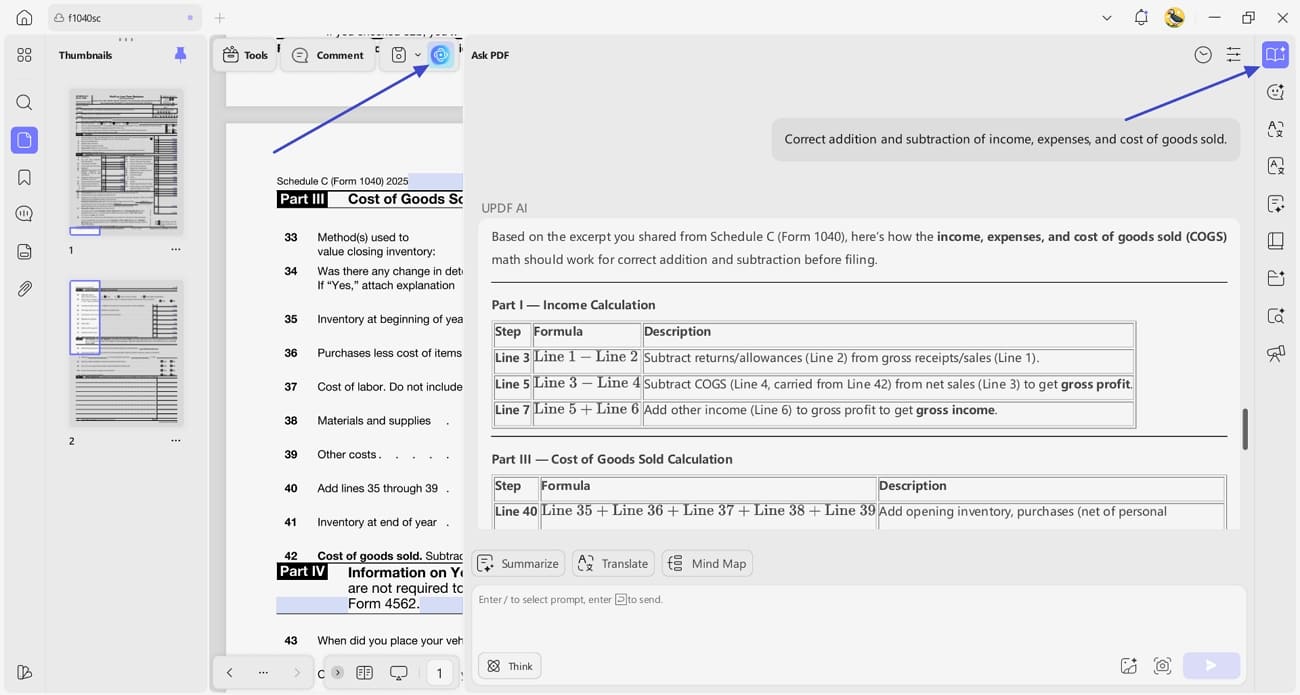
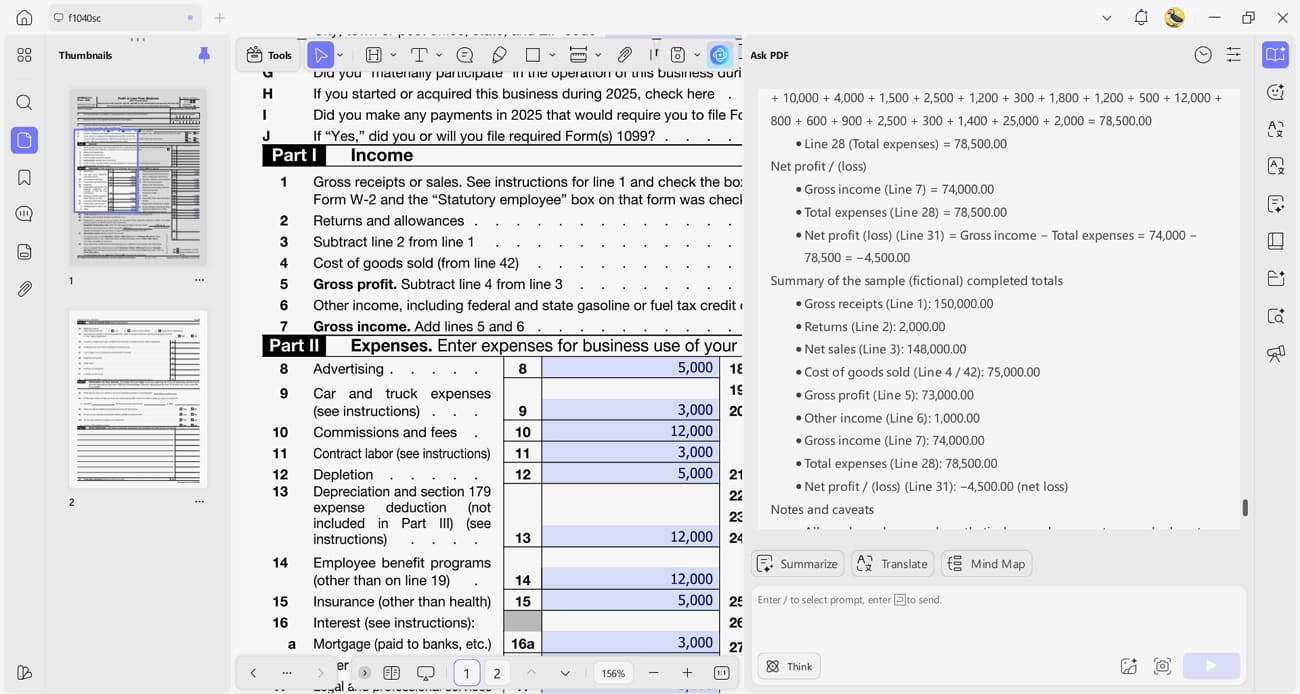
Step 6. Review Totals with UPDF AI
When all amounts are entered, press the "UPDF AI" icon in the top right corner and press the "Ask AI" button to begin chatting. Ask UPDF AI to review totals, check for missing fields, summarize expense categories, or verify that calculations like gross income and cost of goods sold are correct.
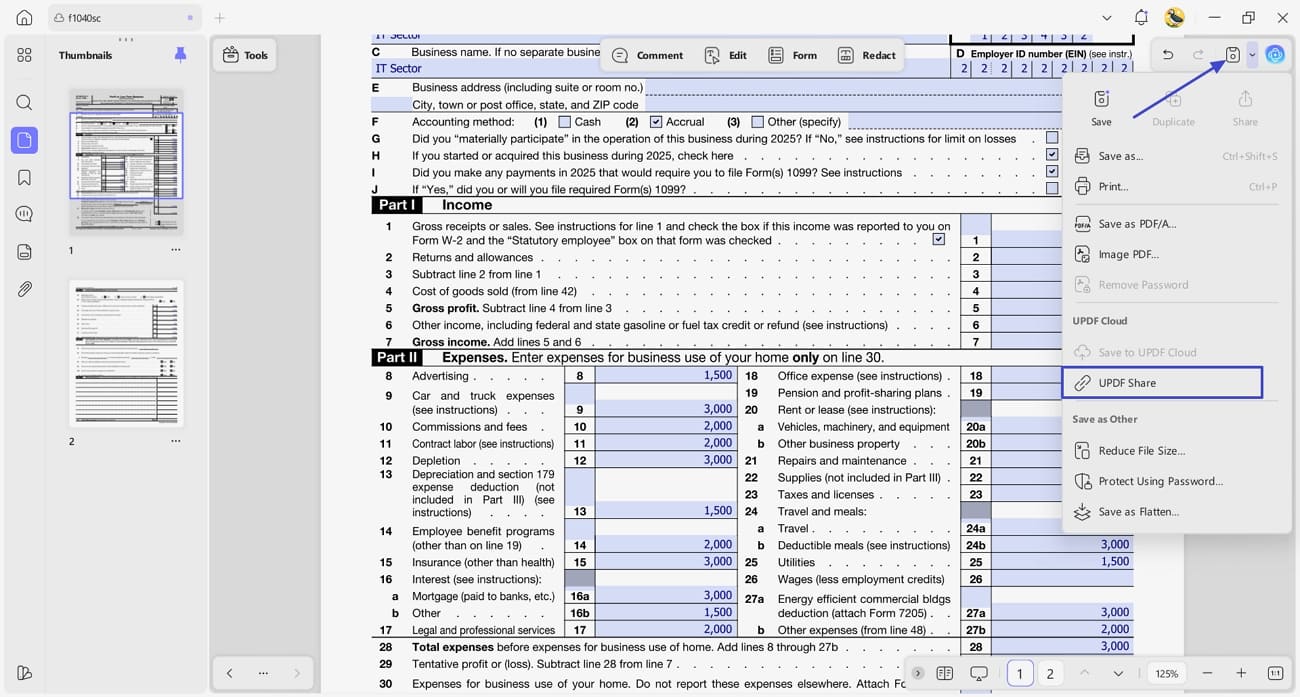
Step 7. Save the Filled Schedule Form
Once the form is completed, press the "Save" button to save the form. You can also share the form directly via the link by clicking the "UPDF Share" option.
Part 4. Tips and Common Mistakes When Filing Schedule C
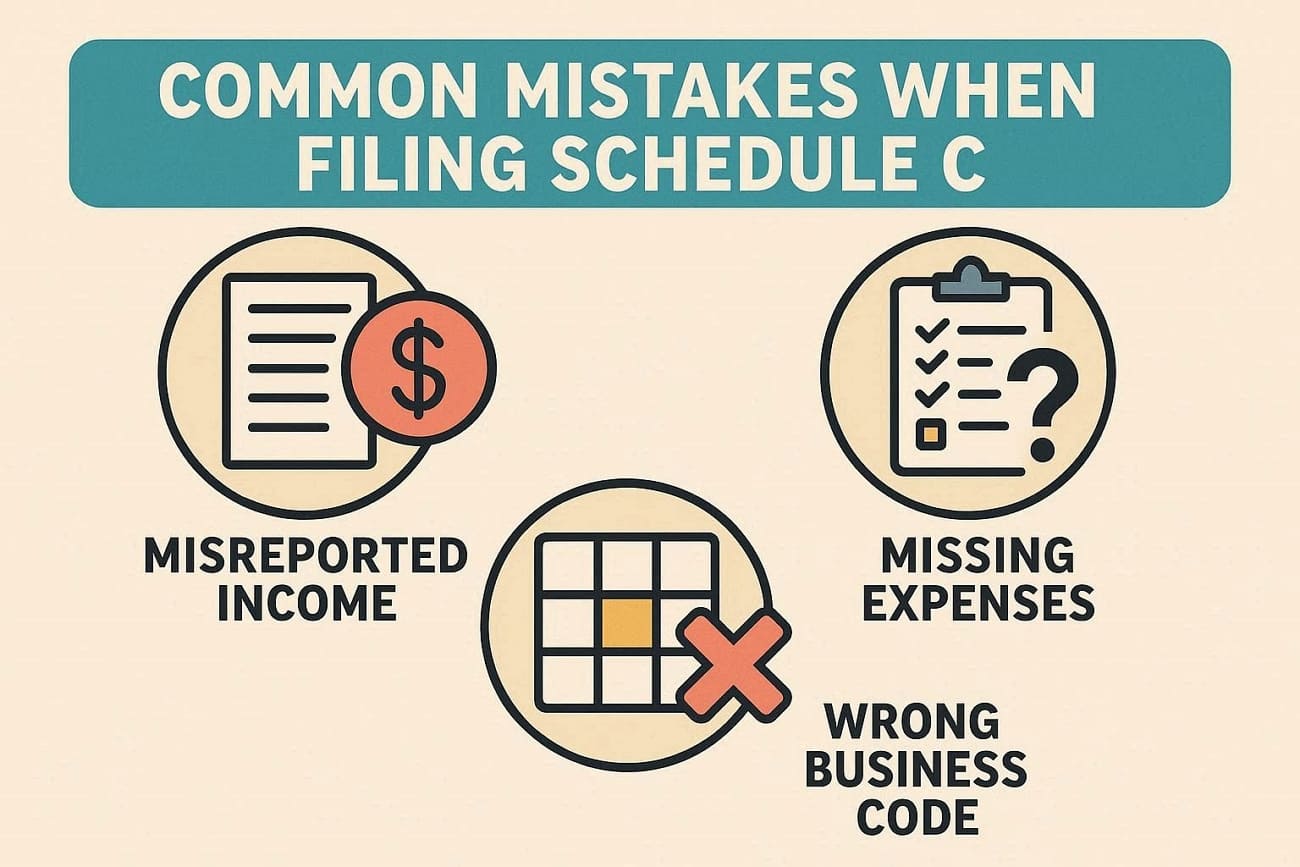
Even with a helpful tool and a clear form, some patterns often lead to trouble on a Schedule C tax form. Let's explore some frequent mistakes that can quietly weaken an otherwise careful Schedule C filing:
- Misreported Income: This happens when the income you enter does not match bank records or platform reports. Double‑check totals against statements before filing so every payment is clearly counted once.
- Missing Expenses: Many filers forget small but regular costs, which makes profit look higher than they really is. Keep simple notes or folders for receipts throughout the year so common expenses are not lost.
- Wrong Business Code: Using an activity code that does not fit your main work can cause confusion. Read the code list slowly and choose the description that best matches what you mainly do.
- Mixing Personal and Business Costs: Some people accidentally claim personal spending as business, which can cause issues later. Use separate accounts where possible and only enter costs that were clear for business purposes.
How to Reduce Mistakes
A PDF tool like UPDF helps you review, mark, and organize Schedule C form files to avoid mistakes. Keeping all records together in one UPDF file also makes it easier to see missing numbers.
Part 5. UPDF and UPDF AI for Schedule C and Tax Preparation
When learning how to fill out a Schedule C tax form, many self-employed workers face challenges keeping all their documents organized. UPDF solves this problem by providing a single workspace to fill and annotate all your PDF tax forms with expense records and supporting documents. Users can highlight important fields, add comments, and navigate through multiple pages without printing anything.
Additionally, UPDF AI brings advanced assistance directly into the same workspace. It lets you edit, merge, and sort PDFs in one place, reducing errors and saving time during tax season. Whether on Windows, macOS, Android, or iOS, freelancers and small business owners can use UPDF and UPDF AI to manage tax season to save both time and effort.
UPDF AI Capabilities
Preparing your Schedule C form becomes easier when you use UPDF AI to handle key document tasks. Let's explore these capabilities and see how they simplify organizing, reviewing, and finalizing your tax documents.
1. Expense Categorization: The AI suggests the correct category for each business expense, making it easier to organize costs accurately. Accurate classification helps ensure deductions are recorded correctly on your Schedule C.
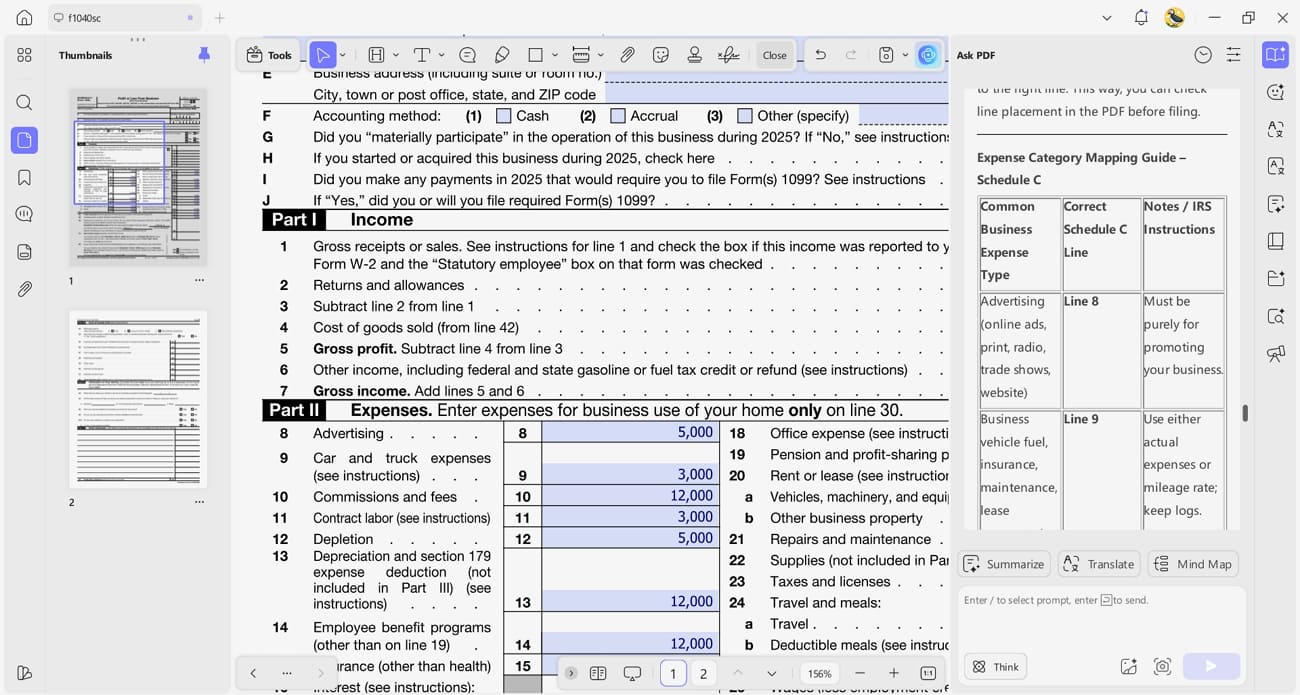
2. Document Summarization: Long PDF files are condensed into key points and highlights for quick review. This allows you to understand important details without reading every page.
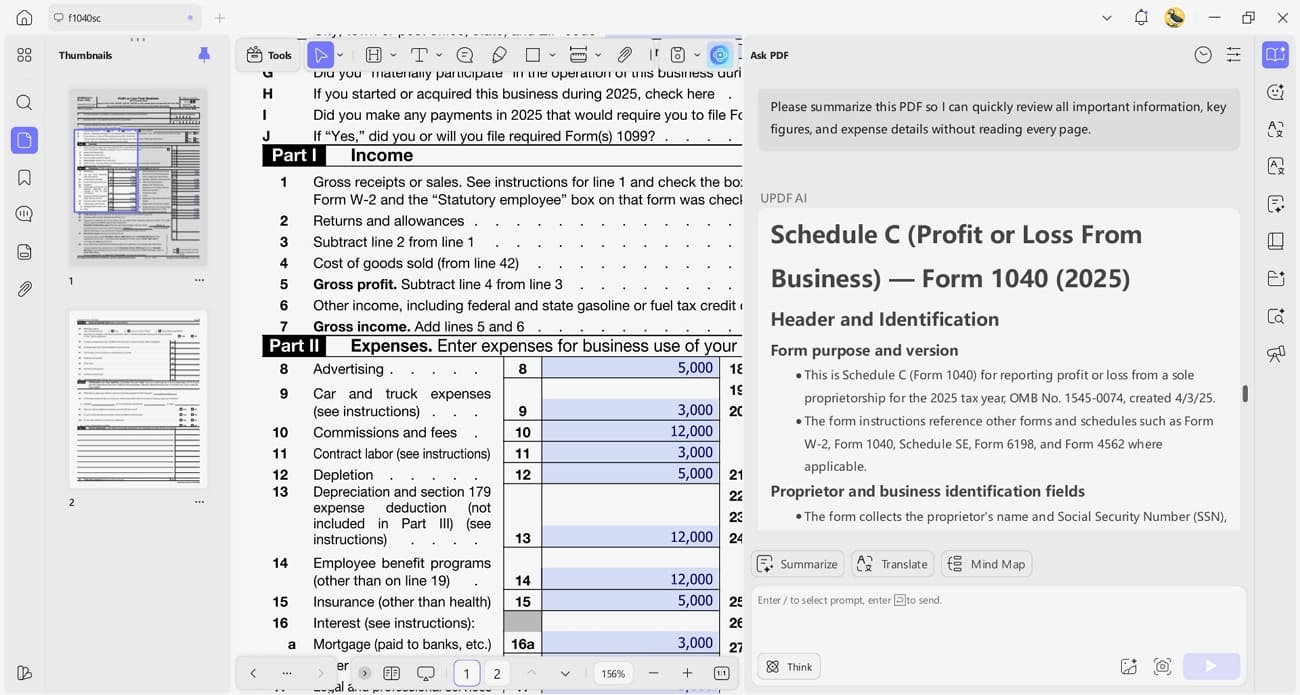
3. Total Verification: All calculations and totals on your tax forms are automatically checked. This reduces mistakes and ensures gross income, expenses, and net profit or loss are accurate.
Admin Console for Accounting Teams
If you want to make tax season easier, try UPDF to fill, organize, and annotate all your Schedule C forms in one workspace. You can download it today and simplify your tax preparation while reducing errors and saving time.
Conclusion
In conclusion, this guide explains what the Schedule C tax form is and how self‑employed workers can complete it while avoiding common filing mistakes. It also highlights key income and expense rules so freelancers and sole proprietors can report business activity with more confidence. If you want help organizing forms, checking details, and staying on top of records, try UPDF to streamline your Schedule C workflow.
Windows • macOS • iOS • Android 100% secure









 Bruna Almeida
 Enola Davis
 Enya Moore
 Engelbert White