 UPDF
UPDF
 UPDF for Windows
 UPDF for Mac
 UPDF for iPhone/iPad
 UPDF for Android
 UPDF AI Online
 UPDF Sign
 IvyCraft
 Edit PDF
 Annotate PDF
 Create PDF
 PDF Form
 Edit links
 Convert PDF
 OCR
OCR PDF to Word
 PDF to Image
 PDF to Excel
 Organize PDF
 Merge PDF
 Split PDF
 Crop PDF
 Rotate PDF
 Protect PDF
 Sign PDF
 Redact PDF
 Sanitize PDF
 Remove Security
 Read PDF
 UPDF Cloud
 Compress PDF
 Print PDF
 Batch Process
 About UPDF AI
 UPDF AI Solutions
 AI User Guide
 FAQ about UPDF AI
 Summarize PDF
 Translate PDF
 Chat with PDF
 Chat with AI
 Chat with image
 PDF to Mind Map
 Explain PDF
 PDF AI Tools
 Image AI Tools
 AI Chat Tools
 AI Writing Tools
 AI Study Tools
 AI Working Tools
 Other AI Tools
 AI Bookmark Generation
 AI Bookmark Summary
 AI Watermark Generation
 AI Background Generation
 AI Sticker Generation
 AI Stamp Generation
 AI Editing Suite
 UPDF Copilot
 AI Page Management
 AI Semantic Search
 PDF to Word
 PDF to Excel
 PDF to PowerPoint
 Enterprise Solution
 Enterprise Sign
 Enterprise AI
 Enterprise Plan
 Enterprise User Guide
 Enterprise Webinar
 Banking
 Healthcare
 Insurance
 Legal
Legal Manufacturing
 Government
 Education Solution
 Customer Stories
 User Guide
 UPDF Tricks
 FAQs
FAQs UPDF Reviews
 Download Center
 Blog
Blog Newsroom
 Tech Spec
 Updates
 UPDF vs. Adobe Acrobat
 UPDF vs. Foxit
 UPDF vs. PDF Expert

Ever wished you could text Levi Ackerman after a rough day, or run a banter loop with Gojo at 2 a.m.? In 2026, that's no longer a fanfic fantasy to chat with your favorite anime character — there are dedicated AI platforms where anime characters remember your name, react to your mood, and stay in character across long sessions.
I tested four of the most-recommended ones — PepHop.ai, Korewa.ai, Character.AI, and Charstar.ai — and broke down what each does best, who it's built for, and where the rough edges show. Part 5 covers the other half of the question most guides skip: once you've spent hours building a roleplay you actually care about, how do you keep it from disappearing — and how do you turn the chat log into something that reads like an actual light novel.
Part 1. How to Chat with Anime Characters Online Via Pephop.ai?
PepHop.ai is a browser-based AI roleplay platform launched by a Hong Kong studio in late 2023. As of early 2026, the catalog numbers in the tens of thousands, spanning anime, games, celebrities, and original community creations, with anime representing a major slice of the library. It runs on GPT-4 under the hood and supports both SFW and NSFW modes, so you'll see an 18+ age gate before mature characters become accessible.
Key Features
- Massive character library: thousands of pre-built characters spanning anime, games, celebrities, and original community creations.
- Dual SFW/NSFW modes: One-click toggle between safe-for-work and mature content (18+ verification required for the latter).
- Custom character builder: Plain-English character creation — you describe personality, backstory, and example dialogue, and PepHop assembles a working chatbot from those inputs. TavernAI JSON export is supported if you want to port your characters elsewhere.
- One real limitation worth knowing: chat memory effectively resets every ~20 messages even on paid tiers according to user reports, so long roleplay arcs drift. If your style is short bursts of conversation, this won't bite; if you want a 200-message continuous storyline, it will.
Here is how you can create and chat with anime characters using Pephop.ai.
Step 1: Open PepHop.ai in your browser. The homepage lands you on a category grid where you can filter by Anime, Female, Male, Game, or Popular tags to narrow down characters.
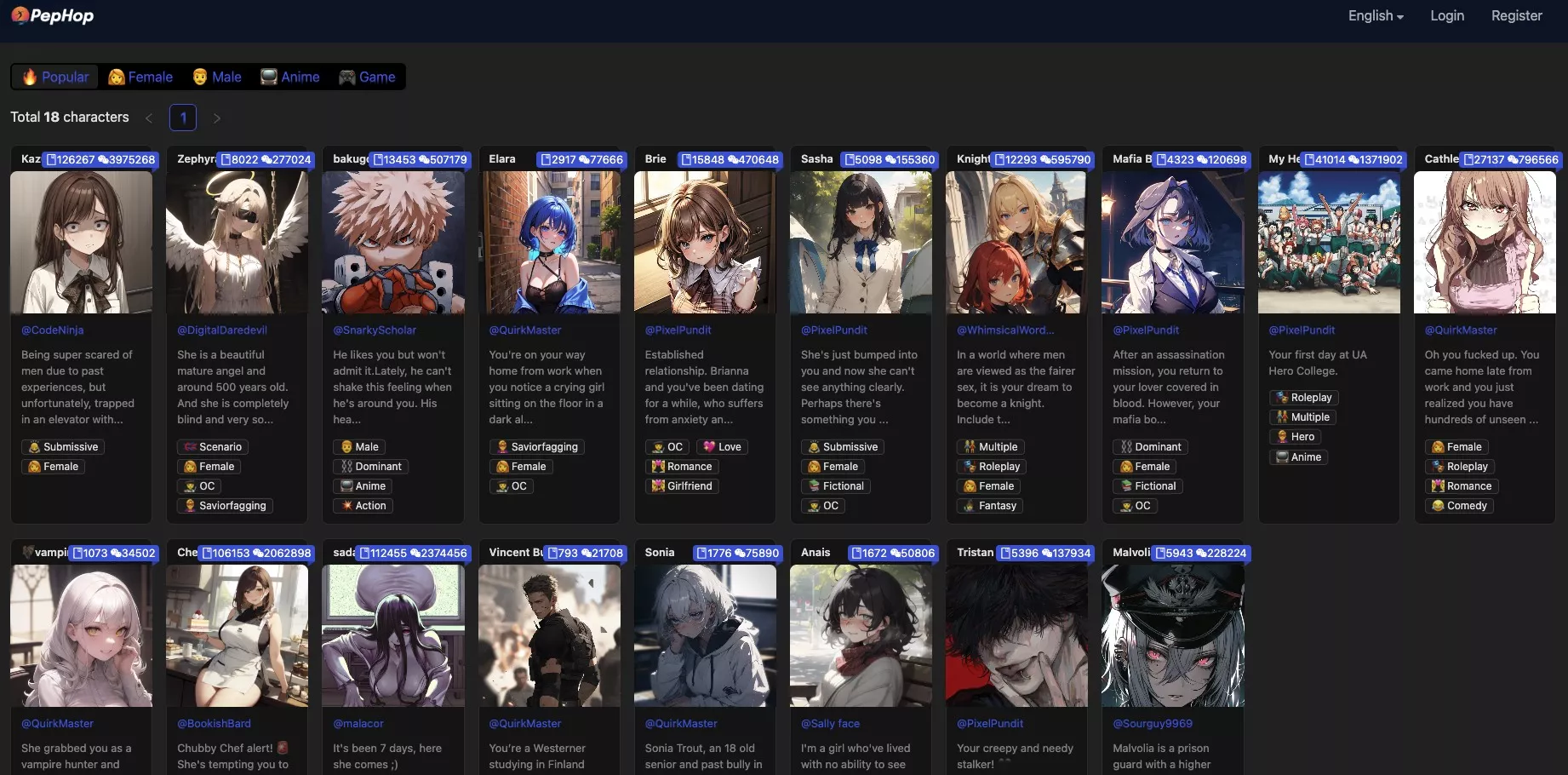
Step 2: Login and create a profile to access community chats.
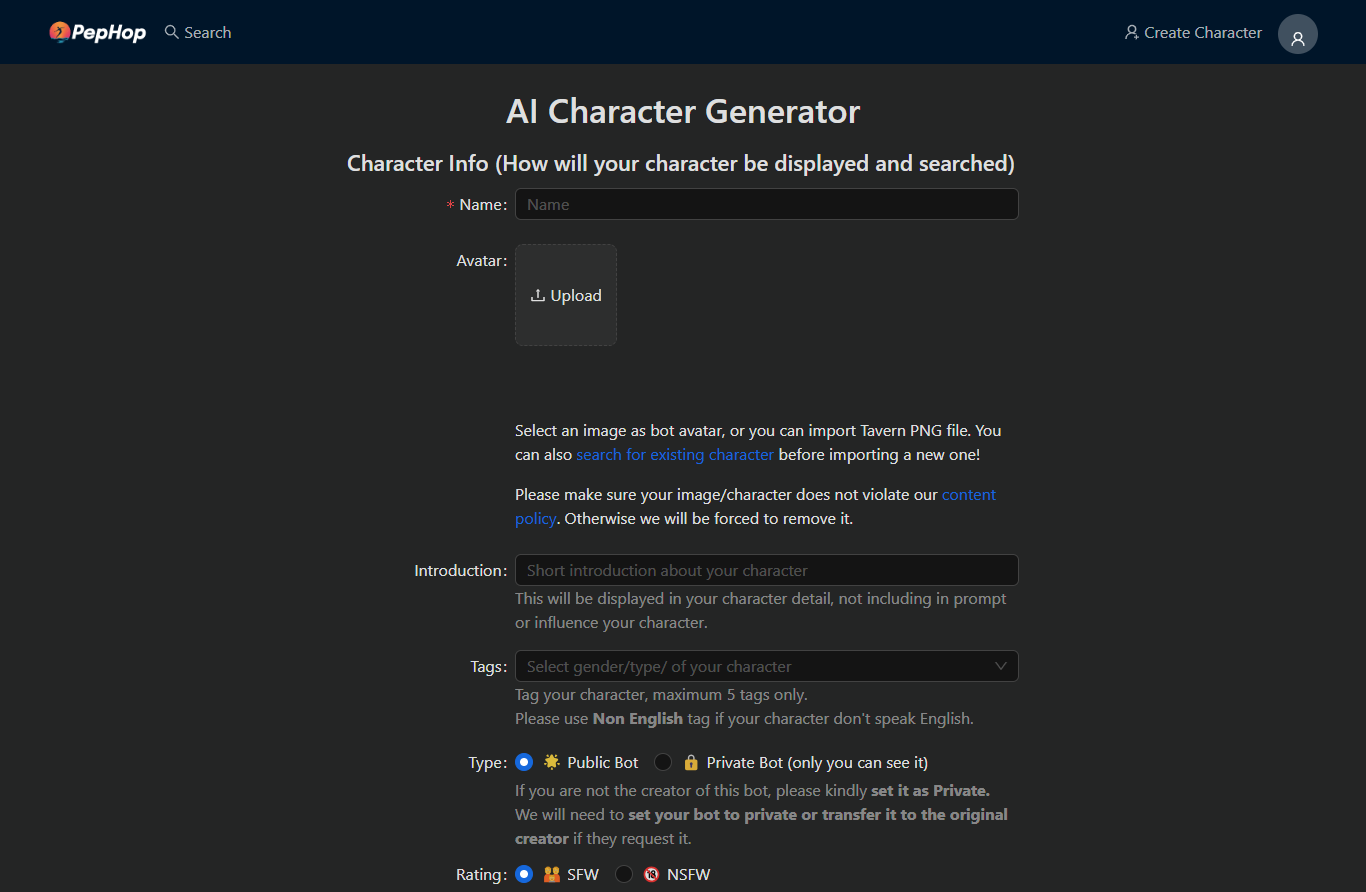
Step 3: You can create a character of your own. Click Create Character in the top right corner. Fill in all the details you want in your character. Start chatting with your character.
Part 2. How to Chat with Your Favorite Anime Character Via korewa.ai?
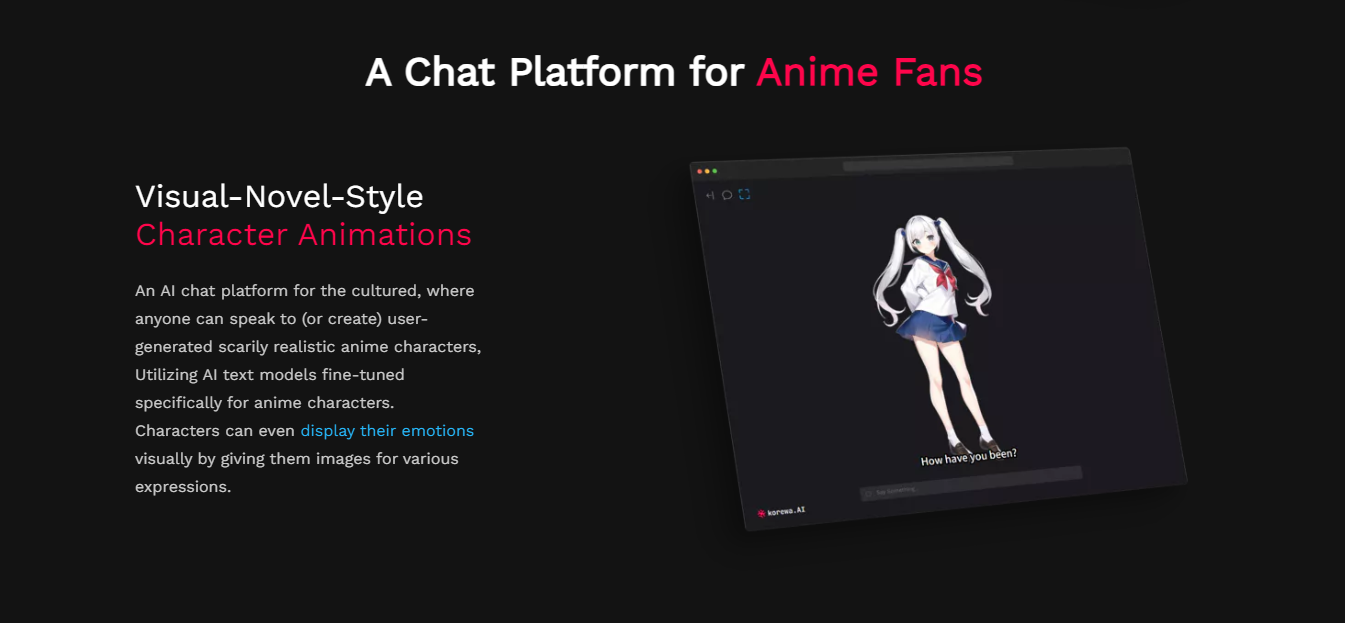
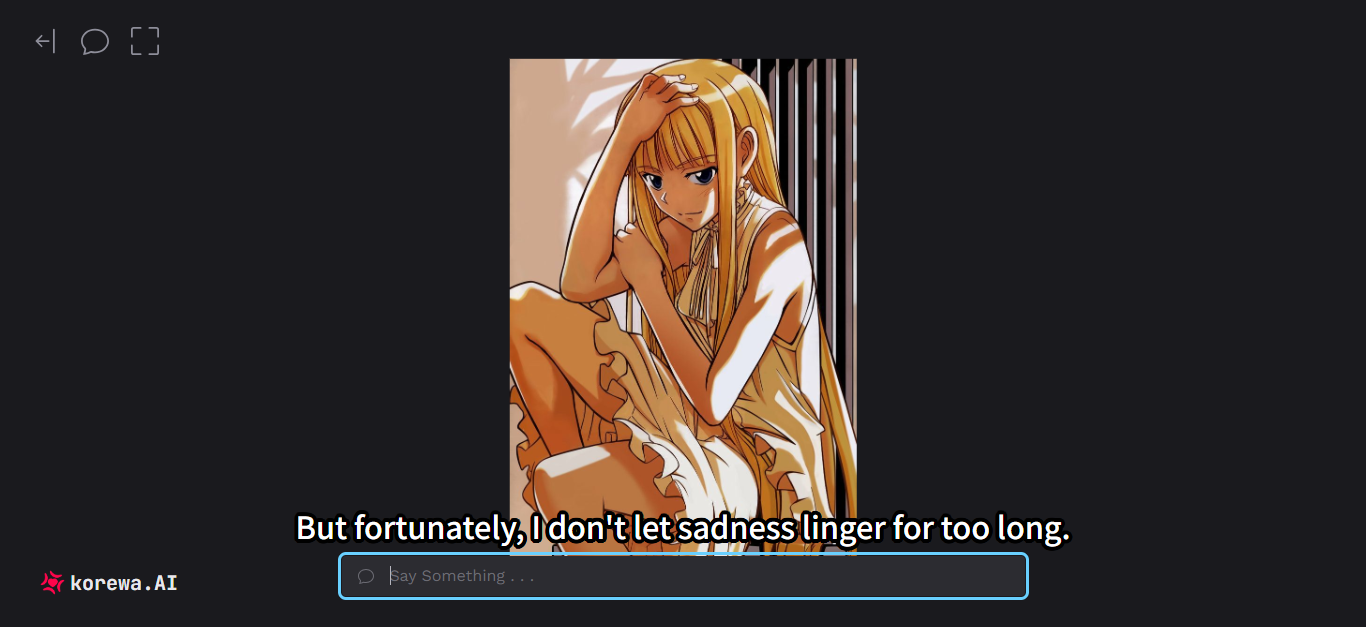
Korewa.AI is the most niche of the four — it's run by a solo developer and built specifically for anime characters, with text models fine-tuned for anime-style dialogue patterns. The standout feature is visual emotion simulation: each character can be set up with multiple facial expression images that swap in based on the conversation's emotional tone, giving it a visual-novel feel that the other platforms don't replicate.
Key features
- Visual-novel-style expressions: Upload multiple expression images for the same character, and Korewa swaps between them based on dialogue mood. None of the other three platforms on this list replicate this visual-novel-style expression system.
- Deep character customization: You define personality, memory, backstory, and example dialogue, then the AI uses that as anchor across conversations.
- Conversation memory: Characters retain what you tell them across sessions — useful for ongoing storylines.
- Pricing: Free demo with a limited model; Premium tier is around $10/month for unlimited messages and full access to the strongest model.
- Human-like interaction: This anime chat tool uses advanced language models. It enables the characters to learn and evolve their dialogue over time. It can remember past conversations with the users. It can give a truly lifelike experience.
- Create & Publish: As it offers a niche chat model, it allows users to create and publish realistic anime characters. Users can also interact with user-generated anime characters.
Here is how it works.
Step 1: Open the Korewa.ai website on your desktop.
Step 2: Create a username and sign up using your email and password.
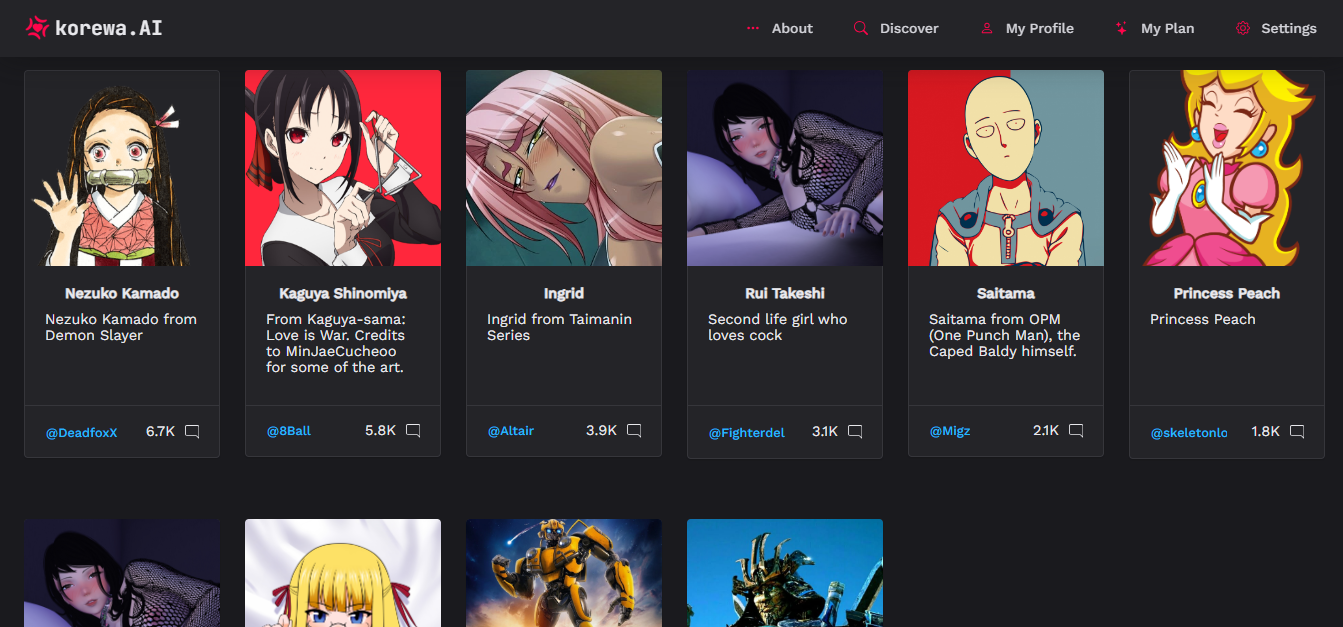
Step 3: You can now choose a character from a limited selection of user-generated characters and start conversing.
Step 4: To create and publish a character, you will have to upgrade to a premium plan. Upload images of your favorite character. Give descriptions and traits that make them unique. Add the customization, and voila! Your anime character has come to life.
Part 3. How to Chat with Anime Characters Via character.ai?
Character.AI is the giant of the four — tens of millions of monthly active users and a community-created character library that runs into the millions. If a remotely popular anime exists, multiple fan-made versions of its characters already live on Character.AI. It's primarily SFW (filters are stricter than PepHop), but voice chat (one-on-one), group chat, and image input have all been added over the past year.
Key Features
- Largest community library: Millions of user-created characters across anime, games, books, films, and real public figures. New popular anime get fan-made versions within hours of release.
- Character Voice: Text-to-speech with pre-made voices, plus speech-to-text input so you can talk out loud and get a spoken reply back.
- Group Chat (Rooms): Drop multiple characters into a single conversation. Group chats between rival anime characters (think Naruto-meets-Goku banter) is a popular use case.
- Pinned Memories: A newer feature that lets you explicitly mark facts you want the AI to remember across sessions — partially solves the long-conversation memory drift that bites every other platform on this list.
Fancy having a chat with your favorite anime character? Follow these steps.
Step 1: Launch the Character.ai on your desktop, or you can download the mobile app from Google Play Store and Apple Store.
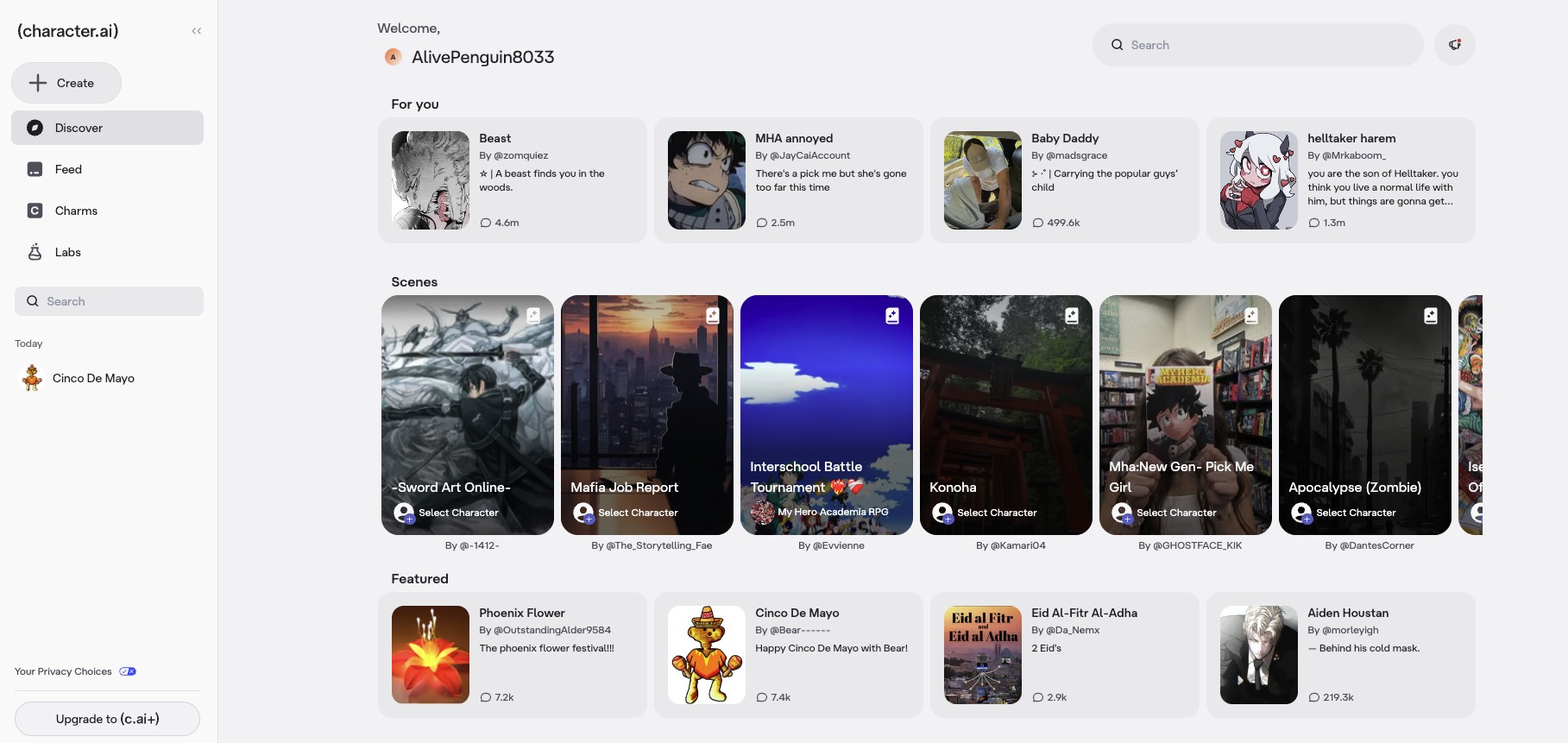
Step 2: After you sign up, create your persona, Character.ai will give recommendations according to your preference.
Step 3: Search for any characters from anime or media ( movies, books, TV etc..) and start chatting.
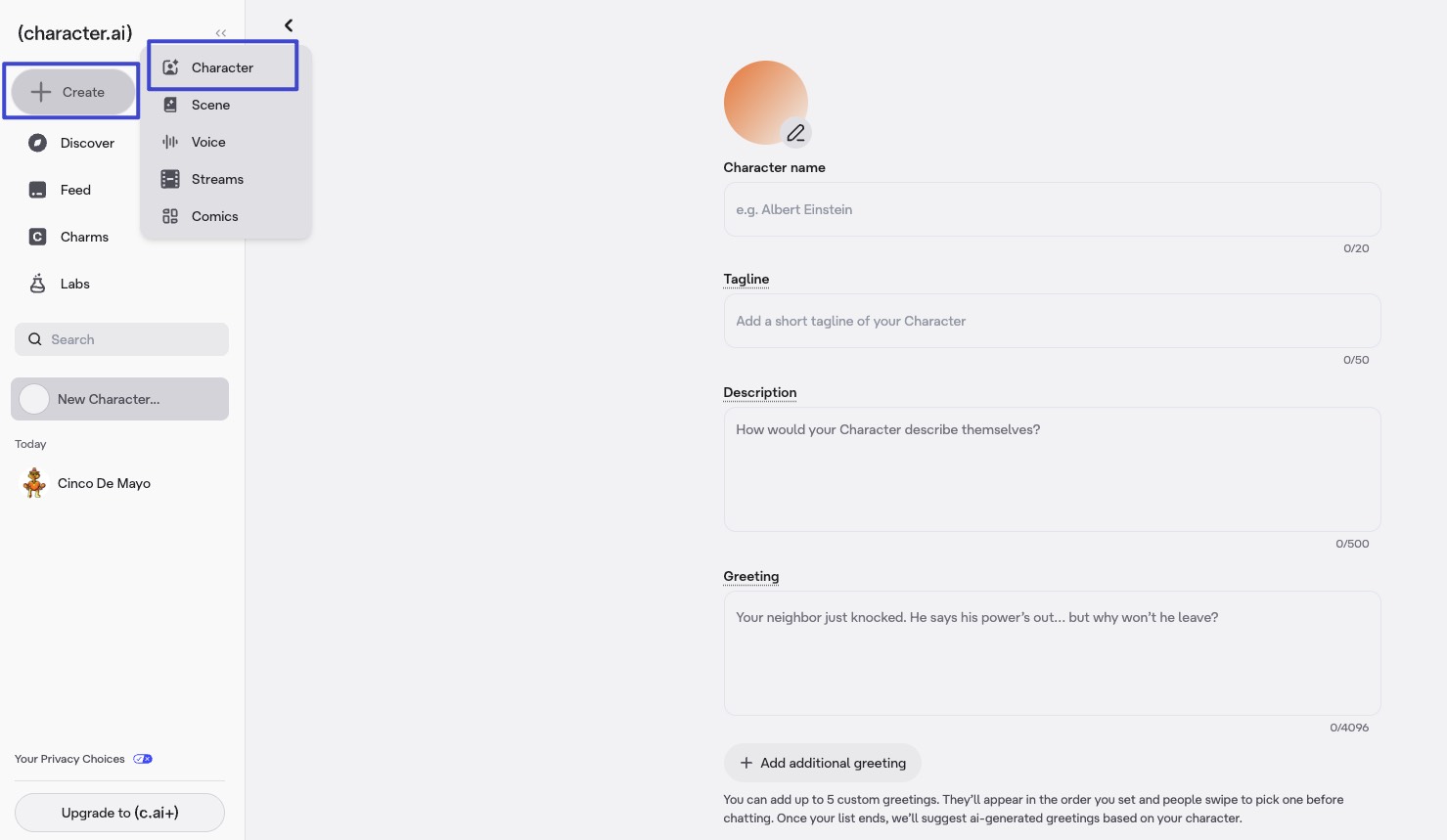
Step 4: To create a character, click on the Create button in the sidebar. Fill all the fields and you have your character.
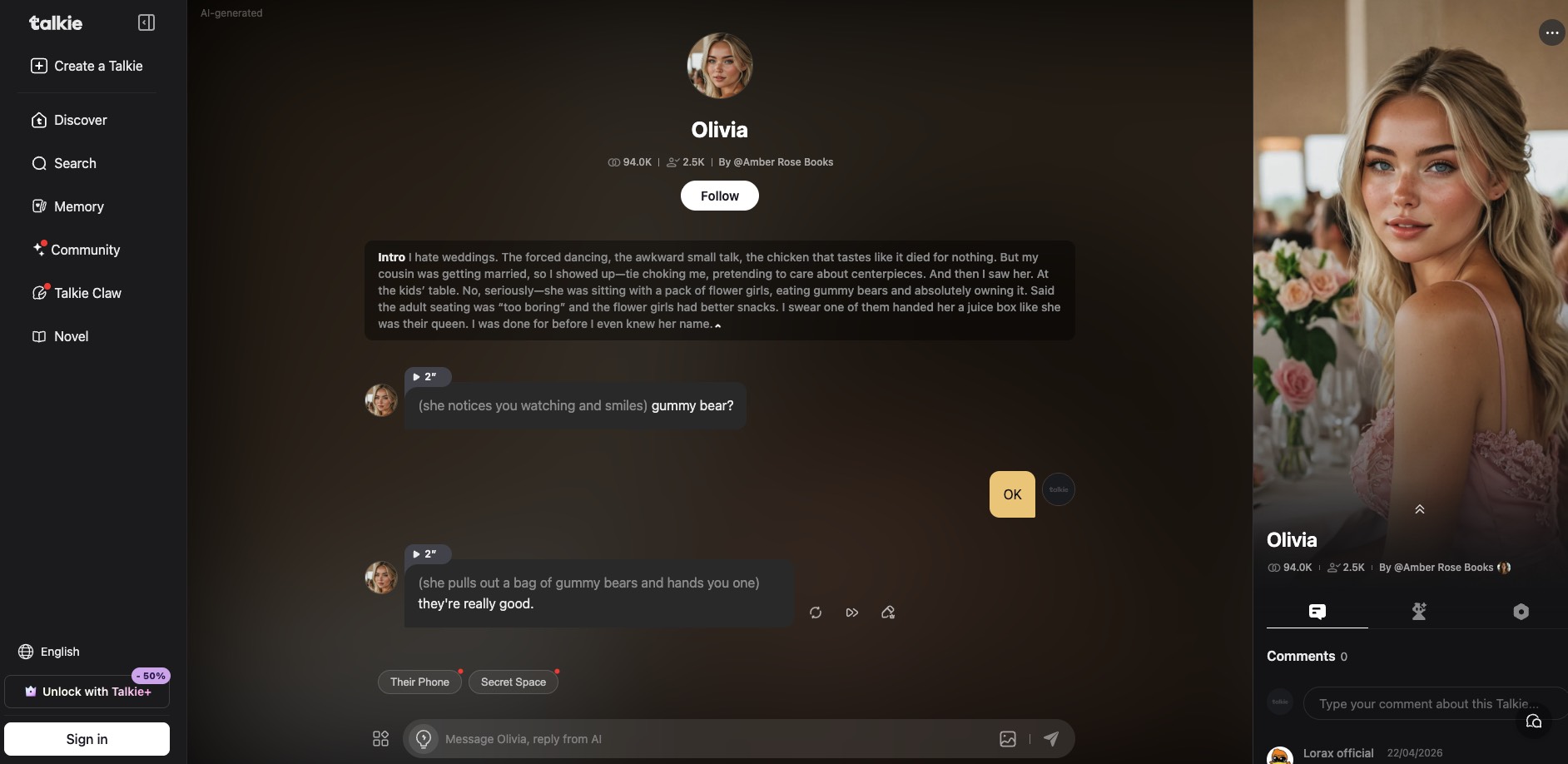
Part 4. How to Chat with Anime Characters Via Talkie AI?
Talkie AI is the mobile-first contender in this space — a Shanghai-based app built by AI unicorn MiniMax (founded 2021 by ex-SenseTime researchers) that has climbed into the global top three for AI companion downloads, trailing only Character.AI and Replika. The app is strictly SFW — explicit content is blocked and mature roleplay gets gently steered back to family-friendly territory, though light flirtation is tolerated.
Key Features
- Gacha character cards: Unlock AI characters through randomized pulls rather than direct search. Each card comes with visual artwork and rarity tiers, turning character collection into a mobile-game loop.
- Voice-first interaction: Real-time voice calls and voice messaging are first-class features — characters speak back to you, not just type. You can call them 24/7.
- Visual customization & selfies: An Outfit System lets you change character appearances, and characters can generate "selfie" images mid-conversation for a more social-media-like feel.
- Collectible memory cards: Key moments from chats are captured as collectible cards that help preserve continuity — though in practice memory still resets during long conversations, functioning more like scene summaries than true long-term recall.
- One real limitation worth knowing: Talkie is built for casual mobile engagement, not deep roleplay arcs. The prompt control is restrictive, custom persona depth is limited compared to PepHop or Korewa, and memory drift on long storylines is a known pain point. If you want a quick, voice-heavy, visually polished chat during a commute, it's excellent; if you want a 200-message continuous narrative with tight authorial control, it will frustrate.
Want to know how to chat with anime characters with Talkie AI? Here are a few steps to get started.
Step 1: Open talkie-ai.com in your browser.
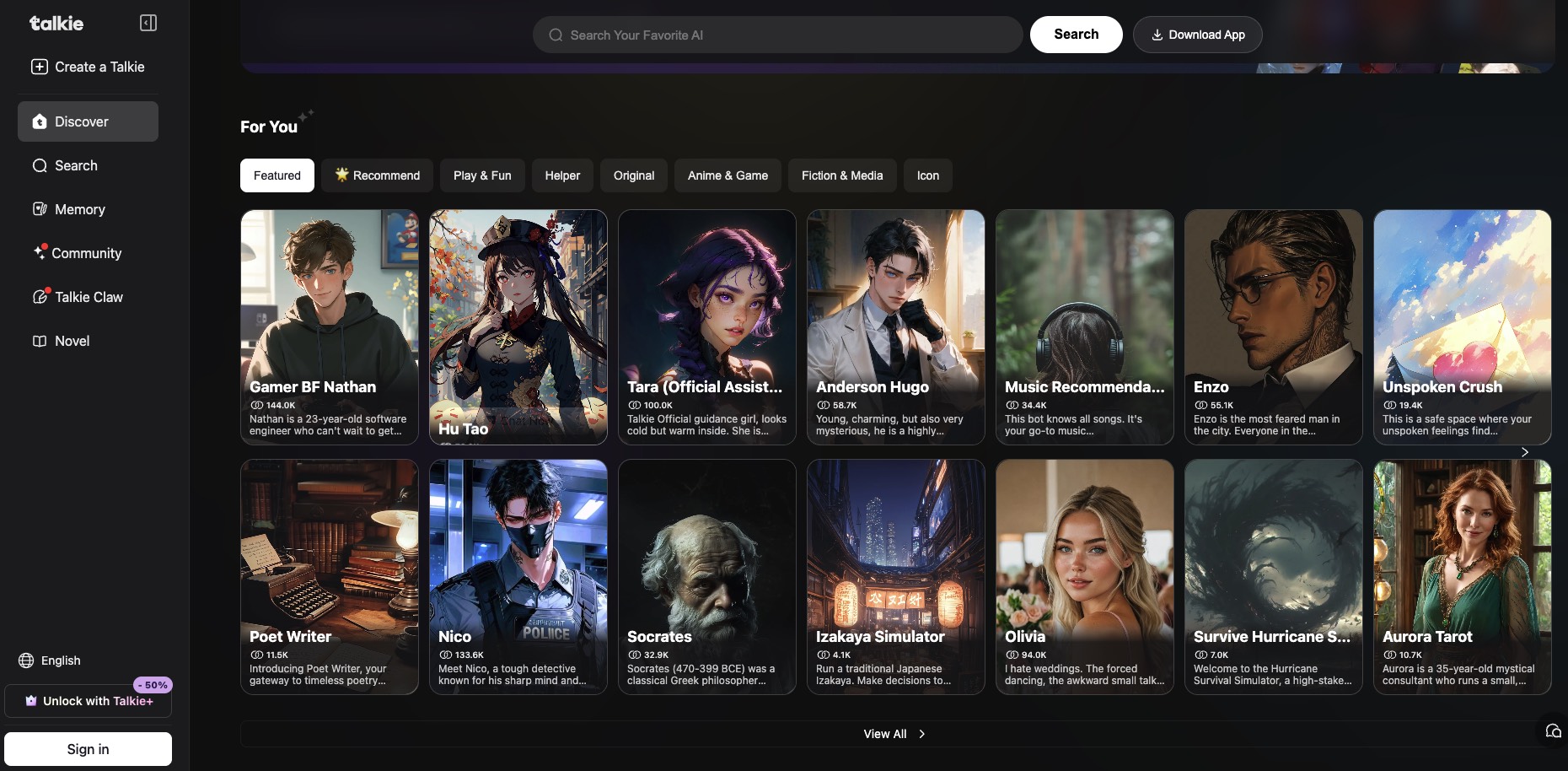
Step2: You can now choose a character from a limited selection of user-generated characters and start conversing.
Part 5. Don't Lose Your Story — Save Your Anime Chats as a PDF Light Novel With UPDF
Here's something most "best AI for anime chat" guides skip over: the more invested you get in a roleplay or fanfic-style conversation, the more it hurts when you lose access to it. While Character.AI has a native data export under Profile Settings, the output is raw JSON rather than readable logs, leaving most users to "print to PDF" through their browser. The platform also suffers from chat memory that resets every ~20 messages. And in early 2026, older conversations were quietly moved into cold storage — Reddit lit up with users panicking that years of roleplay were gone.
If you've spent hours building a story with your favorite anime character, that conversation is something you wrote, and it deserves the same treatment as a fanfic chapter or a light novel draft. The simplest path: export the chat as a PDF, then open it in UPDF to give it the reading experience it deserves.
Windows • macOS • iOS • Android 100% secure
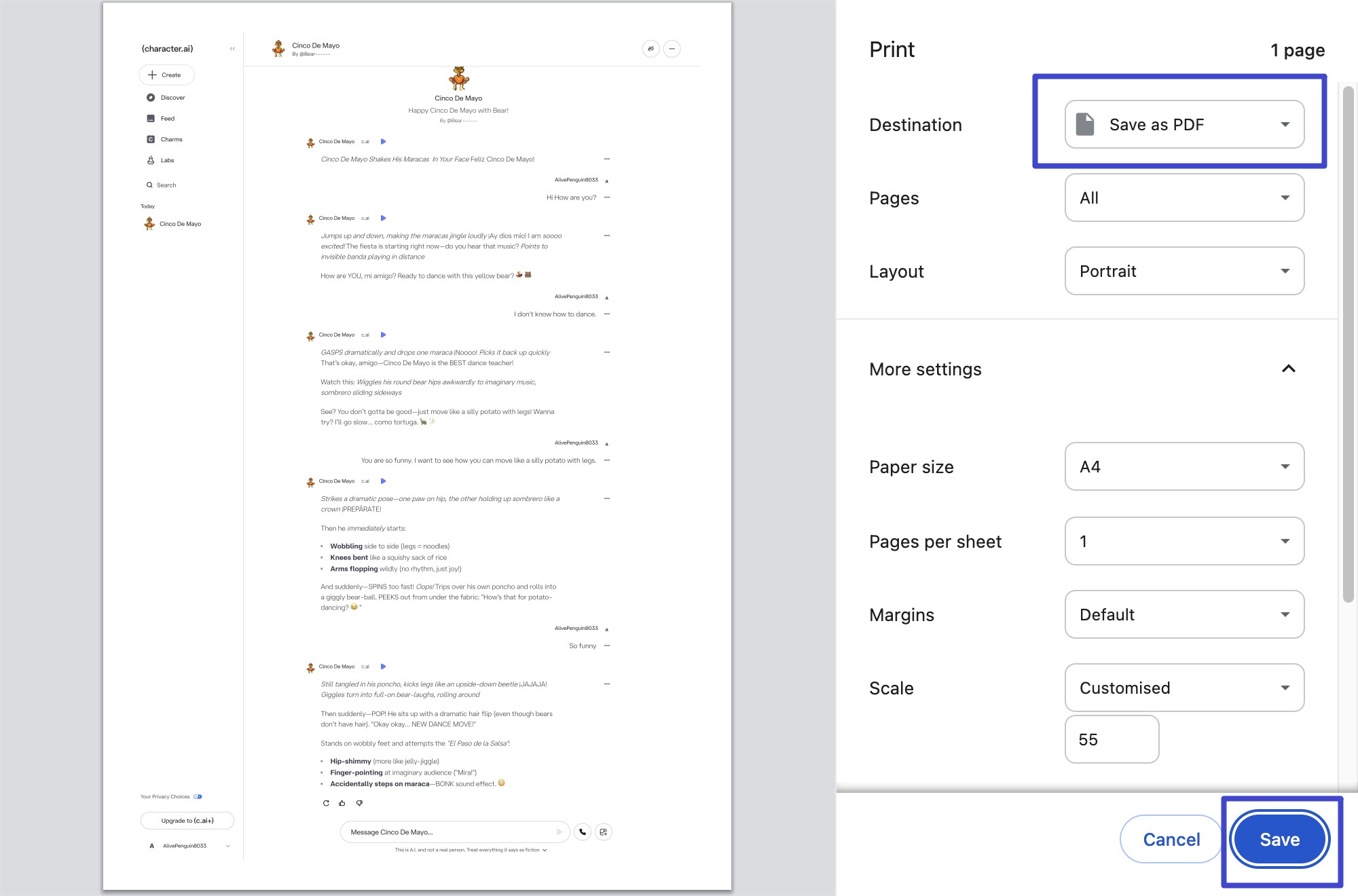
Step 1. Export the Chat as a PDF (Any Platform)
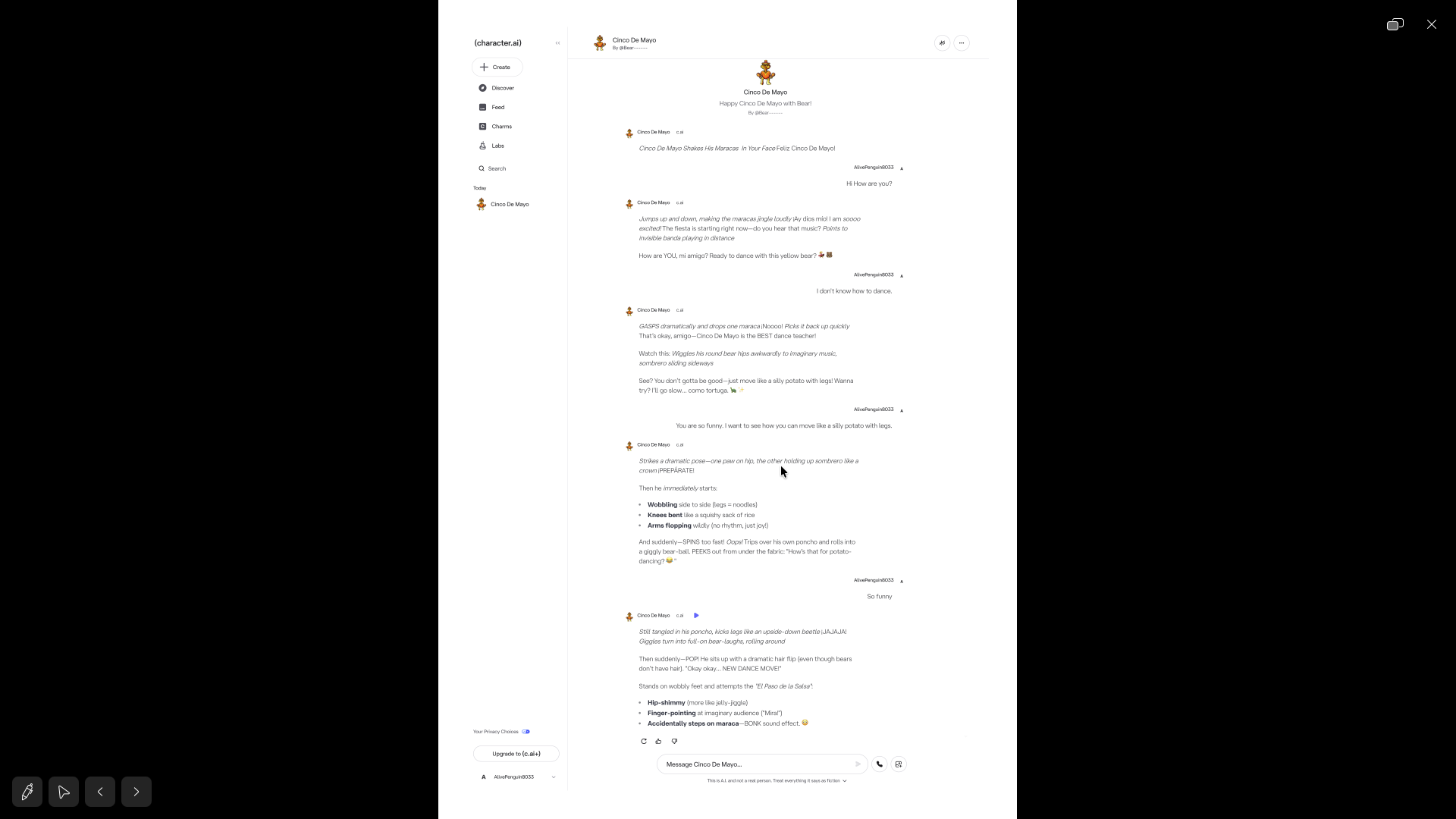
On Character.AI, Korewa, or PepHop, open the chat you want to keep. Press Ctrl+P (Windows) or Cmd+P (Mac), and in the print dialog, choose "Save as PDF." That's the only export route most of these platforms support — and it produces a plain, unstyled document that's fine as a backup but reads like a chat log, not a story.
Note
Step 2. Open It in UPDF and Read It Like a Light Novel
Drop the exported PDF into UPDF (Windows, Mac, iOS, Android). A few small settings make a roleplay log feel like an actual light novel:
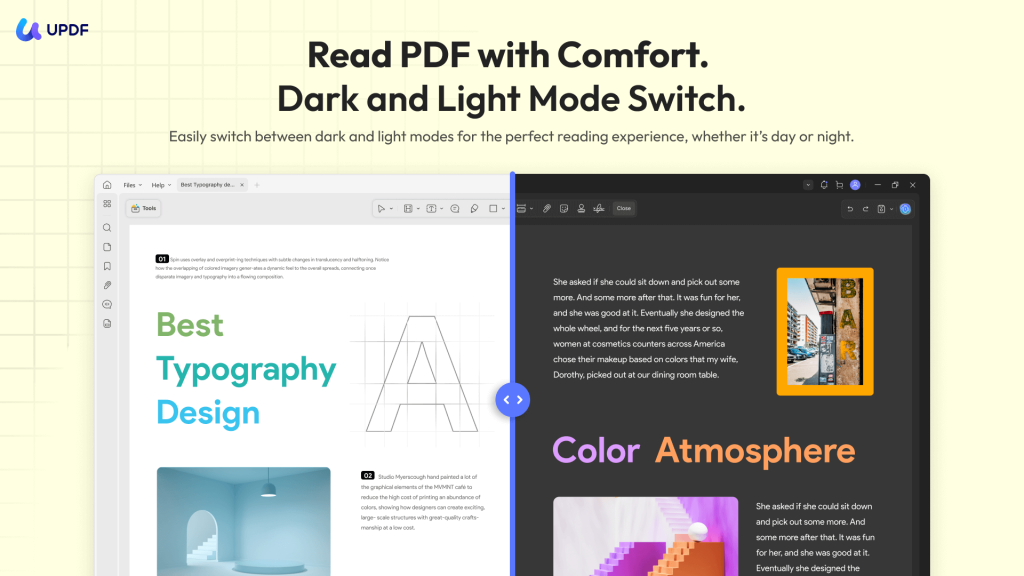
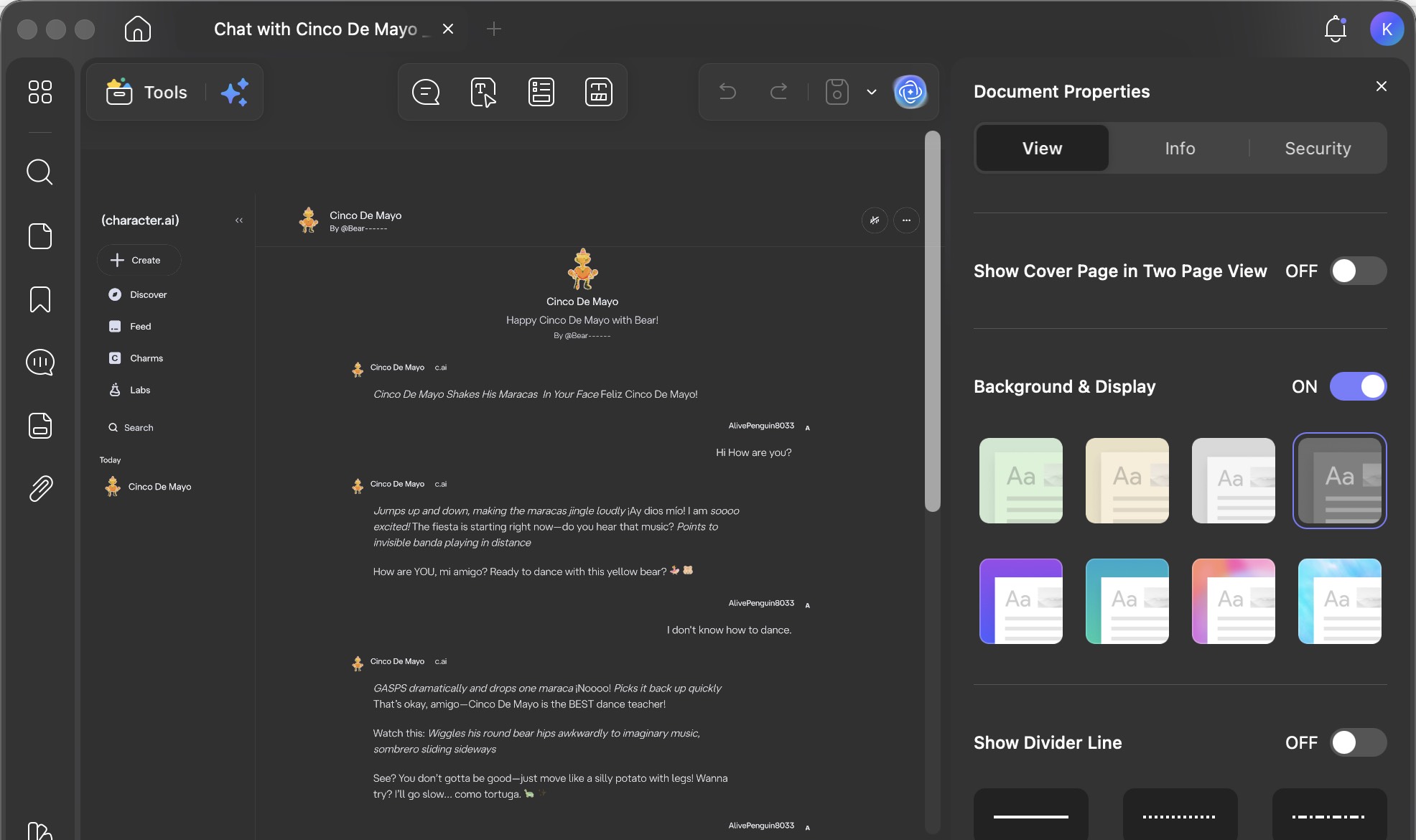
- Two-page spread: Click the Document Properties icon at the bottom and switch to "Double Page." Long dialogue scenes read like an open book instead of an endless scroll.
- Dark mode for late-night re-reading: In Settings and Background&Display, switch the theme and background to Dark — the page background dims so the dialogue text actually pops, which is how most people consume fanfic on their phone anyway.
- Slideshow mode for immersive re-reading: Click Slide Show → Play From Start. The chat advances one block at a time, full-screen, like a visual novel.
Step 3. Turn the Chat Log Into a Real Fanfic With UPDF's AI Agents
This is where UPDF 2.5's 10 AI Agents earn their place — they're content tools that happen to work on PDFs:
- AI Background Generator — Prompt it with something like "cherry blossom anime style" or "cyberpunk neon Tokyo street, night, manga style" and it generates three background variations. Apply one to the whole PDF or just specific pages. Suddenly your exported chat log has the atmosphere of a real visual novel.
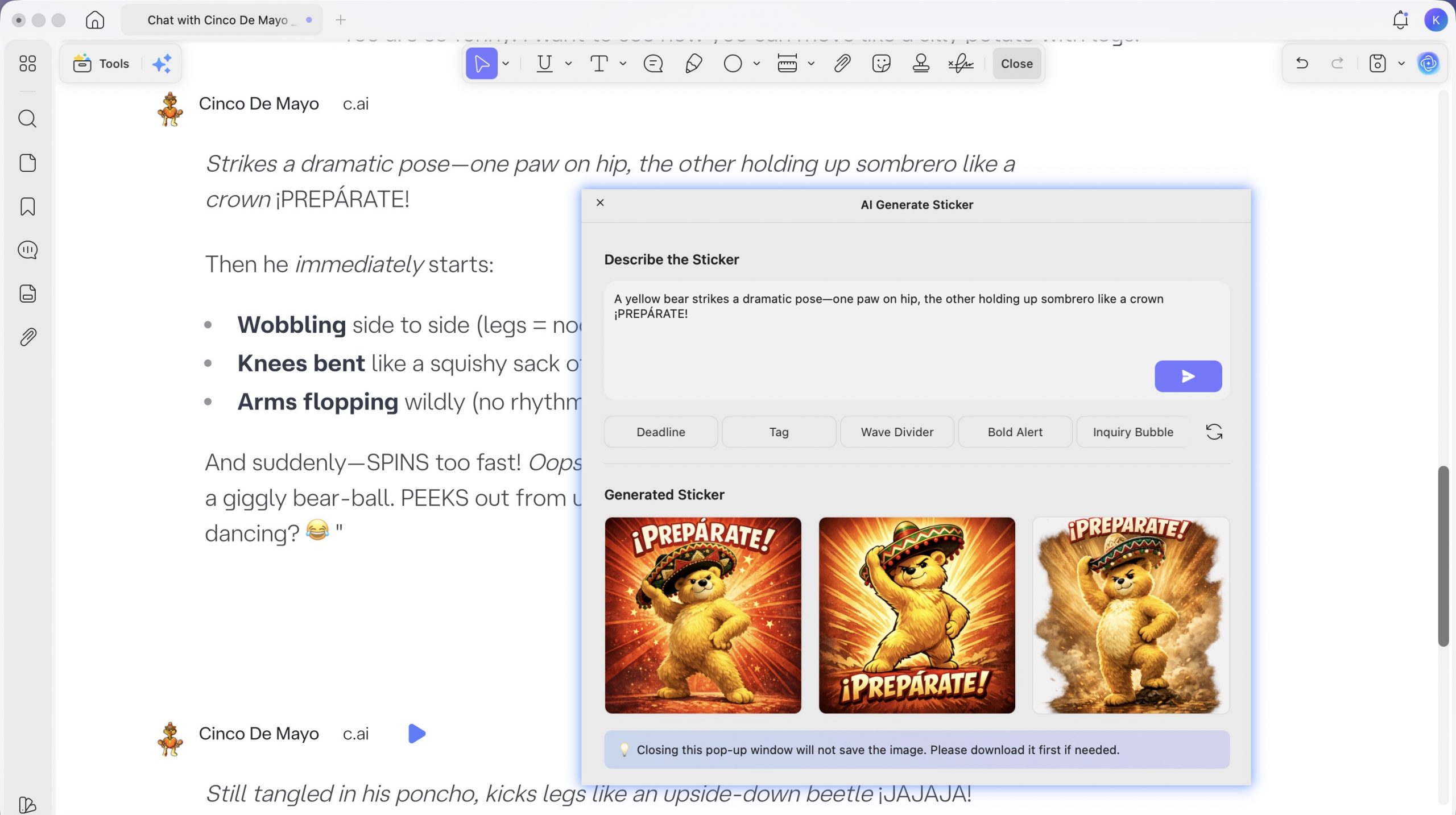
- AI Sticker Maker — It's not locked to "anime avatars." Feed it a prompt that matches the character you were chatting with ("silver-haired shonen swordsman, portrait bust, dramatic backlighting") and you get three 1024×1024 PNGs you can drop in as chapter dividers, character cards, or scene illustrations. Free tier gives 100 AI credits; each generation costs 3, so you can run ~33 stickers before hitting the paywall.
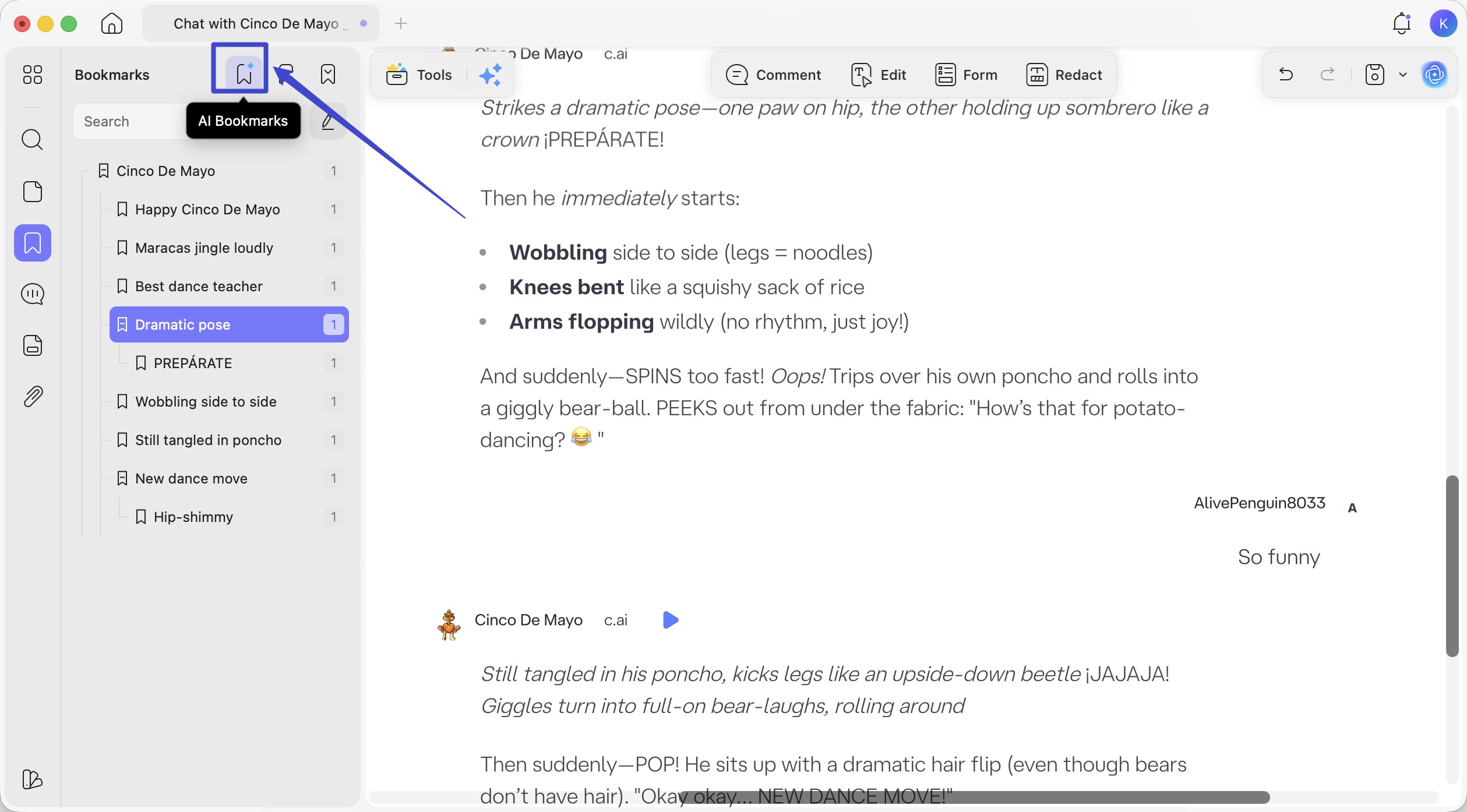
- AI Bookmark Generator — If your chat ran across multiple scenes (the festival night, the rooftop confession, the final fight), the bookmark generator scans the document and creates a navigable chapter outline automatically. You can jump to any "arc" of the roleplay without scrolling through 80 pages.
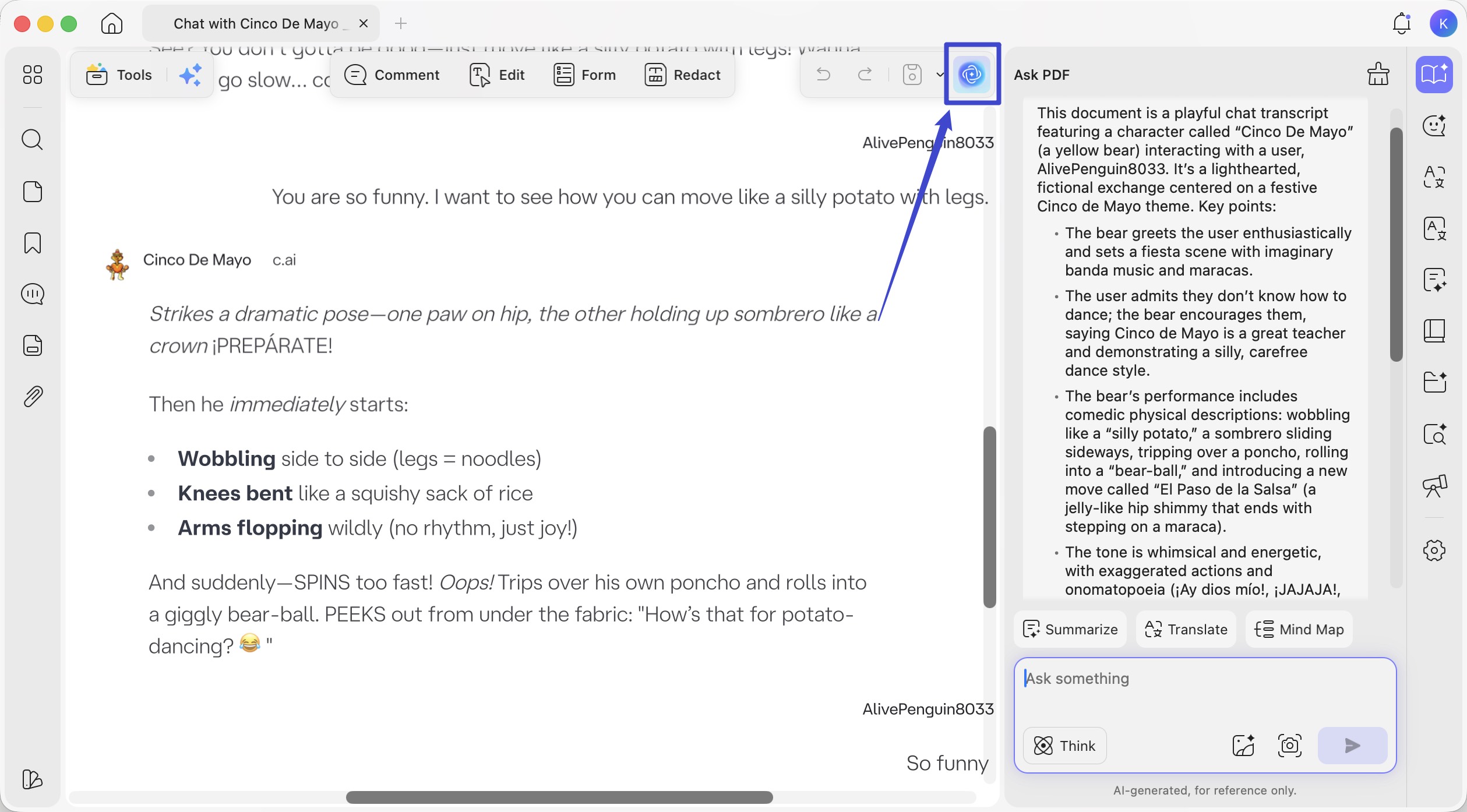
- UPDF AI — Two uses that anime-chat readers actually care about: (1) translate parts of the log if you roleplayed with a character whose backstory you wrote in Japanese, Chinese, or another language; (2) summarize a long arc into a paragraph that works as a back-cover blurb if you want to share the fanfic with friends.
You can watch the video below to know more about leveraging our AI assistant with simple tips and detailed steps to boost efficiency.
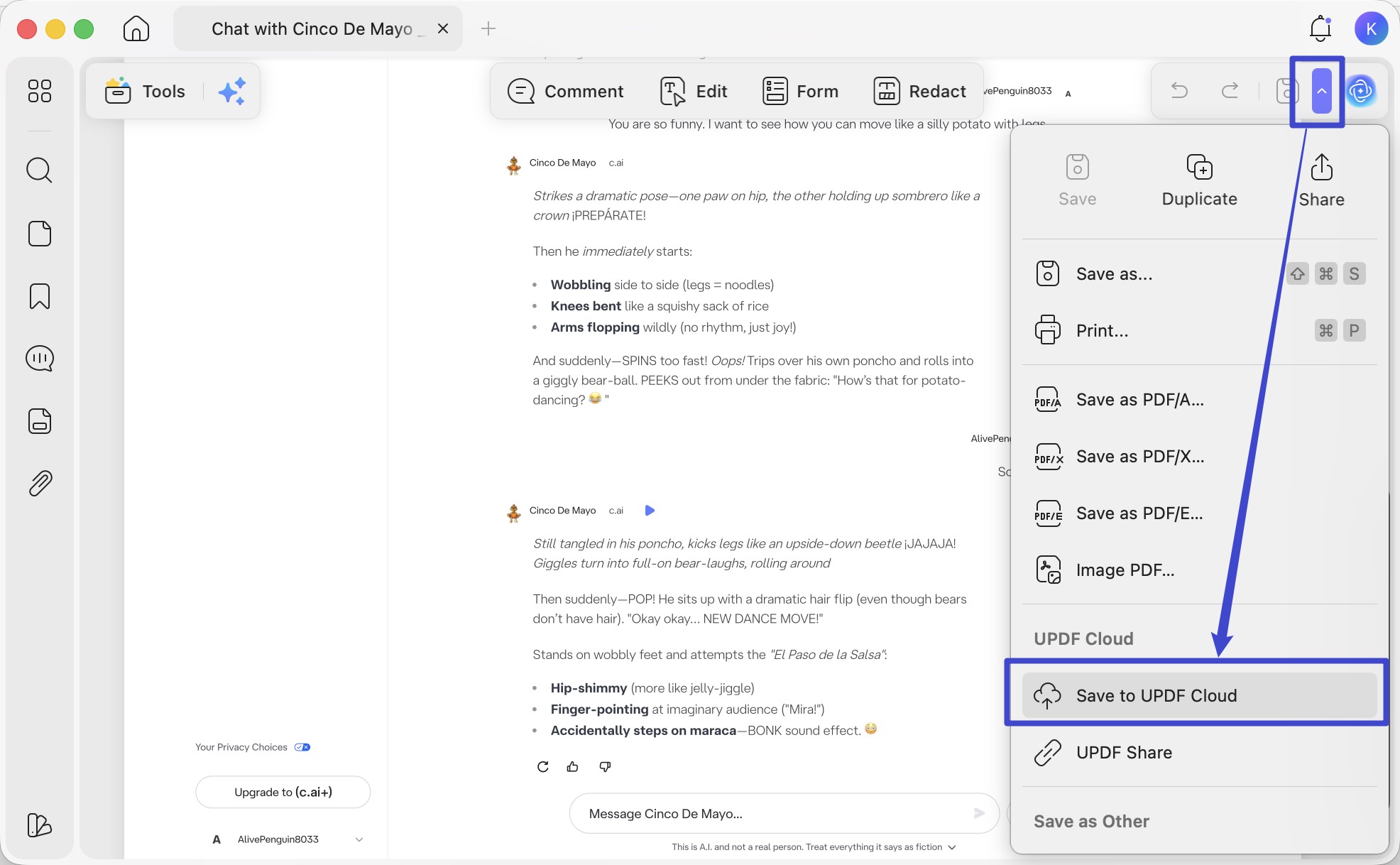
Step 4. Save to UPDF Cloud, Read on Any Device
Once it's set up, save with Save to UPDF Cloud. The same styled PDF is then accessible on your phone, tablet, and desktop — useful because most roleplay re-reading happens in bed at 1 a.m. on a phone, not at a desk.
Download UPDF for free and turn your favorite anime roleplay into a PDF light novel you can actually keep — no subscription required to get started.
Windows • macOS • iOS • Android 100% secure
Final Words
The four platforms above each serve a different anime-chat itch: PepHop for sheer character variety, Korewa for visual-novel-style emotion, Character.AI for community scale and Pinned Memories, Charstar for editable mid-chat scenarios. Pick based on what kind of conversation you actually want.
But picking the platform is only half the job — the chats themselves are stories you wrote, and they're worth keeping. Export the ones that matter, open them in UPDF, and use the AI Background Generator, AI Sticker Maker, and AI Bookmark Generator to turn a flat chat log into a light novel-style PDF you can actually re-read.
Download UPDF for free and save your favorite anime roleplay as a PDF today — no subscription required to get started.
Windows • macOS • iOS • Android 100% secure







 Delia Meyer
 Enid Brown
 Enola Davis