 UPDF
UPDF
 UPDF for Windows
 UPDF for Mac
 UPDF for iPhone/iPad
 UPDF for Android
 UPDF AI Online
 UPDF Sign
 Edit PDF
 Annotate PDF
 Create PDF
 PDF Form
 Edit links
 Convert PDF
 OCR
OCR PDF to Word
 PDF to Image
 PDF to Excel
 Organize PDF
 Merge PDF
 Split PDF
 Crop PDF
 Rotate PDF
 Protect PDF
 Sign PDF
 Redact PDF
 Sanitize PDF
 Remove Security
 Read PDF
 UPDF Cloud
 Compress PDF
 Print PDF
 Batch Process
 About UPDF AI
 UPDF AI Solutions
 AI User Guide
 FAQ about UPDF AI
 Summarize PDF
 Translate PDF
 Chat with PDF
 Chat with AI
 Chat with image
 PDF to Mind Map
 Explain PDF
 PDF AI Tools
 Image AI Tools
 AI Chat Tools
 AI Writing Tools
 AI Study Tools
 AI Working Tools
 Other AI Tools
 AI Bookmark Generation
 AI Bookmark Summary
 AI Watermark Generation
 AI Background Generation
 AI Sticker Generation
 AI Stamp Generation
 AI Editing Suite
 UPDF Copilot
 AI Page Management
 AI Semantic Search
 PDF to Word
 PDF to Excel
 PDF to PowerPoint
 Enterprise Solution
 Enterprise Sign
 Enterprise AI
 Enterprise Plan
 Enterprise User Guide
 Enterprise Webinar
 Banking
 Healthcare
 Insurance
 Legal
Legal Manufacturing
 Government
 Education Solution
 Customer Stories
 User Guide
 UPDF Tricks
 FAQs
FAQs UPDF Reviews
 Download Center
 Blog
Blog Newsroom
 Tech Spec
 Updates
 UPDF vs. Adobe Acrobat
 UPDF vs. Foxit
 UPDF vs. PDF Expert

Being a researcher, I understand the essence of presenting research in a clear and professional manner, and research posters are one of the best methods to do it. They simplify intricate concepts graphically and make it easier to understand important points within a short duration. This guide will take you through the components of a sample research poster and provide samples to help you create your own.
I will also unveil UPDF, an effective application that lets me create professional posters easily. UPDF allows you to tailor templates, tweak layouts, and refine your design, without having to begin with a blank slate. Therefore, continue reading this easy and step-by-step guide in order to know how.
Windows • macOS • iOS • Android 100% secure
Part 1. What Makes a Great Research Poster?
Before I share some poster presentation examples, it's important for you to understand what makes a great research paper. Therefore, I have listed some key details in this section to help you design clear, visually engaging, and professional posters that effectively communicate your research findings.
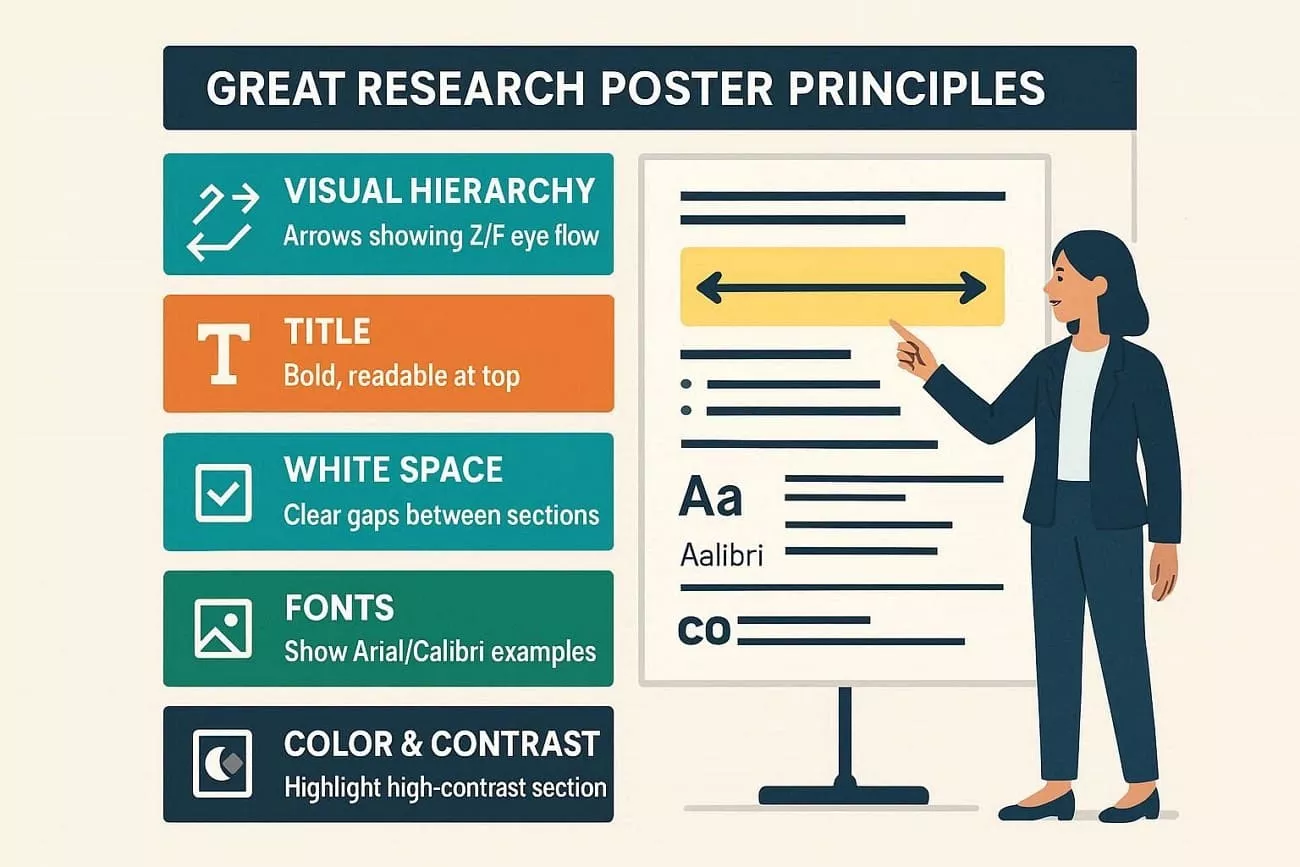
- Visual Hierarchy: I believe that one must arrange visual elements so that the reader’s eye moves naturally from the title to key findings, then details. In this regard, I also follow the Z-pattern or the F-pattern and pair it with strong, clear section headings to guide the division of content into logical parts.
- Compelling Title: Your research poster must have a title that clearly conveys the main point while remaining technically accurate. When I create a research poster, I also ensure that my titles are in large, readable fonts to grab attention from a distance.
- White Space: I believe that you should use white space as a tool to group content, not as empty or wasted areas. Here, I mean that you should leave wide margins and space between sections so that the poster feels open and easy to scan.
- Font Choices: Arial, Helvetica, or Calibri for body text are the best choices for your research poster. I have used them personally, and I stick to 2-3 fonts maximum for consistency. Additionally, I would say that one should keep body text at 18-28 pt for clarity.
- Color and Contrast: Always choose colors that make text and graphics easy to read. Through high contrast between the background and the text, you can improve visibility, and consistent color schemes guide the eye naturally.
Part 2. Sample Research Posters - Key Elements to Include
I have reviewed many poster samples and have a clear idea of which elements should be added to the conference poster sample or final draft. Thus, if you want to know what your research poster must have, here is the breakdown of those key components for your clarity:
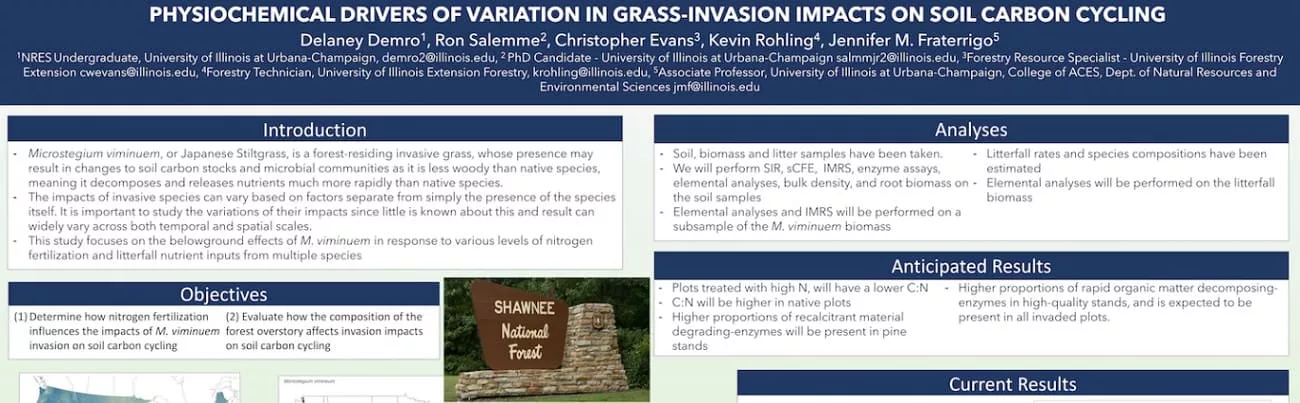
1. Header Area
This section in your poster will tell viewers what your study is about and who conducted it. To write this, I would say that you need to add the project title, author names, affiliations, and logos of institutions or sponsors. Additionally, make the titles bold and large, as when I applied this constitution, it helped me establish credibility. Also, it helped my analyzers/viewers decide whether the poster is relevant to them.
2. Abstract Section
Abstracts provide a concise snapshot of the study so readers can decide whether to explore further. In my poster, I summarize my research problem, methods, key results, and main conclusion in 150-250 words. So, if you add it, make it clear, jargon-free where possible, and highlight only the most important findings.
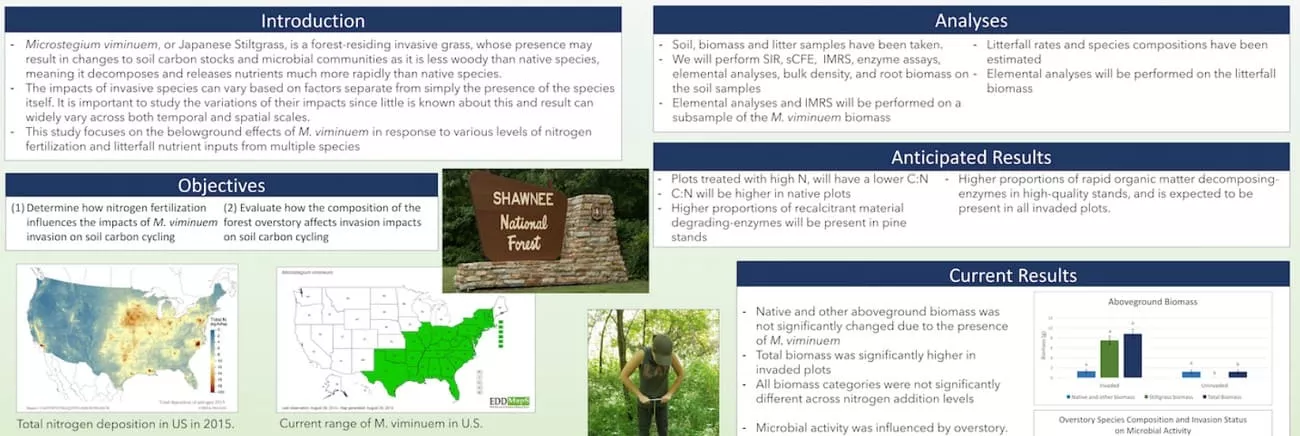
3. Introduction/Background
Whether you create sample research posters or a final version, an introduction explains why your research matters and provides the necessary content. Therefore, I would suggest that you should describe the research problem or question, summarize relevant literature, and clearly state objectives or hypotheses. Through this, I was able to show readers how my works fit into the bigger picture, and yours will, too, when added properly.
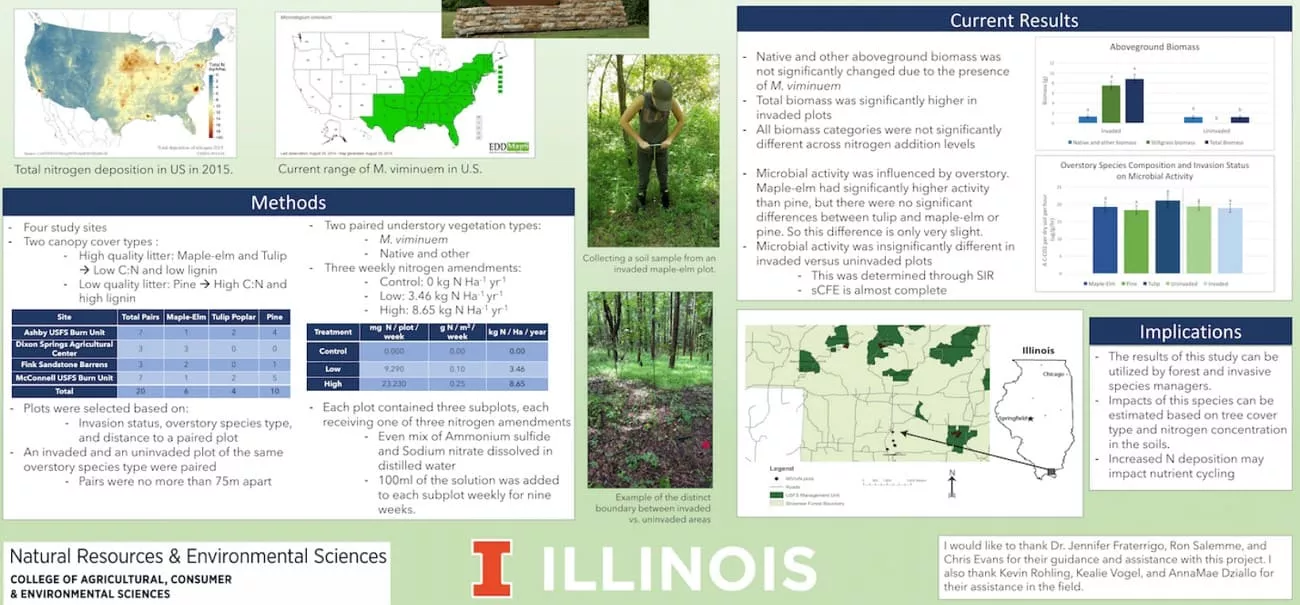
4. Methods Section
It allows other researchers or viewers to understand and potentially replicate your study. So, I would suggest that you describe the study design, participants, data sources, materials, and procedures. Additionally, use diagrams and flowcharts to ensure your explanation is concise yet detailed enough to establish scientific rigor.
5. Results Presentation
Here, highlight the main finding in a visually clear way. Therefore, when I made my poster, I added charts, graphs, tables, and brief text to show patterns, trends, and key statistics. Along with this, I would also suggest avoiding large blocks of raw data and focusing on what the results mean and why they matter.
6. Conclusion/Implications
As we approach the final few parts, this section summarizes the key frameworks and explains their significance. So, when choosing the right sample poster presentation templates, I would say you must interpret the results, state the key message, and discuss the practical and theoretical implications.
7. Acknowledgments
This section helps recognize contributions that supported the research, including funders, supervisors, collaborators, and anyone who provided data or advice. I believe that proper acknowledgment builds professional credibility and shows appreciation for teamwork.
8. References
Last but not least, references provide sources so viewers can verify or explore your work further. Based on my findings and experience, you should list the most relevant citations in a consistent style.
Now, let’s say you have explored multiple poster presentation examples and seek a source that offers poster templates. In this regard, you can search for Poster Nerd and Canva , where you can get basic and vibrant color templates in multiple orientations.
Part 3. How UPDF Helps Create Professional Posters
When I was working on my research poster, I must say that it wasn’t as easy as it looked. Editing text in the PDF templates was a task for me, and it took me hours to draft and refine all the content. Then I came across UPDF , an AI-powered PDF editor that helped me organize the layout, and its AI made managing text effortless.
Windows • macOS • iOS • Android 100% secure
Since I was also able to export display formats, I will explain how this innovative editor helped me in my conference poster sample.
1. PDF Text Editing Issues
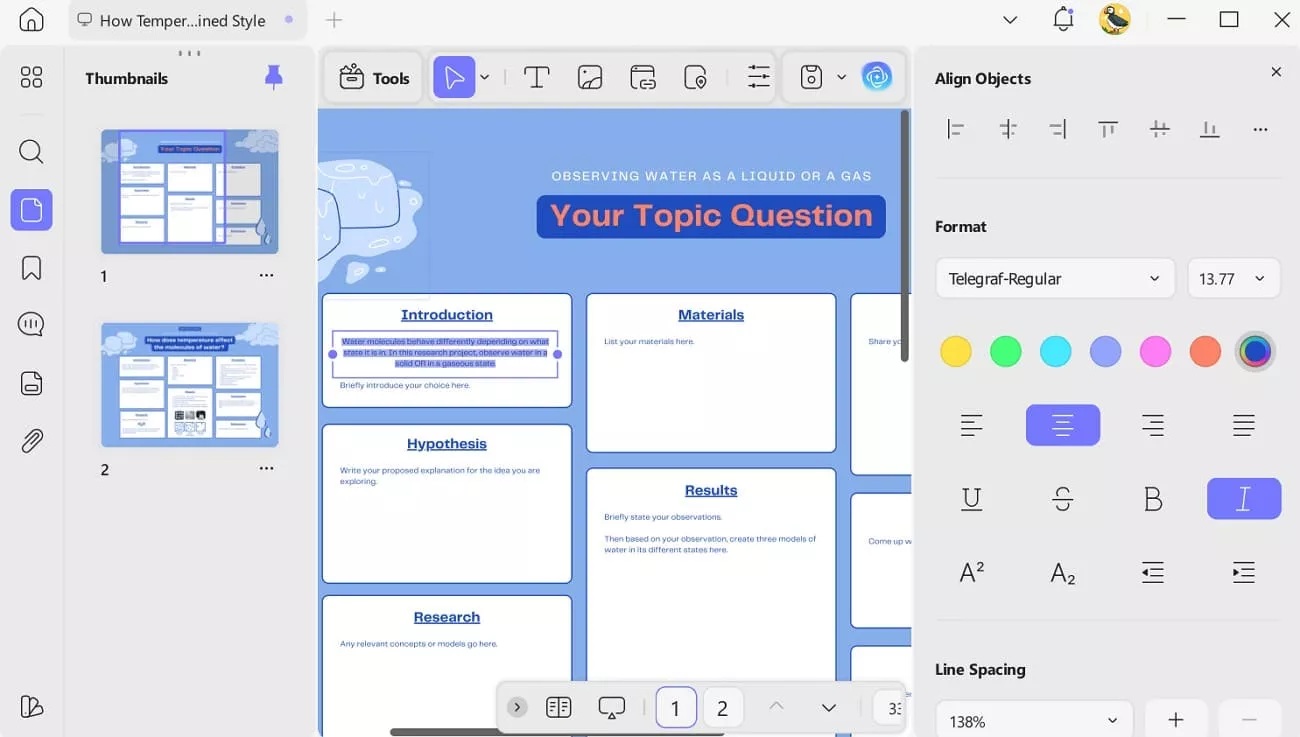
At first, I wasn’t able to edit the templates I downloaded the way I needed. However, when I added my PDF files to UPDF, its Edit features enabled me to change fonts, adjust sizes, reposition text, and add textboxes as per my preferences. Additionally, I was able to edit and insert a link to the page, manage the line and paragraph spacing afterward.
2. Content Drafting Delays
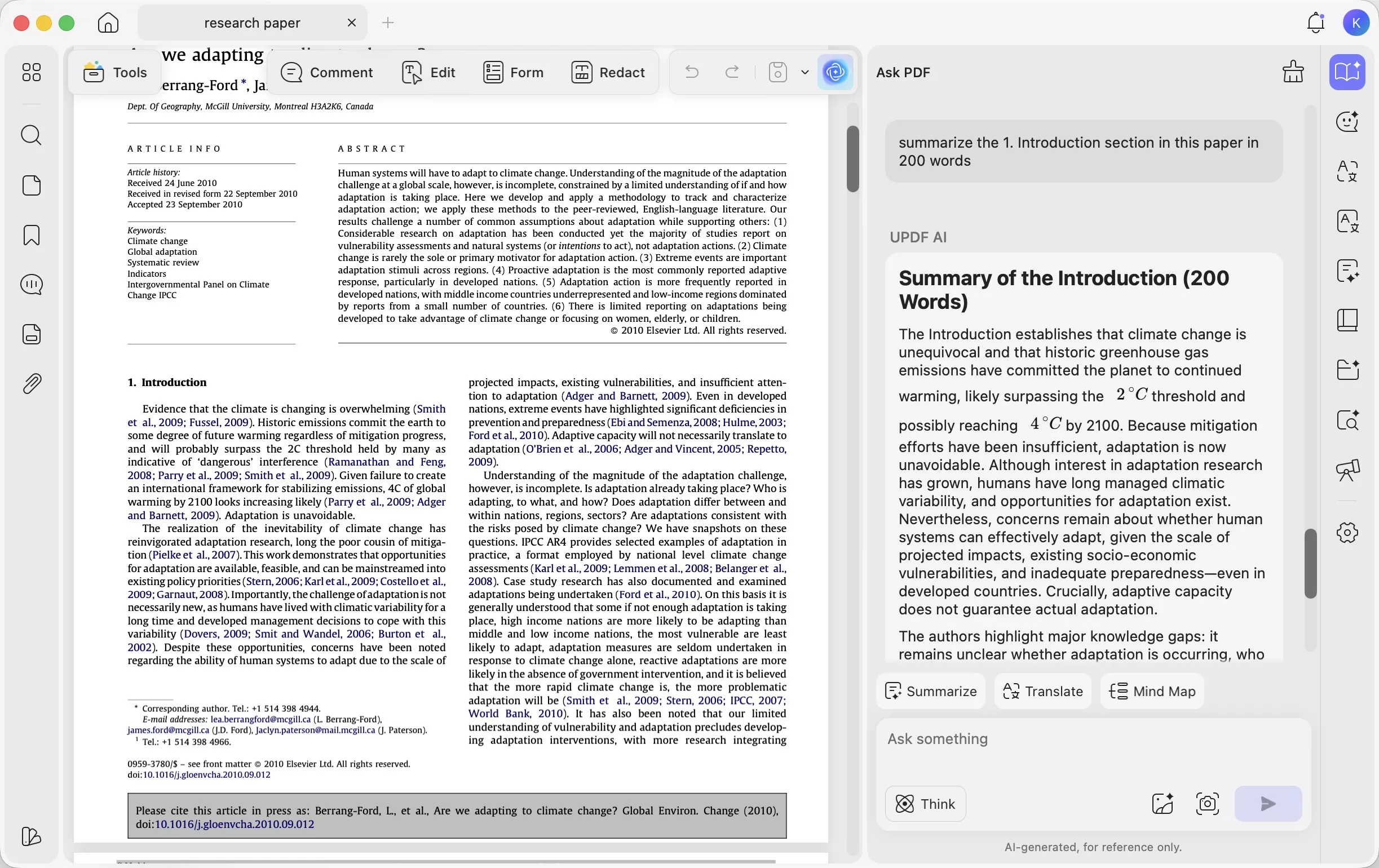
As I mentioned, drafting and refining were a major challenge for me while editing my sample poster presentation templates. With UPDF AI, which I accessed from the top-right corner, I summarized, translated, and chatted with AI. I used UPDF AI to summarize each section of my research paper, such as the Introduction, Methodology, and Results. I then pasted the AI-generated summaries into the corresponding sections of my research poster.
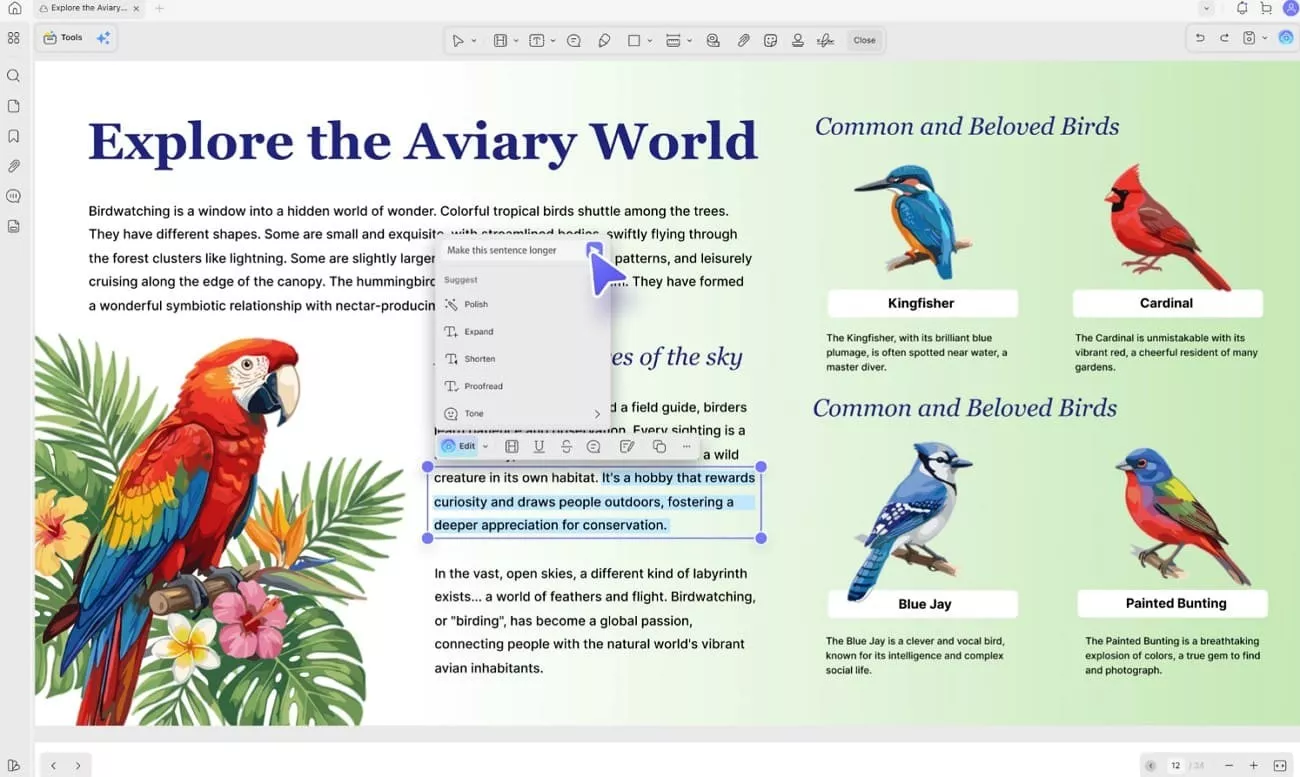
What's more, with UPDF’s newly added AI Edit feature , I further refined the summaries I created. I simply highlighted the text and chose what I wanted to do, like refine, expand, or polish. Other than these presets, I was able to insert a custom prompt, and the AI delivered results in mere seconds without changing my format.
3. Image and Graphic Adjustments
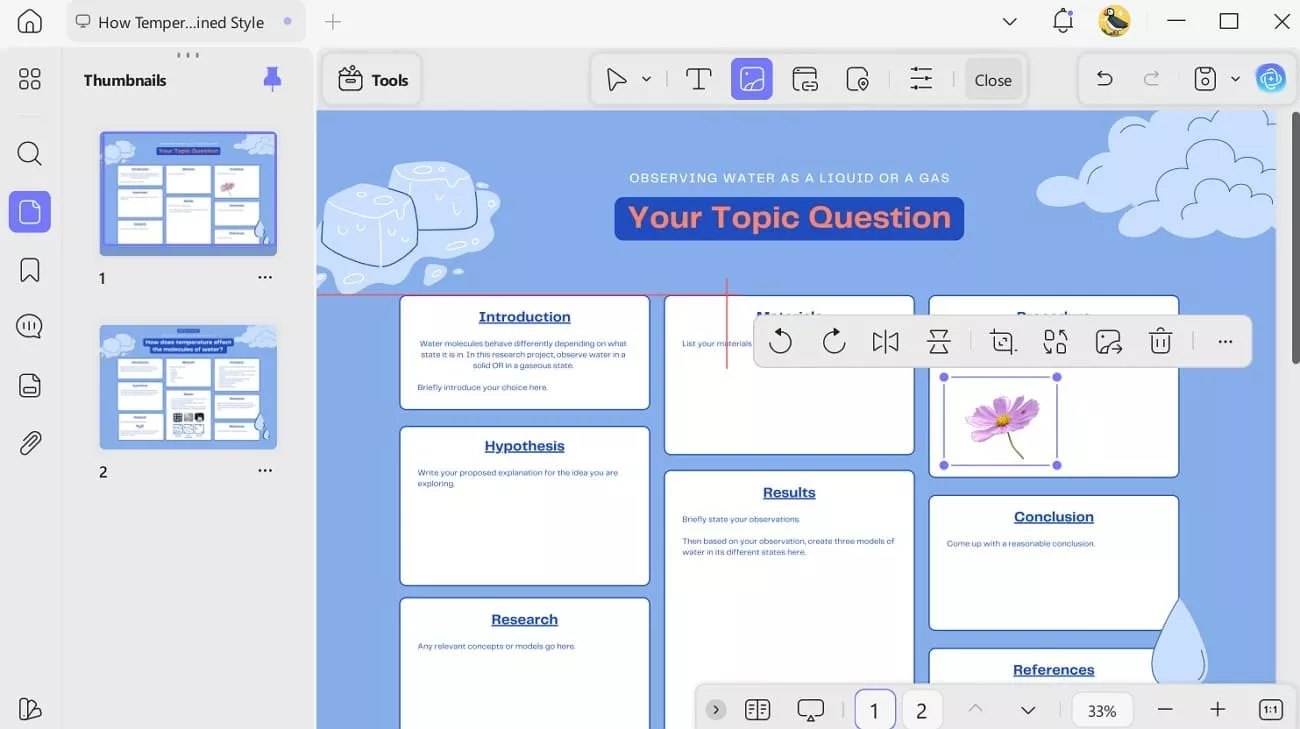
The templates offered me limited or no option to add, crop, or resize my chart images. However, when I tapped the Image icon in the Edit tool, I was able to import multiple images to my PDF. There, I easily rotated the image as I liked, and cropped and replaced it using the options available on the image.
4. Layout Organization Problems
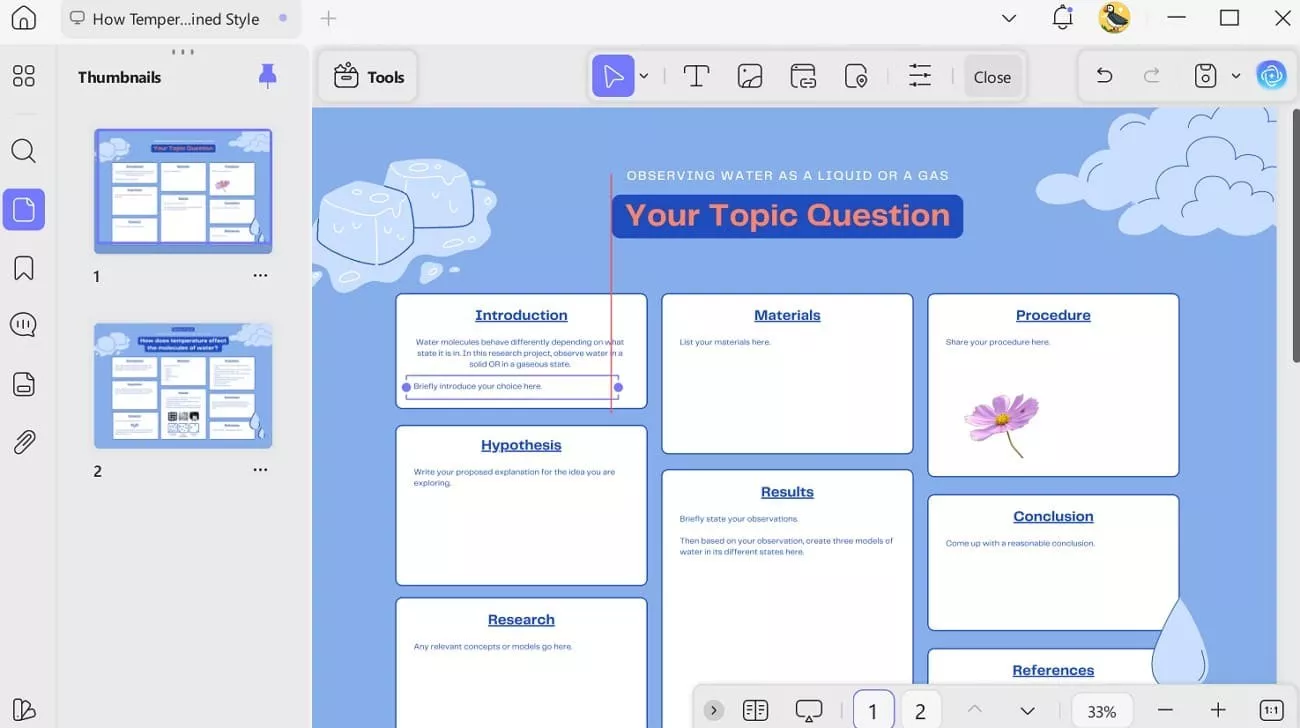
This tool also helped me organize the layout, as selecting a content block let me easily expand it and move it to another section.
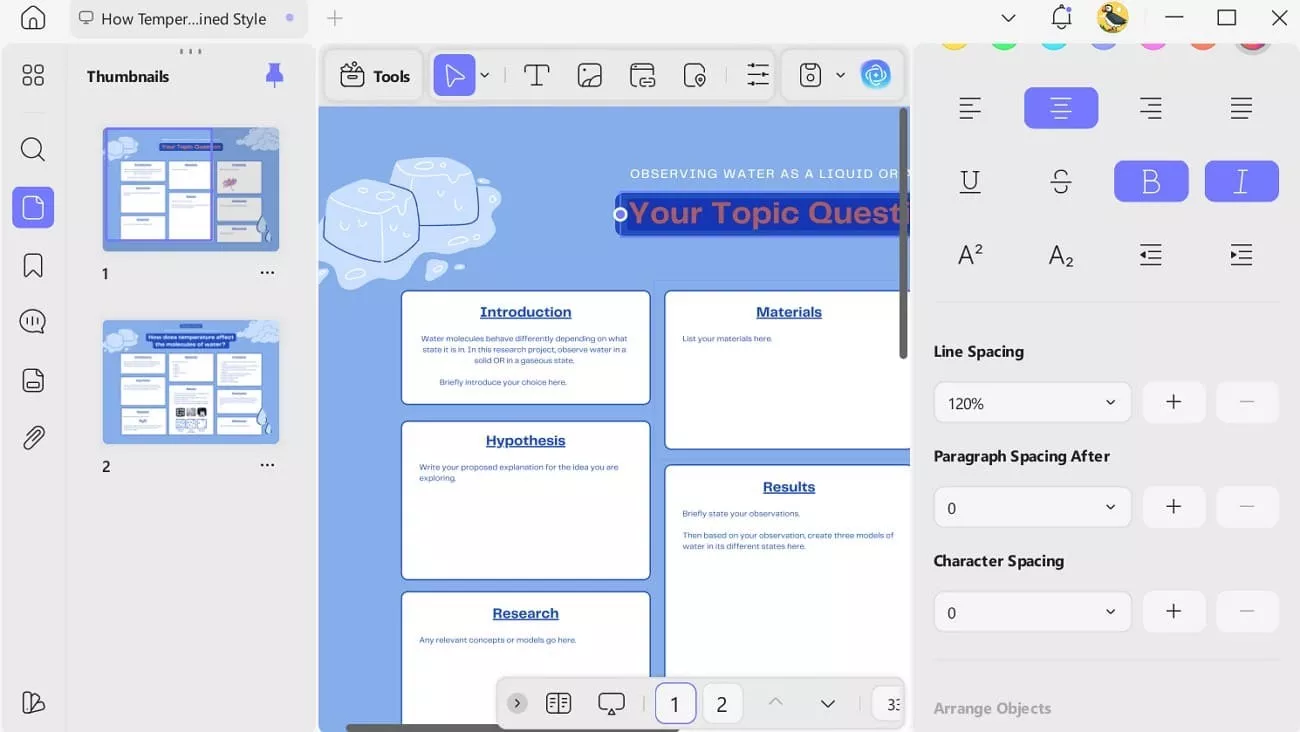
Moreover, when I highlighted the text and chose the More option, I opened the side window, where I could change the line spacing from 100-500% along with paragraph spacing.
5. Feedback and Review Challenges
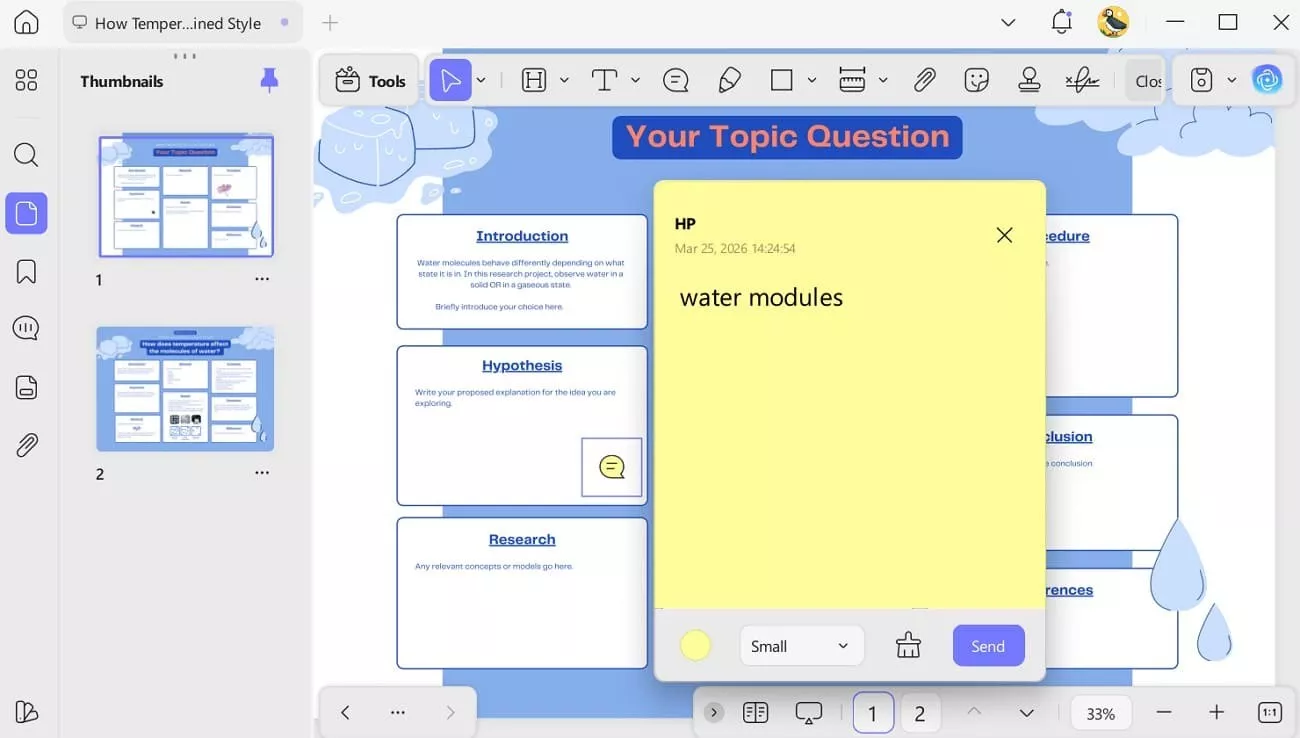
When editing my conference poster sample, I explored the Comment section of UPDF. I suggested these features to my research team members and supervisors. There, its Sticky Note feature helped them add the suggestions that where need in my poster.
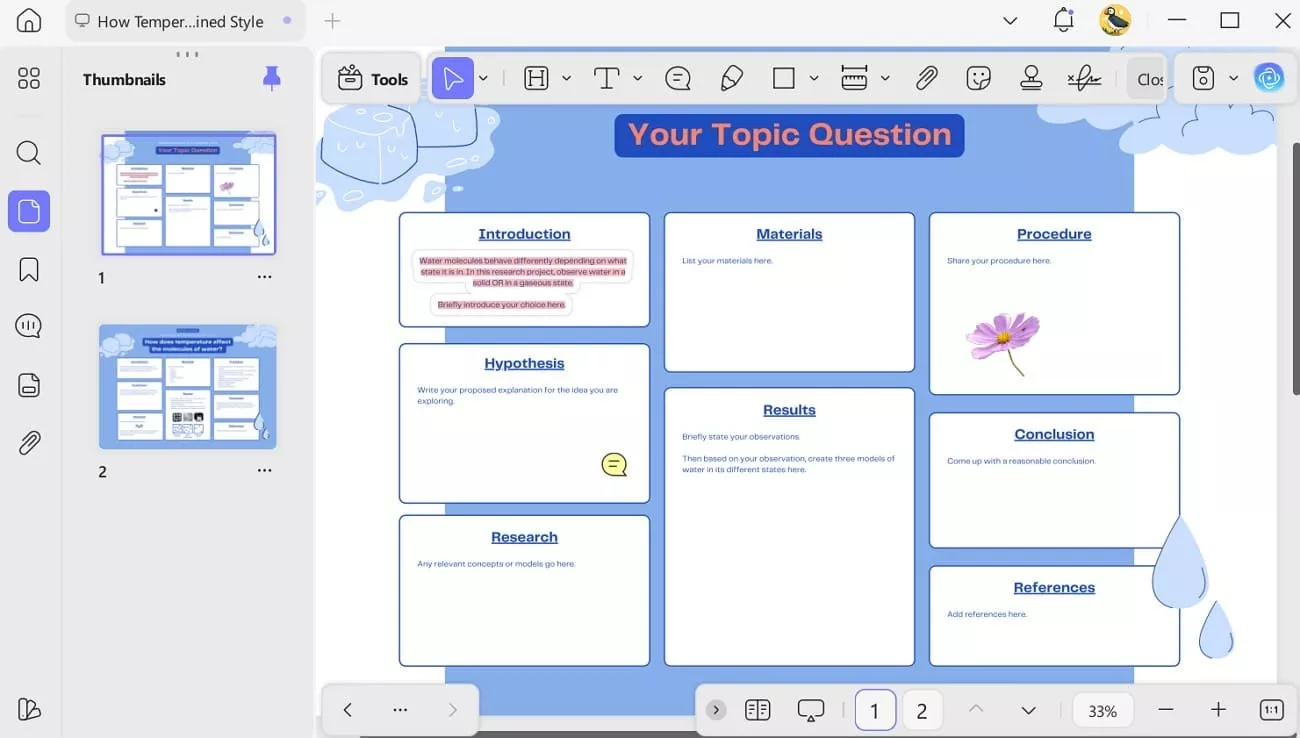
Additionally, when he used its Highlighter tool, I was able to navigate my revisions much better. This is because he used different colors that made it easy to distinguish between key points, corrections, and suggestions, improving overall clarity and organization of the text.
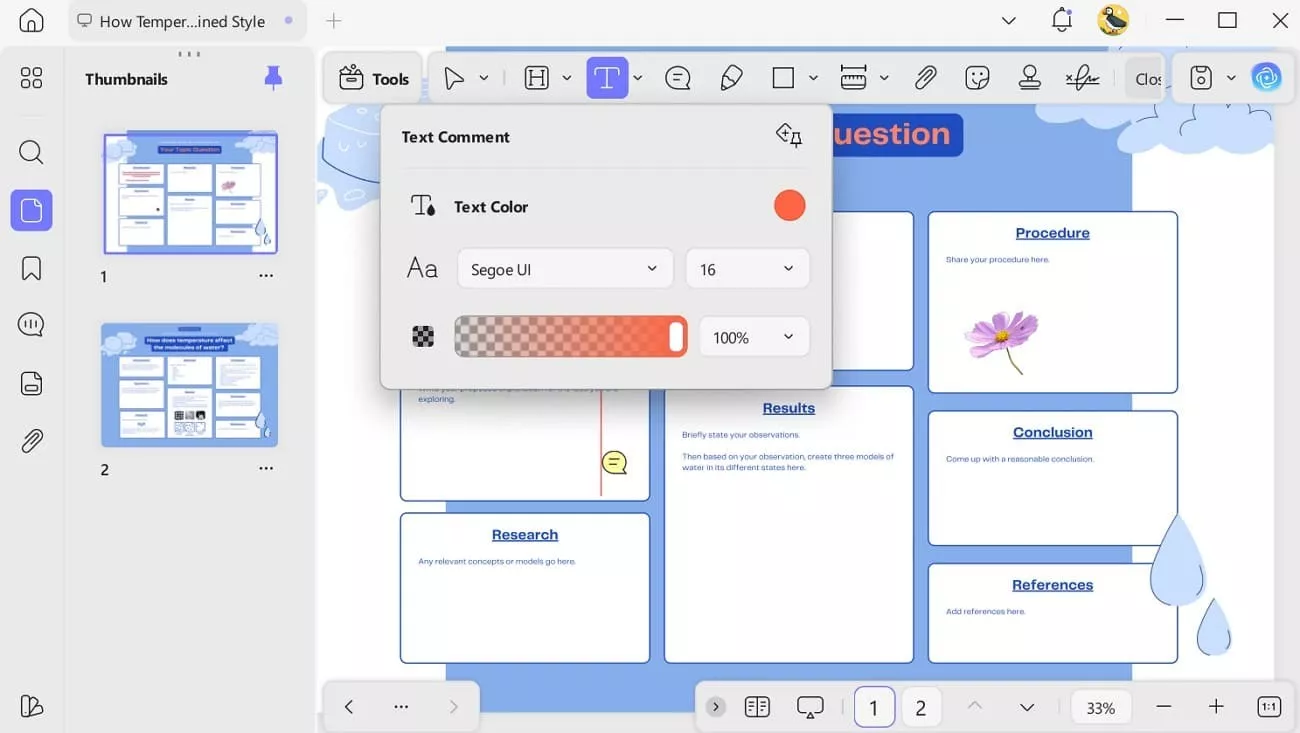
Also, he added the Text Comment by tapping the “T” icon and selecting a color to provide clear feedback directly in the document.
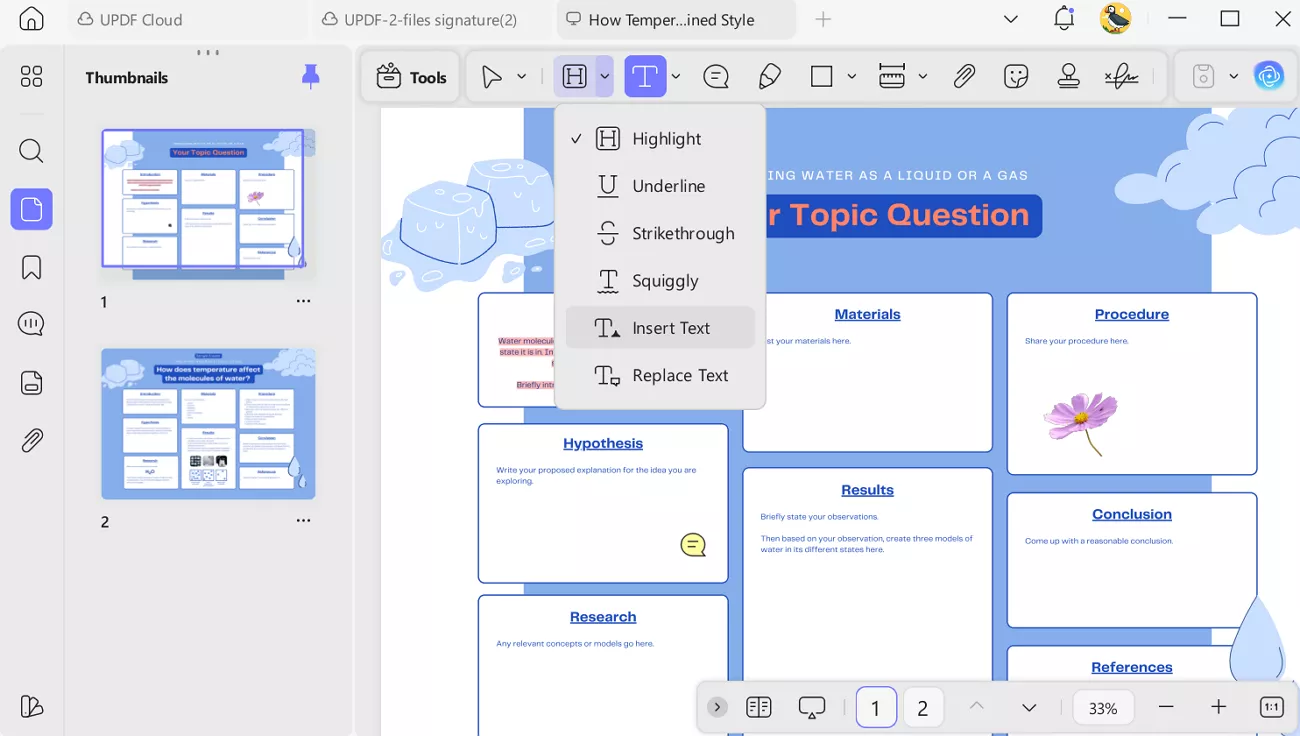
Besides the “T” icon was the dropdown menu that my research team member expanded and used tools like Insert or Replace text. Through this, they just tapped at the blank areas where the suggested or text was needed and directly inserted or replaced the content. This made the editing process faster, more precise, and much easier to manage for me.
6. Export Format Limitations
Instead of relying on the PDF, UPDF allowed me to export my research poster to Word, Excel, PowerPoint, images (JPEG, PNG, GIF, BMP, TIFF), HTML, XML, CSV, RTF, and PDF/A.
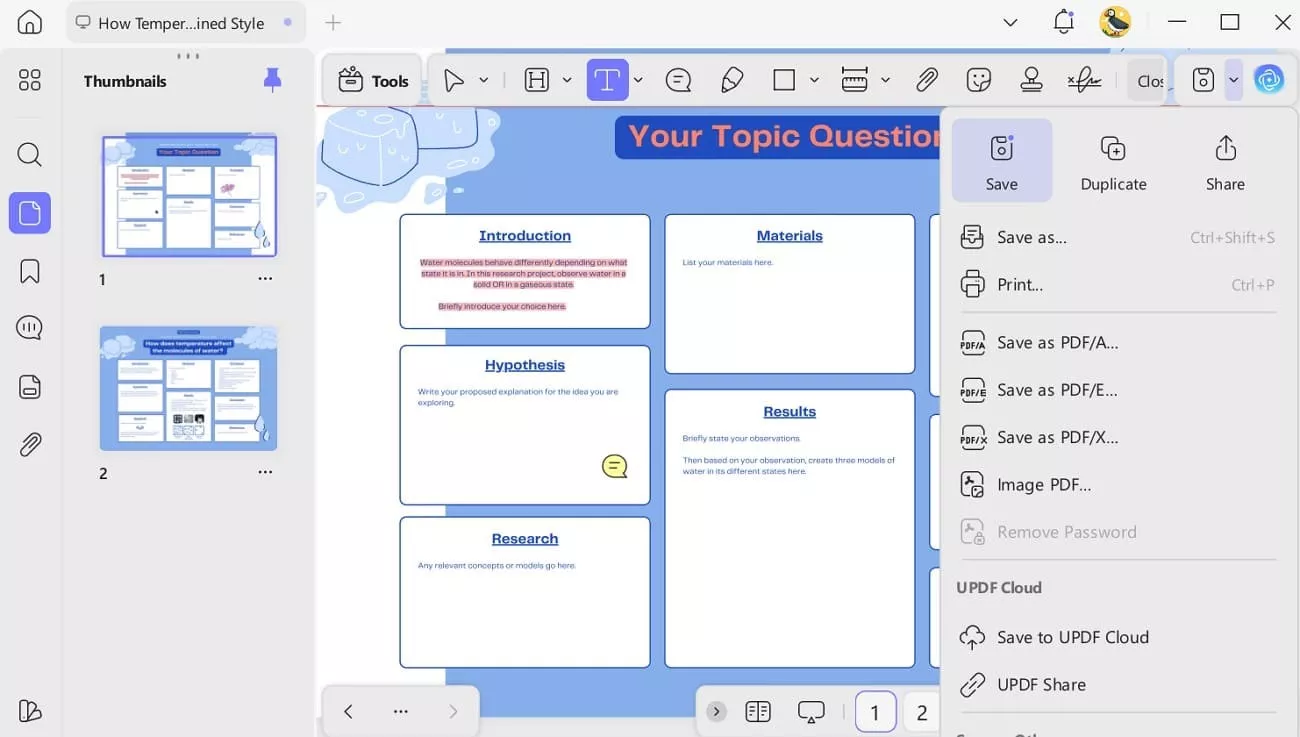
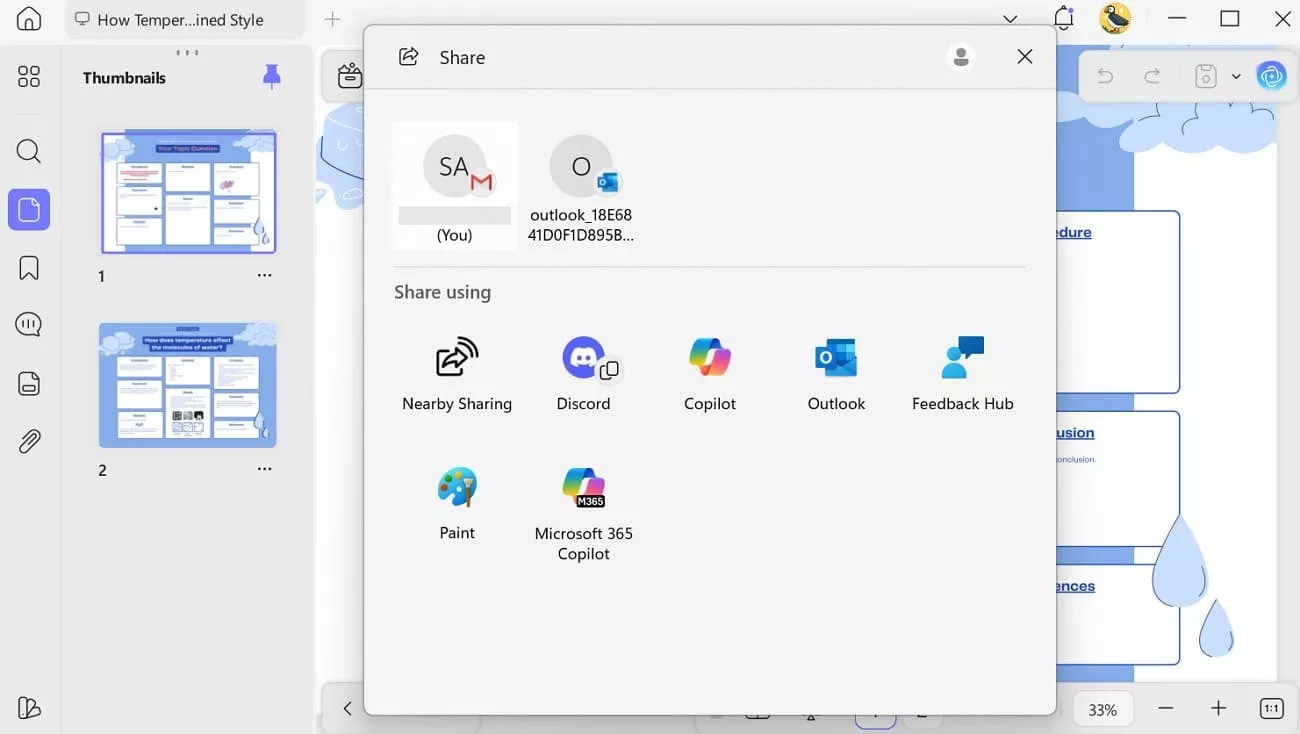
I just tapped the Save icon for this, and I was also able to Share to Email or use the listed apps.
If this solution helps with your sample research posters, I've included a Download button so you can quickly access and edit or refine them. Don’t waste time, as UPDF offers a free trial and full editing features, though a watermark will appear in the trial version. I would say try first, and if you need advanced features and a watermark-free export, upgrade to UPDF Pro using the pricing link.
Part 4. Conference Poster Sample - Best Practices
After choosing the desired sample poster presentation templates and UPDF for editing, follow the practices I gave in this section for better outcomes:
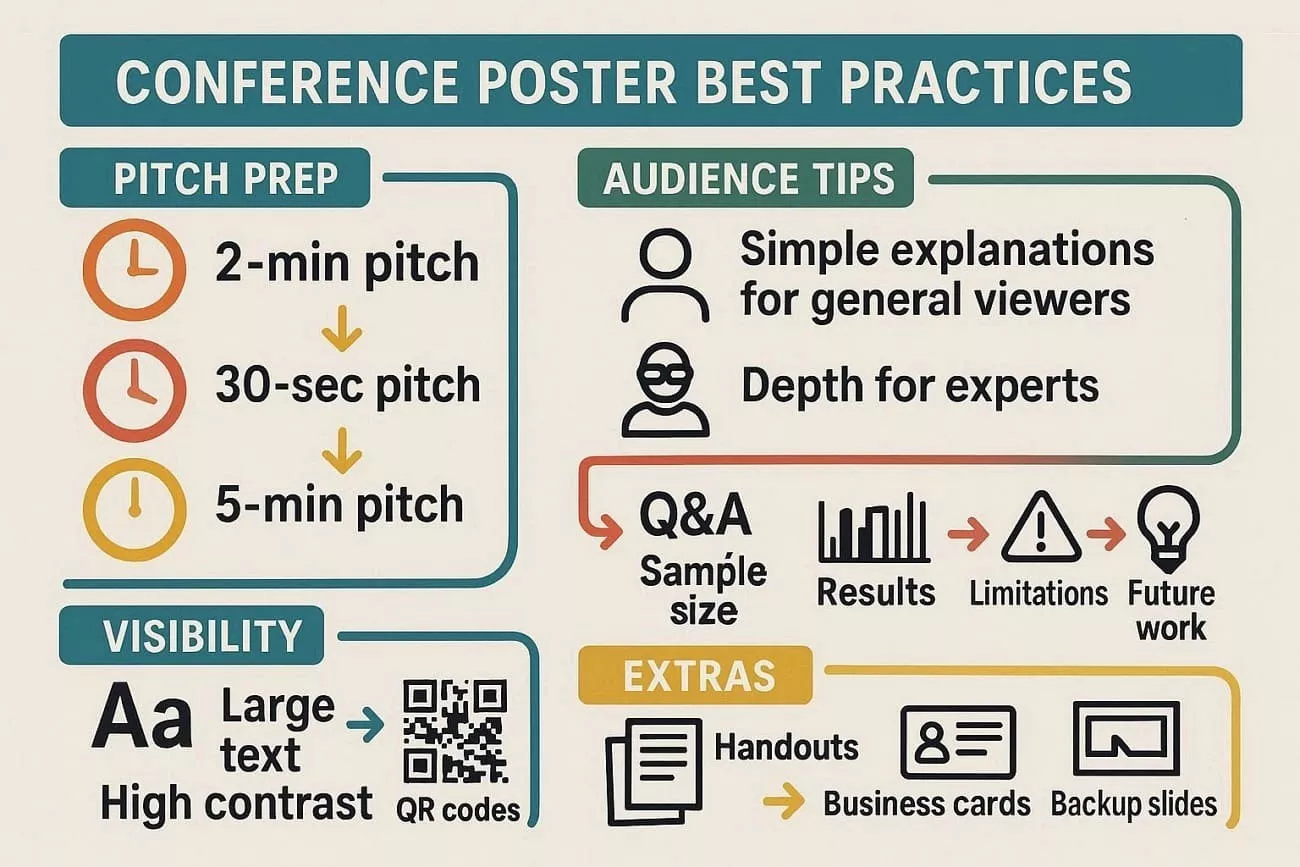
- Make sure to practice a 2-minute pitch, plus 30-second and 5-minute versions.
- Always explain simply for general viewers, and add depth for experts.
- Prepare answers on sample size, results, limits, and future work.
- Ensure large text, high contrast, QR codes, and good visibility.
- Keep handouts, business cards, and backup slides for deeper discussions.
Part 5. FAQs
What is the standard size for research posters?
Common sizes include 36×48 inches or A0, depending on conference guidelines.
How much text should be on a poster?
Keep text minimal, around 300-800 words, focusing on key points and visuals.
What software is best for creating research posters?
UPDF is great for editing poster PDFs, customizing templates, adding feedback, and exporting formats. Also, PowerPoint and Canva are popular for creating easy designs and layouts.
Conclusion
In sum, I believe sample research posters are powerful tools for presenting research clearly and professionally. From my experience, using UPDF made the entire process faster and easier. I highly recommend trying UPDF to design, edit, and finalize your research posters with ease.
Windows • macOS • iOS • Android 100% secure





 Enrica Taylor