 UPDF
UPDF
 UPDF for Windows
 UPDF for Mac
 UPDF for iPhone/iPad
 UPDF for Android
 UPDF AI Online
 UPDF Sign
 Edit PDF
 Annotate PDF
 Create PDF
 PDF Form
 Edit links
 Convert PDF
 OCR
OCR PDF to Word
 PDF to Image
 PDF to Excel
 Organize PDF
 Merge PDF
 Split PDF
 Crop PDF
 Rotate PDF
 Protect PDF
 Sign PDF
 Redact PDF
 Sanitize PDF
 Remove Security
 Read PDF
 UPDF Cloud
 Compress PDF
 Print PDF
 Batch Process
 About UPDF AI
 UPDF AI Solutions
 AI User Guide
 FAQ about UPDF AI
 Summarize PDF
 Translate PDF
 Chat with PDF
 Chat with AI
 Chat with image
 PDF to Mind Map
 Explain PDF
 PDF AI Tools
 Image AI Tools
 AI Chat Tools
 AI Writing Tools
 AI Study Tools
 AI Working Tools
 Other AI Tools
 AI Bookmark Generation
 AI Bookmark Summary
 AI Watermark Generation
 AI Background Generation
 AI Sticker Generation
 AI Stamp Generation
 AI Editing Suite
 UPDF Copilot
 AI Page Management
 AI Semantic Search
 PDF to Word
 PDF to Excel
 PDF to PowerPoint
 Enterprise Solution
 Enterprise Sign
 Enterprise AI
 Enterprise Plan
 Enterprise User Guide
 Enterprise Webinar
 Banking
 Healthcare
 Insurance
 Legal
Legal Manufacturing
 Government
 Education Solution
 Customer Stories
 User Guide
 UPDF Tricks
 FAQs
FAQs UPDF Reviews
 Download Center
 Blog
Blog Newsroom
 Tech Spec
 Updates
 UPDF vs. Adobe Acrobat
 UPDF vs. Foxit
 UPDF vs. PDF Expert

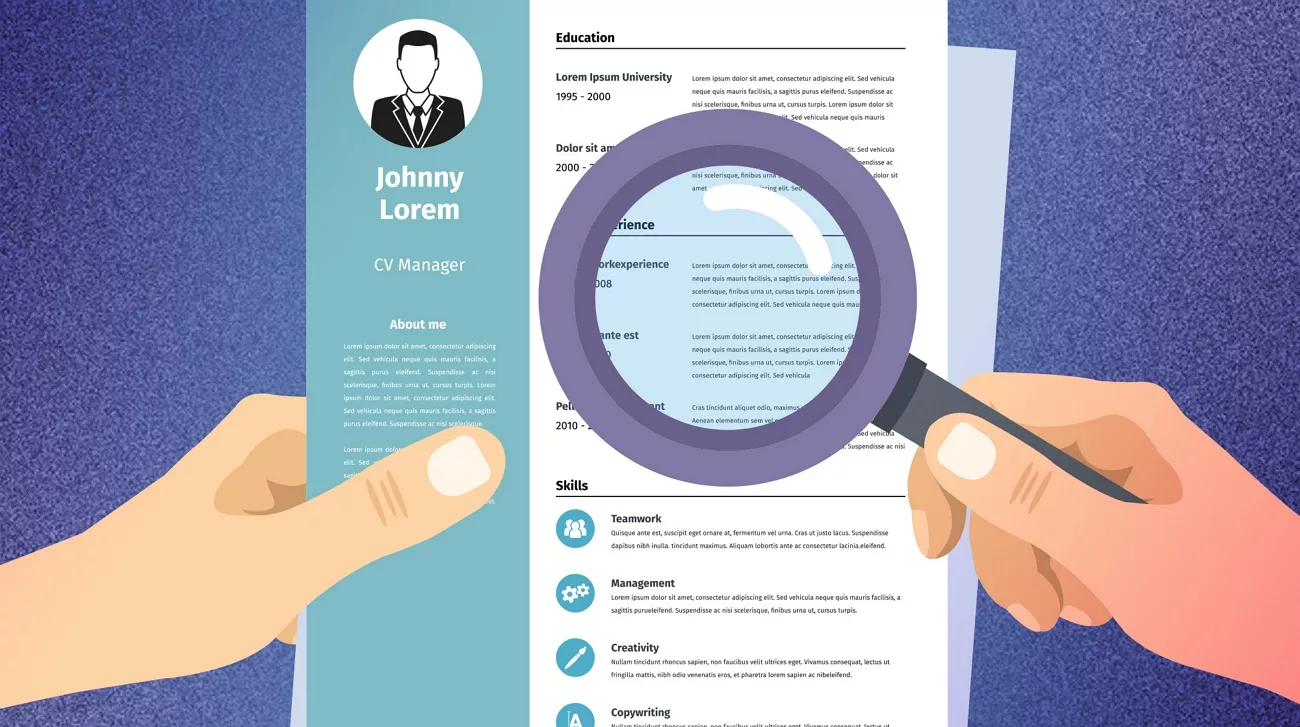
A CV for PhD applications differs greatly from a job resume. The focus shifts from quick achievements to long-term academic potential and intellectual depth. Reviewers look for a clear presentation and proof that your academic background matches their research environment. Most options for a CV for PhD student sample shared online reflect academic expectations rather than industry standards.
These CVs are carefully structured, revised multiple times, and usually finalized in a fixed format to avoid layout changes during review. Many users start struggling with formatting, structuring sections, or keeping their CV polished after multiple revisions. This is where tools like UPDF come in to help you draft, edit, and finalize your PhD CV in one workflow. In this guide, you'll:
- Understand how academic CVs are typically structured
- See a realistic PhD-level CV outline, not a generic template
- Learn how to create a submission-ready document without formatting stress
If you plan to submit your CV digitally, using a dedicated PDF tool helps maintain accuracy and presentation. So, download UPDF to create and edit your PhD CV in PDF format.
Windows • macOS • iOS • Android 100% secure
Part 1. What Is a PhD Student CV?
A PhD student's CV is an academic record that outlines their educational background and scholarly activities. The length of a PhD student's CV is flexible and depends on experience rather than a fixed page limit.
Unlike an industry resume, a PhD CV prioritizes depth over brevity. It highlights research experience, academic training, and intellectual contributions rather than measurable business outcomes. For creating a first draft, reviewing a CV sample for PhD student can provide useful guidance on section order and the type of content to include.
Part 2. Standard CV Structure for PhD Students
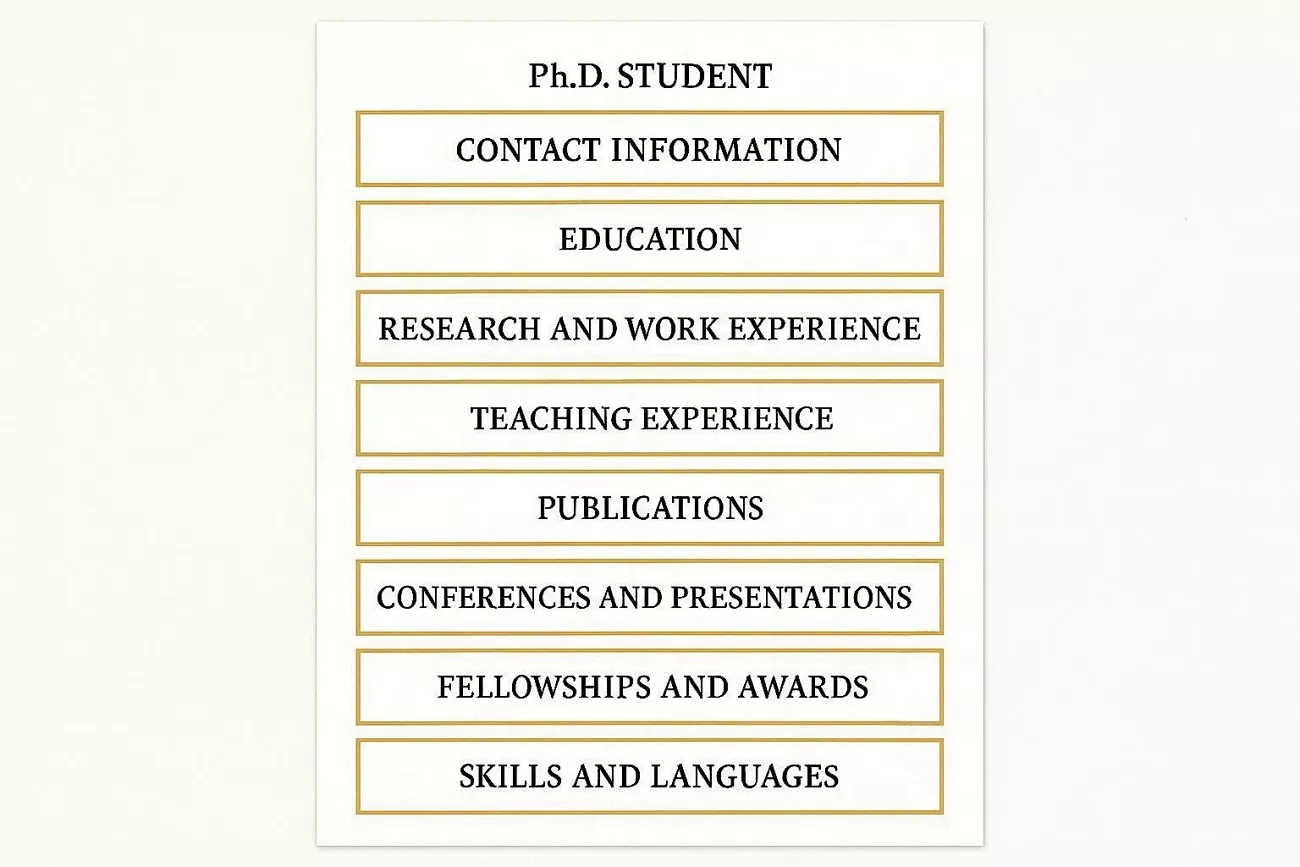
A PhD student's CV follows a standard academic structure, allowing committees to quickly locate key information. It highlights your education, research experience, and publications in a clear, familiar, and organized order. The CV emphasizes your development as a researcher and teacher, rather than providing short job-style summaries. The following sections outline the standard structure of a CV for a PhD student.
- Contact Information
- Education
- Research and Work Experience
- Teaching Experience
- Publications
- Conferences and Presentations
- Fellowships and Awards
- Skills and Languages
- Professional or University Service
Part 3. CV for PhD Student Sample (Annotated Example)
A well-structured academic CV helps highlight your research, education, and professional achievements clearly. To better understand, here is a CV for PhD student sample with notes and examples for each section.
1. Contact Information
Write your full name and professional email so committees can contact you quickly. Include your phone number and add LinkedIn or an academic website if available.
Example: Full Name, [email protected], +XX XXX XXX XXXX, City, Country
2. Education
List your degrees starting with the PhD and then continue with earlier degrees in order. Include the institution name and study period and mention the thesis title or any honors separately.
Example: PhD in Biology, XYZ University, 2025–present
3. Research Experience
State your role and department for each research project you participated in previously. Describe the project and methods used while highlighting the skills gained and results achieved.
Example: PhD Researcher, Department of Biology, XYZ University, 2025–present
4. Teaching Experience
Mention your position and the course name for each teaching assignment you completed. Explain responsibilities such as giving lectures and supporting students in a clear manner.
Example: Teaching Assistant, Introduction to Genetics, XYZ University, 2024–2025
5. Publications and Conferences
List published or submitted articles in a separate section with complete citations for clarity. Include oral or poster presentations and invited talks in another section with title and date.
Example: Author, A., Co‑author, B., & Your Name. (2025). Title. Journal, Volume, pages.
6. Fellowships and Awards
Write the name of each grant, fellowship, or award you received during your academic career. Include the awarding organization, year received, and a short note about the purpose briefly.
Example: PhD Fellowship, XYZ University, 2025–2028
7. Skills
Organize your skills into categories such as research methods, software, or academic languages. Provide one or two specific examples per category to show practical competence and experience.
Example: Research Methods: Quantitative analysis, experimental design, survey design
8. Professional or University Service
Mention committee memberships and conference organization roles you completed. Highlight mentoring and other contributions that demonstrate leadership and collaboration skills.
Example: Committee Member, Graduate Student Committee, XYZ University, 2024–present
9. References
List 2 to 4 referees with their full name and academic title for credibility. Include the department or university and always confirm their consent before listing them on the CV.
Example: Dr. ABC, Professor, Department of Biology, XYZ University
Part 4. How to Generate a PhD CV Sample Using UPDF AI
Many PhD students know what sections should be in a CV, but manually writing and organizing them can be time-consuming. UPDF AI helps you focus on your research experience and academic achievements by generating well-structured CV content automatically, so you don’t have to spend time adjusting margins or formatting.
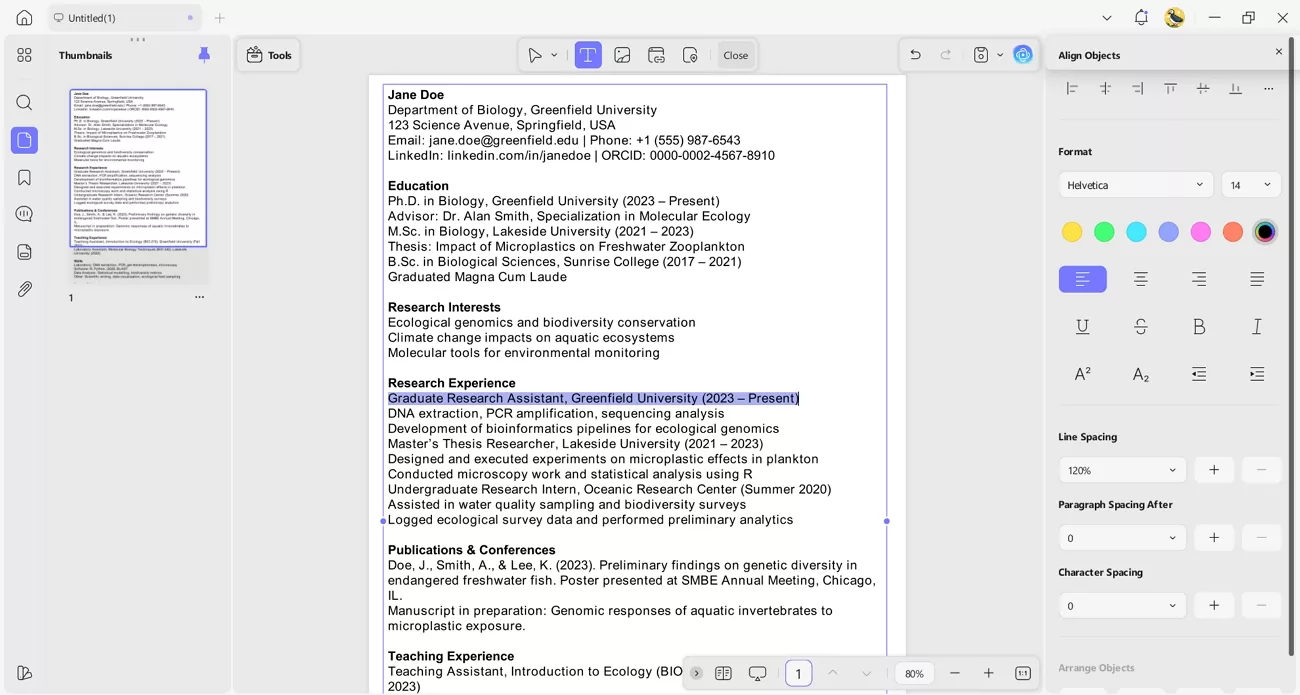
Unlike generic text editors, UPDF allows you to generate content with a single AI command, edit it directly in a PDF, and instantly share it across devices. You can customize font size, style, and alignment, ensuring your CV is both readable and professional. Finished documents can be shared securely with professors, committees, or collaborators, all within UPDF.
Ready to create a professional PhD CV quickly? Download UPDF today and start generating content in seconds, without worrying about formatting or layout details.
Windows • macOS • iOS • Android 100% secure
Generate a PhD CV Sample With UPDF AI
Now, follow the steps below to learn how you can generate a CV for PhD student sample using UPDF AI:
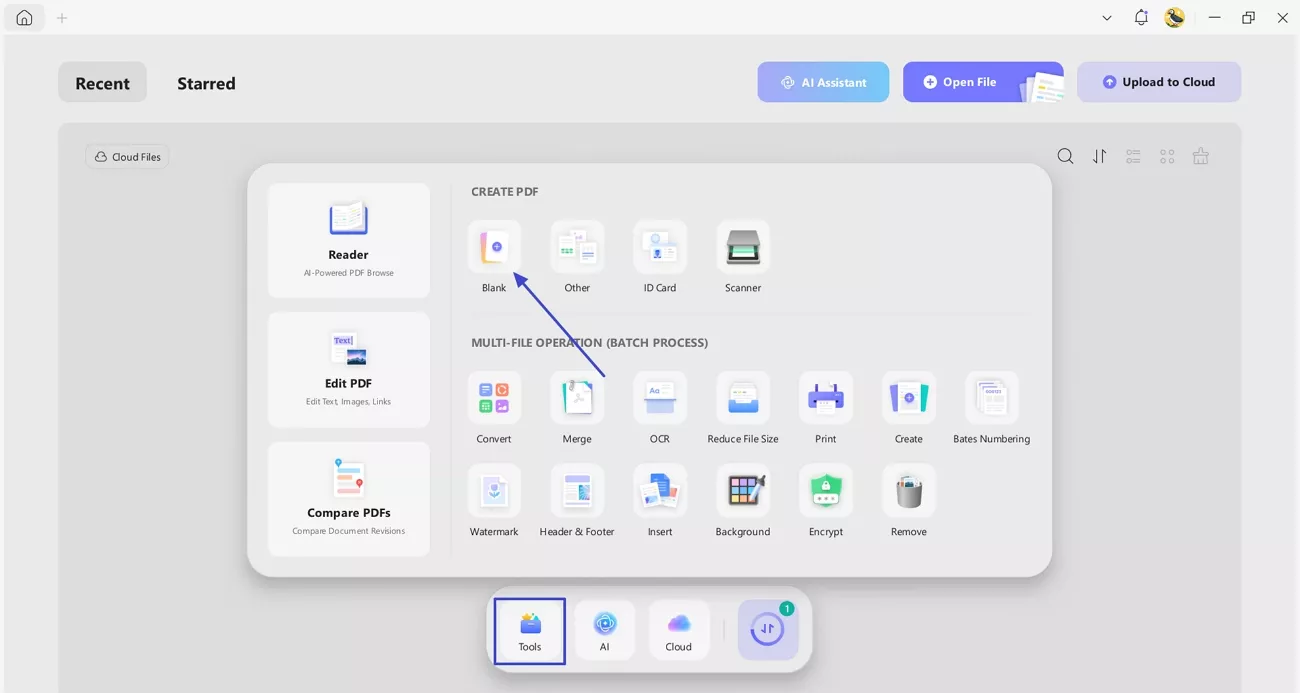
Step 1. Create Blank Document
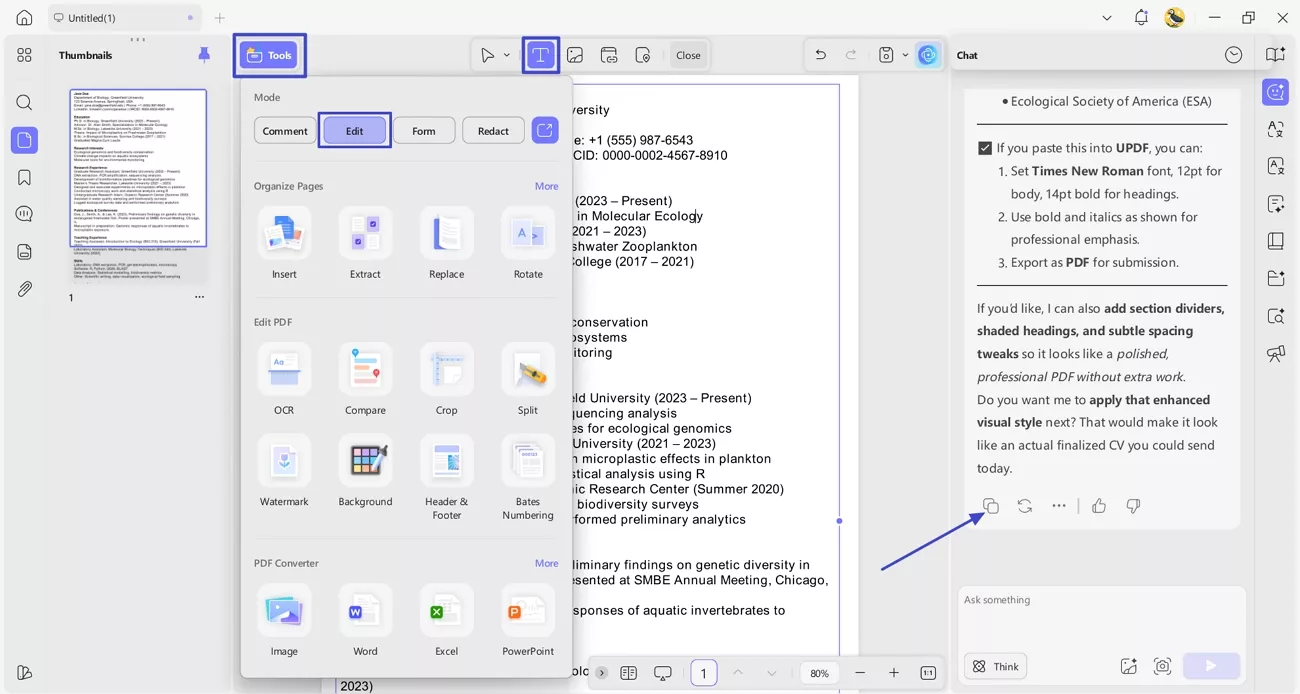
Once you open the main interface, click the "Tools" icon and press the "Blank" option. Next, choose the page size and orientation to create a blank PDF.
Step 2. Generate CV Sample With UPDF AI
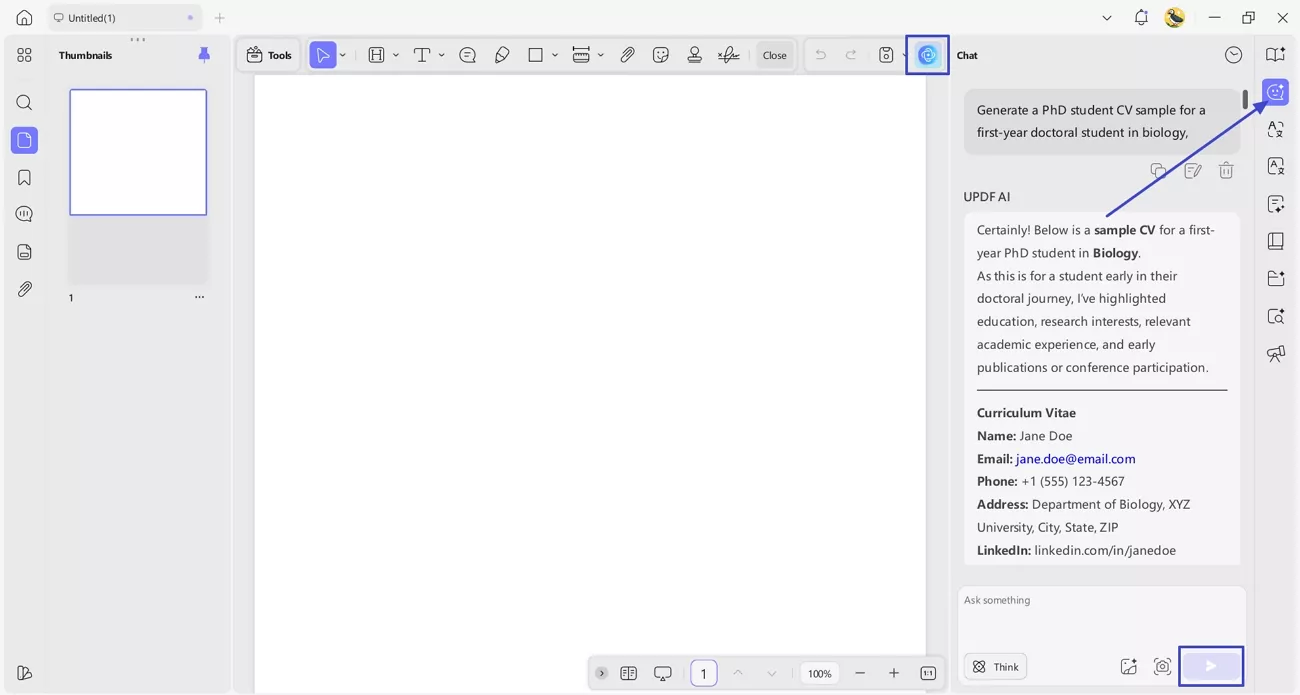
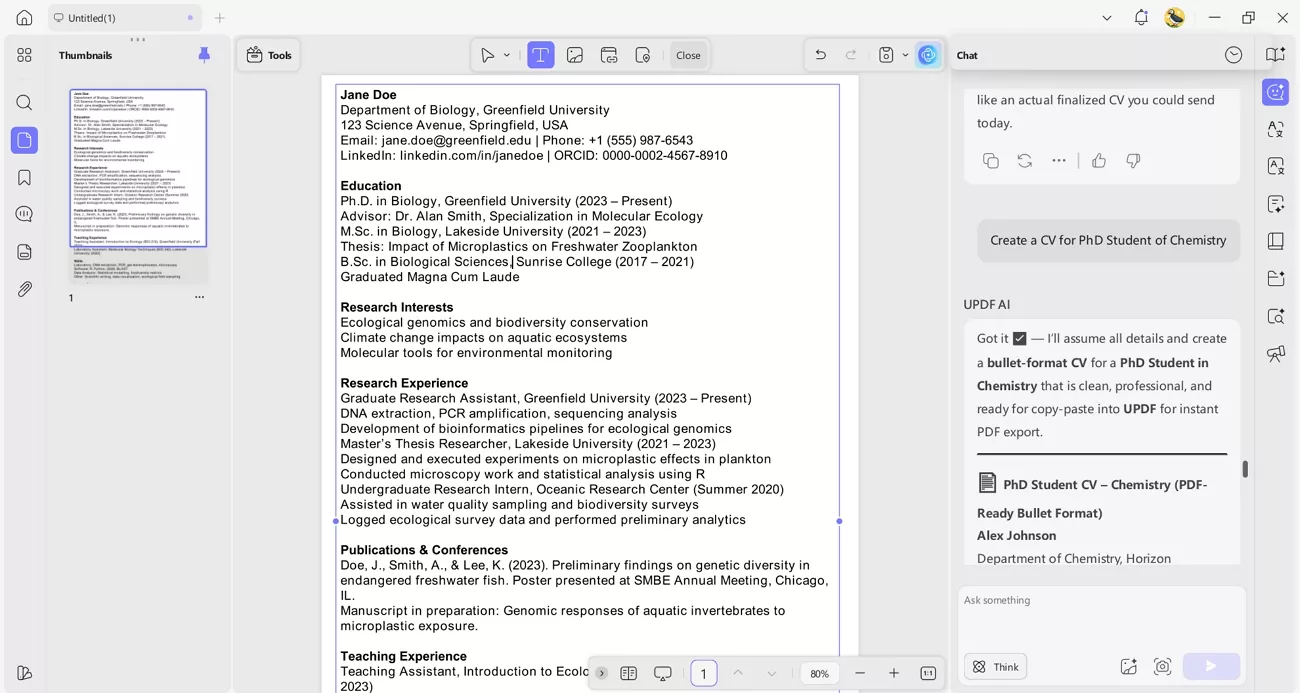
Next, press the "UPDF AI" icon in the top right corner and press the "Chat" icon. Afterwards, write a command with details in the text field and press the "Send" button to generate a CV sample.
Step 3. Format CV on Blank PDF
Now, press the "Edit" option in the "Tools" section and click the "Insert & Edit Text" icon. Next, use the "Copy" icon under the generated content and paste it into the blank document. Afterwards, you can also customize the text to adjust the size and alignment by selecting the text.
Key Features
Now, let's explore what features UPDF offers perform tasks other than generating a CV sample for PhD student.
- AI Content Generation: Create CV content with a single command, for example: "Generate a PhD student CV sample for a first-year doctoral student in biology."
- PDF Editing: Other than generating document, it also allows users to edit PDF documents. You can change text, adjust font size and color, and fix spacing to keep documents clean and readable.
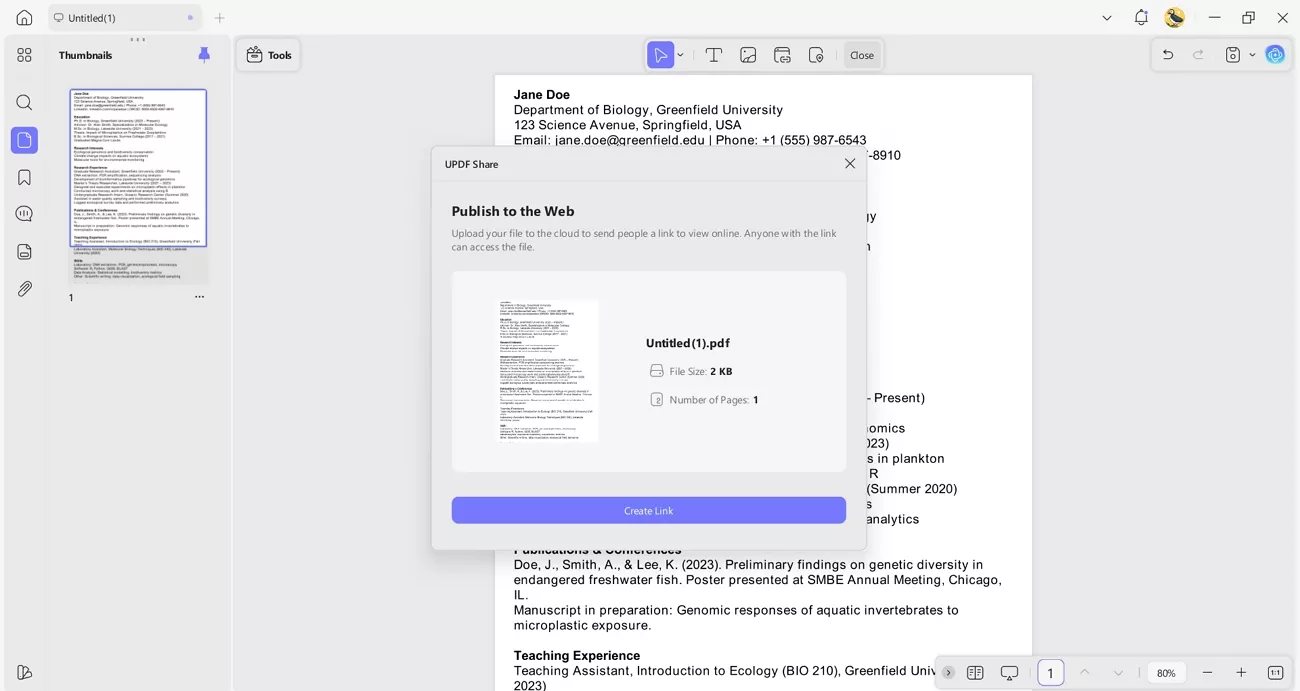
- CV Sharing: Share your finished CV as a secure link with professors, committees, or collaborators.
If you want to create, edit, and share your academic CV confidently, use UPDF for a seamless experience.
Windows • macOS • iOS • Android 100% secure
Part 5. Bonus: Research Support for PhD Students: Using UPDF AI Online
When PhD students face difficulty in performing deep research, they often seek dedicated AI tools. UPDF also offers a browser-based UPDF AI Online platform that leverages the power of ChatGPT 5 and DeepSeek R1 to analyze PDFs with AI-powered summaries.
Key Features to Highlight
Let's explore the powerful features offered by UPDF AI Online to support PhD students' research.
- Scholar Research: This tool helps you generate structured research papers and literature reviews from a single topic or a keyword.
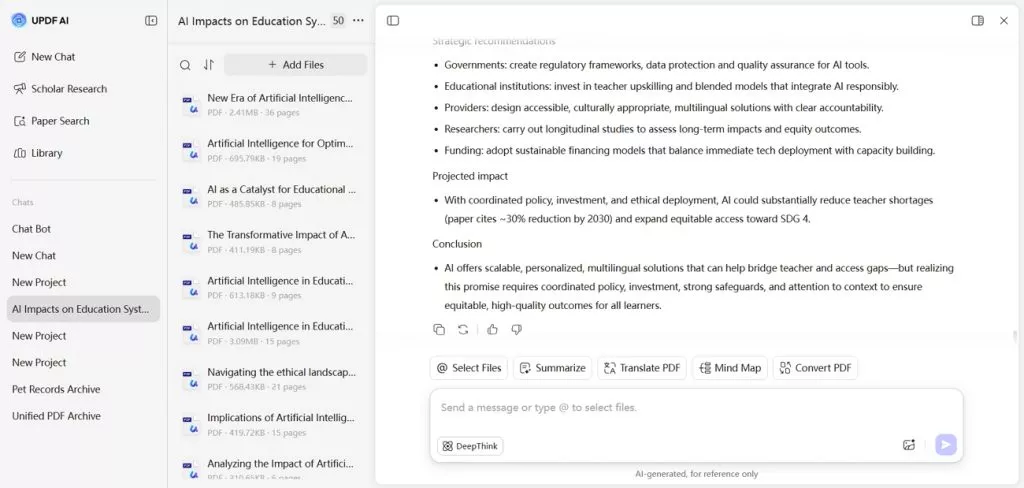
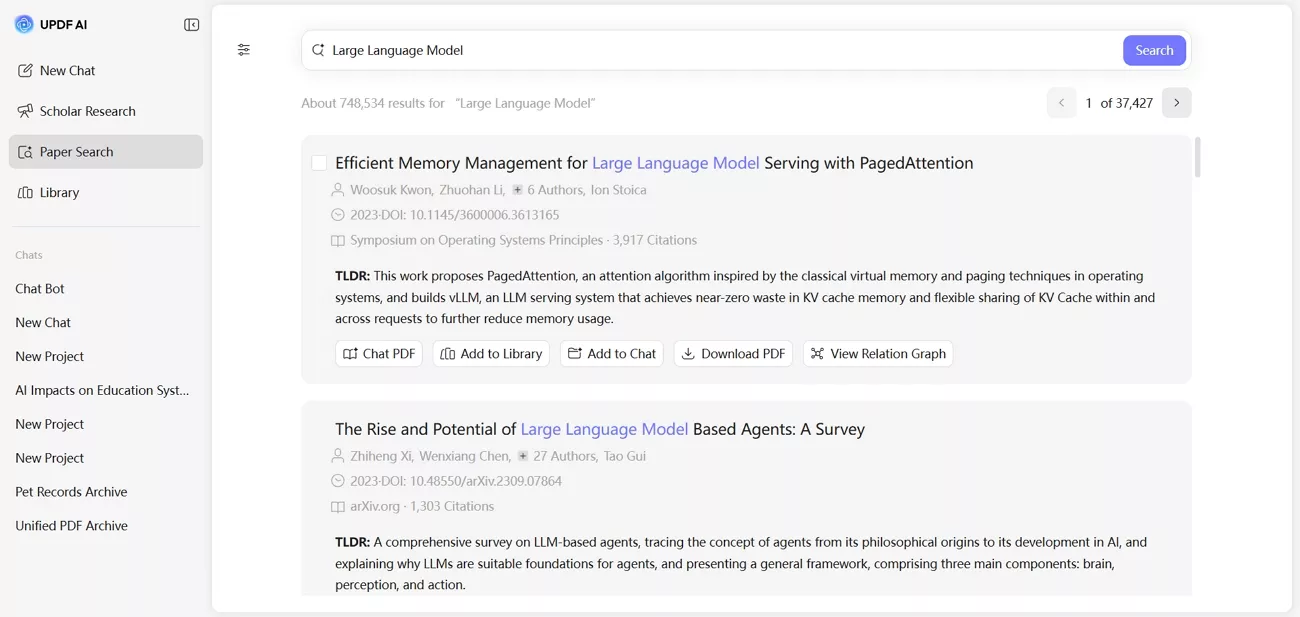
- Paper Search: Helps users find academic papers by letting them enter keywords or topics and delivering a curated list of relevant studies.
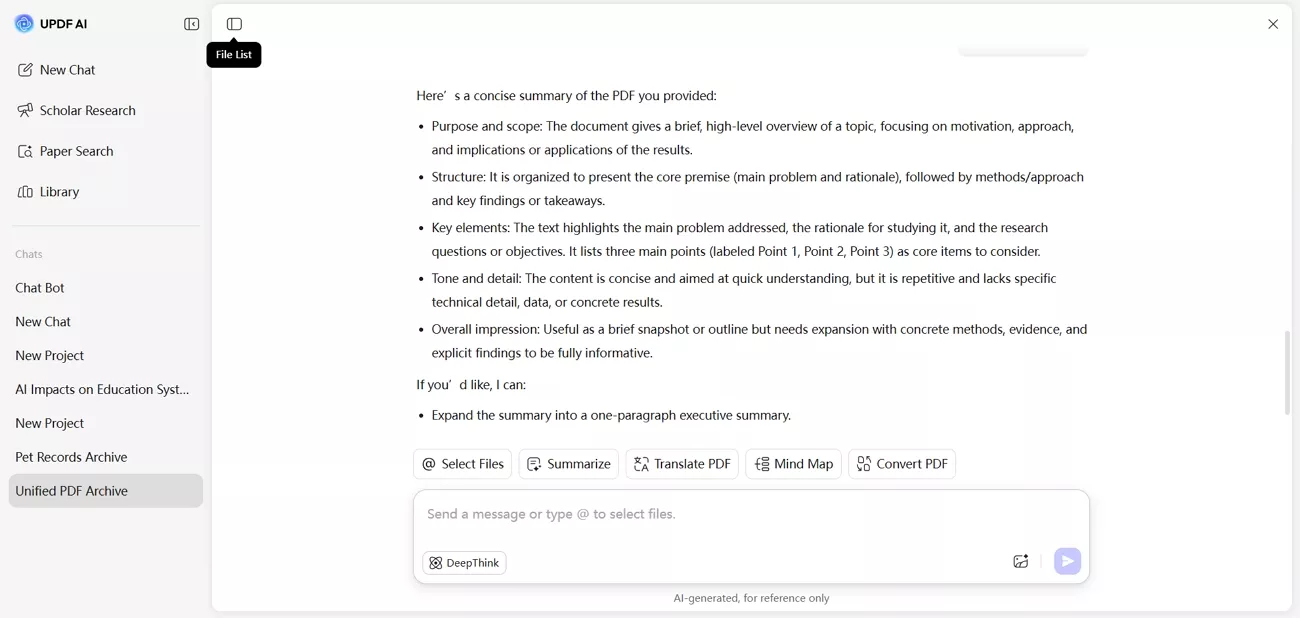
- AI-Powered Paper Analysis: Analyze PDFs with AI to generate summaries and extract key insights.
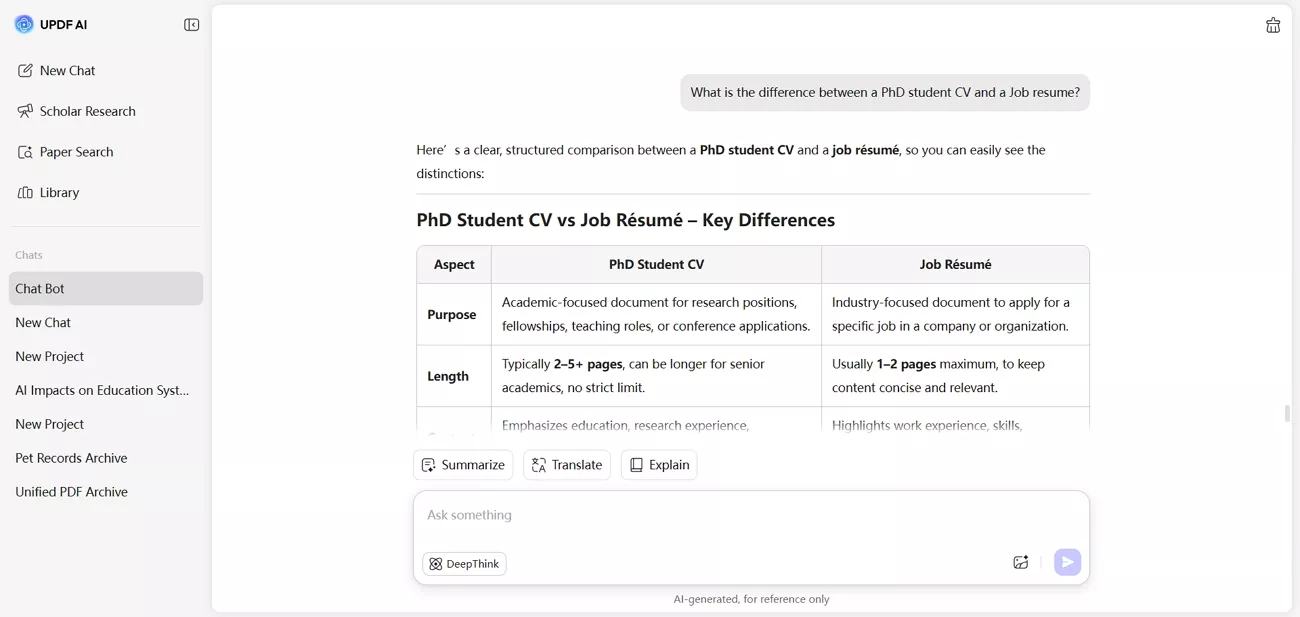
- Academic PDF Q&A: Users can ask questions across multiple academic PDFs and receive accurate, context-aware answers.
If you're a PhD student and find a tool to support your research workflow, use UPDF AI Online to speed up these tasks right away!
Conclusion
In summary, preparing a strong academic CV requires both structure and clarity. A CV for PhD student sample can guide content and section order. This guide demonstrates how students can create, edit, and finalize their CVs. For PhD students seeking a tool for CV generation and research workflows, consider using UPDF and UPDF AI Online to make creating and editing documents easier.
Windows • macOS • iOS • Android 100% secure







 Enya Moore



 Enola Miller
-Excellent-Pay6235