UPDF
UPDF
 UPDF for Windows
 UPDF for Mac
 UPDF for iPhone/iPad
 UPDF for Android
 UPDF AI Online
 UPDF Sign
 Edit PDF
 Annotate PDF
 Create PDF
 PDF Form
 Edit links
 Convert PDF
 OCR
OCR PDF to Word
 PDF to Image
 PDF to Excel
 Organize PDF
 Merge PDF
 Split PDF
 Crop PDF
 Rotate PDF
 Protect PDF
 Sign PDF
 Redact PDF
 Sanitize PDF
 Remove Security
 Read PDF
 UPDF Cloud
 Compress PDF
 Print PDF
 Batch Process
 About UPDF AI
 UPDF AI Solutions
 AI User Guide
 FAQ about UPDF AI
 Summarize PDF
 Translate PDF
 Chat with PDF
 Chat with AI
 Chat with image
 PDF to Mind Map
 Explain PDF
 PDF AI Tools
 Image AI Tools
 AI Chat Tools
 AI Writing Tools
 AI Study Tools
 AI Working Tools
 Other AI Tools
 AI Bookmark Generation
 AI Bookmark Summary
 AI Watermark Generation
 AI Background Generation
 AI Sticker Generation
 AI Stamp Generation
 AI Editing Suite
 UPDF Copilot
 AI Page Management
 AI Semantic Search
 PDF to Word
 PDF to Excel
 PDF to PowerPoint
 Enterprise Solution
 Enterprise Sign
 Enterprise AI
 Enterprise Plan
 Enterprise User Guide
 Enterprise Webinar
 Banking
 Healthcare
 Insurance
 Legal
Legal Manufacturing
 Government
 Education Solution
 Customer Stories
 User Guide
 UPDF Tricks
 FAQs
FAQs UPDF Reviews
 Download Center
 Blog
Blog Newsroom
 Tech Spec
 Updates
 UPDF vs. Adobe Acrobat
 UPDF vs. Foxit
 UPDF vs. PDF Expert

As an academic writer, you have likely discovered that citation formatting may be among the most boring aspects of a study. Without proper guidance, you end up spending hours trying to cite a dissertation according to the APA format and focus on the actual analysis.
In this article, we will discover how to make citing a dissertation in APA format easy and avoid common citation mistakes. With the right method, you can generate APA dissertation references and make your papers meet academic standards. Instead of wasting time with manual methods, try UPDF AI Citation Generator for instant and efficient results. Now, here is why mastering APA citations is essential for every student and researcher:
- Saves time by providing clear templates and examples for dissertation citations.
- Helps you avoid formatting errors that could affect your paper's credibility.
- Allows you to focus on writing and analysis instead of manual work.
Part 1. How to Generate Your Dissertation Citation in 3 Simple Steps
A dissertation citation can feel overwhelming when you follow APA formatting rules. Manual formatting leads to mistakes and wasted time. This is where UPDF AI Online comes in with its "Speed First" workflow, offering intelligent AI tools that make citing a dissertation in APA format hassle-free.
Additionally, UPDF AI Online also creates correct APA citations and extracts bibliographic details from your sources. It assists you in staying on track by having all your references in a single location and makes sure that your references are ready for submission. You can focus on your research and writing without spending hours on manual formatting.
How to Cite a Dissertation in APA Format Using UPDF AI Online
Next, look at the simple steps below to cite a dissertation in APA with the help of UPDF AI Online:
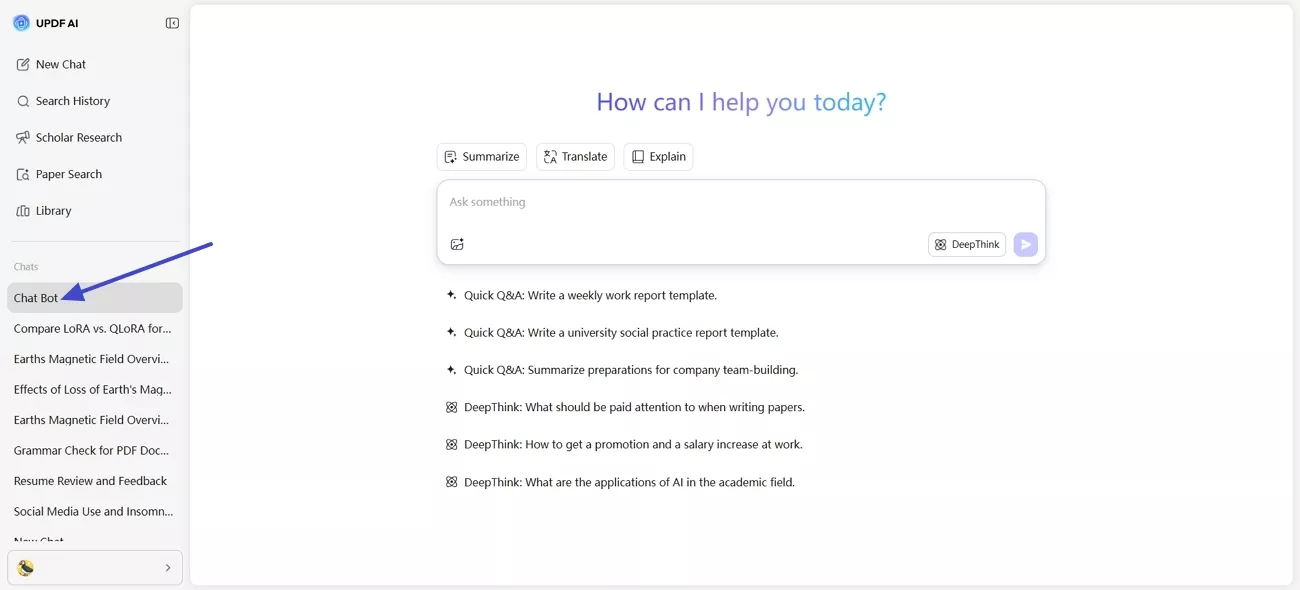
Step 1. Access UPDF AI Online Chat Bot
Click the button below to go to UPDF AI Online and sign up for free. Once you enter the main interface, press the "Chat Bot" option in the left side panel.
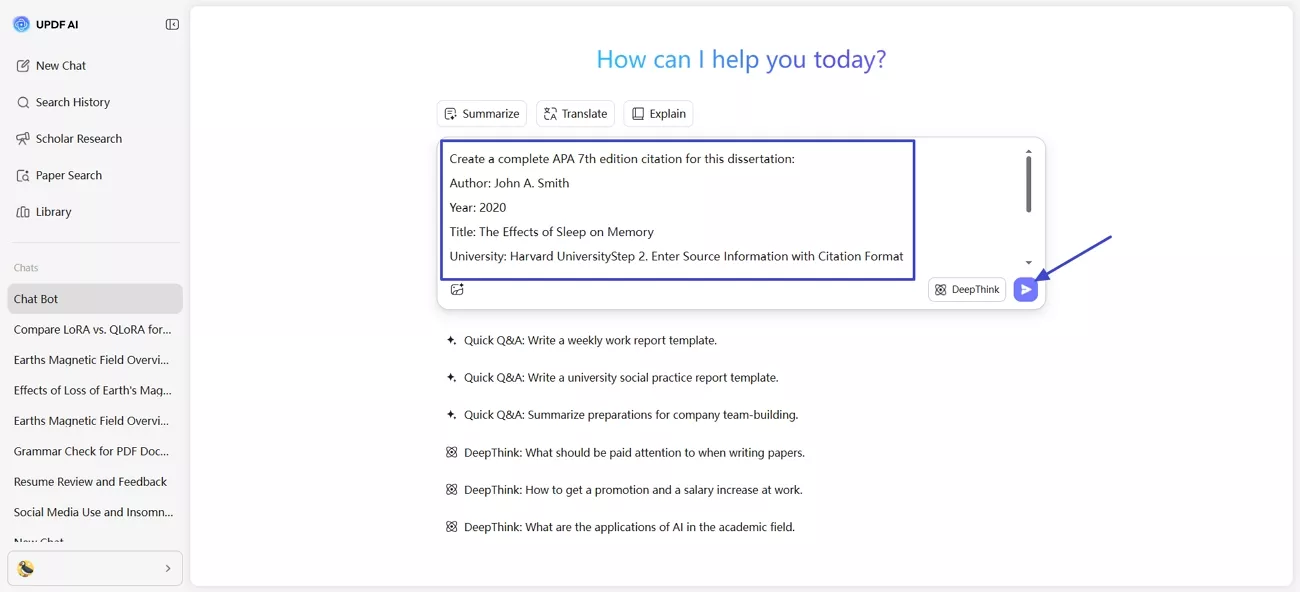
Step 2. Enter Source Information with Citation Format
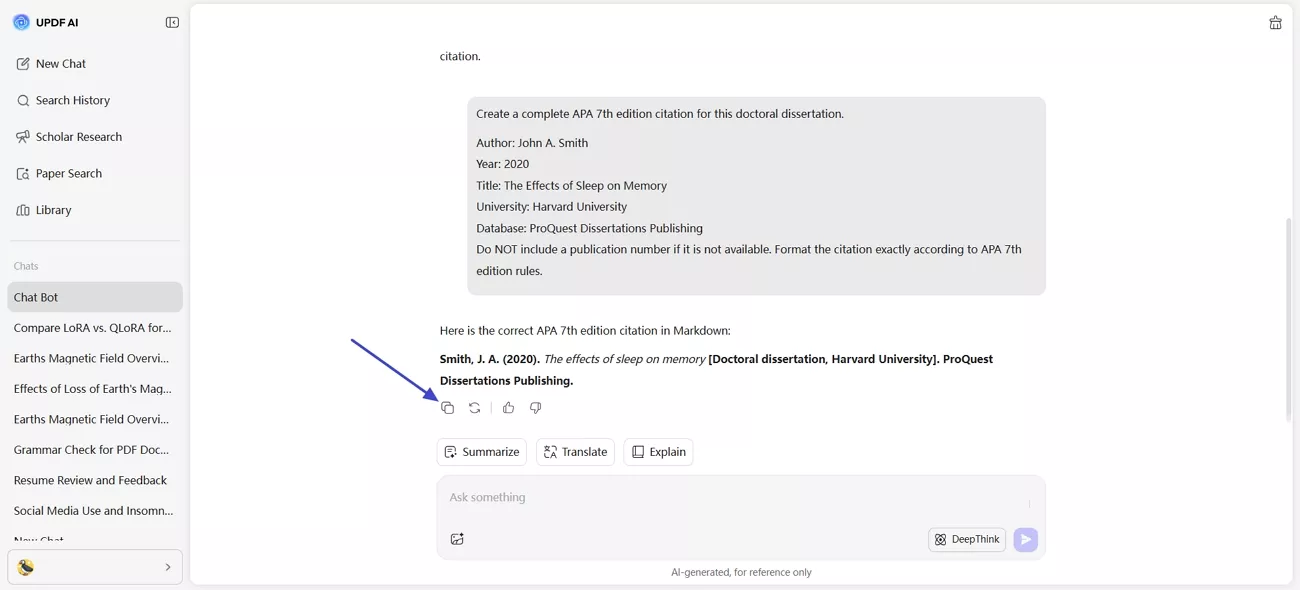
Next, provide the dissertation details, such as the author and title, with the citation format. Afterwards, press the "Send" button to send the prompt. The AI will generate a fully formatted citation for your dissertation.
Step 3. Copy the Generated Citation
Lastly, press the "Copy" icon to copy the generated dissertation citation for future use.
Other Useful Features of UPDF AI Online
Having learned the steps for citing a dissertation in APA format, let's explore some other useful features of UPDF AI Online that support academic research.
1. Paper Search: DeepThink Mode provides referenced answers that help you understand complex research questions.
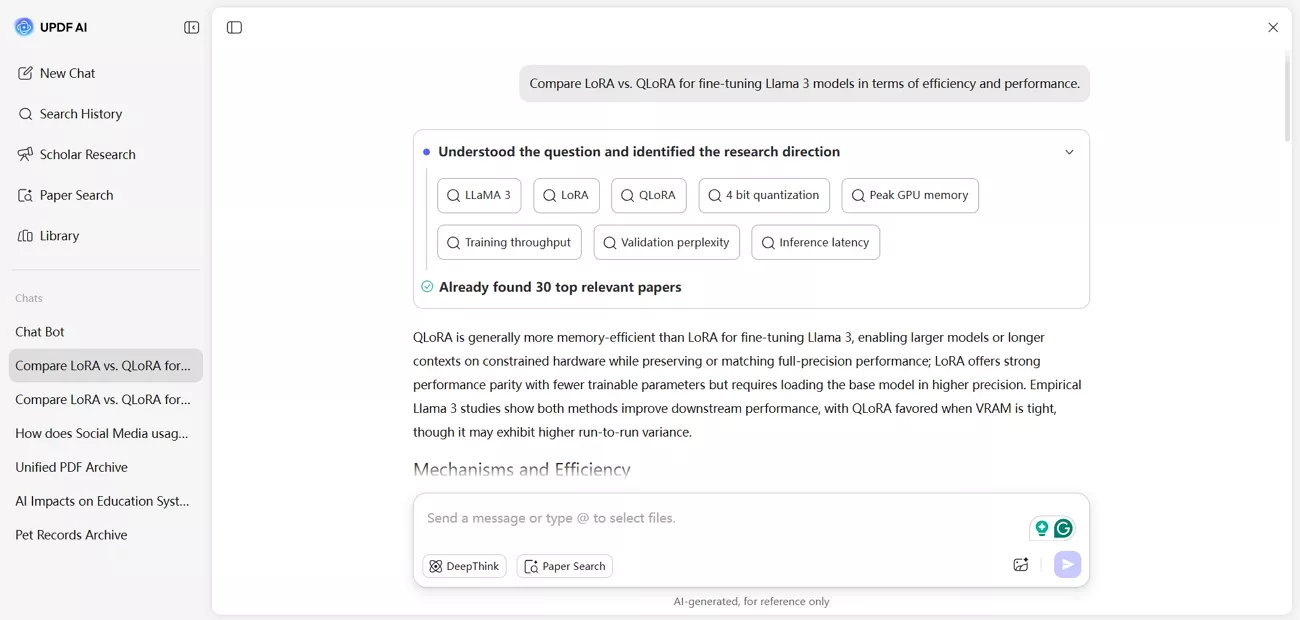
Keyword Mode surfaces relevant journal articles from multiple academic databases to reduce the need for manual searching.
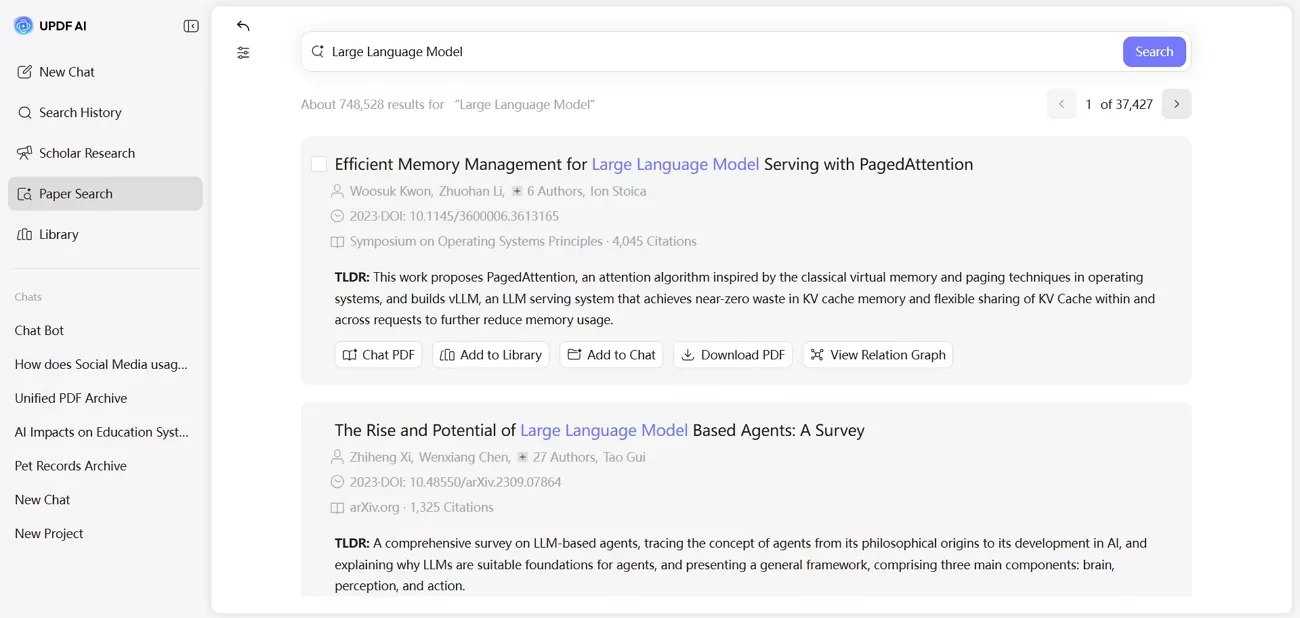
2. Scholar Research: This research mode divides broad academic questions into smaller themes and collects studies from reliable scholarly sources. The AI then produces a structured overview, helping you review literature without repeated searching.
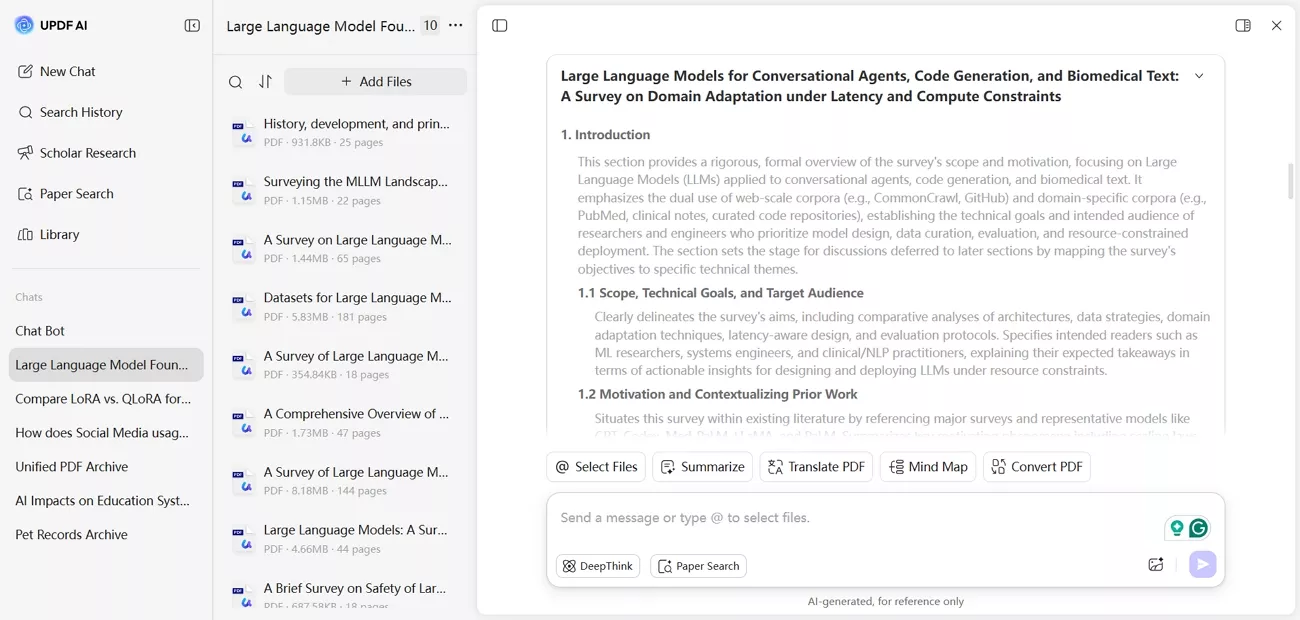
3. Chat with PDFs: You can upload academic PDFs and ask targeted questions about research methods, findings, or specific sections. The AI highlights relevant passages, allowing faster evidence extraction and less manual scanning.
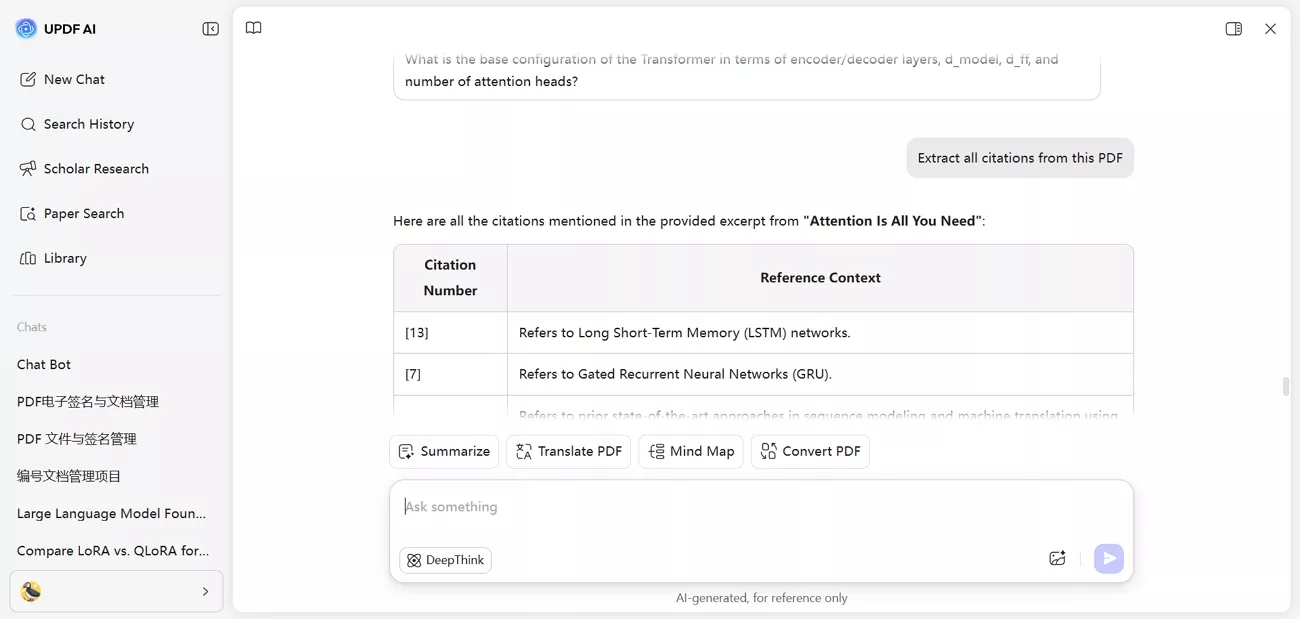
Watch the video below to learn more about how UPDF AI Online supports academic research and simplifies citation tasks.
Part 2. Beyond Citations: Managing Your Research with UPDF Editor
After citing a dissertation in APA format, many students still face the challenge of reviewing and extracting insights from lengthy PDF files. This is where UPDF PDF Editor addresses this challenge by providing a practical tool to open and review academic PDFs in one place. It allows you to handle large research documents smoothly, helping you focus on understanding content rather than dealing with scattered files.
Alongside this, UPDF includes AI support within the editor to assist with academic reading tasks. These AI capabilities work inside the UPDF app, while UPDF AI Online offers similar assistance through a web interface for users. You can download UPDF and try it out FOR FREE.
Windows • macOS • iOS • Android 100% secure
Managing Your Dissertation with UPDF Editor
Once citation details are in place, effective dissertation handling depends on how well you can review, organize, and format your sources. At this stage, UPDF Editor plays a key role in managing academic PDFs.
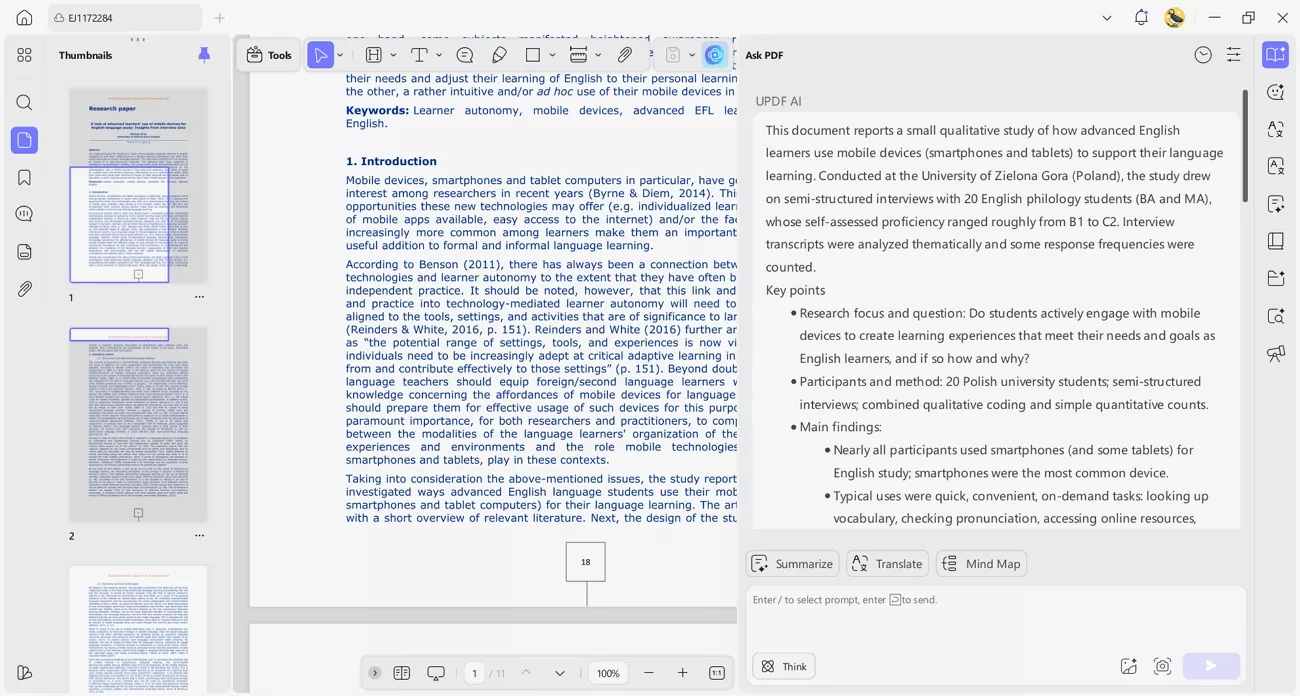
1. PDF Intelligence: UPDF's built-in AI assistant simplifies long-form research by processing dissertations exceeding 300 pages directly within the editor. Following the same powerful logic as UPDF AI Online, this integrated experience allows you to summarize complex content and extract key findings for literature reviews without ever leaving your workflow—ideal for managing large-scale research projects.
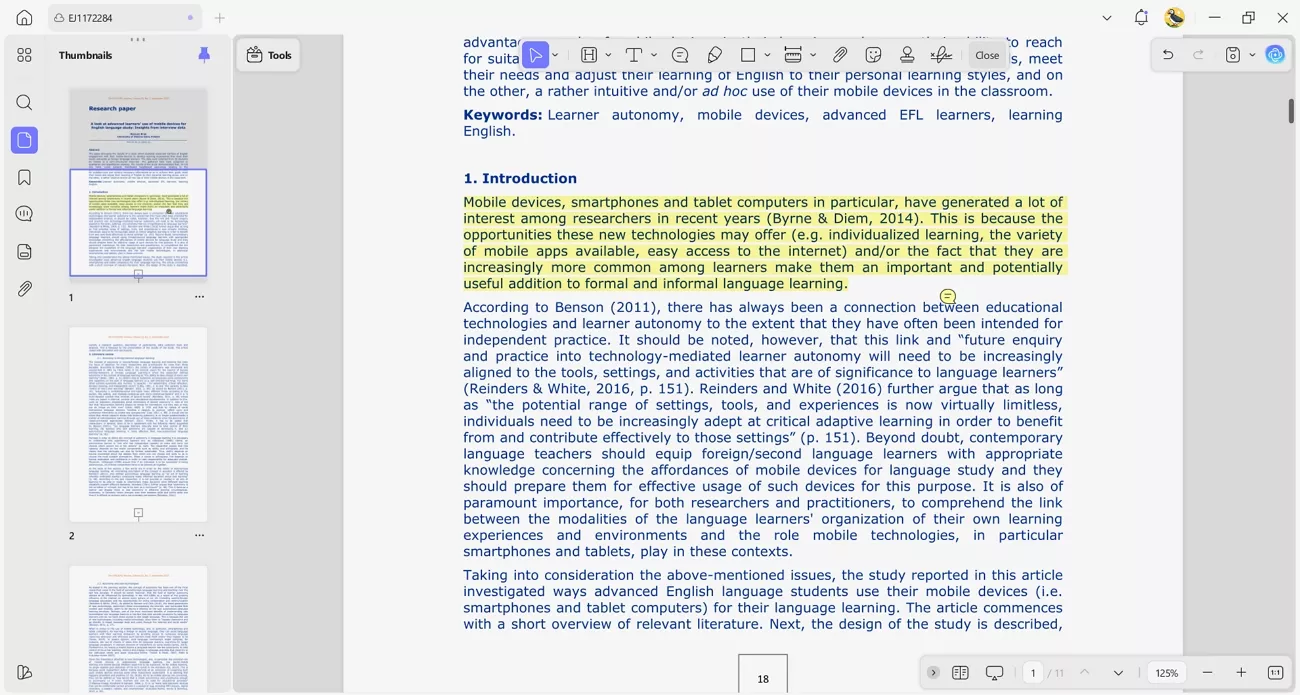
2. Annotate PDFs: UPDF Editor allows you to highlight important passages and add comments directly to the dissertation PDF. These annotations make it easier to revisit essential sections during writing without repeatedly.
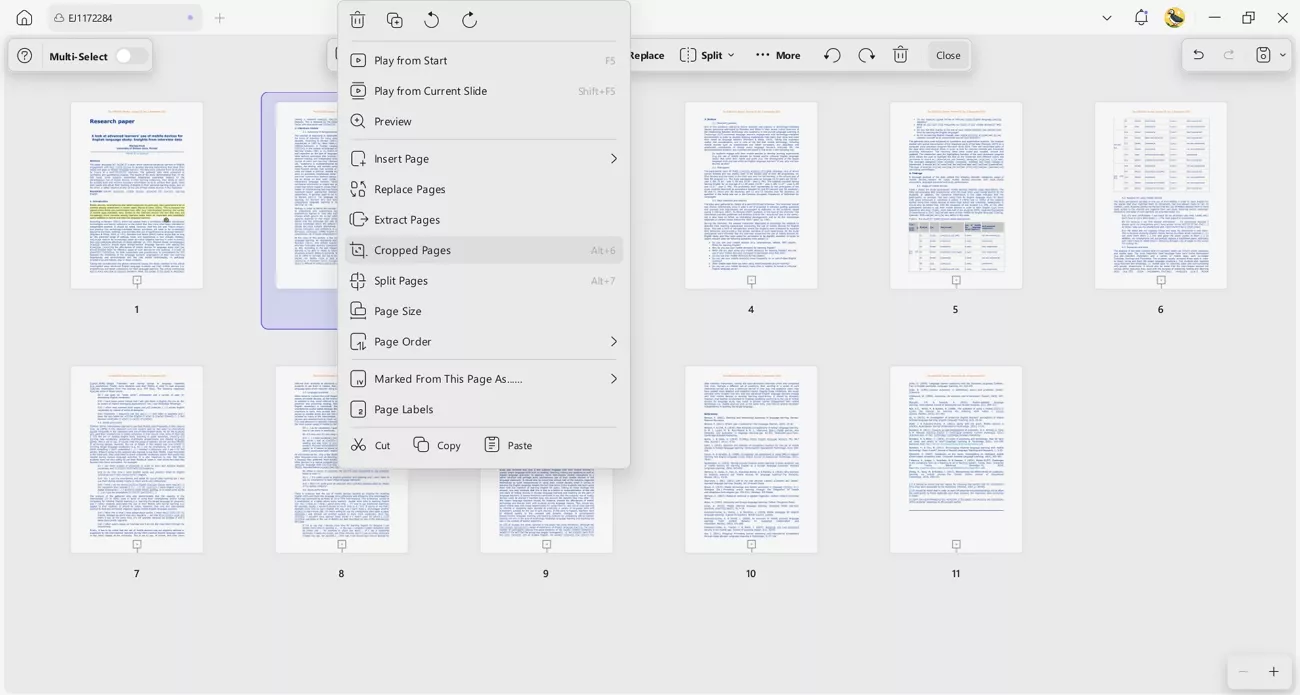
3. Organize Research PDF: UPDF Editor lets you manage multiple academic PDFs efficiently. You can delete, split, and arrange your research papers to keep your materials organized and easy to access.
4. Formatting Compliance: APA formatting requires strict layout rules, such as a 0.5-inch hanging indent in the reference list. With UPDF's editing features, you can adjust and review citation formatting directly within your document, reducing the need for manual corrections.
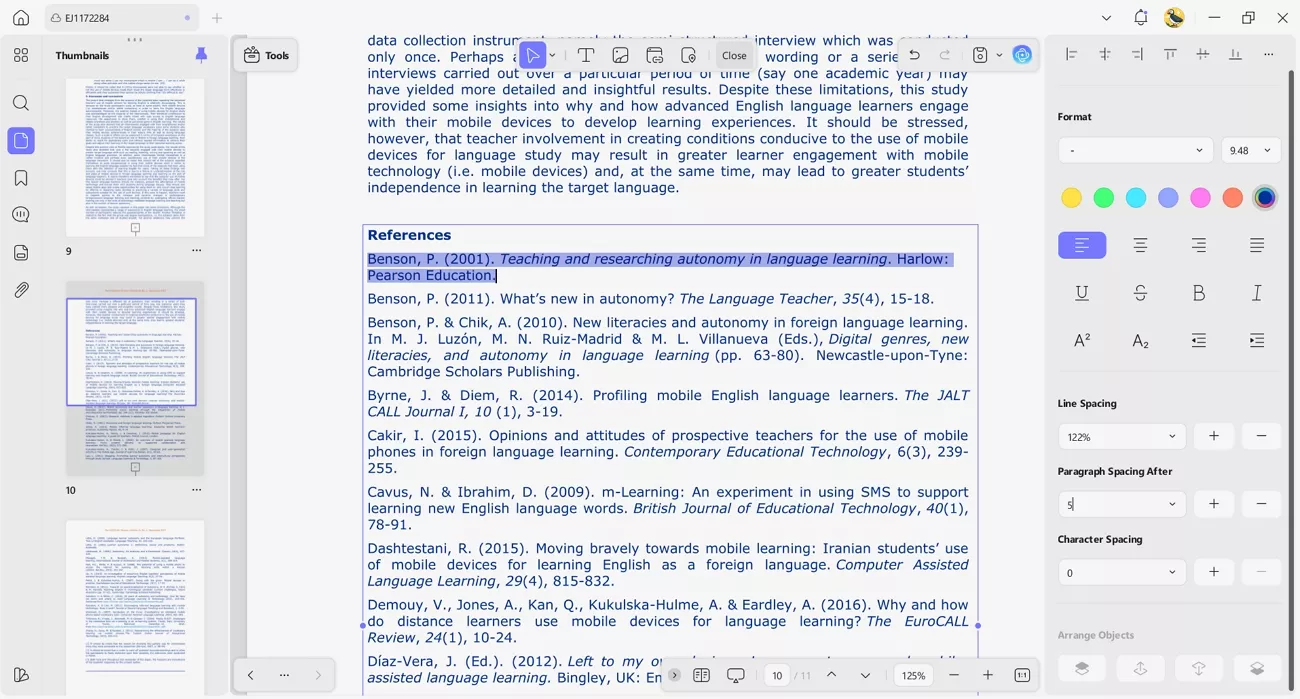
For heavy-duty research and professional document management, try the UPDF app. Download it now for a free trial and experience efficient PDF handling and citation support.
Windows • macOS • iOS • Android 100% secure
Part 3. Quick Guide: APA 7th Edition Rules for Dissertations
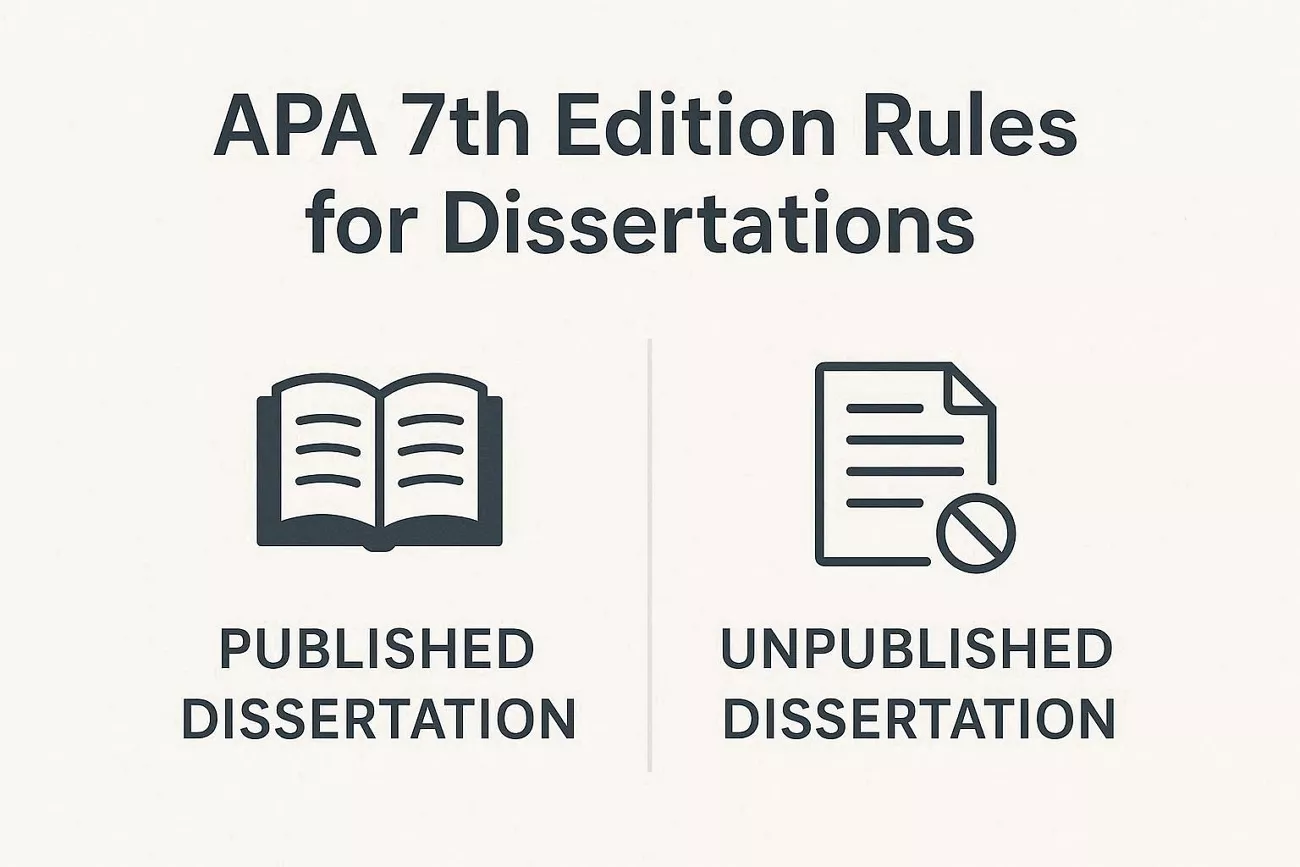
When citing a dissertation in APA format, following the 7th edition rules ensures your references are accurate and professional. Small mistakes in formatting can affect your paper's credibility. Using the correct template saves time and keeps your reference list consistent. Now let's explore the correct templates for published and unpublished dissertations:
- Published Dissertation: Author, A. A. (Year). Title [Doctoral dissertation, University]. Database.
- Unpublished Dissertation: Author, A. A. (Year). Title [Unpublished doctoral dissertation]. University.
Why the "Publication Number" Matters in ProQuest Sources
The Publication Number in ProQuest dissertations is a unique identifier that ensures anyone can locate the exact document you referenced. Including it in your citation helps maintain accuracy and credibility, especially when multiple dissertations may have similar titles or authors. This number also simplifies verification and ensures compliance with academic standards. Next, let's look at the reasons why the Publication Number is important:
- Confirms the dissertation's unique identification in the ProQuest database.
- Prevents confusion with other dissertations that have similar titles or authors.
- Allows instructors, reviewers, or readers to access the exact source quickly.
- Supports verification of research data and cited findings.
- Ensures proper adherence to academic and APA citation standards.
Part 4. Frequently Asked Questions
Q1. Can I cite a dissertation I found on a university website?
Yes, you can cite a dissertation directly from a university website and include proper author and year details. Always include the full URL at the end of your reference so readers can access the dissertation online.
Q2. What is the difference between a thesis and a dissertation in APA?
In APA, the difference is indicated by the label in brackets, showing whether it is a dissertation or thesis. This helps readers identify the document type and gives correct academic attribution while following proper citation formatting rules.
Q3. Is the UPDF AI Citation Generator accurate?
Yes, the UPDF AI Citation Generator follows the latest APA 7th edition guidelines for creating dissertation references. It automatically formats author names, years, titles, universities, and databases correctly, saving you time and avoiding errors.
Q4. How to cite an unpublished dissertation APA 7th edition?
For an unpublished dissertation, follow proper rules when citing a dissertation in APA format to ensure credibility. The bracketed description should read "[Unpublished doctoral dissertation]" to comply with APA 7th edition formatting rules.
Q5. How to include a PhD in an APA citation?
Include the PhD designation within the bracketed description after the dissertation title when required by APA standards. Do not add PhD next to the author's name; the proper format places it in the bracket description.
Conclusion
In summary, citing a dissertation in APA format correctly is crucial for credible research and maintaining academic standards. Manual methods often lead to errors and wasted time. Using UPDF AI Online streamlines citation creation and keeps your research organized. For a more reliable workflow, try UPDF AI Online with its premium version. To manage PDFs and citations more effectively, download UPDF Editor and enjoy a free trial.
Windows • macOS • iOS • Android 100% secure






 Enya Moore