 UPDF
UPDF
 UPDF for Windows
 UPDF for Mac
 UPDF for iPhone/iPad
 UPDF for Android
 UPDF AI Online
 UPDF Sign
 Edit PDF
 Annotate PDF
 Create PDF
 PDF Form
 Edit links
 Convert PDF
 OCR
OCR PDF to Word
 PDF to Image
 PDF to Excel
 Organize PDF
 Merge PDF
 Split PDF
 Crop PDF
 Rotate PDF
 Protect PDF
 Sign PDF
 Redact PDF
 Sanitize PDF
 Remove Security
 Read PDF
 UPDF Cloud
 Compress PDF
 Print PDF
 Batch Process
 About UPDF AI
 UPDF AI Solutions
 AI User Guide
 FAQ about UPDF AI
 Summarize PDF
 Translate PDF
 Chat with PDF
 Chat with AI
 Chat with image
 PDF to Mind Map
 Explain PDF
 PDF AI Tools
 Image AI Tools
 AI Chat Tools
 AI Writing Tools
 AI Study Tools
 AI Working Tools
 Other AI Tools
 AI Bookmark Generation
 AI Bookmark Summary
 AI Watermark Generation
 AI Background Generation
 AI Sticker Generation
 AI Stamp Generation
 AI Editing Suite
 UPDF Copilot
 AI Page Management
 AI Semantic Search
 PDF to Word
 PDF to Excel
 PDF to PowerPoint
 Enterprise Solution
 Enterprise Sign
 Enterprise AI
 Enterprise Plan
 Enterprise User Guide
 Enterprise Webinar
 Banking
 Healthcare
 Insurance
 Legal
Legal Manufacturing
 Government
 Education Solution
 Customer Stories
 User Guide
 UPDF Tricks
 FAQs
FAQs UPDF Reviews
 Download Center
 Blog
Blog Newsroom
 Tech Spec
 Updates
 UPDF vs. Adobe Acrobat
 UPDF vs. Foxit
 UPDF vs. PDF Expert

With new AI tools being released so frequently, it's difficult to know which ones are worth your time. There's a learning curve associated with any new software, and it's frustrating to learn to use something only to find it doesn't quite work as you'd hoped. SciSpace is an AI-powered tool focused on making research papers more accessible. It can explain complex academic texts and identify related papers, cutting researchers' time trawling the internet. We'll look at SciSpace in detail and also discuss one of its alternatives - UPDF AI, so make sure you stick around to find out more. You can click the button below to try UPDF AI for free.
Part 1: All About SciSpace
Let's start by getting an overview of the tool.
We'll take a look at its main features, check out the pricing, and then put it through its paces so you can get a feel for how it works.
What does SciSpace do?
When you're trying to get an overview of the literature in a particular area, there's often a lot of dense, academic writing to wade through, and that can easily eat up a lot of your time. SciSpace (formerly Typeset.io) aims to reduce the time spent on tasks like this, freeing you up to do the work only you can do.
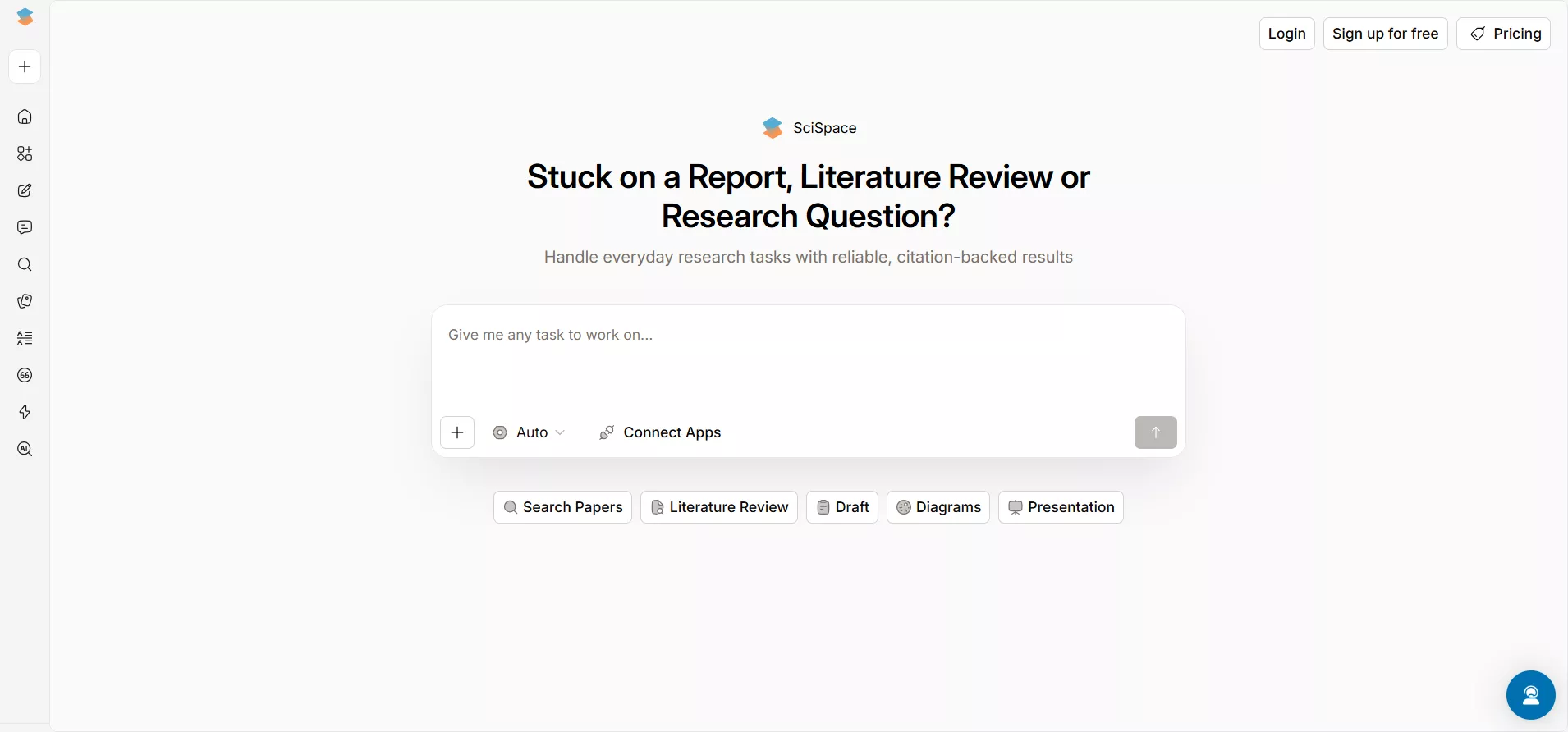
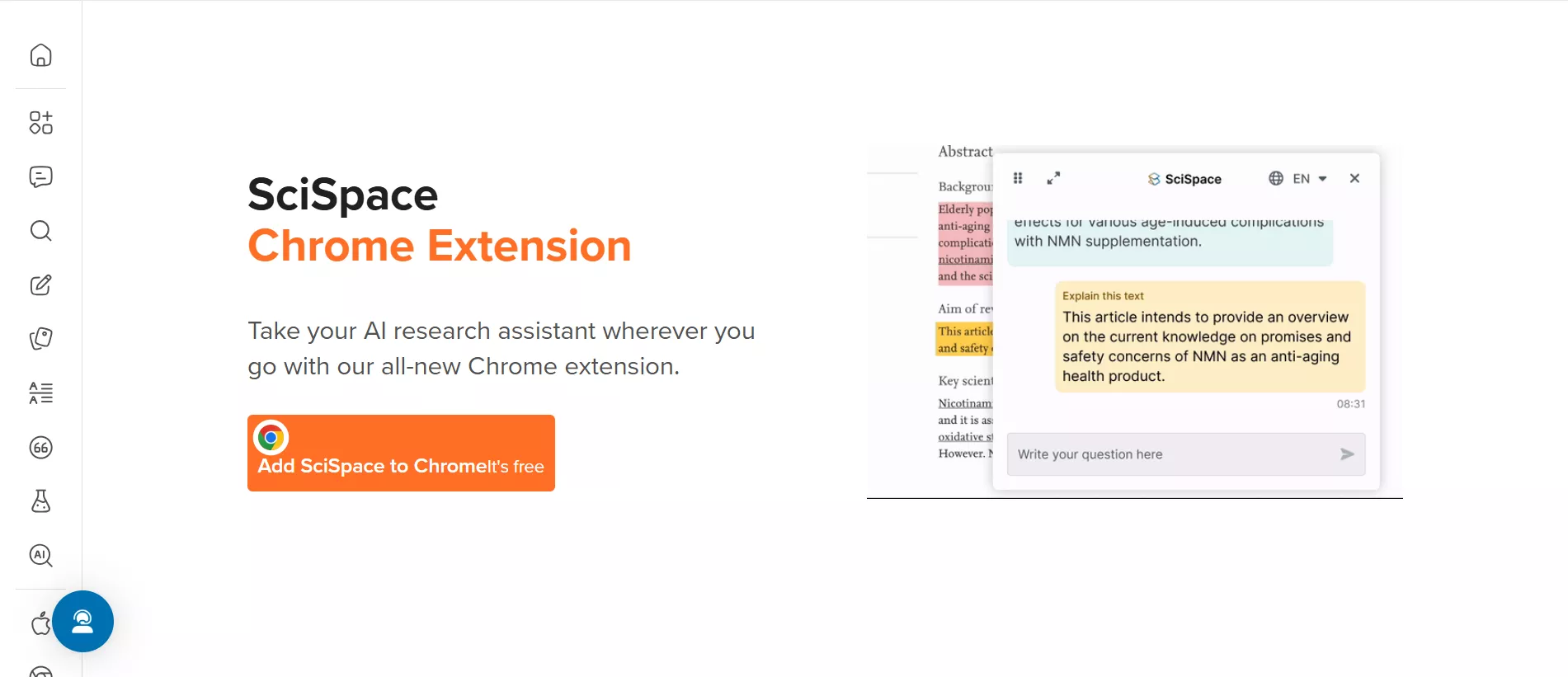
There are two main ways to use SciSpace, their website, and their Chrome extension.
Web:
Google Extension:
Windows • macOS • iOS • Android 100% secure
Main features of SciSpace
- AI Writer: This AI-powered assistant helps you write research papers with confidence by providing smart autocompletion and integrated citations from a database of over 280 million papers. It allows you to choose from various academic templates and export your work with no-loss formatting to Word or LaTeX.
- Chat with PDF: This tool enables you to have interactive conversations with any PDF to get concise, citation-linked answers and simplified explanations of complex text, math, or tables. It supports over 75 languages and provides section-wise summaries to help you grasp key findings in seconds.
- Literature Review: The Literature Review tool acts as an AI agent that searches millions of papers to help you find relevant literature and synthesize insights through a structured comparison table. You can customize the table with various columns to identify trends, methodologies, and gaps across multiple studies simultaneously.
- Find Topics: This feature allows researchers to explore and discover specific academic topics or concepts by extracting insightful data directly from a vast collection of research papers. It is designed to help you narrow down your research focus and understand the landscape of a particular field quickly.
- Paraphraser: The Paraphraser rewrites academic text in over 75 languages, offering 22 different tone presets to match your specific writing style while keeping original citations intact. It helps improve clarity and flow while ensuring the content remains unique and adheres to academic standards.
- Citation Generator: This tool allows you to effortlessly create accurate in-text citations and bibliographies, supporting over 2,500 citation styles including APA, MLA, and IEEE. It simplifies the reference management process, ensuring your work is properly credited and formatted according to journal requirements.
- Extract Data: The Data Extractor automatically identifies tables, statistics, and key findings from multiple PDFs, converting them into a structured format for easy comparison. You can apply up to 50 custom parameters and export the resulting data into Excel, CSV, or RIS files for further analysis.
- AI Detector: With 98% accuracy, this tool identifies content generated by AI models like ChatGPT, Claude, and Gemini in both free-form text and uploaded PDFs. It provides sentence-level analysis and a detailed originality report to help maintain academic integrity and scholarly credibility.
Is SciSpace free to use?
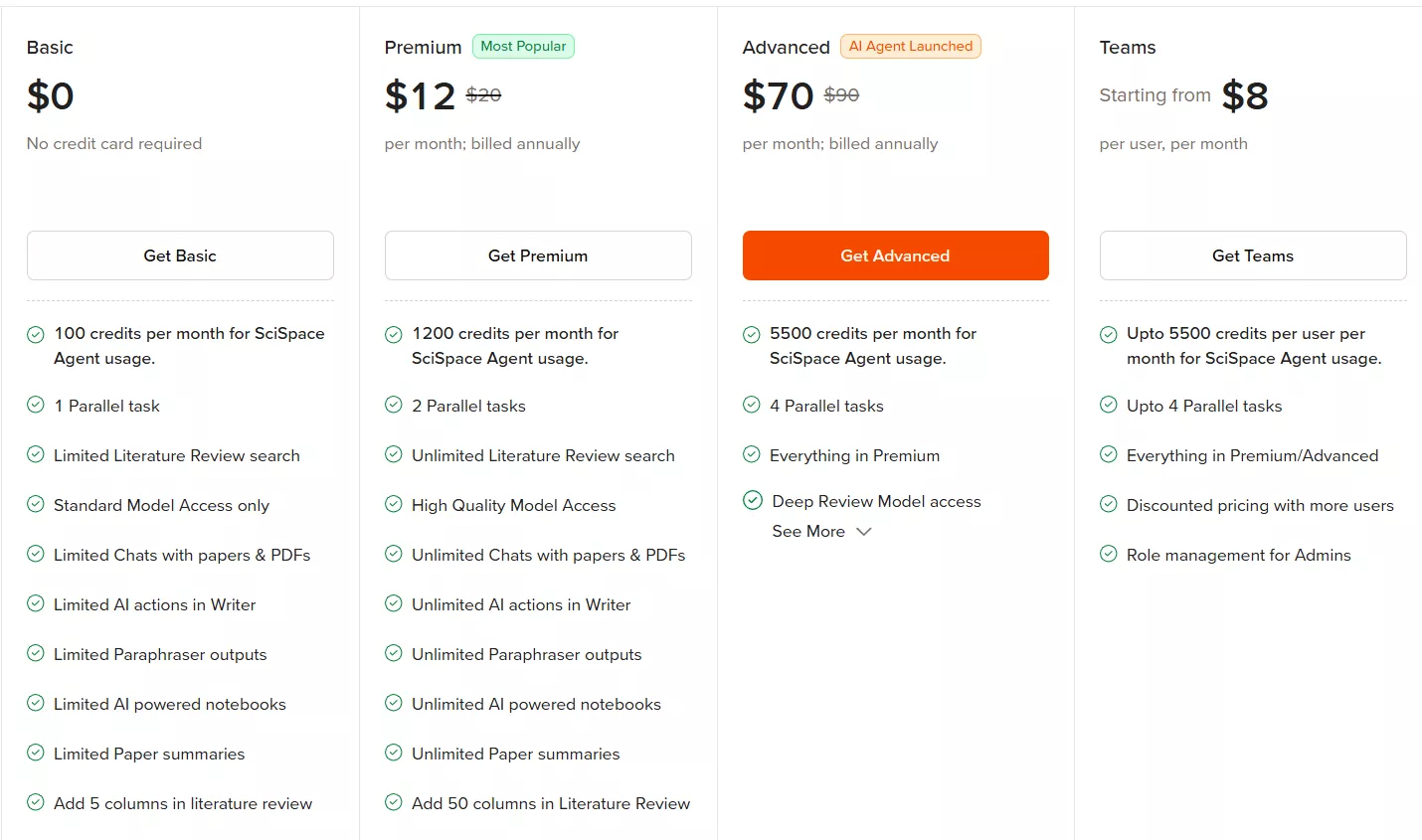
SciSpace's Basic plan is free, but as you'd expect it comes with limitations on the number of searches and outputs available. The free plan is the best way to get started though, as it's more than enough for you to see how the tool performs.
If you decide to upgrade to the Premium plan, it currently costs $12 per month. The paid plan removes limits on the number of outputs, offers enhanced answers, and provides early access to new features.
Trying it out
The best way to learn about a new tool is to play with it for yourself, so that's exactly what we've done. SciSpace offers a list of suggestions on its home page, making it easy to experiment.
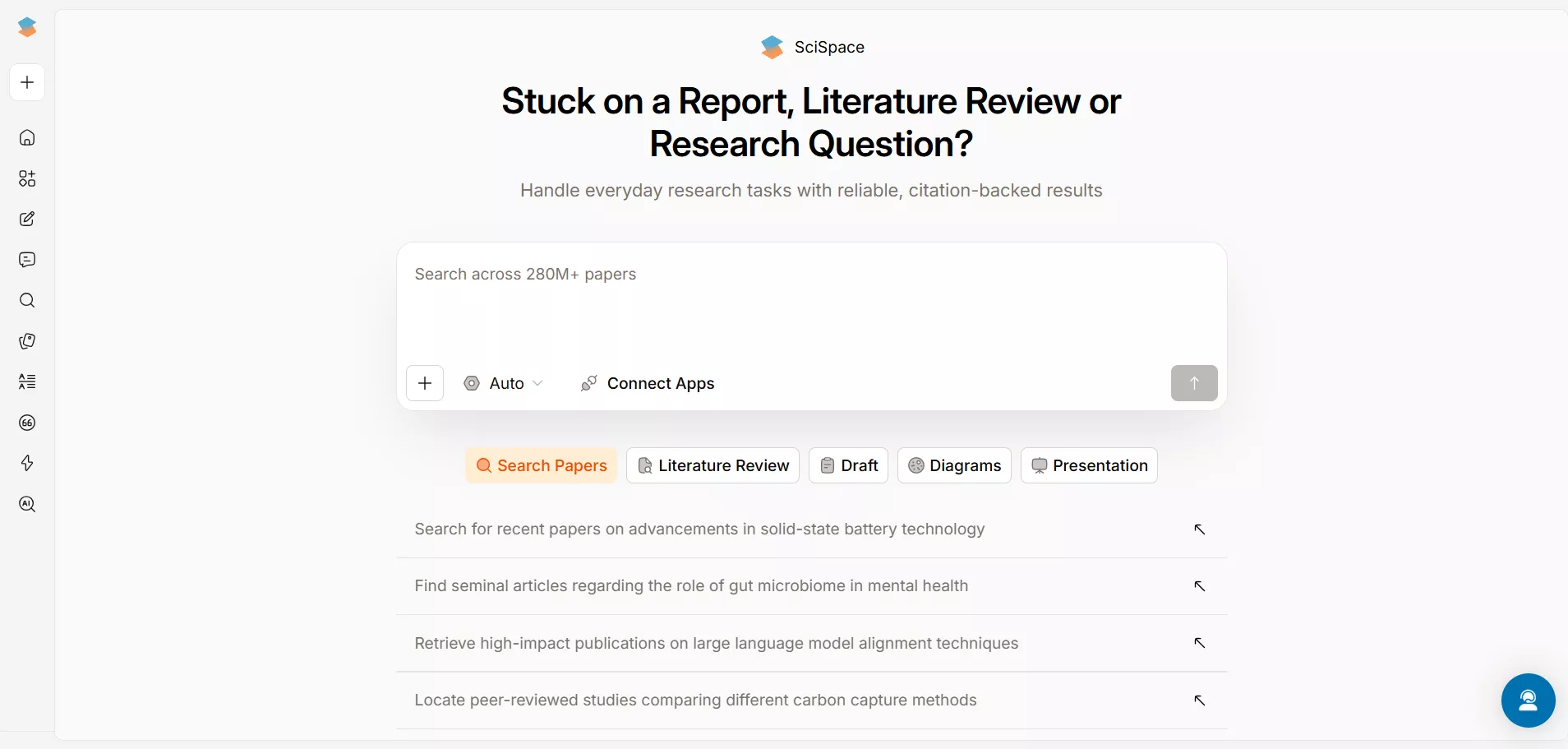
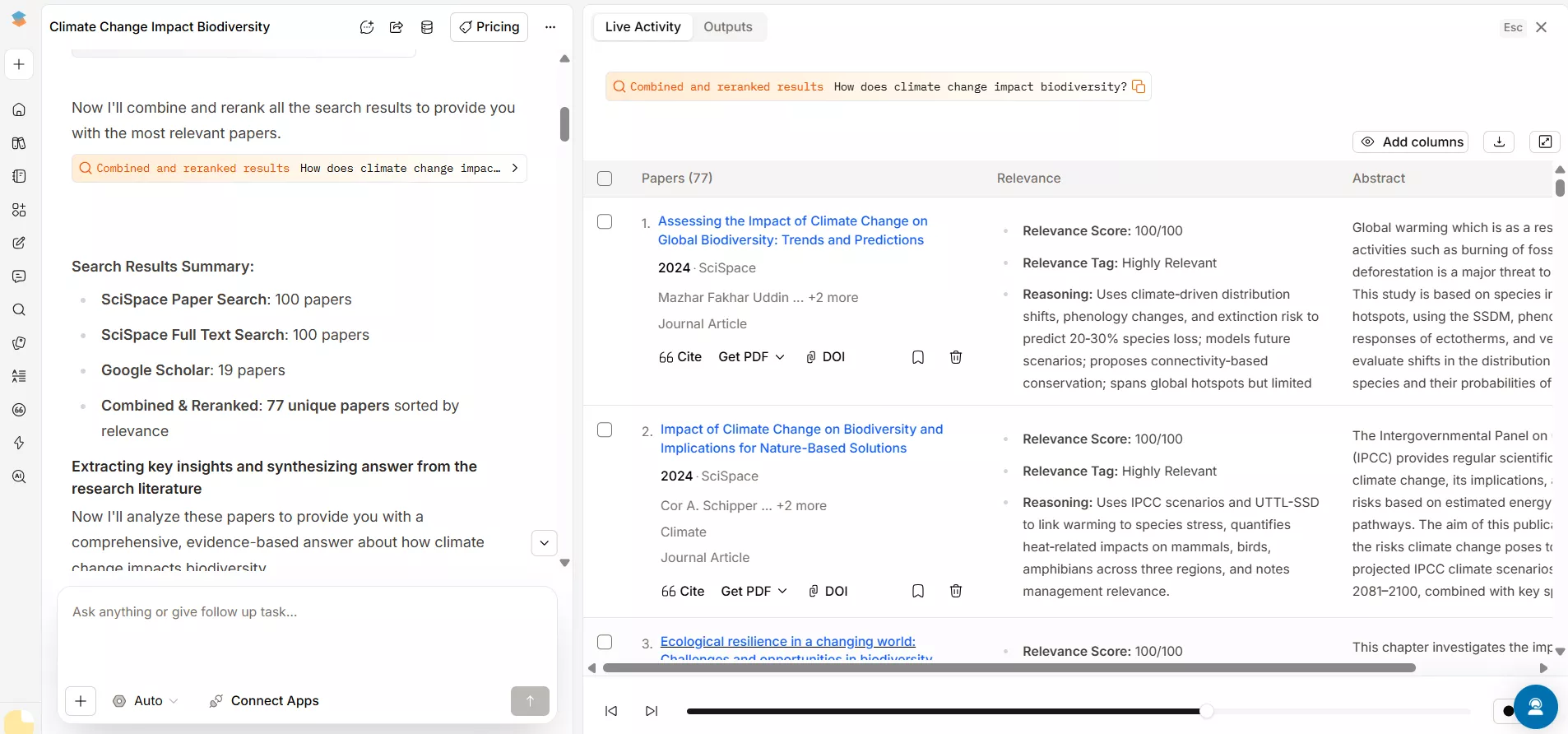
We clicked on the first question, "How does climate change impact biodiversity?" You can also use the search field to find papers on any topic.
The next screen opens with "insight from top 5 papers", which gives a broad overview of the literature, with footnotes linking to each research paper.

Scrolling down, you come to a chart with brief details about the papers, titles, authors, links, etc. in one column. The second column, titled "Relevance," provides a relevance score and a detailed reasoning block that explains why the paper is a match for the search query. The abstract of each paper is also provided in the third column.
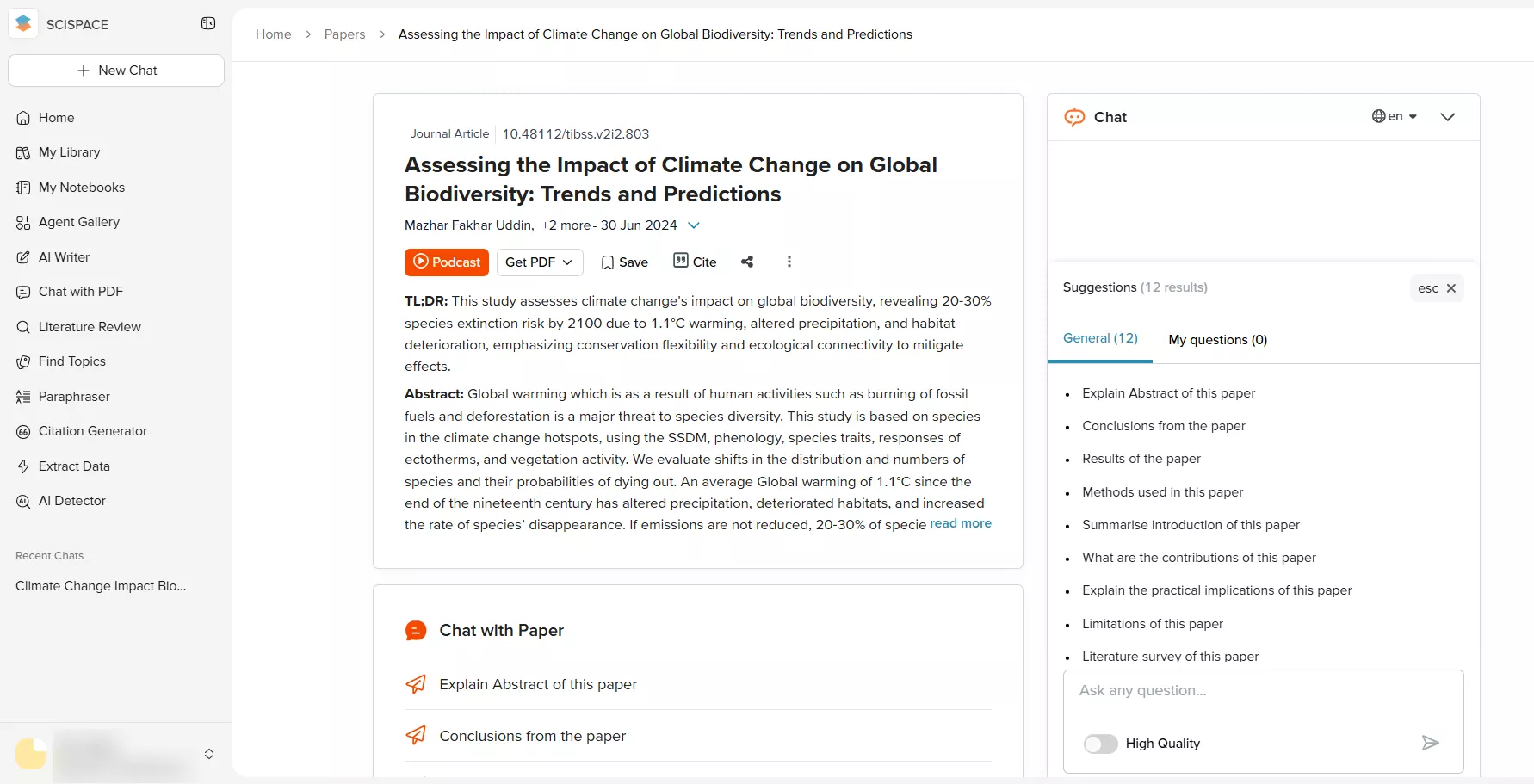
For each paper, you can click to enter its "Chat with Paper" Window and ask various questions. There is a list of suggested questions and a text box where you can type your own.
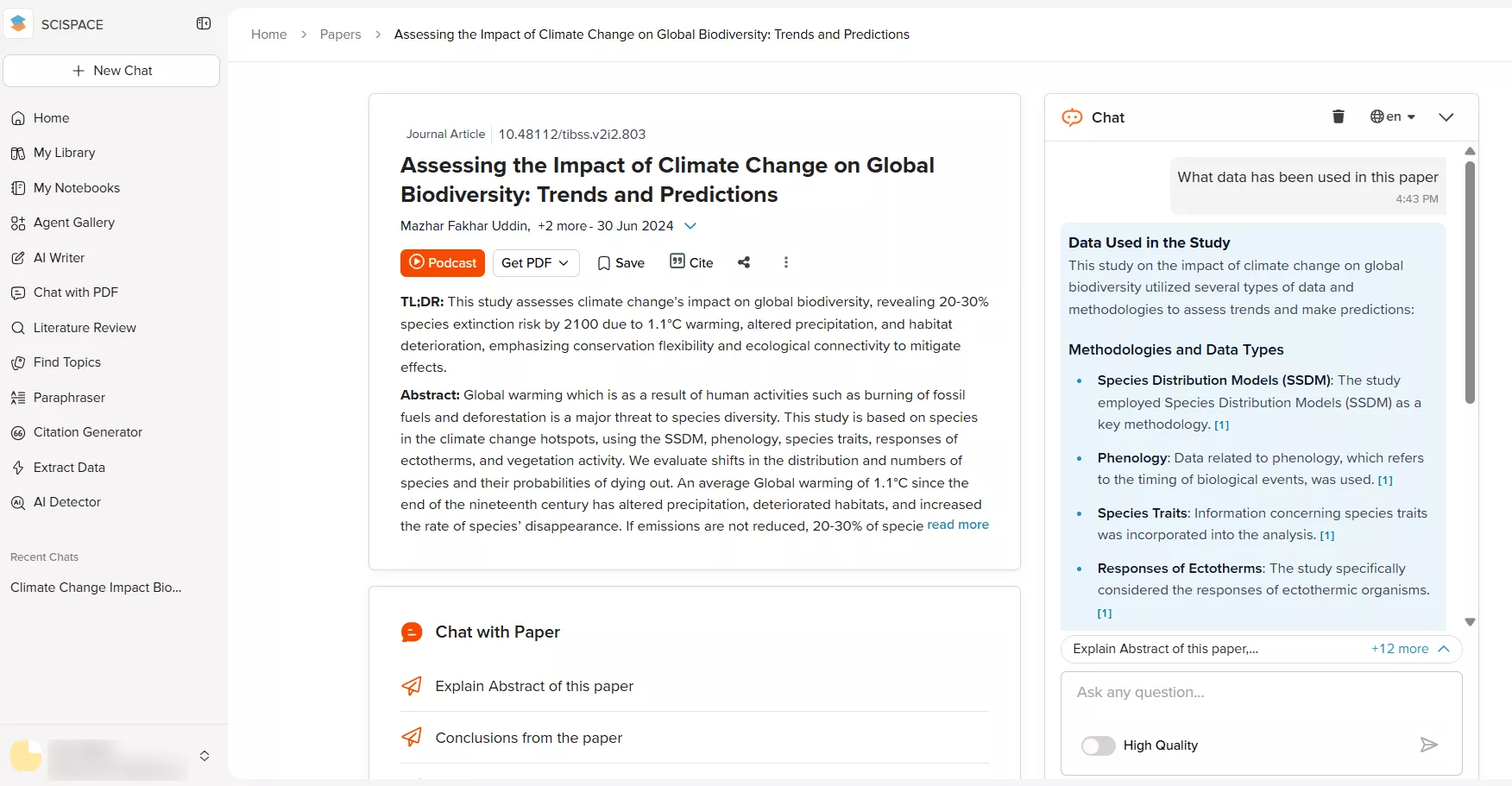
We selected, "What data has been used in this paper?" This brought up a bulleted list of related points, which would be useful for informing and strengthening your own research design, methodology, and interpretation of results.
While you're looking at AI summarizing tools, you might want to check out our another post - GPT-powered research paper summarizer, which compares ChatGPT with UPDF.
Based on this brief exploration of the main features, SciSpace is a tool that can reduce the time spent on initial reading around a topic. Obviously, no AI tool can remove the need to read papers yourself. It's important not to rely on such tools too heavily. However, as a way to get a basic overview of the literature around a topic, SciSpace works well.
Using the SciSpace Copilot Chrome extension
The SciSpace Chrome extension works in a similar way to the main tool, except that it can be used anywhere on the internet.
Once you've installed the extension, simply click the SciSpace button in your toolbar. Doing this will bring up a new pane allowing you to ask SciSpace to perform various actions. Once again, they provide a selection of options and a text box for you to write your own questions.
When you open a paper and click the SciSpace extension, a side panel will appear, enabling you to ask questions about the paper, highlight text for instant explanations, or search and pose any research-related query to receive a literature review.
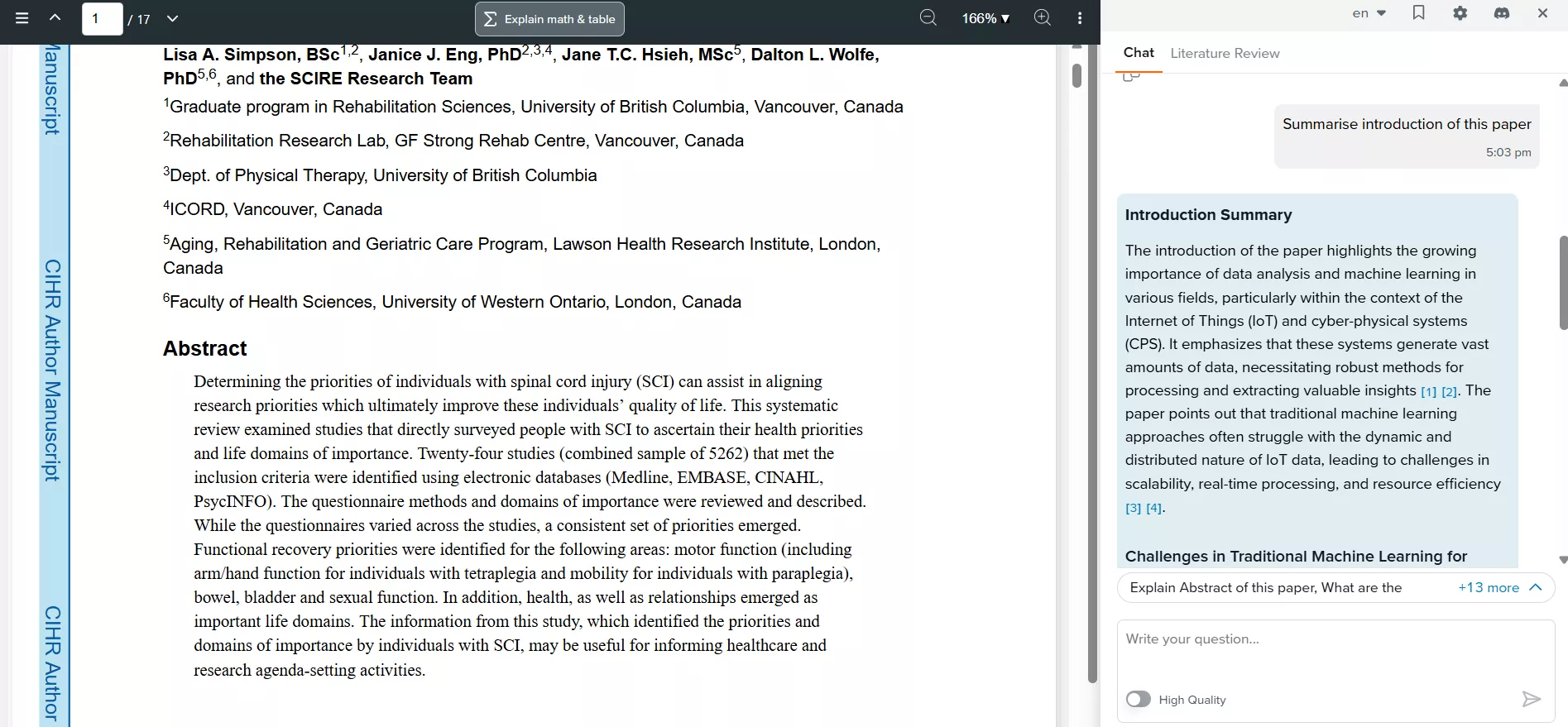
When we highlight text within the article and ask SciSpace to explain it. Here's what happened when we asked for an explanation of "Determining the priorities of individuals".
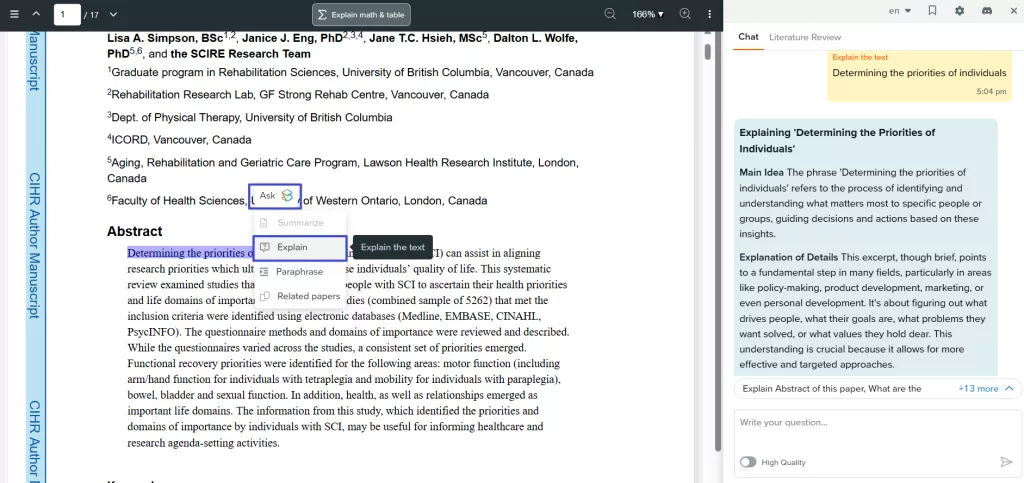
Having the SciSpace extension in your browser makes it easy to engage with whatever you're reading.
Using SciSpace to help you write
In addition to the reading functions detailed above, SciSpace can help you with writing and formatting your own papers. SciSpace's Typeset editor lets you type your research directly into the tool and boasts a range of features to make your life easier. For example, it can format equations and can create bibliographies in a variety of styles. The editor has thousands of journal templates to choose from, making it easy to format text appropriately. You can also choose to import your paper from MS Word, and then use the formatting tools.
We've got advice elsewhere on the blog for how to write a conclusion for a research paper which goes into detail on how best to approach this task both in the traditional way, and with AI assistance. It's worth a look if you're in the writing phase right now.
UPDF AI is another option
For a long time, researchers and students relied on SciSpace to find papers and simplify complex technical jargon. However, with the latest advancements in UPDF AI Online, the landscape of academic research has shifted. UPDF AI Online has evolved into a comprehensive research ecosystem.
With the introduction of Paper Search and Scholar Research, UPDF AI now allows you to discover, read, and analyze academic literature in one place. Whether you need a broad overview of a topic with citations or a explanation of a complex abstract, UPDF AI is now the a powerful alternative to SciSpace.
If you're keen to dig in and see how UPDF AI Online could work for you, why not click the button below to try it for free now and explore it for yourself?
Part 2: Using UPDF AI as a SciSpace Alternative
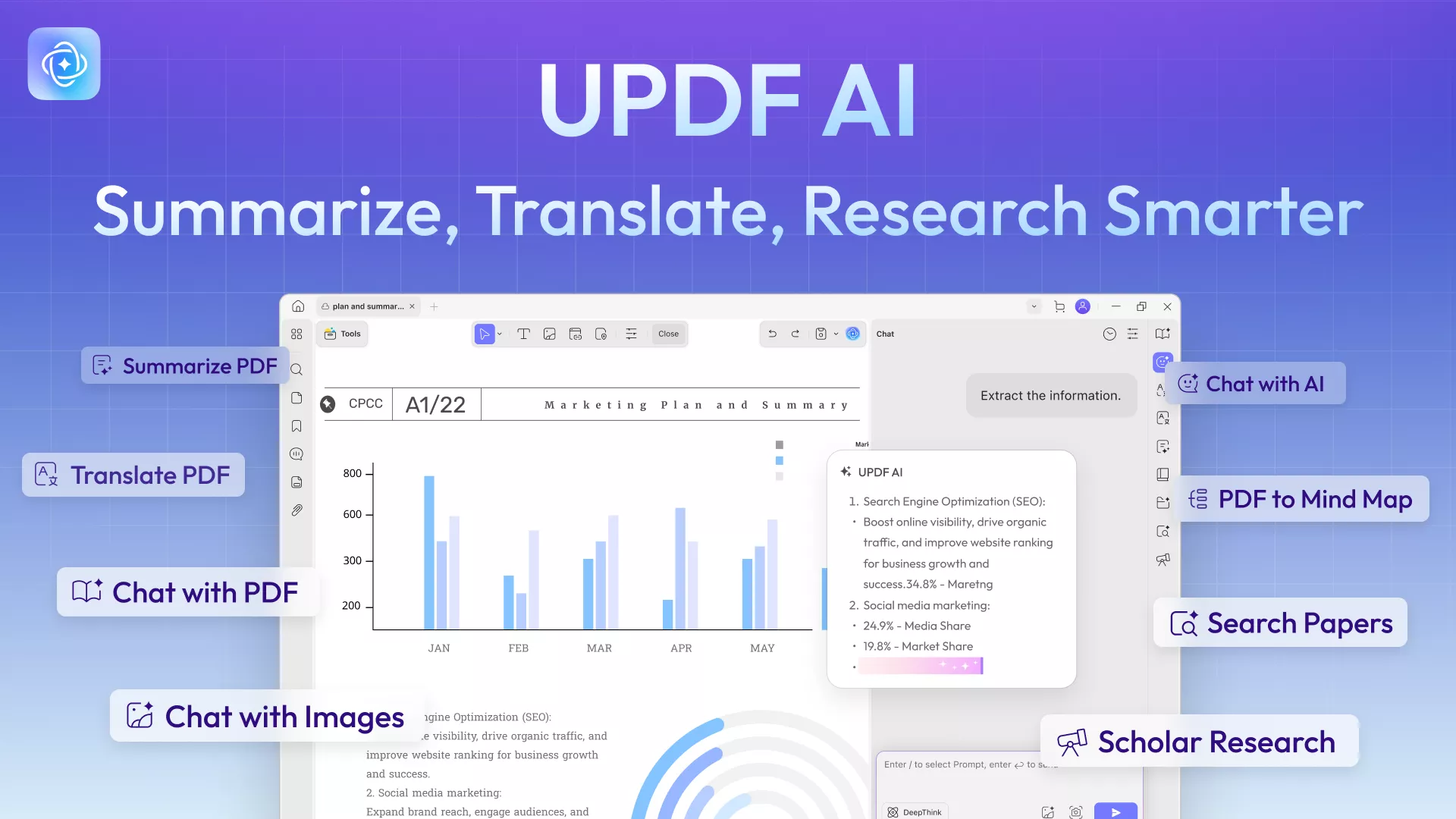
While you're investigating AI tools to help with understanding research papers, you won't want to miss UPDF AI Online, which now extends beyond PDF chat into full paper search and scholar-style research assistance. Instead of only explaining documents you already have, UPDF AI Online can help you find peer-reviewed papers, summarize them, and turn research questions into structured answers right in the browser.
For anyone comparing UPDF AI Online vs SciSpace, the key shift is that UPDF AI Online brings discovery, synthesis, and PDF interaction into one workflow, so you can move from “what should I read?” to “what does this body of work say?” without juggling multiple tools.
1. Paper Search: Discover Any Research Topic
With UPDF AI Paper Search, you can tap into a database of more than 220 million peer-reviewed papers and explore a topic through both keyword search and AI-driven question-answering. You can start by entering keywords, a DOI, then let Paper Search find relevant studies, summarize them, and highlight foundational works in the field.
Paper Search supports two main modes: Keyword Mode for broad literature scanning, and AI Mode for asking targeted research questions and receiving synthesized answers grounded only in scholarly sources. This is what makes UPDF AI Online vs SciSpace so compelling: you can treat UPDF AI Online as a research engine that surfaces, explains, and connects multiple papers at once.
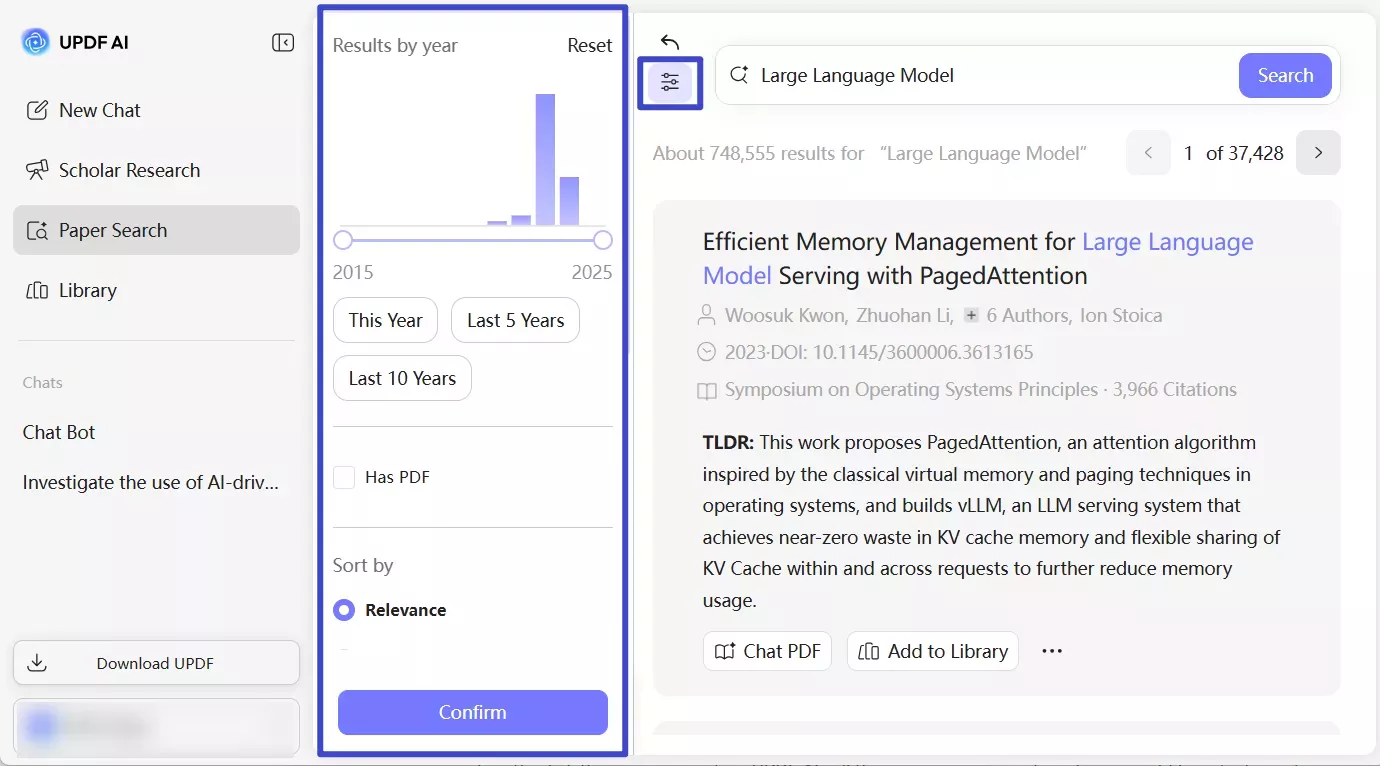
2. Scholar Research: Broad Overviews with Citations
Unlike standard AI that might "hallucinate" facts, UPDF AI provides a Scholar Research mode. When you ask about a topic, it provides:
- Wide Overviews: A comprehensive summary that pulls from multiple papers of the current state of research on that topic. You don't need to read dozens of research papers yourself.
- Citations & Detailed Lists: Every claim is backed by a citation linking to the specific research paper, including the title, authors, and publication details.
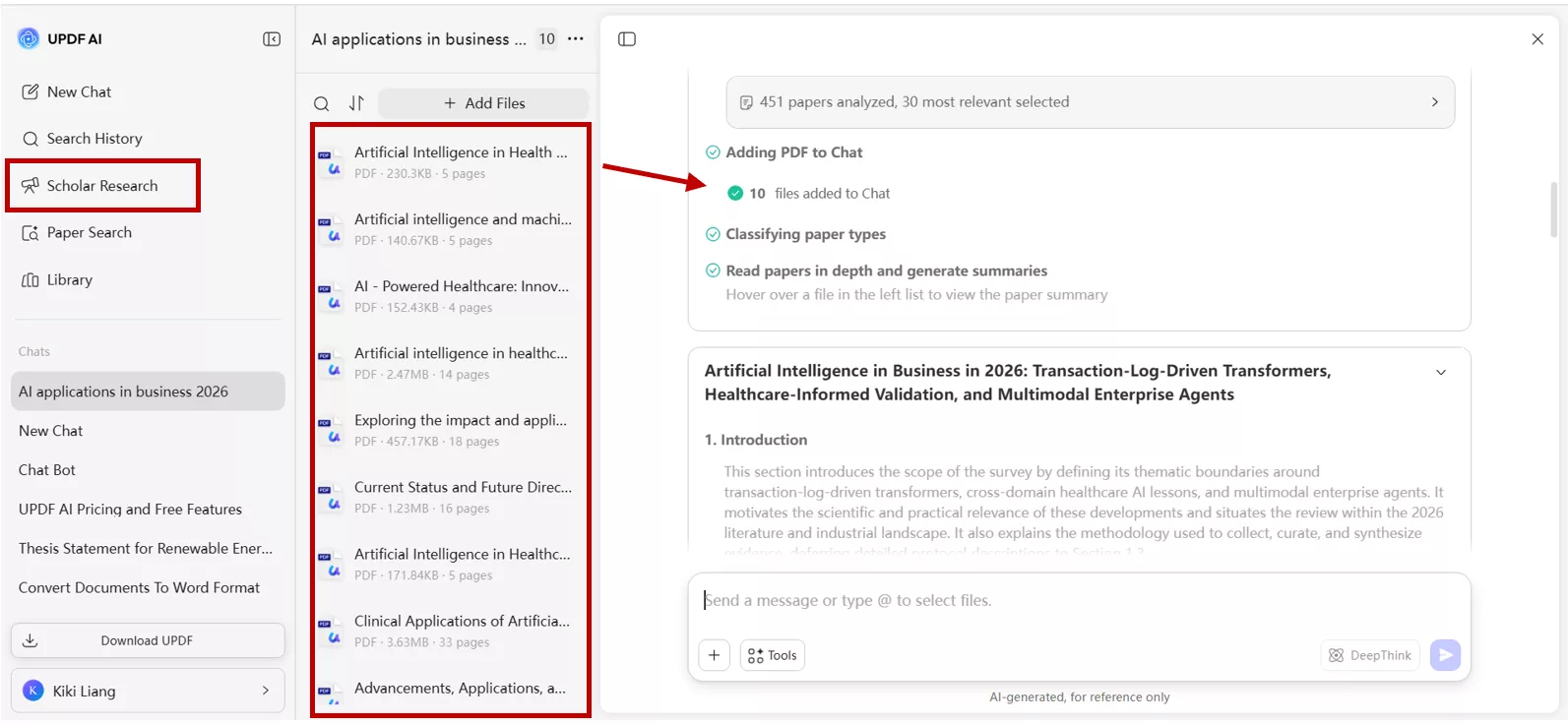
For busy students and researchers comparing UPDF AI Online vs SciSpace, this sort of multi-paper, citation-aware synthesis is a major reason to treat UPDF AI Online as a true SciSpace alternative.
3. Deep Paper Interaction: Chat, Summarize, Translate
Once you locate or upload a paper in UPDF, combined AI-features like Chat with PDF allow you to interact with the document directly — summarizing sections, explaining complex terminology, extracting insights, or even generating mind-maps to visually organize content. These digital tools streamline the transition from reading papers to actionable understanding.
UPDF's AI feature is a great alternative to SciSpace and comes in at a lower price as well. SciSpace is $12 per month for the Premium plan, whereas UPDF AI is $15 per month.
| Feature / Capability | UPDF AI Online | SciSpace |
| Global Paper Search (AI & Keyword Modes) | ||
| Upload Multiple PDFs at Once | ||
| Source Traceability | ||
| Chat with PDF & Ask Follow-Ups | ||
| Automated Literature Review Workflow | ||
| Citation Generation | (Ask UPDF AI to generate) | |
| AI-Assisted Academic Writing Support | ||
| Explain Complex Technical Content | ||
| PDF to Mind Map Generation | ||
| Side-by-side Translation | ||
| AI-Driven OCR | (Process scanned papers) |
It's free to download UPDF and try out the AI features, so there's no risk in giving it a try for your current project.
Windows • macOS • iOS • Android 100% secure
To know more about what UPDF AI can do for you, you can watch the below video:
Part 3: Comparing SciSpace and UPDF Pricing Plans
The table below shows both free and paid plans and lists the limitations of each so you can make an informed decision.
| Pricing Plan | Features | SciSpace | UPDF AI Online |
| Free Plan | File size | 100 MB / file | 10 MB / file |
| No. of pages per file | 100 | 100 | |
| No. of uploads | No limit mentioned | 5 | |
| No. of questions | No limit mentioned | 100 | |
| Supported formats | Primarily PDFs, plain text | .pdf, plain text, images | |
| Paid Plan | Cost | Premium: $12 per month Advanced: $70 per month Teams: Starting from $8 per user, per month | $15 per month $29 quarterly $79 annually |
| File size | No limit mentioned | 2 GB / file | |
| No. of pages per file | No limit mentioned | Unlimited pages per PDF | |
| No. of uploads | No limit mentioned | Unlimited | |
| No. of questions | No limit mentioned | Unlimited | |
| Supported formats | Primarily PDFs, plain text | .pdf, plain text, images |
In Conclusion
UPDF AI and SciSpace are both powerful AI tools that can help you create, read, and engage with research papers. SciSpace is entirely research-focused. It specializes in scientific and academic documents. UPDF AI Online also extends that idea into a full scholar research platform that searches, synthesizes, and delivers citation-backed answers from a vast database of literature.
Take some time now to look at UPDF AI and see how it can help you. It's easy to see that UPDF AI is not only more affordable but also more powerful. If you find yourself relying more on paper search, synthesis, and integrated PDF chat, you will have a clear reason to treat UPDF AI Online as your go to SciSpace alternative.







 Enola Miller


 Enid Brown