 UPDF
 UPDF for Windows
 UPDF for Mac
 UPDF for iPhone/iPad
 UPDF for Android
 Nomostar
 UPDF AI Online
 UPDF Sign
 IvyCraft
 Edit PDF
 Annotate PDF
 Create PDF
 PDF Form
 Edit links
 Convert PDF
 OCR
 PDF to Word
 PDF to Image
 PDF to Excel
 Organize PDF
 Merge PDF
 Split PDF
 Crop PDF
 Rotate PDF
 Protect PDF
 Sign PDF
 Redact PDF
 Sanitize PDF
 Remove Security
 Read PDF
 UPDF Cloud
 Compress PDF
 Print PDF
 Batch Process

 About UPDF AI
 UPDF AI Solutions
 AI User Guide
 FAQ about UPDF AI
 Summarize PDF
 Translate PDF
 Chat with PDF
 Chat with AI
 Chat with image
 PDF to Mind Map
 Explain PDF
 PDF AI Tools
 Image AI Tools
 AI Chat Tools
 AI Writing Tools
 AI Study Tools
 AI Working Tools
 Other AI Tools
 AI Bookmark Generation
 AI Bookmark Summary
 AI Watermark Generation
 AI Background Generation
 AI Sticker Generation
 AI Stamp Generation
 AI Editing Suite
 UPDF Copilot
 AI Page Management
 AI Semantic Search
 PDF to Word
 PDF to Excel
 PDF to PowerPoint
 Enterprise Solution
 Enterprise Sign
 Enterprise AI
 Enterprise Plan
 Enterprise User Guide
 Enterprise Webinar
 IT
 Education
 Construction
 Financial Service
 Healthcare
 Insurance
 Legal
 Manufacturing
 Government
 Researchers & PhDs
 Solopreneurs & Freelancers
 Lawyers & Legal Professionals
 Real Estate Agents & Brokers
 Education Solution
 Customer Stories
 User Guide
 UPDF Tricks
 FAQs
 UPDF Reviews
 Download Center
 Blog
 Newsroom
 Tech Spec
 Updates
 UPDF vs. Adobe Acrobat
 UPDF vs. Foxit
 UPDF vs. PDF Expert



Quick answer:
I wanted to know whether PDF Expert Free was enough for occasional PDF work or whether upgrading would remove the restrictions that matter in everyday use. The answer depends on the exact task. Someone who only reads PDFs has very different needs from someone who converts scanned documents, signs forms, or works across Windows, Mac, iOS, and Android.
This comparison is based on hands-on testing of PDF Expert on Mac, the current pricing information published by PDF Expert, and the platform and license details published by UPDF. It explains what each PDF Expert plan actually includes, what the plans cost over time, and when staying with PDF Expert or switching to UPDF makes more sense.
Plan note: PDF Expert’s available plans and final local price may vary by region. The comparison below reflects the plans currently shown on its official pricing page.
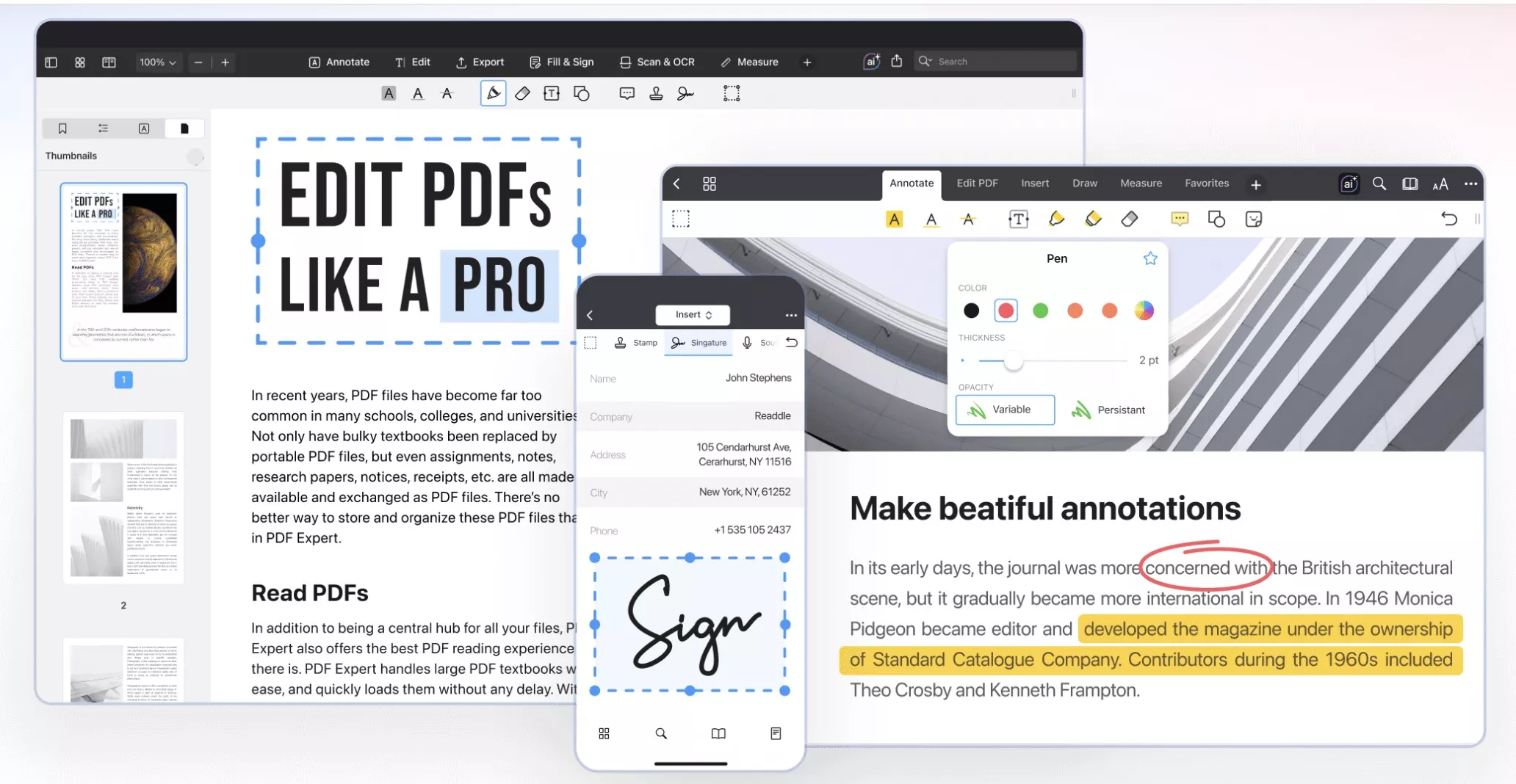
Part 1. What Can You Actually Do With PDF Expert Free?
PDF Expert can be downloaded without paying, but its free access should not be confused with full access to the PDF toolkit.
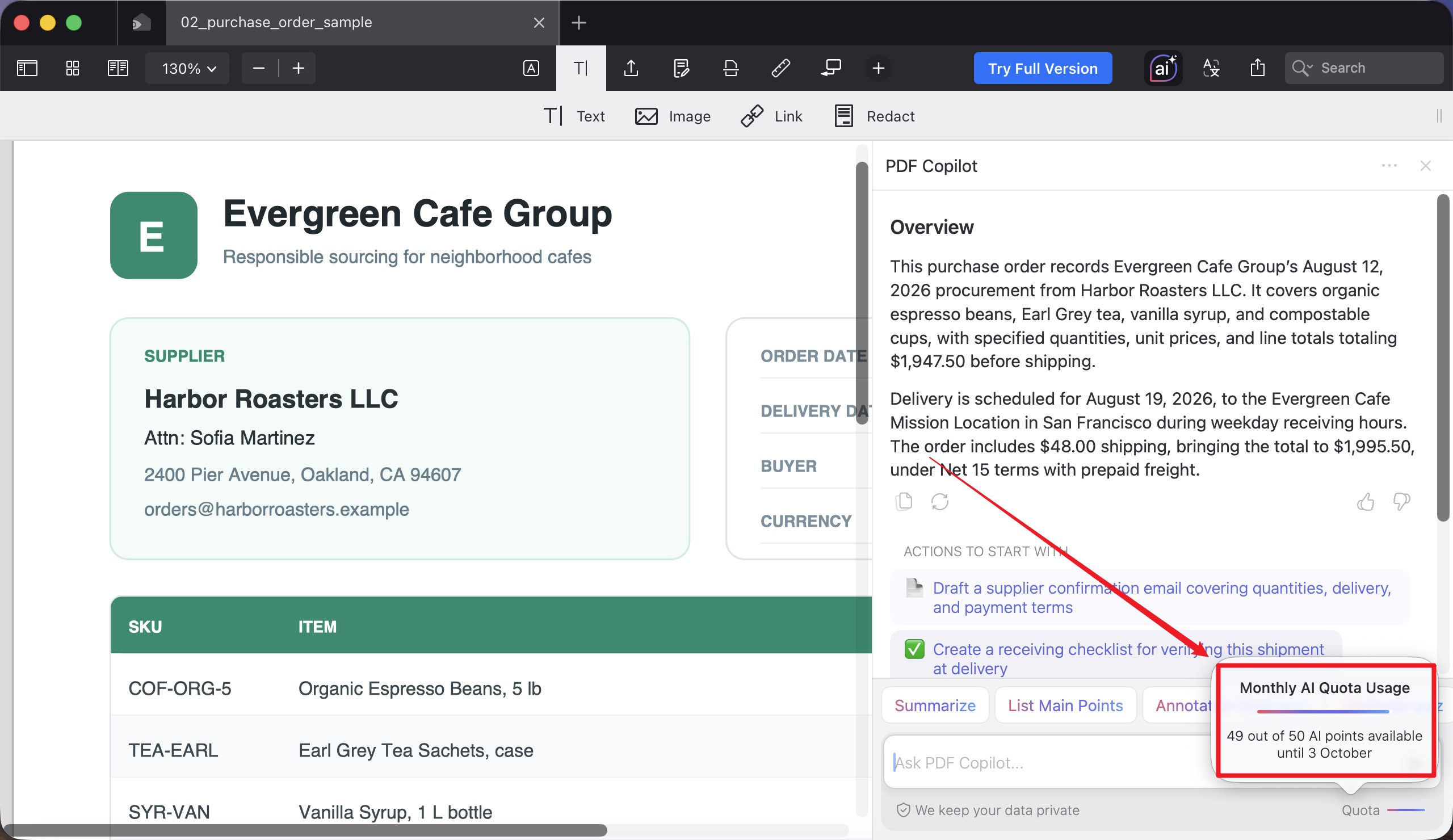
The clearest free allowance in our test was PDF Copilot. The tested Mac account was offered 50 free AI points for the month. The quota panel showed the remaining balance and indicated that the allowance would reset at the end of the monthly period.
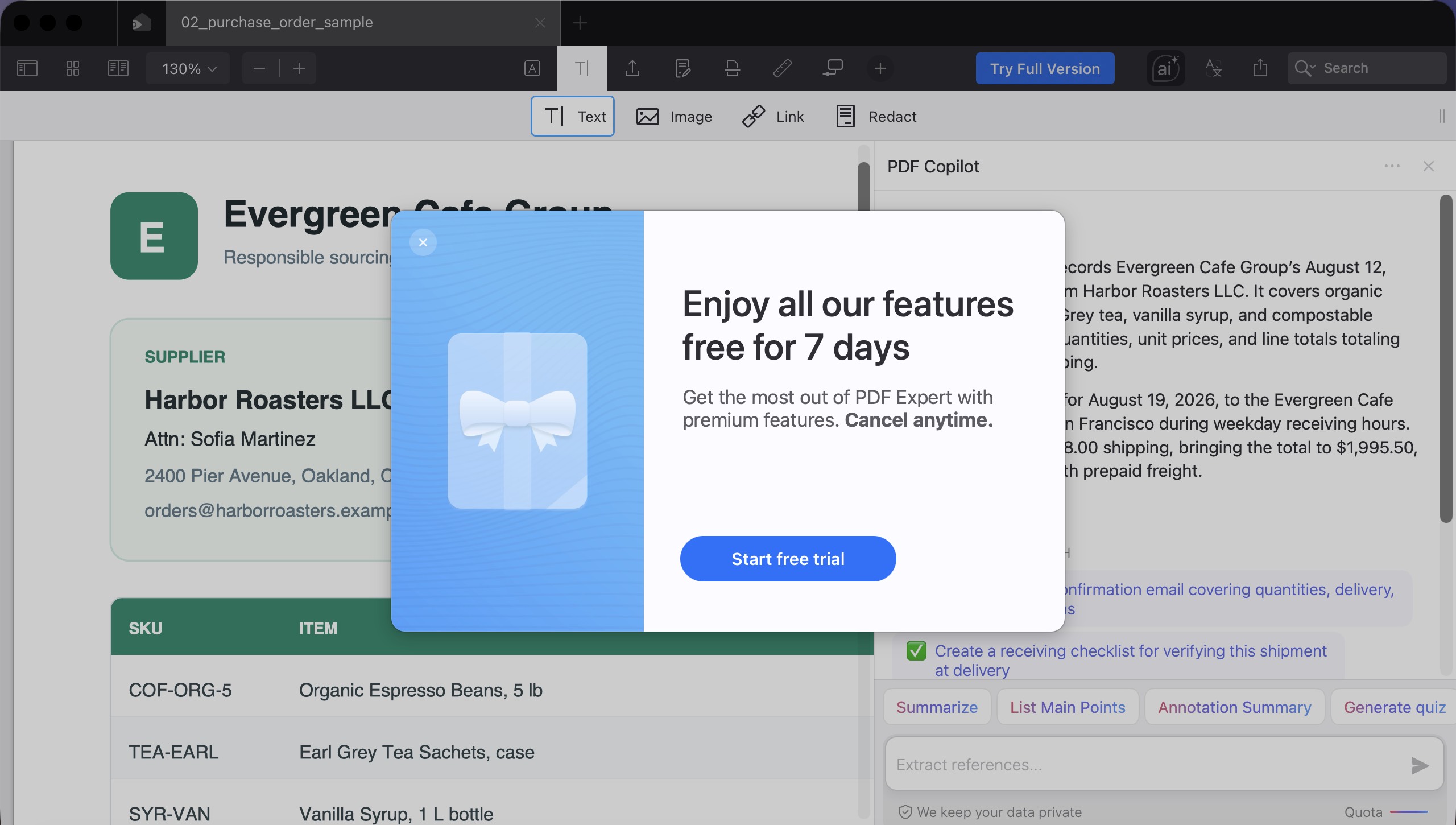
The AI allowance did not unlock the rest of the product. When we clicked the non-AI premium tools we tested—including an Office-format export option—PDF Expert displayed an “Enjoy all our features free for 7 days” window.
PDF Expert Free vs Paid Features
| Task | PDF Expert Free | PDF Expert paid access |
|---|---|---|
| Open, search, and read PDFs | Available | Available |
| PDF Copilot | 50 monthly AI points in our tested account | Included in Yearly and Lifetime |
| Annotate PDFs | Premium tool/trial prompt in our test | Included in Yearly and Lifetime |
| Edit PDF text, images, and links | Premium tool/trial prompt in our test | Included in Yearly and Lifetime |
| Translate an entire PDF | Not included | Included in Yearly and Lifetime |
| Convert PDF to Word, Excel, or PowerPoint | Premium tool/trial prompt | Included in Yearly and Lifetime |
| Recognize scanned text with OCR | Premium tool/trial prompt | Included in Yearly and Lifetime |
| Sign documents | Premium tool/trial prompt | Included in Yearly and Lifetime |
| Full-feature trial | Seven days | Not applicable |
| Supported operating systems | Mac, iPhone, and iPad | Yearly: Mac, iPhone, and iPad; Lifetime: Mac only |
The important distinction is between the free AI allowance and the main PDF tools. PDF Expert Free may be enough if you mainly read PDFs or occasionally ask PDF Copilot questions. It is much more restrictive if you need to edit, convert, run OCR, sign documents, or use other premium functions regularly.
If repeated trial prompts are interrupting the PDF tasks you need to complete, test the same workflow in another editor before choosing a subscription.
Download UPDF for free to try editing, conversion, OCR, or signing on your own file — installation is free, and Pro removes the trial watermark from exported files.
Windows • macOS • iOS • Android 100% secure
UPDF 3.0 × Black Friday — Limited-Time Offer
Part 2. How Much Does PDF Expert Cost in 2026?
The official PDF Expert pricing page currently lists two personal plans: Yearly and Lifetime. The annual plan covers Mac, iPhone, and iPad, while the one-time Lifetime license is limited to Mac.
| PDF Expert plan | Current price | Platforms | Included tools | Main limitations |
|---|---|---|---|---|
| Yearly | US$79.99/year | Mac, iPhone, iPad | PDF Copilot, translation, Word/Excel/PowerPoint conversion, OCR, signing, annotation, PDF editing, major updates, and priority support | Recurring annual payment; no Windows or Android version |
| Lifetime | US$139.99 one time | Mac only | PDF Copilot, translation, Word/Excel/PowerPoint conversion, OCR, signing, annotation, PDF editing, and priority support | No premium iPhone/iPad access; additional future features may require payment |
PDF Expert Yearly: Complete Access Across Apple Devices
The Yearly plan costs US$79.99 per year and covers Mac, iPhone, and iPad. It includes PDF Copilot, full-document translation, conversion to Word, Excel, and PowerPoint, OCR, signing, annotations, PDF editing, major updates, and priority support.
This is the complete cross-device PDF Expert option for Apple users, but it remains an annual subscription and does not cover Windows or Android.
What to Know Before Choosing the Yearly Plan
The Yearly plan is most suitable when you actively use PDF Expert on both Mac and iPhone or iPad, need its complete toolset, and want major updates included while the subscription remains active.
If you work only on Mac and prefer a one-time payment, compare the Lifetime plan instead. Its current feature list is broad, but premium mobile access is not included.
PDF Expert Lifetime: A Mac-Only Traditional PDF Toolkit
Lifetime costs US$139.99 as a one-time payment and applies to Mac only. It currently includes PDF Copilot, PDF translation, conversion to Word, Excel, and PowerPoint, OCR, signing, professional annotations, PDF editing, and priority support.
PDF Expert states that Lifetime users receive continued support and bug fixes, while additional new features may require another payment. Choose it when a permanent Mac license matters more than premium access on iPhone or iPad.
Part 3. Is Upgrading PDF Expert Worth It?
Upgrading PDF Expert is worthwhile only when its platform coverage and payment model match your workflow.
Choose PDF Expert Yearly If:
- You use PDF Expert on Mac, iPhone, and iPad.
- You need Copilot, translation, conversion, OCR, signing, annotation, and editing.
- You want major updates included while the subscription is active.
- You are comfortable with an annual payment and do not need Windows or Android support.
Yearly is the complete PDF Expert option for users who stay within Apple’s ecosystem and need premium tools on both desktop and mobile devices.
Choose PDF Expert Lifetime If:
- You work only on Mac.
- You want to avoid recurring subscription payments.
- You need Copilot, translation, conversion, OCR, signing, annotation, and editing.
- You do not need premium access on iPhone or iPad.
- You accept that additional future features may require payment.
Lifetime is the practical PDF Expert choice for a Mac-only workflow when a one-time payment matters more than premium mobile access.
Check the Platform Limits If:
- Choose Yearly for premium access across Mac, iPhone, and iPad.
- Choose Lifetime only if Mac is your sole working platform.
- Neither paid plan supports Windows or Android.
- Check the final local checkout price before purchasing.
The main trade-off is platform coverage and payment model—not the absence of Copilot or translation from Lifetime.
Stay With PDF Expert Free If:
- You mainly open and read PDFs.
- The AI points shown in your account are enough.
- You rarely need non-AI premium functions.
- You are comfortable using another tool when editing, conversion, OCR, or signing is required.
Part 4. PDF Expert vs UPDF: Platform Coverage and Total Cost
PDF Expert and UPDF share many core paid capabilities, including PDF editing, annotation, Office-format conversion, OCR, signing, and page management. The more useful comparison is not whether both products have an edit button. It is which plan includes the required tools, which devices the license covers, and how much the setup costs over time.
The following table compares the core PDF editor licenses at their current standard prices. Optional AI subscriptions are kept separate rather than being presented as part of UPDF Pro.
| Plan | Included platforms | Core PDF tools | Current price |
|---|---|---|---|
| PDF Expert Yearly | Mac, iPhone, iPad | Editing, annotation, Copilot, translation, Office conversion, OCR, and signing | US$79.99/year |
| PDF Expert Lifetime | Mac only | Editing, annotation, Copilot, translation, Office conversion, OCR, and signing | US$139.99 one time |
| UPDF Pro Annual | Windows, macOS, iOS, Android; up to four devices | Editing, annotation, conversion, OCR, signing, page organization, and protection | $64.99 |
| UPDF Pro Lifetime | Windows, macOS, iOS, Android; up to four devices | Editing, annotation, conversion, OCR, signing, page organization, and protection | $94.99 |
What the Annual Cost Comparison Means
PDF Expert Yearly costs US$79.99 and provides the complete current feature set across Mac, iPhone, and iPad. UPDF Pro Annual uses the dynamic price shown above and covers Windows, macOS, iOS, and Android with one account on up to four devices, making it the more flexible option for mixed-device workflows.
UPDF Pro unlocks unlimited core conversion and OCR workflows, along with editing, annotation, signing, organization, and protection tools. UPDF AI remains a separate service, although eligible promotional plans may include AI credits.
What the Lifetime Cost Comparison Means
PDF Expert Lifetime costs US$139.99, includes Copilot and translation, and works on Mac only. It receives continued support and bug fixes, while additional future features may require another payment.
UPDF Pro Lifetime costs $94.99 and unlocks the core PDF toolkit across Windows, macOS, iOS, and Android. UPDF AI remains separate from the core lifetime editor license. This makes UPDF Lifetime especially attractive for users who want a one-time editor license across multiple operating systems.
🛍️ Get UPDF Lifetime with one payment.
If your PDF work now moves between Apple devices and a Windows PC or Android phone, it is worth testing a cross-platform setup before committing to another annual payment.
Download UPDF for free to test the same document on your desktop and mobile devices — installation is free, and Pro removes the trial watermark from exported files.
Windows • macOS • iOS • Android 100% secure
Part 5. Who Should Continue With PDF Expert, and Who Should Switch to UPDF?
The best choice depends on whether the product’s boundaries match your actual workflow.
Continue Using PDF Expert If:
- All your working devices are Mac, iPhone, or iPad.
- You already prefer PDF Expert’s interface and file-management workflow.
- The Yearly plan includes the tools and Apple-device coverage you need.
- The Yearly plan’s translation, conversion, OCR, signing, and Copilot tools justify the annual cost.
- You already own a PDF Expert license that continues to cover your main tasks.
- You want a Mac-only lifetime tool and accept that additional future features may cost extra.
For these users, switching applications may create more disruption than value.
Consider Switching to UPDF If:
- You use Windows or Android in addition to Apple devices.
- You need editing, conversion, OCR, and signing at the $64.99 annual price point.
- You want one license for up to four devices across different operating systems.
- PDF Expert Free’s trial prompts repeatedly block your non-AI tasks.
- You are considering a lifetime purchase and want mobile and cross-platform coverage.
- You want a lifetime license that also covers Windows, iOS, and Android—not only Mac.
UPDF is free to download and try without a credit card. Upgrading to UPDF Pro removes trial watermarks and free-version usage limits while unlocking the full cross-platform PDF toolkit.
Windows • macOS • iOS • Android 100% secure
See UPDF in a Real Editing Workflow
Before switching editors, it helps to see how the alternative handles real PDF editing and AI tasks rather than relying only on a checklist. This video from UPDF’s official YouTube channel demonstrates its editing environment and AI workflow.
Part 6. How to Test a Move From PDF Expert to UPDF
A migration is most relevant when your device setup changes—for example, when you add a Windows work computer or Android phone to a Mac-and-iPad workflow.
Do not cancel an existing subscription or move every document immediately. Start with copies of several representative PDFs and open them in UPDF. Check the elements that matter to your work:
- Existing annotations
- Form fields and entered data
- Electronic or digital signatures
- Embedded fonts and text layout
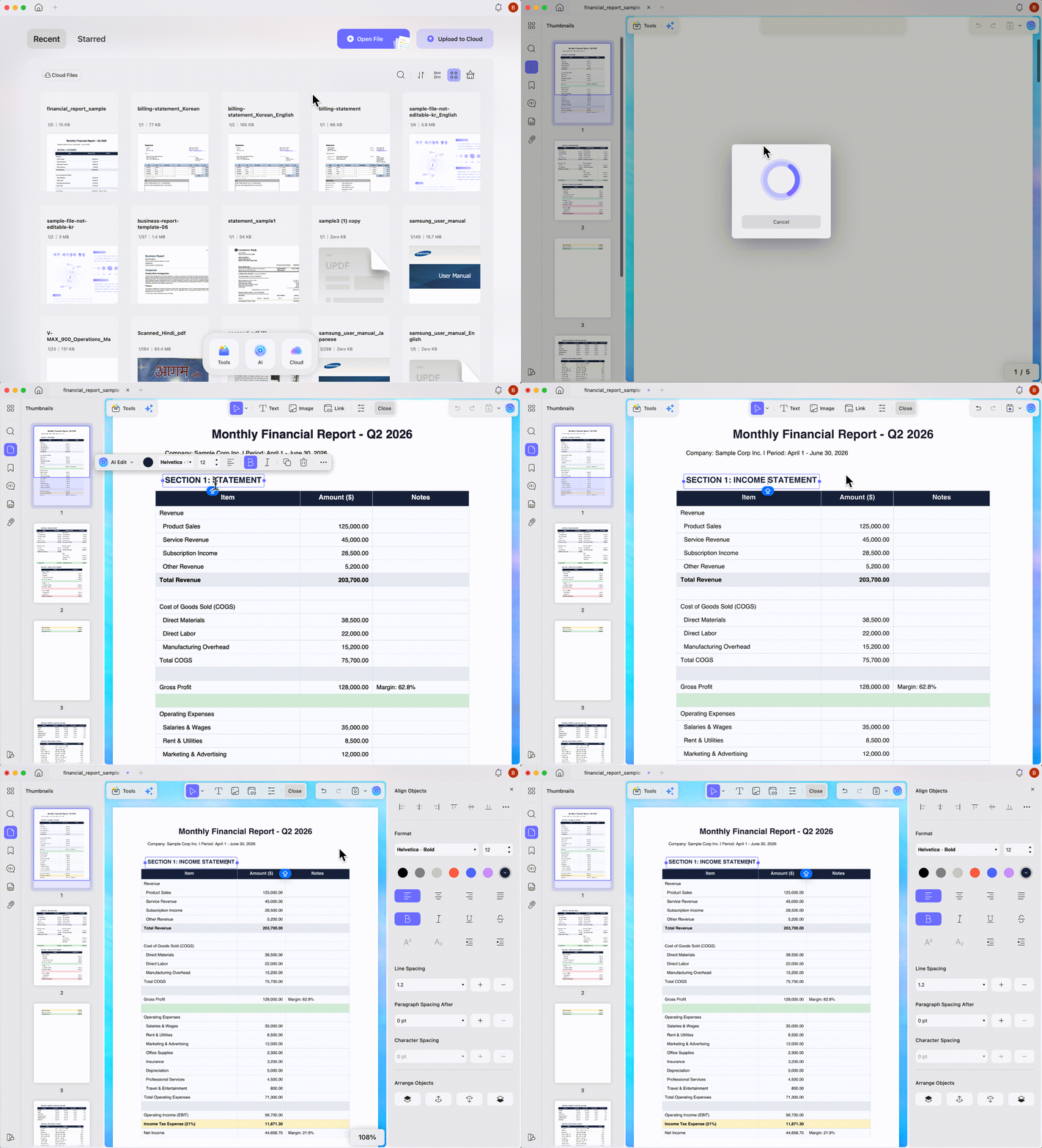
- OCR results in scanned documents
- Word, Excel, or PowerPoint conversion output
- Passwords and permission settings
- Page order, bookmarks, and links
This test is especially important for signed documents and complex forms. Keep the originals unchanged until you have confirmed that the files display and behave as expected in the new application. If the test files work correctly on both your old and new devices, you can move the rest of the workflow with less risk.
Download UPDF for free and test the migration with copies of your own PDFs — installation is free, and Pro removes the trial watermark from exported files.
Windows • macOS • iOS • Android 100% secure
Conclusion: Which PDF Expert Plan Should You Choose?
Choose PDF Expert Free if you mainly read PDFs and only need limited Copilot use. Choose PDF Expert Yearly for the complete toolset across Mac, iPhone, and iPad. Choose PDF Expert Lifetime for a one-time Mac-only license that currently includes Copilot, translation, conversion, OCR, signing, annotation, and editing, while noting that additional future features may cost extra.
Consider UPDF when Windows or Android is part of your workflow, when the $64.99 annual plan fits your budget, or when its $94.99 cross-platform lifetime license better matches your long-term device setup.
🛍️ Save up to 48% in the limited-time Black Friday sale.
Windows • macOS • iOS • Android 100% secure
The final decision is therefore not simply whether PDF Expert Free or Paid is better. It is whether the selected plan covers the tools, operating systems, and total cost of the workflow you actually use.

 Enrica Taylor

 Lizzy Lozano
Note: