 UPDF
UPDF
 UPDF for Windows
 UPDF for Mac
 UPDF for iPhone/iPad
 UPDF for Android
 Nomostar
 UPDF AI Online
 UPDF Sign
 IvyCraft
 Edit PDF
 Annotate PDF
 Create PDF
 PDF Form
 Edit links
 Convert PDF
 OCR
OCR PDF to Word
 PDF to Image
 PDF to Excel
 Organize PDF
 Merge PDF
 Split PDF
 Crop PDF
 Rotate PDF
 Protect PDF
 Sign PDF
 Redact PDF
 Sanitize PDF
 Remove Security
 Read PDF
 UPDF Cloud
 Compress PDF
 Print PDF
 Batch Process
 About UPDF AI
 UPDF AI Solutions
 AI User Guide
 FAQ about UPDF AI
 Summarize PDF
 Translate PDF
 Chat with PDF
 Chat with AI
 Chat with image
 PDF to Mind Map
 Explain PDF
 PDF AI Tools
 Image AI Tools
 AI Chat Tools
 AI Writing Tools
 AI Study Tools
 AI Working Tools
 Other AI Tools
 AI Bookmark Generation
 AI Bookmark Summary
 AI Watermark Generation
 AI Background Generation
 AI Sticker Generation
 AI Stamp Generation
 AI Editing Suite
 UPDF Copilot
 AI Page Management
 AI Semantic Search
 PDF to Word
 PDF to Excel
 PDF to PowerPoint
 Enterprise Solution
 Enterprise Sign
 Enterprise AI
 Enterprise Plan
 Enterprise User Guide
 Enterprise Webinar
 IT
IT Education
 Construction
 Financial Service
 Healthcare
 Insurance
 Legal
Legal Manufacturing
 Government
 Researchers & PhDs
 Solopreneurs & Freelancers
 Lawyers & Legal Professionals
 Real Estate Agents & Brokers
 Education Solution
 Customer Stories
 User Guide
 UPDF Tricks
 FAQs
FAQs UPDF Reviews
 Download Center
 Blog
Blog Newsroom
 Tech Spec
 Updates
 UPDF vs. Adobe Acrobat
 UPDF vs. Foxit
 UPDF vs. PDF Expert

Everand is a premier destination where readers explore eBooks, audiobooks, and documents for study, work, and enjoyment. Many users search for an Everand downloader online for free to save content without realizing the serious risks involved. Relying on official download options is the only way to maintain file integrity and legal compliance. This approach protects your device and helps you build a stable digital library without hidden problems.
After officially downloading your professional documents, you need a high-performance tool to read, organize, and manage them. Here, UPDF stands out by keeping your files structured while supporting smooth, focused reading across different devices. Now, we will highlight key aspects that help you access, manage, and read your downloaded content.
- Access: Official features provide reliable reading without interruptions from corrupted files and unsafe downloads.
- Flexibility: Content can move across devices, transitioning between phones and desktop environments.
- Insight: Smart tools make understanding easier by enabling quicker navigation and review of complex materials.
- Reliability: Organized systems ensure documents remain easy to locate and update whenever your projects need them.
So, download UPDF now to seamlessly read and manage your important files.
Windows • macOS • iOS • Android 100% secure
Part 1. Why Official Downloads Matter: A Note on Compliance
When people search for Everand downloader online free, they are just looking for faster ways to save important documents. Official downloads protect you from hidden security problems that sometimes appear in untrusted tools and websites. They also respect platform rules and copyright, keeping your reading habits safe and responsible. Next, we will look at key reasons why official downloads are safer for everyday use.
- Creator Support: Official downloads help authors and publishers earn a fair income from every read and download.
- Security Protection: Third-party tools can hide malware or phishing links that quietly attack your personal information.
- Legal Compliance: Using approved tools keeps you aligned with copyright law and platform policies everywhere.
- File Stability: Official files are less likely to break, disappear suddenly, or lose important embedded content.
- Library Quality: Direct downloads usually maintain better resolution, clear fonts, and consistent formatting across your digital library.
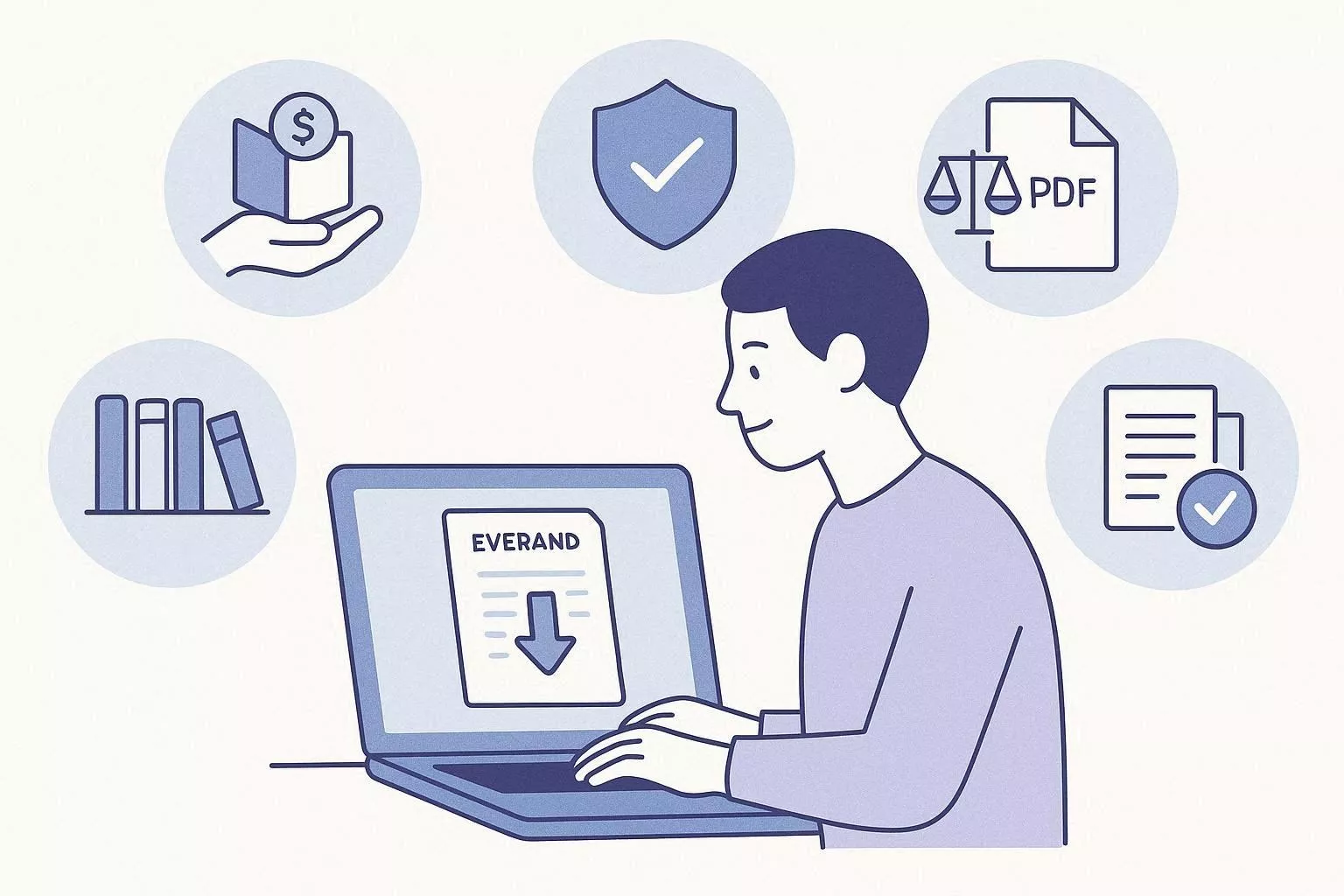
In our experience, official downloads provide the highest resolution for reading, highlighting, and viewing detailed pages. They also keep formatting stable, so charts, images, and layouts remain clear in your growing digital library.
Part 2. Step-by-Step: How to Officially Download Content from Everand
Many readers turn to an Everand downloader search when they really want safe ways to access titles offline. Official tools inside Everand already provide secure options for saving eBooks and documents. By using the built-in features, you keep your library stable, legal, and ready whenever you need it.
Free and Standard Methods in the Everand App
On mobile and tablet, the Everand app for Android and iOS keeps important books and audiobooks available when your connection is unstable. This approach works well for commuting and late-night study sessions without reliable internet access. It suits readers who prefer to prepare materials in advance rather than rely on constant online availability. Now, follow the steps below to use the official offline options in the Everand app:
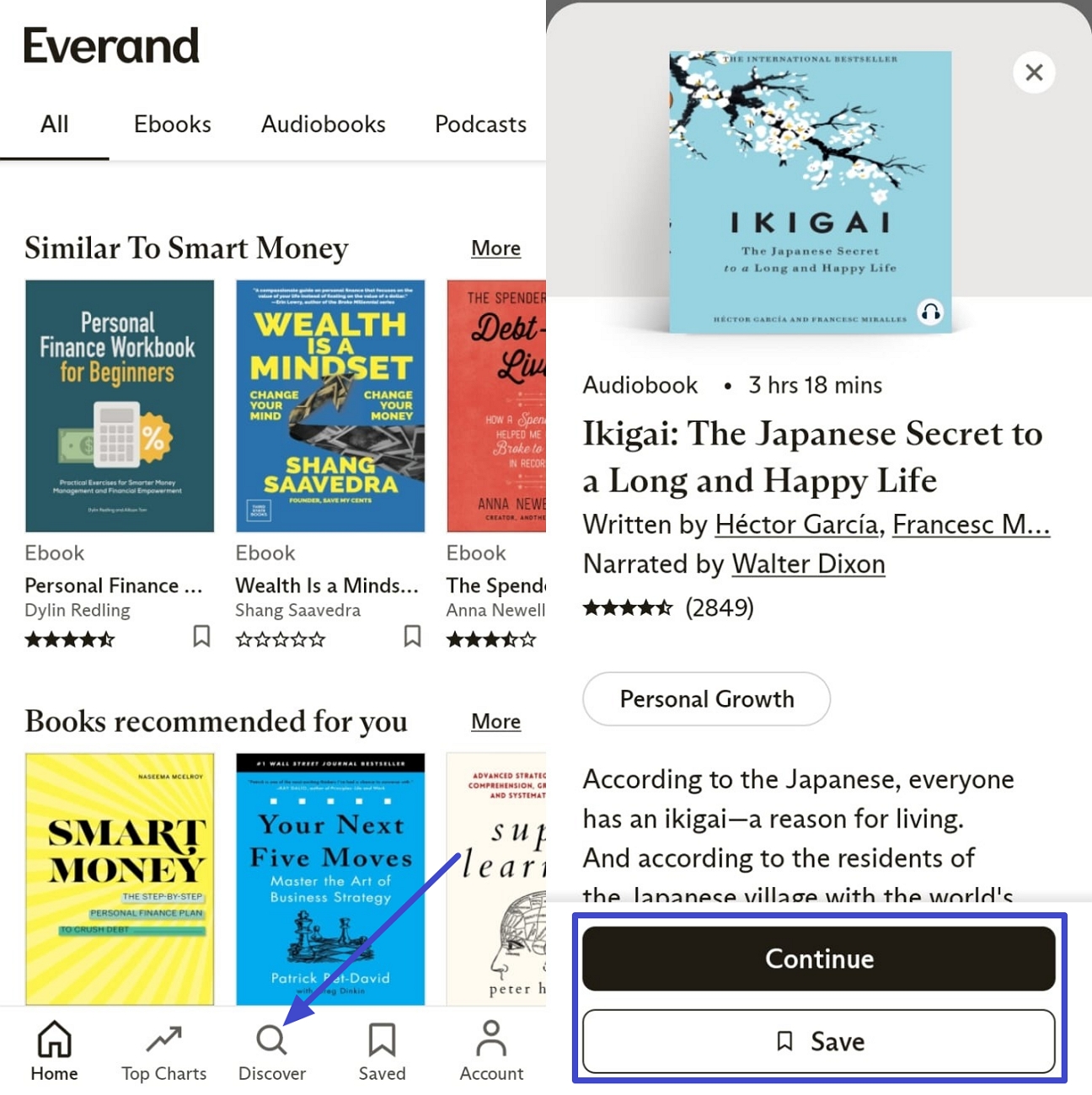
Step 1. Once you open the Everand app, tap the "Discover" button in the bottom bar to search for an audiobook. After you find your audiobook, press the "Continue" option to enter the audiobook page. You can also tap the "Save" option to add it to the playlist.
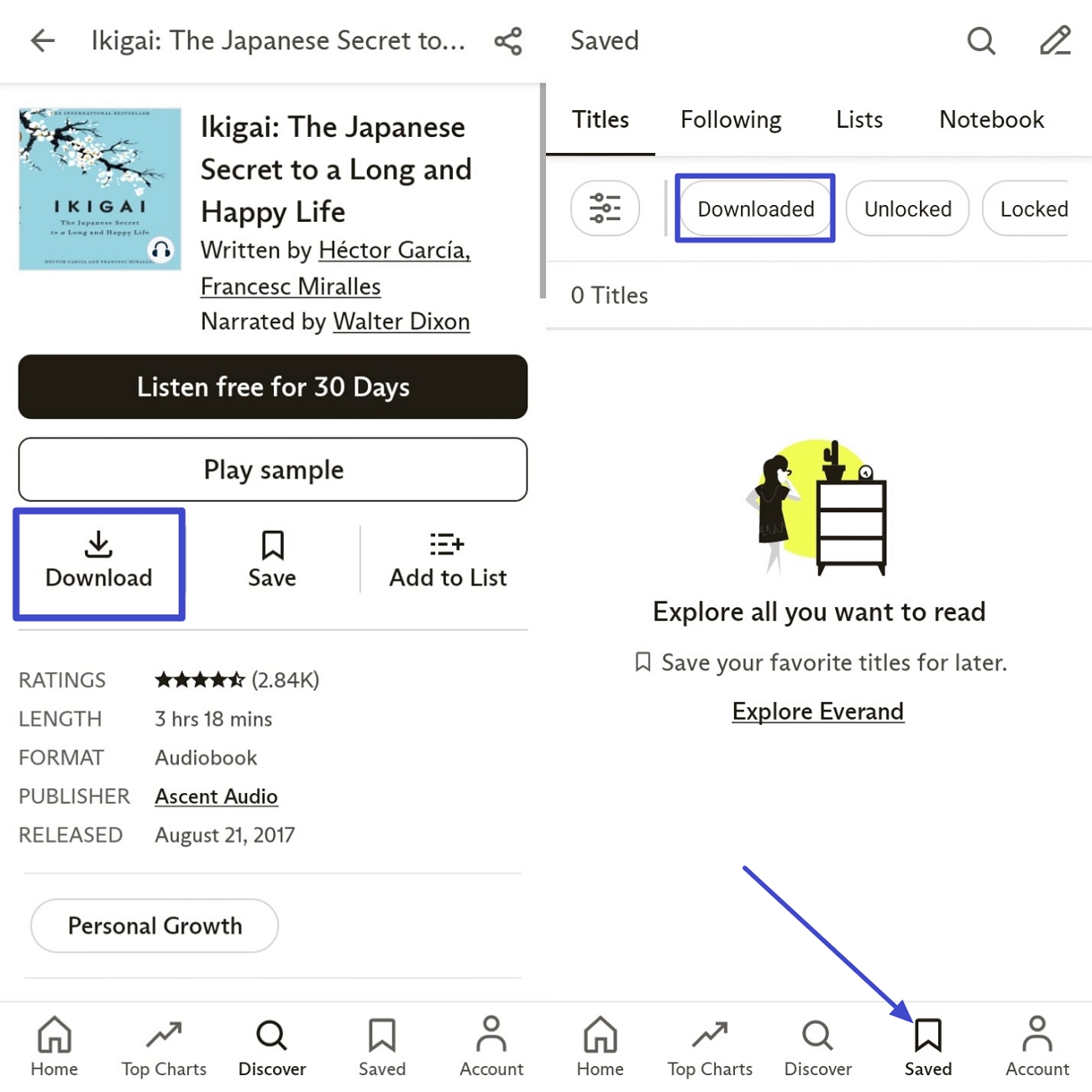
Step 2. Next, tap the "Download" option to save it for offline listening. Once downloaded, access it by pressing the "Saved" option and choosing the "Downloaded" tab.
Save Audiobooks via the Web Browser
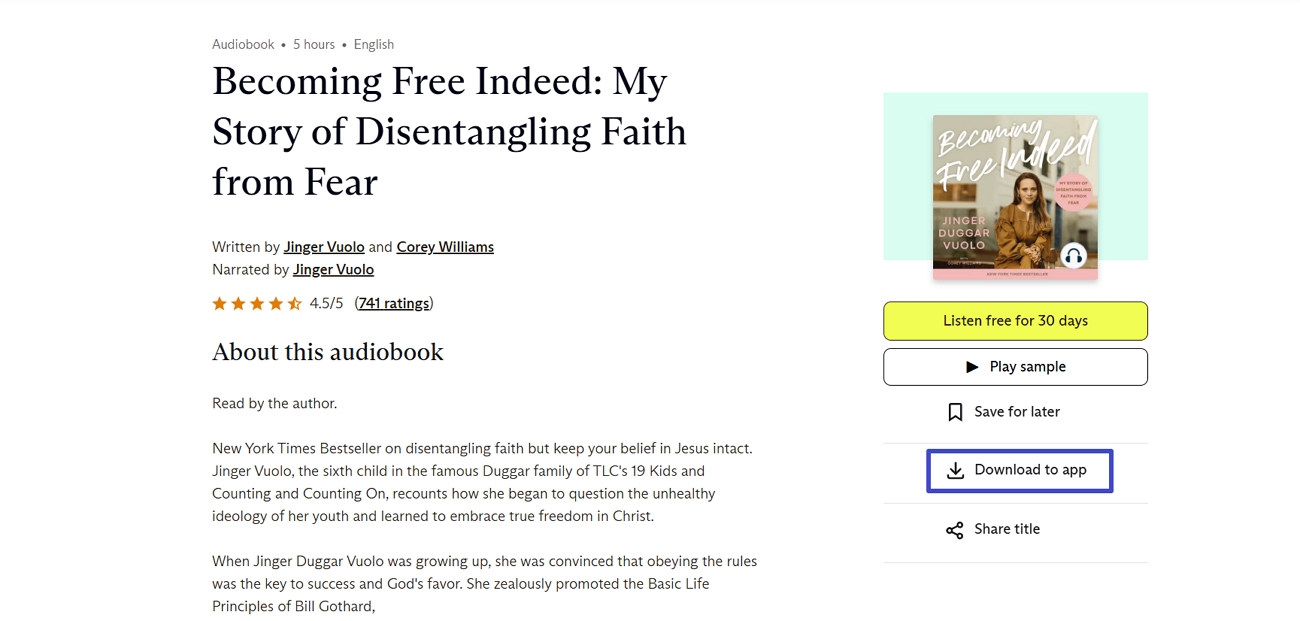
On desktop, Community Documents often provide helpful templates, study notes, and shared reference materials for different projects. These files are sometimes available for direct download when the original uploader has enabled that permission. Choosing this official route is safer than relying on any Everand downloader online free you might find. Go through the steps below to access Community Documents securely and store them for later offline use:
Instructions. First, search for and open an eBook or an audiobook that you want to download for offline viewing. Next, click the "Download to App" button to save the audiobook or eBook for offline usage.
Subscription Benefits for Offline Reading
With a paid Everand subscription, you can save many more titles for offline reading and listening. Offline access helps you keep study materials and entertainment ready without a stable internet connection. Your saved titles stay linked to your account, so you can reopen them on supported devices anytime. This official method supports creators, follows platform rules, and removes the need for unsafe third-party tools.
Part 3. Optimized Workflow: Managing Everand PDFs with UPDF 2.5 AI
When users download a 100-page industry report via an Everand downloader, they still struggle to manage long, complex PDF documents properly. This is where UPDF comes in, offering readers a single place to read, edit, and organize PDFs. UPDF 2.5 includes 10 extra AI assistants to analyze long reports and answer deep research questions quickly.
These AI tools can summarize lengthy reports, explain complex concepts, and translate foreign-language articles into 26 languages. Users can also keep notes tidy because the AI helps structure highlights, comments, and key points inside PDFs. UPDF is ideal for professionals who maintain large digital libraries and need serious document control. Try it for free!
Windows • macOS • iOS • Android 100% secure
UPDF 2.5 AI Integration
Now, we will walk you through how the 10 new AI assistants simplify complex, time-consuming PDF tasks:
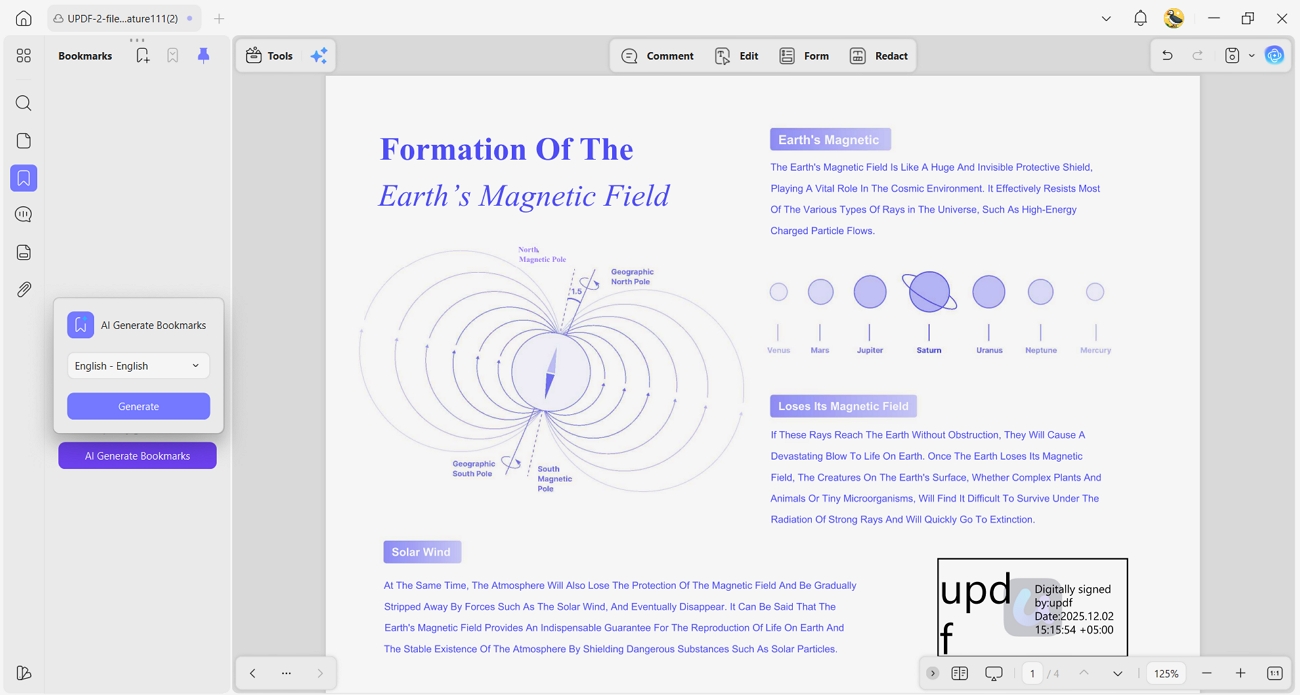
1. AI Bookmark Agent: This agent builds smart bookmarks from the document structure, so readers can jump between key sections instantly.
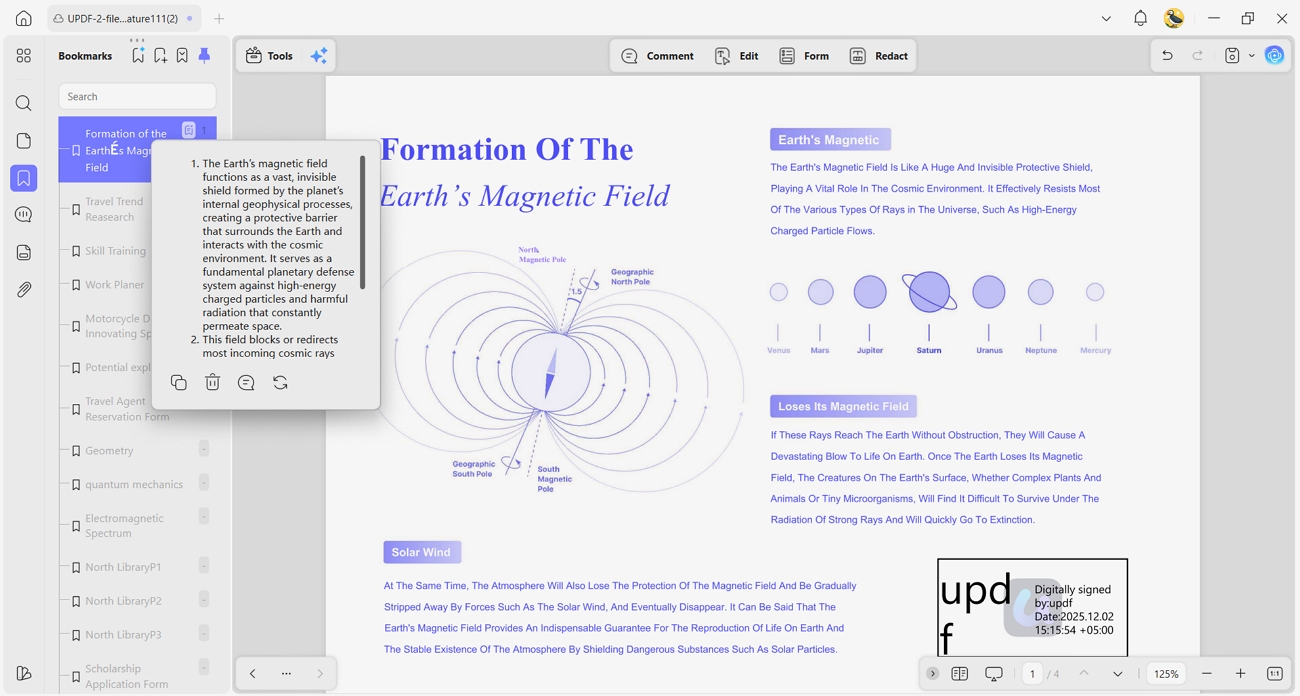
2. Bookmark Summary Agent: It generates short summaries for bookmarked parts, helping readers grasp long technical Everand PDFs much faster.
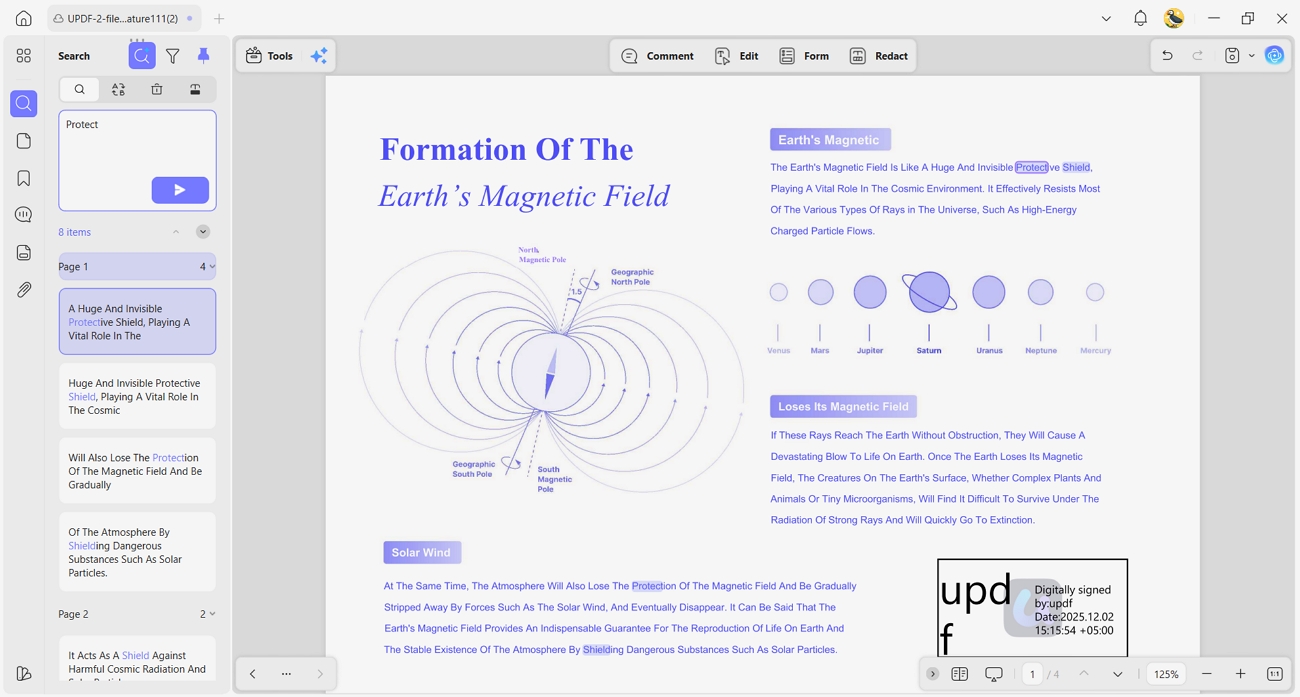
3. Semantic Search Agent: It finds content by meaning instead of exact keywords, which helps when users forget specific terms.
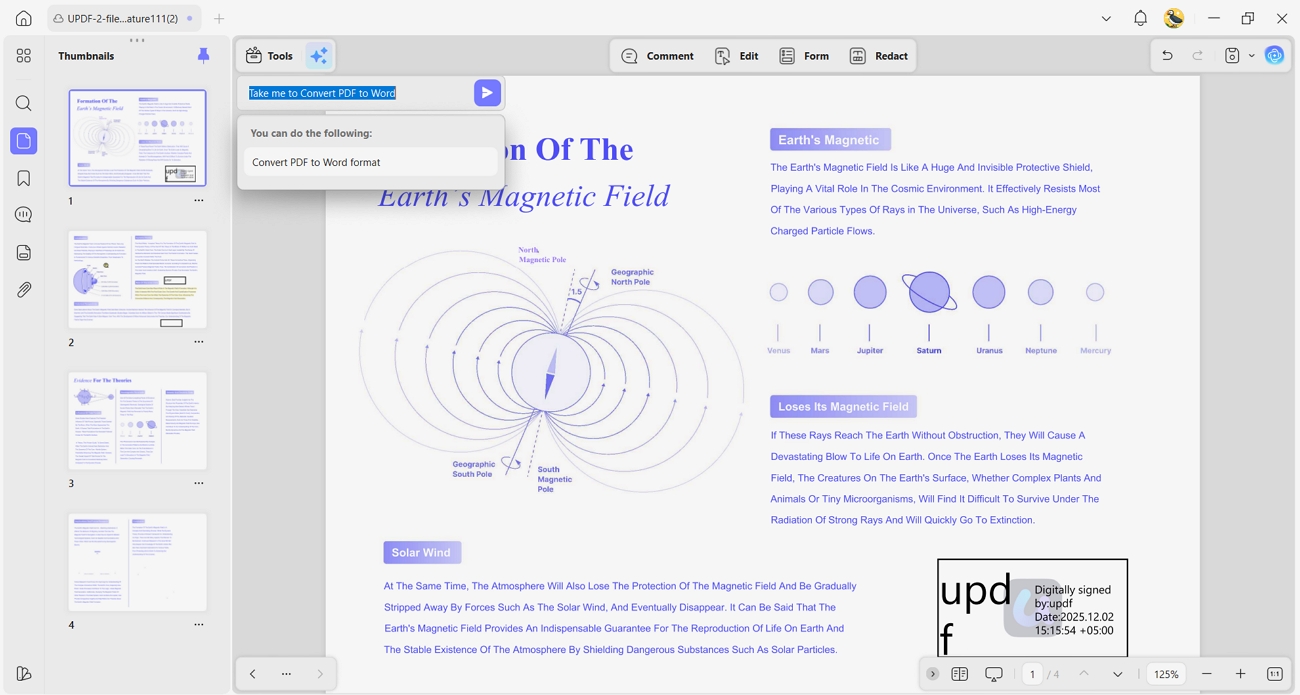
4. UPDF Copilot Agent: This assistant accepts simple instructions from users and then automatically triggers the right UPDF tools.
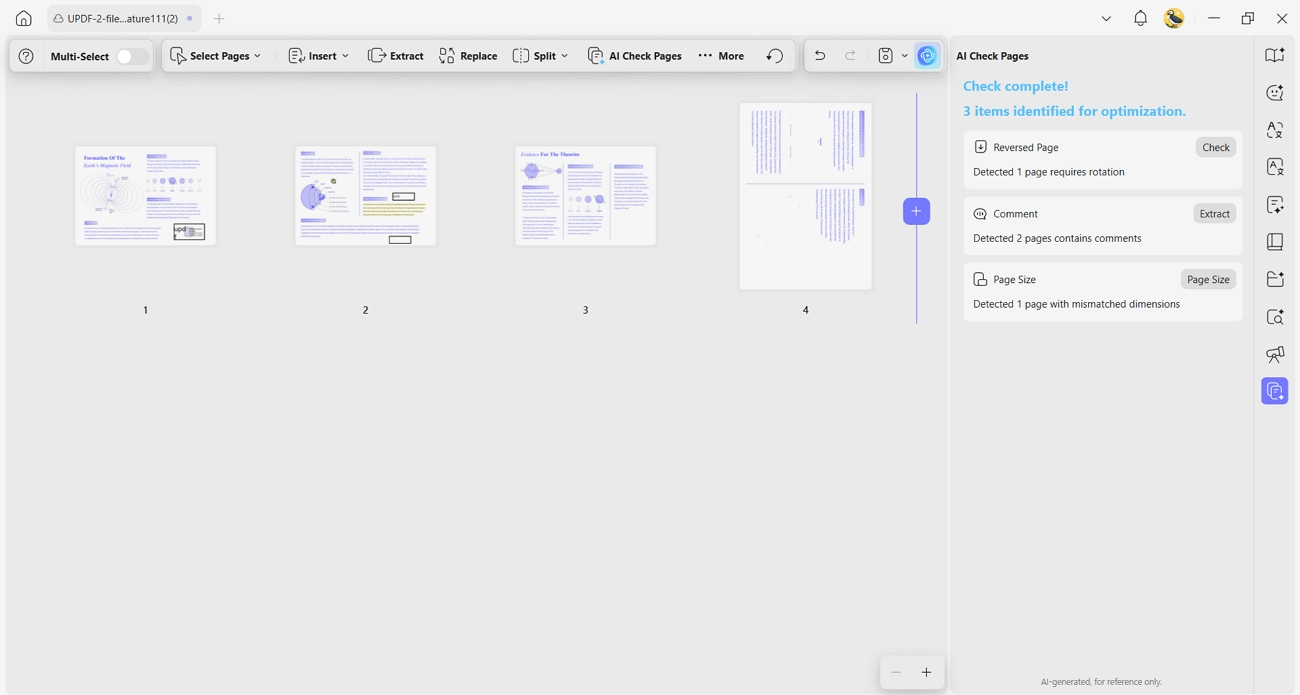
5. AI Page Management Agent: It detects blank, rotated, or misplaced pages, allowing users to fix structural issues in seconds.
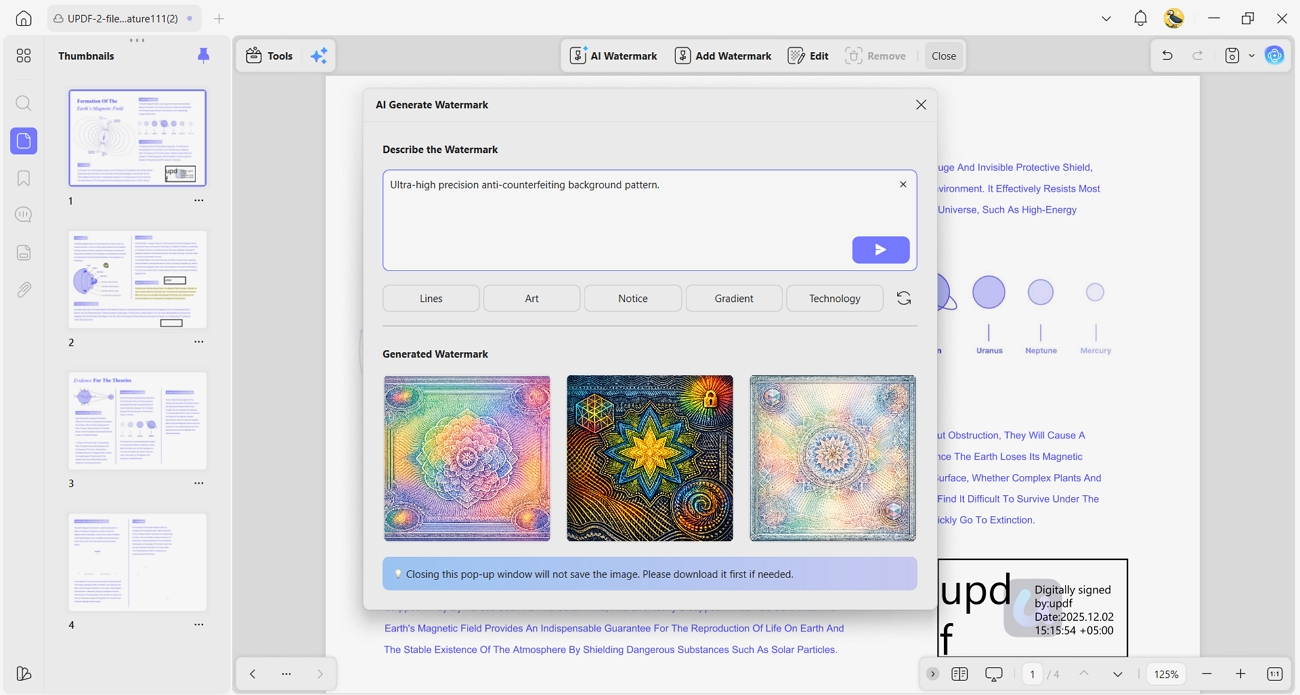
6. AI Watermark Agent: Users can describe a watermark in natural language, and it applies multiple refreshable styles across pages.
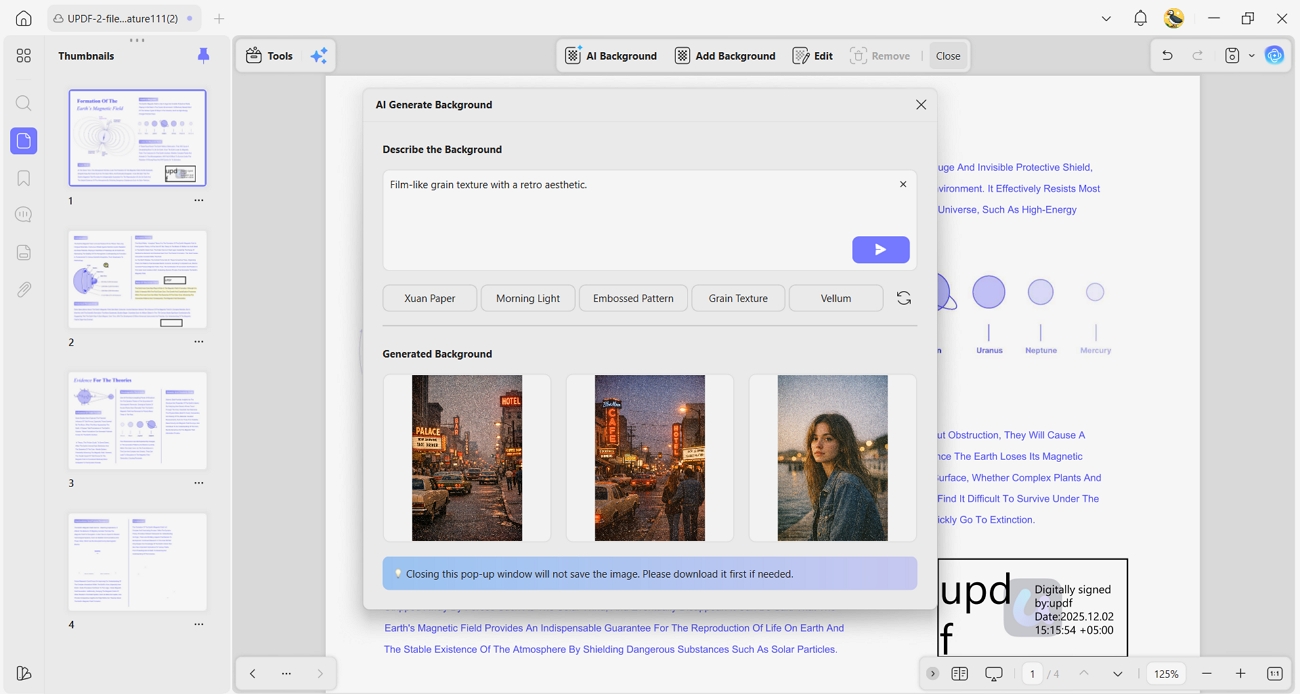
7. AI Background Agent: It creates or replaces distracting backgrounds to make dense reports or study guides easier to read.
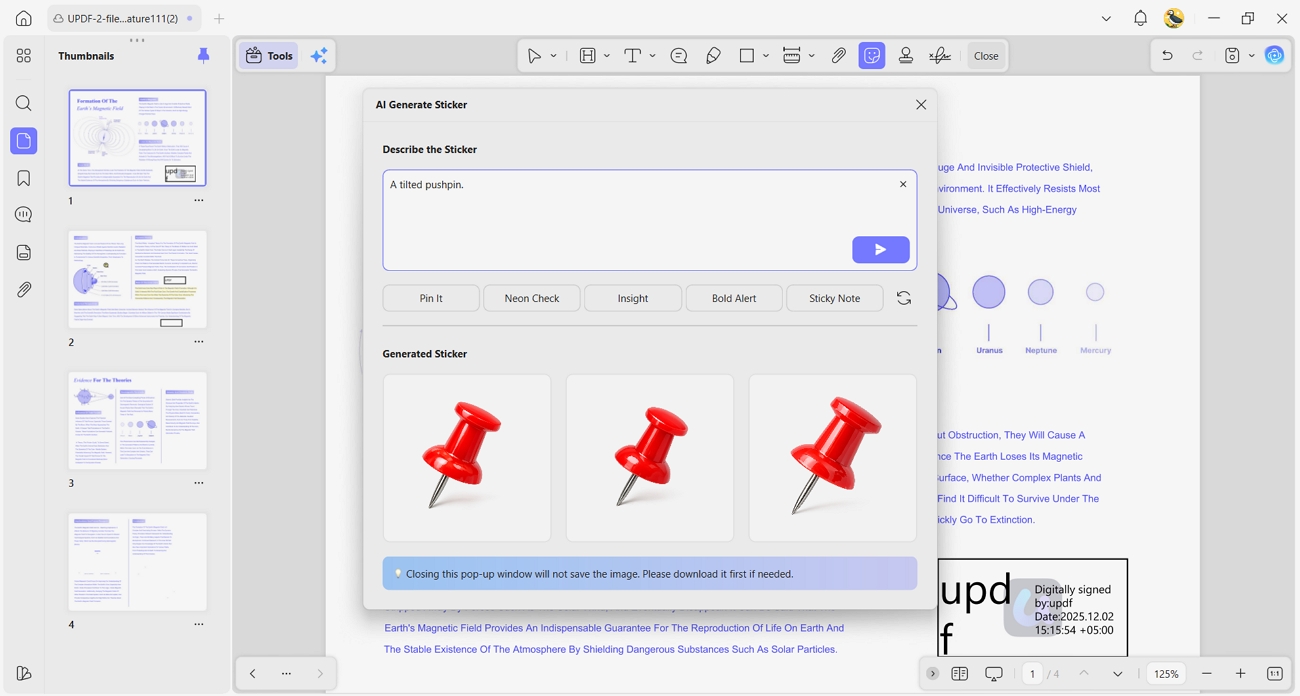
8. AI Sticker Agent: This agent creates and adds visual AI stickers that clearly mark questions, tasks, and follow-ups inside PDFs.
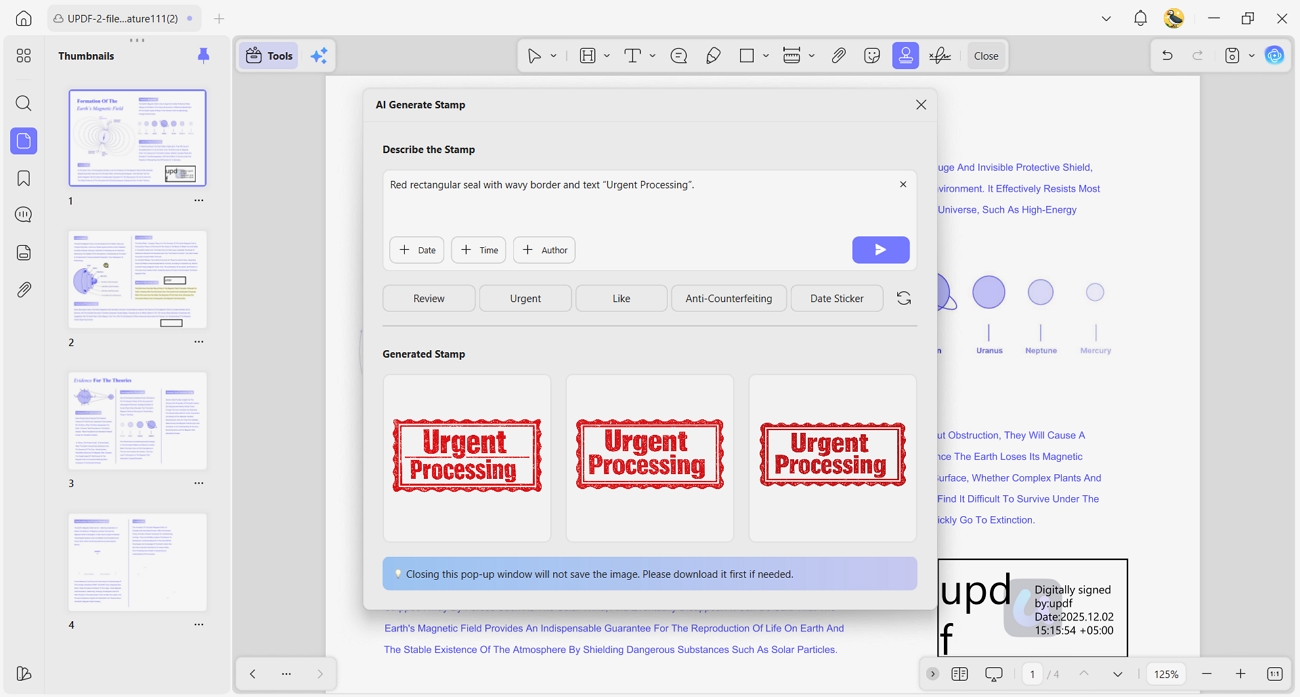
9. AI Stamp Agent: It applies approval or draft AI stamps across pages, keeping document status visible during team or peer reviews.
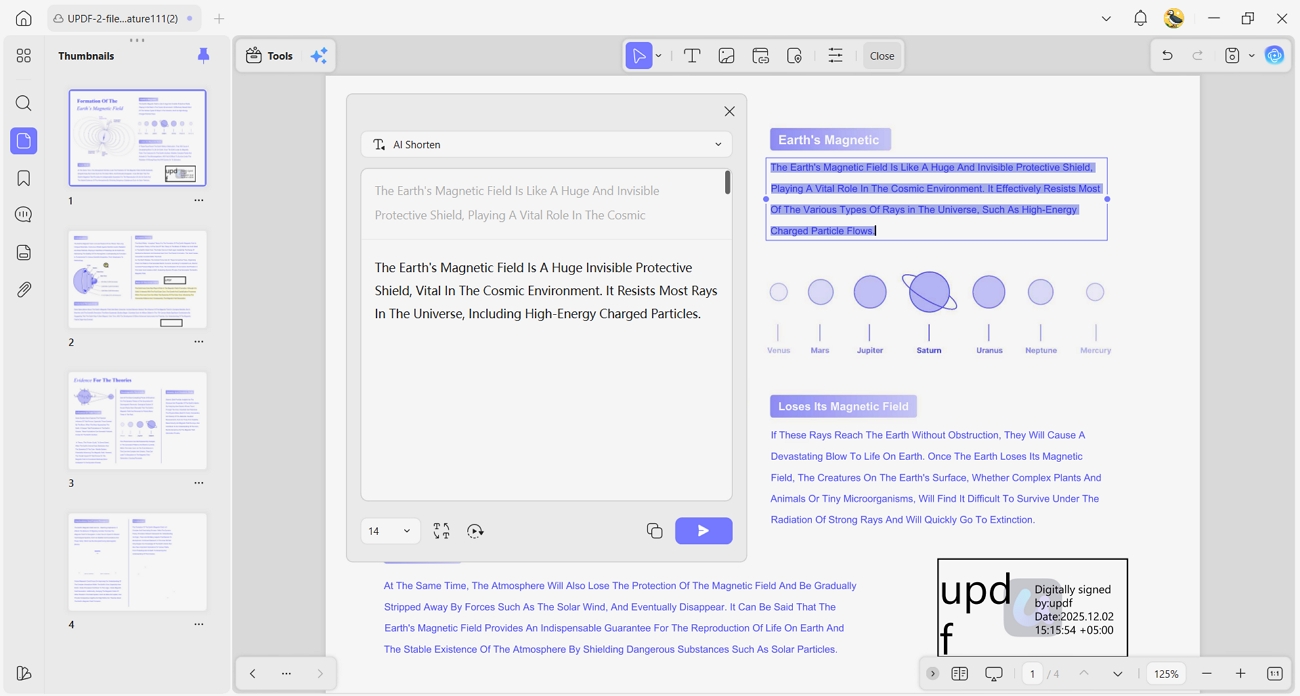
10. AI Editing Agent: UPDF AI helps generate content, polish wording, and expand/shorten rough ideas directly inside the PDF document.
Tip
For a limited time, you can unlock the UPDF AI add-on with a special $10 discount. Visit our pricing page to claim this offer and start using the advanced AI features.
Part 4. Why UPDF is the Best Companion for Everand Users
Many readers use an Everand downloader online free, but still struggle with serious document work. UPDF helps users move beyond basic reading and turn PDFs into organized, editable study or work materials. It lets people reorder pages and manage large libraries across different devices. With strong privacy, clear layout, and flexible tools, UPDF becomes a stable home for important PDFs.
Key Features for Everand Users
1. Cloud Sync: Download a PDF on your computer, then reopen it on your tablet with every annotation intact. Notes, highlights, and edits stay synced across devices, so work continues smoothly without missing anything.
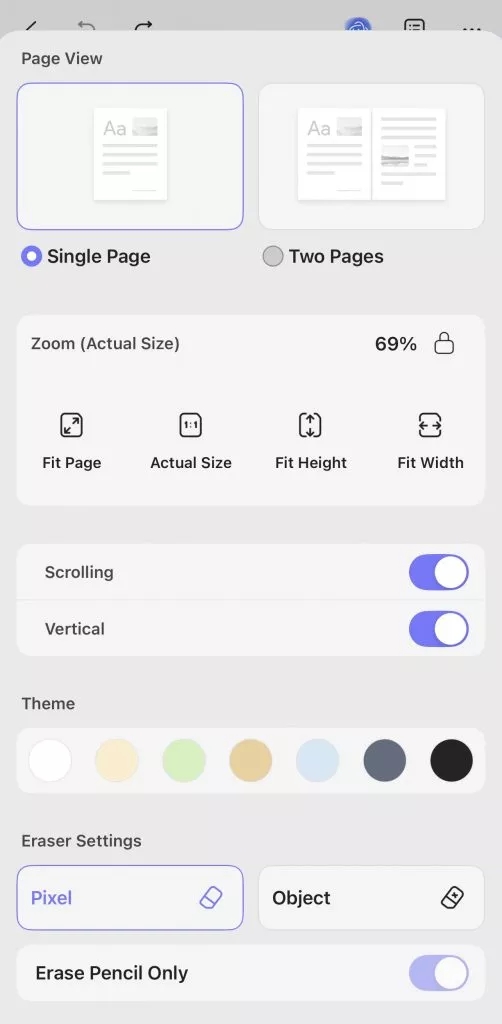
2. Mobile Reading Views: UPDF offers flexible page layouts that make dense PDFs easier to read on small screens. Users scroll, read, and avoid constant pinching, zooming, and dragging on their phones.
3. Security: UPDF follows strict ISO 27001 standards to keep personal libraries, notes, and research safely protected. Users can trust their private documents to stay secure while working, studying, or reading across multiple devices.
Common Questions About Everand Content
Can I use an Everand downloader online, a free tool, safely?
You should avoid using an Everand downloader online for free because hidden malware risks are common. Official Everand apps and built‑in features are safer, protecting your account, device, and personal data.
How do I transfer my Everand downloads to another device?
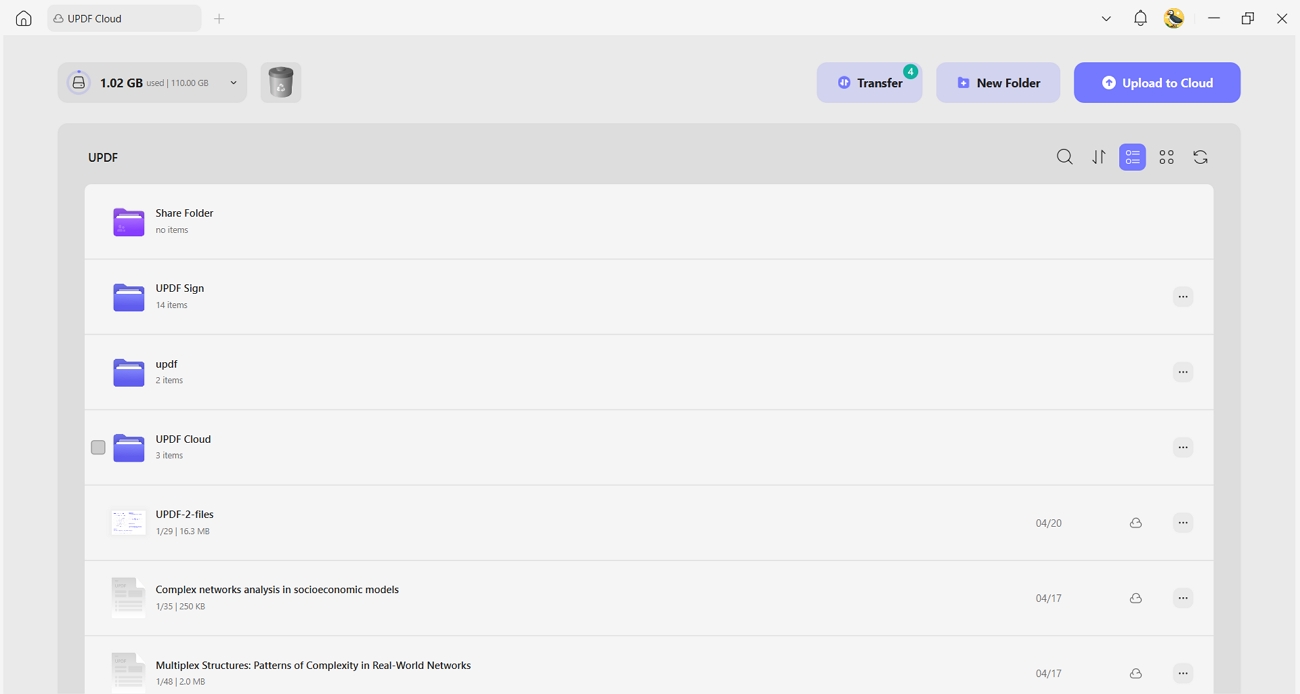
Everand normally syncs your reading across devices when you sign in with the same account. For exported PDFs, you can upload them to UPDF Cloud and access them on every device.
Conclusion
To summarize, this guide showed you safer, smarter options than relying on any random Everand downloader. You saw how official Everand tools protect your privacy, support creators, and keep your files reliable. We also explored how UPDF helps you study, annotate, and organize those downloads with powerful AI and cloud features. For a secure, efficient way to manage your Everand PDFs across devices, we recommend using UPDF.
Windows • macOS • iOS • Android 100% secure







 Enya Moore
 Enola Miller
 Lizzy Lozano

 Enola Davis