UPDF
UPDF
 UPDF for Windows
 UPDF for Mac
 UPDF for iPhone/iPad
 UPDF for Android
 Nomostar
 UPDF AI Online
 UPDF Sign
 IvyCraft
 Edit PDF
 Annotate PDF
 Create PDF
 PDF Form
 Edit links
 Convert PDF
 OCR
OCR PDF to Word
 PDF to Image
 PDF to Excel
 Organize PDF
 Merge PDF
 Split PDF
 Crop PDF
 Rotate PDF
 Protect PDF
 Sign PDF
 Redact PDF
 Sanitize PDF
 Remove Security
 Read PDF
 UPDF Cloud
 Compress PDF
 Print PDF
 Batch Process
 About UPDF AI
 UPDF AI Solutions
 AI User Guide
 FAQ about UPDF AI
 Summarize PDF
 Translate PDF
 Chat with PDF
 Chat with AI
 Chat with image
 PDF to Mind Map
 Explain PDF
 PDF AI Tools
 Image AI Tools
 AI Chat Tools
 AI Writing Tools
 AI Study Tools
 AI Working Tools
 Other AI Tools
 AI Bookmark Generation
 AI Bookmark Summary
 AI Watermark Generation
 AI Background Generation
 AI Sticker Generation
 AI Stamp Generation
 AI Editing Suite
 UPDF Copilot
 AI Page Management
 AI Semantic Search
 PDF to Word
 PDF to Excel
 PDF to PowerPoint
 Enterprise Solution
 Enterprise Sign
 Enterprise AI
 Enterprise Plan
 Enterprise User Guide
 Enterprise Webinar
 IT
IT Education
 Construction
 Financial Service
 Healthcare
 Insurance
 Legal
Legal Manufacturing
 Government
 Researchers & PhDs
 Solopreneurs & Freelancers
 Lawyers & Legal Professionals
 Real Estate Agents & Brokers
 Education Solution
 Customer Stories
 User Guide
 UPDF Tricks
 FAQs
FAQs UPDF Reviews
 Download Center
 Blog
Blog Newsroom
 Tech Spec
 Updates
 UPDF vs. Adobe Acrobat
 UPDF vs. Foxit
 UPDF vs. PDF Expert

Foxit, Adobe Acrobat, and UPDF are three of the most widely used PDF editors on the market — but they differ significantly in price, features, and who they're built for. This comparison breaks down all three across features, pricing, platform support, and AI capabilities, so you can make an informed choice without wading through marketing copy. To make an informed choice, stick with the article to the end.
Part 1: Feature Comparison: Foxit vs. Adobe vs. UPDF
Adobe is one of the oldest PDF editors available, providing users with an array of PDF editing, annotating, organizing, and protecting PDF documents. You can share and review the PDFs with the help of add comments features. Adobe Acrobat Pro is the industry standard, widely used in legal, enterprise, and government settings where PDF compliance and integration with other Adobe products matter. However, it comes with a heavy price tag and a complex interface that can overwhelm casual users.
Another PDF editor that users consider greatly is Foxit. This tool is much like Adobe but has a more user-friendly interface. Included in its diverse services, this PDF editor assists users in editing and readily converting PDFs to different formats. Users can even conveniently change the text color, style, and alignment. The downside of this tool includes the lag, especially when performing OCR on scanned PDFs. However, the macOS version of Foxit is not optimized like Windows, which can hinder the daily document management of MacBook users.
Heading to the best PDF editor, UPDF offers much more user-friendly and lightweight compared to both the tools discussed above. Editing PDFs is quite easy using UPDF as all tools are easily accessible with just a single tap. Moreover, users can even prepare forms, use UPDF AI to chat with PDFs, and easily store files on the UPDF cloud. Also, using this tool, you can create PDFs from other formats for editing. Download this software to see how amazing it is.
Windows • macOS • iOS • Android 100% secure
| Systems and Features | Foxit PDF Editor | Adobe Acrobat Pro DC | UPDF | |
|---|---|---|---|---|
| Read PDF | Read PDFs and create bookmarks | |||
| Search text in PDFs | ||||
| Display a PDF as a slideshow with Presenter View | ||||
| Annotate PDF | Highlight/Strikethrough/Underline/Squiggly line/Typewriter/Text Box/Callout/Sticky Note/Shapes/Pencils/Stamps/Signatures | |||
| Manage the annotation list | ||||
| 100+ Beautifully-designed Stickers | ||||
| Edit PDF | Edit text, images, links, watermarks, background, header & footer in PDF | |||
| Replace image in PDF | ||||
| Add rich text by dragging and dropping | ||||
| OCR | Turn scanned documents into searchable and editable PDFs | |||
| Convert PDF | Convert PDF to Word, Excel, PPT, Text, RTF, HTML, XML, and Images | |||
| Save PDF as PDF/A | ||||
| Convert PDF to CSV and GIF | ||||
| Organize PDF | Insert, Replace, Extract, Rotate, Split, Remove, and Crop pages | |||
| Encrypt and Share | Protect PDFs with passwords | |||
| Flatten PDF | ||||
| Share PDF via a link or email | ||||
| Redact sensitive information | ||||
| Create PDF | Create a blank PDF | |||
| Create PDF from other file formats | ||||
| Print PDFs | Print PDFs | |||
| Fill and Sign | Fill out Forms | |||
| Create PDF Forms | ||||
| Edit PDF Forms | ||||
| Sign Digitally | ||||
| Sign electronically | ||||
| Other Features | Optimize PDF - Reduce File Size | |||
| Combine files into one PDF | ||||
| AI-Integration | ||||
| AI Agents / Automation | Smart Command (requires AI add-on) | AI Assistant & Studio generative features | 10 AI Agents (included) |
In 2026, choosing a PDF editor is no longer about who has the most buttons, but about who has the smartest Digital Workforce. While Adobe Acrobat leverages its creative Firefly ecosystem and Foxit introduces "Smart Commands," UPDF has redefined the market with its Intelligent Document Ecosystem, featuring 10 specialized AI Agents. The honest AI feature comparison below will help you navigate the "Foxit vs. Adobe vs. UPDF" dilemma by analyzing their latest AI evolutions, pricing, and performance.
AI Feature Comparison
I. Visual & Audio Intelligence (Multi-modal)
Adobe Acrobat: Leveraging Adobe Firefly, it now features a "Personal Podcast" mode and Generate Speech, offering lifelike voice narration with 70+ voices (via ElevenLabs).
Foxit: Features Lifelike AI Voice Narration with emotional prosody and AI Generate Image for quick asset creation.
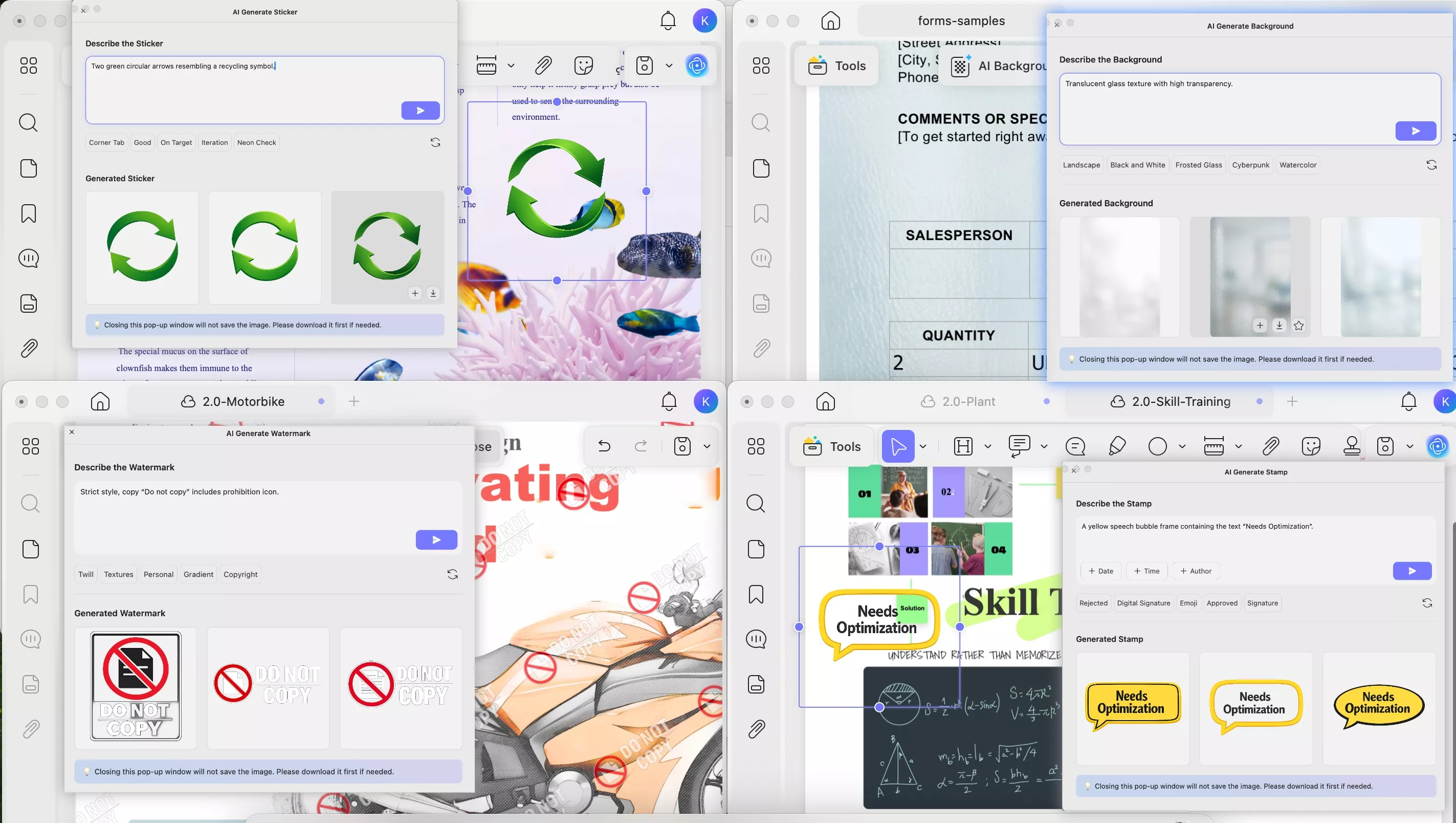
UPDF: UPDF focuses on Document-Centric Visuals. Instead of a generic image generator, its 4 specialized Agents (AI Background, AI Watermark, AI Sticker, AI Stamp) are purpose-built for professional branding. While Adobe excels in "Creation," UPDF excels in "Professional Document Marking."
Windows • macOS • iOS • Android 100% secure
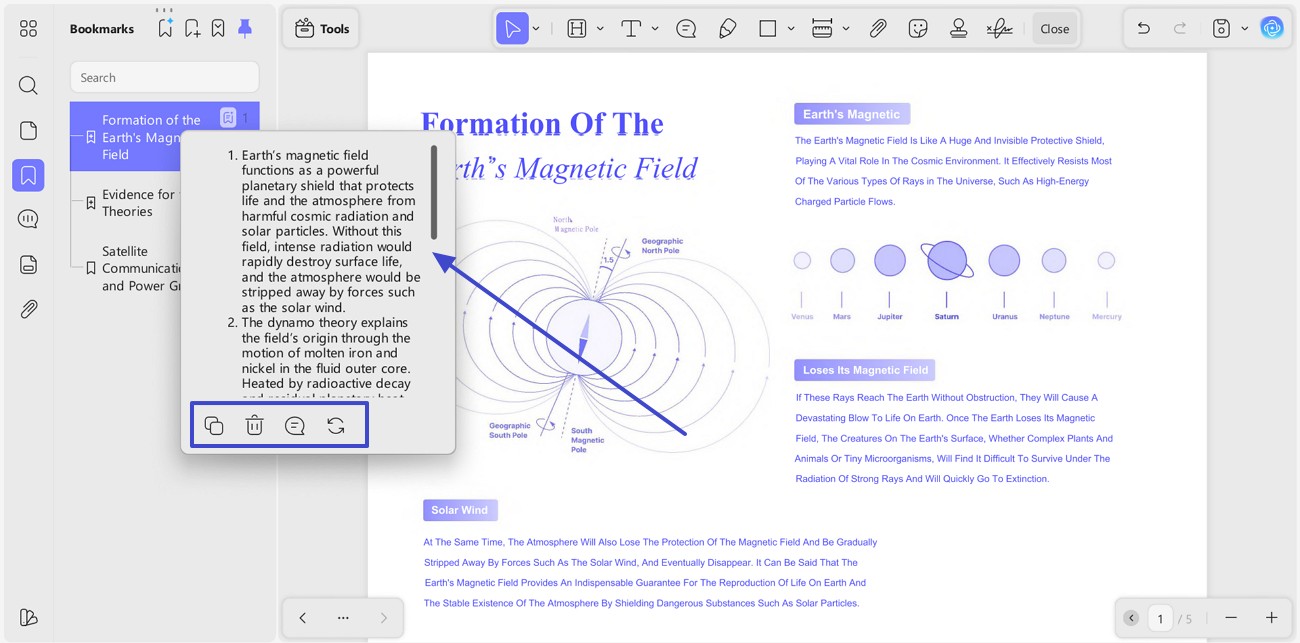
II. Structural Intelligence: Bookmarks & Navigation
Foxit: Its Smart Bookmarks can instantly create directory trees from unstructured text, a major leap for long documents.
Adobe Acrobat: Still relies primarily on traditional auto-bookmarking without a dedicated "Agentic" focus for structural rebuilding.
UPDF: UPDF’s AI Bookmark Generator not only creates structures but allows users to translate the entire bookmark tree instantly. Furthermore, the AI Bookmark Summarizer generates macro-summaries for each chapter, a feature currently missing in Foxit and Adobe.
III. Command vs. Execution
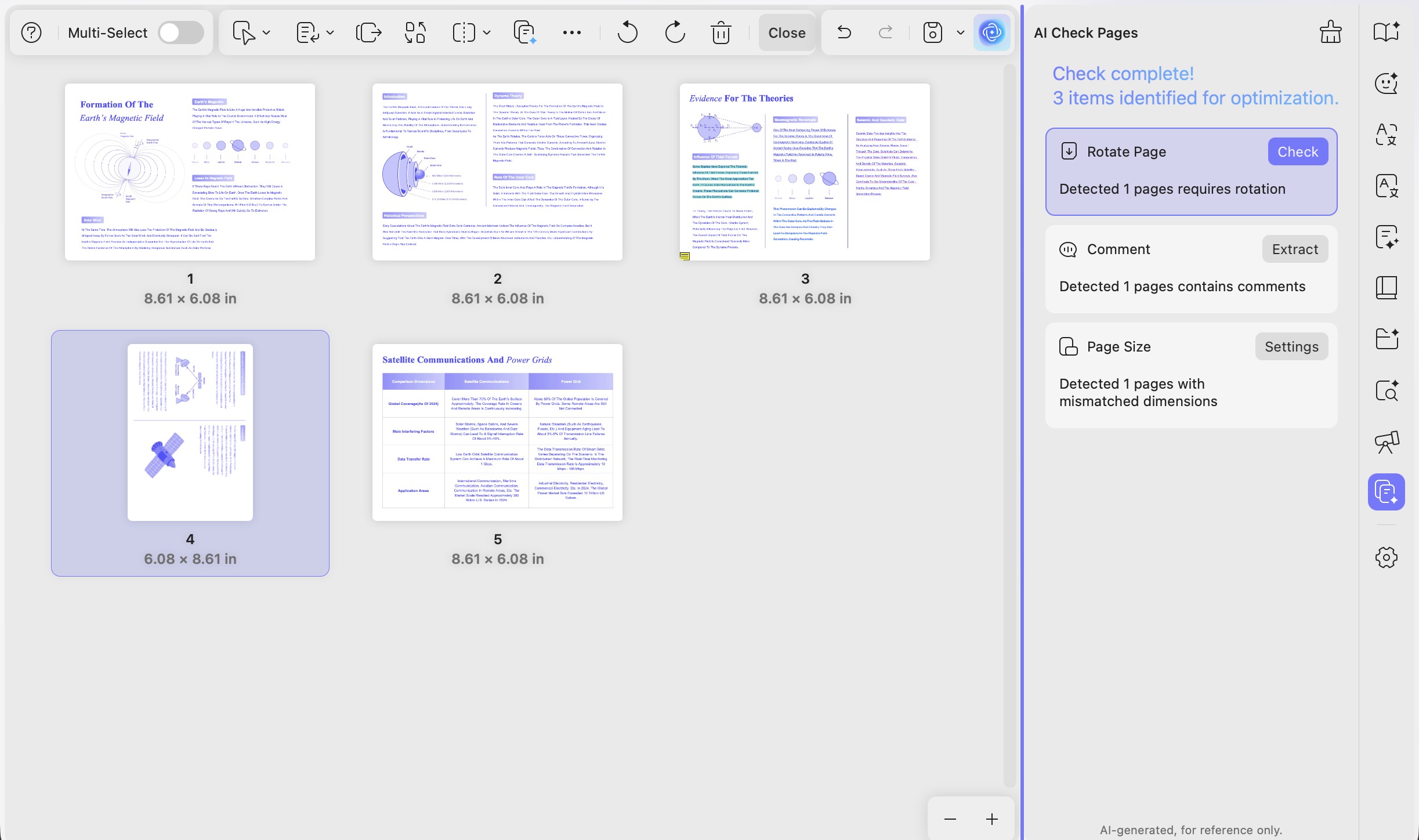
Foxit: Smart Commands lead the way in execution—users can type "rotate page 5" and Foxit does it.
Adobe: Excels in cross-document insights via PDF Spaces, allowing you to analyze up to 100 documents in one AI session.
UPDF: Its Copilot acts as a "Navigator," guiding users to the right tools through natural language, while its AI Page Management agent handles structural changes with high precision.
IV. Text Precision
Adobe Acrobat: The new AI-Powered PDF Editing allows for instant rephrasing and grammar checks within the editor.
Foxit: Leads in privacy with Smart Redact, which uses AI to autonomously detect and redact PII (Personally Identifiable Information) like faces or financial data across thousands of pages. Its Polish Content tool matches UPDF’s editing capabilities.
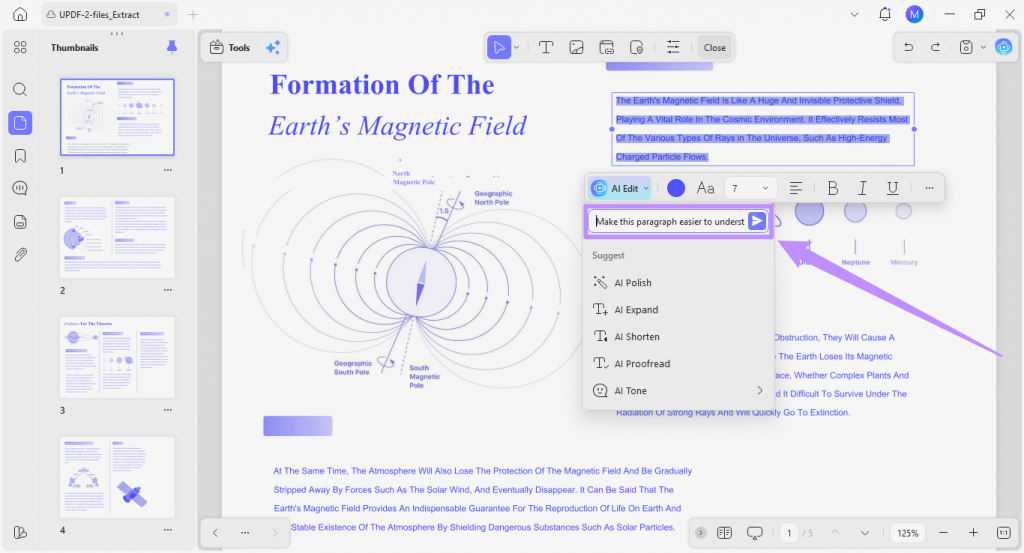
UPDF Advantage: UPDF’s AI Edit PDF agent is designed for context-aware refinement. It currently lacks the automated PII masking of Foxit.
Also Read: Nitro vs. Foxit - Choosing the Right PDF Tool
Part 2: Pricing and Performance Ratings of Foxit, Adobe and UPDF
| Foxit PDF Editor | Adobe Acrobat Pro DC | UPDF | |
|---|---|---|---|
| Pricing | Foxit PDF Editor: US$129.99 Foxit PDF Editor+: US$159.99 AI Assistant: US$49.99/Year | Acrobat Standard: US$179.88/Year Acrobat Pro: US$239.88/Year Acrobat Studio: US$299.88/Year (AI Assistant included) | UPDF Pro: US$49.99/Year US$79.99/Lifetime AI Assistant: US$79/Year Check pricing in detail >> |
| AI Trial Policy | 14-day Trial | 7-day Trial | 100 Free Uses |
| Systems | Windows, Mac, iOS, Android | Windows, Mac, iOS, Android | Windows, Mac, iOS, Android (One purchase for all platforms) |
| Rating for UI Design | 3.9/5 | 4.1/5 | 4.8/5 |
| Rating for Performance Speed | 4.2/5 | 4.5/5 | 4.9/5 |
Note: Prices may change frequently based on promotions and region.
Based on the results in the table, UPDF is a strong alternative for users who prioritize affordability and ease of use, while Adobe remains the industry standard for enterprise workflows. UPDF's top-notch UI design helps users to work efficiently at any time of the day. Even beginners can quickly start using this tool without any complexity. Moreover, the faster performance speed helps users to ensure that urgent tasks are completed efficiently with an enjoyable experience.
Windows • macOS • iOS • Android 100% secure
Part 3: Why UPDF is Better than Foxit and Adobe
After testing and trying all three tools, we believe UPDF to be the winner of the UPDF vs. Foxit vs. Adobe comparison. It holds many strong advantages over the other two tools, making it a clear winner. The advantages range from software size and performance to the number of features available compared to cost. Below we have summarized a few strong points that make UPDF a better PDF editor. But first, let's download it first and be ready to try out its wonderful features introduced below.
Windows • macOS • iOS • Android 100% secure
1.1 Pricing: The Most Pocket-Friendly Tool
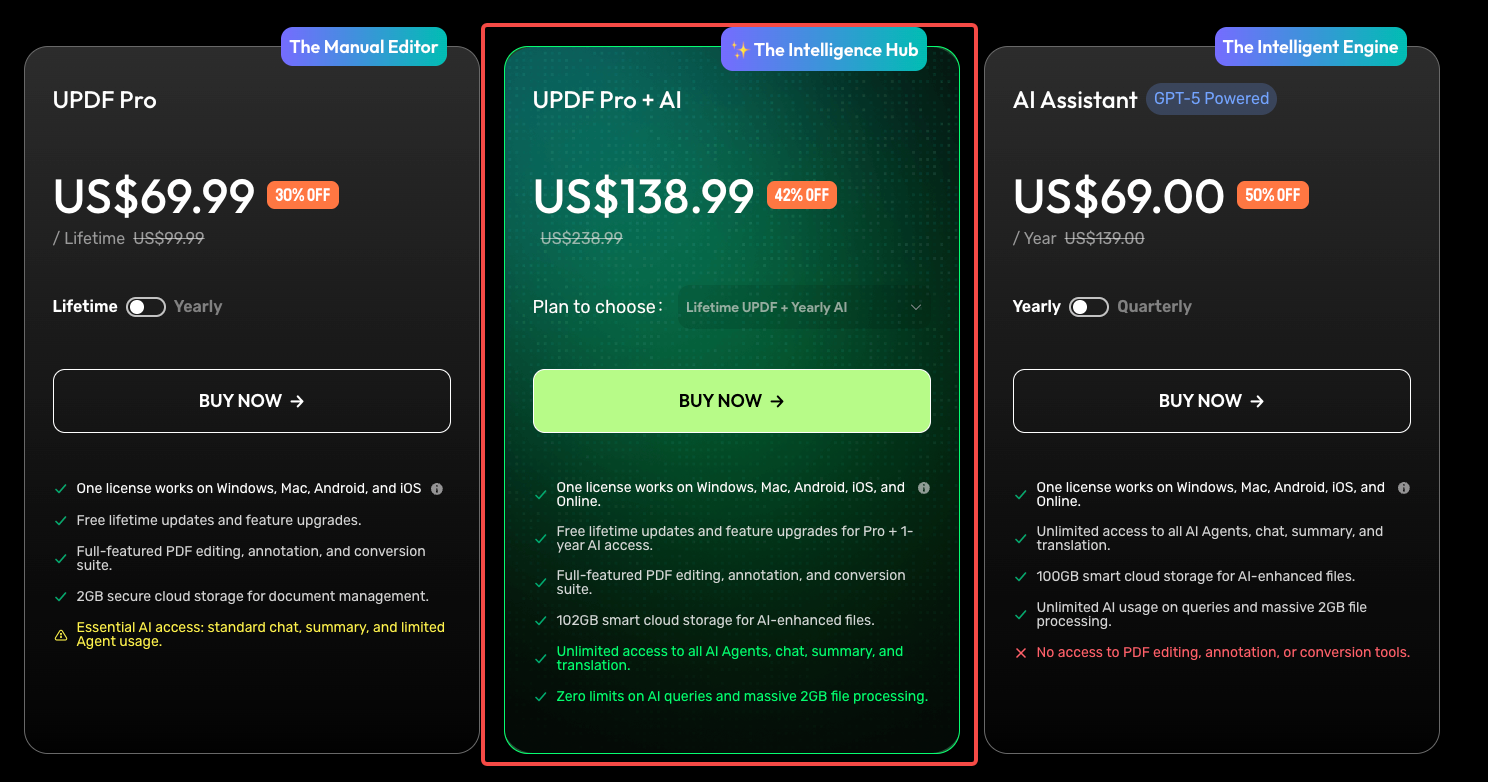
The first instinct is to always get the best deal at the lowest price whenever you have to buy something. In this regard, UPDF is a blessing for you as it costs even less than a third of what you will have to pay for Adobe Acrobat or Foxit. It also supports all the necessary features present in other tools, with some extra ones.
A yearly Foxit PDF Editor+ license will cost you US$129.99, while Adobe Acrobat will cost you US$179.88 per year. That is a lot of money, and if you are a student, freelancer, or small business owner, you might not be able to afford it. UPDF, on the other hand, offers all its premium features at an unbelievably low price of US$49.99 per year or US$79.99 for a lifetime. Additionally, UPDF offers an AI add-on feature, and users can purchase its bundle plans at a discount of up to 42%.
Windows • macOS • iOS • Android 100% secure
1.2 Usability: The Best Tool for All Platforms
Nowadays, no one uses a single device for work or other activities. That's why whenever you buy a tool, ensure that it is compatible with the maximum number of operating systems. UPDF again tops this metric as it is available for all platforms like Windows, macOS, Android, and iOS. You will only need to buy one license, and you can use UPDF on all your devices.
Windows • macOS • iOS • Android 100% secure
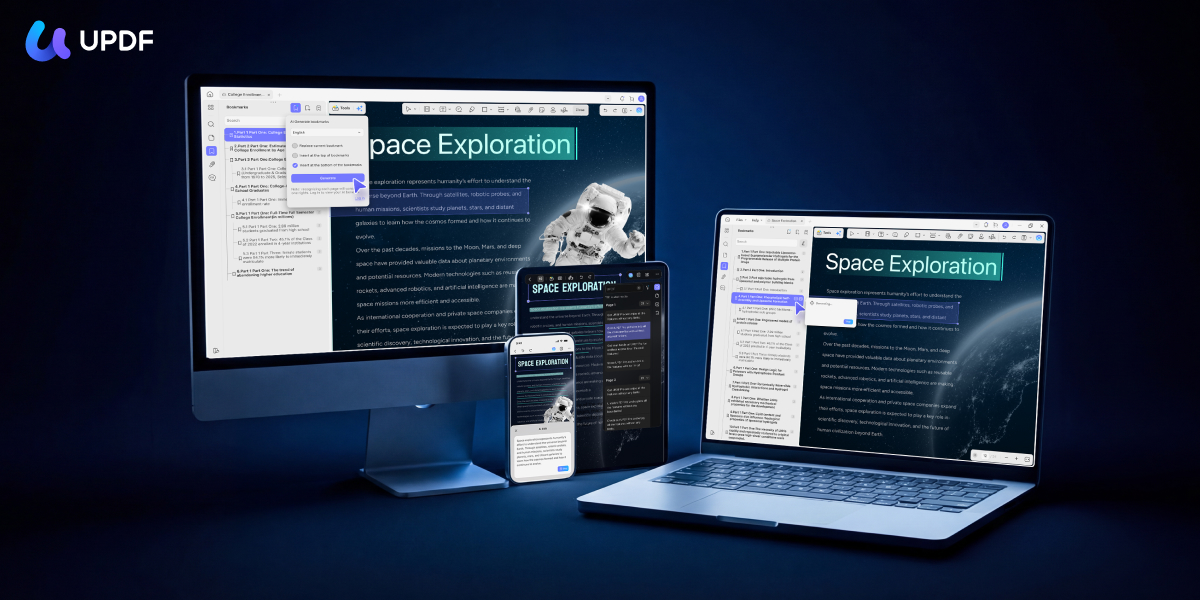
Adobe Acrobat Standard is available on desktop, web, and mobile, though the most advanced features still require Acrobat Pro. Foxit PDF Editor is also available for all platforms, and offers a unified license that works across Windows, Mac, iOS, and Android. However, UPDF still stands out with its more affordable pricing and lighter performance.
1.3 Interface: The Most User Friendly
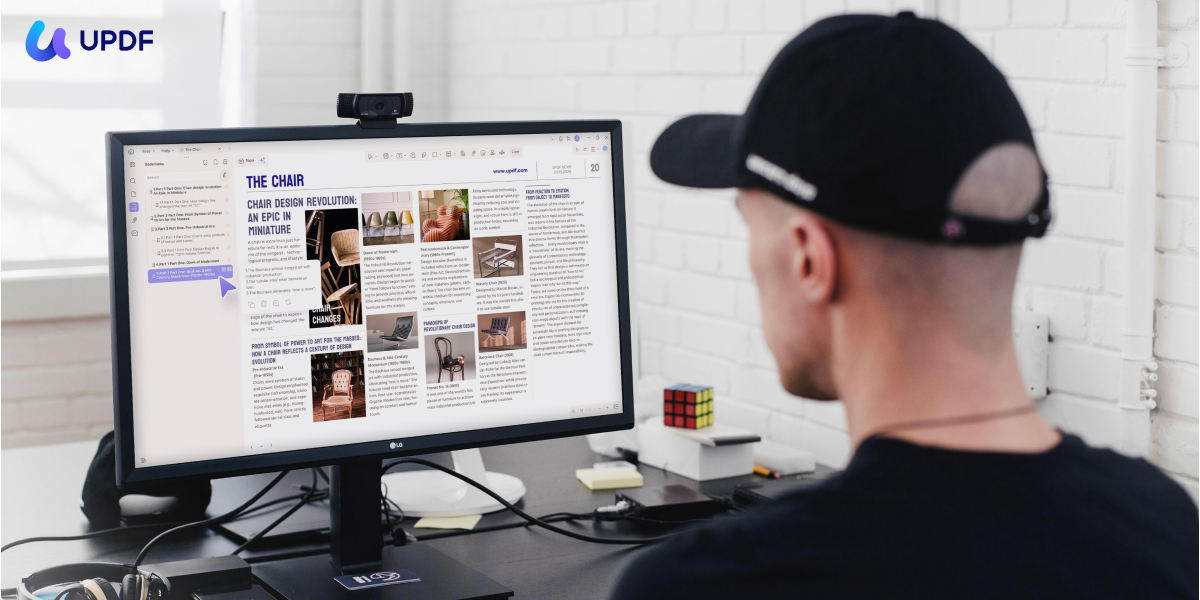
If a PDF editor you have paid for has a confusing interface crammed with features, it will affect your productivity. Most people aren't professional editors or need extremely advanced tools. They need all the necessary tools available in a way that is easier to access and use. UPDF provides an excellent user-friendly, and clean interface.
Its tools are arranged properly and are one click away from being used. Adobe Acrobat and Foxit PDF Editor provide an interface crammed with tools and can be overwhelming for new and non-technical users. The procedures required to perform specific tasks are also complex and longer than UPDF.
Windows • macOS • iOS • Android 100% secure
1.4 Innovative Features: The Tool with the Most Features
Being the top tools in the PDF editor market, all three PDF editors offer a wide variety of features in their premium versions. Despite being the lightest and cheapest software, UPDF offers all the same features as Adobe and Foxit with many improvements. It also offers some extra features to enhance its useability; a few of these are discussed below:
- Add Rich Text by Dragging: When editing PDFs by taking material from other sources like the web, UPDF allows you to simply drag and drop the rich text to your PDF. You no longer need to copy the content and then paste it into your document. It increases your productivity and makes PDF editing easier.
- Stickers: UPDF provides a great range of stickers to annotate your PDF document. They are a great way to beautify your PDFs and enhance their outlook. This feature is extremely helpful in presentations as it helps you make your presentation more colorful and appealing.
- PDF as Slideshow: Are you tired of scrolling or pressing the next page button when viewing a PDF file? UPDF allows you to view your PDF files as a slideshow. You can easily set up the duration between each slide and read your PDFs while enjoying a refreshing drink with snacks.
- Better PDF Converter: You can convert your PDF to more formats than Adobe Acrobat or Foxit PDF Editor. It allows you to convert your PDF files to CSV, BMP, and GIF formats aside from other standard formats like Word, Excel, Text, Image, etc.
If you want to see more detail about UPDF vs. Foxit, and UPDF vs. Adobe Acrobat, you can click the below links to see more information:
Part 4: FAQs about Foxit and Adobe Acrobat
With our comparison of UPDF vs. Adobe Acrobat vs. Foxit reaching its conclusion now is the time to answer your FAQs regarding this issue. Hopefully, the answered FAQs below will resolve all your queries and help you reach a final decision.
1. Is Foxit the Same as Adobe Acrobat?
Both Foxit and Adobe Acrobat are professional-grade PDF editors with nearly identical core capabilities, including editing, converting, and redacting. The main differences lie in their user interface (Foxit uses a Microsoft Office-style Ribbon, while Adobe uses a proprietary layout) and their AI approach.
2. Is There a PDF Reader Better than Adobe?
UPDF is a better PDF reader compared to Adobe. It costs a lot less and has a more user-friendly interface than Adobe. Unlike Adobe, where you have to buy all major features to use, UPDF allows users to try all the features in the free version.
3. Is Foxit Cheaper than Adobe?
Adobe Acrobat is the oldest and probably the most expensive PDF editor in the market. While Foxit is comparatively cheaper, it will still burn a hole in your pocket. The Adobe Acrobat variant with the most features is Adobe Acrobat Pro DC, costing $239.88 per year. Foxit's variant with the most features is Foxit PDF Editor+, which costs $159.99 per year.
4. Which PDF App is the Best?
The best PDF app for you to get is UPDF. It is cheaper, has more features, and is more user-friendly than other premium tools. You will get all the premium tools like OCR, flatten PDF, compress PDF, etc., at the lowest cost without any quality or performance drop. It also offers many unique improvements to other common PDF tools.
Conclusion
The verdict is clear. Adobe Acrobat remains the powerhouse for creative enterprises needing Firefly integration. Foxit is a solid choice for those who want quick, command-based execution.
However, UPDF emerges as the superior "Intelligent Document Ecosystem." By deploying 10 specialized AI Agents and offering a unified license for all platforms at a fraction of the cost, UPDF provides a level of professional precision and value that legacy editors simply cannot match. Download UPDF today and put its AI workforce to work.
Windows • macOS • iOS • Android 100% secure
Note: The information on this page is based on UPDF writers’ testing and publicly available product details at the time of writing. Features and pricing may change over time. If you notice any inaccuracies, please contact us at [email protected]

 Enid Brown
 Engelbert White