UPDF
UPDF
 UPDF for Windows
 UPDF for Mac
 UPDF for iPhone/iPad
 UPDF for Android
 UPDF AI Online
 UPDF Sign
 Edit PDF
 Annotate PDF
 Create PDF
 PDF Form
 Edit links
 Convert PDF
 OCR
OCR PDF to Word
 PDF to Image
 PDF to Excel
 Organize PDF
 Merge PDF
 Split PDF
 Crop PDF
 Rotate PDF
 Protect PDF
 Sign PDF
 Redact PDF
 Sanitize PDF
 Remove Security
 Read PDF
 UPDF Cloud
 Compress PDF
 Print PDF
 Batch Process
 About UPDF AI
 UPDF AI Solutions
 AI User Guide
 FAQ about UPDF AI
 Summarize PDF
 Translate PDF
 Chat with PDF
 Chat with AI
 Chat with image
 PDF to Mind Map
 Explain PDF
 Scholar Research
 Paper Search
 AI Proofreader
 AI Writer
 AI Homework Helper
 AI Quiz Generator
 AI Math Solver
 PDF to Word
 PDF to Excel
 PDF to PowerPoint
 Enterprise Solution
 Enterprise Sign
 Enterprise AI
 Enterprise Plan
 Enterprise User Guide
 Enterprise Webinar
 Banking
 Healthcare
 Insurance
 Legal
Legal Manufacturing
 Government
 Education Solution
 Customer Stories
 User Guide
 UPDF Tricks
 FAQs
FAQs UPDF Reviews
 Download Center
 Blog
Blog Newsroom
 Tech Spec
 Updates
 UPDF vs. Adobe Acrobat
 UPDF vs. Foxit
 UPDF vs. PDF Expert

AI-powered video creation is entering a new era, and Sora, OpenAI’s text-to-video model, is at the center of this transformation. With Sora, users can generate visually rich, cinematic videos simply by describing a scene in natural language—no cameras, no complex editing workflows required.
Since its initial release in 2024, Sora has quickly become one of the most talked-about AI tools among creators, marketers, and designers. In 2025, the launch of Sora 2 further pushed the boundaries of AI video generation, offering improved realism, smoother motion, and more precise creative control.
Yet, powerful technology alone is not enough. The quality of Sora’s output depends largely on how well prompts are written. This is where UPDF AI comes in. By helping users structure, refine, and optimize Sora prompts, UPDF AI makes it easier to turn creative ideas into high-quality AI-generated videos—faster and more effectively.
Windows • macOS • iOS • Android 100% secure
Let's get started.
Part 1. What is Sora from OpenAI?
Sora is OpenAI's official text-to-video AI model that can generate highly "realistic" and "imaginative" videos. Sora is described as out of this world, eye-popping, breathtaking yet terrifying, and technically a data-driven physics engine.
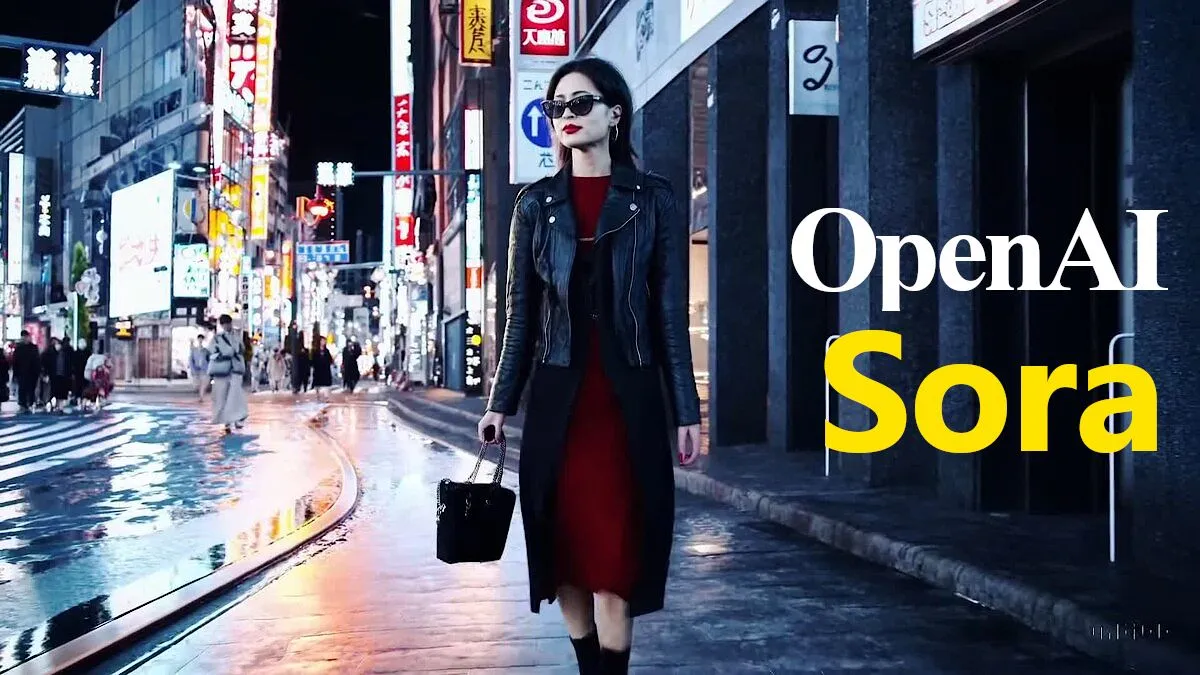
Sora uses text prompts as the input for generating videos of varying dimensions and quality. Although OpenAI has only shared videos generated by Sora using text prompts, Sora can also take other inputs. Apart from being a text-to-video AI tool, Sora can also work as an image-to-video, and video-to-video AI model while still using text prompts.
According to the research shared by OpenAI, Sora is a diffusion model that transforms static noise in various steps to generate a realistic video. Unlike LLMs like ChatGPT which use text tokens, Sora is trained on images and videos in the form of data units called "Patches".
Let's find out what Sora can do to bring your imagination to life.
Part 2. What Can Sora Do?
The official launch of Sora can raise the bar for all the possibilities in the world of generative AI. Although Sora is a diffusion model just like Google's text-to-video Lumiere AI, it can do more. Sora can generate longer videos with better resolution and flow. Here's a closer look at what this advanced AI model is capable of.
1. Generate Videos Up to 1 Minute
Sora is capable of generating videos of up to 60 seconds with specific types of motion. This is a much longer duration compared to other text-to-video models. And impressively, Sora can accurately adhere to the details provided by the user throughout the video.

2. Create Complex Scenes
According to OpenAI, Sora can create complicated scenarios involving multiple characters and details. And while doing that it does not fail to follow the subject and background details. This text-to-video model can also capture subjects from various angles and merge multiple scenes into a single video.
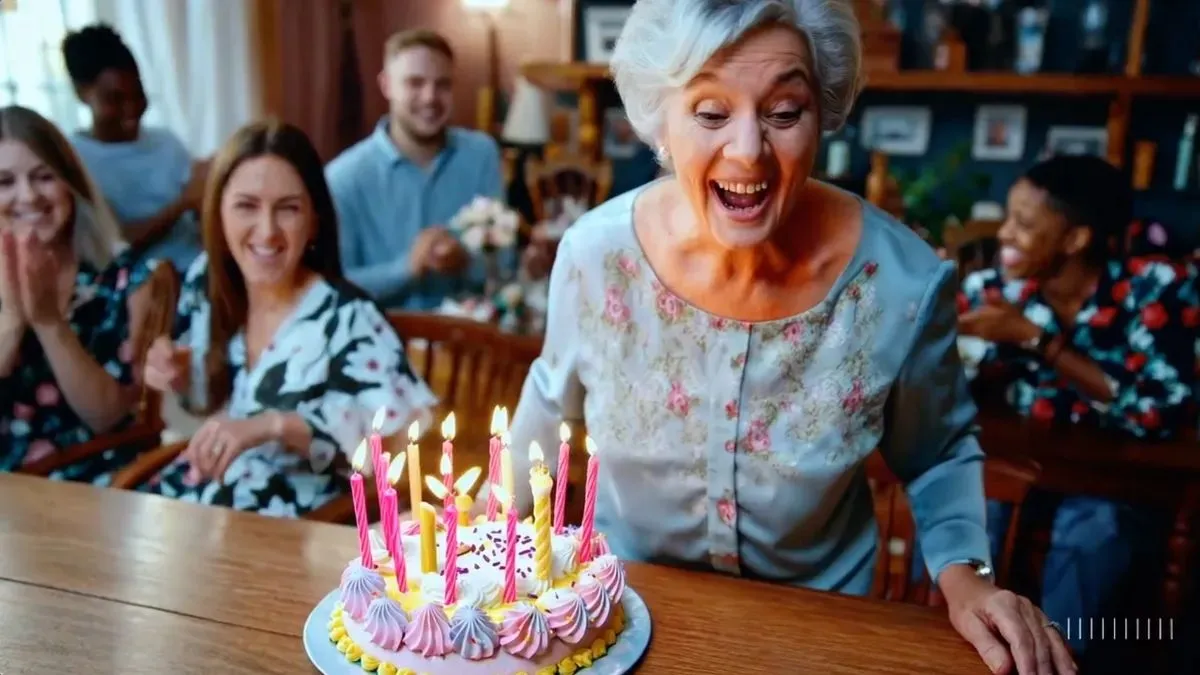
3. Portray Characters and Visual Styles
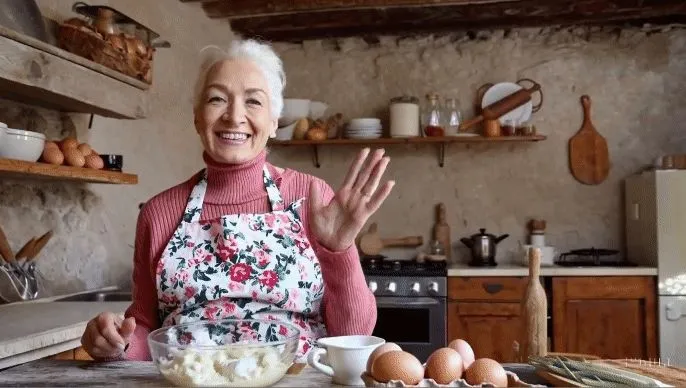
Sora can accurately understand the characters and visual styles the user wants to be portrayed in the video. For instance, a user on X prompted Sam Altman to generate an "instructional cooking session for homemade gnocchi hosted by a grandmother social media influencer set in a rustic Tuscan country kitchen with cinematic lighting." And the result was remarkably accurate as shown below.
4. Extend and Combine Videos
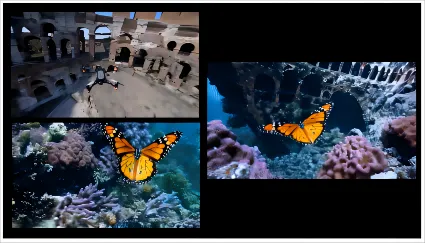
Apart from generating videos from text input, Sora can also take videos and extend them either forward or backward in time. You can fill in gaps between frames and also combine two videos with different scenes into one. This allows seamless transitions between different environments or merging two worlds into one.
5. Generate and Animate Images
Besides text and video input, Sora can also take up images with a specific prompt. It can animate static images according to the information provided by the user. OpenAI used the images generated by DALL·E 2 and DALL·E 3 as input to successfully generate an animated video. Sora can also create its own images of varying resolution with the highest one being 2048x2048.

That's all about the powerful capabilities of Sora. Now, let's find out who can access Sora!
Part 3. Sora’s Launch and Development Timeline
OpenAI’s Sora, initially introduced in February 2024 as a representative product of text-to-video technology, made its debut in the industry and was regarded as a significant milestone in the AI video generation field.Its launch marked a key step forward from static image generation to the practical application of coherent video-based creative expression.
Subsequently, in December 2024, OpenAI further released Sora as an official product to the public, enabling more creators, content producers, and businesses to test its powerful text-to-video capabilities. As the user base grew and the ecosystem expanded, Sora’s community and creative output continued to thrive.
Building on this foundation, on September 30, 2025, OpenAI officially launched Sora 2. This version not only enhanced the existing video generation capabilities but also achieved major improvements in audio, realism, and controllability.
Part 4. What's New in Sora 2 (2025)?
1. Stronger Controllability and Detailed Instruction Execution
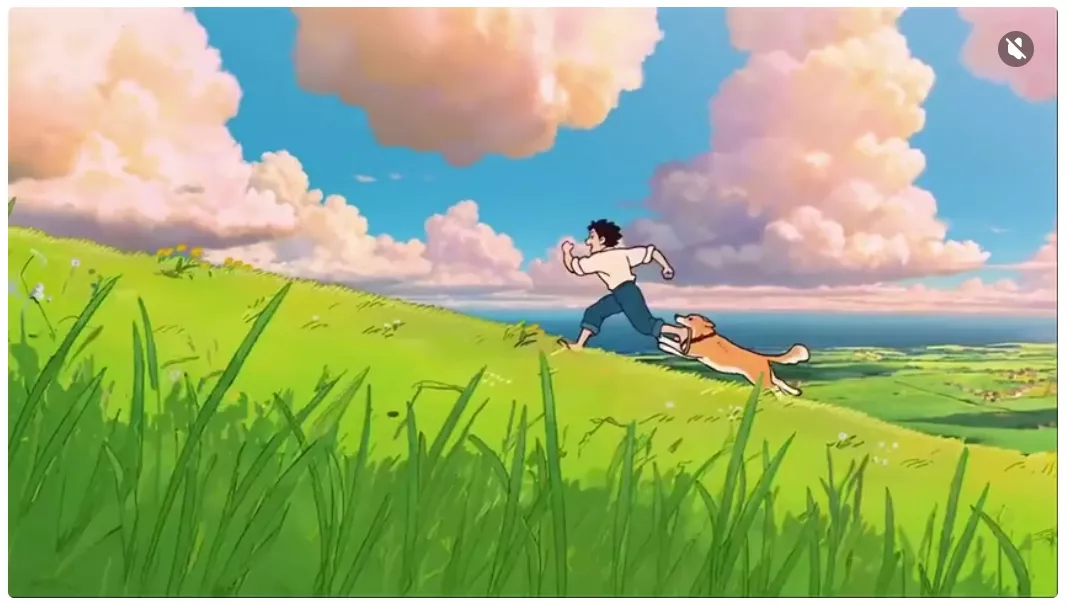
In terms of controllability, Sora 2 has also made significant breakthroughs. It can execute multiple complex instructions that span across several shots while precisely maintaining world consistency. It delivers outstanding performance in realistic, cinematic, and anime-style presentations.
2. Introducing Reality into the Model
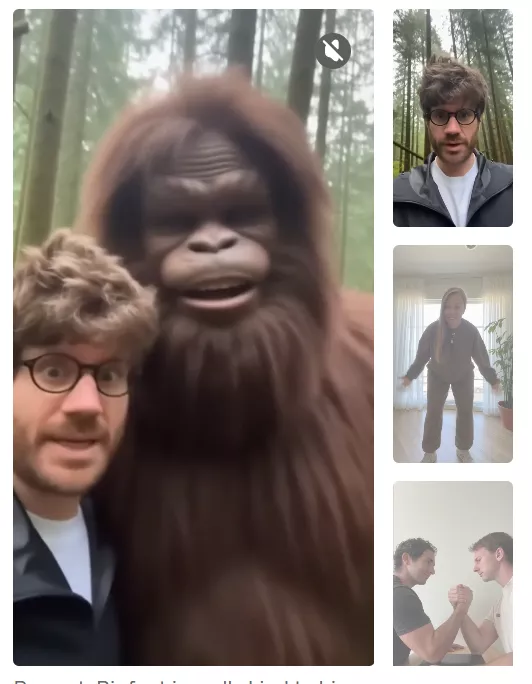
Sora 2 can directly inject real-world elements into its generation process. For example, by analyzing a teammate’s video, the model can accurately reproduce their appearance and voice, embedding them into any environment generated by Sora 2. This capability is highly versatile and can be applied to humans, animals, or objects.
3. More Realistic and Physically Consistent Visuals
The new version enhances its understanding of the physical world and coherence in presentation. For instance, object movements and transitions between shots appear more natural, reducing common artifacts in AI-generated videos such as frame skipping or logical inconsistencies.
Part 5. Who Can Access Sora 2 Now?
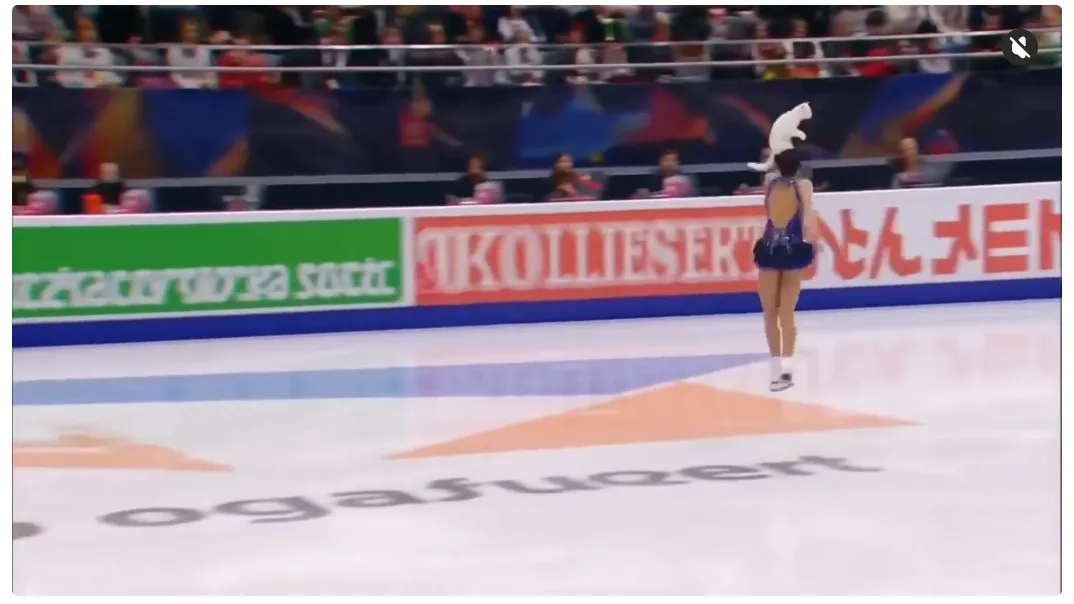
According to OpenAI, the Sora 2 is now available for download in the Apple Store. Users can register within the app to receive push notifications when their accounts are activated. The OpenAI team has launched the first phase of user access in the United States and Canada, with plans to rapidly expand to more countries. Once invited, users can access Sora 2 through sora.com.
Part 6. Is Sora 2 free?
Now, onto the most important part. Is Sora 2 going to be free? How will OpenAI charge for Sora 2? Next, I will show you a table of its pricing.
| Models | Size | Price per Second |
| sora-2 | Portrait: 720 x 1280 Landscape: 1280 x 720 | $0.10 |
| sora-2-pro | Portrait: 720 x 1280 Landscape: 1280 x 720 | $0.30 |
| sora-2-pro | Portrait: 1024 x 1792 Landscape: 1792 x 1024 | $0.50 |
Part 7. Advantages and Disadvantages of Sora 2
Now that you know everything about the magical capabilities of Sora 2, let's find out some strengths and weaknesses of this video AI tool.
Advantages of Sora 2:
- Understand Language Deeply: Sora 2 understands the requirements of the prompt with remarkable accuracy.
- Accepts Multiple Inputs: Sora 2 goes beyond being a text-to-video AI model by accepting images and videos along with prompts to generate high-quality videos.
- Provides Versatile Features: Sora 2 can handle complex scenes, with specific motions, backgrounds, and various types of characters including fantastic creatures.
- Generates High-Quality Outputs: Unlike other text-to-video AI tools, Sora 2 creates videos with high resolution, different aspect ratios, and varying durations.
Disadvantages of Sora 2:
- Mixes up Left and Right: Sora 2 may not accurately interpret the spatial details mentioned in a prompt. It can get confused about the left and right or specific direction of an object.
- Flawed Timeline of Events: OpenAI has mentioned that Sora may struggle with following a timeline of events like following a certain camera trajectory.
Although Sora 2 has some weaknesses, we can help it produce the videos we want by creating detailed, structured, yet creative prompts. Let’s explore how to craft effective prompts suitable for Sora 2.
Part 8. Tips for Writing Good Sora 2 Prompts
- Specify Your Objective: Start your prompt by clearly stating what you want to generate with Sora 2. Mention whether you need to animate an image, edit a video, or create a new video with Sora 2.
- Mention Key Characters: Tell Sora 2 about the type of characters you want to see in the video. Is it a fantasy creature, a fluffy dog, an old woman, a car, or any other object?
- Describe the Scene: Once you've described your characters, provide details about the scenes. What your characters are doing, the atmosphere, the buildings, clothing, etc.
- Describe the Visual Details: Tell Sora 2 about the visual elements of your scene. You can mention the lighting, colors, time of the day, emotional tone, camera angles, etc.
- Mention the Actions in the Video: Clearly describe the action you want in the scene. Tell Sora 2 about the sequence of events, movement of your characters, audience reactions, etc.
- Accept Sora 2's Limitations: Keep in mind that Sora 2 struggles with complex scenes, multiple characters, and cause-and-effect principles of physics. So avoid adding such details to avoid these issues.
So, there you have it! These guidelines can help you generate the best prompts for Sora 2 once it is available for public use.
Part 9. How to Generate Good Prompts for Sora 2 using UPDF AI
You already know Sora 2 can take prompts of more than a hundred words. This is good when it comes to generating accurate imagery from text prompts. The more words you have the more details you can feed Sora 2. But when it comes to creating good prompts for Sora by yourself it can be time-taking.
And, since we're discussing all things AI, why not use an AI tool to generate high-quality prompts for Sora 2? You can use ChatGPT-5 for this purpose but you'll have to invest in monthly installments. Comparatively, UPDF AI lets you generate more accurate prompts cost-effectively. Download and try it now. It allows you to ask 100 questions for free.
Windows • macOS • iOS • Android 100% secure
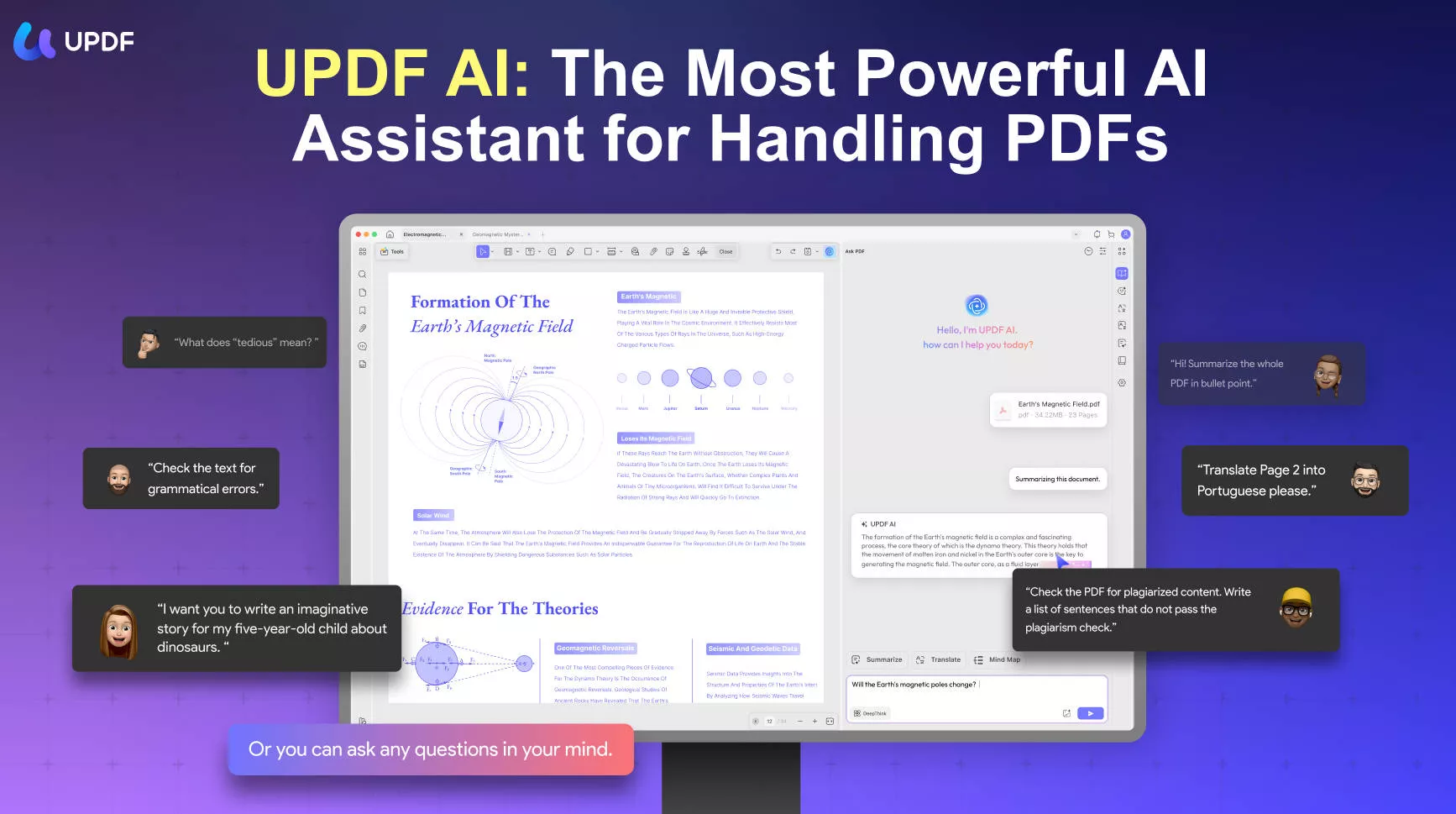
With UPDF AI you can summarize lengthy documents, explain intricate data, translate PDF into any languages, and write any type of content with great precision. UPDF also lets you chat on any topic and ask questions about uploaded documents.
To generate detailed prompts for Sora 2, you only need to feed specific information to UPDF AI and it will give you detailed prompts in seconds. Here are some prompts you can use to generate the best prompts for Sora 2 with UPDF AI.
Prompts for Environments
- Generate some good prompts for a video showing a futuristic cityscape at dawn.
- Provide 5 different prompts to visualize the bustling city of New York at night time.
- Provide creative prompts to show a magical forest with different magical creatures.
Prompts for Business Promotions
- Provide prompts to promote products of a men's clothing brand on instagram.
- Generate some good prompts to promote my bakery shop situated in Seoul.
- Give me some creative prompts to visualize a company's logo transforming from a sketch to a polished design.
Prompts for Different Processes
- Generate prompts for a video showing the transformation of agriculture fields during the transitioning of seasons.
- Generate specific prompts to showcase the process of a painter creating a masterpiece of abstract art.
- Give me 5 different prompts for visualizing the process of sunflowers turning towards the sun throughout the day.
Prompts for Science Fiction
- Generate prompts for depicting a space battle in action between aliens and humans.
- Provide highly specific prompts for depicting the imagery of a post-apocalyptic world.
- Generate 5 different prompts for visualizing an alien town on the Moon.
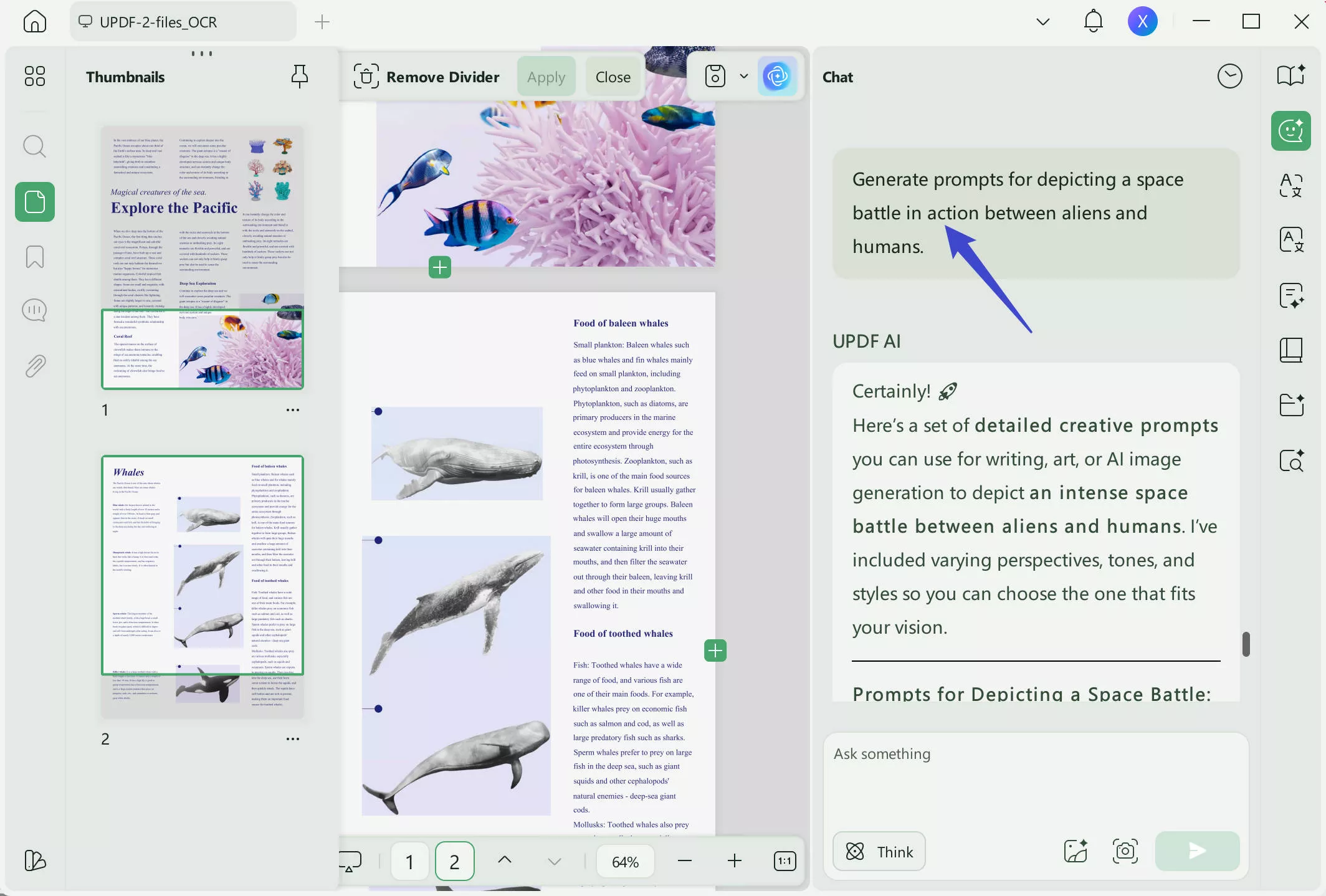
So, there you have it! These UPDF AI prompts can help you generate the best prompts for Sora 2 once it is available for public use. Download UPDF AI now and get ready to make the most out of the Open AI Sora! It is a lot cost-effective than GPT-5.
💡Want to Generate more Creative Prompts?
Windows • macOS • iOS • Android 100% secure
Conclusion
In a nutshell, Sora 2 is the ultimate video AI model capable of bringing imaginations to life through high-resolution videos. What sets it apart from other text-to-video AI tools is the versatility, quality, duration, format, and size of the generated videos.
Although Sora 2 may struggle with complex scenes, physics principles, direction of objects, and sequence of events, it is still a great achievement for the future of generative AI. By using highly specific and detailed prompts, you can generate videos while avoiding Sora 2's limitations.
Also, you can use UPDF AI to help you create wonderful prompts for generating videos that you like.
Windows • macOS • iOS • Android 100% secure







 Enrica Taylor
 Grace Curry
 Lizzy Lozano