 UPDF
UPDF
 UPDF for Windows
 UPDF for Mac
 UPDF for iPhone/iPad
 UPDF for Android
 Nomostar
 UPDF AI Online
 UPDF Sign
 IvyCraft
 Edit PDF
 Annotate PDF
 Create PDF
 PDF Form
 Edit links
 Convert PDF
 OCR
OCR PDF to Word
 PDF to Image
 PDF to Excel
 Organize PDF
 Merge PDF
 Split PDF
 Crop PDF
 Rotate PDF
 Protect PDF
 Sign PDF
 Redact PDF
 Sanitize PDF
 Remove Security
 Read PDF
 UPDF Cloud
 Compress PDF
 Print PDF
 Batch Process
 About UPDF AI
 UPDF AI Solutions
 AI User Guide
 FAQ about UPDF AI
 Summarize PDF
 Translate PDF
 Chat with PDF
 Chat with AI
 Chat with image
 PDF to Mind Map
 Explain PDF
 PDF AI Tools
 Image AI Tools
 AI Chat Tools
 AI Writing Tools
 AI Study Tools
 AI Working Tools
 Other AI Tools
 AI Bookmark Generation
 AI Bookmark Summary
 AI Watermark Generation
 AI Background Generation
 AI Sticker Generation
 AI Stamp Generation
 AI Editing Suite
 UPDF Copilot
 AI Page Management
 AI Semantic Search
 PDF to Word
 PDF to Excel
 PDF to PowerPoint
 Enterprise Solution
 Enterprise Sign
 Enterprise AI
 Enterprise Plan
 Enterprise User Guide
 Enterprise Webinar
 IT
IT Education
 Construction
 Financial Service
 Healthcare
 Insurance
 Legal
Legal Manufacturing
 Government
 Researchers & PhDs
 Solopreneurs & Freelancers
 Lawyers & Legal Professionals
 Real Estate Agents & Brokers
 Education Solution
 Customer Stories
 User Guide
 UPDF Tricks
 FAQs
FAQs UPDF Reviews
 Download Center
 Blog
Blog Newsroom
 Tech Spec
 Updates
 UPDF vs. Adobe Acrobat
 UPDF vs. Foxit
 UPDF vs. PDF Expert

Teams search for enterprise PDF tools to support editing, collaboration, and secure document sharing across departments. However, they often face confusing licensing tiers and deployment rules that complicate IT planning. These issues make it harder for organizations to maintain compliance and predictable ROI across regions.
Many enterprises are now more likely to adopt tools that have more transparent pricing and can be onboarded more quickly. UPDF provides a simpler way to test modern PDF workflows than Adobe Acrobat Enterprise, with a free trial before major commitments. Let's explore why evaluating UPDF before renewing enterprise licenses can lead to better ROI and smoother governance.
- Complex licensing plans often confuse buyers and delay important deployment and rollout decisions.
- Heavy systems and installs strain devices for remote teams using older hardware daily.
- Confusing interfaces slow non-technical staff and increase training needs across busy departments.
- Trying flexible tools early helps leaders measure ROI before committing to long subscriptions.
Windows • macOS • iOS • Android 100% secure
Part 1. How to Access Adobe Acrobat Pro for Enterprise
Most organizations handle Adobe Acrobat Enterprise download centrally through the Adobe Admin Console for controlled deployment. IT teams create MSI or PKG installation packages and then roll them out across managed devices. This approach supports scalable deployment, predictable compliance, and clearer tracking of license usage and ROI across departments. Now, let's understand the official process in more detail.
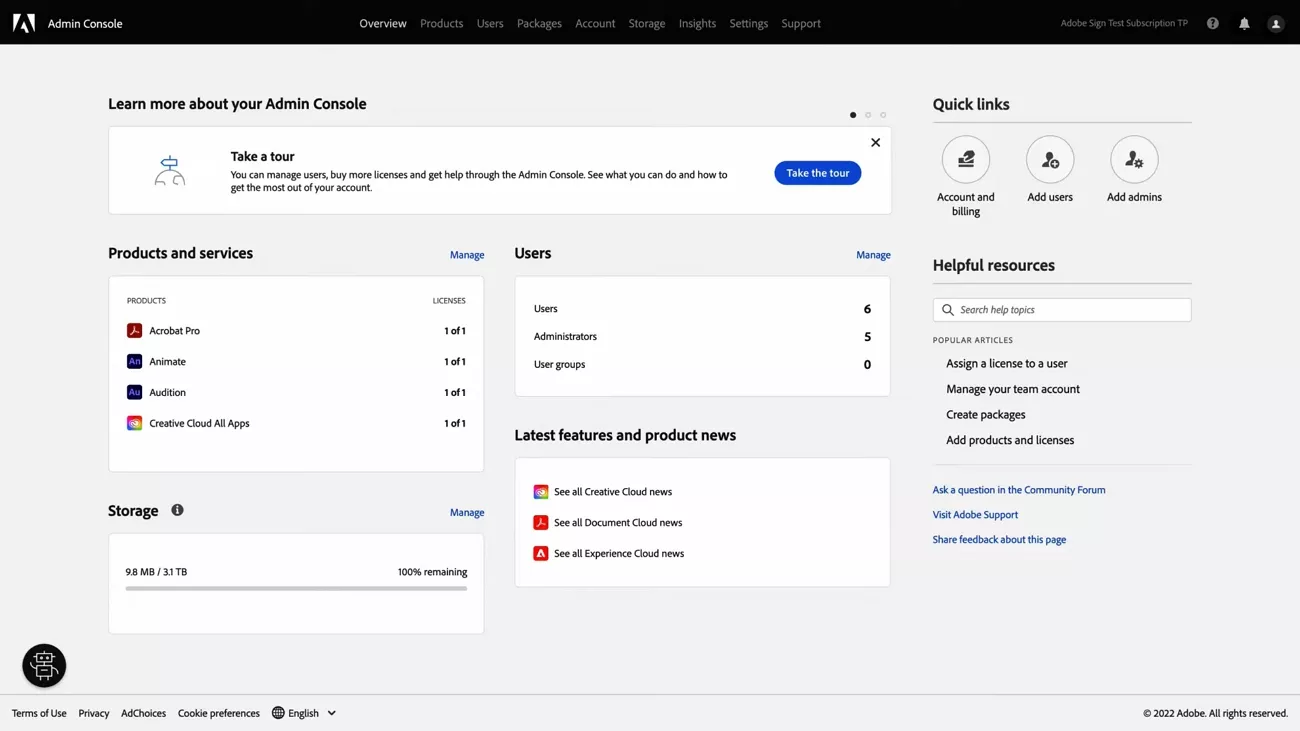
- IT signs into the Adobe Admin Console using organization credentials and appropriate admin roles for access.
- Admins create deployment packages, choosing Acrobat editions, platforms, and configuration options that match internal compliance requirements.
- The console generates MSI packages for Windows and PKG packages for macOS endpoint deployment workflows.
- IT distributes these packages using existing tools like Intune, SCCM, or other centralized deployment systems.
- Teams receive Acrobat with consistent settings, improving governance, scalability, and ROI across different regions and departments.
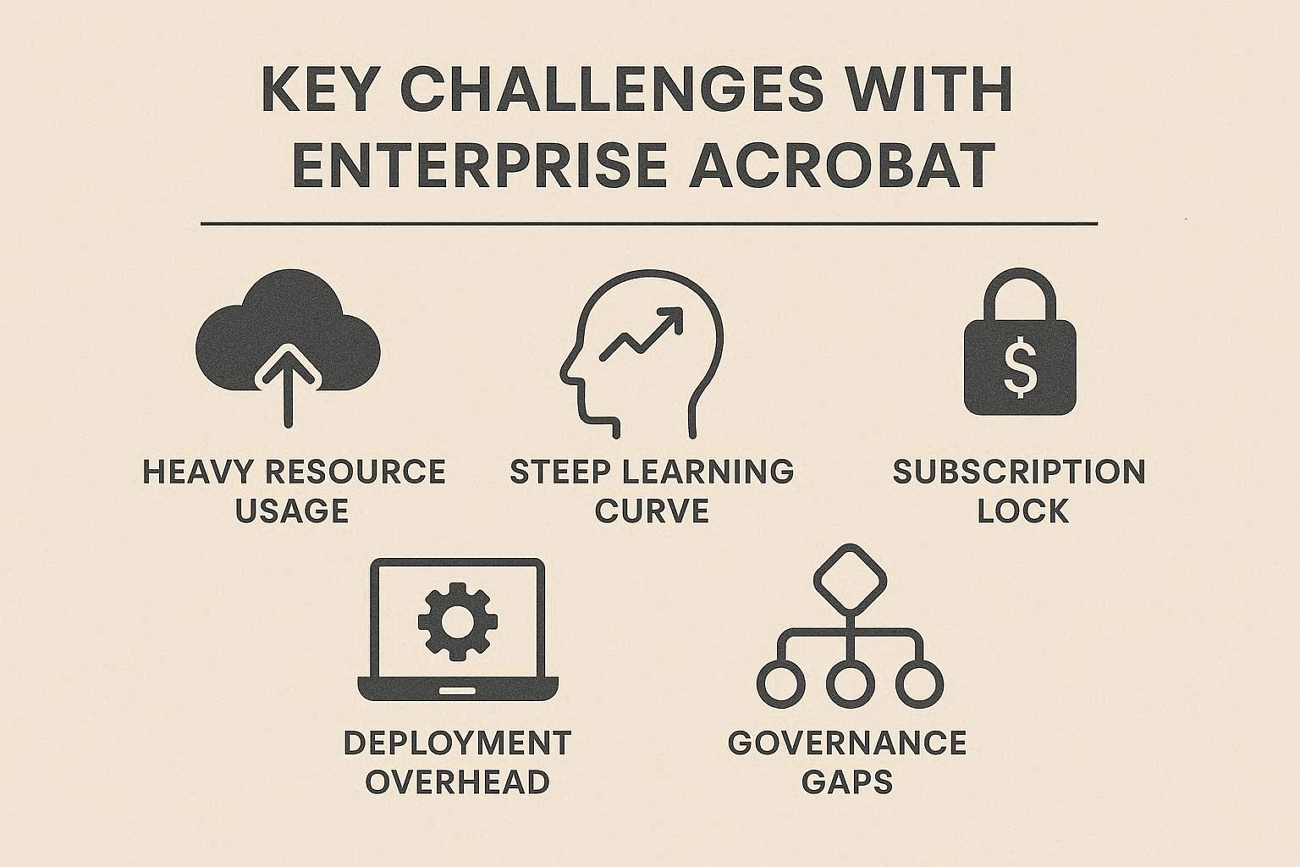
Key Challenges with Enterprise Acrobat
Rolling out enterprise PDF tools often introduces unexpected friction in daily document work across departments. Now, we will outline the main challenges IT managers report in real deployments.
- Heavy Resource Usage: The application can feel slow on older devices during large file work and background tasks.
- Steep Learning Curve: Staff with less technical knowledge struggle with complex menus and slow the adoption of Adobe Acrobat Pro for Enterprise features.
- Subscription Lock: The subscription model limits flexibility for budgeting and long-term ownership decisions across departments.
- Deployment Overhead: IT teams spend extra time handling updates and fixing issues on many different devices.
- Governance Gaps: License tracking and user management can feel cumbersome and reduce clarity around compliance and true ROI.
These hurdles can reduce business output across departments and regions. This official PDF Efficiency Report explains how these issues affect workflows, costs, and long-term productivity. With report reviewing, leaders can better understand current bottlenecks and quantify improvement opportunities.
Part 2. The Superior Alternative: Why UPDF Wins the Enterprise Battle
Many organizations feel locked into complex deployments and rising costs when managing large-scale PDF workflows across departments. Existing tools can strain IT resources and make it harder to maintain compliance and clear ROI. This is where UPDF comes in as a modern, lighter alternative for enterprise document management.
UPDF focuses on streamlined deployment, intuitive use, and scalable management that supports changing team sizes and evolving requirements. For leaders comparing options like Adobe Acrobat Enterprise, UPDF offers a more agile path to compliant, cost-efficient workflows.
Windows • macOS • iOS • Android 100% secure
How UPDF Pricing Supports Enterprise Teams
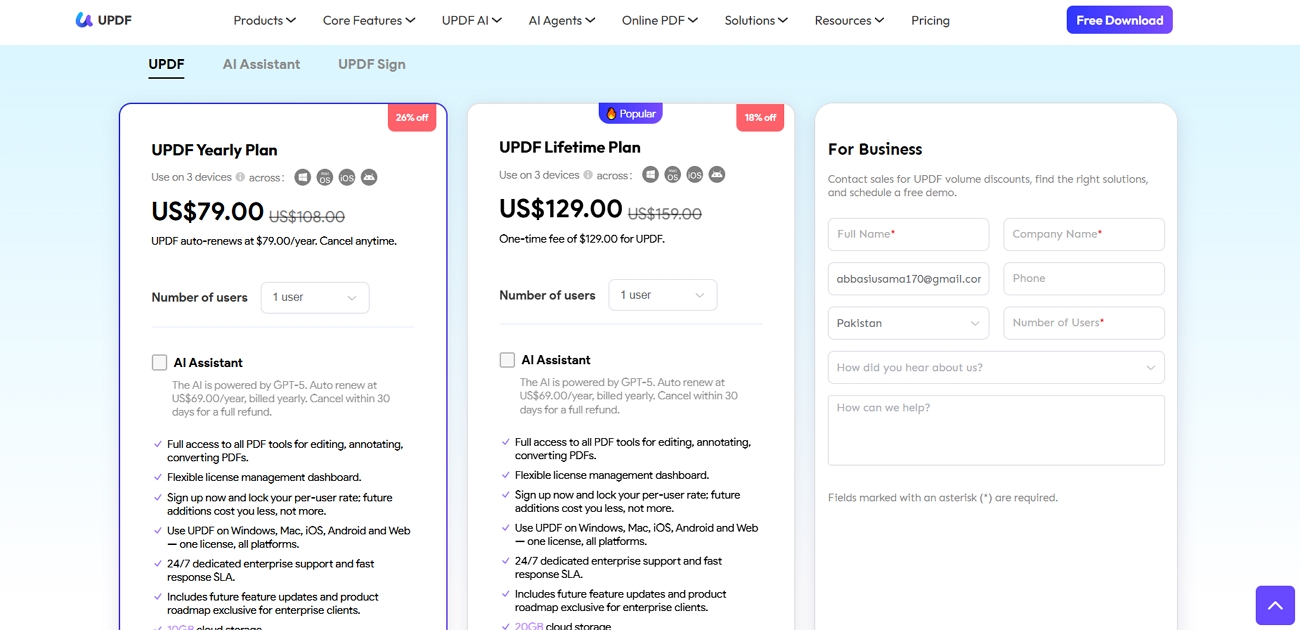
UPDF Enterprise helps IT managers control costs while still delivering strong features for daily document workflows. Flexible plans support different budgeting needs, offering a predictable ROI compared to Adobe Acrobat's high recurring subscription costs. Lifetime licensing reduces renewal pressure, supporting long-term planning and simpler compliance reporting across departments and regions. Now, look at the table below to explore the main UPDF Enterprise license options:
| Plan Type | Description | Price per License | Best For |
| Annual Plan | Yearly license for full UPDF Enterprise | $79/year | Good for flexible budgeting cycles |
| Perpetual Plan | One-time lifetime UPDF Enterprise license | $129/lifetime | Ideal for long-term ownership strategy |
| AI Add-on | Advanced AI features for UPDF Enterprise | $69/year + 7-day free trial | Optional upgrade for heavy AI workflows |
Organizations buying at least 6 licenses receive automatic discounts, keeping large deployments aligned with clear ROI goals. Teams needing 30 or more licenses can request enterprise pricing quotes for tailored deployment discounts.
Central Control with the Admin Console
The UPDF Admin Console gives IT managers one place to manage all user licenses across the organization. They can assign new licenses and reassign seats when employees leave. This central control reduces waste and keeps deployments aligned with budget and governance requirements.
How UPDF's Business Console Interface Speeds Up Work
Many teams find the interface in Adobe Acrobat Pro for Enterprise crowded, which slows everyday document work. However, UPDF uses an intuitive layout to help staff locate tools faster and complete the same tasks with fewer clicks. Like Acrobat offers powerful "Pro" tools for editing, UPDF delivers the same reliable results. To see how quickly teams can master the tool, reference the UPDF Enterprise user guide.
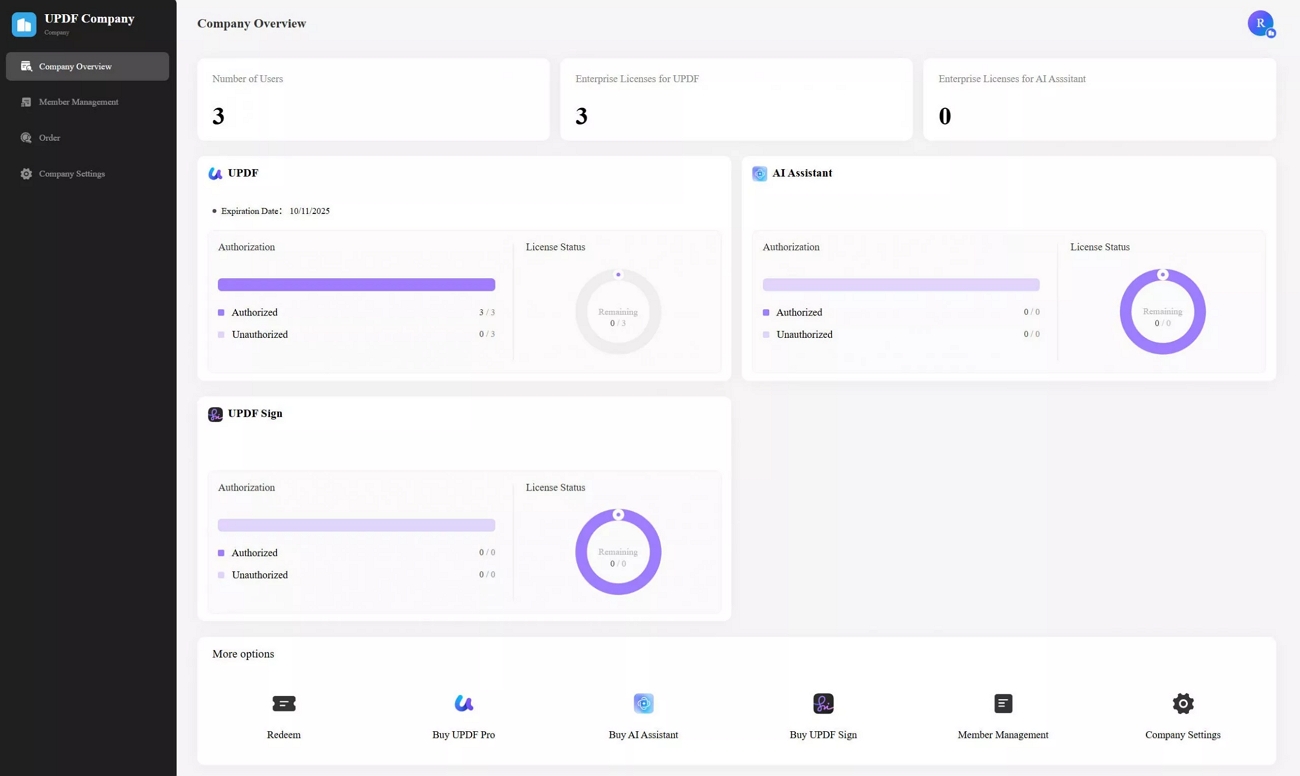
This simpler experience reduces training time and improves scalability across mixed-skill teams. To see these advantages in action, watch the UPDF Enterprise Intro Video showcasing the Admin Console and collaboration features.
Part 3. Advanced Capabilities for Professional Workflows
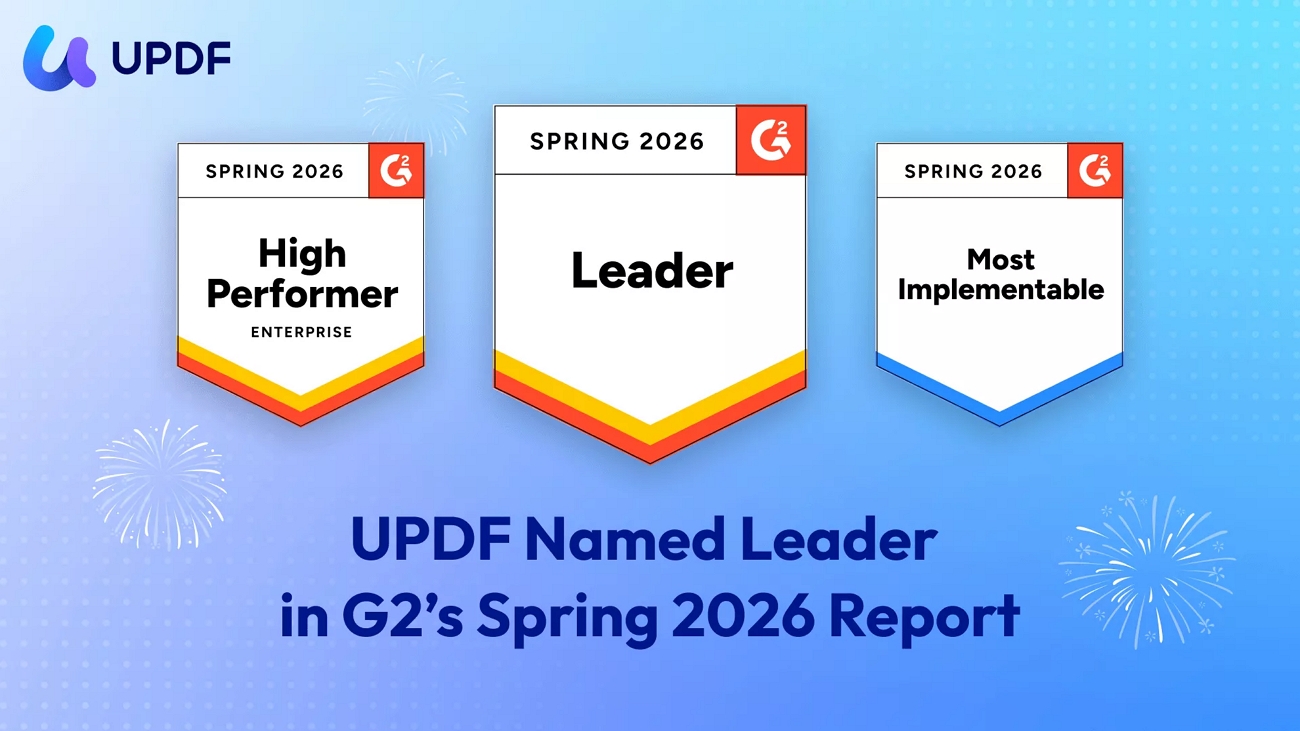
UPDF fits into professional document workflows across platforms through the UPDF for Pro Workflow guide. Teams can replace scattered tools built around Adobe Acrobat Enterprise with one centrally managed document environment. G2 High Performer Enterprise and G2 Leader recognition in Spring 2026 builds confidence for enterprise decision-makers. Now let's discuss the Enterprise highlights that matter most for IT managers and procurement leads:
- Enterprise-Grade AI: AI helps legal teams summarize long contracts to reduce manual review time and speed final approvals. Research groups translate and analyze large PDF archives faster to improve decision speed without immediately increasing staffing costs.
- ISO 27001 Security: ISO 27001 certification supports strict compliance programs to reassure leaders about privacy controls. Regulated industries standardize on UPDF while meeting internal audit requirements and external regulatory expectations.
- Batch Processing Efficiency: Batch conversion lets finance teams process monthly invoices together to save hours compared with manual document handling. Bulk merging helps project offices combine drawings and reports into single files for quicker stakeholder reviews.
- Cross-Platform Continuity: A single account keeps documents accessible across Windows, Mac, iOS, and Android without licensing confusion. Field teams capture and review content on mobile, while office staff continue to work seamlessly on desktops.
Teams ready to modernize PDF workflows can check UPDF Enterprise pricing and order now to align capabilities and budget. Decision-makers use that page to model costs, scalability, and governance fit before renewing older enterprise agreements.
Part 4. FAQ: Acrobat Enterprise vs. Alternative
1. Is there a perpetual license for Adobe Acrobat Pro for Enterprise?
No, Adobe focuses on recurring subscription plans rather than perpetual licenses for Adobe Acrobat Pro for Enterprise. Enterprise buyers manage subscriptions through centralized admin tools, budgeting around ongoing costs instead of one-time ownership.
2. How does license reassignment work in UPDF?
UPDF uses an admin console where IT can revoke licenses and reassign them to new users easily. This central control prevents wasted seats when employees leave, supporting cleaner governance and better budget utilization.
3. Can UPDF handle large-scale enterprise deployments?
Yes, UPDF is designed to support many users across departments with centralized license and policy management. IT teams can integrate it into existing deployment workflows, maintaining scalability as organizations grow or restructure.
Conclusion
To conclude, this guide helped you rethink whether brand premiums actually match real workflow value. We explored how Adobe Acrobat Enterprise pricing and complexity compare with faster PDF alternatives overall. You also learned why flexible AI features, simpler administration, and cross-platform licensing matter more than logos. For a practical test before renewal, download UPDF for free and compare your everyday speed yourself.
Windows • macOS • iOS • Android 100% secure

 Engelbert White
 Enola Davis