UPDF
UPDF
 UPDF for Windows
 UPDF for Mac
 UPDF for iPhone/iPad
 UPDF for Android
 Nomostar
 UPDF AI Online
 UPDF Sign
 IvyCraft
 Edit PDF
 Annotate PDF
 Create PDF
 PDF Form
 Edit links
 Convert PDF
 OCR
OCR PDF to Word
 PDF to Image
 PDF to Excel
 Organize PDF
 Merge PDF
 Split PDF
 Crop PDF
 Rotate PDF
 Protect PDF
 Sign PDF
 Redact PDF
 Sanitize PDF
 Remove Security
 Read PDF
 UPDF Cloud
 Compress PDF
 Print PDF
 Batch Process
 About UPDF AI
 UPDF AI Solutions
 AI User Guide
 FAQ about UPDF AI
 Summarize PDF
 Translate PDF
 Chat with PDF
 Chat with AI
 Chat with image
 PDF to Mind Map
 Explain PDF
 PDF AI Tools
 Image AI Tools
 AI Chat Tools
 AI Writing Tools
 AI Study Tools
 AI Working Tools
 Other AI Tools
 AI Bookmark Generation
 AI Bookmark Summary
 AI Watermark Generation
 AI Background Generation
 AI Sticker Generation
 AI Stamp Generation
 AI Editing Suite
 UPDF Copilot
 AI Page Management
 AI Semantic Search
 PDF to Word
 PDF to Excel
 PDF to PowerPoint
 Enterprise Solution
 Enterprise Sign
 Enterprise AI
 Enterprise Plan
 Enterprise User Guide
 Enterprise Webinar
 Banking
 Healthcare
 Insurance
 Legal
Legal Manufacturing
 Government
 Researchers & PhDs
 Solopreneurs & Freelancers
 Lawyers & Legal Professionals
 Real Estate Agents & Brokers
 Education Solution
 Customer Stories
 User Guide
 UPDF Tricks
 FAQs
FAQs UPDF Reviews
 Download Center
 Blog
Blog Newsroom
 Tech Spec
 Updates
 UPDF vs. Adobe Acrobat
 UPDF vs. Foxit
 UPDF vs. PDF Expert

Users can encounter a scenario where they need to convert PDF files to another format. As devices like Mac or Windows don't have built-in software for this purpose, you need assistance from a third-party PDF tool. The number of PDF converters present on the web is not limited, and mostly used ones are UPDF and Online2PDF.
You cannot work with both tools, so you need to know which one holds the upper hand. That is why this article will cover a detailed comparison of Online2PDF vs. UPDF. By the end of this discussion, you will know which tool is more effective and assistive.
Part 1. What is Online2PDF?
Online2PDF is a free, web-based PDF tool developed by Thomas Embrich in 2007. It offers a comprehensive suite of features for managing PDF files directly through your browser, without the need for installation. The platform supports converting, merging, unlocking, compressing, extracting, rearranging, splitting, and rotating PDF files.
According to Online2PDF’s latest 2026 data, its limits are: single file up to 150MB, total batch upload up to 200MB, and a maximum of 30 files at once. Uploaded files are deleted after conversion, and output files are removed within 90 seconds. However, the page uses Google AdSense tracking, and the interface is dated and information-dense, so first-time users may need some time to learn it.
Part 2. What is UPDF?
UPDF - PDF editor is one of the top-rated and intuitive PDF tools developed by Superace Software Technology Co., Ltd in 2022. UPDF offers free and paid versions. The free version has clear limits: up to 5 documents, ≤10MB per file, and ≤100 pages, which is suitable for light users. The paid version raises the single-file limit to 2GB, removes document-count limits, and supports full OCR in 38 languages with up to 99% accuracy, plus AI features.
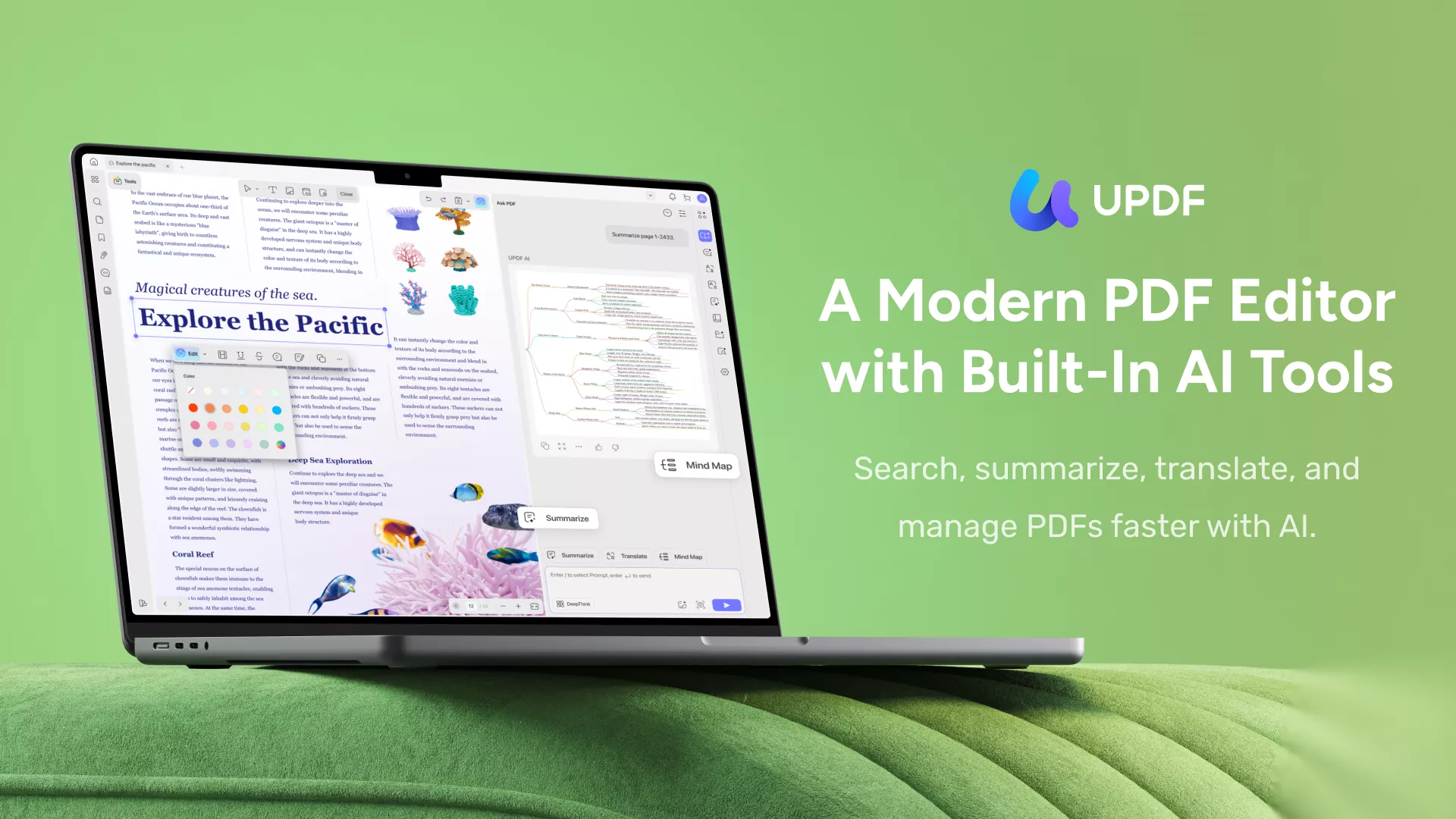
There is a diverse range of assistive features in UPDF, such as "Edit," "Annotate," "AI Summarize/Translate/Expxlain", "Convert," "Organizing," "OCR," "Encrypt," and "Flatten PDF." From the user interface to its blazing-fast performance, everything in this tool is very satisfactory.
It is an offline PDF tool that can be operated on several major platforms, including Mac, Windows, iOS, and Android. It also offers an online version of its AI assistant.
Windows • macOS • iOS • Android 100% secure
Part 3: Comparison Between Online2PDF and UPDF
Users use a tool to make their workflow smooth and swift, so they need to work with an app that has more features. Both Online2PDF and UPDF have features for making PDF files more productive, but several limitations can lead to a problematic scenario. Maybe you need to add annotations in a PDF file, and the tool you are using for this purpose doesn't support this feature.
Therefore, here is a comparison table of UPDF and Online2PDF so you can know which tool has more features and is rich than the other one.
| Items | Features | Online2PDF | UPDF |
| Pricing | Plan details | Free | US $49.99/year US $79.99/lifetime |
| System | Work on platforms | Online | Windows, Mac, iOS, Android |
| File | Maximum file size | Single file up to 150MB; total batch up to 200MB | Free: ≤10MB/file; Paid: ≤2GB/file |
| Maximum files | Up to 30 files | Free: up to 5 documents; Paid: no limit | |
| Read PDF | Open and read PDFs | ||
| Add and manage bookmarks. | |||
| Search text in PDFs | |||
| Display PDF as a slideshow | |||
| AnnotatePDF | Highlight, Strikethrough, Underline, Squiggly line, Text Comment, Text Box, Sticky Note, Text Callout, Shapes, Pencil, Stamps, Signatures, Stickers, | ||
| Edit PDF | Add and edit text in PDF | ||
| Add, delete, extract, rotate, crop, and replace images | |||
| Add and edit links, watermarks, background, and header & footer | |||
| OCR | Turn scanned documents into searchable and editable PDFs | (not editable) | |
| Convert PDF | Convert PDF to Microsoft Office files (.docx, .pptx, .xlsx), RTF, and Text | ||
| Convert PDF to JPG and PNG | |||
| Convert PDF to GIF, BMP, and TIFF | |||
| Convert PDF to CSV, XML, HTML, and PDF/A | |||
| Convert Scanned PDFs with OCR | |||
| Organize PDF | Insert, replace, crop, and delete pages | ||
| Select, rearrange, split, rotate, extract | |||
| Protect and Share | Add an Open Password for PDF | ||
| Set a Permissions Password to prevent editing, copying, and printing of PDFs | |||
| Create, remove, and change password | |||
| Send a PDF by Email as an attachment. | |||
| Share PDF via a link | |||
| Create PDF | Create a blank PDF | ||
| Create a PDF from a photo, multiple photos, capture | |||
| Scan to PDF | |||
| Create PDF from other file types (Word, PPT, Excel) | |||
| Print PDF | Print PDF files | ||
| Form | Fill out Form | ||
| Create PDF Forms | |||
| Edit PDF Forms | |||
| Compress | Compress PDF file size | ||
| Flatten | Flatten PDF files | ||
| Privacy & Security | Data protection | HTTPS, but page includes AdSense tracking | HTTPS + fully offline mode available |
So after comparing these features between Online2PDF and UPDF, you now have a general understanding of their functions, as well as their pros and cons. Since no single tool is perfectly suited to every scenario or user, let’s look at how to choose the right tool for specific situations.
| Scenario | Best choice |
|---|---|
| Occasional one-off conversion, no installation | Online2PDF |
| Frequent editing + OCR + large files | UPDF |
| Sensitive documents | UPDF (offline mode) |
| Batch conversion up to 30 files | Online2PDF |
| Files over 150MB | UPDF |
Part 4: Why UPDF is More Preferable than Online2PDF?
The table above shows that in comparison with Online2PDF, UPDF is more feature-fled. Many basic features that are a must in any PDF tool are absent in Online2PDF. However, features are not the only points that show the higher functionality of UPDF. Some other notable points play a part in showing the reliability of UPDF, which are described below:
💡 Straight Talk: When Online2PDF Is the Better Choice
If you only need a simple one-time PDF conversion — for example, turning a Word file into PDF — and you do not want to install any software, Online2PDF is actually more convenient. It is free, browser-based, and works instantly. But if you process PDFs often, handle large files, need OCR editing, or care about privacy, UPDF is the more reliable choice.
Warning
Any online PDF tool carries some data risk. Even if the tool says files are deleted after conversion, files still pass through a third-party server. For contracts, financial reports, or ID documents, use an offline tool such as UPDF.
4.1 Budget-Friendly Tool
No doubt that Online2PDF is a free PDF converter, but there is a price that you have to pay to use this tool. That price compromises the quality of your PDF files because this tool has very irritable restrictions. Whereas UPDF does offer its features with a price, that price is worth it. For a very low amount, you can use this tool's customary features without any issues.
There are two pricing plans in UPDF, including the Annual plan, which costs US$49.99, and the Lifetime plan, which costs US$79.99. The annual plan can be implemented for a year; however, the perpetual plan is for a lifetime. Moreover, you don't have to face limitations like file size, number, time limit, or features with this tool.
4.2 One License for All Platforms
Buying a license for every platform, like Windows or Mac, would cost lots of money. However, UPDF is an assistive PDF tool that never fails to help out its users. That is why this tool allows you to use one license of UPDF on separate platforms. In short, with one license, you can use UPDF on every device, such as Mac, Windows, iOS, and Android, without any limitation.
Furthermore, there are also no restrictions on the paid version. At the same time, the Online2PDF tool can cause multiple types of problems with or without a license.
4.3 Feature-Rich Tool – UPDF
UPDF is a more feature-rich tool than Online2PDF, and all of its features are upgraded. There are many features that UPDF supports, but Online2PDF does not. Some of those worth mentioning featured are discussed here:
- Annotate PDF: Highlighting text, adding squiggly lines, or strikethrough unimportant text is a part of annotations, but you cannot do this with Online2PDF. However, UPDF allows you to do this and add sticky notes, comments, stamps, and stickers in a PDF with this tool. This tool also allows you to add several types of shapes in a PDF file.
- Edit PDF: With the help of an innovative tool like UPDF, you can add text to a PDF file and edit it in several ways by changing its parameters like font size, style, and colors. You can also remove text from PDF. As for the images, you can add, extract, rotate, and crop images in a PDF. This tool also allows users to edit watermarks, backgrounds, and links in PDFs as per their needs. Although, Online2PDF does not support such editing parameters.
- Convert PDF: By using Online2PDF, you can convert a PDF file into Word, Excel, PPT, JPG, PNG, Text, and Rich Text. However, with UPDF, you can convert a PDF in all these formats in addition to CSV, XML, HTML, and PDF/A. Thus, it shows the wide-ranging productivity options of UPDF.
- Organize PDF: Splitting, extracting, rearranging, and rotating are some of the parameters for organizing PDF files that Online2PDF supports. As you can see, you cannot delete or replace the unrequired pages in a PDF with this tool. Cropping or inserting pages in a PDF is also not possible with this tool; however, UPDF supports all of these organizing features. In short, you can organize PDF files more conveniently with UPDF rather than Online2PDF.
- Create PDF: Creating PDF is a need of every PDF user, but it cannot be accomplished by Online2PDF. This tool does not support the PDF creation option. However, UPDF is a great tool that supports this feature and offers several types of PDF creation options. For example, you can create blank PDF files or by capturing images.
- Flatten PDF: Flattening PDF file is a great way to restrict editing or copying; however, some online tool like Online2PDF does not support this feature. This task can be accomplished smoothly by using an intuitive tool named UPDF.
Online2PDF’s OCR can make a scanned PDF searchable, but it cannot make the recognized text editable. UPDF’s OCR supports 38 languages with up to 99% accuracy, and the recognized text can be edited directly. If you need to modify text inside a scanned document, UPDF is the only viable option between the two.
4.4 Higher-Efficiency
The efficiency ratio of UPDF is far better than Online2PDF for several distinctive reasons. UPDF is an offline tool, so you can work with it without worrying about a slow internet connection. Above all, large files can also be operated smoothly with this PDF converter. The algorithms used in this tool are very advanced, so they eliminate all the lag risks.
However, Online2PDF is an online tool that can only work with a good internet connection, so you need to have fast internet to work with this tool. Above all, it can support 100 to 150 MB file size, and you can work with 20 files simultaneously, which is a great restriction.
Windows • macOS • iOS • Android 100% secure
Part 5: FAQs about Online2PDF and UPDF
1. Is Online2PDF Free to Use?
Yes, it is free to use the tool, but it is not a reliable one. While working with this tool, you need to compromise on several points like PDF file size or numbers.
2. Can You Annotate PDF with Online2PDF?
No, you cannot annotate PDF files by using this tool because it does not support this feature. However, you can add several types of annotations like stamps, stickers, highlights, comments, and sticky notes in a PDF by using UPDF.
3. Is Online2PDF Safe to Use?
It is an online tool, and it does not have to restrict data policies, so the risk of data leakage is still there. Comparatively, UPDF has reliable security algorithms, so even if you are working with a confidential file, you don't have to worry about its leakage.
4. Why is UPDF the Best PDF Editor?
There are many points that help to make UPDF a better and more reliable PDF editor. From its user interface to the performance speed, everything in this tool is exceptional. It is also very cost-effective and offers a diverse range of features to its users. However, in comparison with UPDF, Online2PDF is not a very reliable PDF editor.
5. How much do Online2PDF and UPDF cost?
Online2PDF is completely free. UPDF costs US$49.99/year** or **US$79.99/lifetime. Over three years, UPDF averages about US$26 per year — US$0.50 per week. For frequent PDF users, this is far lower than the time lost to file limits and missing features.
6. What are Online2PDF’s file limits?
According to official 2026 data: single file up to 150MB, total batch upload up to 200MB, and up to 30 files at once. If you exceed these limits, you need to split the files or use another tool.
Conclusion
In concluding remarks, this article shows a great comparison between Online2PDF and PDF. This comparison helps to determine the higher functionality of UPDF. You can use this tool for converting, editing, printing, annotating, or organizing PDF files. Every feature of it offers a satisfactory outcome, so you don't have to compromise on the file's quality and quantity.
Windows • macOS • iOS • Android 100% secure
Note: The information on this page is based on UPDF writers’ testing and publicly available product details at the time of writing. Features and pricing may change over time. If you notice any inaccuracies, please contact us at [email protected]

 Enid Brown
 Enrica Taylor