 UPDF
UPDF
 UPDF for Windows
 UPDF for Mac
 UPDF for iPhone/iPad
 UPDF for Android
 Nomostar
 UPDF AI Online
 UPDF Sign
 IvyCraft
 Edit PDF
 Annotate PDF
 Create PDF
 PDF Form
 Edit links
 Convert PDF
 OCR
OCR PDF to Word
 PDF to Image
 PDF to Excel
 Organize PDF
 Merge PDF
 Split PDF
 Crop PDF
 Rotate PDF
 Protect PDF
 Sign PDF
 Redact PDF
 Sanitize PDF
 Remove Security
 Read PDF
 UPDF Cloud
 Compress PDF
 Print PDF
 Batch Process
 About UPDF AI
 UPDF AI Solutions
 AI User Guide
 FAQ about UPDF AI
 Summarize PDF
 Translate PDF
 Chat with PDF
 Chat with AI
 Chat with image
 PDF to Mind Map
 Explain PDF
 PDF AI Tools
 Image AI Tools
 AI Chat Tools
 AI Writing Tools
 AI Study Tools
 AI Working Tools
 Other AI Tools
 AI Bookmark Generation
 AI Bookmark Summary
 AI Watermark Generation
 AI Background Generation
 AI Sticker Generation
 AI Stamp Generation
 AI Editing Suite
 UPDF Copilot
 AI Page Management
 AI Semantic Search
 PDF to Word
 PDF to Excel
 PDF to PowerPoint
 Enterprise Solution
 Enterprise Sign
 Enterprise AI
 Enterprise Plan
 Enterprise User Guide
 Enterprise Webinar
 IT
IT Education
 Construction
 Financial Service
 Healthcare
 Insurance
 Legal
Legal Manufacturing
 Government
 Researchers & PhDs
 Solopreneurs & Freelancers
 Lawyers & Legal Professionals
 Real Estate Agents & Brokers
 Education Solution
 Customer Stories
 User Guide
 UPDF Tricks
 FAQs
FAQs UPDF Reviews
 Download Center
 Blog
Blog Newsroom
 Tech Spec
 Updates
 UPDF vs. Adobe Acrobat
 UPDF vs. Foxit
 UPDF vs. PDF Expert

Quick Answer
UPDF is an award-winning and fastest-growing PDF editor, praised for its modernized interface and feature-packed PDF capabilities. With UPDF, you get an AI-backed toolkit to edit, annotate, convert, organize, OCR, and do more with PDFs.
UPDF offers both free and paid plans to cater to the needs of various users. The latest UPDF 2.5 update also introduced 10 brand-new AI Agents — purpose-built automation tools that are exclusively available to paid users. To help you decide which plan to use, let's perform a detailed comparison of the UPDF free vs paid plans to pinpoint what sets them apart. Keep reading to discover the key differences and determine the ideal UPDF plan for you.
Download UPDF for free today and experience its powerful features firsthand!
Windows • macOS • iOS • Android 100% secure
Part 1. UPDF Free vs. Paid – Which UPDF Plan Suits You?
If you are wondering about the differences between UPDF's free and paid versions, refer to the comparison table below.
Unlock UPDF Pro for the Full Experience Now >>
| Features | Free $0/month | UPDF Pro $49.99/year or $79.99/one-time | |
| Edit PDF | Edit Text, Images, and Links | Trial watermarks added | |
| Edit Watermarks, Background, Header and Footer | Trial watermarks added | ||
| Convert PDF | Convert PDF to Word, Excel, PPT, Images, Text, HTML, XML, etc. | 2 conversations/day | Unlimited |
| Create PDF from Word, Excel, PPT, images, etc. | Trial watermarks added | ||
| Annotate PDF | Highlight, Underline, Strikeout, Squiggly | Trial watermarks added | |
| Sticky Note, Text Box, Typewriter, Text Callout | Trial watermarks added | ||
| Pencil, Eraser, Shapes, Stamps, Stickers | Trial watermarks added | ||
| Sign PDF | Trial watermarks added | ||
| Batch Process | Batch Convert, Combine, Print, Encrypt, and Insert | 2 files in a batch | Unlimited |
| PDF Forms | Fill PDF Forms | Trial watermarks added | |
| Create PDF Forms | Trial watermarks added | ||
| Edit PDF Forms | Trial watermarks added | ||
| Protect and Share PDF | Redact Sensitive Info | Trial watermarks added | |
| Add Password to PDF | Trial watermarks added | ||
| Share PDF via Link and Email | 10MB file size limit | ||
| Organize PDF Pages | Insert, Replace, Reorder, Extract, Split, Rotate, and Remove Pages | Trial watermarks added | |
| Crop Pages | Trial watermarks added | ||
| Other Tools | Compress PDF | Trial watermarks added | |
| Measure PDF | Trial watermarks added | ||
| Flatten PDF | Trial watermarks added | ||
| Save as PDF/A | Save 2 files/day | Unlimited | |
| Manage Bookmarks in PDF | Trial watermarks added | ||
| Slideshow PDF | |||
| OCR | Scanned PDF to editable | 5 PDFs only | Unlimited, 38 languages |
| General | File limit | ≤10MB per file, ≤100 pages, up to 5 documents | ≤2GB per file, no page limit, unlimited documents |
| Cloud Storage | 1GB, single file ≤10MB | 10GB, single file ≤2GB |
⚠️ Watermark warning: The free version adds a "Trial Watermark" to the top-left corner of every file you save or export. This includes annotated PDFs, edited text, and converted documents. If you share these files with clients or colleagues, the watermark will be visible to them. To export clean, watermark-free files, you need a paid plan.
UPDF also offers an AI assistant to chat with PDFs and get assistance in consuming complex documents. However, the AI features require a separate purchase, but we offer a free trial allowing users to:
- Upload 5 PDFs
- Ask 100 questions/100 credits
In addition, UPDF has introduced 10 specialized AI Agents designed to handle complex document tasks with surgical precision.
Part 2. Experience the Future of PDFs with 10 New AI Agents
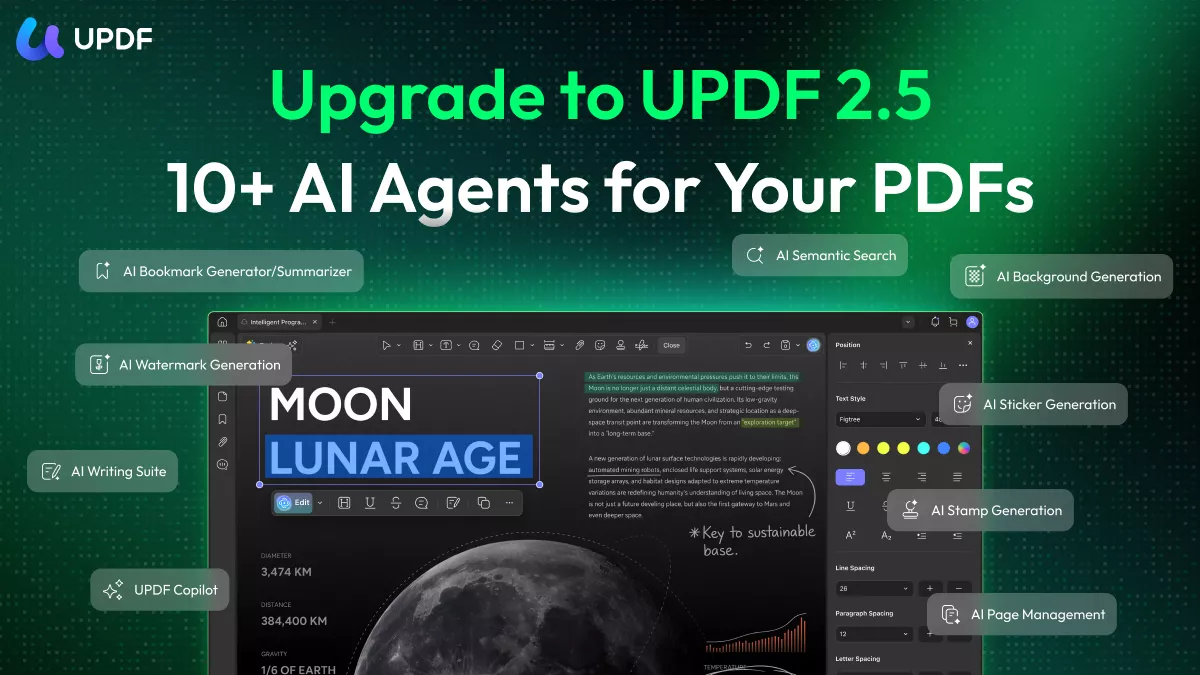
UPDF 2.5 introduced 10 purpose-built AI Agents, each designed to automate a specific PDF task that would otherwise require manual effort. These are exclusive to paid AI users and available immediately upon upgrade — no plugin setup, no API keys required.
The Credit System Explained:
- Free Users: Upon downloading and signing in, you receive 100 Free Credits. These credits allow you to explore and test the full capabilities of all 10 AI Agents at no cost.
- Paid Users: By upgrading to an AI plan, you unlock Unlimited Access. Say goodbye to credit limits and enjoy unrestricted AI power for all your professional needs.
Here is how our 10 AI Agents transform your workflow:
1. Smart Navigation & Content Mastery
Stop scrolling and start finding. These agents help you digest thousands of pages in seconds.
- AI Bookmark Agent: Automatically generates intelligent bookmarks from your document's structure for instant navigation.
- Bookmark Summary Agent: After generating bookmarks, this agent creates a concise summary for each section, so you can understand the shape of a document before reading it in full.
- Semantic Search Agent: Find information based on meaning and intent, not just exact keyword matches.
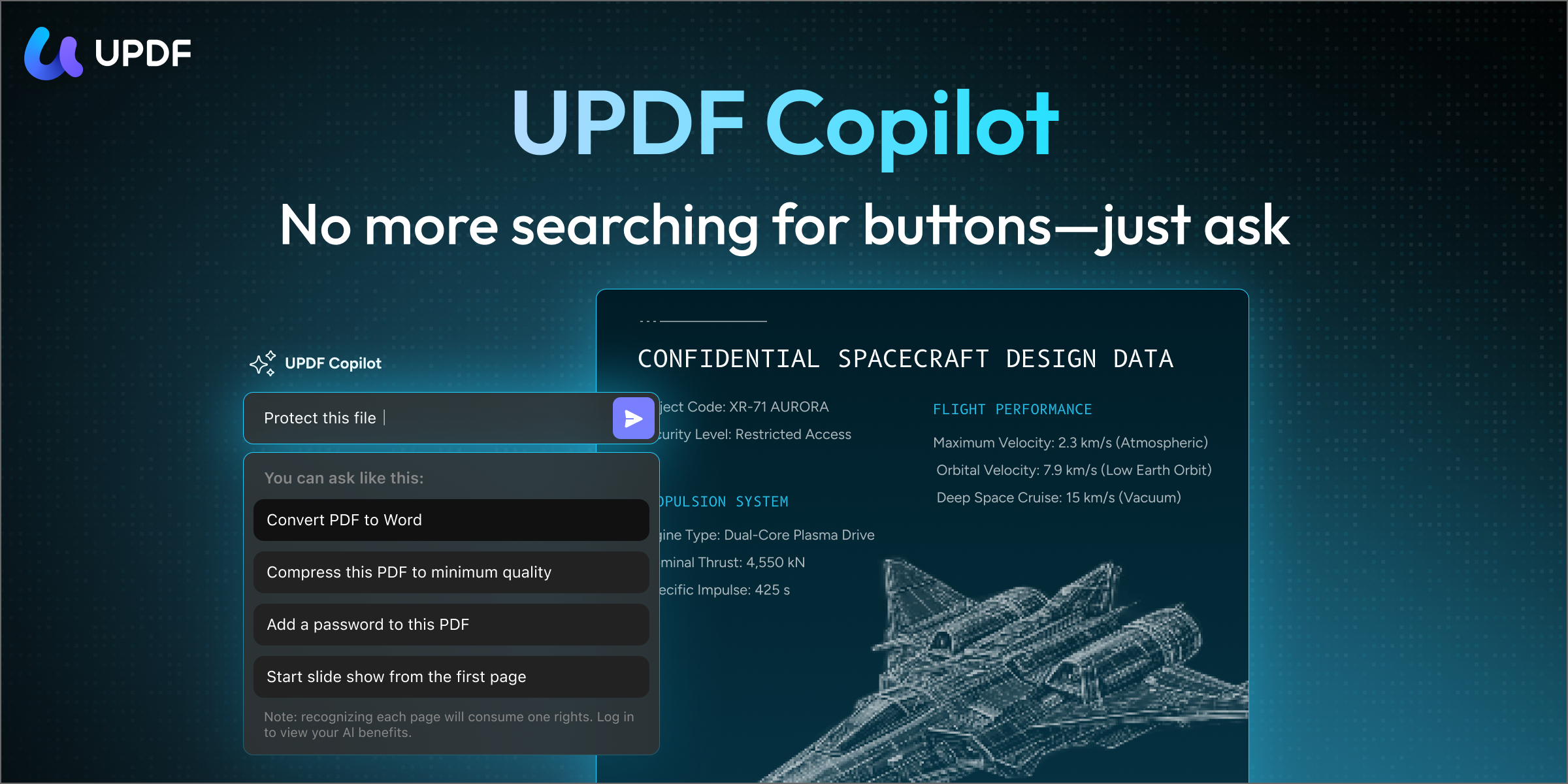
- UPDF Copilot Agent: Your 24/7 AI partner to execute any PDF command you give.
2. Intelligent Editing & Page Management
Managing PDF layouts and text is now as easy as chatting.
- AI Editing Agent: Edit text directly inside your PDF with AI assistance. Fix errors, rewrite sentences, or update content without ever exporting to another format.
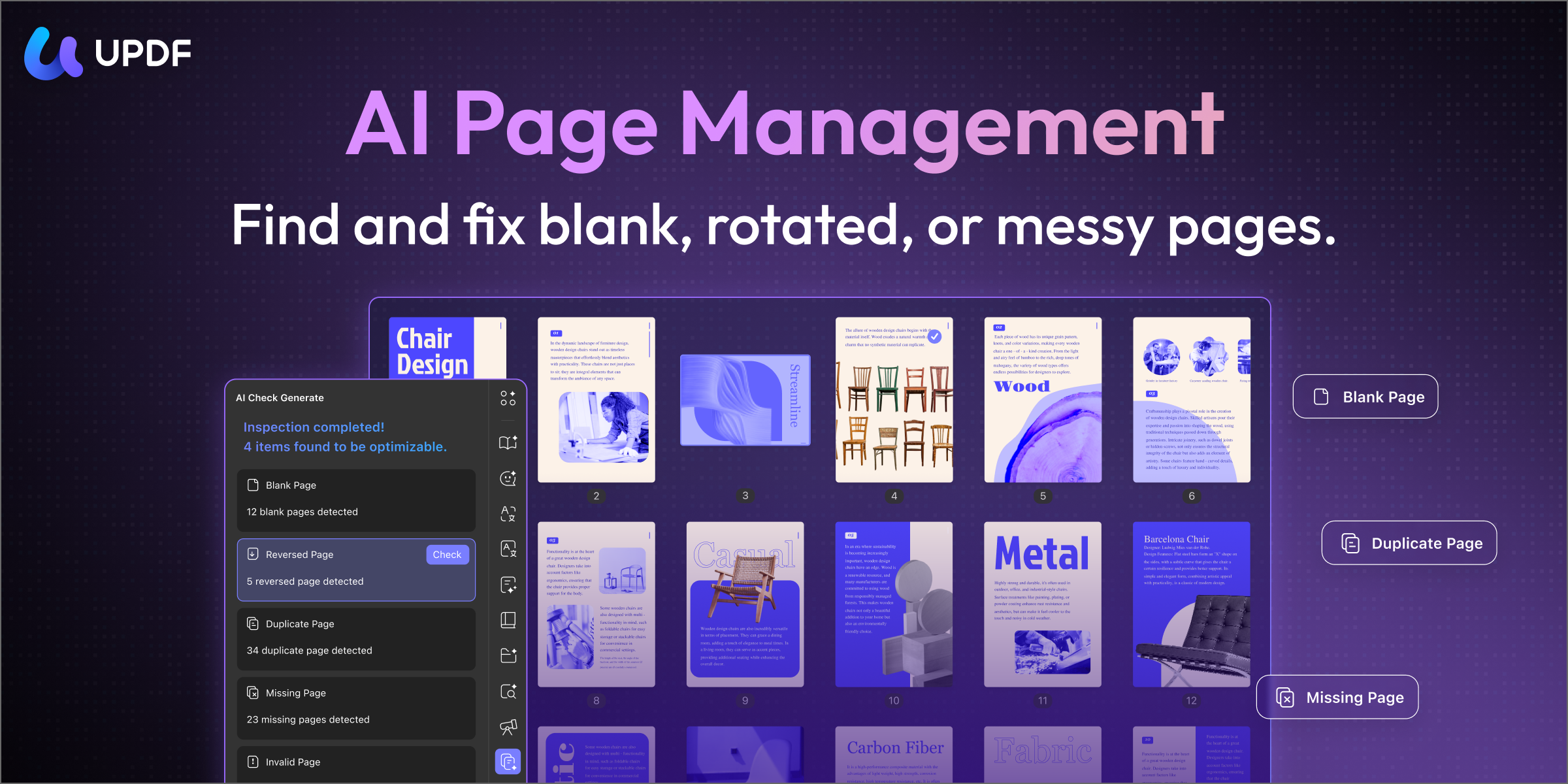
- AI Page Management Agent: Scans your document and automatically detects and fixes issues like blank pages, incorrectly rotated pages, or duplicate content — without any manual review.
3. Visual Precision & Security
Polish and protect your documents with automated visual tools.
- AI Watermark Agent: Intelligently generate watermarks with perfect precision.
- AI Background Agent: Generate custom PDF backgrounds from a text prompt.
- AI Sticker Agent: Creates custom AI-generated stickers for visual annotations.
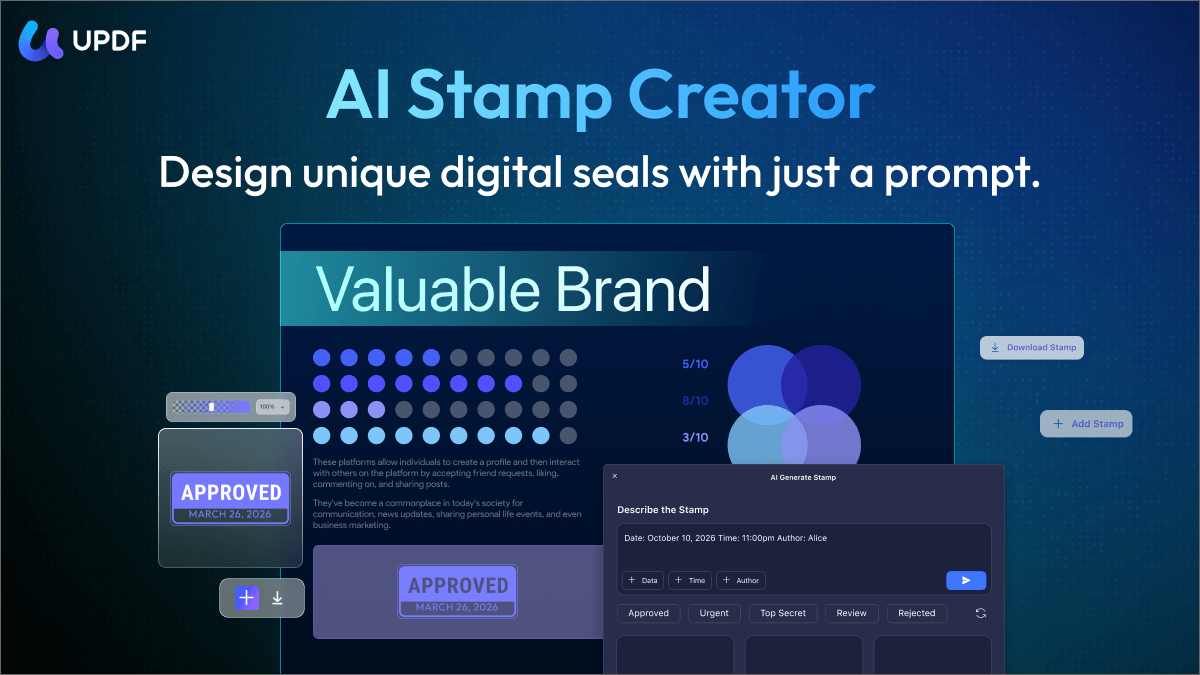
- AI Stamp Agent: Smart creation of custom stamps.
For more details on the AI free trial, check the comparison table on this page.
🔥Upgrade to UPDF AI's Paid Plan to Access All 10 AI Agents >>
Which UPDF Plan Should You Choose?
| User Scenario | Recommended Plan | Why |
|---|---|---|
| Read PDFs, add light annotations, occasional viewing | Free | Core viewing and annotation work; watermark only appears on save |
| Edit PDFs for work, export without watermark, convert to Office formats | UPDF Pro (Annual) | US$49.99/year removes watermarks, unlocks unlimited conversions, and supports large files |
| Long-term professional use, want to avoid recurring fees | UPDF Pro (Lifetime) | US$79.99 one-time payment; cost-effective after ~1.75 years compared to annual plan |
| Need AI-powered summarization, translation, or chat with PDF | UPDF Pro + AI bundle | AI features require a separate purchase on top of Pro |
Part 3. Why Should You Upgrade to UPDF Paid?
From the above UPDF free vs paid comparison table, you can see that the free plan gives a taste of all the core features but with limited access or trial watermarks. So, this plan best suits users who have basic needs to fulfill, such as viewing, annotating, or performing occasional edits on PDFs without requiring full functionality.
In contrast, the UPDF Pro plan gives limitless access to its advanced features. You get:
- Unlimited edits and annotations
- Limitless PDF conversions
- Batch processing dozens of PDFs
- Powerful OCR technology
- Comprehensive PDF form functionality
- Unrestricted sharing of PDFs via emails and links
The best part is that UPDF Pro is accessible for a lifetime with its one-time purchase option. Plus, our pricing plans are the cheapest in the PDF editor market.
To better understand how UPDF offers the best plans, let's do a quick comparison of UPDF Pro and Adobe Acrobat Pro and see the difference in pricing, compatibility, and features.
| Features | UPDF Pro | Adobe Acrobat Pro | |
| Pricing | Paid Plans | US$ $49.99/Year, US $79.99/Lifetime (Lifetime free updates) | US$239.88/year, no lifetime plan |
| Compatibility | Work on Systems | Windows, Mac, iOS, Android | Windows, Mac, iOS, Android, Online |
| Read PDF | Read PDF/ Search Text / Add Bookmarks | ||
| Display a PDF as a slideshow | |||
| Compare PDF | |||
| Edit PDF | Edit PDF Text/Images/Links | ||
| Add Watermarks/Backgrounds | |||
| Add Rich Text by Dragging and Dropping | |||
| Annotate PDF | Highlight/Underline/Strikethrough | ||
| Text Comments/ Sticky Notes | |||
| Shapes/Pencils/Stamps/Signatures | |||
| Stickers | |||
| Convert PDF | Convert PDF to Word, Excel, PPT, Text, RTF, HTML, XML, and Images (PNG, JPEG, TIFF) | ||
| Save PDF as PDF/A | |||
| Convert PDF to CSV | |||
| Convert PDF to BMP | |||
| Convert PDF to GIF | |||
| AI Assistant | Summarize/Translate/Explain PDF | ||
| Chat with Image | |||
| Convert PDF to Mind Map | |||
| Free Prompts | 100 | 0 | |
| Other Features | OCR | ||
| Organize PDF Pages | |||
| Protect PDFs | |||
| Fill and Sign PDFs | |||
| Merge PDFs |
UPDF also offers an AI assistant to chat with PDFs and get assistance in consuming complex documents.
Important: AI features are not included in UPDF Pro — they require a separate AI plan purchase, it costs $79 per year. This is a common point of confusion. However, we offer a free trial allowing users to:
- Upload 5 PDFs
- Ask 100 questions (100 credits)
💡 Tip: If you mainly need PDF editing, conversion, and OCR, UPDF Pro alone is sufficient. Only add the AI plan if you specifically need AI summarization, translation, or document chat.
FAQs
1. Is the UPDF license transferable between devices?
Yes. One UPDF Pro license covers 4 devices: desktops (Windows/Mac) and mobile devices (iOS/Android), you can mix and match as you please, provided the total number of simultaneously connected devices does not exceed four, exceeding this limit requires email verification. You can use it on Windows, Mac, iOS, and Android with a single purchase.
2. Does the lifetime plan include AI features?
No. The US$79.99 lifetime plan covers all PDF editing, conversion, OCR, and organizational features. AI features (summarization, translation, PDF chat) require a separate AI plan, starting at US$79/year for unlimited access.
3. What happens to files I edited with the free version after upgrading?
The watermark is only added at the export/save stage. Files you created or edited while on the free plan will not retroactively gain watermarks after you upgrade. Simply re-export them with the paid version to get clean copies.
4. Is there a refund policy?
UPDF offers a 30-day money-back guarantee on all paid plans. If the software does not meet your needs, you can request a full refund within 30 days of purchase.
Conclusion
Both the UPDF free and paid plans have their purpose. The free plan works well for basic reading, occasional annotations, and light edits. But if PDFs are a regular part of your work, the Pro+AI plan pays for itself quickly — with unlimited access to every core feature, plus the full suite of 10 AI Agents that can automate what used to take hours of manual effort. The lifetime plan, in particular, offers remarkable value: for a one-time payment of $79.99 with no recurring costs, UPDF Pro is one of the most cost-effective upgrades available in the PDF tool market.
Note: The information on this page is based on UPDF writers’ testing and publicly available product details at the time of writing. Features and pricing may change over time. If you notice any inaccuracies, please contact us at [email protected]

 Enrica Taylor
 Enola Miller

 Enid Brown