 UPDF
UPDF
 UPDF for Windows
 UPDF for Mac
 UPDF for iPhone/iPad
 UPDF for Android
 UPDF AI Online
 UPDF Sign
 Edit PDF
 Annotate PDF
 Create PDF
 PDF Form
 Edit links
 Convert PDF
 OCR
OCR PDF to Word
 PDF to Image
 PDF to Excel
 Organize PDF
 Merge PDF
 Split PDF
 Crop PDF
 Rotate PDF
 Protect PDF
 Sign PDF
 Redact PDF
 Sanitize PDF
 Remove Security
 Read PDF
 UPDF Cloud
 Compress PDF
 Print PDF
 Batch Process
 About UPDF AI
 UPDF AI Solutions
 AI User Guide
 FAQ about UPDF AI
 Summarize PDF
 Translate PDF
 Chat with PDF
 Chat with AI
 Chat with image
 PDF to Mind Map
 Explain PDF
 PDF AI Tools
 Image AI Tools
 AI Chat Tools
 AI Writing Tools
 AI Study Tools
 AI Working Tools
 Other AI Tools
 PDF to Word
 PDF to Excel
 PDF to PowerPoint
 Enterprise Solution
 Enterprise Sign
 Enterprise AI
 Enterprise Plan
 Enterprise User Guide
 Enterprise Webinar
 Banking
 Healthcare
 Insurance
 Legal
Legal Manufacturing
 Government
 Education Solution
 Customer Stories
 User Guide
 UPDF Tricks
 FAQs
FAQs UPDF Reviews
 Download Center
 Blog
Blog Newsroom
 Tech Spec
 Updates
 UPDF vs. Adobe Acrobat
 UPDF vs. Foxit
 UPDF vs. PDF Expert

In every regulated research project I handled, a well-prepared clinical trial study report served as the official record of the study's design, conduct, analysis, and outcomes. I saw how regulators, sponsors, ethics committees, and medical journals relied on it to evaluate safety, efficacy, and compliance. Without a clear structure, even strong clinical data often loses credibility.
In this guide, I explained what a solid clinical study report format looked like. I also shared where I found a reliable clinical trial report example material. Along the way, I covered practical tips and tools such as UPDF and UPDF AI, and how they simplified my work. Read the article till the end to learn how to improve your reporting process.
Windows • macOS • iOS • Android 100% secure
Part 1. Where to Find a Compliant Clinical Trial Report Example
When I started looking for a reliable clinical trial report example, I quickly realized that not all sources were equally credible. I focused only on authoritative and regulator-accepted references to ensure compliance and accuracy in clinical trial reports.
1. The Gold Standard
I treated the International Council for Harmonisation of Technical Requirements for Pharmaceuticals for Human Use E3 guideline as the definitive foundation for the report structure. The ICH E3 document clearly outlined the required sections, appendices, and formatting expectations for a Clinical Study Report (CSR). Whenever I needed clarity on structure, I returned to this guideline first. It ensured my report aligned with global regulatory standards.

2. Regulatory Databases
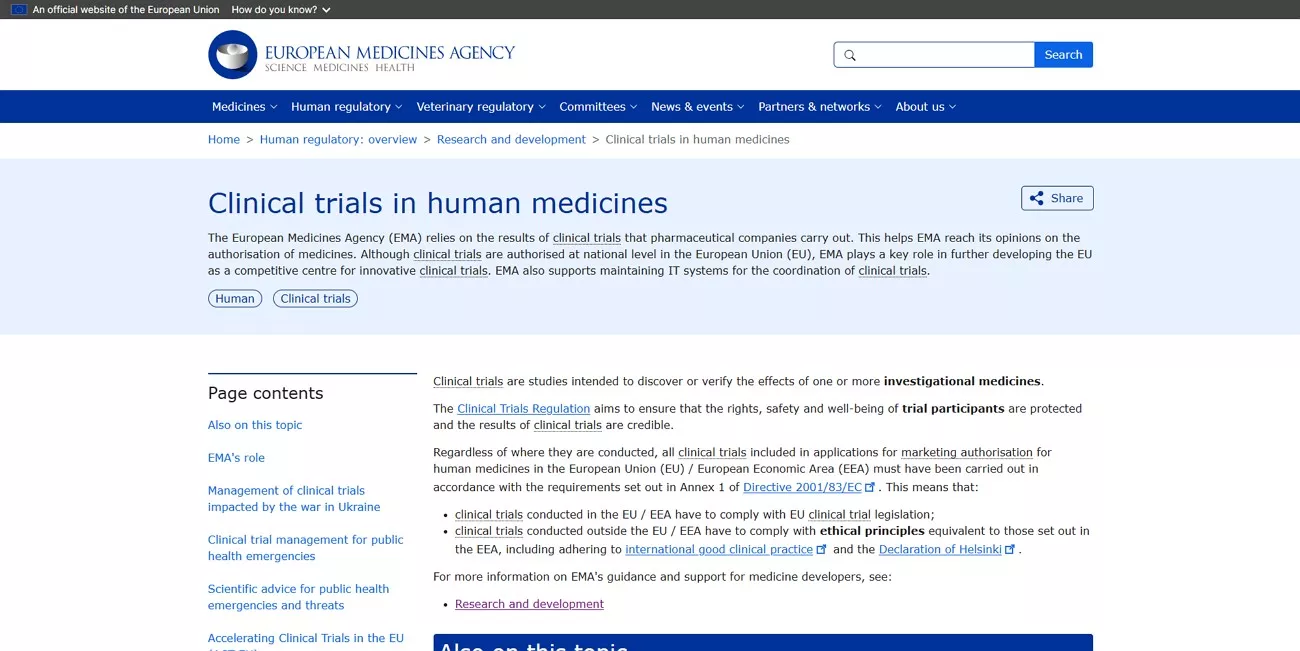
To see real-world, regulator-accepted examples, I reviewed redacted submissions in official databases. I used the FDA official site to examine approved drug application documents and supporting reports. I also explored the European Medicines Agency Clinical Data Publication portal, which provided access to anonymized clinical trial reports submitted for marketing authorization. These clinical study report formats helped me understand how successful reports were structured in practice.
3. Industry Templates and Professional Benchmarks
For formatting consistency and operational efficiency, I relied on professional templates. I reviewed frameworks developed by TransCelerate BioPharma Inc., particularly their CSR templates designed to standardize reporting across sponsors. I also consulted the Global Health Trials Template (GHT Template), which offered practical formatting benchmarks. These industry resources helped me align my documentation with current best practices while maintaining regulatory compliance.
Part 2. Anatomy of a Compliant Report
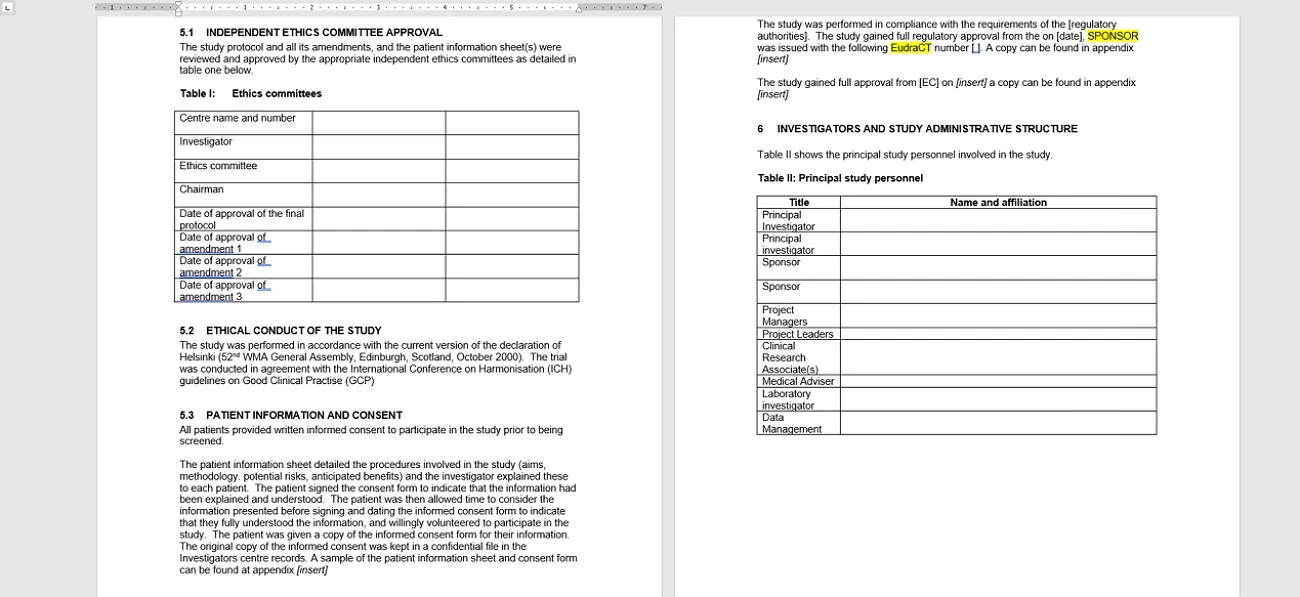
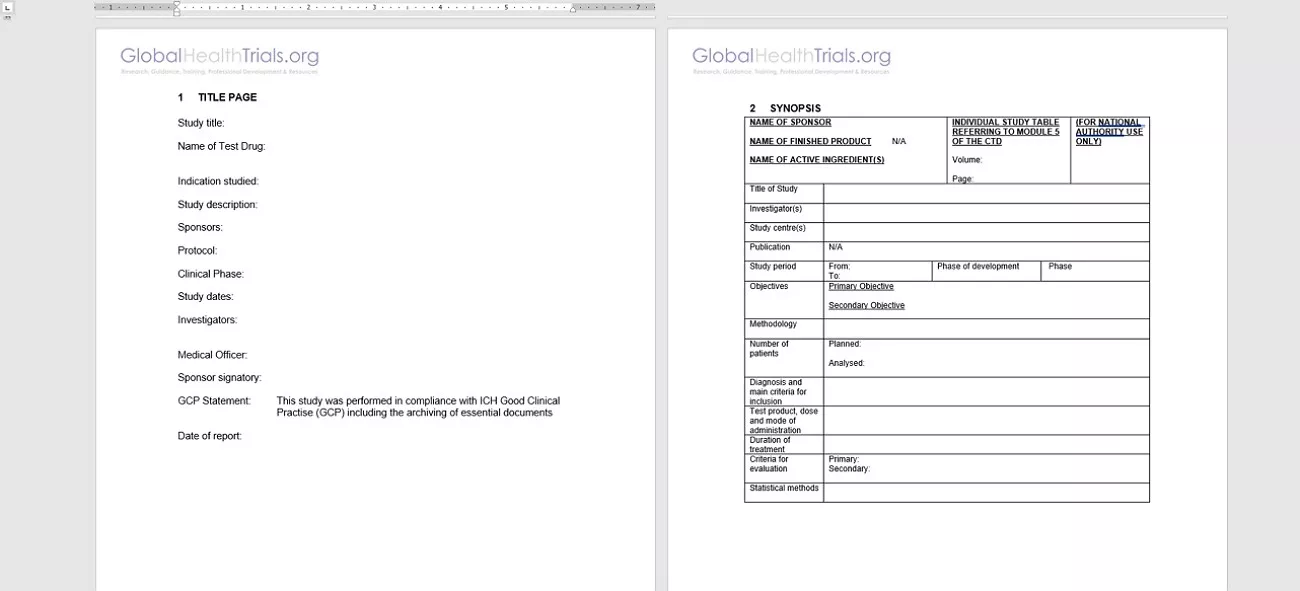
When I reviewed the Clinical Trial Study Report template from Global Health Trials, I saw a clear and practical structure that reflected regulatory expectations. It helped me understand how a compliant clinical trial report example should be organized.
- The Front Matter: I always began with the Title Page, GCP compliance statements, and confidentiality notices. This section formally established sponsor details and regulatory alignment.
- The Synopsis: I prepared a concise overview summarizing study objectives, methodology, planned versus analyzed patient numbers, and overall conclusions on efficacy and safety.
- Core Administrative Structure: I documented Ethics Committee approvals, formatted investigator lists properly, and clearly explained the study rationale.
- The Investigational Plan: I detailed the study design, inclusion and exclusion criteria, and the treatments administered.
- Safety Evaluation: I comprehensively reported Adverse Events (AEs), serious adverse events (SAEs), and relevant laboratory findings.
- Appendices: I included the protocol, Statistical Analysis Plan (SAP), Case Report Forms (CRFs), regulatory documentation, and patient listings to ensure full transparency and compliance.
This template provided me with a practical clinical trial study report structure that I could adapt across different indications. However, I understood that while the structure and best practices were reusable, the text, analyses, and data always had to be original. Moreover, it should strictly align with my specific protocol, SAP, and regulatory obligations.
Part 3. Solving the Bottleneck: UPDF for Clinical Research
When I was managing a complex clinical trial study report, I often faced the same bottleneck: reviewing dense documents, aligning structure, and protecting patient data. That was when I started using UPDF as a centralized workspace for clinical documentation. Instead of switching between multiple tools, I handled drafting, reviewing, editing, and compliance checks in one secure environment. Here is how UPDF's features helped me in analyzing and managing my clinical report:
Windows • macOS • iOS • Android 100% secure
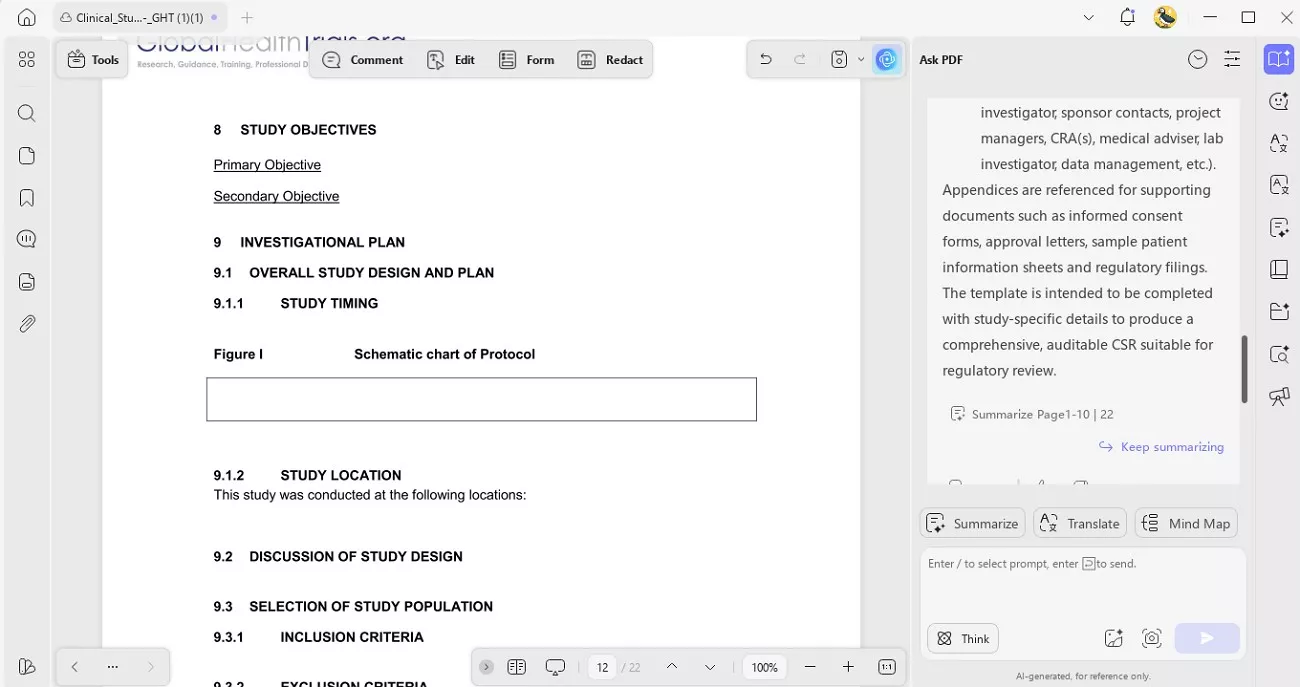
1. AI-Powered Structural Analysis: Instead of copying from a clinical trial report example, I asked UPDF AI structural questions like, “What is happening in Section 11 (Results)?” This helped me understand formatting logic. I also used the PDF translation feature to translate reports into my native language for easier comprehension while preserving the original formatting.
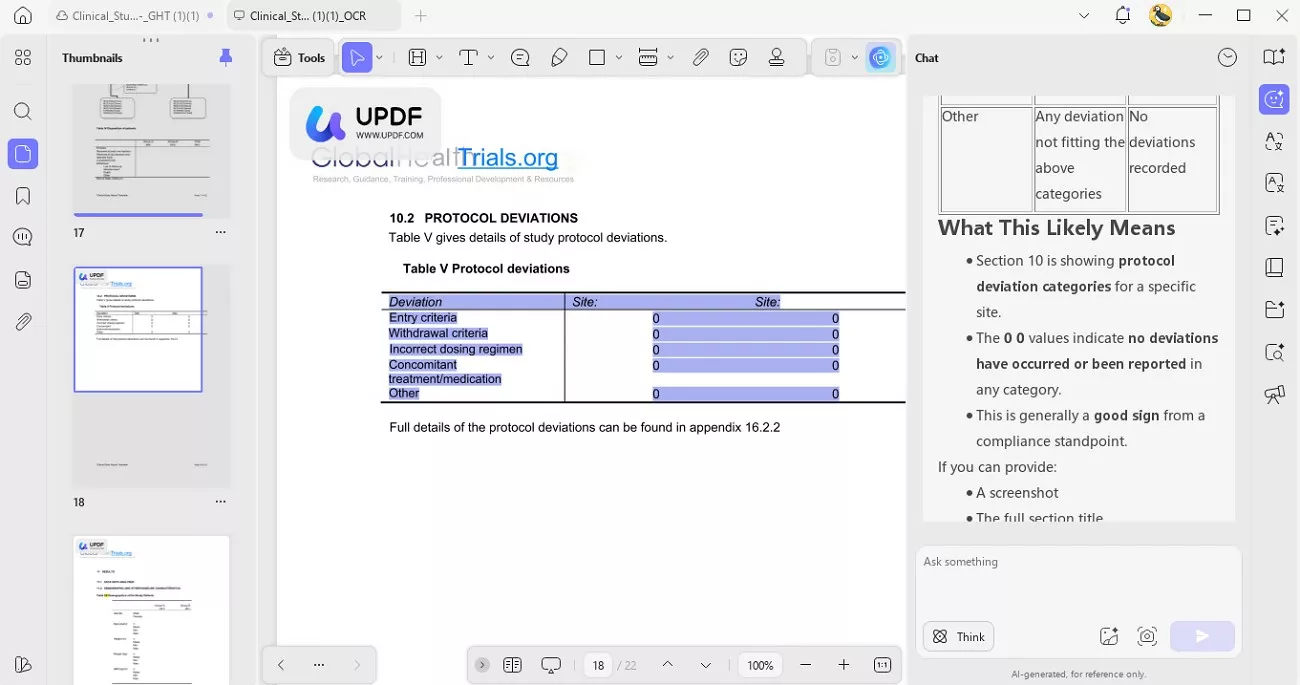
2. Smart Summarization & Explanation: UPDF AI summarized dense safety data and explained statistical findings directly inside the clinical trial study report. This made drafting the executive synopsis faster and clearer.
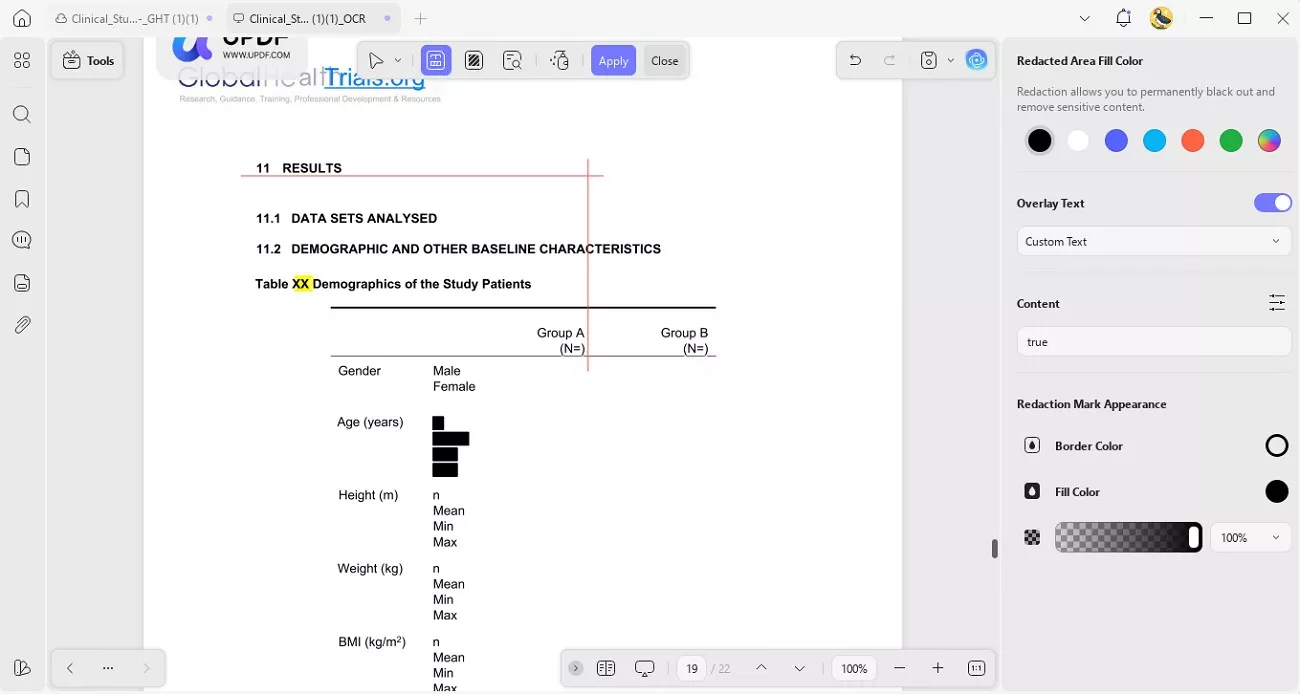
3. Regulatory-Grade Redaction & Security: Before sharing documents, I used UPDF’s redaction tools to permanently remove patient PII. This ensured confidentiality and regulatory compliance.
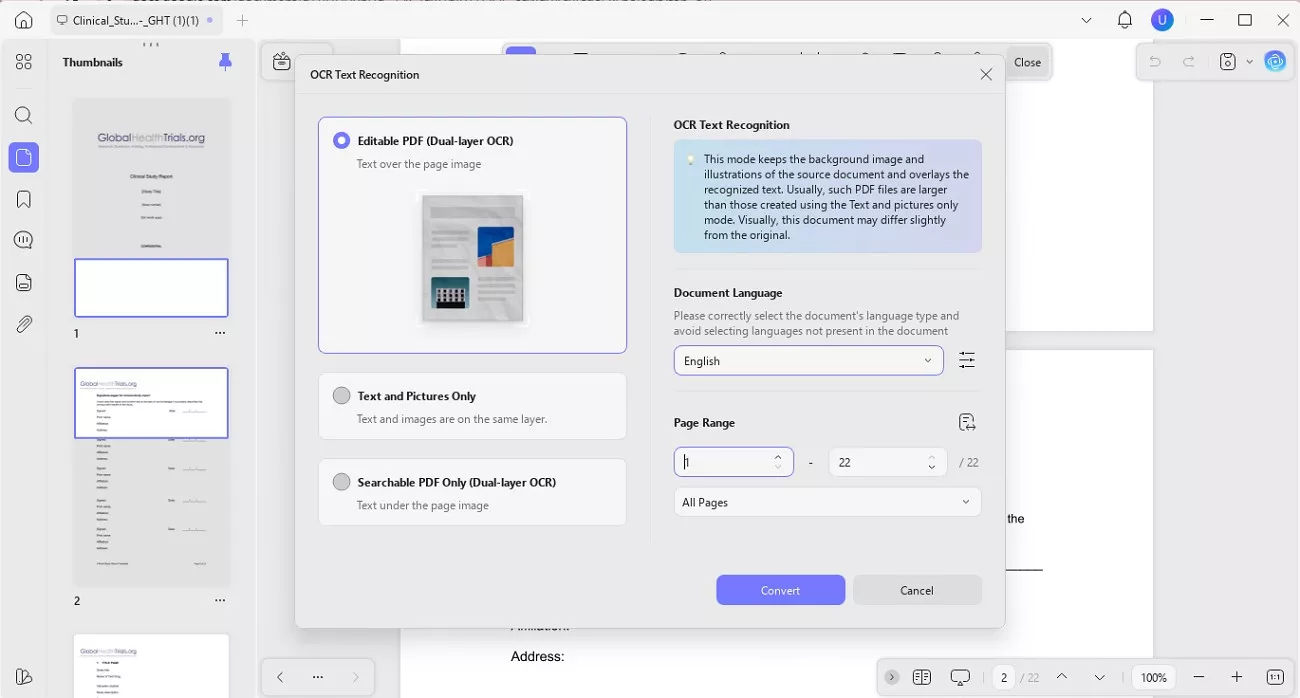
4. OCR for Scanned Documents: If lab reports or appendices were scanned, UPDF’s OCR converted them into searchable, editable text within seconds. This saved me from manually retyping critical laboratory values and investigator notes.
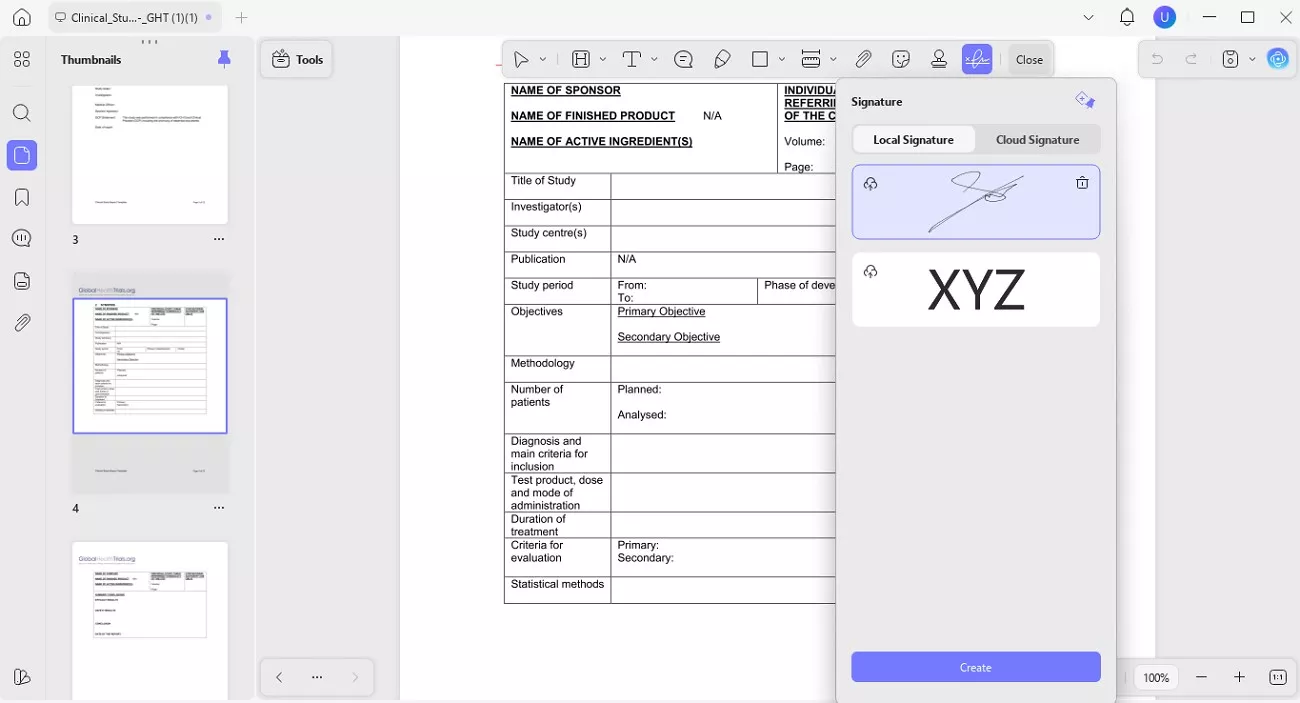
5. Electronic Signatures: Multi-site investigators signed documents digitally, reducing delays in approvals and confirmations. This streamlined cross-border collaboration and kept submission timelines on track.
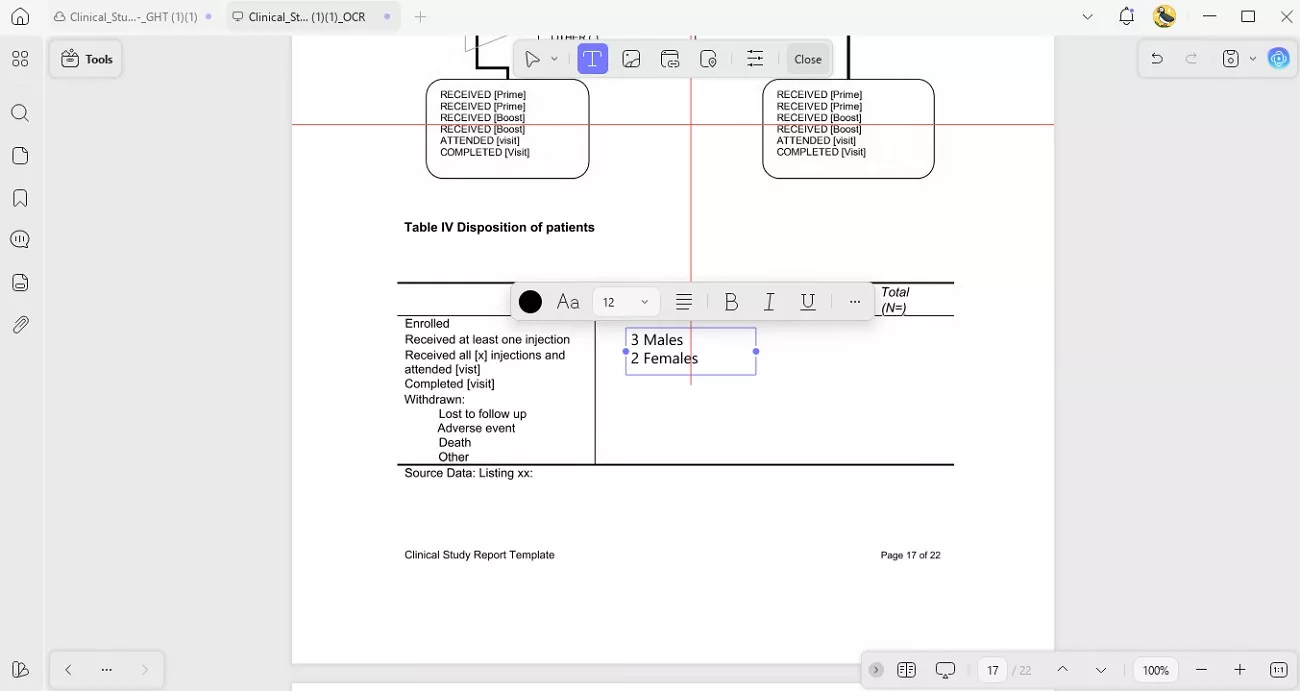
6. Direct PDF Editing: I edited downloaded clinical trial report samples directly while preserving the clinical study report format. This eliminated the need to rebuild complex tables, headings, and numbering structures from scratch.
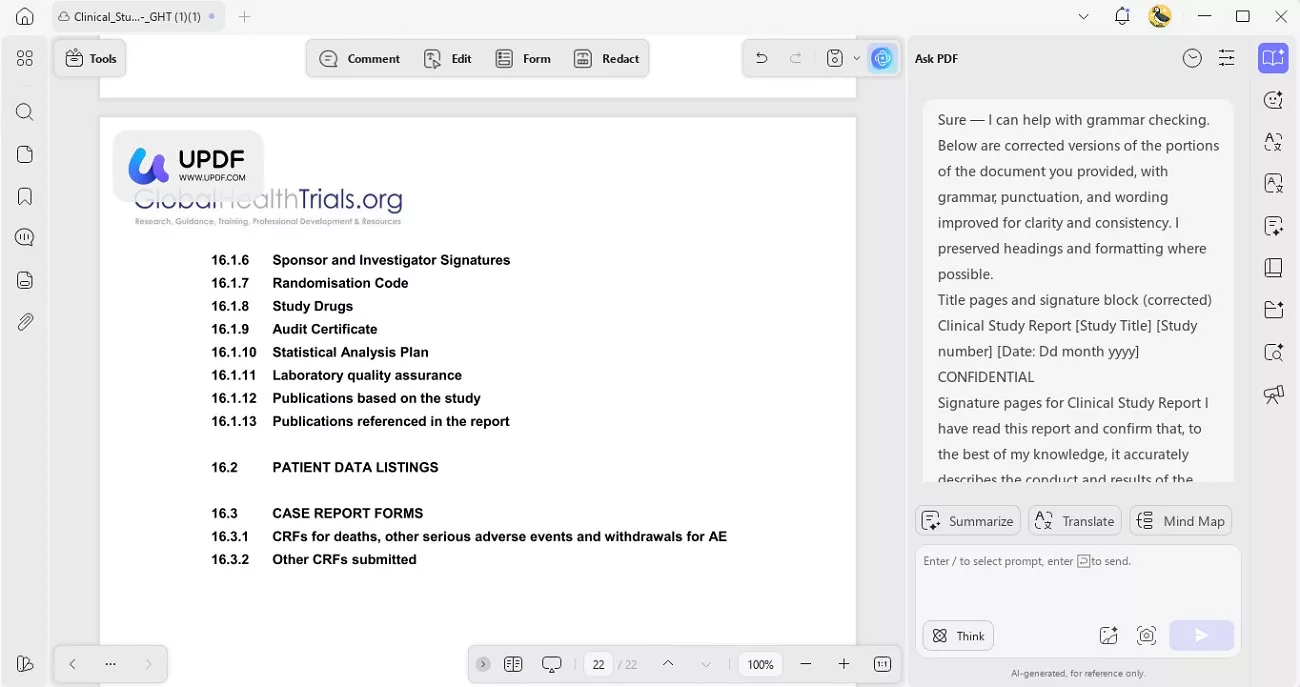
7. AI Writing & Language Review: UPDF AI checked tone, grammar, and clarity. It also refined paragraphs when needed to ensure the language remained professional and regulator-ready.
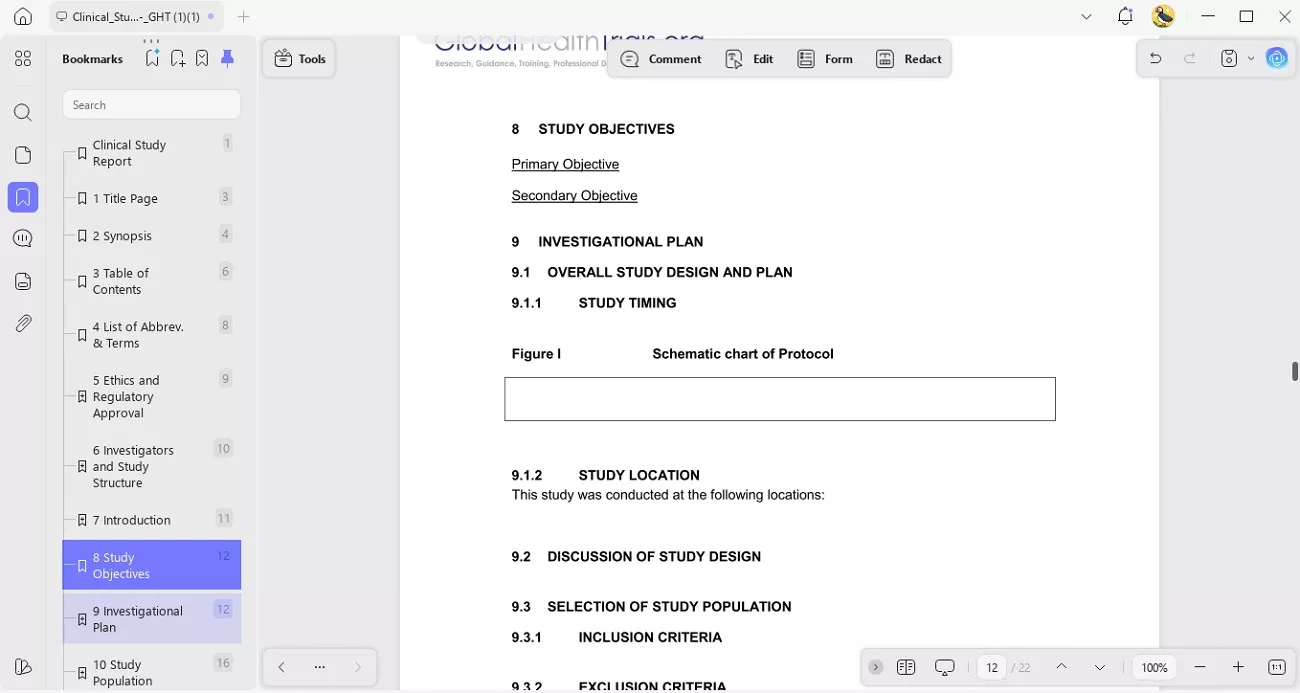
8. Smart TOC & Navigation: UPDF generated bookmarks automatically, keeping the clinical trial study report structured and easy for regulators to navigate. This ensured that even lengthy appendices remained hyperlinked and accessible. When bookmarks were messy, one-click optimization reorganized them and replaced the existing structure. If bookmarks were incomplete, the smart completion feature automatically inserted missing ones, ensuring a fully navigable and regulator-friendly report.
To explore these features in your own workflow, you can start with the free versions available for both tools. UPDF offers a free trial (with a watermark added to exported files), allowing you to test editing, OCR, redaction, bookmarking, and signature functions. UPDF AI also provides a free version with up to 100 AI uses, so you can try summarizing, explaining, translating, and refining sections of your clinical trial study report before upgrading.
Windows • macOS • iOS • Android 100% secure
Part 4. Frequently Asked Questions
Q1. Why is CRA important in clinical research?
A Clinical Research Associate (CRA) ensures that trials follow regulatory guidelines, Good Clinical Practice (GCP), and approved protocols. CRAs also review source data and reports for accuracy, where tools like UPDF and UPDF AI help streamline document checks, summaries, and compliance reviews.
Q2. What are the 4 phases of clinical trials?
Clinical trials typically move through Phase I (safety and dosage), Phase II (efficacy and side effects), Phase III (large-scale confirmation), and Phase IV (post-marketing surveillance). Managing reports across these phases becomes more efficient with UPDF for document control and UPDF AI for summarizing complex findings.
Q3. What is the difference between a clinical study and a clinical trial?
A clinical study is a broad term that includes both observational research and interventional trials involving human participants. A clinical trial specifically tests medical interventions, and preparing structured documentation for either is easier with UPDF and UPDF AI supporting editing, analysis, and organization.
Conclusion
In conclusion, preparing a compliant clinical trial study report required me to be precise, structured, and strictly adhere to regulatory standards. From understanding the correct format to reviewing safety data and protecting patient information, I realized that every section played a critical role in regulatory approval. Using a smart document solution like UPDF significantly reduced my administrative burden while maintaining compliance.
With features such as AI-powered summaries, OCR, redaction, bookmark optimization, and secure e-signatures, UPDF and UPDF AI helped me streamline complex reporting workflows. For a faster, more organized approach to clinical documentation, I found UPDF to be a practical solution worth adopting.
Windows • macOS • iOS • Android 100% secure







 Engelbert White
 Enrica Taylor

 Delia Meyer