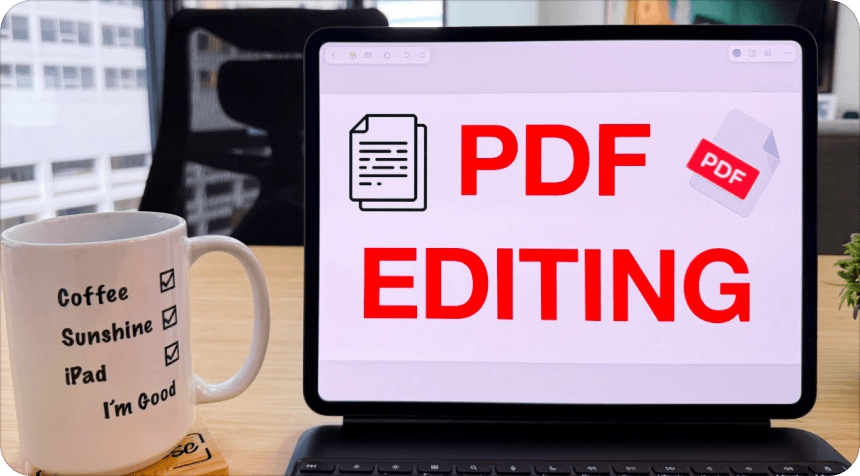
1 License, 4 Devices. Work seamlessly across the office, home, and property visits.
Everything You Need to Power Your Real Estate Business
Choose the right plan to edit contracts, analyze disclosures, and sign leases faster—whether you’re an independent agent or managing a rental portfolio.
Manage, edit, and convert every real estate document across all your devices.
Nomostar
Mobile Scanner
Scan paper inspection sheets and client disclosures on the go during site visits.
IvyCraft
Listing Content Studio
Turn property documents into polished listing flyers, buyer presentations, and marketing materials with AI.
UPDF Sign
Secure Signing Engine
Execute legally binding purchase agreements and lease contracts to close deals faster.
From your first property listing to the final signature, everything starts with speed.
Trusted by Real Estate Professionals Worldwide
Recognized as an industry leader on G2, backed by top tech media and millions of users.
4M+Users worldwide
4.5/5G2 rating
ISO 27001Certified
PDF AssociationMember
Lightweight! Does everything I need to do regarding PDFs on my phone, tablets, and PCs, including file conversion, annotations, OCR, and AI interactions such that I don't require any other PDF app any longer on my devices. A great and way cheaper alternative to Xodo too.
Folarin Shomefun, from Google Play
UPDF is an all-in-one AI PDF editor that's more versatile, yet more affordable, than the competition. Stop working with PDFs like they're impossible to manipulate and start editing and formatting them as easily as you would a Word document.
Really like how fast sync to the cloud works, I can create forms on the PC, then share to the cloud and wonder outside with my tablet to complete fields, sync it back, then save and print from the PC. Making the images to PDF is great too, especially the compress function to make the size shareable over email. No annoying suggestions either, like Adobe smash me with. Really wish this company made other software, since they’ve done this one so well - especially a photo editor as good as PS. Thanks team, highly recommended.
Kidfreejones, from App Store
It's a spectacular tool, I edit all PDF files and use a lot of other people's PDF files. I use the tool every day, for my work it is essential and meets all the needs that must be had I love UPDF My MacBook Pro runs much faster with UPDF than...
Rosa I.,from Capterra
UPDF offers compelling advantages over expensive alternatives like Adobe Acrobat. The software supports major platforms — Mac, iOS, Windows and Android — with one account usable across four devices simultaneously. Users enjoy lifetime free upgrades and pay just one-sixth the price of Adobe’s subscription model.
What I like most about UPDF is the combination of a modern and intuitive interface with processing speed. Unlike other heavy PDF editors, UPDF is lightweight, starts up in seconds, and allows you to edit texts, add images, annotate, and fill out forms without any lag. Additionally, the fact that it offers integrated OCR functions (to make scanned PDFs editable) and integration with artificial intelligence to summarize or translate content makes it a truly complete tool suitable for both professional and personal use. The ability to use it on Windows, Mac, iOS, and Android with a single account is a significant added value.
Francesco M., from G2
Lightweight! Does everything I need to do regarding PDFs on my phone, tablets, and PCs, including file conversion, annotations, OCR, and AI interactions such that I don't require any other PDF app any longer on my devices. A great and way cheaper alternative to Xodo too.
Folarin Shomefun, from Google Play
UPDF is an all-in-one AI PDF editor that's more versatile, yet more affordable, than the competition. Stop working with PDFs like they're impossible to manipulate and start editing and formatting them as easily as you would a Word document.
Really like how fast sync to the cloud works, I can create forms on the PC, then share to the cloud and wonder outside with my tablet to complete fields, sync it back, then save and print from the PC. Making the images to PDF is great too, especially the compress function to make the size shareable over email. No annoying suggestions either, like Adobe smash me with. Really wish this company made other software, since they’ve done this one so well - especially a photo editor as good as PS. Thanks team, highly recommended.
Kidfreejones, from App Store
It's a spectacular tool, I edit all PDF files and use a lot of other people's PDF files. I use the tool every day, for my work it is essential and meets all the needs that must be had I love UPDF My MacBook Pro runs much faster with UPDF than...
Rosa I.,from Capterra
UPDF offers compelling advantages over expensive alternatives like Adobe Acrobat. The software supports major platforms — Mac, iOS, Windows and Android — with one account usable across four devices simultaneously. Users enjoy lifetime free upgrades and pay just one-sixth the price of Adobe’s subscription model.
What I like most about UPDF is the combination of a modern and intuitive interface with processing speed. Unlike other heavy PDF editors, UPDF is lightweight, starts up in seconds, and allows you to edit texts, add images, annotate, and fill out forms without any lag. Additionally, the fact that it offers integrated OCR functions (to make scanned PDFs editable) and integration with artificial intelligence to summarize or translate content makes it a truly complete tool suitable for both professional and personal use. The ability to use it on Windows, Mac, iOS, and Android with a single account is a significant added value.
Francesco M., from G2
Frequently Asked Questions
1. Does UPDF replace my existing real estate transaction software?
No. UPDF is a dedicated document workspace designed to complement your existing MLS, CRM, or transaction management systems. It provides specialized tools to review disclosures, edit PDF terms, OCR scanned paperwork, and organize transaction packages before uploading them to your system of record.
2. How does UPDF handle confidential real estate documents and client financial data?
UPDF prioritizes document security with ISO 27001 and GDPR compliance, enterprise-grade encryption, and password-protection features. Furthermore, your uploaded files and prompt interactions with UPDF AI are never used to train public AI models or stored permanently on public servers.
3. Is UPDF suitable for independent agents, or is it designed for brokerage teams?
UPDF scales perfectly for both. Independent agents can boost daily productivity with an Individual plan, while brokerages and property management firms can leverage Enterprise plans for centralized license management, custom seat deployment, and dedicated support.
4. What happens to a UPDF Enterprise license when an agent leaves our brokerage?
Enterprise admins can seamlessly reassign and transfer license seats to new team members via the admin console at any time, ensuring your software investment remains fully utilized and tied to your business, not an inactive personal account.
5. Can I access my transaction files and edit PDFs when working on-site without internet?
Yes. PDFs stored locally on your device can be edited completely offline anytime. For cross-device work, documents uploaded to UPDF Cloud can be seamlessly opened and updated across all your devices (up to 4 devices per license across iOS, Mac, Windows, and Android) as soon as you reconnect, ensuring all site edits sync smoothly back to your office workspace.
6. How does UPDF help manage and store transaction records after a deal closes?
UPDF turns post-closing archiving into a structured, 3-step process: First, use Combine PDFs to merge scattered disclosures, final signed contracts, inspection reports, and repair invoices into one complete transaction package. Next, apply Batch Protect to set open passwords or restriction permissions across all files to safeguard client privacy. Finally, organize these files into dedicated client folders in UPDF Cloud for instant, secure retrieval during future audits or repeat business.
7. Are e-signatures executed in UPDF legally binding for lease and sales agreements?
Yes. UPDF supports legally binding e-signatures and AATL-compliant digital signatures that adhere to major international regulations (such as ESIGN and UETA). You can execute residential leases, disclosures, and purchase agreements on-site with full legal confidence.
 UPDF
UPDF
 UPDF for Windows
 UPDF for Mac
 UPDF for iPhone/iPad
 UPDF for Android
 Nomostar
 UPDF AI Online
 UPDF Sign
 IvyCraft
 Edit PDF
 Annotate PDF
 Create PDF
 PDF Form
 Edit links
 Convert PDF
 OCR
OCR PDF to Word
 PDF to Image
 PDF to Excel
 Organize PDF
 Merge PDF
 Split PDF
 Crop PDF
 Rotate PDF
 Protect PDF
 Sign PDF
 Redact PDF
 Sanitize PDF
 Remove Security
 Read PDF
 UPDF Cloud
 Compress PDF
 Print PDF
 Batch Process
 About UPDF AI
 UPDF AI Solutions
 AI User Guide
 FAQ about UPDF AI
 Summarize PDF
 Translate PDF
 Chat with PDF
 Chat with AI
 Chat with image
 PDF to Mind Map
 Explain PDF
 PDF AI Tools
 Image AI Tools
 AI Chat Tools
 AI Writing Tools
 AI Study Tools
 AI Working Tools
 Other AI Tools
 AI Bookmark Generation
 AI Bookmark Summary
 AI Watermark Generation
 AI Background Generation
 AI Sticker Generation
 AI Stamp Generation
 AI Editing Suite
 UPDF Copilot
 AI Page Management
 AI Semantic Search
 PDF to Word
 PDF to Excel
 PDF to PowerPoint
 Enterprise Solution
 Enterprise Sign
 Enterprise AI
 Enterprise Plan
 Enterprise User Guide
 Enterprise Webinar
 IT
IT Education
 Construction
 Financial Service
 Healthcare
 Insurance
 Legal
Legal Manufacturing
 Government
 Researchers & PhDs
 Solopreneurs & Freelancers
 Lawyers & Legal Professionals
 Real Estate Agents & Brokers
 Education Solution
 Customer Stories
 User Guide
 UPDF Tricks
 FAQs
FAQs UPDF Reviews
 Download Center
 Blog
Blog Newsroom
 Tech Spec
 Updates
 UPDF vs. Adobe Acrobat
 UPDF vs. Foxit
 UPDF vs. PDF Expert



 UPDF AI Assistant


 UPDF AI
 Chat with PDF
 Chat with Image
 PDF to Mind Map
 Chat with AI
 Paper search (online)
 Deep Research (online)
 10 AI Agents




 UPDF Sign
 IvyCraft
 Nomostar
 UPDF AI
 Annotate PDFs
 AI Project Analysis
 Edit PDF
 Mobile Scan
 High-Precision OCR
 Combine PDFs
 Fill Forms
 UPDF Sign
 Protect PDF
 UPDF
UPDF

 Nomostar

 IvyCraft

 UPDF Sign



 PDF Association