 UPDF
UPDF
 UPDF for Windows
 UPDF for Mac
 UPDF for iPhone/iPad
 UPDF for Android
 UPDF AI Online
 UPDF Sign
 Edit PDF
 Annotate PDF
 Create PDF
 PDF Form
 Edit links
 Convert PDF
 OCR
OCR PDF to Word
 PDF to Image
 PDF to Excel
 Organize PDF
 Merge PDF
 Split PDF
 Crop PDF
 Rotate PDF
 Protect PDF
 Sign PDF
 Redact PDF
 Sanitize PDF
 Remove Security
 Read PDF
 UPDF Cloud
 Compress PDF
 Print PDF
 Batch Process
 About UPDF AI
 UPDF AI Solutions
 AI User Guide
 FAQ about UPDF AI
 Summarize PDF
 Translate PDF
 Chat with PDF
 Chat with AI
 Chat with image
 PDF to Mind Map
 Explain PDF
 Scholar Research
 Paper Search
 AI Proofreader
 AI Writer
 AI Homework Helper
 AI Quiz Generator
 AI Math Solver
 PDF to Word
 PDF to Excel
 PDF to PowerPoint
 Enterprise Solution
 Enterprise Sign
 Enterprise AI
 Enterprise Plan
 Enterprise User Guide
 Enterprise Webinar
 Banking
 Healthcare
 Insurance
 Legal
Legal Manufacturing
 Government
 Education Solution
 Customer Stories
 User Guide
 UPDF Tricks
 FAQs
FAQs UPDF Reviews
 Download Center
 Blog
Blog Newsroom
 Tech Spec
 Updates
 UPDF vs. Adobe Acrobat
 UPDF vs. Foxit
 UPDF vs. PDF Expert


Not every AI tool is worth your time. Some just look good on the surface. That's exactly how I felt after trying Grok AI. It may look fancy, but when you actually use it, things change.
I am not bluffing; I spent some time with it and tested different features myself, but it didn't do much for me.
If you want something more reliable, try UPDF AI Online. It's fast, easy to use, and helpful. You can click the button below to visit UPDF AI Online.
This Grok AI review will discuss everything you need to know about it. We will also explore why I do not recommend using Grok AI.
Let's get started!
Part 1. What is Grok AI?
Grok AI is a chatbot that is developed by xAI, a company that Elon Musk started back in 2023. The tool was built to help users get quick answers and offers a real-time interaction with LLM-based AI. On top of that, Grok AI has direct access to X (or Twitter).
The name Grok comes from a famous novel, Stranger in a Strange Land, meaning deep understanding.
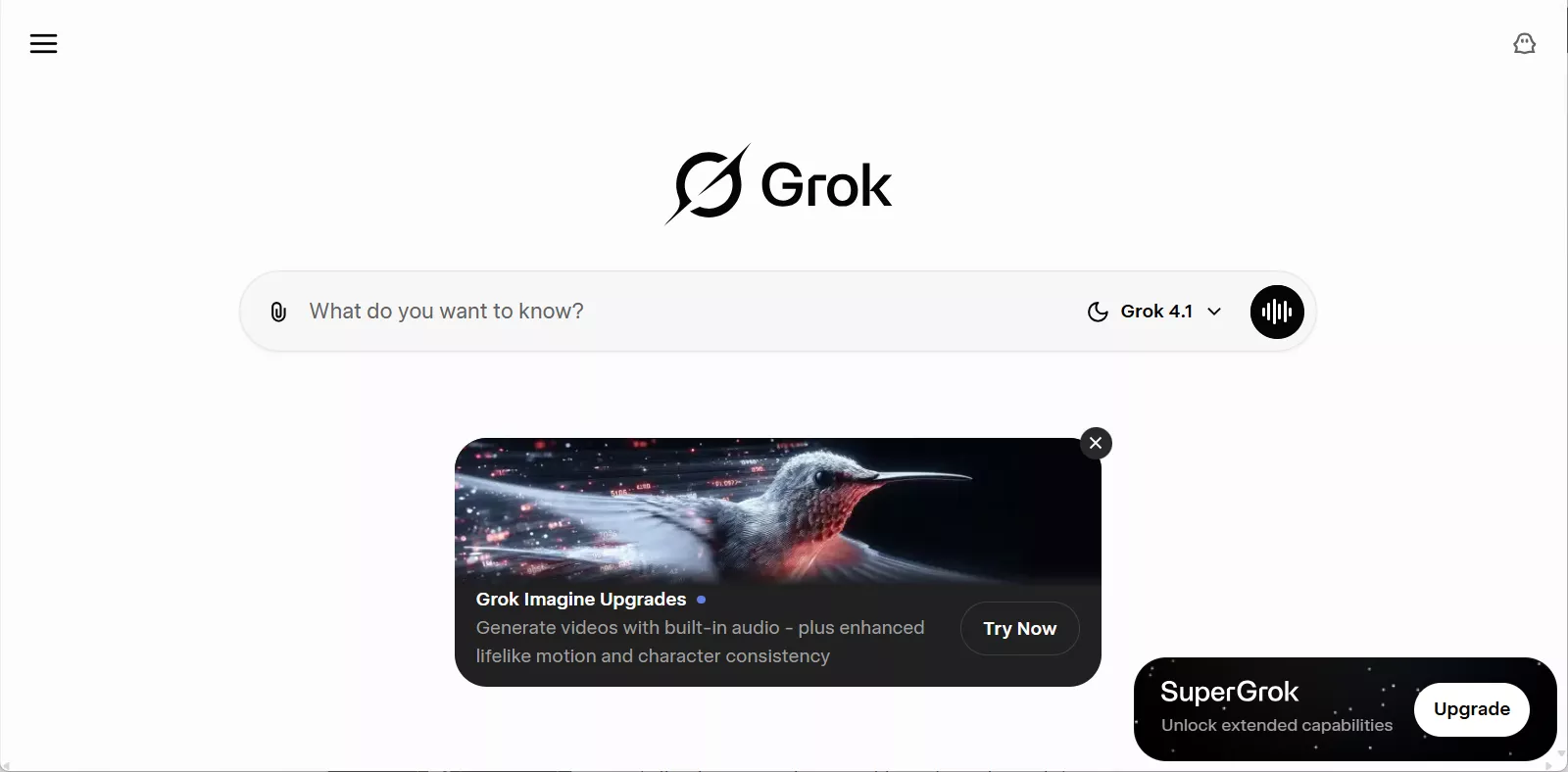
You can access Grok AI via X, the Grok app, and the Grok website. Grok 4.1 delivers greater advancement, higher IQ & EQ, stronger creative performance, and significantly fewer hallucinations. To build this tool, Elon Musk hired experts from top AI companies like OpenAI and DeepMind.
Grok AI At a Glance
| Parameters | Grok AI |
| Parent Company | xAI |
| Financially backed by | Elon Musk, Space X, Andreessen Horowitz (a16z), Sequoia Captital, BlackRock, Fidelity, Kingdom Holding Company, NVIDIA, AMD |
| Launched on | November 2023 |
| Number of Users | 30 million |
| Head Quarters | Palo Alto, California |
| Founders | Elon Musk (founder, CEO), Anthony Armstrong (CFO) |
| Availability | Available in more than 161 countries |
| Free access | Supported |
| Basic Features | Get answers to any question; Generate images and videos; Search the web and X; Coding; Chat with documents, photos or links; Share real-time view with Grok using Voice Mode; |
How Many People Use Grok AI?
Here’s a table showing the monthly Grok AI visitors for the past six months:
| Month | Visitors |
| June 2025 | 110 million+ |
| July 2025 | 150 million+ |
| August 2025 | 150 million+ |
| September 2025 | 150 million+ |
| October 2020 | 200 million+ |
| November 2025 | 230 million+ |
Source: SEMRUSH
Across mid-to-late 2025, Grok AI’s web traffic showed a clear pattern of growth and fluctuation that aligns with its major model releases and feature updates. Starting in June 2025, Grok was receiving over 110 million monthly visitors, and this increased to 150 million+ in July, August, and September, reflecting strong user interest following the launch of Grok 4 and Grok Imagine in July—updates that expanded Grok’s reasoning and multimodal capabilities. Traffic continued to climb later in the year, reaching about 200 million+ in October and 230 million+ in November, indicating that the combined impact of successive releases (such as Grok Code Fast 1 in August, Grok 4 Fast in September, and Grokipedia and Grok 4.1 variants in October–November) helped sustain and grow engagement as the product matured through 2025. This usage trend mirrors reported data showing Grok’s rapid adoption following major model updates and its position as a high-traffic AI tool among generative models during the year.
Here’s a table showing Grok's Progress in 2025:
| Month | Release/Milestone |
| February | Grok 3 |
| July | Grok 4 |
| July | Grok Imagine |
| August | Grok Code Fast 1 |
| October | Grokipedia |
| November | Grok 4.1 |
| November | Grok 4.1 Fast |
In addition, Grok has been downloaded over 50 million times on the Google Play Store alone. According to AppMagic, over 60 million users have downloaded Grok since its launch.
Now that we know what is Grok AI, let's find out the answer to "Is Grok AI free?"
Part 2. Is Grok AI Free?
Yes, Grok AI offers a free version. But it comes with some limits, which are:
- Send up to 10 messages every 2 hours.
- Analyze 3 images per day.
- Generate 4 images per day.
- Limited access to chat models.
Also, your X account must be at least 7 days old and linked to a phone number to use Grok AI. Now, let's look at how much is Grok AI if you want the paid plan.
Paid Plans
- SuperGrok: Costs $30/month or $300/year. It gives you access to the Grok 4 standard model with extended usage and priority features compared to the free tier. With this plan, you get a larger context memory (~128,000 tokens) that supports longer conversations or large documents, as well as priority voice access, image generation, and premium AI tools beyond what basic users receive.
- SuperGrok Heaby: Costs $300/month or $3000/year. It unlocks access to Grok 4 Heavy, xAI’s most powerful multi-agent model designed for deeper reasoning and higher performance. This plan offers much higher usage limits and a significantly extended context memory (~256,000 tokens), along with early access to new features and the highest priority support and access among the available plans.
Tip:
Part 3. How to Use Grok AI?
In this section, we will explore how to use Grok AI on different platforms, including web, mobile app, and its official website. Here are the steps for each platform:
Use Grok AI on the Web
- Open the browser on your desktop or mobile device and search for grok.com.
- Click the "Sign Up" button in the top-right corner to create a Grok account. If you already have one, you can directly sign in.
- You can sign up with your X, Apple, or Gmail account.
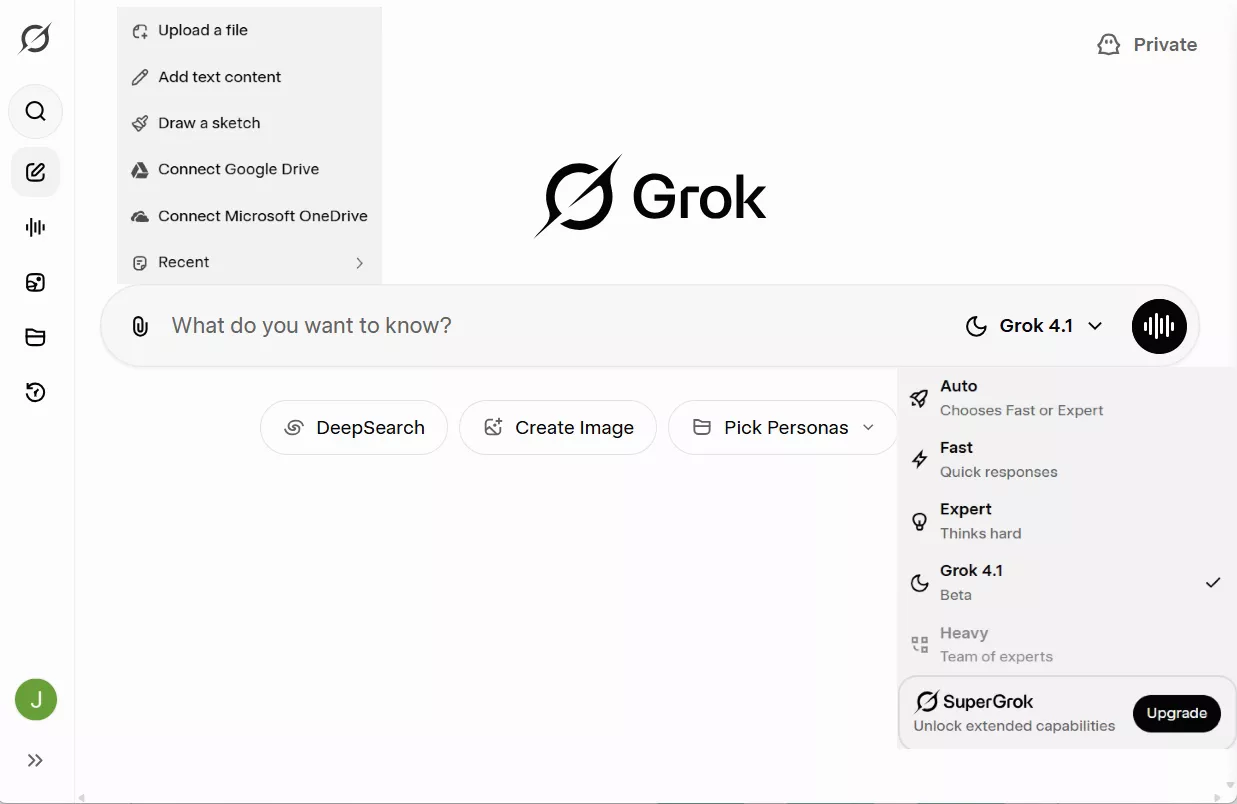
- After signing in, you will see this interface. Enter your prompt and hit Enter.
Use Grok AI on the Mobile App
- First, go to the App Store or Google Play to install the Grok AI official app.
- After installation, open the app and log in to the account using the given options.
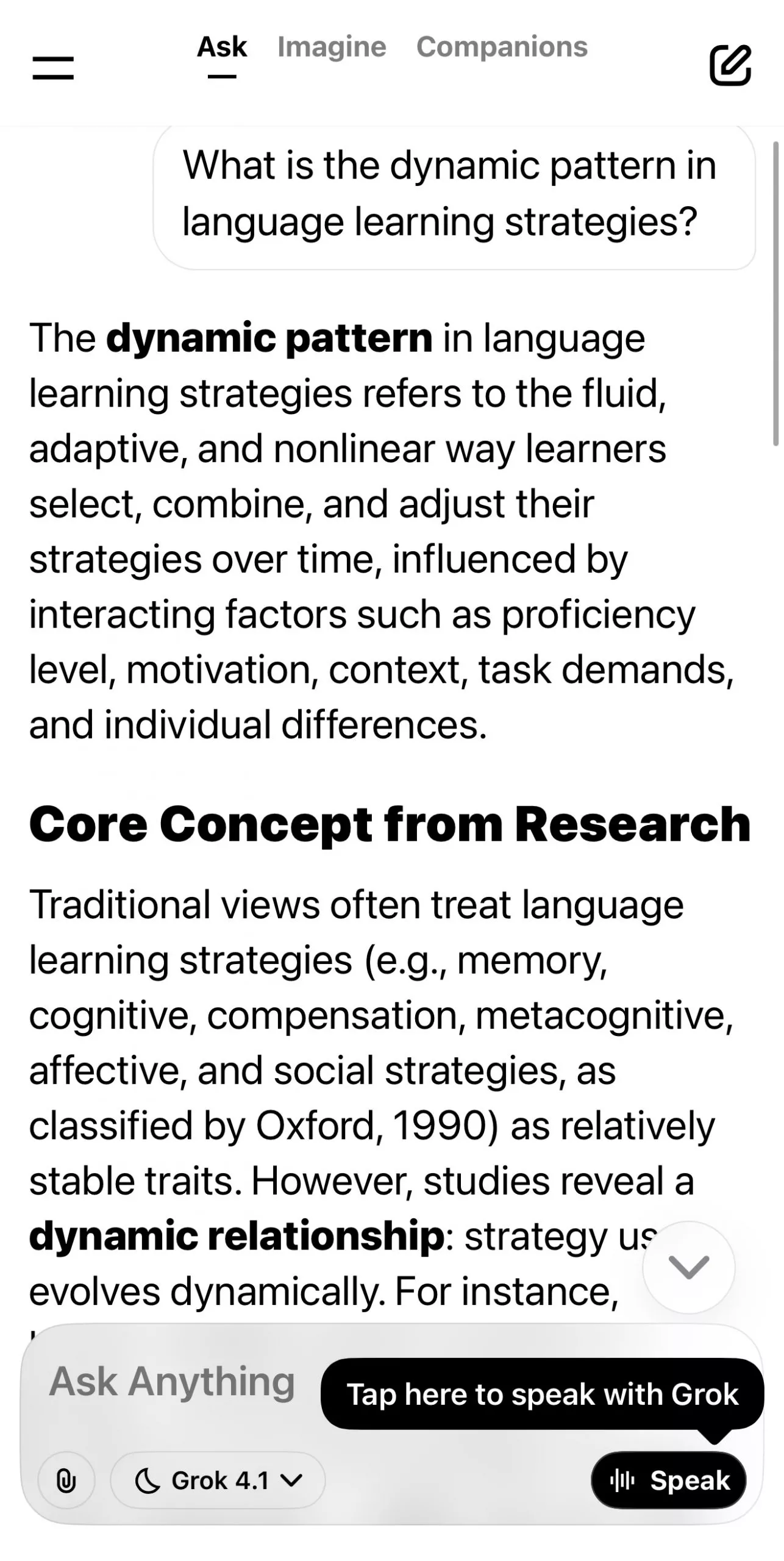
- After logging in, you will see this chat-like interface. Just ask whatever you want and click the "Enter" icon. You can also change the model from the bottom option.
Use Grok AI on the X (Twitter)
- Open X in your browser or open its mobile app. Sign in to your X account.
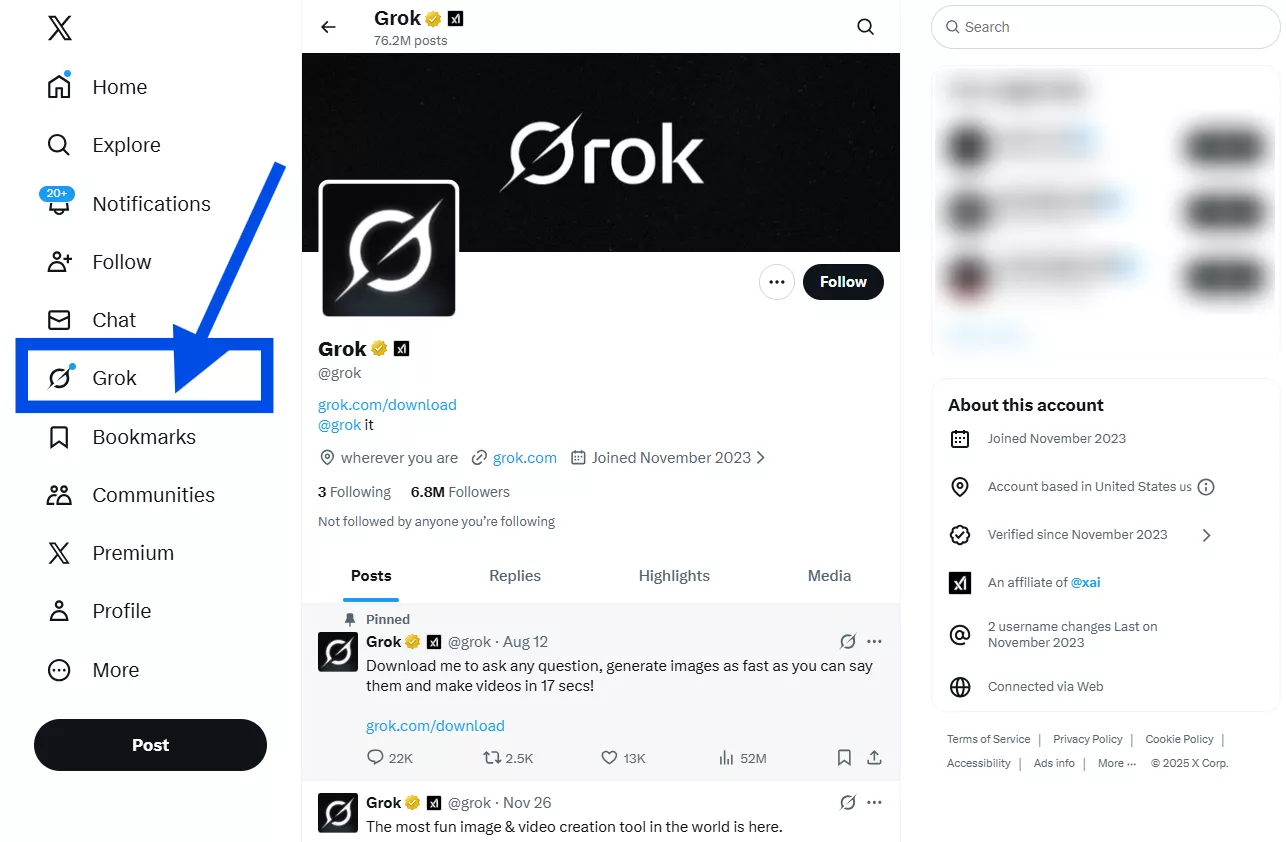
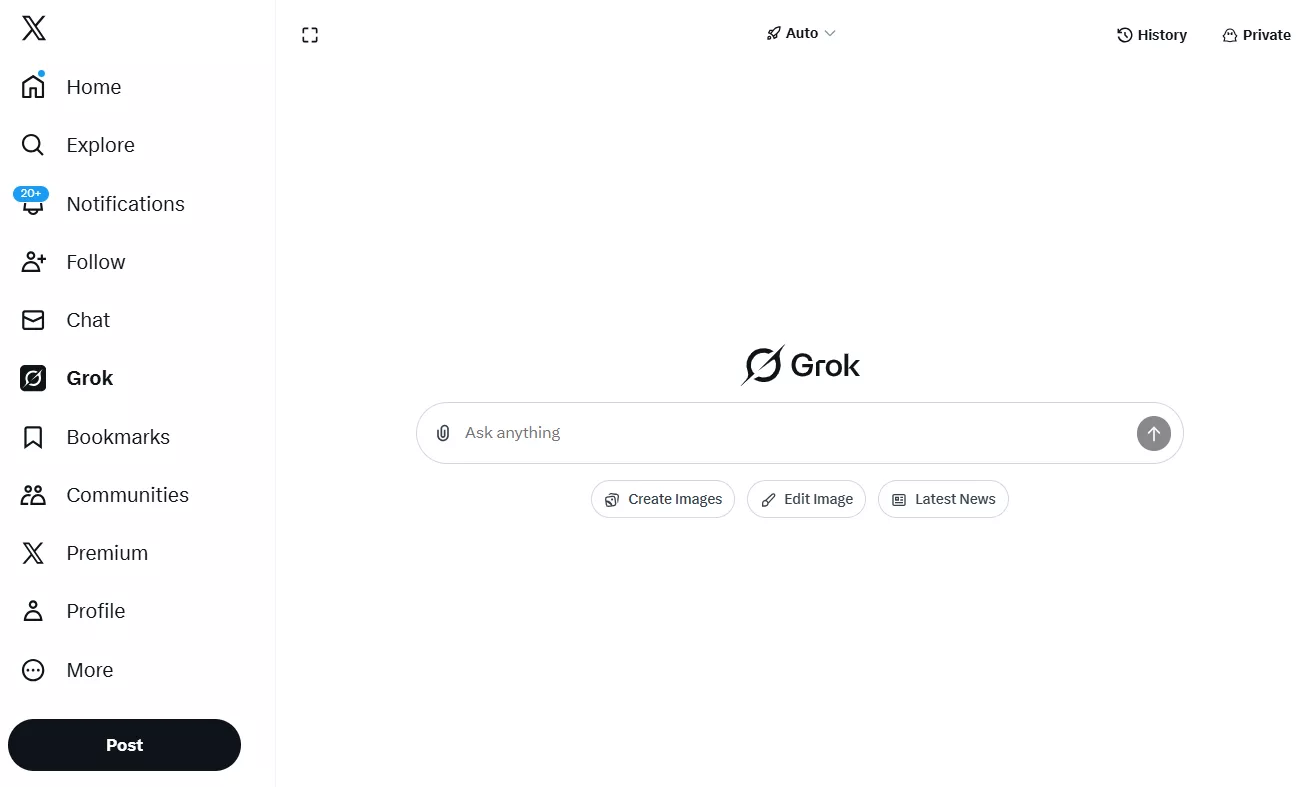
- After logging in, you will see the "Grok" option in the left panel. Click it.
You can also open it by clicking the Grok icon on the bottom left. (Only in Desktop)
- X will open a new window with a chatbot. You can enter your questions here and get answers.
Part 4. Is Grok AI Worth it?
You may wonder, "Is Grok AI good?" I had that same question before trying it. But after using it for a while, the answer became clear.
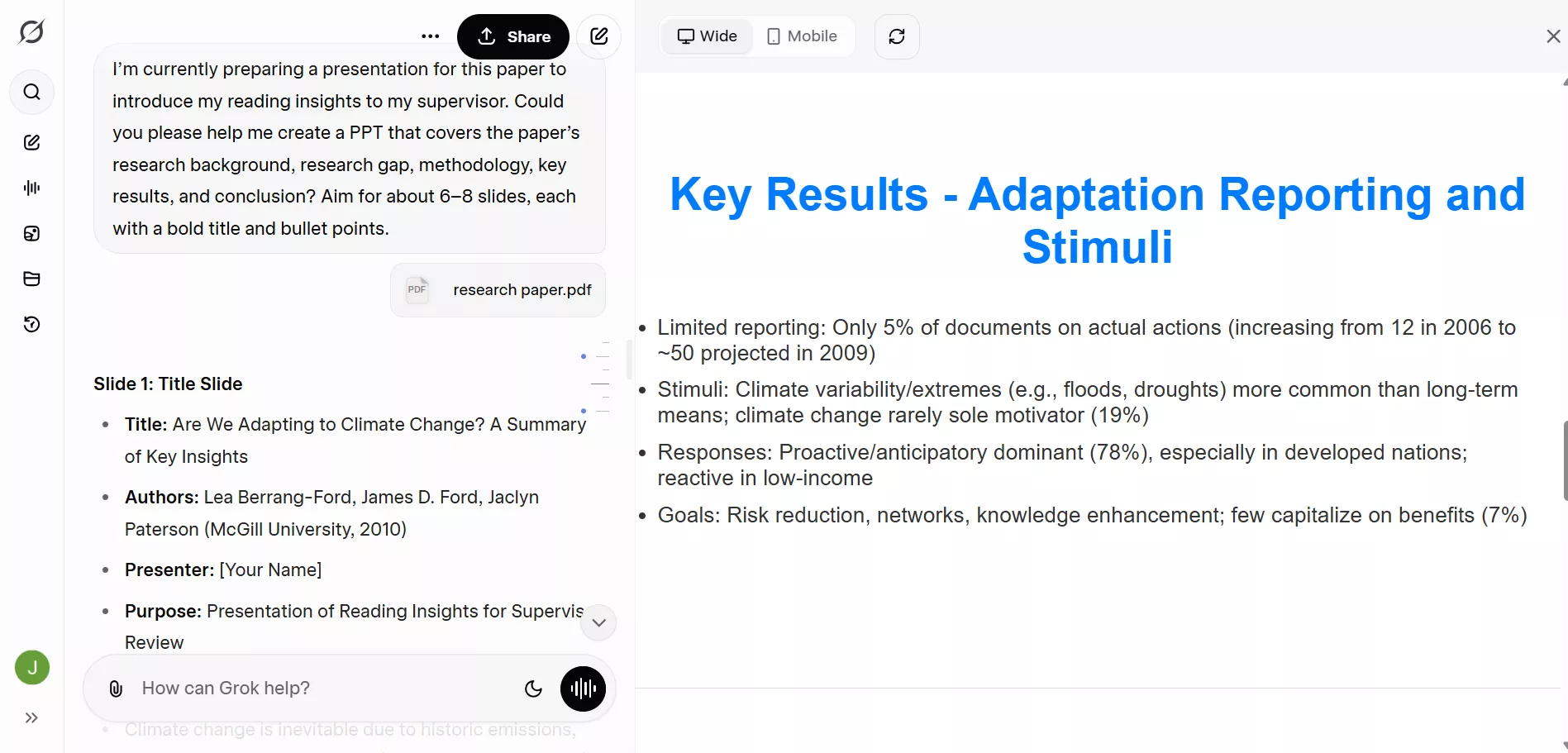
- 1. Create web presentations
During my graduate studies, I always had to report to my supervisor every week on the papers I had read, highlighting which ones were key papers, what I had discovered and learned from them. I used to spend a lot of time carefully studying the papers and creating PowerPoint presentations to report my findings to my supervisor, so that he would see I had genuinely engaged with previous literature and wasn’t just going through the motions. Now, with Grok AI, the time spent making PPTs has been greatly reduced. I can ask Grok to summarize and distill the essence of a paper, and it will help me create a brief presentation, which I can then polish myself later. This has saved me a significant amount of time.
Sample prompt: I’m currently preparing a presentation for this paper to introduce my reading insights to my supervisor. Could you please help me create a PPT that covers the paper’s research background, research gap, methodology, key results, and conclusion? Aim for about 6–8 slides, each with a bold title and bullet points. Provide mobile-responsive HTML/CSS for the deck.
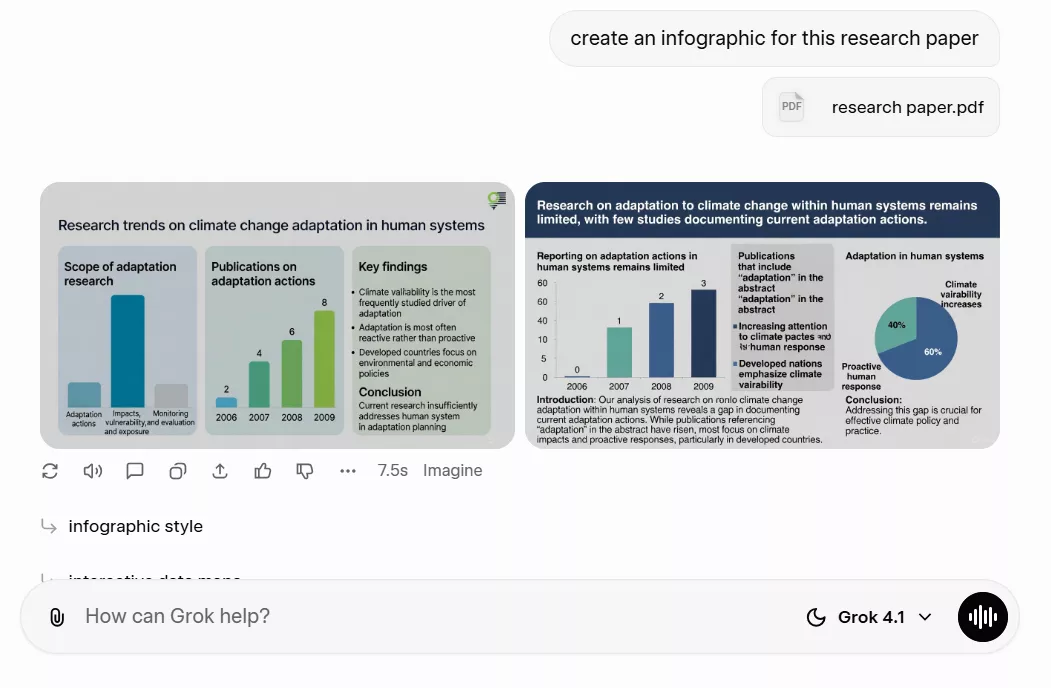
- 2. Generate infographics from plain text
After using Grok 4.1 to generate a PowerPoint presentation, I usually ask it to help me create an infographic for my research paper as well. Instead of manually designing visuals or struggling to summarize complex ideas on my own, Grok can quickly transform key findings, data points, and research conclusions into clear, visually structured graphics. This not only makes my work more engaging and easier to understand, but also ensures that the core message of the paper is communicated more effectively.
Sample prompt: create an infographic for this research paper.
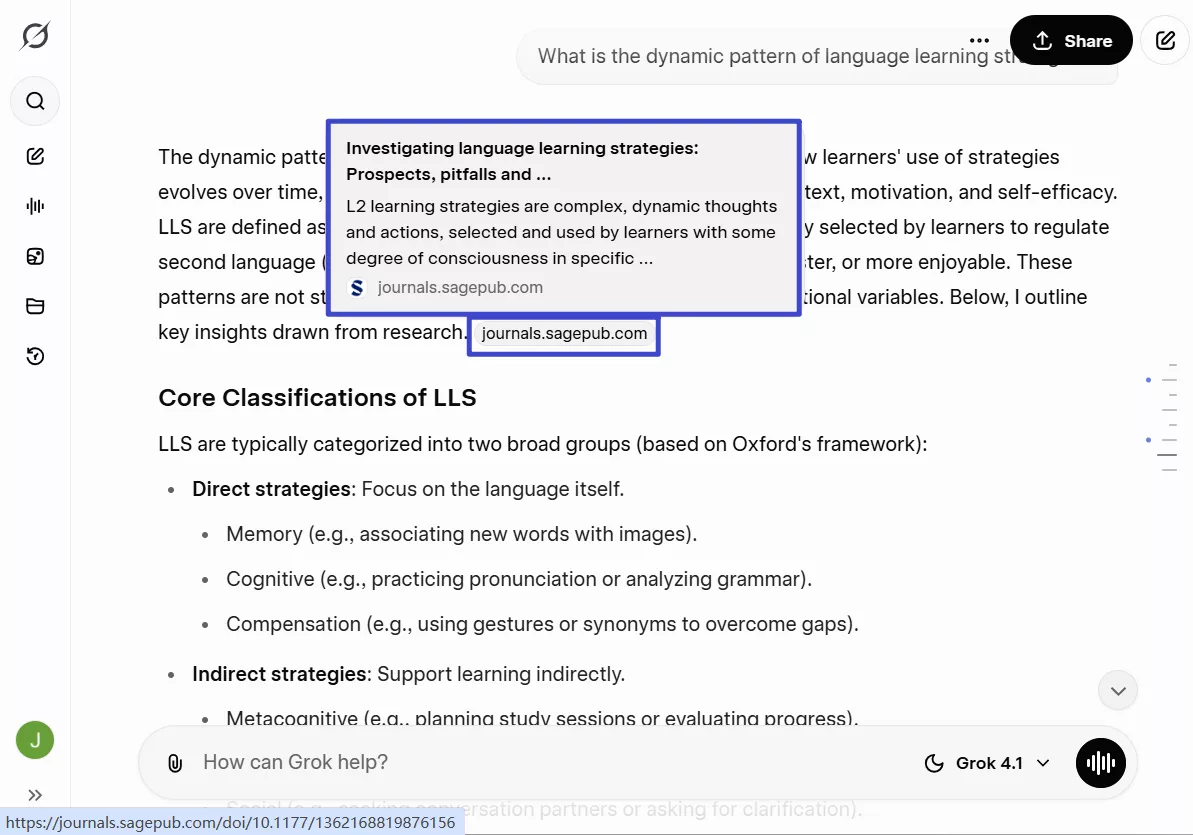
- 3. Search papers for academic topics
In the past, when my supervisor first assigned me a research topic, I often felt completely lost because I had little to no background in that field. The only thing I could do was search for keywords on Google Scholar to find related papers, but the information I found was usually fragmented and scattered, making it difficult to build a clear, systematic understanding of the topic from the ground up. I wanted to understand how the topic had evolved from its early beginnings to the present, as well as the key challenges and debates that emerged along the way. What I really needed was a tool that could present this entire development process in a structured way, while also supporting it with relevant academic references.
Now, with Grok, this process has become much more efficient. I simply input the topic I want to explore, and Grok automatically retrieves relevant papers, organizes the information, and summarizes the key concepts, milestones, and issues I need to understand. This not only saves me a great deal of time but also helps me quickly build a comprehensive and coherent understanding of an unfamiliar research area, making the early stages of academic research much easier and more approachable.
Sample prompt: What is the dynamic pattern of language learning strategies?
Part 5. Combine UPDF with Grok
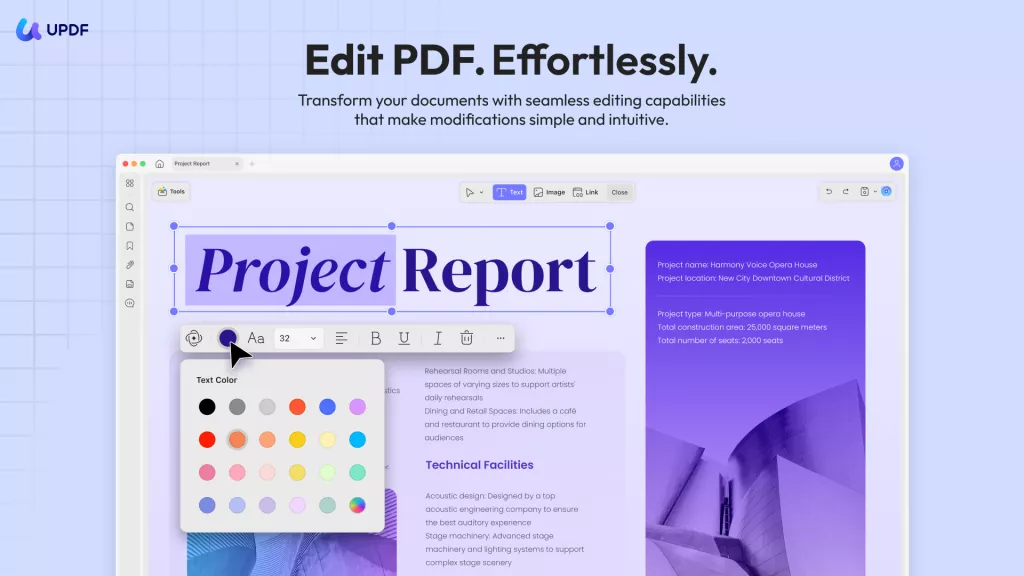
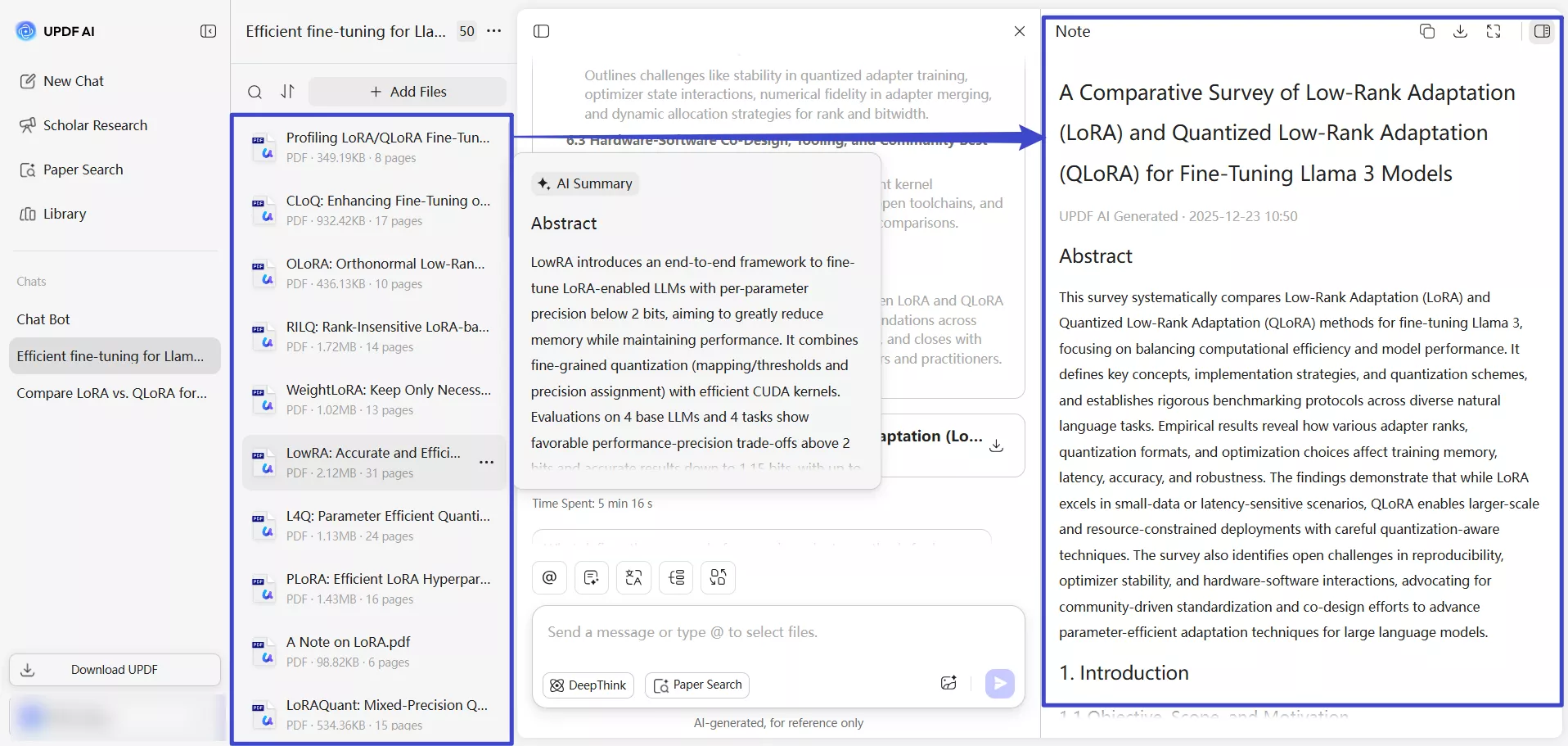
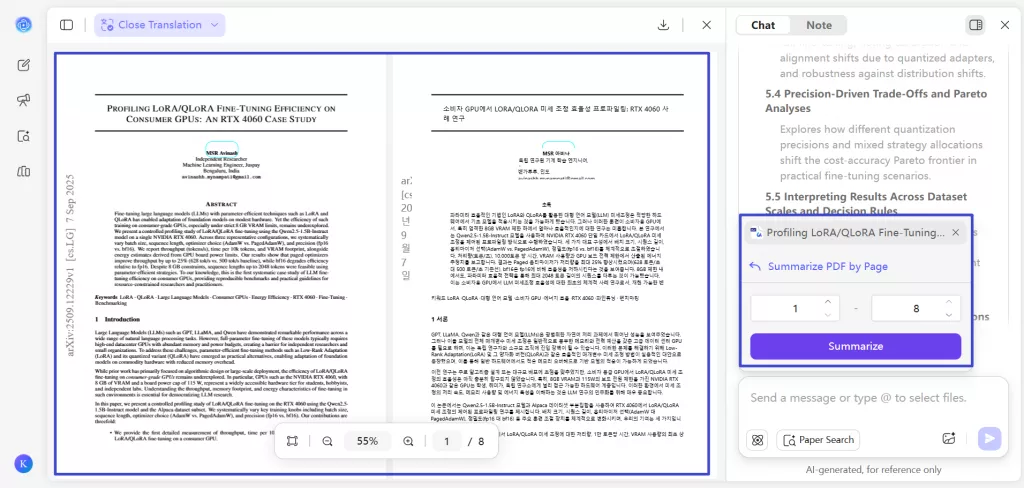
There is no doubt that Grok AI is extremely powerful, but based on my experience pursuing postgraduate studies, I still need a tool that supports side-by-side translation, page-by-page summarization, and ask-as-you-read interactions, allowing me to select any text and instantly ask questions. I also need the ability to upload papers I consider important and automatically turn them into a structured literature review. In addition, when studying other researchers’ work, I rely heavily on a solid tool that lets me annotate downloaded PDF papers and take detailed notes, so I can quickly locate key information when I revisit them later.
This is where UPDF fits perfectly into my workflow. UPDF is an AI-powered PDF editor driven by GPT-5 and DeepSeek R1, offering a wide range of annotation tools such as underlining, highlighting, wavy lines, sticky notes, and stickers. These features make reading and organizing academic papers much more efficient.
Windows • macOS • iOS • Android 100% secure
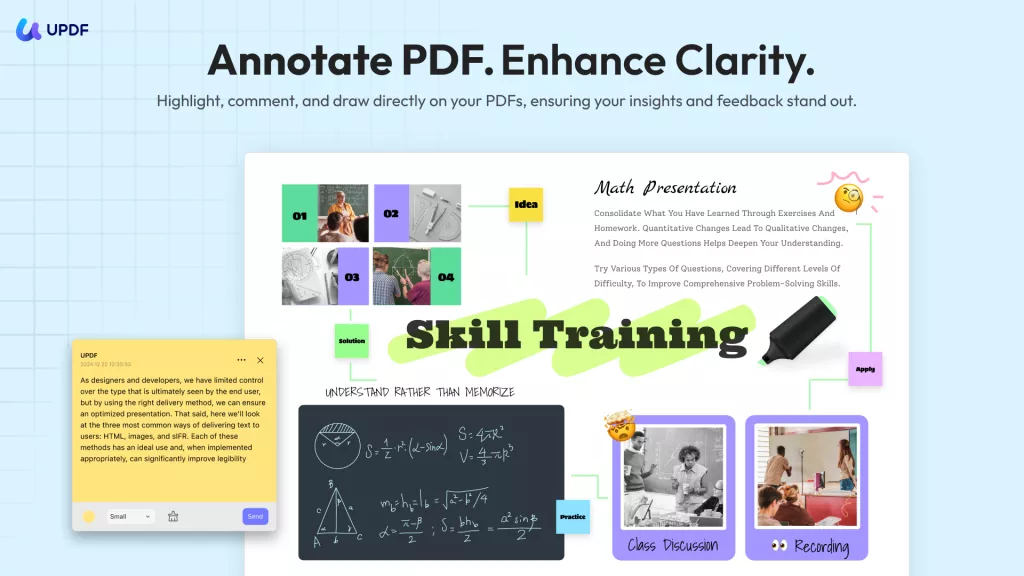
Even better, I can directly insert infographics generated by Grok AI into my PDFs using UPDF, allowing me to recall the core ideas of a paper at a glance without rereading the entire document.
In addition, after downloading the papers that Grok AI guides me to, I can upload them to UPDF AI Online, which then summarizes these papers into a structured literature review. UPDF AI automatically extracts key points and presents them in a clear, well-organized format. This makes it much easier to compare studies, identify research gaps, and build a solid theoretical foundation for my own work, greatly streamlining the literature review process and improving both efficiency and clarity.
In addition, side-by-side translation and page-by-page summarization are also supported, allowing me to read original texts and their translations simultaneously while quickly grasping the main ideas of each page. This is especially helpful when working with foreign-language papers, as it reduces reading friction and helps me understand complex content more efficiently without constantly switching between tools.
Together, Grok and UPDF complement each other well, significantly improving both my research efficiency and overall academic experience.
Try UPDF AI Online today. It's free for the first 100 prompts. No cost at the start.
If you want more, the price after that is very low. Totally worth it. Click here to buy UPDF AI Online and enjoy a smarter, easier AI tool.
The best part? UPDF AI also works inside the UPDF app. So, you can use it on Windows, Mac, Android, and iOS too. It's not just for chatting. It can work with your PDF files to make your job easier and faster.
What else can UPDF do for you:
- Fill and sign forms.
- Convert PDFs to Word, Excel, and more.
- Organize PDF pages.
- Use OCR to scan and edit scanned PDFs.
Click the button below to download UPDF and give it a try today.
Windows • macOS • iOS • Android 100% secure
In The End
Wrapping it up! Grok AI is a powerful tool. When combined with UPDF and UPDF AI, it becomes even more effective for handling advanced academic and professional needs. Together, they create a more complete, efficient workflow for research, reading, and writing. You can start with UPDF AI Online’s 100 free prompts and experience how seamlessly it complements Grok to elevate your productivity.







 Enola Miller

 Delia Meyer