 UPDF
UPDF
 UPDF for Windows
 UPDF for Mac
 UPDF for iPhone/iPad
 UPDF for Android
 Nomostar
 UPDF AI Online
 UPDF Sign
 IvyCraft
 Edit PDF
 Annotate PDF
 Create PDF
 PDF Form
 Edit links
 Convert PDF
 OCR
OCR PDF to Word
 PDF to Image
 PDF to Excel
 Organize PDF
 Merge PDF
 Split PDF
 Crop PDF
 Rotate PDF
 Protect PDF
 Sign PDF
 Redact PDF
 Sanitize PDF
 Remove Security
 Read PDF
 UPDF Cloud
 Compress PDF
 Print PDF
 Batch Process
 About UPDF AI
 UPDF AI Solutions
 AI User Guide
 FAQ about UPDF AI
 Summarize PDF
 Translate PDF
 Chat with PDF
 Chat with AI
 Chat with image
 PDF to Mind Map
 Explain PDF
 PDF AI Tools
 Image AI Tools
 AI Chat Tools
 AI Writing Tools
 AI Study Tools
 AI Working Tools
 Other AI Tools
 AI Bookmark Generation
 AI Bookmark Summary
 AI Watermark Generation
 AI Background Generation
 AI Sticker Generation
 AI Stamp Generation
 AI Editing Suite
 UPDF Copilot
 AI Page Management
 AI Semantic Search
 PDF to Word
 PDF to Excel
 PDF to PowerPoint
 Enterprise Solution
 Enterprise Sign
 Enterprise AI
 Enterprise Plan
 Enterprise User Guide
 Enterprise Webinar
 Banking
 Healthcare
 Insurance
 Legal
Legal Manufacturing
 Government
 Researchers & PhDs
 Solopreneurs & Freelancers
 Lawyers & Legal Professionals
 Real Estate Agents & Brokers
 Education Solution
 Customer Stories
 User Guide
 UPDF Tricks
 FAQs
FAQs UPDF Reviews
 Download Center
 Blog
Blog Newsroom
 Tech Spec
 Updates
 UPDF vs. Adobe Acrobat
 UPDF vs. Foxit
 UPDF vs. PDF Expert

In my work as a financial analyst, I always find myself buried under a digital tsunami of reports, filings, transcripts, earnings calls, spreadsheets, and video briefings. I desperately needed an AI solution that could act as my personal assistant for efficient task processing. That's when I came across iWeaver AI, and now it is part of my daily workflow.
iWeaver AI helps me instantly summarize documents and extract key insights. This is saving me countless hours and boosting productivity. Alongside this, I am also using UPDF AI to fulfill the shortcomings of iWeaver AI in deep analysis, translation, and accurate web research.
Therefore, I have created this practical and honest review of iWeaver AI to let you know how well this tool stands up in real-world and knowledge-management needs. Plus, I will also share its comparison with UPDF AI and how I strategically combine both tools in my daily work to handle complex analysis with far less manual effort. If you are interested, you can click the button below to try UPDF AI for free.
Part 1. How did I find iWeaver AI?
My day-to-day work revolves around data. At one time, I am juggling financial reports and market research PDFs, while at other times I am reviewing earnings call transcripts, investor presentations, and hours of video-based macro analysis.
I have been using UPDF AI to analyze/summarize/chat with reports and PDFs, which has been great. However, I needed an additional AI solution that could handle videos and audio. That gap became obvious when I found myself spending hours manually working on earnings call recordings and long macroeconomic briefings on YouTube, just to extract key insights. That is when I came across iWeaver AI.
iWeaver AI is an AI knowledge assistant that can process information provided in different formats, including videos, audios, web content, PDFs, text, etc. What caught my attention was its ability to convert recorded calls into structured notes and turn unstructured multimedia content into searchable and actionable.
Today, I can just upload the video link to iWeaver AI and receive a concise summary highlighting management guidance, key risks, etc. It has become a complementary tool alongside UPDF AI in my research and analysis workflow.
Part 2. Unpacking the Arsenal: Where iWeaver AI Truly Shines
Before I show you how to use iWeaver AI, let me give you a proper overview of why you should consider it.
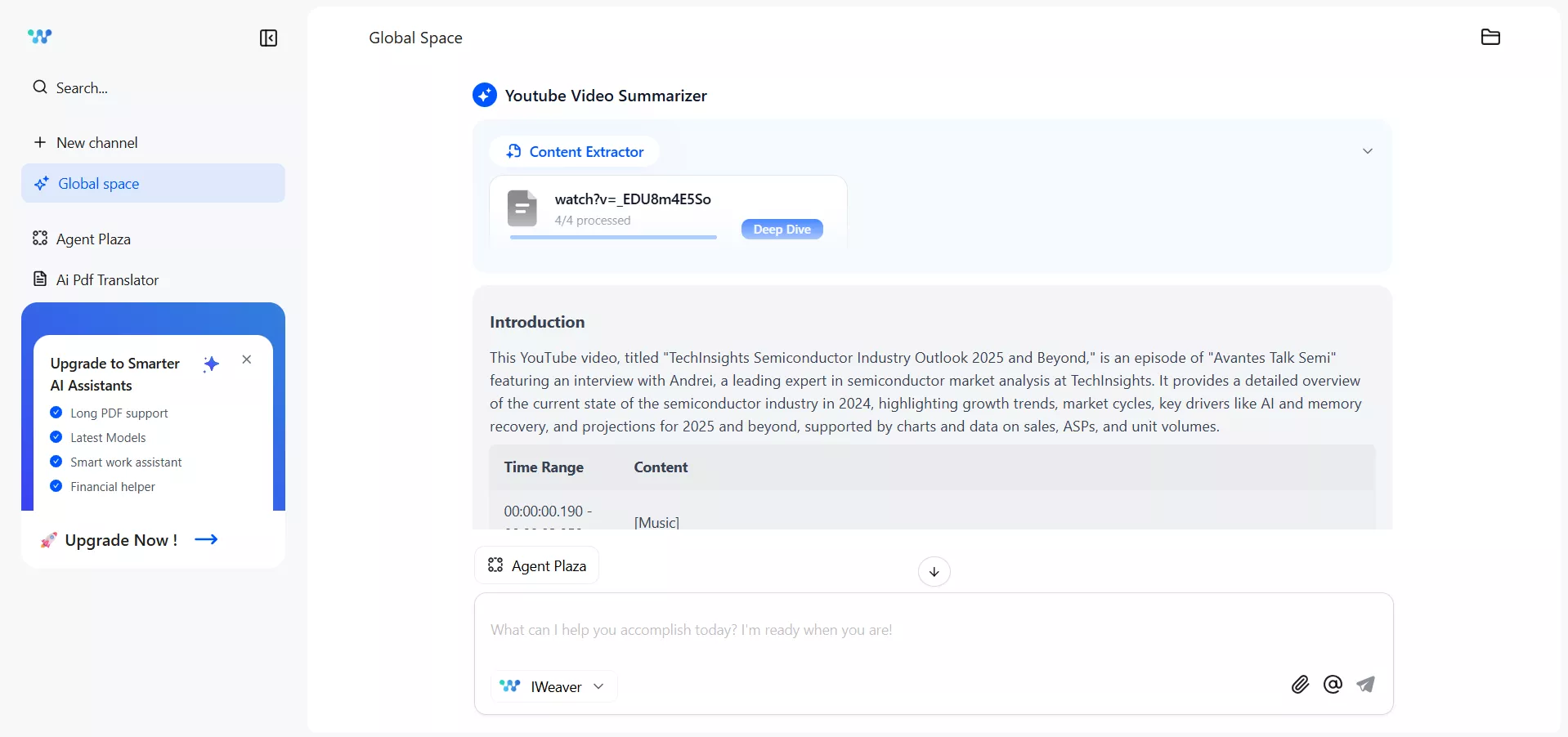
iWeaver AI offers a broad toolkit that addresses many pain points in analysis and research for a diverse user base. Let me sum up all the core features we get to experience with iWeaver AI:
- Multi-Format Summary: Summarizes content from PDFs, Word docs, PPTs, web pages, audio, and video files. We can even feed it a mix of annual reports, slide decks, and YouTube clips, and iWeaver pulls out the main points. The AI is multilingual too.
- Mind Map Generation: The AI Mind Map feature can draw a visual map of key concepts from PDFs, videos, images, and text. The mind map is editable and themeable, so you can change node colors or layout templates online.
- AI Writing Agent: Assists with drafting and rewriting content for various purposes, such as podcast description, scheduling assistant, marketing copy, meeting agenda, business email, abstract, etc.
- AI Analysis Agent: Helps break down complex documents, identify key insights, trends, risks, and relationships, and answer targeted questions with contextual understanding.
- AI Converter Agent: Converts content across formats, such as PDF to markdown, MP4 to text, audio to text, OCR conversion, PDF merging, etc.
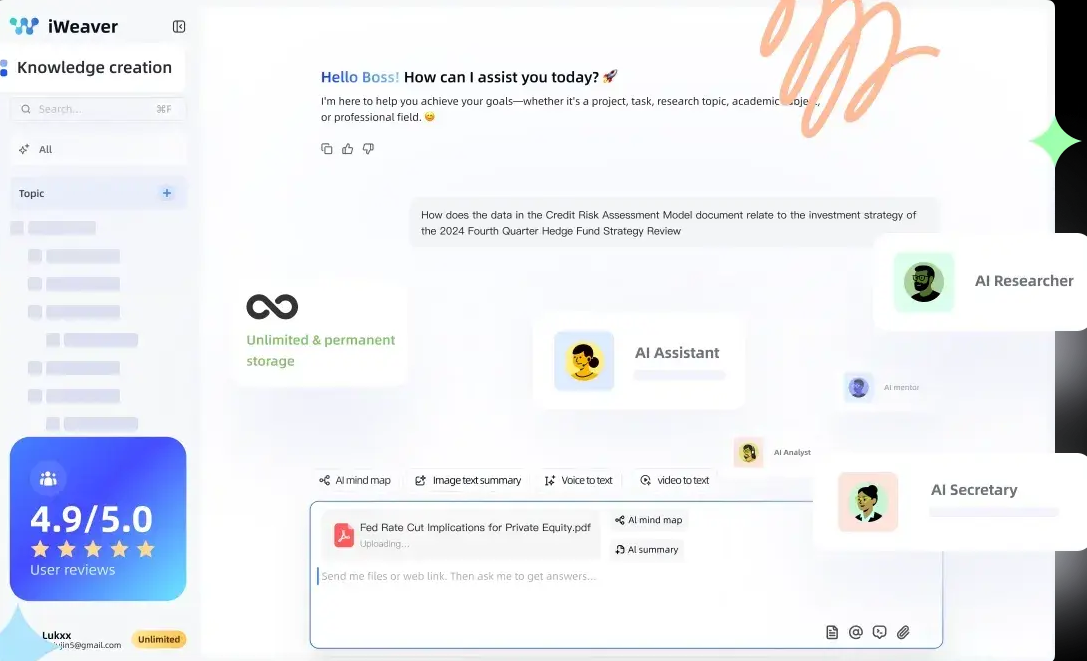
The best part about iWeaver AI is that it remembers everything. So, its insights and accuracy improve gradually as you keep using it.
Target Users of iWeaver AI
iWeaver AI can facilitate anyone drowning in information. However, the main targeted users who can benefit the most from iWeaver AI are:
- Financial Analysis: Helps with multi-document processing, intelligent summary and precise extraction, AI-powered Q&A with accurate results, etc.
- Consulting: Assists with consolidating client documents, strategy decks, and research materials into clear summaries and structured insights.
- Medical: Supports quick summarization of medical literature, precise translation of domain-specific terminology, multilingual AI mind maps, Q&A based on a knowledge base, etc.
- Legal: Enables analysis of lengthy legal documents through targeted summarization, clause extraction, and document comparison for quick and effective legal advice.
- Academic Research: Helps researchers and students summarize multiple papers, ask questions, generate mind maps, etc.
- Content Creation: Aids in knowledge-based content creation, multi-modal information processing, personalized AI-driven creativity, etc.
Part 3. Putting iWeaver AI to the Test: Practical Step-by-Step Guides
Now that I have cleared what to expect from iWeaver AI, let's move our focus to how to use it.
I will explain the iWeaver AI workflow using one of the research activities I conducted with this tool last week. I was given a research task to evaluate key market risks and growth constraints for the semiconductor sector.
Step 1. Gathering Sources and Uploading to iWeaver AI
To conduct my research, I began with a web search and gathered all relevant reference materials. It included some research PDFs, web articles, and a few YouTube videos.
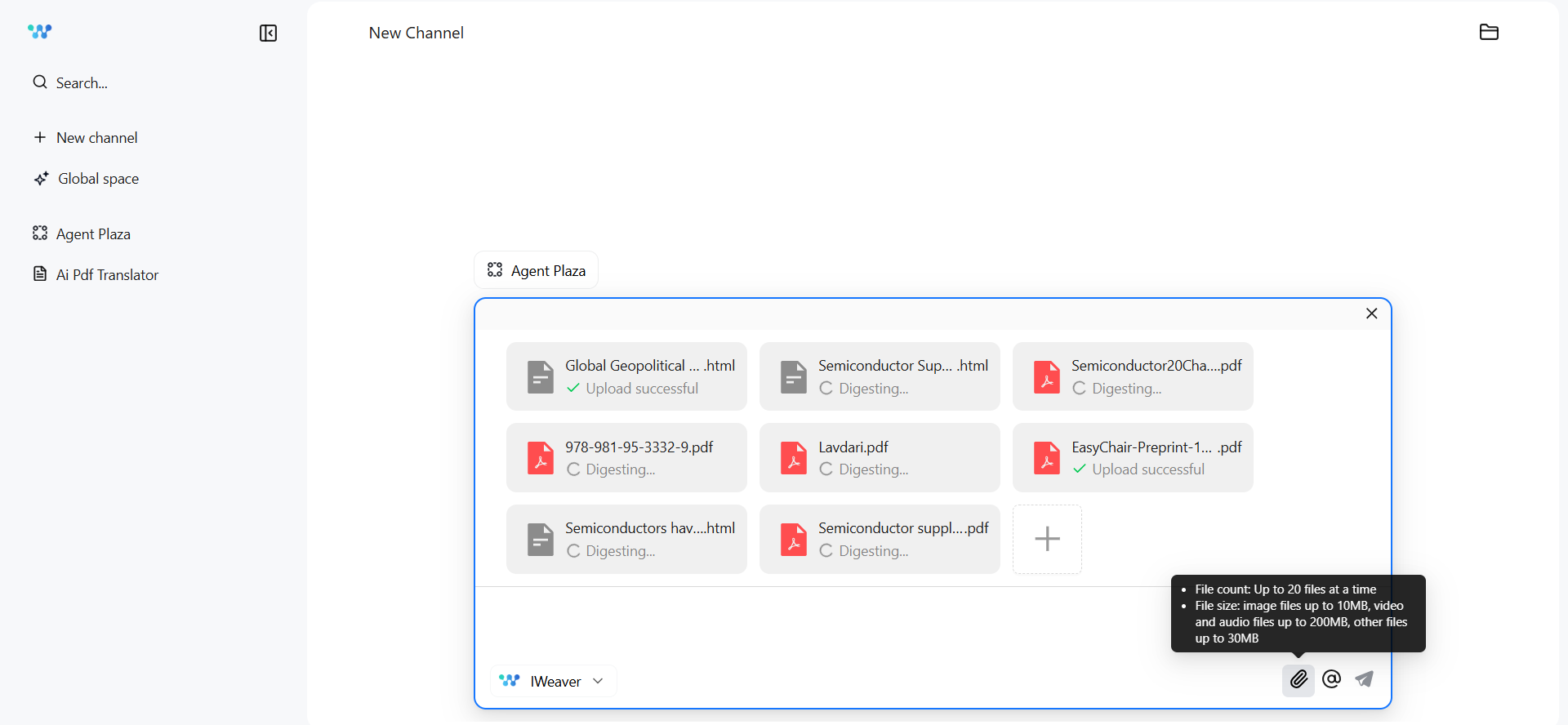
Afterward, I opened iWeaver AI from my browser and uploaded all these files. It supports uploading up to 20 files at a time, which was within my limits. I didn't upload the YouTube video because I planned to use the YouTube video summarizer feature to summarize those videos.
Step 2. Extracting Key Points from All Sources
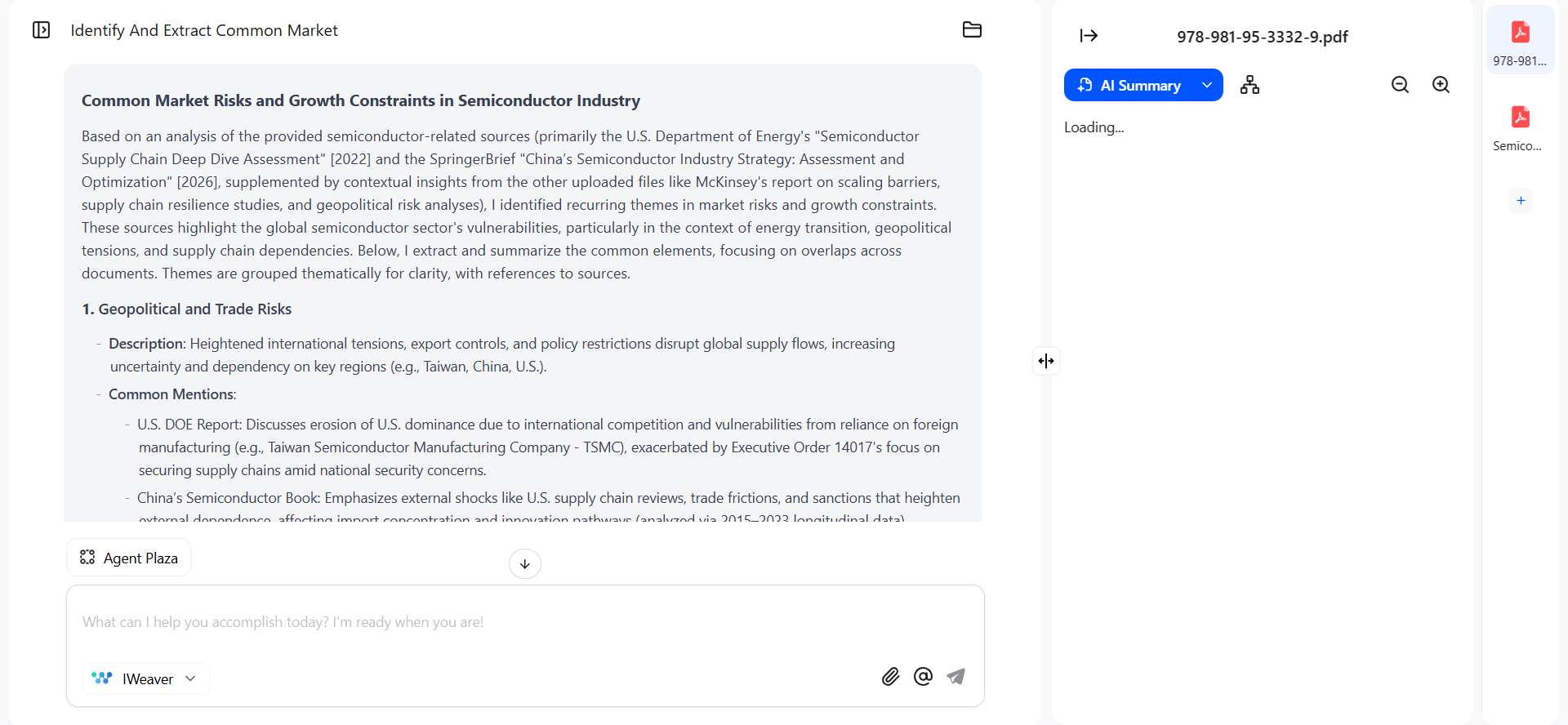
After uploading, I asked the AI to: "Identify and extract common market risks and growth constraints mentioned across all uploaded semiconductor-related sources."
Within seconds, it analyzed the PDFs and provided me with a proper explanation.
Step 3. Summarize and Generate a Mind Map of Individual Sources
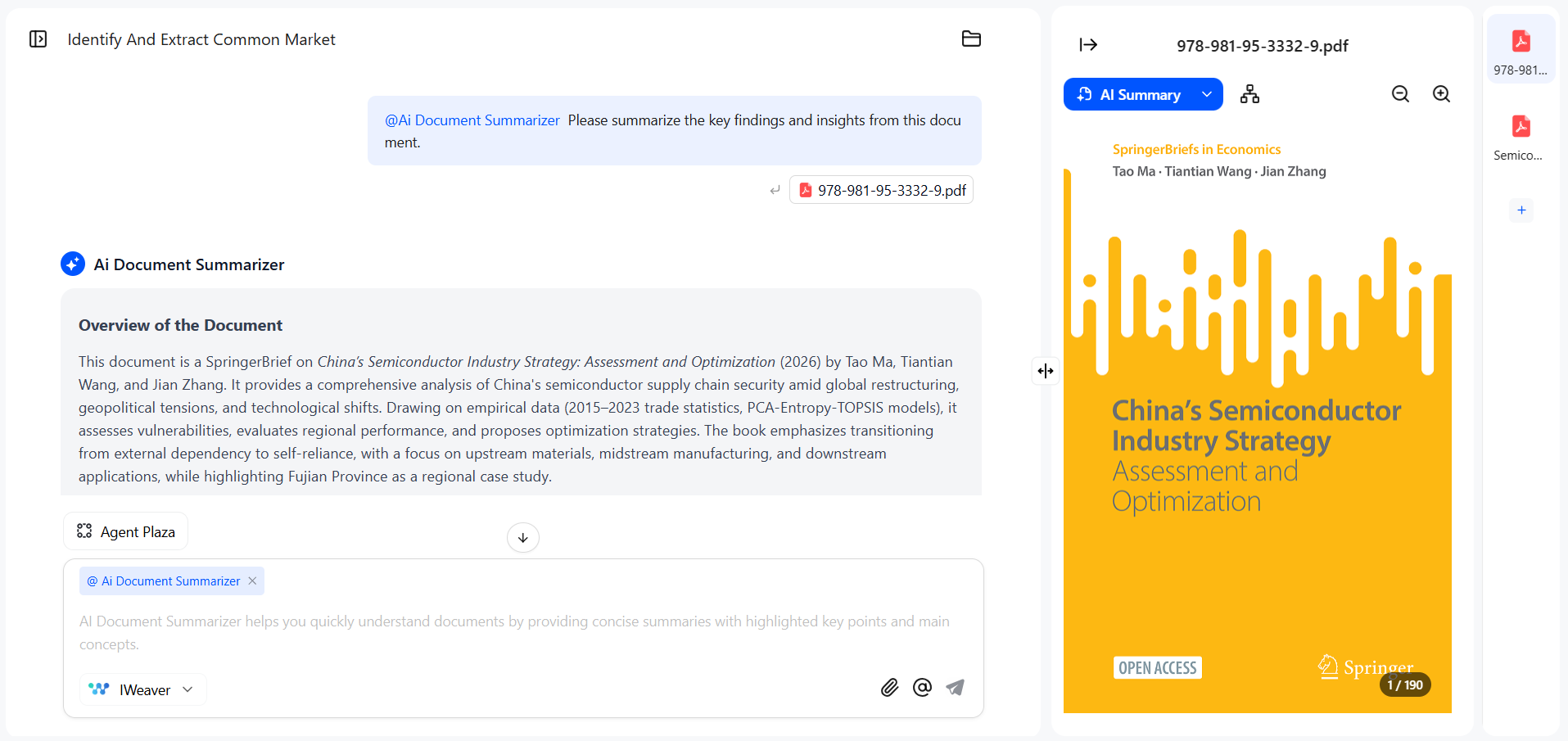
Next, I wanted to summarize a few of the uploaded PDFs. The process was pretty straightforward. I just selected the PDF from the right sidebar and tapped "AI Summarize". Afterward, I received the summary, which contained all the key information I needed.
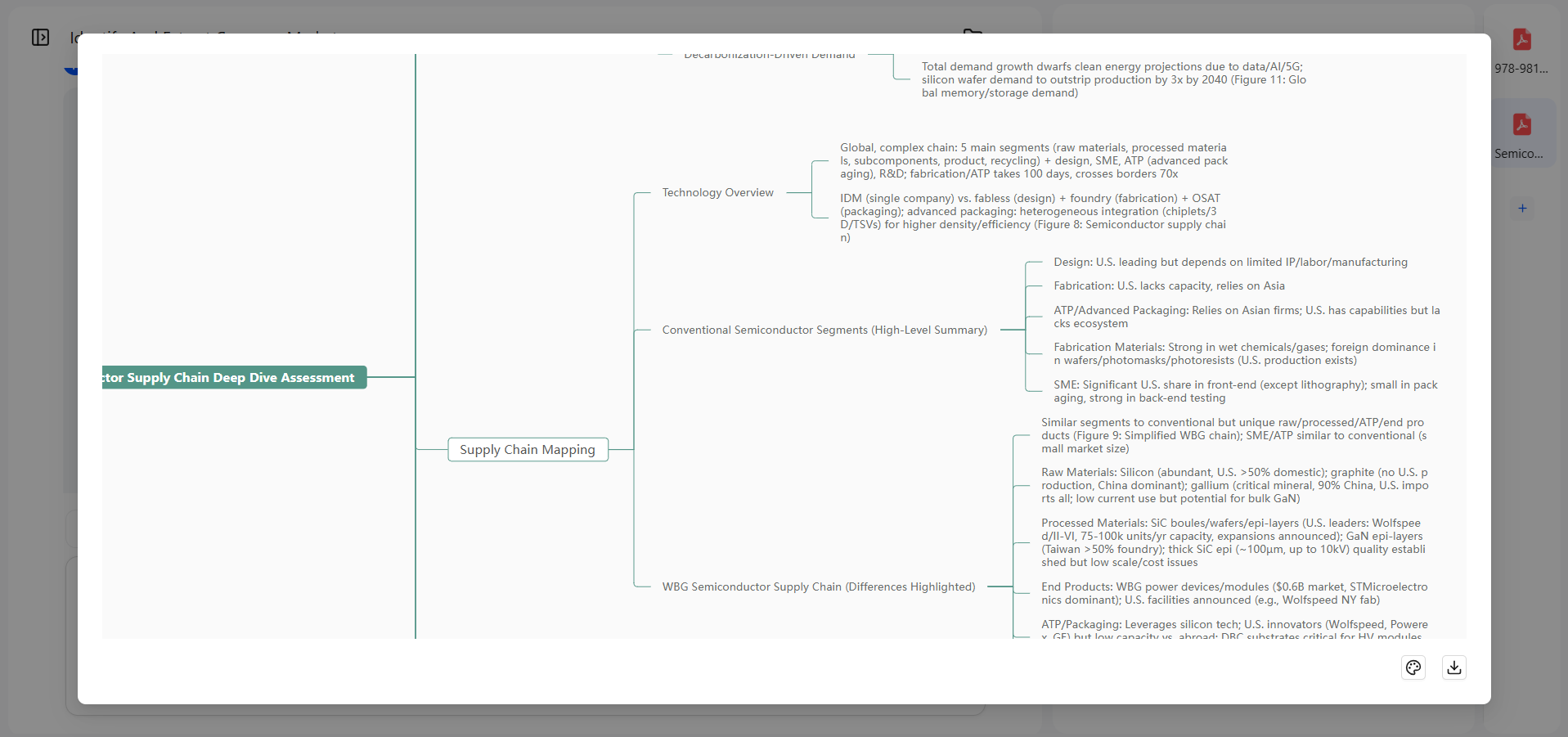
Similarly, I also used the "Generate Mind Map" button for one PDF and got a visual representation of the key points.
Step 4. Summarizing Info from YouTube Videos
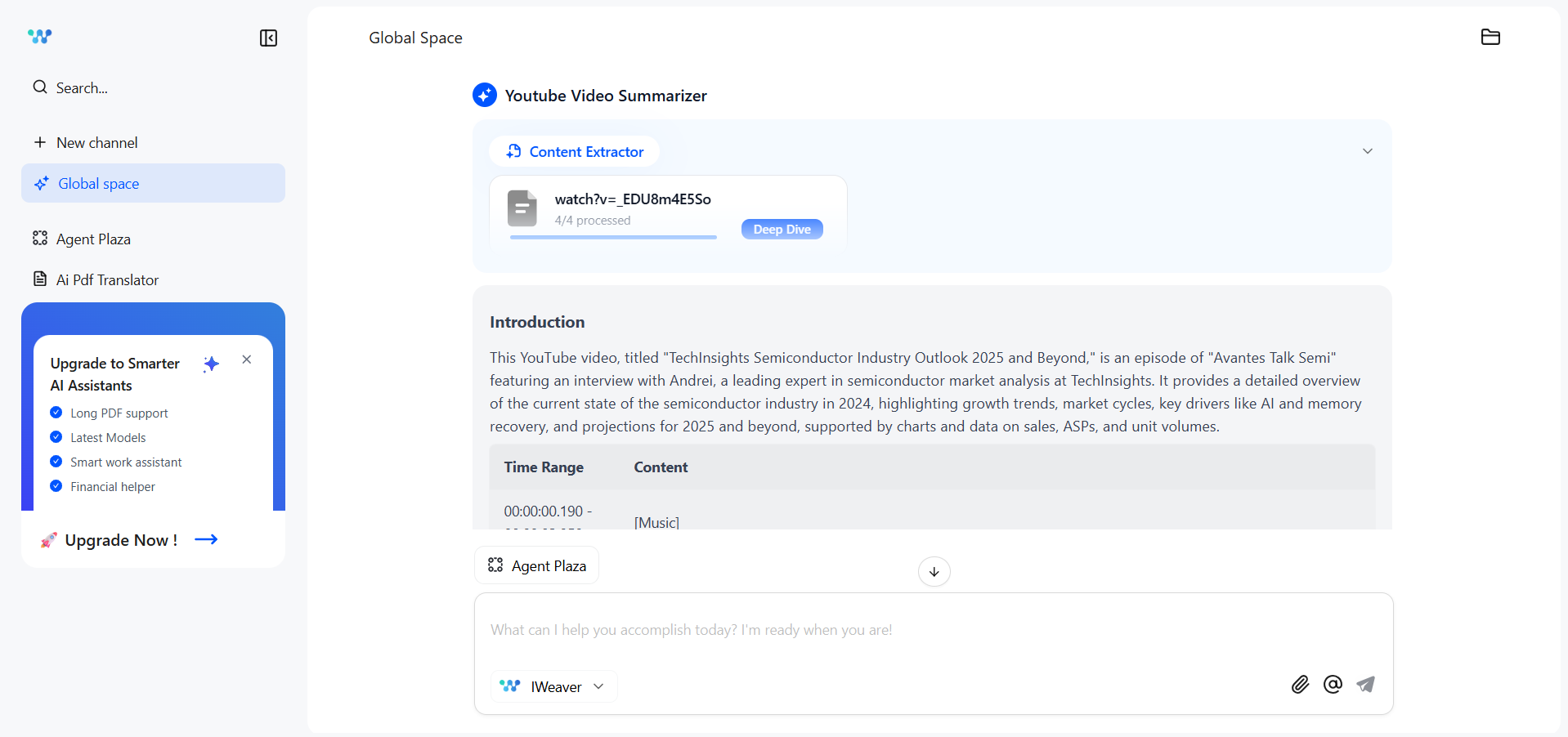
As I mentioned earlier, I also sourced some YouTube videos. So, the next thing I did was use the iWeaver AI's dedicated YouTube summarizer option from the "@" icon in the chat mode. The "@" gives you access to various tools/agents, such as cash flow analysis, chart maker, cost risk analysis, etc.
I simply provided the YouTube video link and received a summary of what it explains. I also asked follow-up questions to get a detailed analysis.
Step 5. Extracting More Insights from My Sources
Afterward, I just used the chat feature of iWeaver AI to ask follow-up questions and extracted more insights.
That's how simple it is to use iWeaver AI and save hours of research time.
Part 4. Head-to-Head: UPDF AI vs. iWeaver AI
As someone who works daily with dense financial and technical documents, I mostly prefer UPDF AI Online in my workflows unless I need some core iWeaver AI features.
UPDF has positioned itself as a leader in integrating AI into everyday document workflows. Therefore, I believe it is important to present a brief UPDF AI vs. iWeaver AI comparison to clarify where both tools stand.
UPDF AI Online is a powerful AI assistant for PDFs, research, and learning. It lets us summarize individual or batch PDFs at once. We can also generate mind maps, translate entire PDFs with preserved formatting, do a scholarly paper search, and much more. It even lets us create different folders to save specific files for different projects and use AI assistance when required.
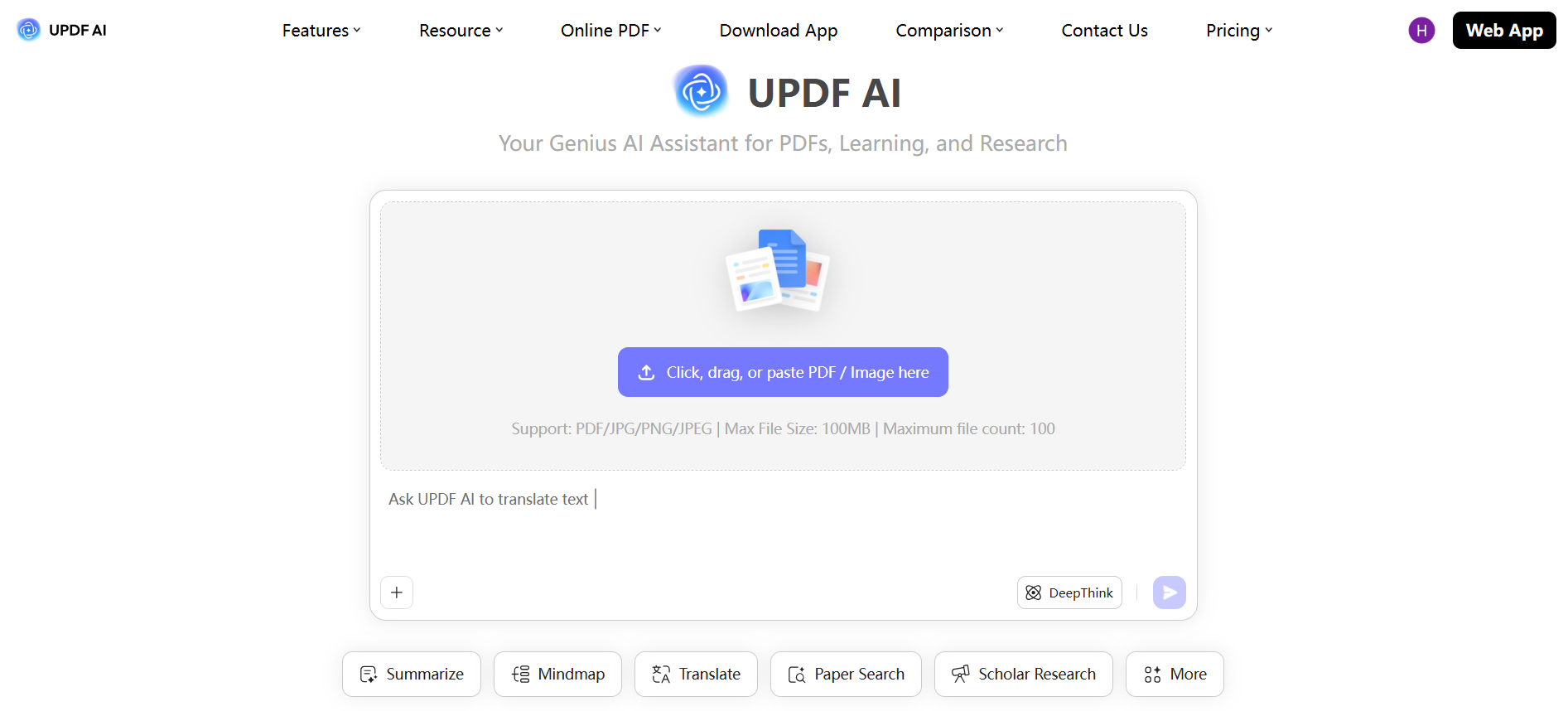
Let's now compare UPDF AI Online with iWeaver AI by reviewing their core capabilities:
AI Models Used
Both platforms are powered by modern large language models. UPDF AI uses GPT-5 as the default model for document analysis and chat features. However, it gives the option to switch to the DeepSeek R1 model for deeper analysis.
iWeaver AI uses a combination of advanced AI models, including Gemini, GPT, Grok, and Claude. The reason is that it focuses on multi-source synthesis, pulling insights across documents, web pages, and multimedia.
Mind Map Capabilities
Both platforms support generating mind maps. However, there are a few differential aspects between them.
UPDF AI will automatically ask users to choose which pages to generate a mind map from. Besides that, if the document contains text in different languages, the output language of UPDF AI in the mind map will still match that of the user.
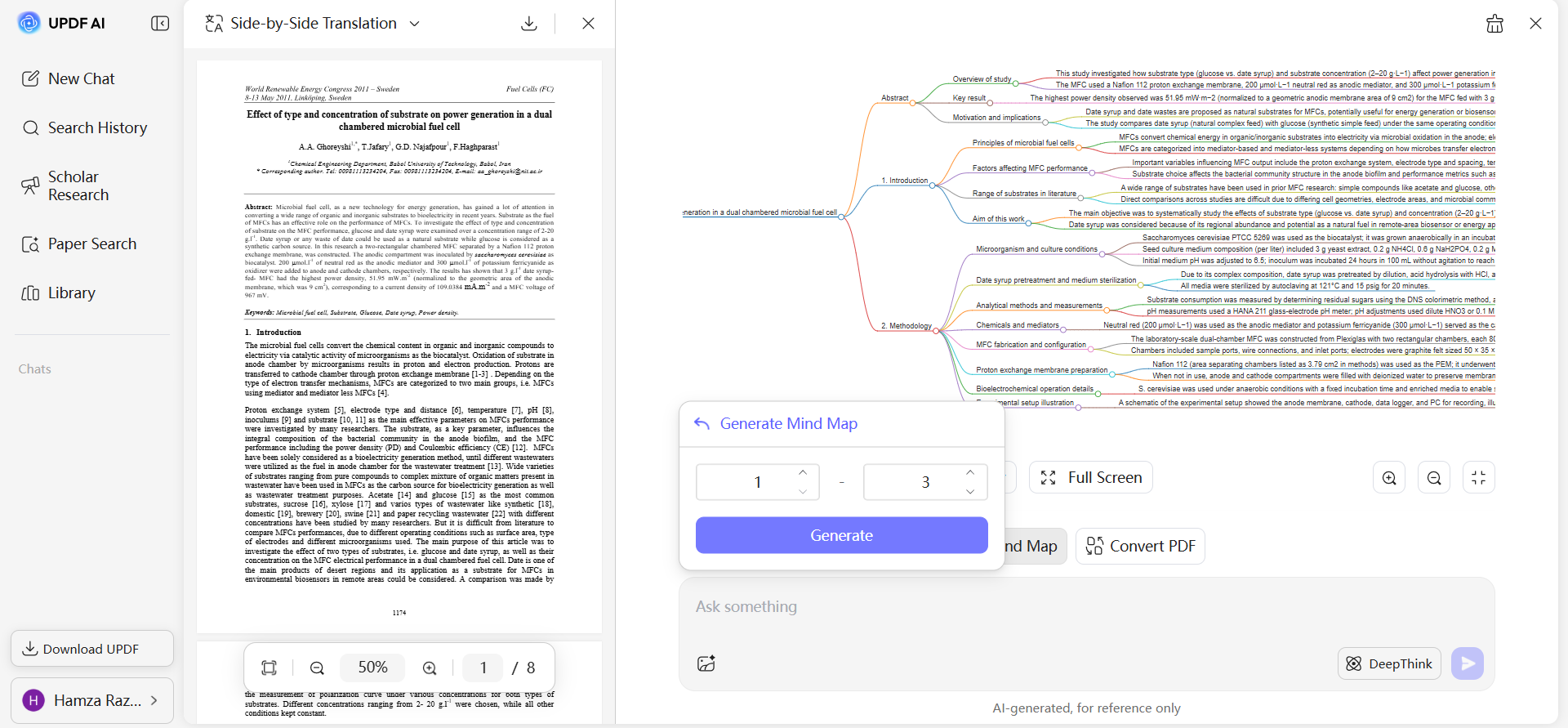
iWeaver AI does not offer the option to generate mind maps for specific pages. However, it supports downloading mind maps in multiple formats, such as JSON, SVG, PNG, PDF, etc. Plus, you can also change the theme.
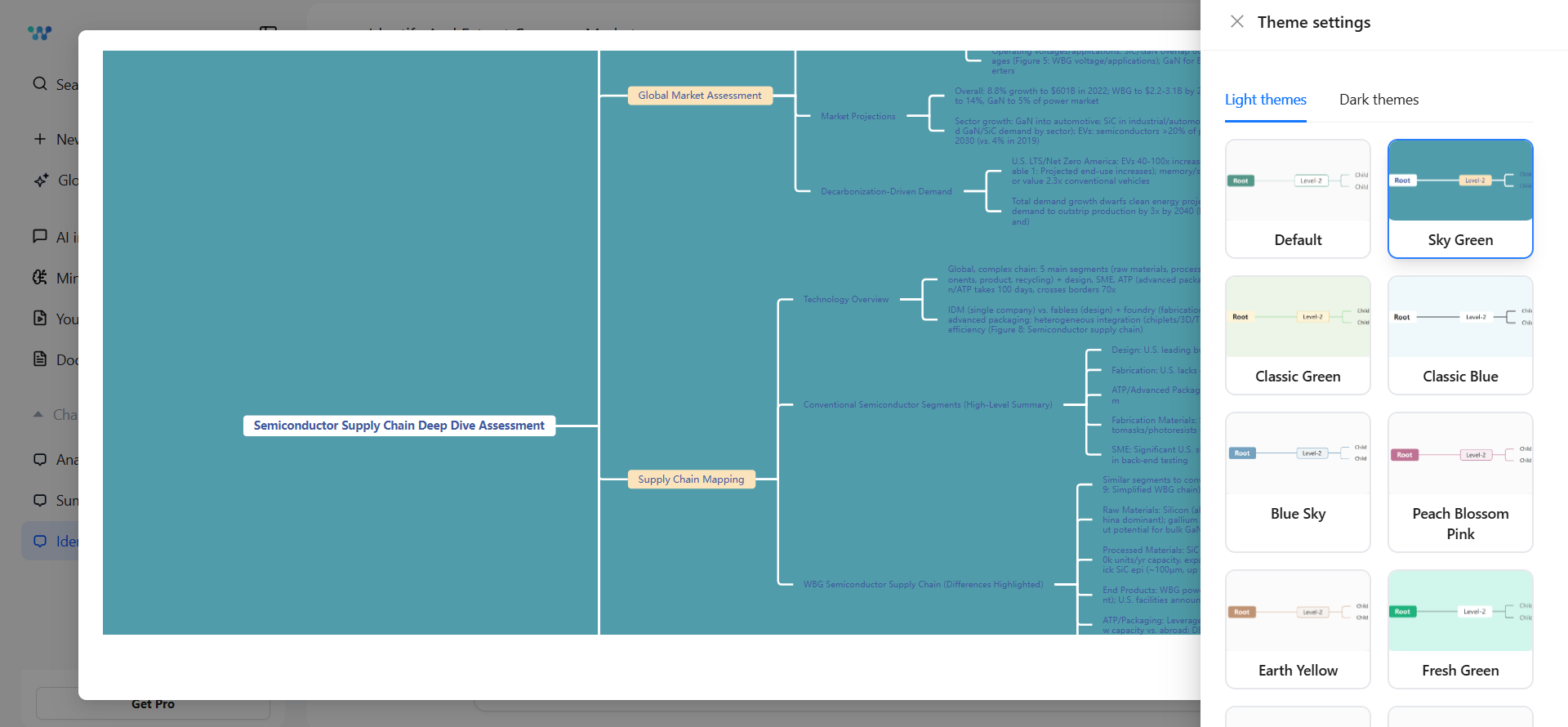
Image and Scanned PDFs Chatting
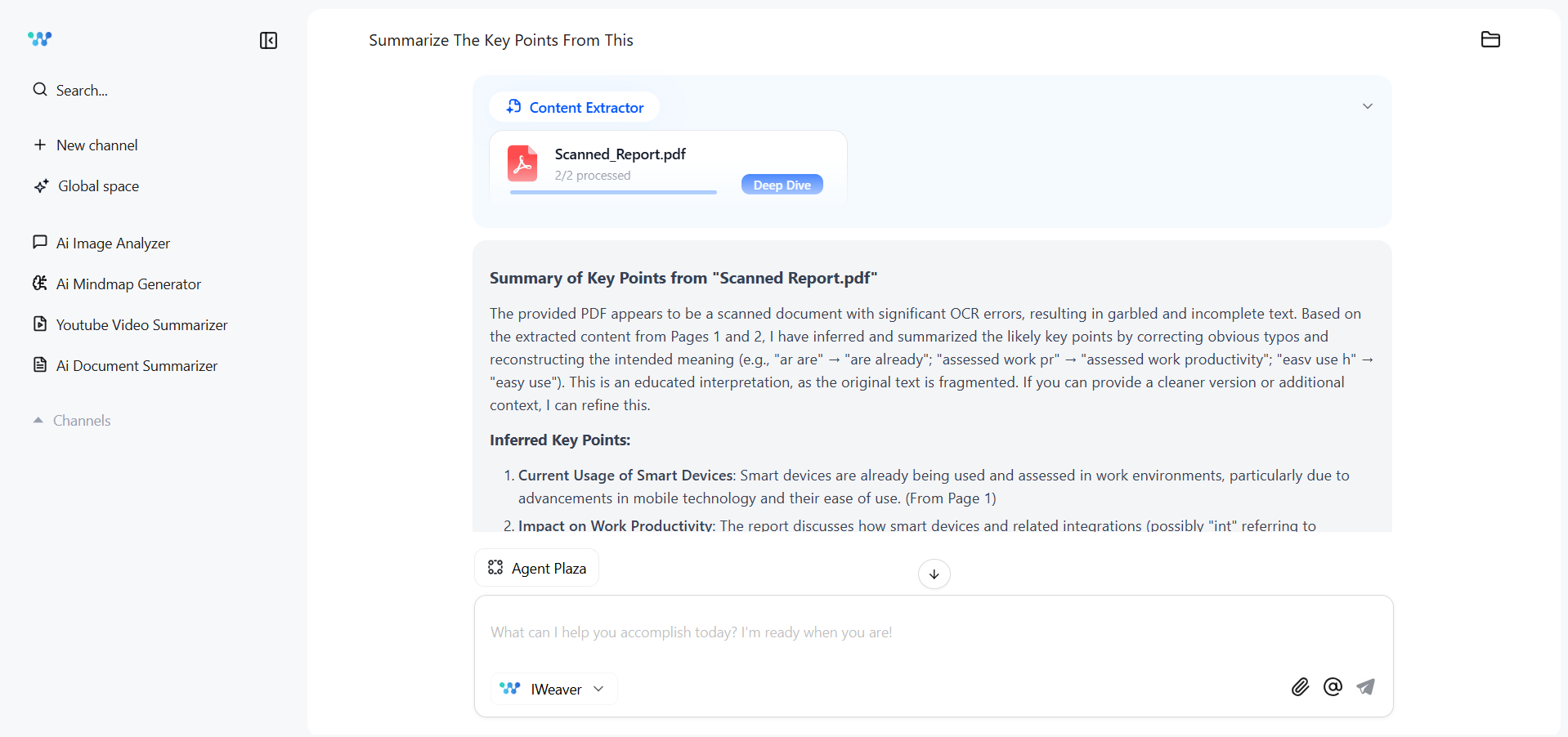
UPDF AI and iWeaver AI are exceptional at handling image and scanned PDF chats. We can upload any image or scanned PDF, and they can provide the desired assistance after proper analysis.
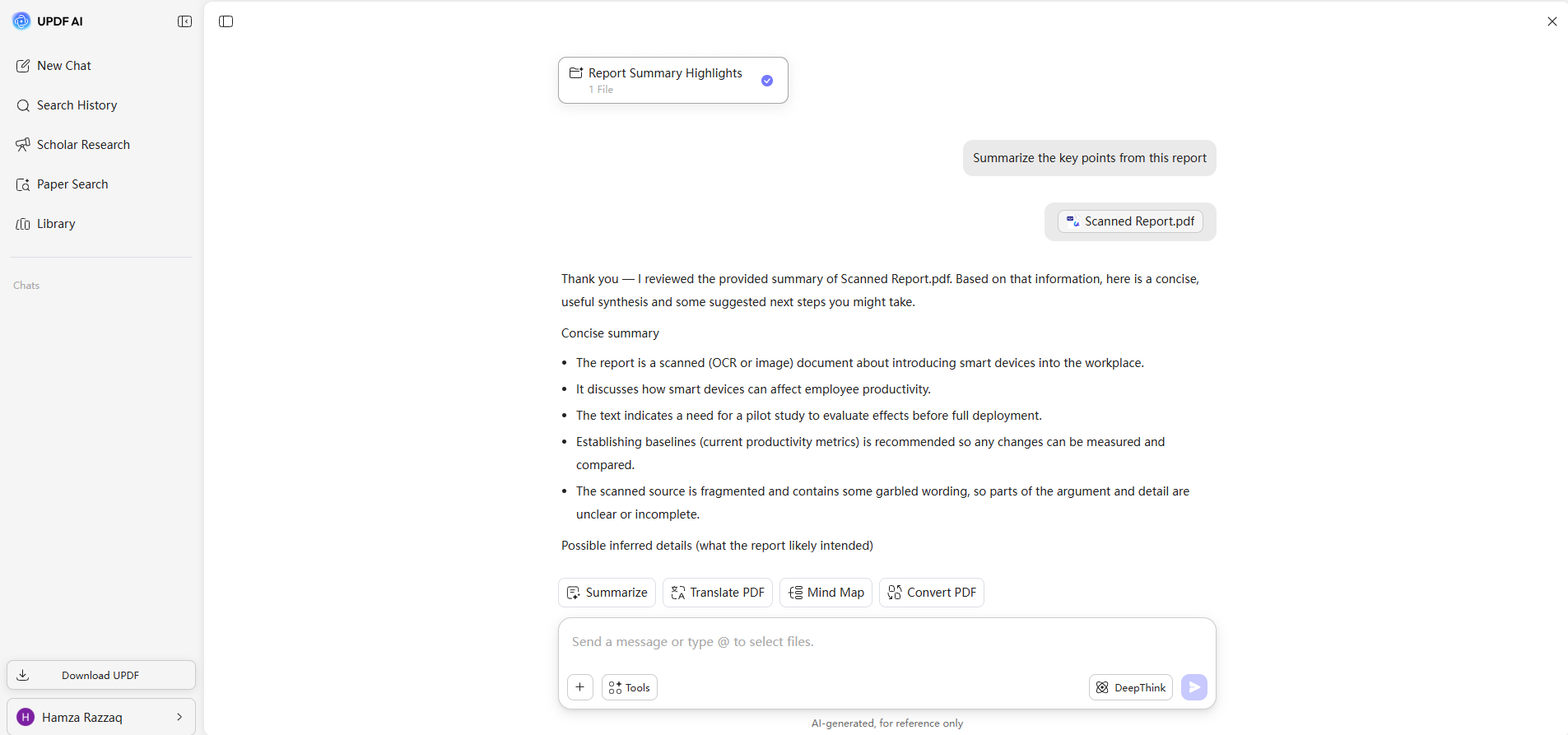
For example, I uploaded a scanned PDF and asked them to summarize it. They both extracted the text without asking me to perform OCR. So, it's like interacting with an editable PDF.
Multi-PDF and Cross-Document Chat
I prefer using UPDF AI for document analysis because of its ability to handle multiple PDFs. I can upload up to 100 files at once (paid users), while iWeaver AI only supports 20 files and 50 pages in the Pro plan and 50+ files in the Unlimited plan (expensive).
Putting that aside, UPDF AI and iWeaver AI have pretty much the same performance in multi-PDF analysis.
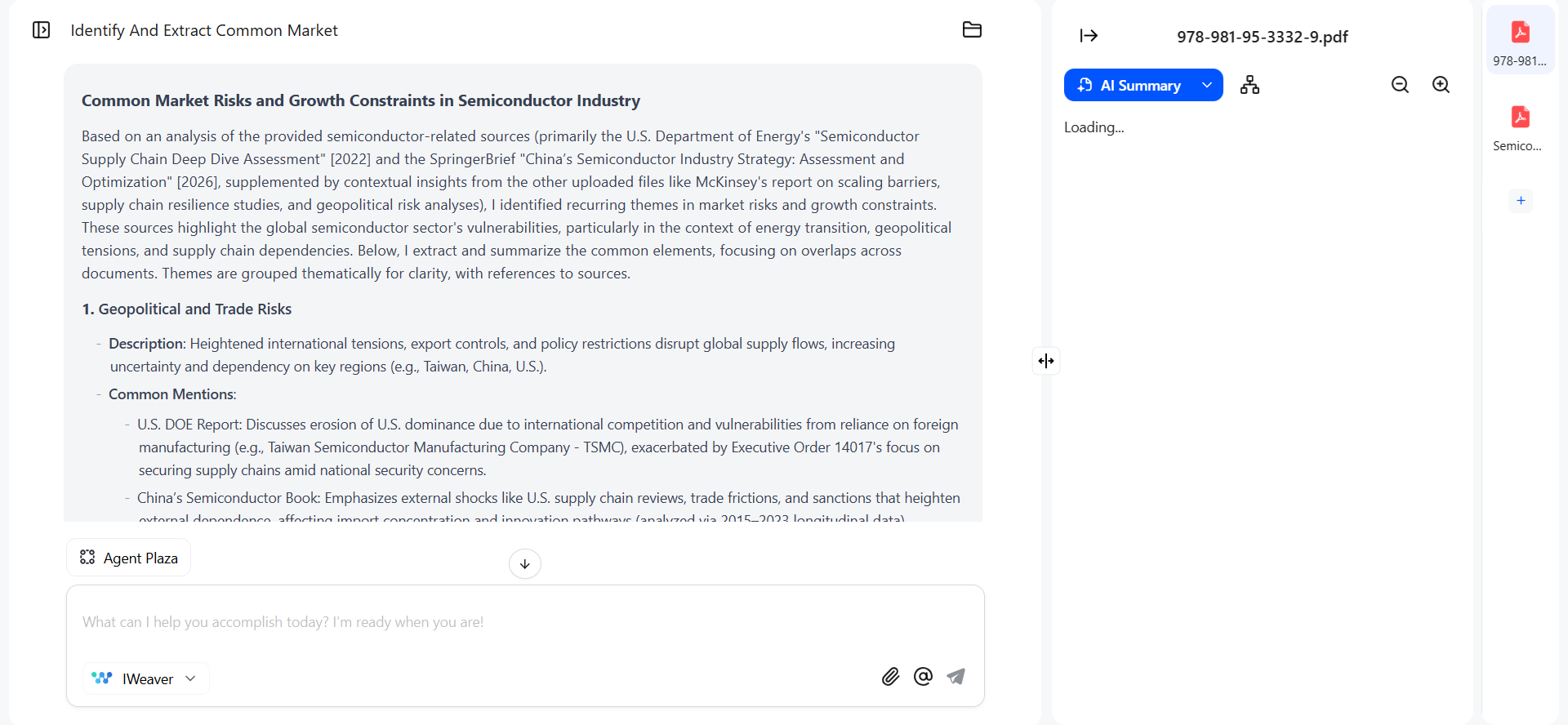
However, UPDF AI replies look more concise and to-the-point, while iWeaver AI replies are more lengthy.
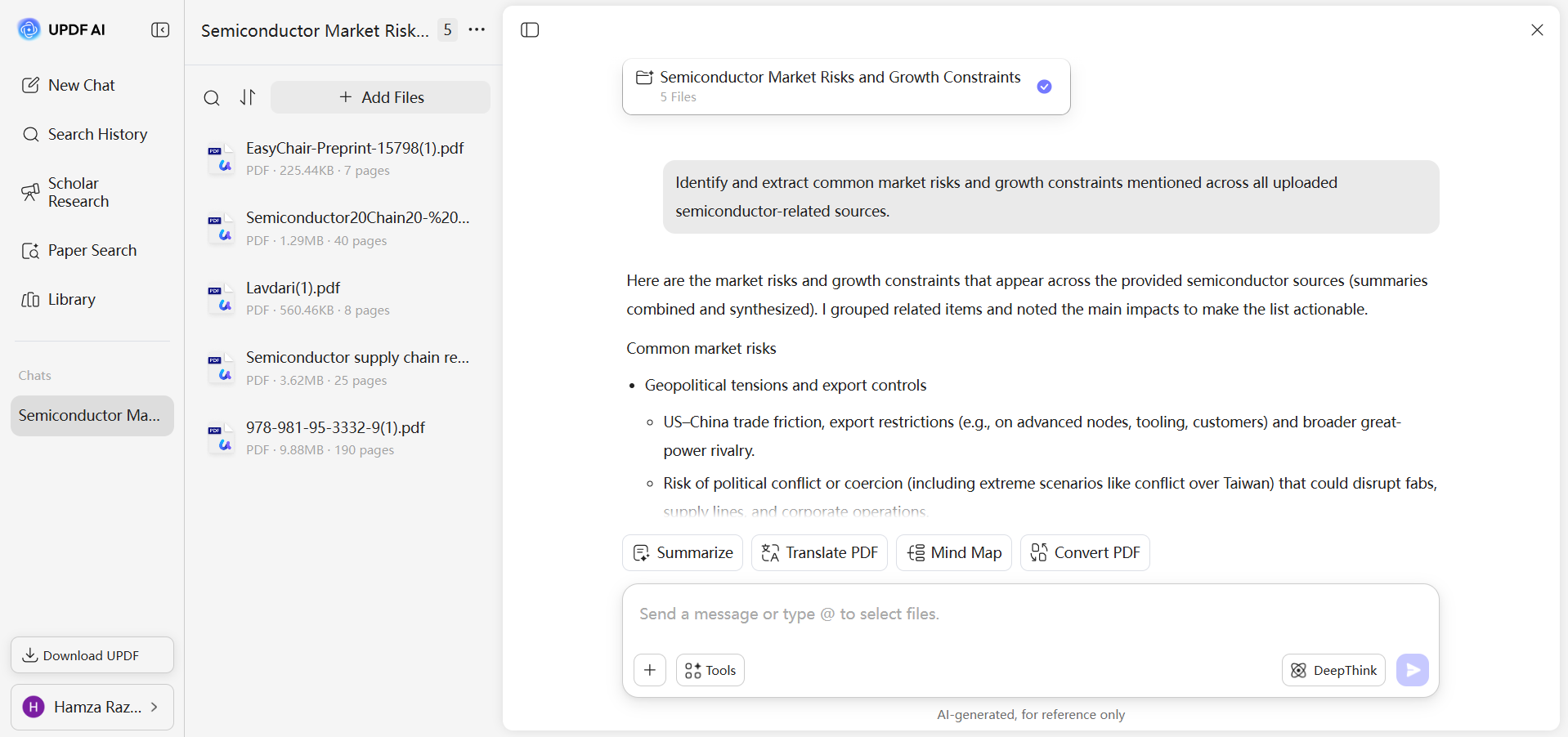
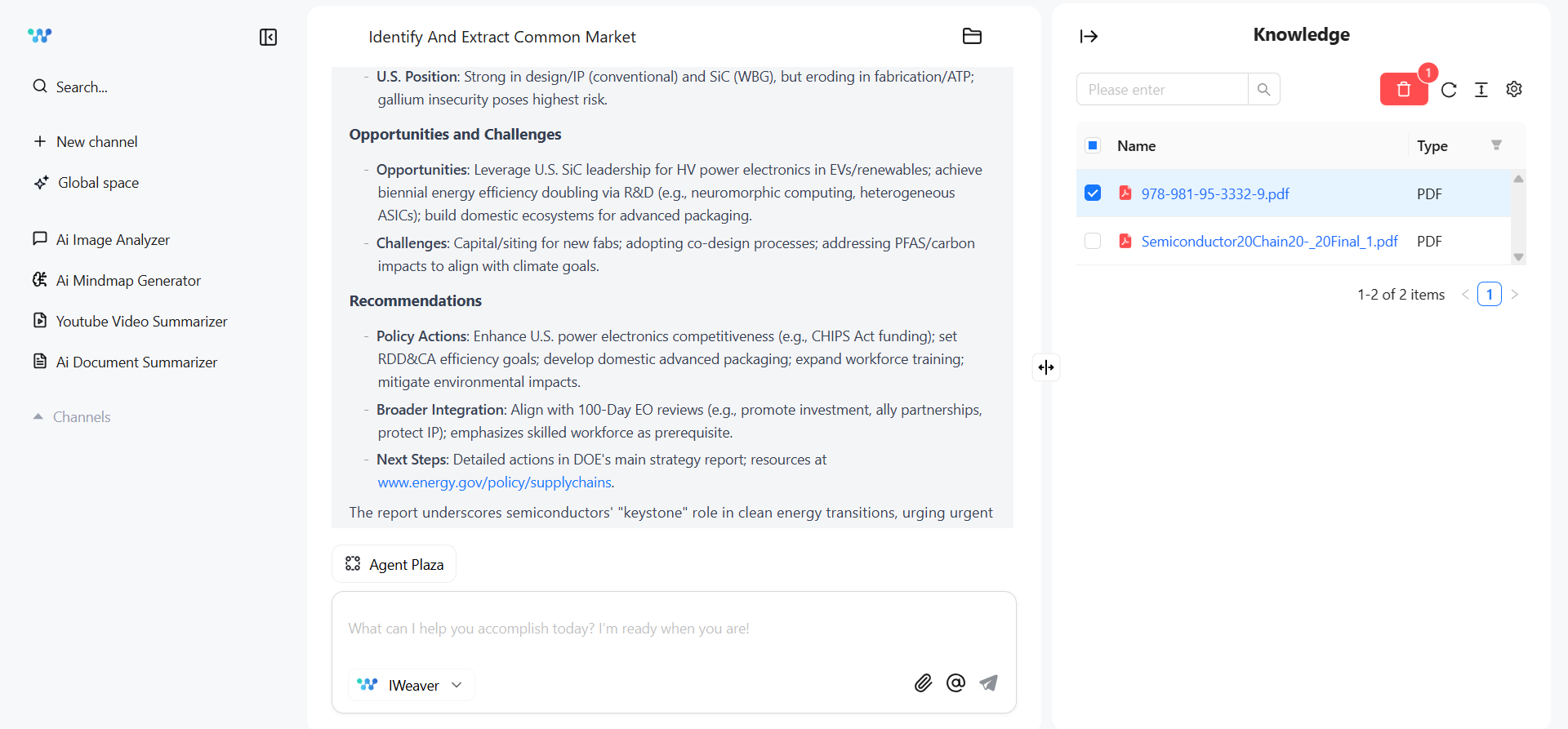
What I like about UPDF AI is its intuitive cross-document chat with the use of "@". I can use "@" to call out a specific document and then ask the query. This makes cross-document chat convenient.
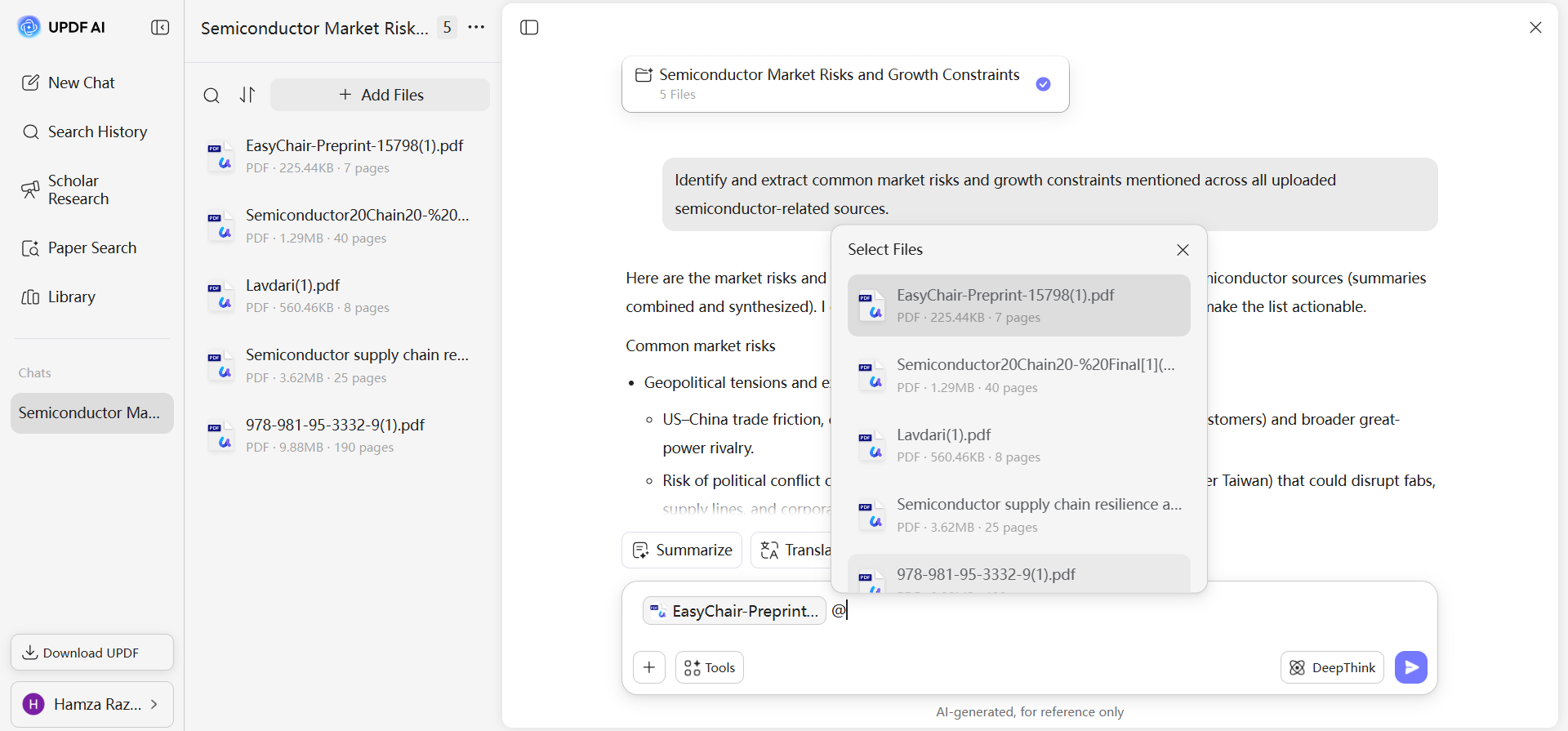
In iWeaver AI, I select the PDF from the right panel and then ask questions.
Supported Formats
UPDF AI is focused on document analysis, so it supports PDF and image formats (JPG, PNG, JPEG). However, it also offers an online PDF converter that can convert other file formats to PDF.
iWeaver AI is more than a document analyzer. That's why it supports more file formats, including images (PNG, JPG, JPEG), audio (MP3), video (MP4), and documents (PDF, PPTX, DOCX, DOC).
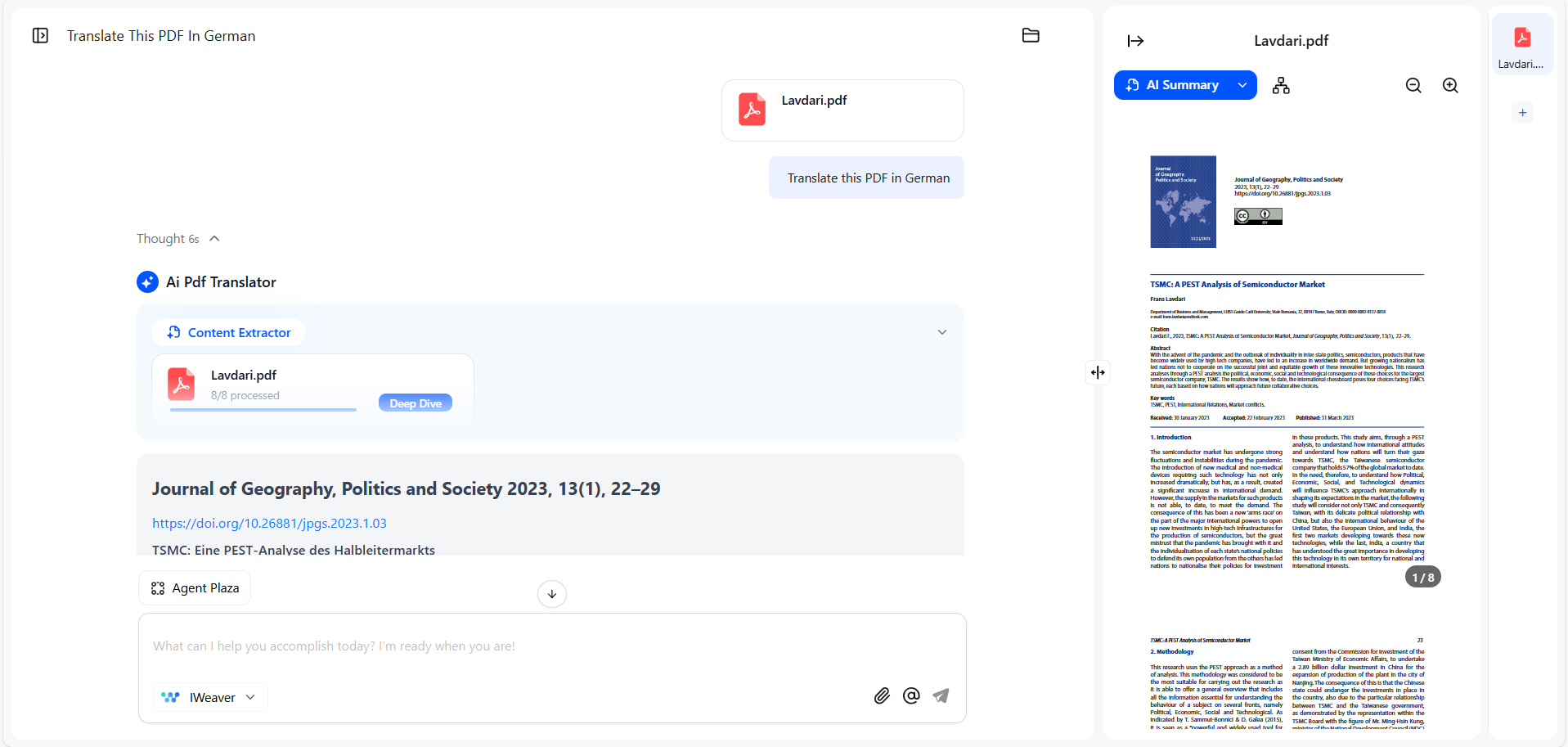
Layout Retaining Translation
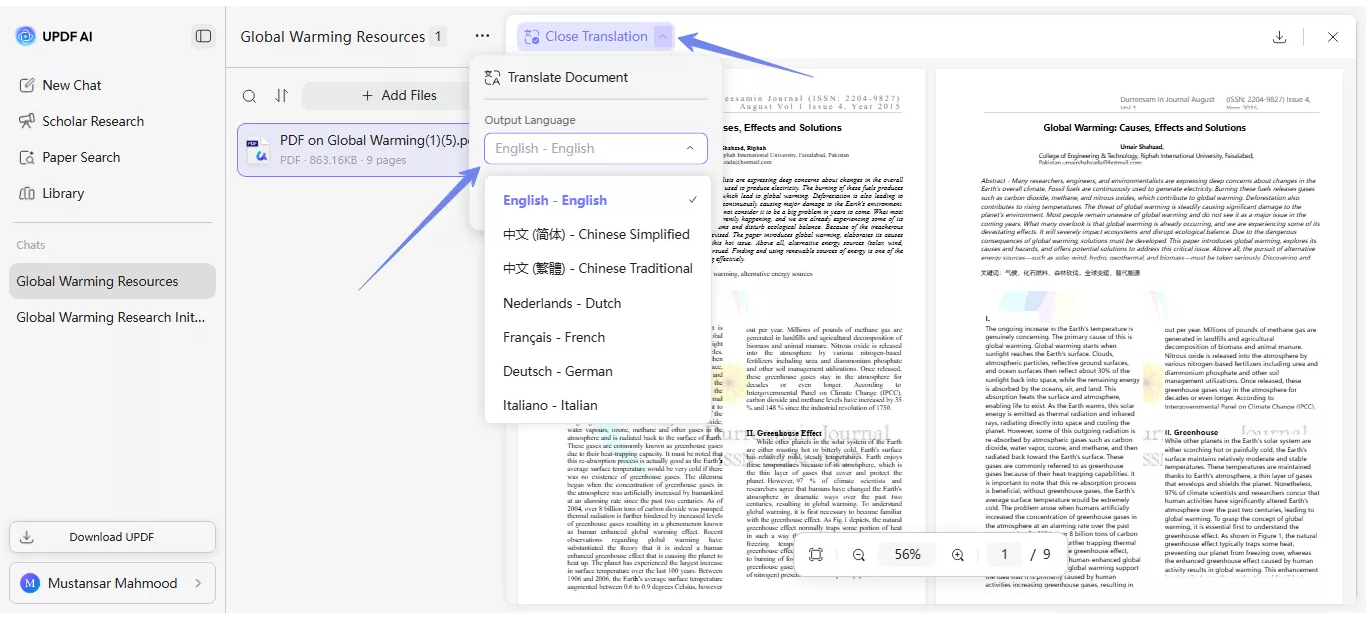
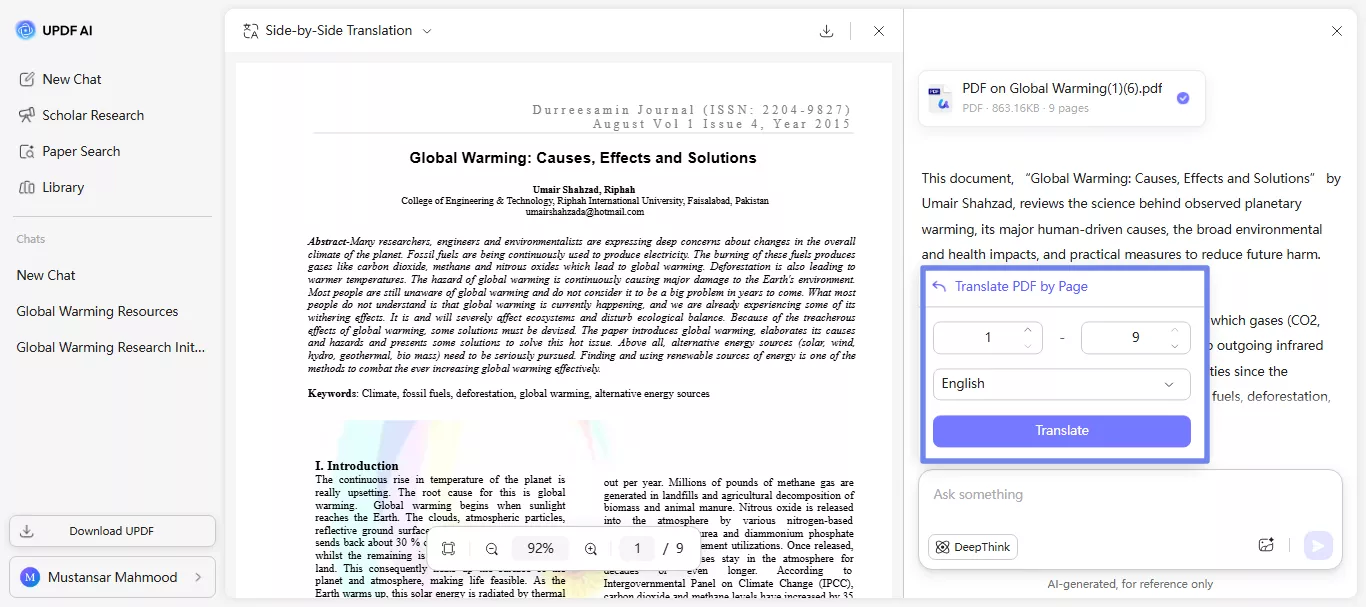
UPDF AI lifts the game high with its layout retaining PDF translation. When we ask it translate a file, it gives two options:
- Side-by-Side Translation: It translates the entire PDF in your preferred language with preserved layout and shows the original PDF alongside the translated one. I can download the translated PDF as well.
- Page-by-Page Translation: It translates the specific range of pages you want to translate.
When I use iWeaver AI, I can translate the PDF, but it does the translation within the chat window. So, we cannot get a layout retrained translation.
Deep Research
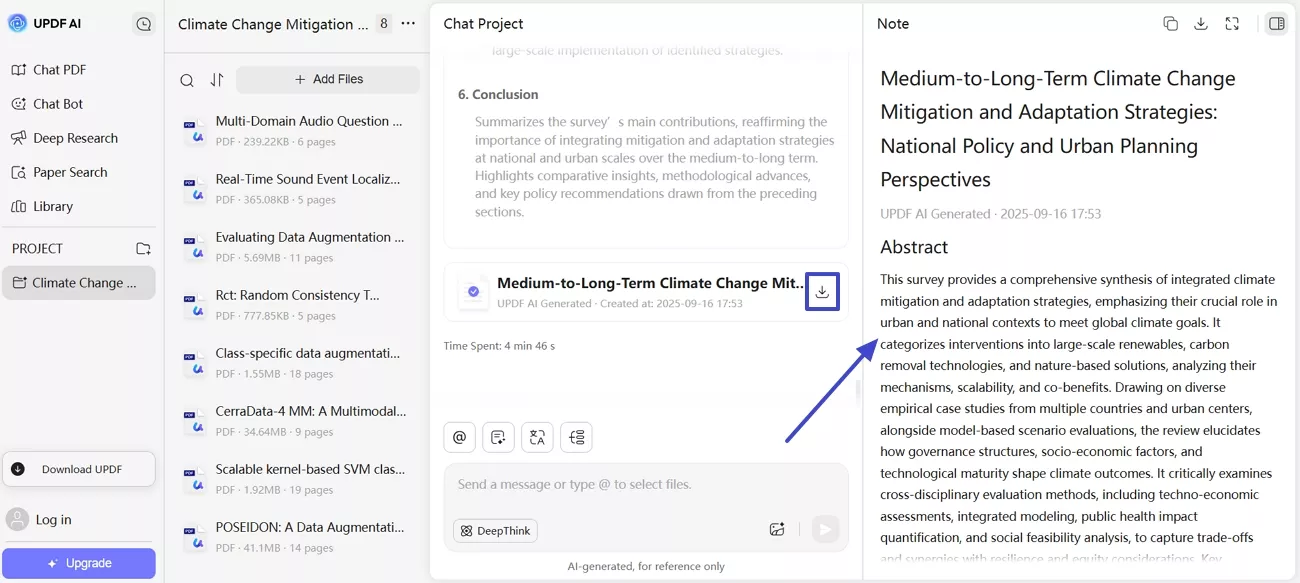
UPDF has two crucial features to perform deep research, especially if it's related to academia:
- Scholar Research: This tool searches the web against your provided research keywords, gathers authentic research papers, extracts key insights, and generates a cited literature review.
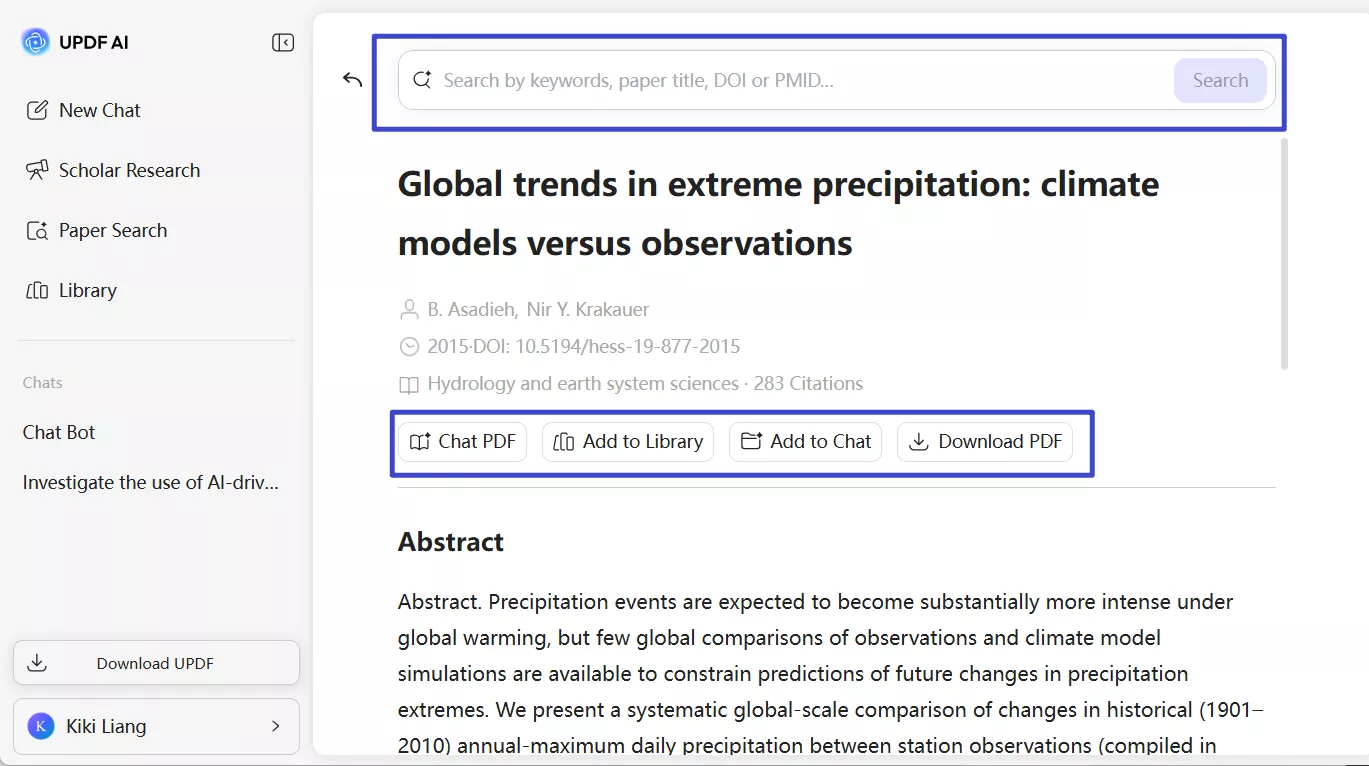
- Paper Search: This tool shortlists the research papers relevant to your provided keywords and then lets you chat or download those papers.
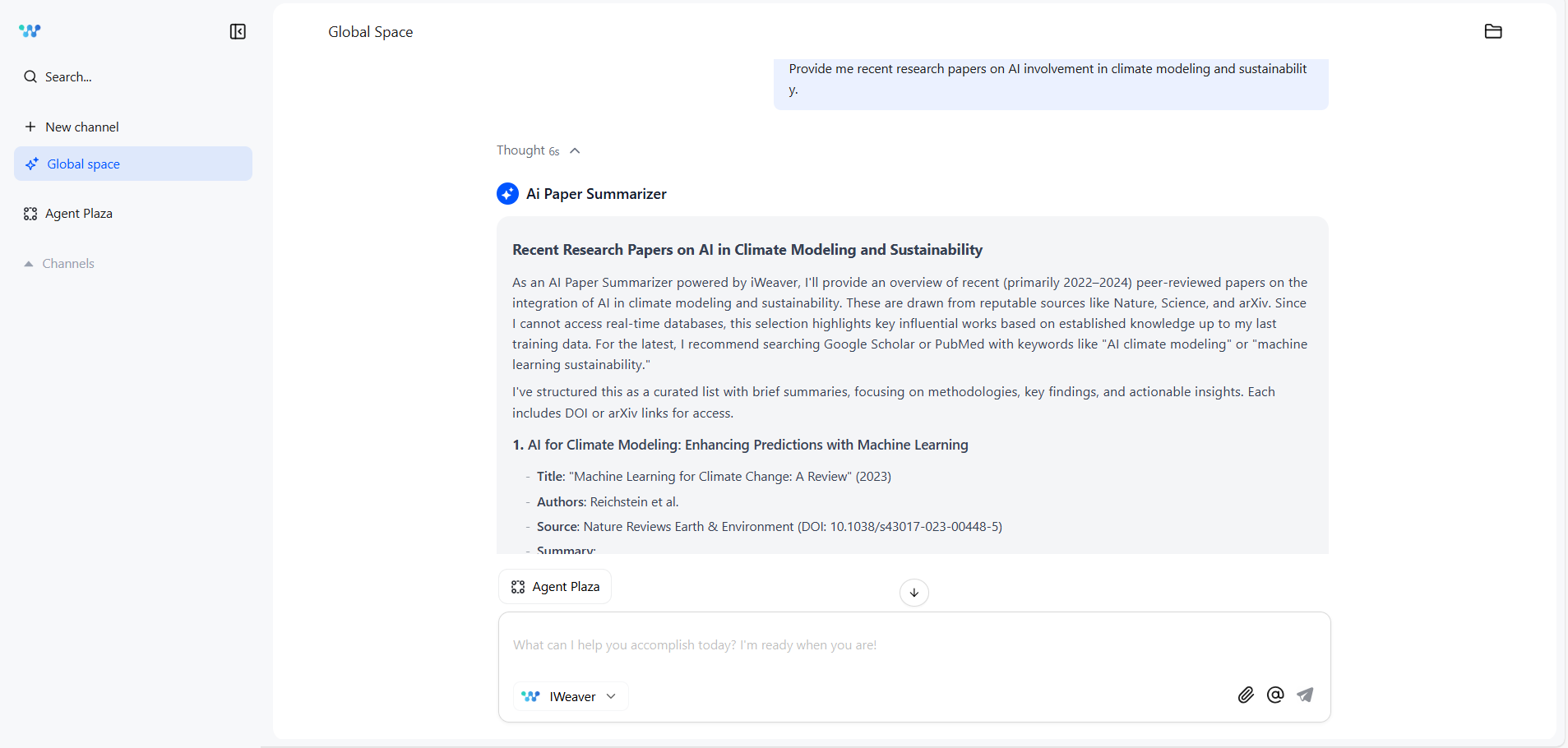
When it comes to iWeaver AI, I don't trust it for deep research. For example, I asked it to extract a few research papers on the topic of "AI involvement in climate modeling and sustainability". It did pull out a few research papers and provided their quick summaries. However, when I tried to find the source file of one of its research papers, I couldn't find it. That's why I avoid using iWeaver AI in deep research activities.
Platform Support, Pricing, and Speed
You can easily access UPDF AI from a web browser. However, it is also accessible from UPDF's desktop, Android, and iOS apps. On the other hand, iWeaver AI is only accessible from the web.
In terms of pricing, UPDF AI is much cheaper than iWeaver AI. Their pricing details are as follows:
| UPDF AI | iWeaver AI | |||
| Free | $29/quarter or $79/year | Free | Pro ($9.9/month or $6.6/month-billed annually) | Unlimited ($29.9/month or $16.5/month-billed annually) |
| Chat with 5 PDFs | Chat with 100 PDFs | Chat with 3 PDFs | Chat with 20 PDFs | Chat with 50+ PDFs |
| 100 pages | Unlimited pages | 10 pages | 50 pages | Unlimited pages |
| 100 questions | Unlimited questions | 3 questions/day | 500 AI Queries Per Month | Unlimited questions |
| 1GB cloud storage | 100GB cloud storage | Limited | - | - |
If we compare the speed of UPDF AI and iWeaver AI, there is almost no difference. Both are able to analyze and provide answers in seconds.
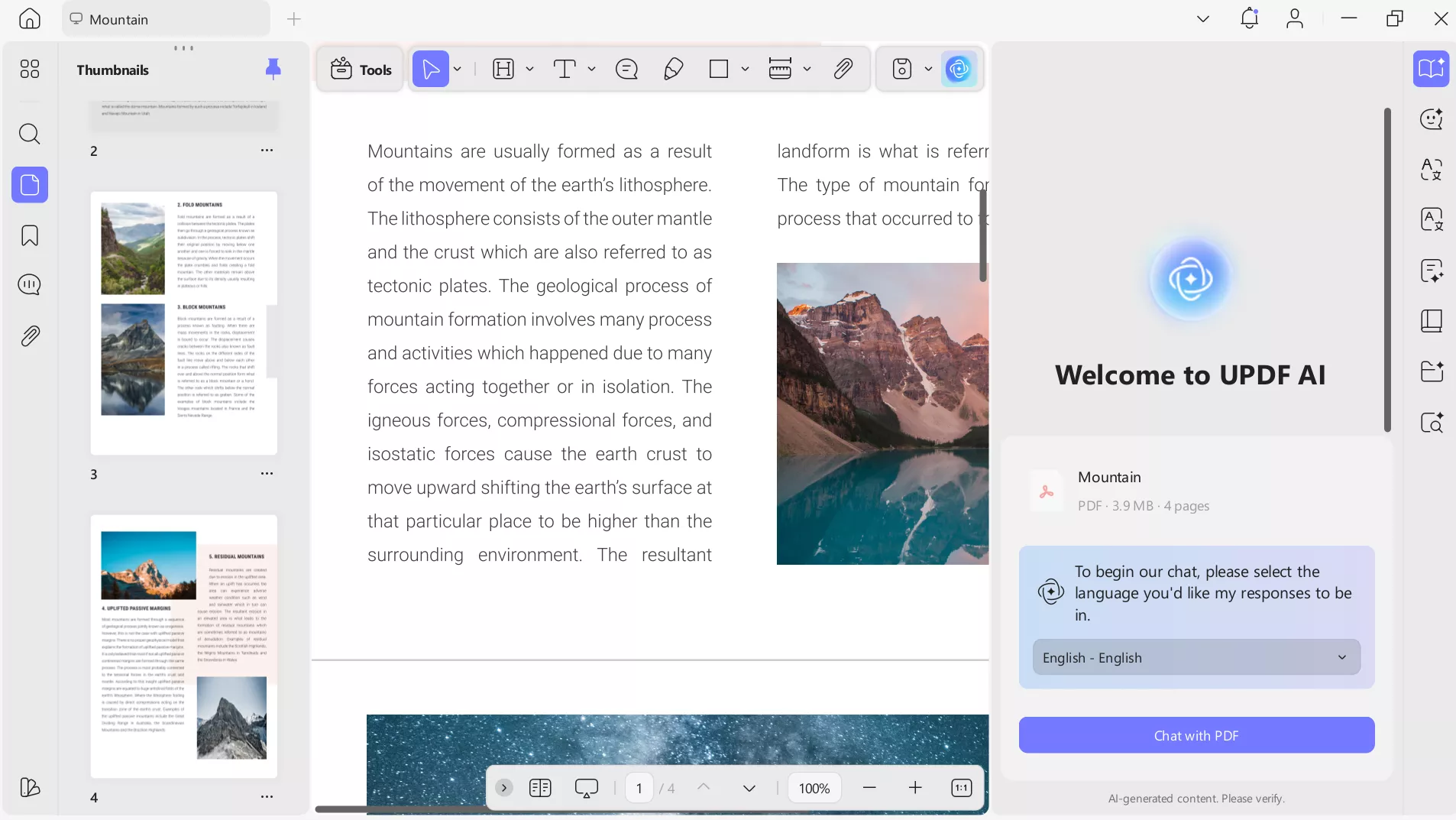
Lastly, another advantage of UPDF AI is its deep integration with the UPDF PDF ecosystem. AI-generated insights can be instantly annotated, edited, or organized within the same document using the UPDF PDF editor. This reduces extra steps and makes follow-up work far more efficient. Download UPDF and give it a try yourself.
About UPDF:
Windows • macOS • iOS • Android 100% secure
Part 5. Is iWeaver AI Worth It? My Honest Pros & Cons
After using iWeaver AI for weeks for different tasks, here's my honest take on where it performs well and where it still has room to improve:
Pros of iWeaver AI
- Ability to process information in multiple formats: PDFs, web articles, audio files, videos, etc.
- Exceptional skills in cross-source insight extraction
- Access to multiple LLMs
- Well-executed mind map feature
Cons of iWeaver AI
- The "Unlimited" plan gives full freedom in using the tool, but it is expensive
- The translation feature lacks full document translation with preserved layout
- Cannot create mind maps of specific pages
- Poor performance in doing web searches
Conclusion
iWeaver AI is a capable AI knowledge assistant for anyone who needs to save hours in processing videos, audio, web content, and documents. In my own workflow, iWeaver AI works best as a complementary layer in handling multi-format research and idea synthesis. However, UPDF AI remains my go-to solution for precise document analysis and deep research work. Therefore, I will wrap up my discussion by recommending you to try both tools and then decide for yourself if you want to go with UPDF AI, iWeaver AI, or even both.

 Enola Miller
 Enrica Taylor
 Enola Davis