UPDF
UPDF
 UPDF for Windows
 UPDF for Mac
 UPDF for iPhone/iPad
 UPDF for Android
 Nomostar
 UPDF AI Online
 UPDF Sign
 IvyCraft
 Edit PDF
 Annotate PDF
 Create PDF
 PDF Form
 Edit links
 Convert PDF
 OCR
OCR PDF to Word
 PDF to Image
 PDF to Excel
 Organize PDF
 Merge PDF
 Split PDF
 Crop PDF
 Rotate PDF
 Protect PDF
 Sign PDF
 Redact PDF
 Sanitize PDF
 Remove Security
 Read PDF
 UPDF Cloud
 Compress PDF
 Print PDF
 Batch Process
 About UPDF AI
 UPDF AI Solutions
 AI User Guide
 FAQ about UPDF AI
 Summarize PDF
 Translate PDF
 Chat with PDF
 Chat with AI
 Chat with image
 PDF to Mind Map
 Explain PDF
 PDF AI Tools
 Image AI Tools
 AI Chat Tools
 AI Writing Tools
 AI Study Tools
 AI Working Tools
 Other AI Tools
 AI Bookmark Generation
 AI Bookmark Summary
 AI Watermark Generation
 AI Background Generation
 AI Sticker Generation
 AI Stamp Generation
 AI Editing Suite
 UPDF Copilot
 AI Page Management
 AI Semantic Search
 PDF to Word
 PDF to Excel
 PDF to PowerPoint
 Enterprise Solution
 Enterprise Sign
 Enterprise AI
 Enterprise Plan
 Enterprise User Guide
 Enterprise Webinar
 IT
IT Education
 Construction
 Financial Service
 Healthcare
 Insurance
 Legal
Legal Manufacturing
 Government
 Researchers & PhDs
 Solopreneurs & Freelancers
 Lawyers & Legal Professionals
 Real Estate Agents & Brokers
 Education Solution
 Customer Stories
 User Guide
 UPDF Tricks
 FAQs
FAQs UPDF Reviews
 Download Center
 Blog
Blog Newsroom
 Tech Spec
 Updates
 UPDF vs. Adobe Acrobat
 UPDF vs. Foxit
 UPDF vs. PDF Expert


Academic workloads are growing heavier as students, researchers, and professionals deal with longer papers, tighter deadlines, and an overwhelming volume of information. As a result, AI tools that can read, summarize, and explain academic content efficiently are becoming essential rather than optional. Among the most talked-about solutions today are UPDF AI and Scholarcy, both designed to simplify academic reading and research.
This article provides a detailed comparison of UPDF AI vs. Scholarcy, examining features and how each tool fits into real academic workflows. By the end, you'll have a clearer idea of which tool aligns better with your research needs, and you can even try UPDF AI Online for free now to explore its capabilities firsthand.
Part 1. Comparison: UPDF AI vs. Scholarcy for Academic Research
To save time and avoid scanning long paragraphs, readers can quickly understand the differences by reviewing the detailed comparison table below. It highlights how Scholarcy's alternative and the tool itself perform across different aspects:
| Category | UPDF AI | Scholarcy |
| Core Focus | PDF-based AI research, deep document analysis, and interaction. | Academic paper summarization and a structured overview. |
| File Interaction | Full PDF upload, chat, extract, annotate, and ask follow-ups. | Upload & generate summary cards only. |
| Academic Support Tools | Scholar research integration + paper discovery. | Summary cards with highlights and takeaways |
| Multi-Document Workflow | Analyze multiple PDFs together. | Limited to a single input at a time. |
| Customization | Adjustable summary length & focus areas. | Limited control over output format. |
| User Experience | Interactive, engaging, document-centric. | Simple, summary-focused. |
| Best For | Deep academic reading, research workflows, and detailed insights. | Quick paper overviews and summaries. |
| Pricing Style | Transparent, fixed annual plan. | Tiered pricing with feature unlocks. |
| Free Plan Limits | 100 questions | Limited number of free summaries. |
Part 2. Features and User Experience
With a clear side-by-side overview in mind, it's time to look beyond specifications and explore how each tool actually performs in day-to-day use. The following section breaks down features and user experience, focusing on how UPDF AI vs. Scholarcy handle real academic tasks:
1. Reading and Understanding Academic Papers
User Scenario: When a user opens a lengthy academic paper, the immediate goal is to understand its core ideas without getting overwhelmed. The process usually involves scanning the structure, identifying key arguments, understanding methods, and deciding how deeply the paper should be analyzed. Without AI assistance, this can take hours. For this, the user tried both UPDF AI and Scholarcy, and the following are the observations:
UPDF AI
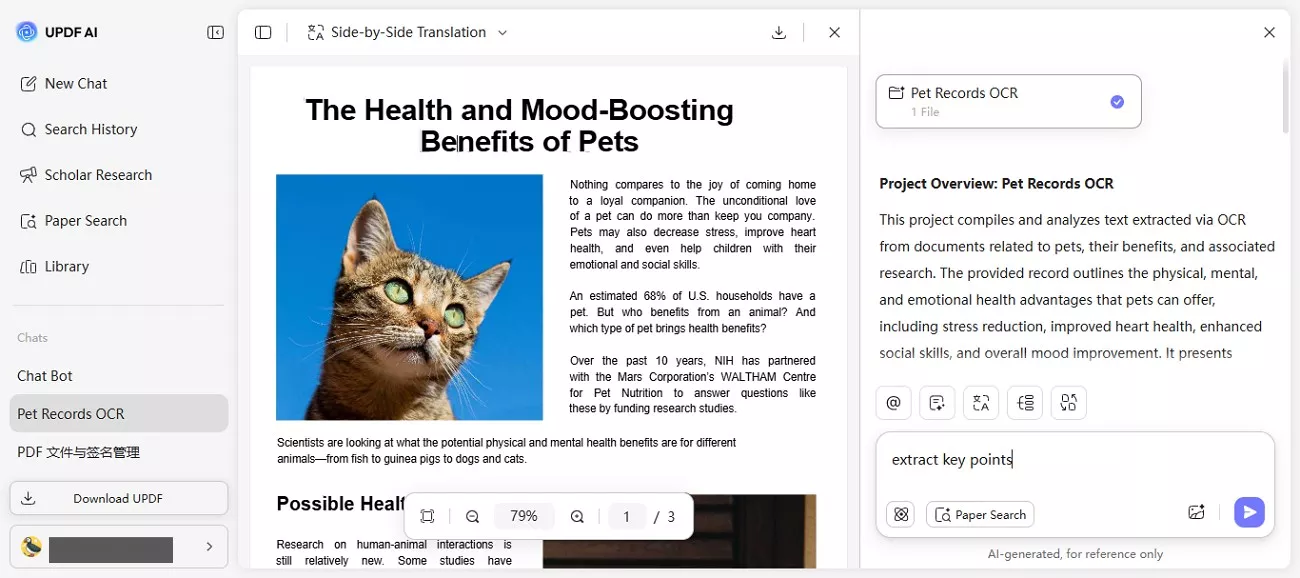
After uploading a paper to UPDF AI, the document becomes interactive. The PDF chat feature allows users to question specific sections, clarify terminology, and trace arguments across the entire paper. Because the AI understands context from start to end, it helps resolve confusion as it appears, making deep reading more structured and less time-consuming. UPDF AI supports deeper engagement, helping readers actively analyze and interpret research instead of passively skimming it.
Moreover, UPDF AI can generate intuitive mind maps from the uploaded papers.
Scholarcy
Once the paper is uploaded to Scholarcy, the tool immediately extracts key points and generates structured summary cards. This process reduces a lengthy paper into essential insights, helping users quickly understand what the study covers and whether it deserves further attention.
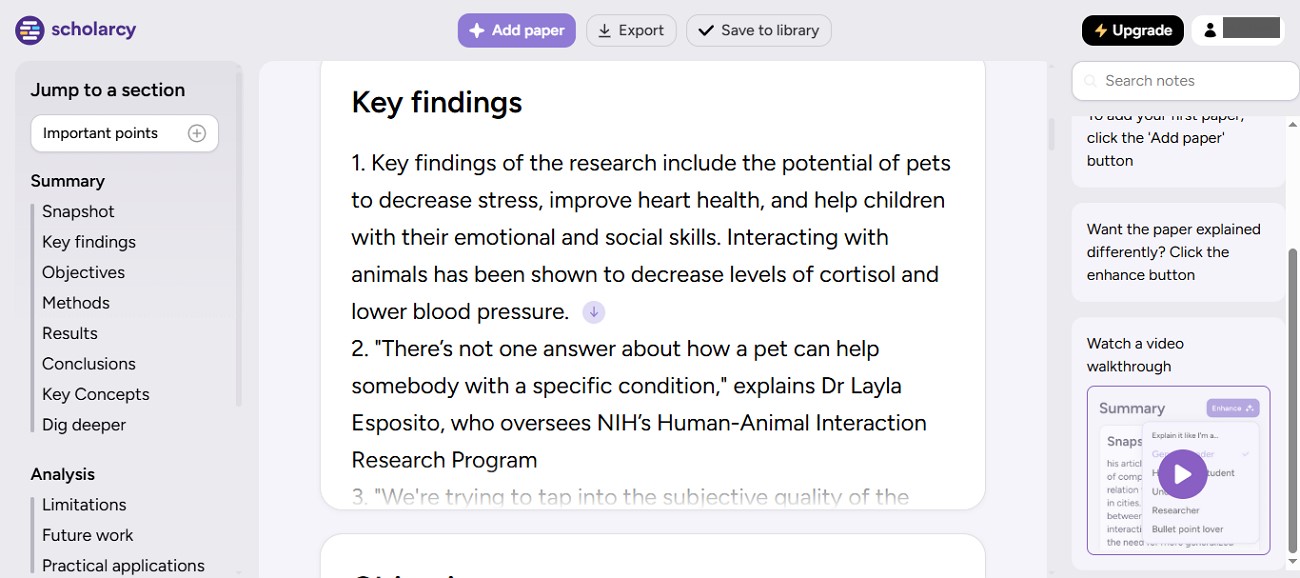
Verdict: UPDF AI suits users who want to explore academic papers in depth through interactive questioning and contextual understanding. Scholarcy, on the other hand, is better for readers who prefer quick overviews and structured summaries to save time during initial research stages.
2. Summarization and Key Insight
User Scenario: A researcher needs to extract key insights from multiple lengthy academic papers efficiently. The goal is to summarize core ideas, understand methods, and identify critical findings without spending excessive time reading every detail. To achieve this, the user tested both Scholarcy and Scholarcy's alternative, i.e., UPDF AI, focusing on how each tool handles summarization:
UPDF AI
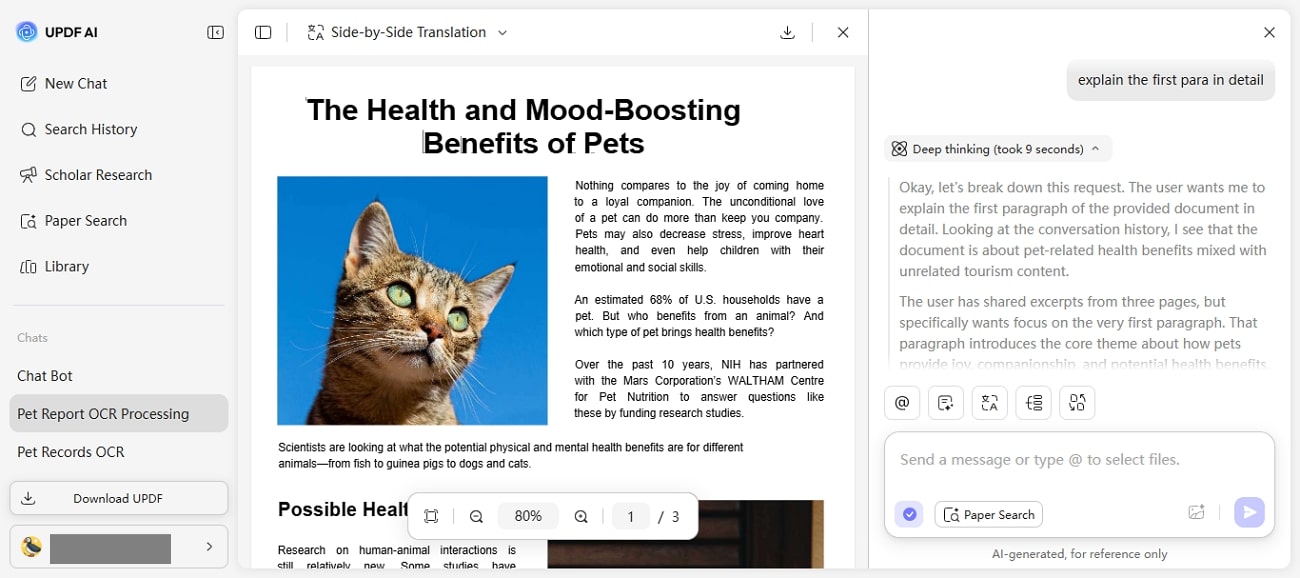
In UPDF AI, the "Summarize PDF" feature allows users to generate summaries directly from uploaded documents while maintaining context across the entire paper. Coupled with the interactive PDF chat, users can ask targeted questions about specific sections.
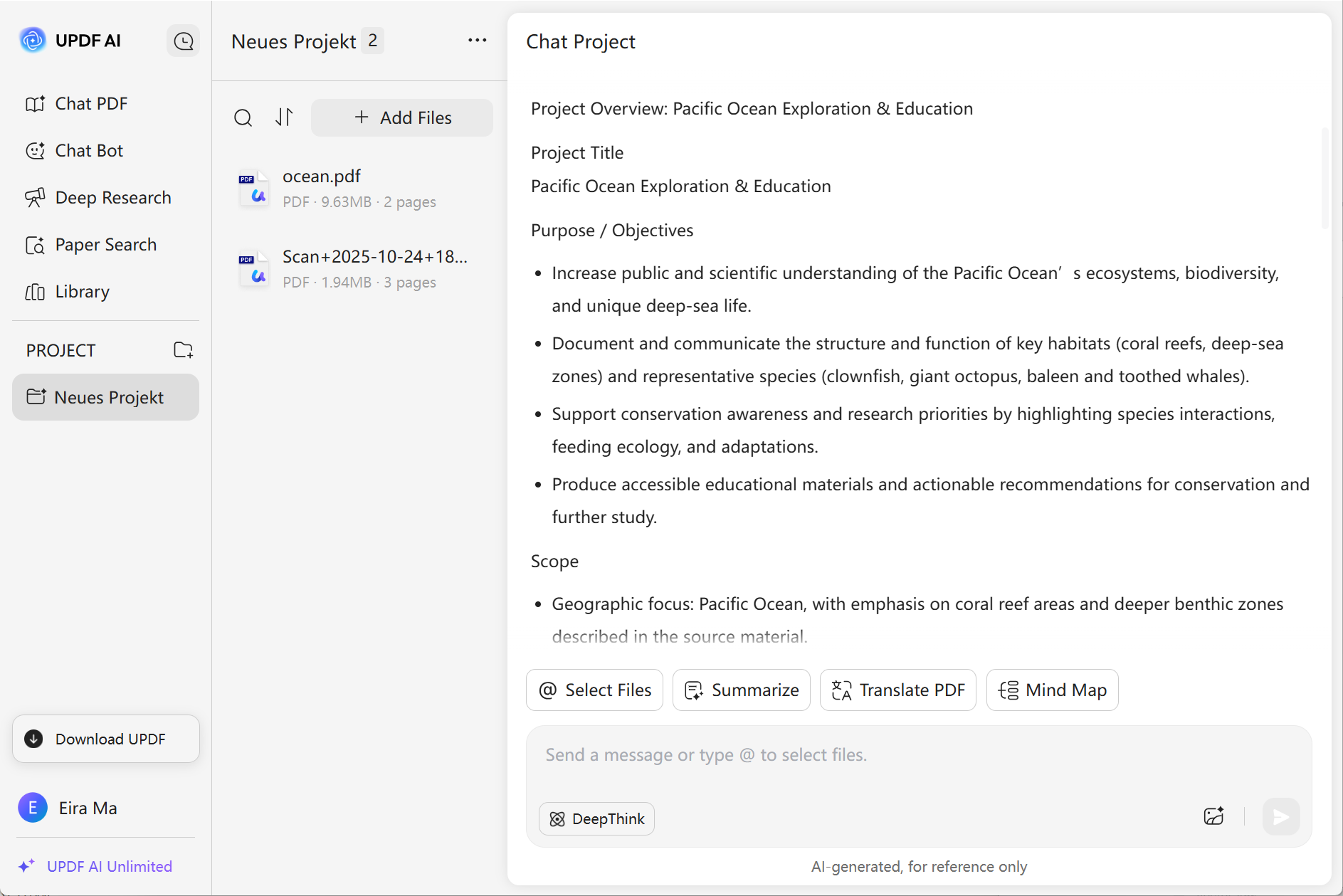
Moreover, the "Reasoning Mode" of the tool lets you explore connections between arguments, interpret complex data, and understand the logic behind conclusions.
Scholarcy
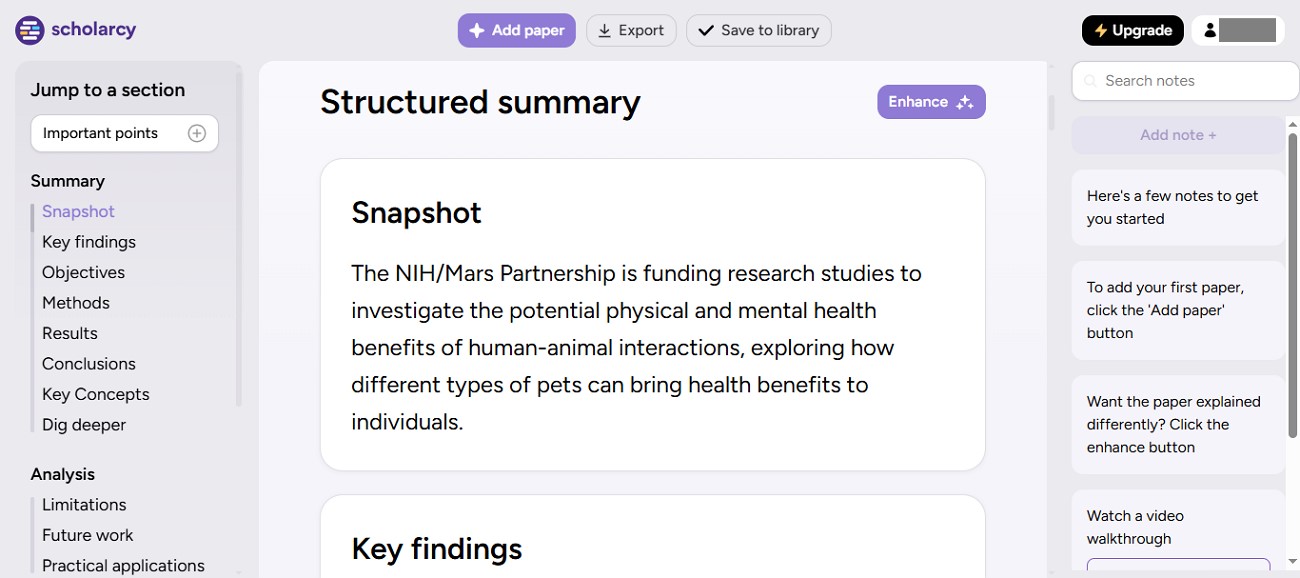
Scholarcy uses its "Summary" functionality to automatically generate structured summary cards that extract essential points such as arguments, methods, results, and conclusions. By converting a lengthy paper into concise, organized summaries, Scholarcy helps users rapidly grasp core insights and assess the relevance of a paper without reading the full text.
Verdict: UPDF AI is more suitable for users who want contextual and interactive summarization, enabling exploration of insights in detail. Scholarcy is more suitable for users seeking fast, structured summaries that highlight key points and references efficiently.
3. Citations and Academic References
User Scenario: When dealing with lengthy academic papers, students and professionals often need to quickly locate key citations and references to understand the background. Manually scanning the reference section can be tedious and may result in missing critical sources. For this, users tried AI-powered tools, and below are the observations for UPDF AI vs. Scholarcy:
UPDF AI
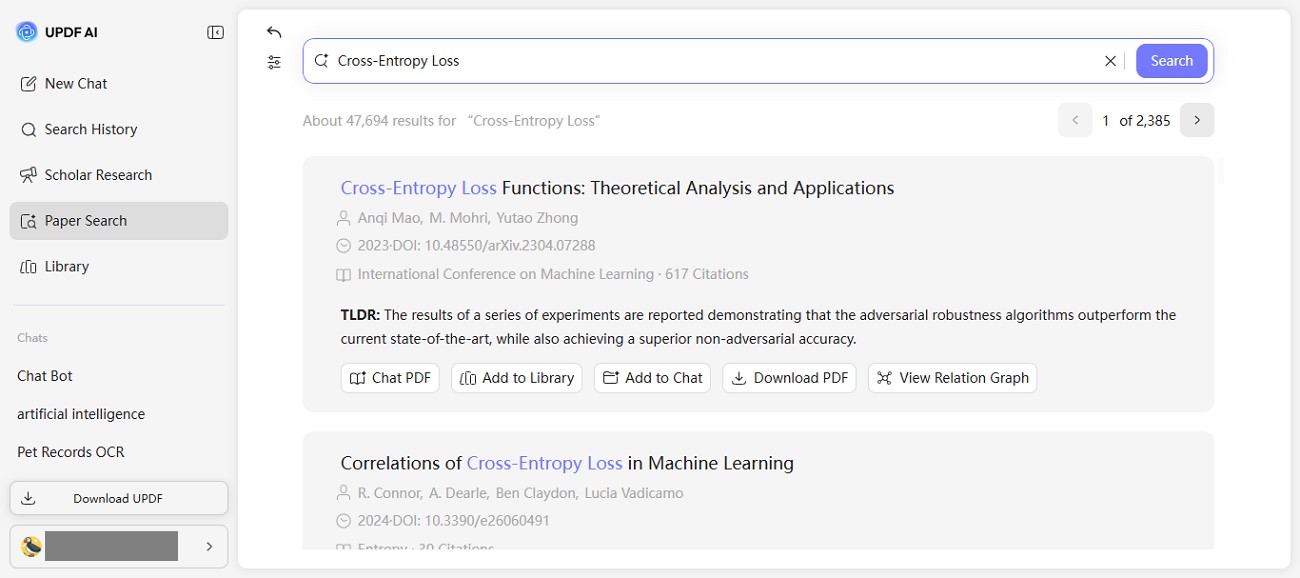
UPDF AI identifies citations using its "Paper Search" feature, which allows users to locate references throughout the document quickly. Combined with its contextual understanding, this feature shows how each citation supports specific arguments. Additionally, the interactive PDF chat lets users ask targeted questions about particular citations or references. UPDF AI provides deep insight into the research foundation, making it easier to trace ideas and evaluate the contribution of each reference.
Scholarcy
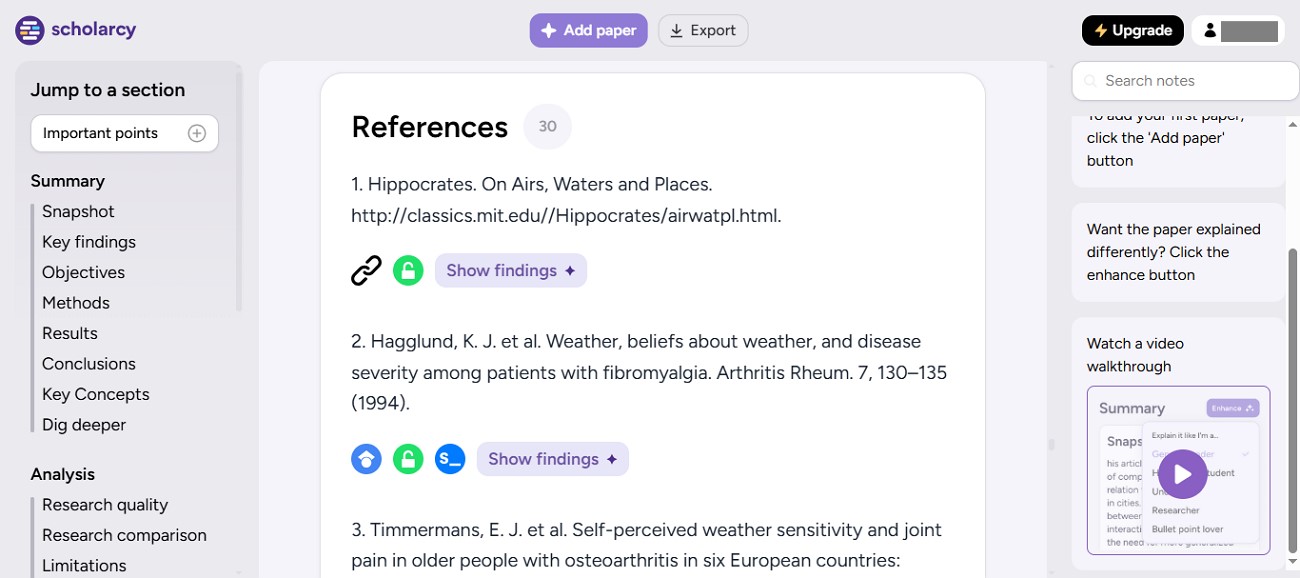
Scholarcy provides reference highlights that automatically extract key citations and bibliographic information. Users can quickly determine which sources are most relevant to the study. This makes it efficient to prioritize readings and understand the evidence base without manually reviewing the full reference section.
Verdict: UPDF AI is more suitable for users who want citation extraction combined with contextual understanding. This allows them to see how each reference supports the arguments, methods, and conclusions in the paper. Scholarcy is more suitable for users who prefer quick reference highlights for fast scanning and prioritization of sources.
4. Research Workflow and Multi-Document Use
User Scenario: When managing long-term research projects, students and academics often need to work with multiple papers simultaneously. Handling multiple PDFs manually can be cumbersome and disrupt workflow efficiency. Researchers looking for a Scholarcy alternative often seek tools that can streamline multi-document management, such as UPDF AI. Here is the breakdown of how each tool responds when multiple documents are uploaded:
UPDF AI
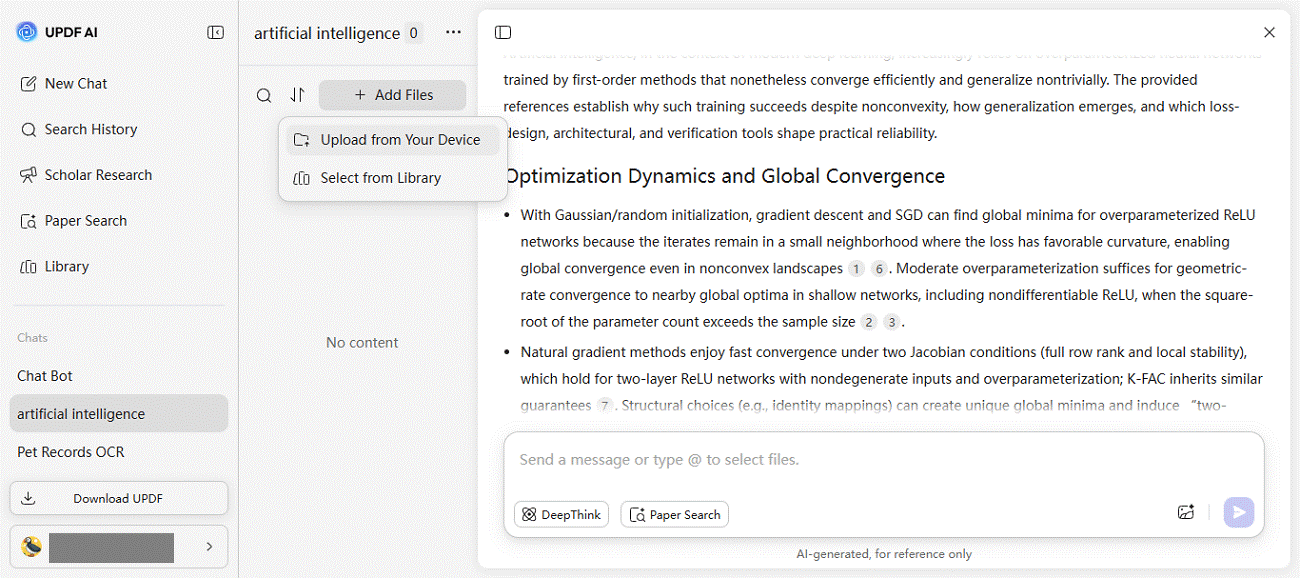
UPDF AI supports complex research workflows with features like Paper Search, Scholar Research, and the ability to handle multiple PDFs at once. Users can search for specific terms or topics across all uploaded papers, compare findings, and extract relevant information efficiently. These capabilities make it particularly suitable for long-term research projects. This enables continuous tracking of arguments and references across a large library of documents without losing context.
Scholarcy
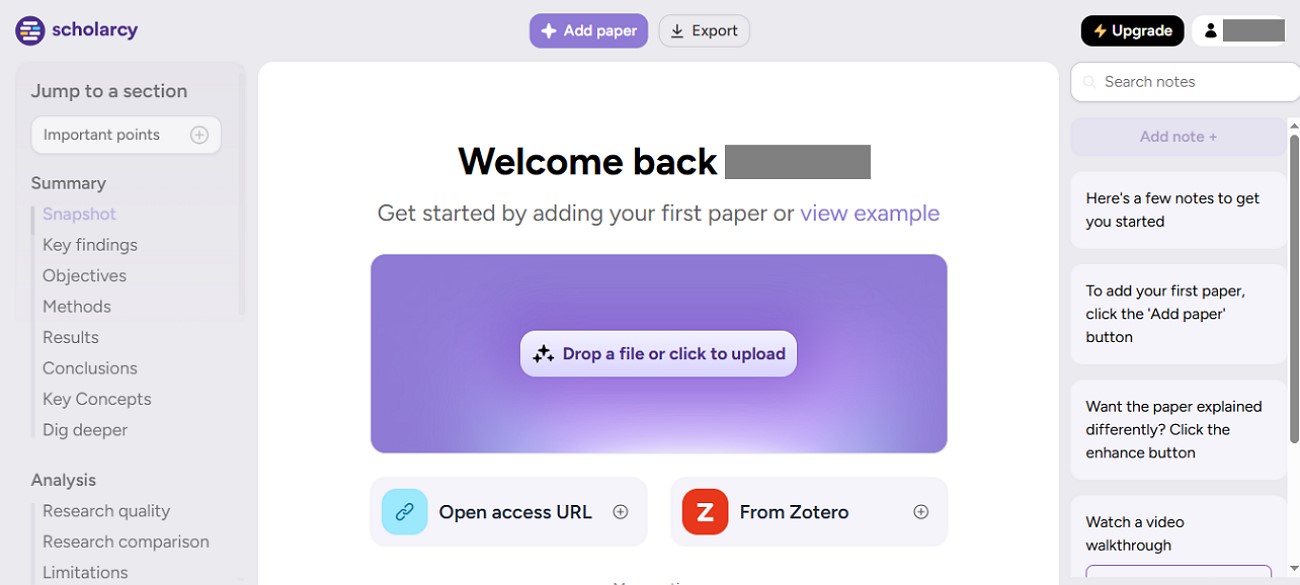
Scholarcy primarily focuses on single-paper summarization and reference extraction. While it delivers fast, structured summaries for individual documents, it does not provide advanced features for handling multiple papers simultaneously or cross-document searches.
Verdict: UPDF AI is ideal for long-term research projects, offering multi-document support, cross-paper search, and in-depth synthesis capabilities. Scholarcy is well-suited to efficiently summarizing and extracting references from single papers, but it is less optimized for managing multiple documents.
Part 3. Exploring Free Plans: UPDF AI vs. Scholarcy
As researchers and students evaluate tools for academic reading and analysis, it's important to consider not only the features but also how much access is available in the free versions. Comparing UPDF AI Vs. Scholarcy in this context highlights the capabilities each tool offers without a paid plan. This allows users to understand which free version aligns best with their needs:
UPDF AI
UPDF AI's free plan allows broader experimentation, giving users access to various features. You get the ability to ask 100 AI questions for free. Even without a paid subscription, users can test multi-document handling and explore key insights. This makes the free version particularly well-suited for students or researchers who want to familiarize themselves with the tool's workflow and capabilities before committing to a subscription.
Scholarcy
Scholarcy's free version is helpful for light usage, providing basic summary cards and reference highlights for individual papers. While it offers a quick way to understand the main points of a single document, it has limitations in terms of multi-document support and advanced interactive features. The free plan is ideal for users who need occasional summaries or want to assess the tool's efficiency.
Part 4. Pricing Comparison of the Tools
For those exploring options beyond Scholarcy, this section examines which pricing plans provide the best value for each use case, making UPDF AI a notable Scholarcy alternative:
Academic Heavy Lifting & Document Editing: Choose "UPDF Pro + AI Add‑On" for $69.99/year when your workflow involves frequent research, PDF editing, or managing many papers
Structured Paper Reviews and Fast Summaries: Choose Scholarcy's Monthly Plan of $7.49/month when you primarily need consistent extraction of key insight, especially during initial literature screening.
Part 5. User Reviews and Ratings
Across user reviews and feedback, the general sentiment for both UPDF AI vs. Scholarcy tends to lean positive, with many users appreciating time savings and clarity when dealing with complex documents.
UPDF AI
G2 Ratings: 4.5/5
User Review: "Awesome for studying" - José B.
UPDF AI is the built-in AI assistant within UPDF, the all-in-one PDF editor developed by Superace Software. On G2, most reviews evaluate UPDF as a complete PDF solution rather than UPDF AI as a standalone product. However, many reviewers explicitly mention AI-related experiences—such as chatting with documents, summarizing long PDFs, and translating content—which are powered by UPDF AI.
Users frequently praise UPDF's clean and intuitive interface, smooth performance, and robust features including annotation, OCR, and editing, alongside its integrated AI capabilities. Together, these features make UPDF a flexible, all-in-one solution for studying, researching, and working efficiently with large documents.
Scholarcy
G2 Ratings: 4.5/5
User Review: "Summarize with a button click" - Sumeet L.
Scholarcy users frequently praise its speed and concise summaries, emphasizing how quickly it condenses research papers into structured summary cards. Its reviews reflect that many students and researchers find Scholarcy invaluable for literature review.
Part 6. Which Tool is Right For You?
Choosing a tool depends on your research needs and workflow requirements. UPDF AI works well for multiple PDFs and interactive analysis. It provides contextual insights, summarization, and citation tracking for deeper academic engagement. For those seeking a Scholarcy alternative, UPDF AI offers a versatile solution for multi-document handling and long-term research. Scholarcy is ideal for quickly generating structured summaries and reference highlights from single papers.
Conclusion
To sum up, this article provided a detailed comparison of features, workflows, and citation management in UPDF AI vs. Scholarcy. Readers can choose tools based on whether they need multi-document handling and interactive analysis or fast, single-paper summaries. For a versatile academic assistant that supports deeper engagement, contextual insights, and efficient research workflows, exploring UPDF AI is highly recommended for both students and professionals.
Note: The information on this page is based on UPDF writers' testing and publicly available product details at the time of writing. Features, functionality, and pricing may change over time. If you notice any inaccuracies or outdated information, please contact us at [email protected].


 Engelbert White
 Enya Moore