UPDF
UPDF
 UPDF for Windows
 UPDF for Mac
 UPDF for iPhone/iPad
 UPDF for Android
 Nomostar
 UPDF AI Online
 UPDF Sign
 IvyCraft
 Edit PDF
 Annotate PDF
 Create PDF
 PDF Form
 Edit links
 Convert PDF
 OCR
OCR PDF to Word
 PDF to Image
 PDF to Excel
 Organize PDF
 Merge PDF
 Split PDF
 Crop PDF
 Rotate PDF
 Protect PDF
 Sign PDF
 Redact PDF
 Sanitize PDF
 Remove Security
 Read PDF
 UPDF Cloud
 Compress PDF
 Print PDF
 Batch Process
 About UPDF AI
 UPDF AI Solutions
 AI User Guide
 FAQ about UPDF AI
 Summarize PDF
 Translate PDF
 Chat with PDF
 Chat with AI
 Chat with image
 PDF to Mind Map
 Explain PDF
 PDF AI Tools
 Image AI Tools
 AI Chat Tools
 AI Writing Tools
 AI Study Tools
 AI Working Tools
 Other AI Tools
 AI Bookmark Generation
 AI Bookmark Summary
 AI Watermark Generation
 AI Background Generation
 AI Sticker Generation
 AI Stamp Generation
 AI Editing Suite
 UPDF Copilot
 AI Page Management
 AI Semantic Search
 PDF to Word
 PDF to Excel
 PDF to PowerPoint
 Enterprise Solution
 Enterprise Sign
 Enterprise AI
 Enterprise Plan
 Enterprise User Guide
 Enterprise Webinar
 Banking
 Healthcare
 Insurance
 Legal
Legal Manufacturing
 Government
 Researchers & PhDs
 Solopreneurs & Freelancers
 Lawyers & Legal Professionals
 Real Estate Agents & Brokers
 Education Solution
 Customer Stories
 User Guide
 UPDF Tricks
 FAQs
FAQs UPDF Reviews
 Download Center
 Blog
Blog Newsroom
 Tech Spec
 Updates
 UPDF vs. Adobe Acrobat
 UPDF vs. Foxit
 UPDF vs. PDF Expert

 UPDF AI
Compare Legal Documents with UPDF AI
UPDF AI compares legal documents instantly. Upload different versions of contracts, agreements, or briefs, and ask AI to tell the difference in detail. No more manual redlining. Perfect for legal professionals seeking accuracy and efficiency.
Powered by
 GPT-5 |
 DeepSeek R1
5000+ Reviews
 4.8
4.8
UPDF AI available on


 Desktop & mobile app

4M+ Users, 23M+ Legal Documents Compared, Trusted by Leading Media:






How to Use UPDF AI to Compare Legal Documents?
-
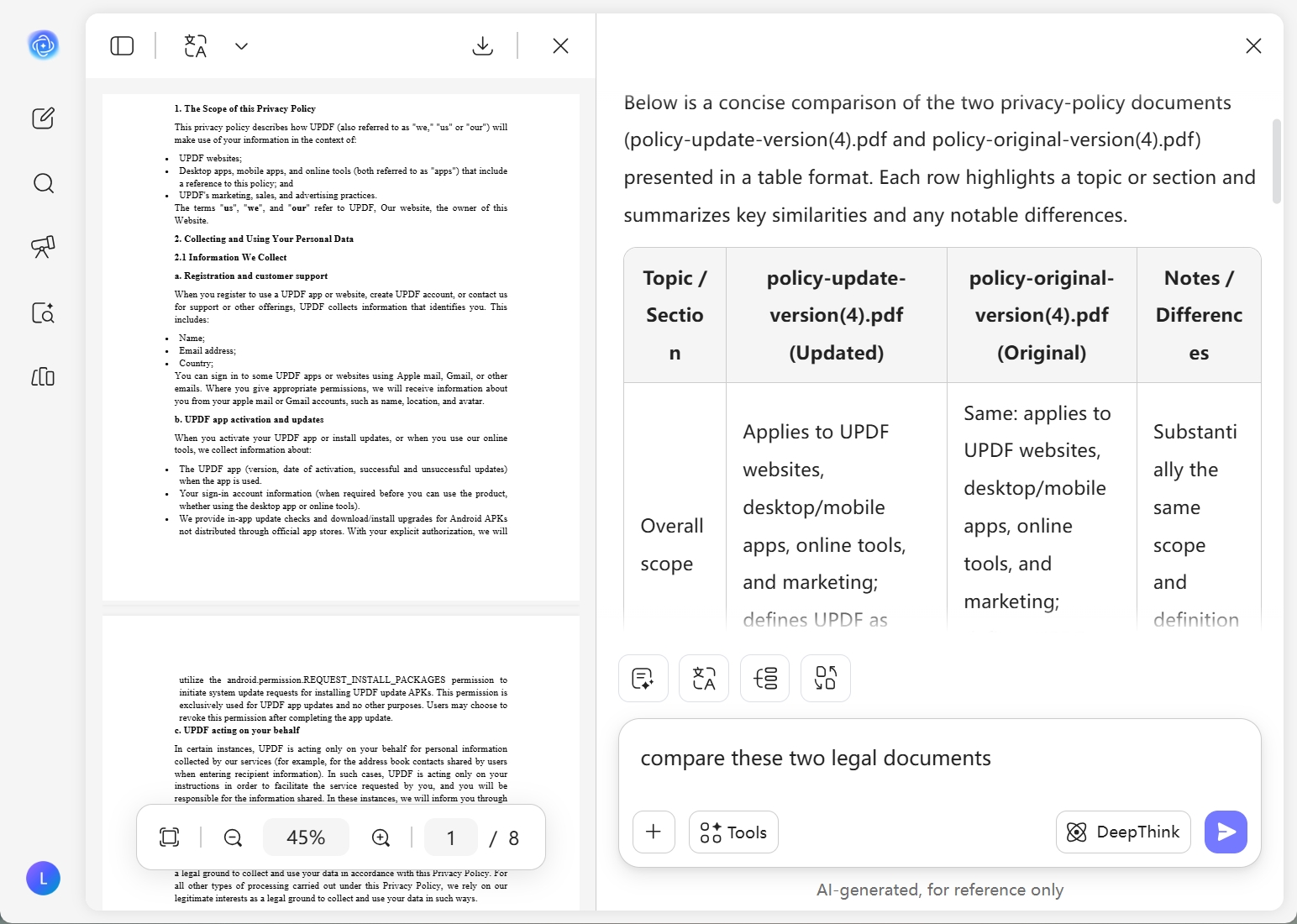
With UPDF AI, you can chat with multiple files simultaneously. Simply upload your legal documents or even images, and ask AI to "Compare these two legal documents."
-
After entering your prompt, you can choose your preferred AI model. UPDF AI defaults to using ChatGPT-5 to generate comparison results. If you prefer to use DeepSeek R1 instead, simply click the “DeepThink” button to activate it.
-
Once you've entered your prompt and selected an AI model, simply click "Send." Detailed comparison results will appear within seconds, which you can then review, copy, or regenerate.
-
Beyond comparison, UPDF AI can summarize your documents. Simply click "Summarize," select your file, and define the page range to get an instant, high-quality summary.

Why Choose UPDF AI to Compare Legal Documents?
Superior Document Efficiency
Eliminate hours of manual proofreading. UPDF AI processes hundreds of pages in seconds, pinpointing discrepancies between contract versions instantly. Just upload your files and get a professional comparison report at the click of a button.

Absolute Clause Precision
Legal accuracy is nonnegotiable. UPDF AI meticulously scans every word to identify subtle omissions or modified liability terms that the human eye might miss. Stay fully informed of every revision to safeguard your legal standing.

Multilingual Legal Analysis
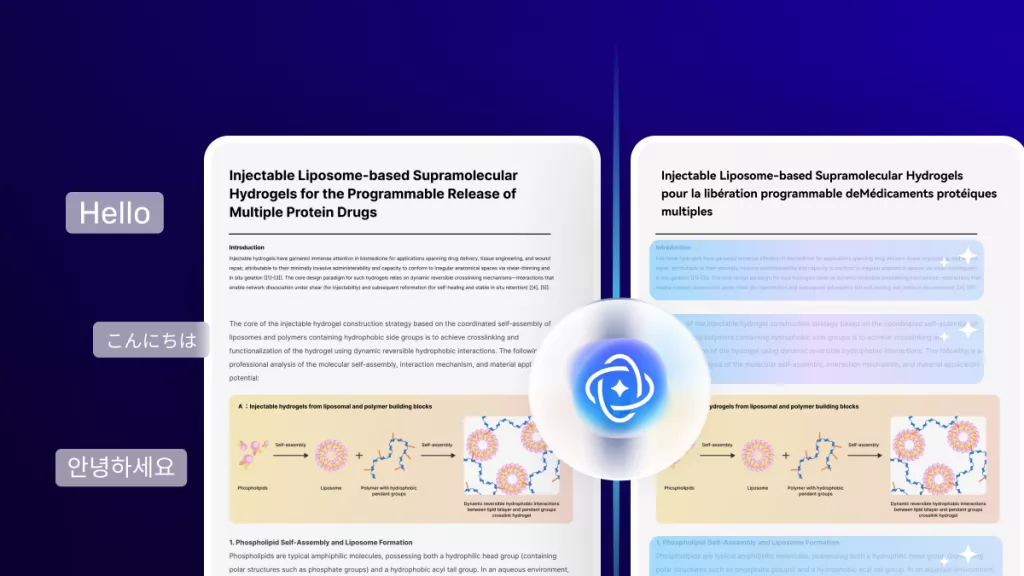
Effortlessly compare documents across different languages. Our AI understands legal terminology globally, ensuring consistency in international agreements.

Uncompromising Privacy and Security
Your sensitive legal data deserves the highest protection. UPDF AI is built with enterprise-grade encryption to ensure your confidential contracts and litigation files remain private. We prioritize data sovereignty in accordance with our Privacy Policy, so you can compare sensitive documents with total peace of mind.

UPDF AI vs. Other AI Tools
UPDF AI
Other AI Tools
Free
 (100 QAs + 5 PDF Uploads)
Supported File Formats
(PDF, Image and Text)
(Text Input Only)
Multilingual Legal Support
(Limited)
Clause Level Comparison
(Identity Discrepancy and Change)
 (General Summaries Only)
AI Models
ChatGPT-5 & DeepSeek R1
ChatGPT-5
Multiplatform Availability
Online, Windows, Mac, iOS, Android
Online
Automated Content Summaries
FAQs about Comparing Legal Documents with UPDF AI
Q1. What legal document tasks can I perform with UPDF AI?
Q2. Can UPDF AI accurately understand complex legal terminology?
Q3. Does UPDF AI offer a free trial for document comparison?
Q4. Can UPDF AI support scanned documents and images?
Other Popular UPDF AI Tools