UPDF
UPDF
 UPDF for Windows
 UPDF for Mac
 UPDF for iPhone/iPad
 UPDF for Android
 Nomostar
 UPDF AI Online
 UPDF Sign
 IvyCraft
 Edit PDF
 Annotate PDF
 Create PDF
 PDF Form
 Edit links
 Convert PDF
 OCR
OCR PDF to Word
 PDF to Image
 PDF to Excel
 Organize PDF
 Merge PDF
 Split PDF
 Crop PDF
 Rotate PDF
 Protect PDF
 Sign PDF
 Redact PDF
 Sanitize PDF
 Remove Security
 Read PDF
 UPDF Cloud
 Compress PDF
 Print PDF
 Batch Process
 About UPDF AI
 UPDF AI Solutions
 AI User Guide
 FAQ about UPDF AI
 Summarize PDF
 Translate PDF
 Chat with PDF
 Chat with AI
 Chat with image
 PDF to Mind Map
 Explain PDF
 PDF AI Tools
 Image AI Tools
 AI Chat Tools
 AI Writing Tools
 AI Study Tools
 AI Working Tools
 Other AI Tools
 AI Bookmark Generation
 AI Bookmark Summary
 AI Watermark Generation
 AI Background Generation
 AI Sticker Generation
 AI Stamp Generation
 AI Editing Suite
 UPDF Copilot
 AI Page Management
 AI Semantic Search
 PDF to Word
 PDF to Excel
 PDF to PowerPoint
 Enterprise Solution
 Enterprise Sign
 Enterprise AI
 Enterprise Plan
 Enterprise User Guide
 Enterprise Webinar
 IT
IT Education
 Construction
 Financial Service
 Healthcare
 Insurance
 Legal
Legal Manufacturing
 Government
 Researchers & PhDs
 Solopreneurs & Freelancers
 Lawyers & Legal Professionals
 Real Estate Agents & Brokers
 Education Solution
 Customer Stories
 User Guide
 UPDF Tricks
 FAQs
FAQs UPDF Reviews
 Download Center
 Blog
Blog Newsroom
 Tech Spec
 Updates
 UPDF vs. Adobe Acrobat
 UPDF vs. Foxit
 UPDF vs. PDF Expert

 UPDF AI
How to Translate Research Papers with UPDF AI
Powered by ChatGPT-5 and DeepSeek R1, UPDF AI helps you translate research papers accurately while preserving academic terminology, tone, and formatting. Upload your research paper PDF and get a clear, reliable translation in minutes.
Powered by
 GPT-5 |
 DeepSeek R1
5000+ Reviews
 4.8
4.8
UPDF AI available on


 Desktop & mobile app

5M+ Users, 18M+ Research Papers Translated, Trusted by Leading Media:






How to Use UPDF AI to Translate Research Papers Online for Free?
-
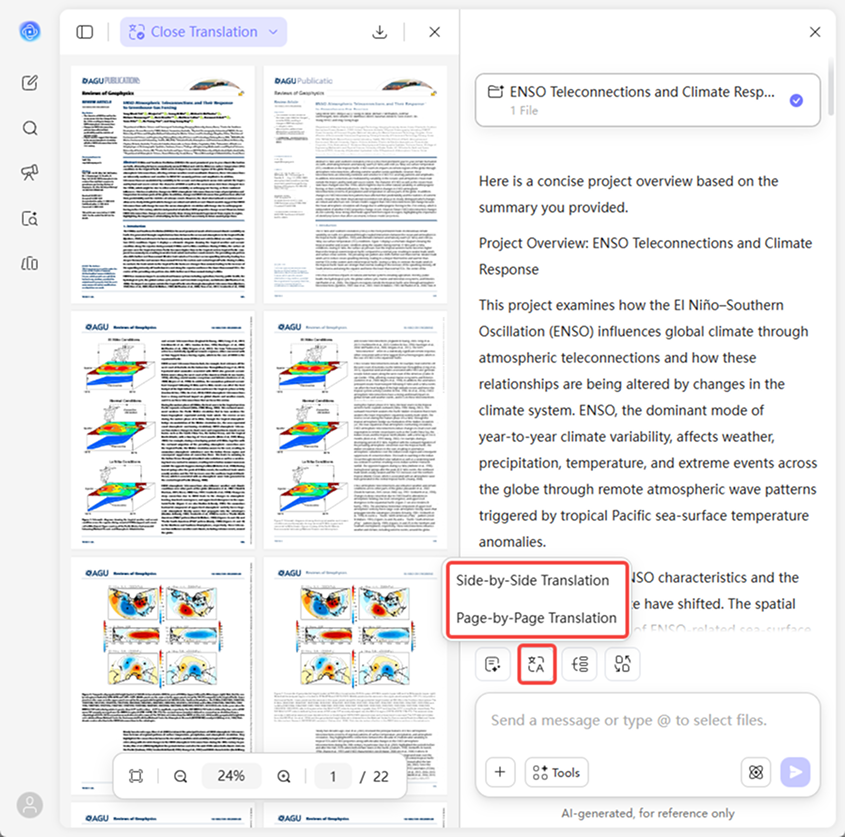
Upload the paper and choose a translation mode.
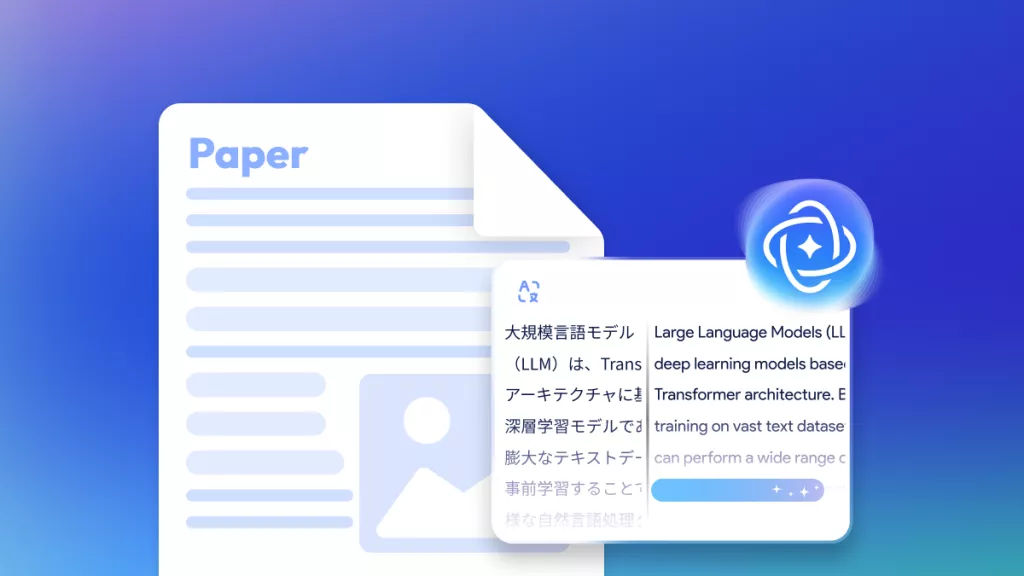
• Side-by-Side Translation: After uploading your PDF, click the “Translate” shortcut button at the bottom and select your target language to generate a side-by-side translation.
• Page-by-Page Translation:
After opening your file, click “Translate PDF” at the bottom left, choose Page-by-Page Translation, then select the pages you want to translate and the target language. -
Review and refine the translated content.
Check the translated research paper carefully. If needed, you can adjust your instructions and regenerate the translation for better results. -
Download or copy the translated paper.
Once you’re satisfied, you can download the translated research paper or copy the translated content for reading, citation, or sharing.

Why Choose UPDF AI for Translating Research Papers?
Accurate Academic Terminology
UPDF AI preserves domain-specific terms and technical expressions in your research papers, ensuring translations are precise and maintain scholarly integrity. This is essential for scientific communication where terminology accuracy is critical.

Context-Aware Translation
Unlike standard translators, UPDF AI understands the context of sentences, paragraphs, and research sections, producing translations that make sense within the academic narrative.

Customizable Translation Scope
You can translate the entire paper or select specific sections, such as abstracts, methods, or results. This flexibility saves time and focuses efforts on the most important content.

Layout-Perfect Translation & Smart Sync
UPDF AI keeps your headings, figures, and tables perfectly intact. With our side-by-side translation, your original and translated texts stay perfectly synced. As you hover over a paragraph in the original, the corresponding translation highlights automatically.

Supports Multiple Languages
Whether your research needs to be translated into German, French, Spanish, or other languages, UPDF AI offers a wide range of language options, making it ideal for international collaboration and publication.

UPDF AI Research Paper Translator vs. Other AI Tools
UPDF AI Research Paper Translator
Other AI Tools
Translation Accuracy
High
Medium
Content Detail
Deep
Basic
Formatting & Structure
Maintained
Often Broken
Scope Selection
Full / Page / Section
Limited
Paper Comprehension
High
Medium
Download Translated PDF

Often not
Speed
Fast
Variable
Data Privacy

Free to Try
,100 questions
No Word Limits
AI Model Options
ChatGPT-5 & DeepSeek R1
Limited to one AI model
Language Supported
100+
Less than 20
Platform Supported
Online, Windows, Mac, Android, iOS
Online
FAQs About Using UPDF AI Research Paper Translator
Q1. Can UPDF AI translate entire research papers, including tables and references?
Q2. Can UPDF AI keep terminology consistent across long or multi-chapter papers?
Q3. Can UPDF AI help me better understand complex sections after translation?
Q4. How does UPDF AI fit into an existing research workflow?
Q5. How does UPDF AI handle data privacy for uploaded research papers?
Other Popular UPDF AI Tools