 UPDF
UPDF
 UPDF for Windows
 UPDF for Mac
 UPDF for iPhone/iPad
 UPDF for Android
 UPDF AI Online
 UPDF Sign
 Edit PDF
 Annotate PDF
 Create PDF
 PDF Form
 Edit links
 Convert PDF
 OCR
OCR PDF to Word
 PDF to Image
 PDF to Excel
 Organize PDF
 Merge PDF
 Split PDF
 Crop PDF
 Rotate PDF
 Protect PDF
 Sign PDF
 Redact PDF
 Sanitize PDF
 Remove Security
 Read PDF
 UPDF Cloud
 Compress PDF
 Print PDF
 Batch Process
 About UPDF AI
 UPDF AI Solutions
 AI User Guide
 FAQ about UPDF AI
 Summarize PDF
 Translate PDF
 Chat with PDF
 Chat with AI
 Chat with image
 PDF to Mind Map
 Explain PDF
 PDF AI Tools
 Image AI Tools
 AI Chat Tools
 AI Writing Tools
 AI Study Tools
 AI Working Tools
 Other AI Tools
 AI Bookmark Generation
 AI Bookmark Summary
 AI Watermark Generation
 AI Background Generation
 AI Sticker Generation
 AI Stamp Generation
 AI Editing Suite
 UPDF Copilot
 AI Page Management
 AI Semantic Search
 PDF to Word
 PDF to Excel
 PDF to PowerPoint
 Enterprise Solution
 Enterprise Sign
 Enterprise AI
 Enterprise Plan
 Enterprise User Guide
 Enterprise Webinar
 Banking
 Healthcare
 Insurance
 Legal
Legal Manufacturing
 Government
 Education Solution
 Customer Stories
 User Guide
 UPDF Tricks
 FAQs
FAQs UPDF Reviews
 Download Center
 Blog
Blog Newsroom
 Tech Spec
 Updates
 UPDF vs. Adobe Acrobat
 UPDF vs. Foxit
 UPDF vs. PDF Expert

The Best AI-integrated
PDF Editor for Android
UPDF for Android lets you create, edit, view, annotate, convert, organize, AI chat, and share PDFs on the go—fast, simple, and powerful.

A Portable Android PDF Editor,Always at Your Fingertips.
Enjoy seamless PDF editing on the go with UPDF for Android—edit text/images, organize pages by rotating, inserting, extracting, deleting, and more—all from your phone.
Learn how to edit PDF on Android now Free Download

AI Chat With PDF on the Move
Unlock the power of artificial intelligence in the palm of your hand. Instantly summarize, translate, and hold AI conversations with your PDFs by using this Android PDF Editor.
Summarize PDF


Translate PDF


Ask PDF



AI Chat


Summarize PDF
Translate PDF
Ask PDF
AI Chat

Summarize PDF

Translate PDF

Ask PDF

AI Chat
Read and Annotate, Productivity in Your Palm
Change display modes to make mobile PDF reading easier on the eyes. Use the practical split-screen feature in this Android PDF editor to seamlessly view two PDFs at once. Make note taking and content review easy with the annotation toolkit. Markup documents with highlighters, underlines, sticky notes, stamps, stickers, text callouts and more in your Android Device.
How to annotate PDF on Android Free DownloadSplit Screen
For viewing two PDFs simultaneously.
Flexible Page View Mode
Single-page view | Two-page view | Horizontal scrolling | Vertical scrolling
17 Markup Tools
For taking notes, reviewing, and commenting.

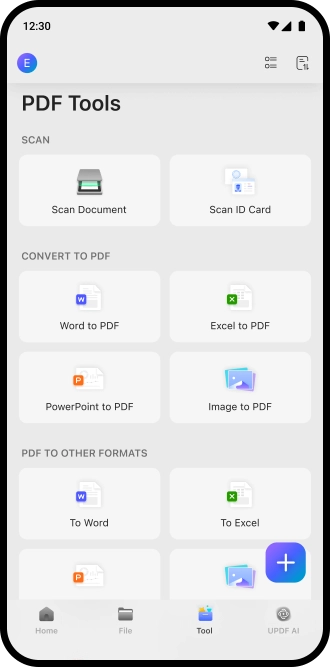
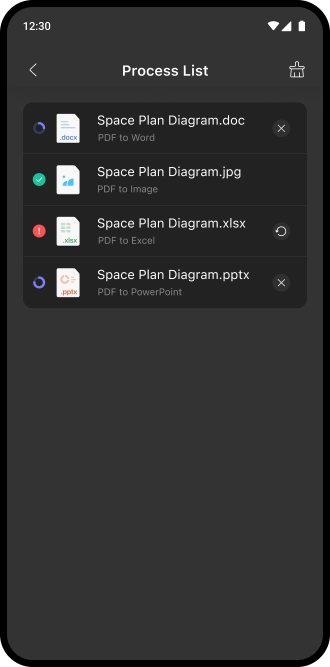
Create & Convert,Flexible File Conversion
It’s easy to create blank PDFs or generate PDF files from popular formats, and convert existing PDFs into the formats you need quickly and effortlessly with UPDF for Android
Free DownloadCreate PDF
Create blank PDFs or generate a PDF from Word, Excel, PPT, or images.
Convert PDF
Convert PDFs to Word, Excel, PPT, images, or one long single-page image.
Scanned PDF? Use OCR on Android Now
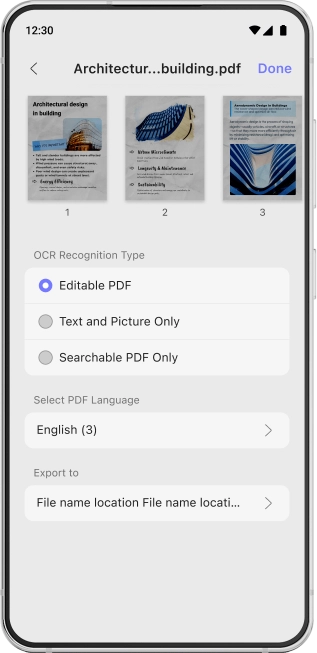
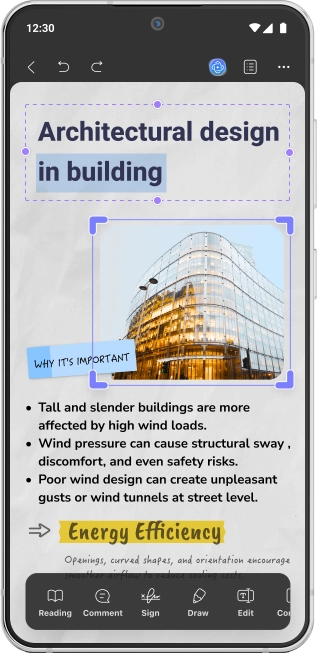
Advanced OCR technology converts scanned, image-only, or uneditable PDFs into fully editable and searchable documents while preserving layout. It’s fast, accurate, and ideal for archiving or content reuse.
Free Download3 OCR Recognition Types
Editable PDF | Text and Picture Only | Searchable PDF Only
38 Languages Supported
English, German, Dutch, Chinese, French, Spanish, and more
We're always available to assist.


UPDF license supports you on other platforms as well




Products and Plans
 UPDF Pro
  AI Assistant
  UPDF Sign
UPDF Pro
UPDF Sign
UPDF Pro / one-time fee
Number of users
{{ companyUPDFSelectedNumber }} user
{{ companyUPDFSelectedNumber > 30 ? '>30' : companyUPDFSelectedNumber }} users
- {{ item.label }}
Access to all PDF tools for editing, converting, annotating PDFs.
Free trial
AI Assistant / Year
Number of users
{{ companyAISelectedNumber }} user
{{ companyAISelectedNumber > 30 ? '>30' : companyAISelectedNumber }} users
- {{ item.label }}
Unlimited usage of AI to summarize, translate, convert PDF to mind maps etc.
Free trial
UPDF Sign / Year
Number of users
{{ companySignSelectedNumber }} user
{{ companySignSelectedNumber > 30 ? '>30' : companySignSelectedNumber }} users
- {{ item.label }}
unlimited signature requests per year.
Free trial*The pricing and available features are based on the specific plans you decide on.