NEW UPDF 3.0 × BLACK FRIDAY

Big Black Friday Sale

Up To --% OFF

Understand, edit, and sign every PDF in one AI-powered app—now at our best price of the year.

See What’s New in UPDF 3.0
UPDF 3.0 AI-powered PDF editor

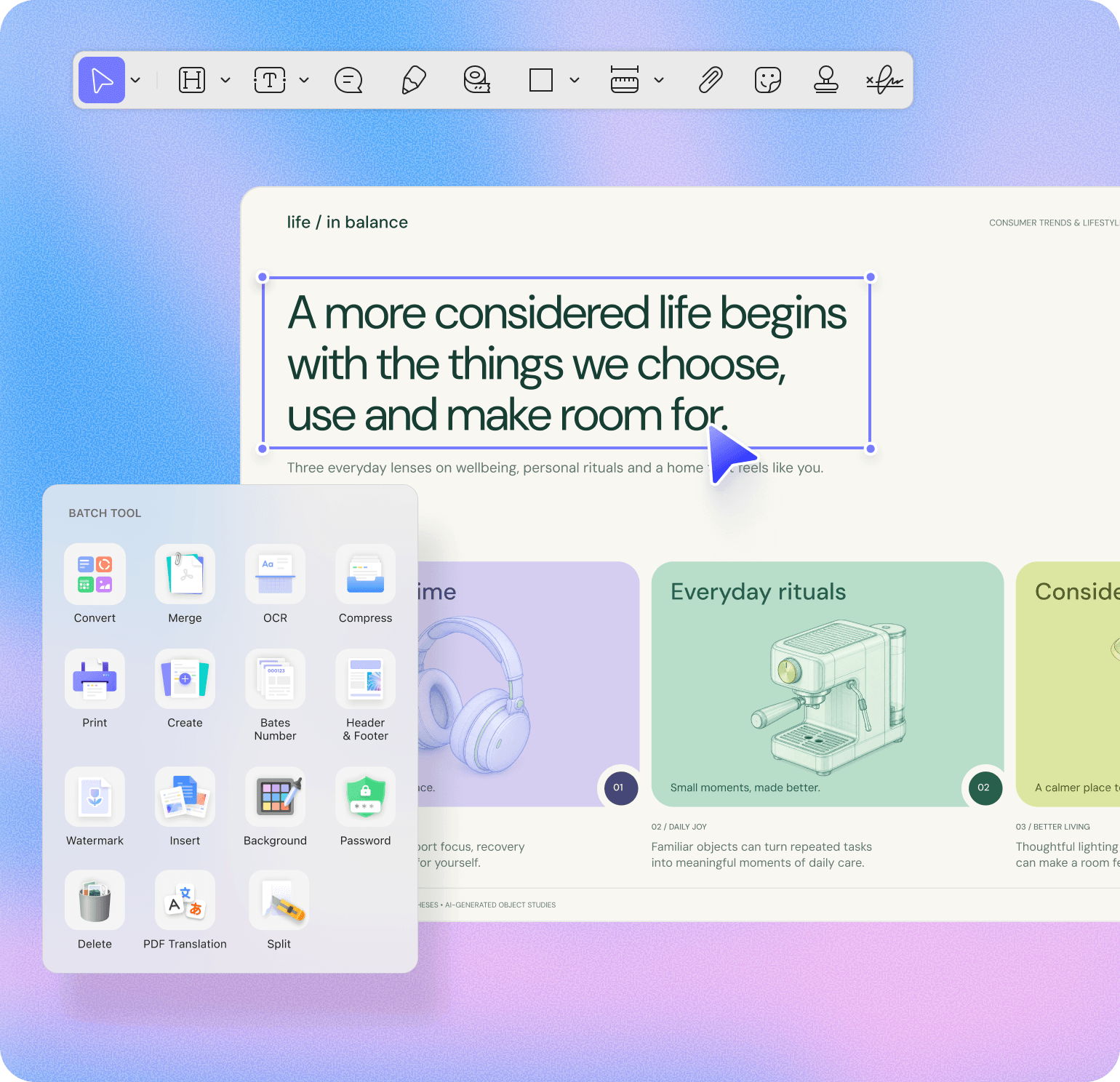
✦ All-in-One PDF Editor

All-in-One PDF Editor

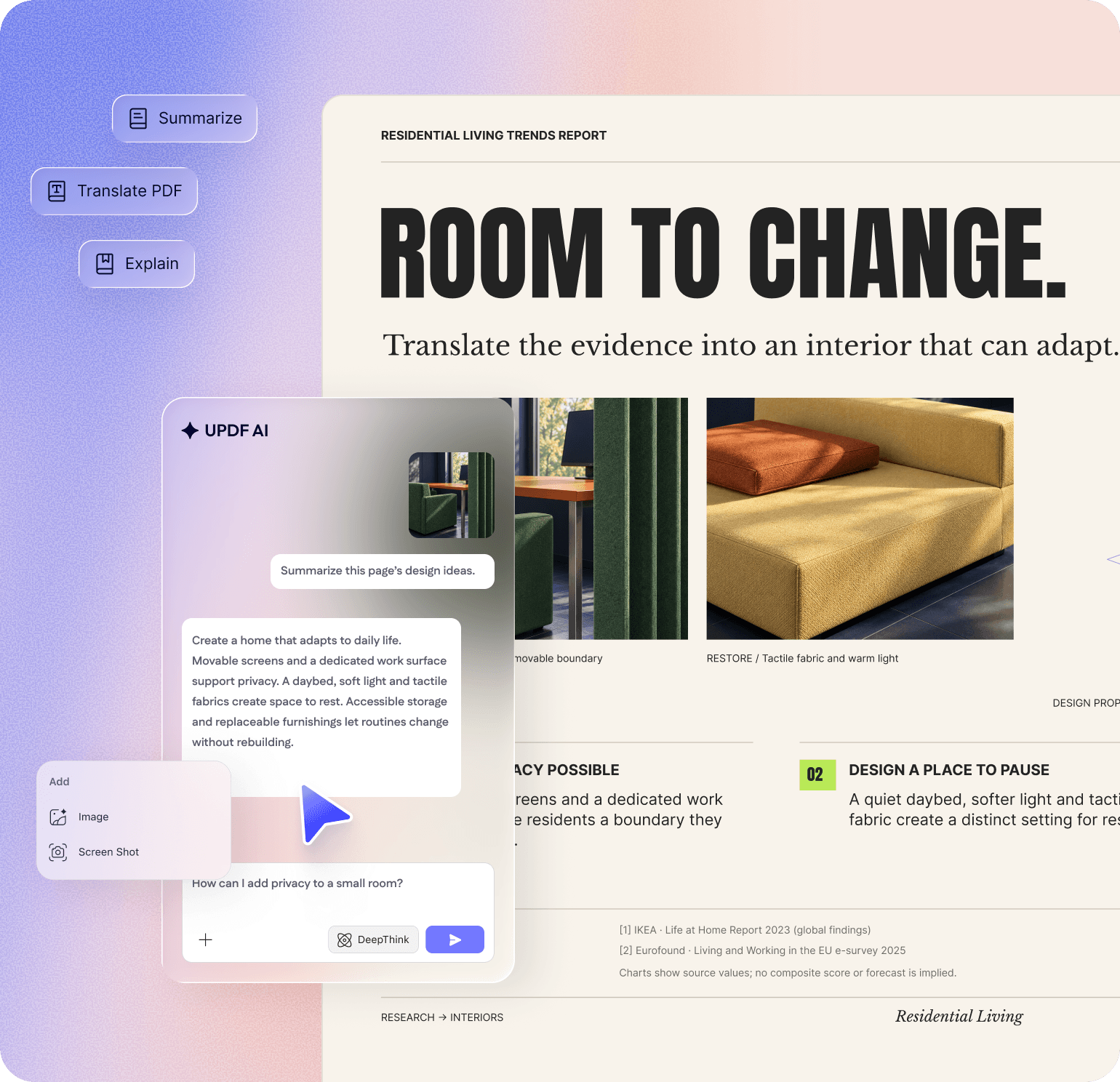
✦ Smarter AI Assistant

Smarter AI Assistant

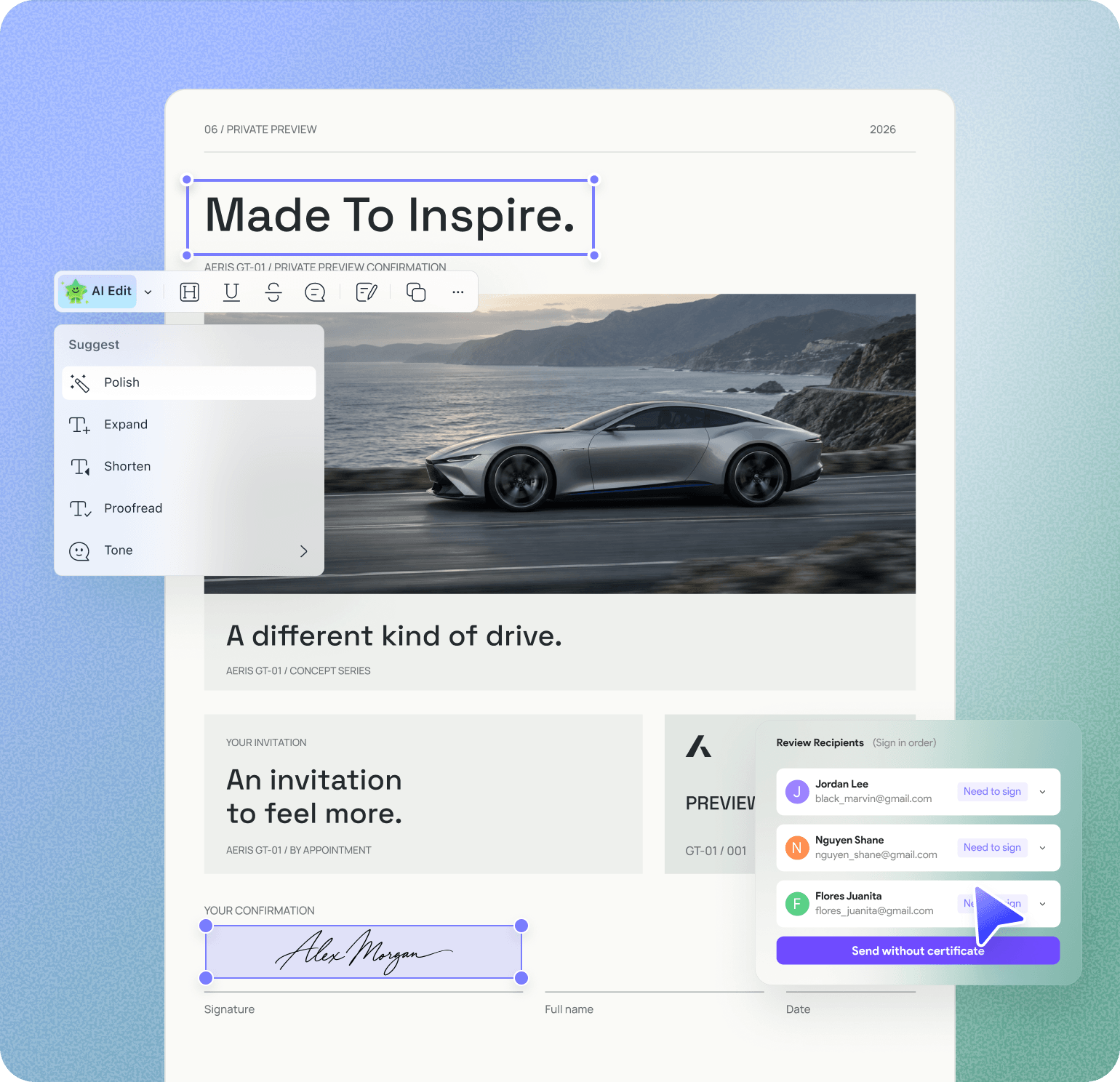
✦ Read to Final Signature

Read to Final Signature

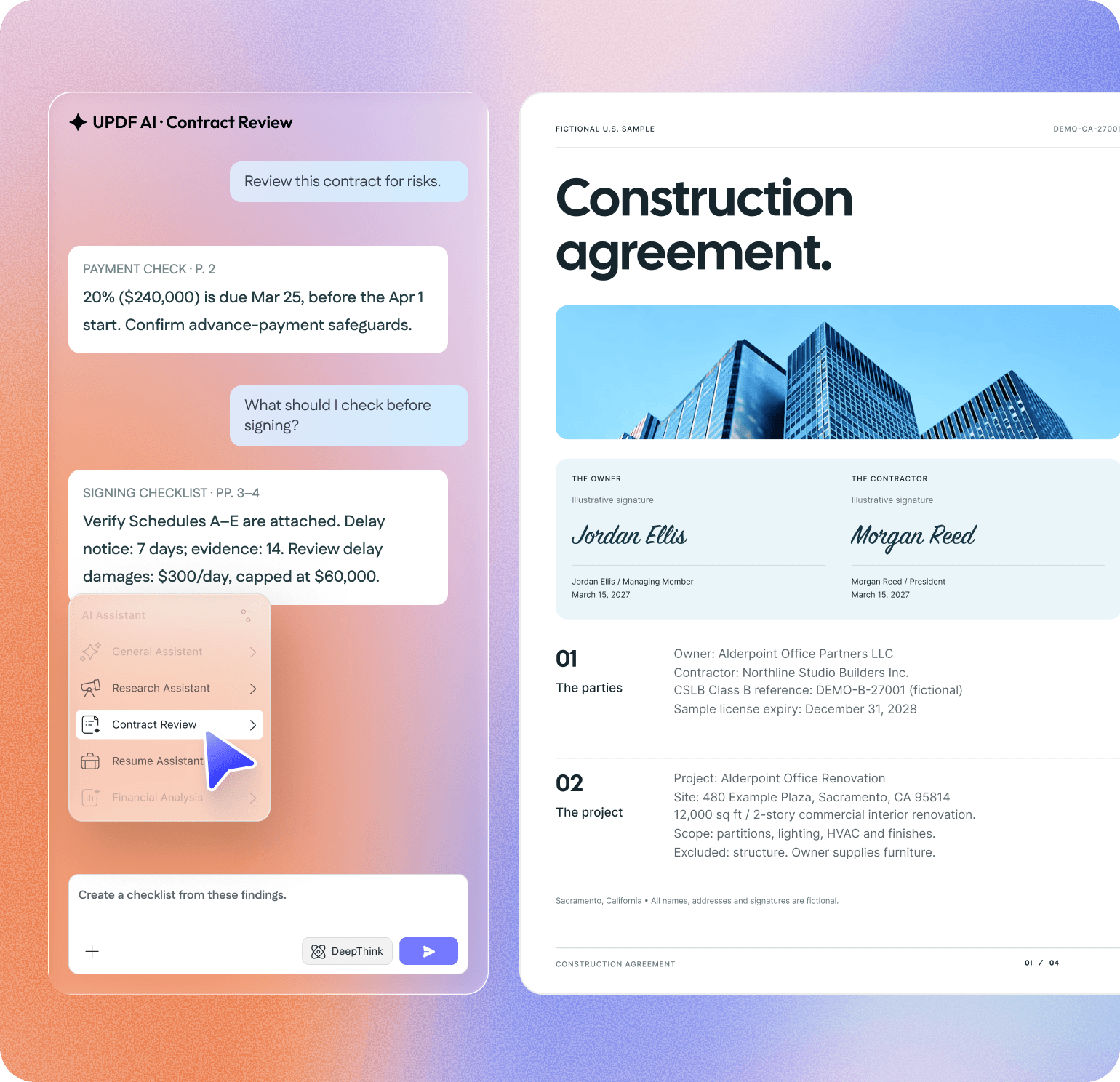
✦ AI Task Assistants

AI Task Assistants

Choose your
UPDF 3.0 Black Friday deal

Pay less today. Work smarter with PDFs long after Black Friday ends.

Loading current offers…

UPDF Pro

Use on 4 devices across:Windows, macOS, iOS, Android

— / Lifetime/ Year

Complete PDF tools for everyday document work.

This plan is currently unavailable.

Free lifetime aJoysoft PDF Password Remover

Top features

  • Full access to all PDF tools in UPDF:

  • Edit text, images, links in PDF

  • Convert PDF to other formats

  • Annotate and protect PDFs

  • OCR PDFs to recognize text 

  • Organize PDF pages

  • Forms, redaction, and batch tools

  • {{ billingPeriod === 'lifetime' ? '2GB' : '10GB' }} cloud storage

  • {{ billingPeriod === 'lifetime' ? 50 : 20 }} basic eSignatures includedBasic eSignatures/year 

Most Popular

UPDF Pro + AI Assistant

Use on 4 devices across:Windows, macOS, iOS, Android, Online

— / Lifetime/ Year

UPDF Pro LifetimeUPDF Pro Yearly + {{ bundle.trialDays }}-day AI trialAI trial

This plan is currently unavailable.

Free lifetime aJoysoft PDF Password Remover

Top features

  • Full access to all PDF tools in UPDF:

  • Edit text, images, links in PDF

  • Convert PDF to other formats

  • Annotate and protect PDFs

  • OCR PDFs to recognize text 

  • Organize PDF pages

  • Forms, redaction, and batch tools

  • {{ billingPeriod === 'lifetime' ? '102GB' : '110GB' }} cloud storage

  • {{ billingPeriod === 'lifetime' ? 50 : 20 }} basic eSignatures includedBasic eSignatures/year 

Unlimited Document AI:

  • Summarize, translate & chat with PDF

  • Analyze unlimited PDFs & answer questions

  • Chat with up to 100 PDFs simultaneously (online)

  • Paper search + Scholar Research (online)

1,000 AI Credits/month

AI Assistant

Use on 4 devices across:Windows, macOS, iOS, Android, Online

— / Year/ Quarter/ Month

Auto renew, billed yearly. Cancel anytime.

Auto renew, billed quarterly. Cancel anytime.

Automatic renewal, monthly fee. Cancel at any time.

This plan is currently unavailable.

Free lifetime aJoysoft PDF Password Remover

Top features

Unlimited Document AI:

  • Summarize, translate & chat with PDF

  • Analyze unlimited PDFs & answer questions

  • Chat with up to 100 PDFs simultaneously (online)

  • Paper search + Scholar Research (online)

  • 100GB cloud storage

1,000 AI Credits/month

30-day money-back guarantee Secure payment SSL encrypted PDF Association member ISO 27001 G2 Leader Fall 2026 SourceForge user reviews Capterra Best Ease of Use 2025

WHY UPDF 3.0 · WHY NOW

More PDF Power. Smarter AI. The Best Price of the Year.

Replace scattered PDF tools with one app to understand, edit, organize, and sign—and save up to --% this Black Friday.

A Complete PDF Editor

More of What You Need. Less of What You Don’t.

See how UPDF compares across PDF tools, AI capabilities, platform access, licensing, and price.

UPDF, Adobe Acrobat Pro, and Foxit PDF Editor+ comparison
FeaturesUPDFAdobe Acrobat ProFoxit PDF Editor+
BUYING DECISION
Purchase model Yearly + LifetimeUPDF Pro: US$54.99/year or US$84.99 lifetime
Save US$5 with the UPDF Pro + AI bundle
SubscriptionUS$239.88/year Subscription + PerpetualFrom US$129.99/year
Perpetual desktop license: US$209.99 one-time
True Lifetime option
Permanent free version No time limit or card required.
Saved PDFs are watermarked.
7-day trial. Credit card required. Free Reader; editing limited
COMPLETE PDF EDITOR
Edit, annotate & organize
Convert, OCR & batch process
Forms, protect & redact
WHAT SETS UPDF APART
Chat with, summarize & translate PDFs
Scenario assistants + custom tasks Preset prompts + custom skills
Paper Search + Scholar Research
Windows, Mac, iOS & Android Requires PDF Editor+
One account, up to 4 devices

*Comparison reflects publicly available pricing and feature information reviewed on October 12, 2026. Prices and features may vary by market, platform, and plan.

See the Full UPDF Comparison

Loved by 4M+ Users Across 200+ Countries

Five stars

Highly rated on G2, App Store, and Google Play,
with backing from leading tech media.

UPDF awards
Trust Icon

I use it primarily on my pc and mac. I really love this program because it takes away the bloatware of Adobe while presenting us with more editing options of PDFs. I love the header, footer and page background feature that allows me to add or remove all the backgrounds in the page at a single shot. The program is light and the perpetual license is worth it.

Srinivas N, from Google Play
Trust Img 01
Trust Icon

I am a student who also works part-time, primarily studying for exams to become a bureaucrat in my country's administration. I usually use UPDF to take notes while reading my exam resources, making learning more effective. The bookmark feature makes it convenient to mark where I last read. Additionally, the AI assistant has been incredibly useful for my studies.

Student, Ayu Divine
Trust Icon

UPDF's OCR feature helps me convert handwritten notes into digital text, which I can then summarize and organize using its AI-powered tools.

Student IT Worker, Giancarlo Romano
Trust Icon

UPDF is an all-in-one AI PDF editor that's more versatile, yet more affordable, than the competition. Stop working with PDFs like they're impossible to manipulate and start editing and formatting them as easily as you would a Word document.

AppleInsider
Trust Icon

There are a ton of different PDF editors out there, but what has kept me coming back is the price-to-performance ratio you get out of UPDF. Whether you’re a student, creative, business user, or tired of clunky software, UPDF offers serious value without cutting corners.

Trust Img 07
Trust Icon

UPDF offers compelling advantages over expensive alternatives like Adobe Acrobat. The software supports major platforms — Mac, iOS, Windows and Android — with one account usable across four devices simultaneously. Users enjoy lifetime free upgrades and pay just one-sixth the price of Adobe’s subscription model.

Trust Img 07
Trust Img 04
Trust Img 05
Trust Icon

The cross-platform license is the reason UPDF stuck after the trial. One payment covers four devices... which means a Windows desktop in the office, a Mac laptop for travel, an iPad for reading, and an iPhone for quick mark-ups...AI Assistant and UPDF Sign also earned their place. I can chat against a collection of PDFs at once to find data points, and use AATL-certified digital signatures with an audit trail, so I stopped paying separately for a sign-only tool. The lifetime license is the option I went with. One payment now, no annual renewal, and future updates included.

Luca P., from G2
Trust Img 06
Trust Icon

I use it primarily on my pc and mac. I really love this program because it takes away the bloatware of Adobe while presenting us with more editing options of PDFs. I love the header, footer and page background feature that allows me to add or remove all the backgrounds in the page at a single shot. The program is light and the perpetual license is worth it.

Srinivas N, from Google Play
Trust Img 01
Trust Icon

I am a student who also works part-time, primarily studying for exams to become a bureaucrat in my country's administration. I usually use UPDF to take notes while reading my exam resources, making learning more effective. The bookmark feature makes it convenient to mark where I last read. Additionally, the AI assistant has been incredibly useful for my studies.

Student, Ayu Divine
Trust Icon

UPDF's OCR feature helps me convert handwritten notes into digital text, which I can then summarize and organize using its AI-powered tools.

Student IT Worker, Giancarlo Romano
Trust Icon

UPDF is an all-in-one AI PDF editor that's more versatile, yet more affordable, than the competition. Stop working with PDFs like they're impossible to manipulate and start editing and formatting them as easily as you would a Word document.

AppleInsider
Trust Icon

There are a ton of different PDF editors out there, but what has kept me coming back is the price-to-performance ratio you get out of UPDF. Whether you’re a student, creative, business user, or tired of clunky software, UPDF offers serious value without cutting corners.

Trust Img 07
Trust Icon

UPDF offers compelling advantages over expensive alternatives like Adobe Acrobat. The software supports major platforms — Mac, iOS, Windows and Android — with one account usable across four devices simultaneously. Users enjoy lifetime free upgrades and pay just one-sixth the price of Adobe’s subscription model.

Trust Img 07
Trust Img 04
Trust Img 05
Trust Icon

The cross-platform license is the reason UPDF stuck after the trial. One payment covers four devices... which means a Windows desktop in the office, a Mac laptop for travel, an iPad for reading, and an iPhone for quick mark-ups...AI Assistant and UPDF Sign also earned their place. I can chat against a collection of PDFs at once to find data points, and use AATL-certified digital signatures with an audit trail, so I stopped paying separately for a sign-only tool. The lifetime license is the option I went with. One payment now, no annual renewal, and future updates included.

Luca P., from G2

Trust Img 06

Questions Before You Buy?

Everything you need to know about the offer, plans, AI usage, devices, signing, and your free gift.

01What is included in the UPDF Black Friday offer?

Get up to --% off selected UPDF plans. Depending on the plan, you can get the complete PDF toolkit, UPDF AI, fixed AI Credits, and an eligible lifetime license for aJoysoft PDF Password Remover for Windows.

02Which UPDF plan should I choose?

Choose UPDF Pro for complete PDF editing. Choose UPDF Pro + AI for both PDF tools and AI. Choose the standalone UPDF AI plan for unlimited Document AI—document chat, analysis, summarization, translation, and AI Credits.

03Is the UPDF Lifetime Plan a one-time purchase?

Yes. It is a one-time purchase with no automatic renewal and provides lifetime access to the UPDF Pro features covered by your license.

04Where can I use UPDF, and how many devices?

You can stay signed in on up to four devices at the same time, with no OS quota. Use any mix of Windows, Mac, iOS, and Android—or even four Android devices. UPDF AI is also on the web; full PDF editing is available in the apps.

05Are Document AI and AI Credits the same?

No. Document AI covers PDF chat, analysis, summarization, translation, Paper Search, and Scholar Research. AI Credits are used separately for AI scanning, AI OCR, and AI translation tools. Plans include the fixed credits shown above.

06What is the free aJoysoft gift, and how do I get it?

Eligible purchases include a lifetime Windows license for aJoysoft PDF Password Remover. Within 7 business days of purchase, we’ll email the license key, download link, and activation instructions to the address used at checkout. If it hasn’t arrived after 7 business days, contact [email protected].

Learn more about aJoysoft PDF Password Remover

07Does UPDF include electronic signatures?

Yes. UPDF includes basic eSignatures without a digital certificate. For certificate-based signatures, choose a paid UPDF Sign plan.

View UPDF Sign plans

08Does UPDF offer a money-back guarantee?

Yes. Eligible purchases are covered by a 30-day money-back guarantee under the UPDF refund policy. Eligibility can vary by product, purchase channel, and reason, so review the policy before purchasing.

Read the Refund Policy

NEW UPDF 3.0 × BLACK FRIDAY

Your Complete PDF Workflow—
Now at Our Best Price of the Year.

Understand, edit, organize, and sign PDFs with AI-powered help—all in one app. Save up to --% for a limited time.

Up To--% OFF

We use cookies to ensure you get the best experience on our website. Continued use of this website indicates your acceptance of our privacy policy.