 UPDF
UPDF
 UPDF for Windows
 UPDF for Mac
 UPDF for iPhone/iPad
 UPDF for Android
 UPDF AI Online
 UPDF Sign
 Edit PDF
 Annotate PDF
 Create PDF
 PDF Form
 Edit links
 Convert PDF
 OCR
OCR PDF to Word
 PDF to Image
 PDF to Excel
 Organize PDF
 Merge PDF
 Split PDF
 Crop PDF
 Rotate PDF
 Protect PDF
 Sign PDF
 Redact PDF
 Sanitize PDF
 Remove Security
 Read PDF
 UPDF Cloud
 Compress PDF
 Print PDF
 Batch Process
 About UPDF AI
 UPDF AI Solutions
 AI User Guide
 FAQ about UPDF AI
 Summarize PDF
 Translate PDF
 Chat with PDF
 Chat with AI
 Chat with image
 PDF to Mind Map
 Explain PDF
 PDF AI Tools
 Image AI Tools
 AI Chat Tools
 AI Writing Tools
 AI Study Tools
 AI Working Tools
 Other AI Tools
 AI Bookmark Generation
 AI Bookmark Summary
 AI Watermark Generation
 AI Background Generation
 AI Sticker Generation
 AI Stamp Generation
 AI Editing Suite
 UPDF Copilot
 AI Page Management
 AI Semantic Search
 PDF to Word
 PDF to Excel
 PDF to PowerPoint
 Enterprise Solution
 Enterprise Sign
 Enterprise AI
 Enterprise Plan
 Enterprise User Guide
 Enterprise Webinar
 Banking
 Healthcare
 Insurance
 Legal
Legal Manufacturing
 Government
 Education Solution
 Customer Stories
 User Guide
 UPDF Tricks
 FAQs
FAQs UPDF Reviews
 Download Center
 Blog
Blog Newsroom
 Tech Spec
 Updates
 UPDF vs. Adobe Acrobat
 UPDF vs. Foxit
 UPDF vs. PDF Expert


AI-powered academic research assistants have become go-to tools for students and researchers in conducting academic literature reviews. Instead of spending hours searching databases, reading dense PDFs, extracting key points, and writing summaries, it now requires simple prompts to do it all.
AI research agents help users read papers faster, extract insights, summarize complex findings, and answer research questions. They help people focus on deeper thinking and writing rather than repetitive work.
Two prominent tools in this space are UPDF AI and SciSpace, each designed around different research priorities and workflows. UPDF AI adopts a document-centric workflow that blends literature discovery with deep interaction inside PDFs. In contrast, SciSpace adopts a discovery-first design that focuses on research exploration and contextualizing multiple research outputs.
UPDF AI is also integrated into the UPDF desktop and mobile applications to offer a complete PDF-centered research ecosystem across platforms. Try UPDF AI online and explore its paper search and interactive research features yourself.
In this guide, we will compare UPDF AI vs SciSpace and understand how each tool supports academic research.
Comparison Table: UPDF AI vs SciSpace
| Category | UPDF AI | SciSpace |
| Core Approach | Document-centered research model | Discovery-oriented research model |
| Primary Strength | Deep PDF interaction | Broad literature exploration |
| Paper Search | Dedicated "Paper Search" with citation-backed answers | Literature Review tool with cited references |
| Literature Review Draft | Asks follow-up questions; structured draft with PDF access | Generates a draft directly; references provided |
| Follow-Up Questions | Context-aware answers based on selected PDFs | May regenerate the review instead of refining the answer |
| Multiple PDF Chat | ||
| Mind Map Generation | ||
| Pricing Model | Capacity-based (limits expand with plan) | Credit-based (usage consumes credits) |
| Free Plan | Limited paper searches, questions, and literature review generation | Monthly credit limit |
| Paid Plans | $29/quarter or $79/year | Premium ($20/month or $144/year) Advanced ($90/month or $840/year) |
| Best For | Long-term academic research & PDF-heavy work | Early-stage research & explanation needs |
| Cross-Platform Support | Web + Desktop + Mobile | Web |
Core Positioning: How UPDF AI and SciSpace Differ in Approach
UPDF AI and SciSpace are top-notch AI research agents, but they pursue distinct philosophies in academic support.
The online version of UPDF AI is based on the document-centered research model. It is built around working directly with academic PDFs, involving reading, questioning, summarizing, extracting insights, and organizing knowledge. It helps build the literature review on the core topic with proper citation from the extracted content of selected papers. Besides that, you can also use it to only do a "paper search" and then download/interact with shortlisted PDFs. This way, it connects the search, analysis, and writing steps into one continuous workflow.
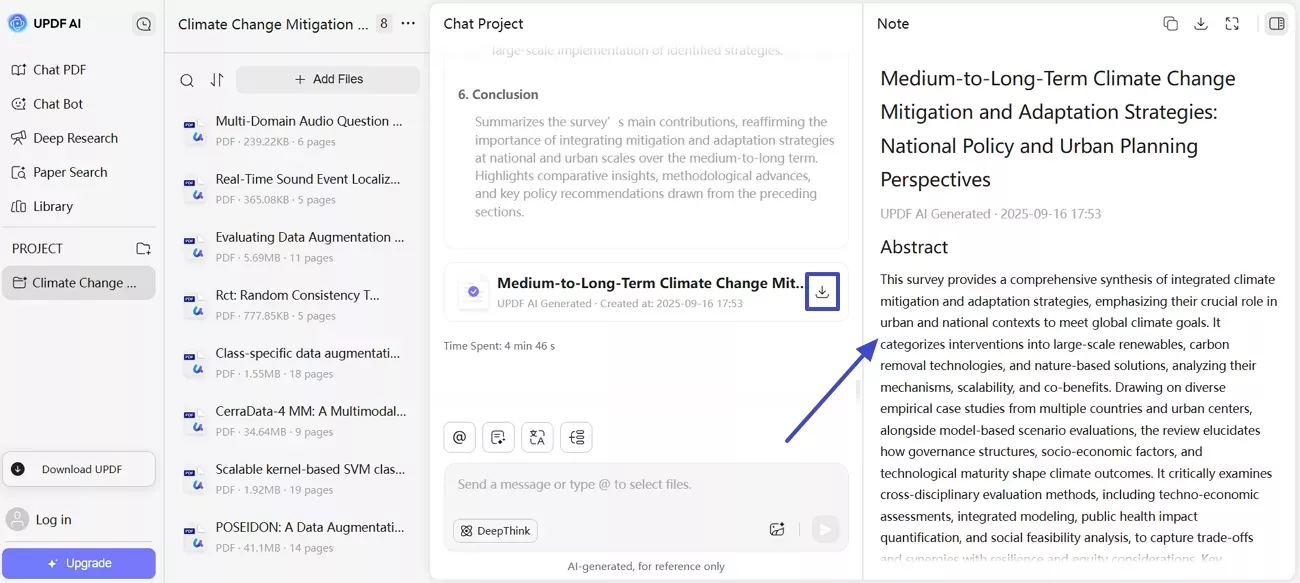
SciSpace is based on the discovery-oriented model. It explores large volumes of academic literature, analyzes them, and then provides comprehensive insights into the topic. The AI explanations help compare findings and understand unfamiliar terminology/methodologies.
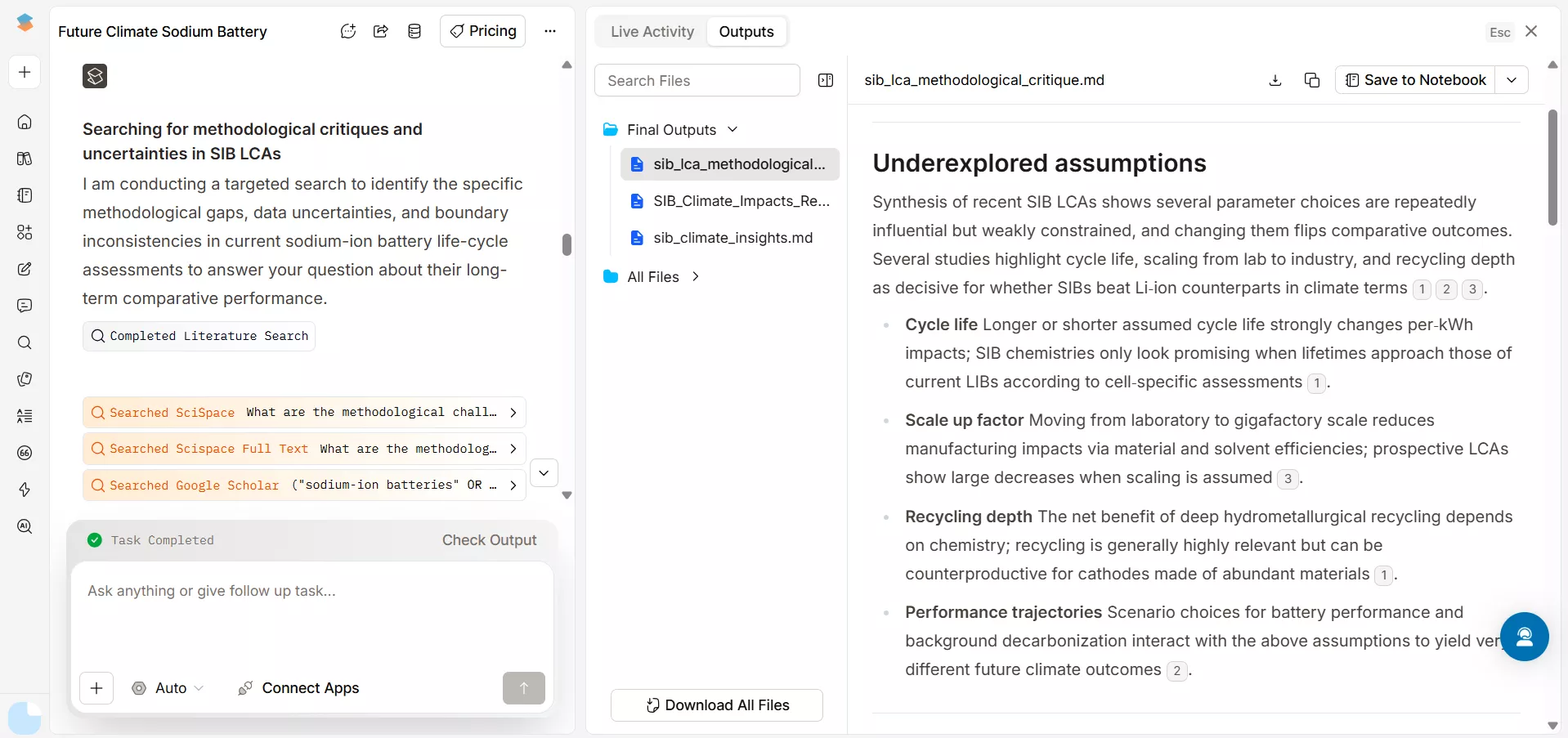
Neither approach is "bad", just optimized for different research styles. UPDF AI fits users who want a unified experience from discovery to document interaction. Similarly, SciSpace suits users focusing on broad literature exploration and research explanations. It is helpful in early-stage research when users are surveying a field or mapping out existing studies.
Feature Comparison Through Real Academic Workflows
Now comes the real UPDF AI vs SciSpace comparison. We will be comparing them through the core features researchers expect from the academic AI assistant:
1. Extracting Relevant Research Papers
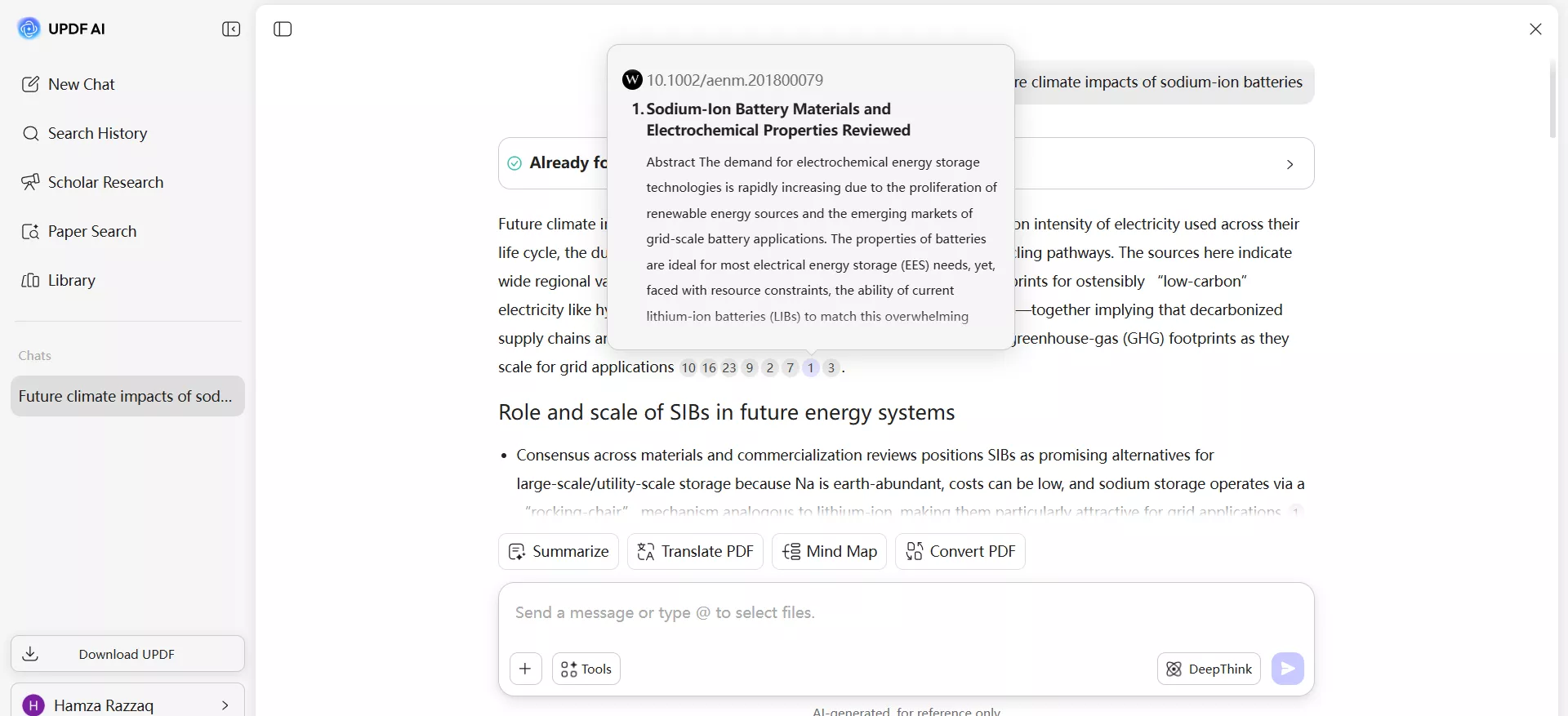
UPDF AI gives us a dedicated "Paper Search" feature, which can extract the most relevant research papers to our targeted topic and provide citation-backed answers. So, I asked it to find the papers on the topic of "future climate impacts of sodium-ion batteries". In seconds, I got the citation-backed answers, where I could hover the mouse over the number representing a paper cited and get the paper's abstract. I could also get more details about the paper by clicking the number representing the paper.
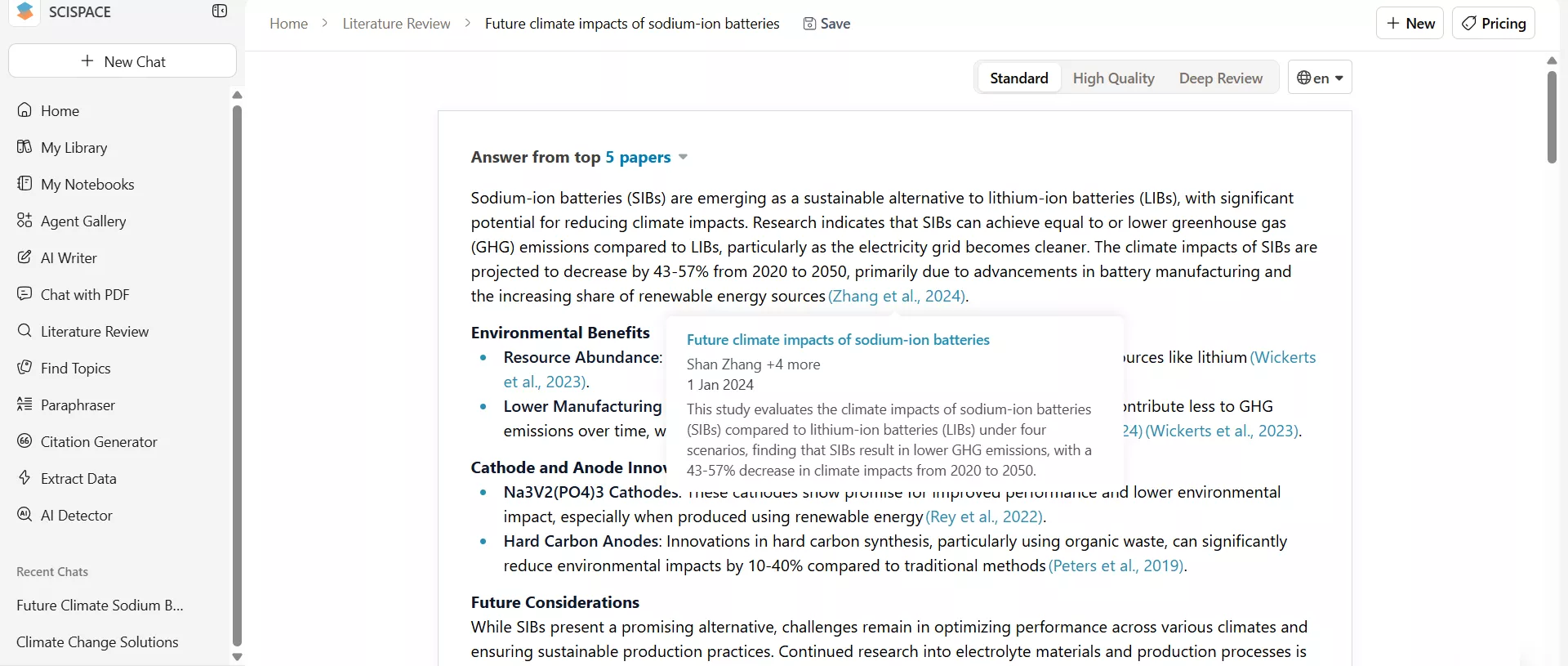
SciSpace offers a dedicated "Literature Review" feature that provides a brief answer related to the searched keyword and also cites the reference research papers. On bringing the mouse close to the citations, I got a quick summary of the research paper. Clicking the citation also lets you have more options, like download PDF, chat, etc.
2. Literature Review Draft
Sometimes, we want a complete literature review draft instead of scattered summaries. This is where the workflow differences between UPDF AI vs SciSpace become more visible.
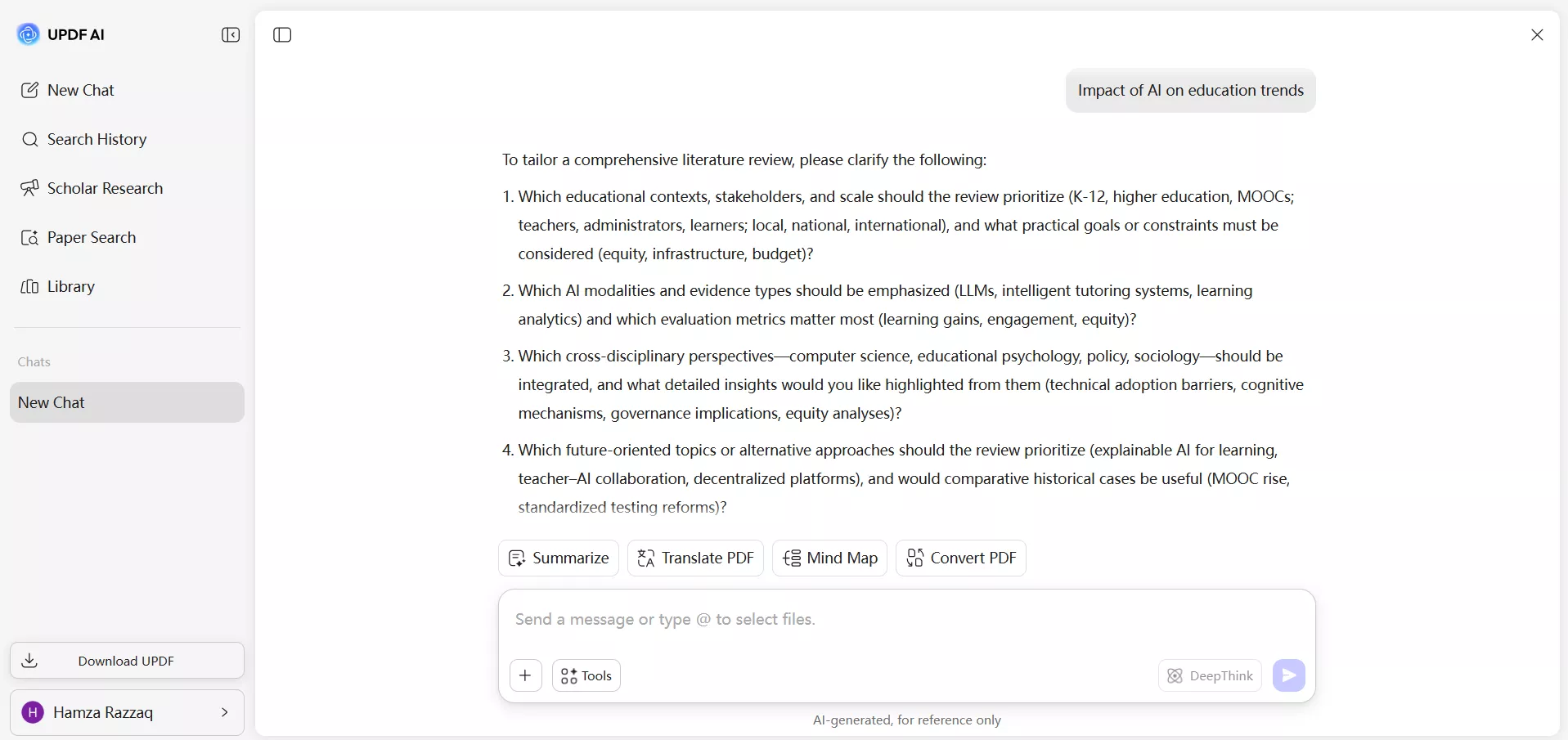
UPDF AI offers a "Scholar Research" feature that performs deep research on the topic keywords, pulls out relevant research papers, and then generates a complete literature review draft. I asked it to generate content on the topic "Impact of AI on education trends". Before generating, it asked me follow-up questions to clarify the research scope.
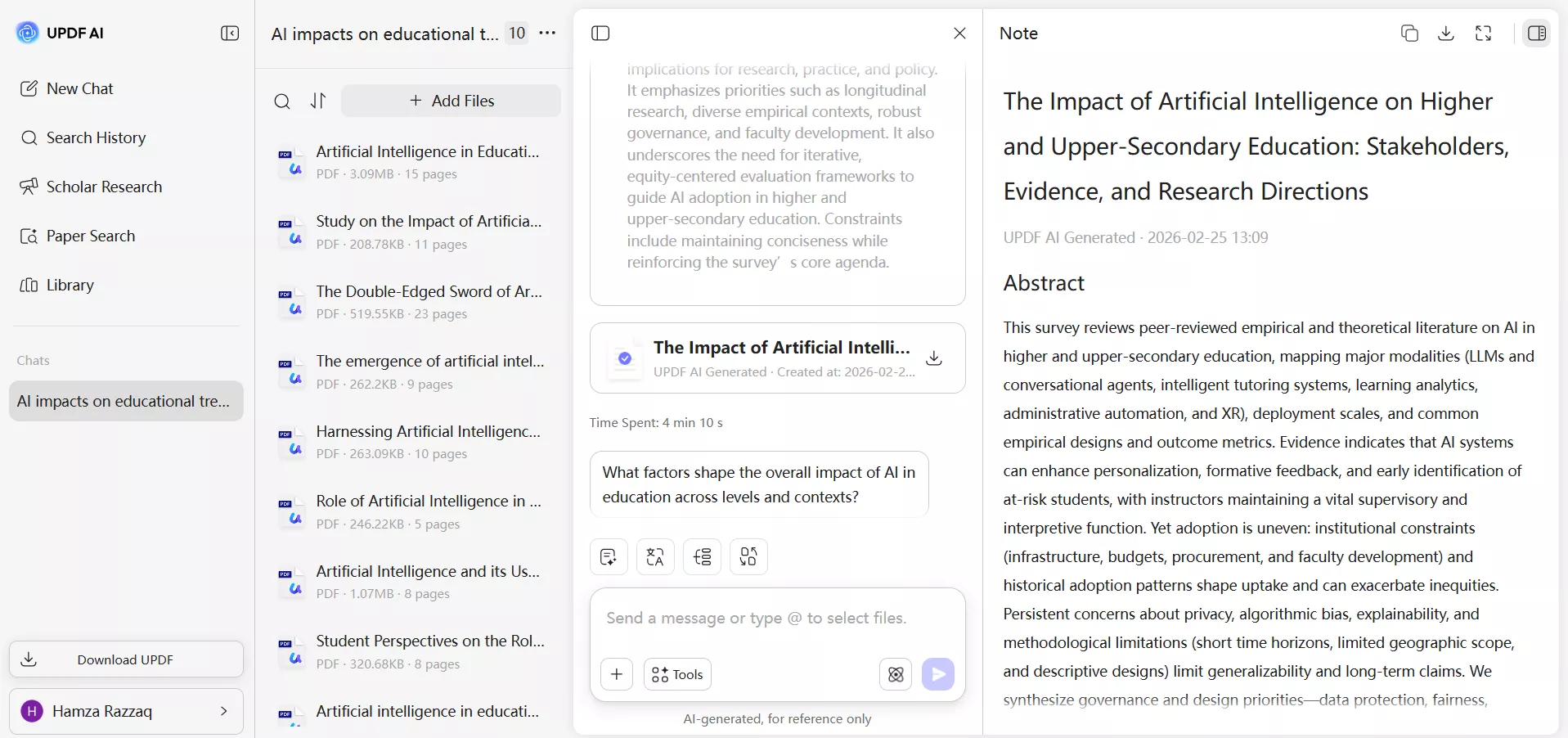
Afterward, it took only a few minutes to provide a comprehensive literature review with citations, along with a separate section for the extracted PDFs. In addition, I could hover over the PDFs to get quick AI summaries or click them to open the PDFs.
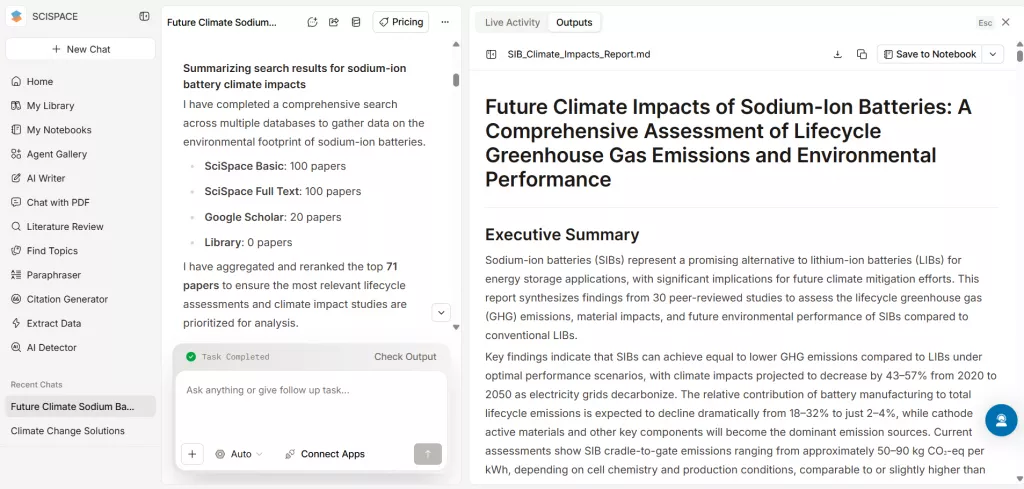
SciSpace also generates a comprehensive literature review on any topic after thorough research, but there are a few noticeable differences. When I asked it to generate a literature review on the topic of "Future Climate Impacts of Sodium-Ion Batteries", it didn't ask any follow-up questions. Instead, it extracted the relevant research papers and generated the content. The content was detailed, but there was no access to the PDFs. I only got the list of references from which I could access through research papers.
3. Follow-Up Questions
Other than generating literature review drafts, we also have follow-up questions we would like to ask about the research topic.
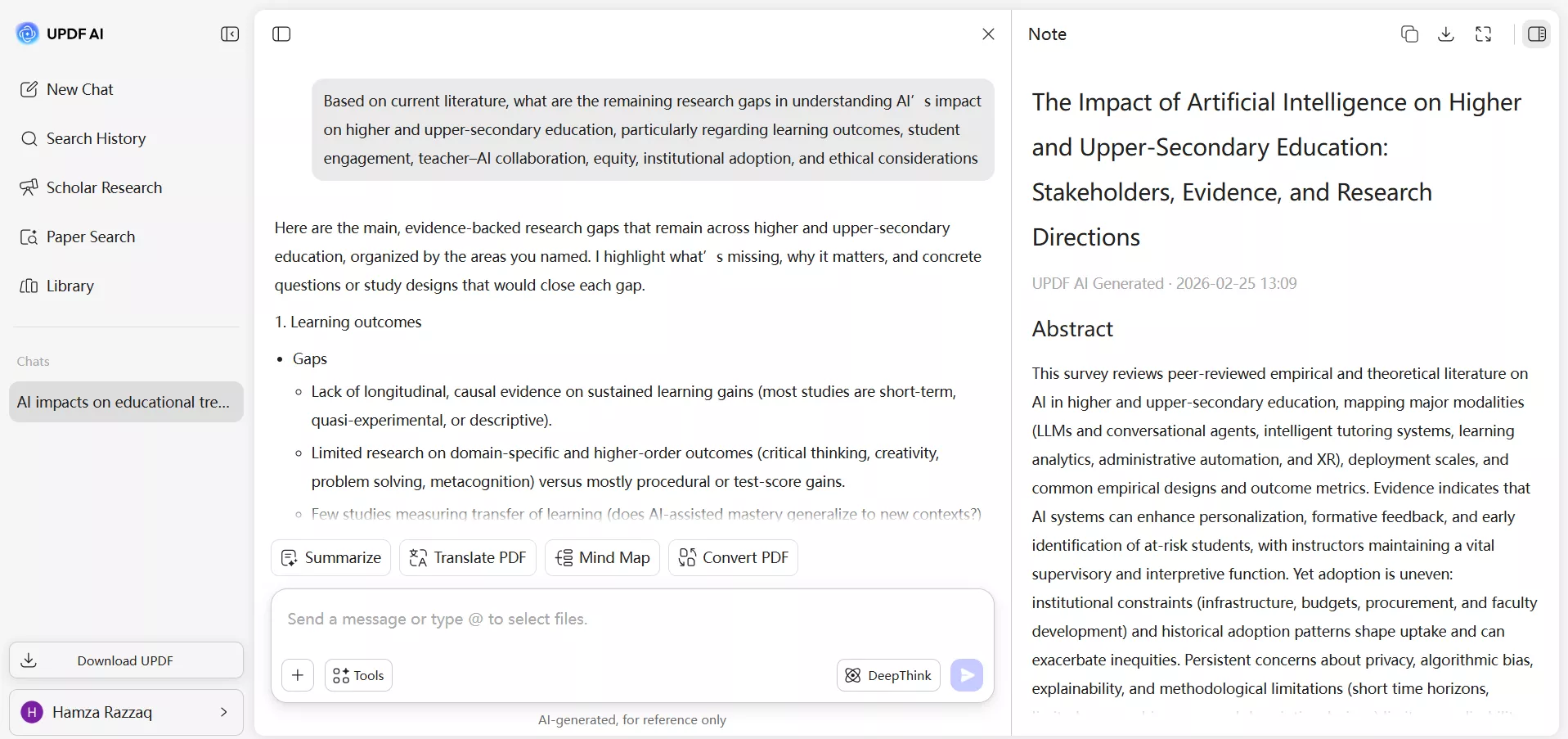
In UPDF AI, I accessed the chat window to ask about identifying the research gap. The AI used selected document context and pointed out methodological inconsistencies across cited studies.
In SciSpace, I got a bit confused when I asked a follow-up question after generating the literature review. Instead of generating the answer, it conducted deeper research and generated a new draft literature review related to my question.
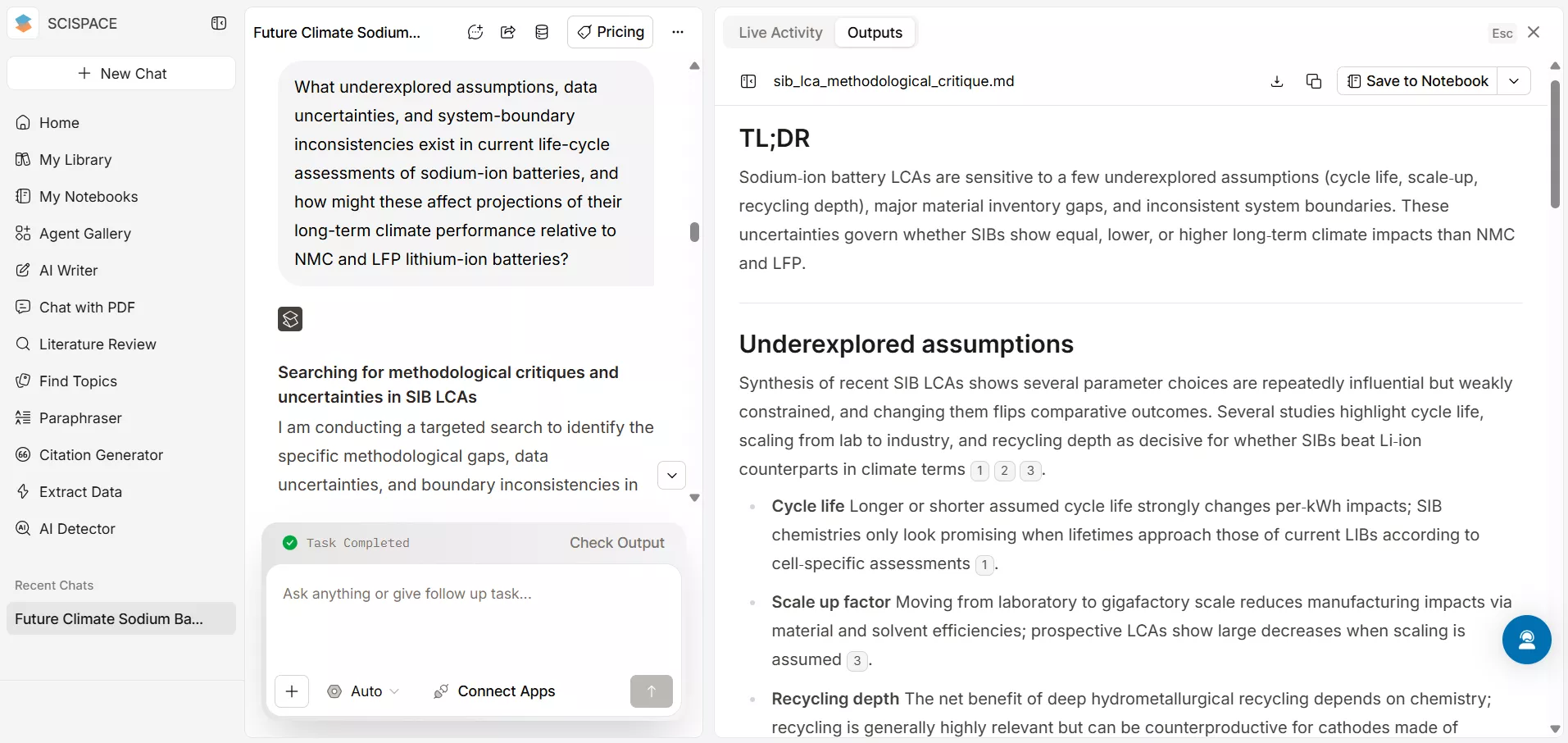
4. Chatting with Academic PDFs
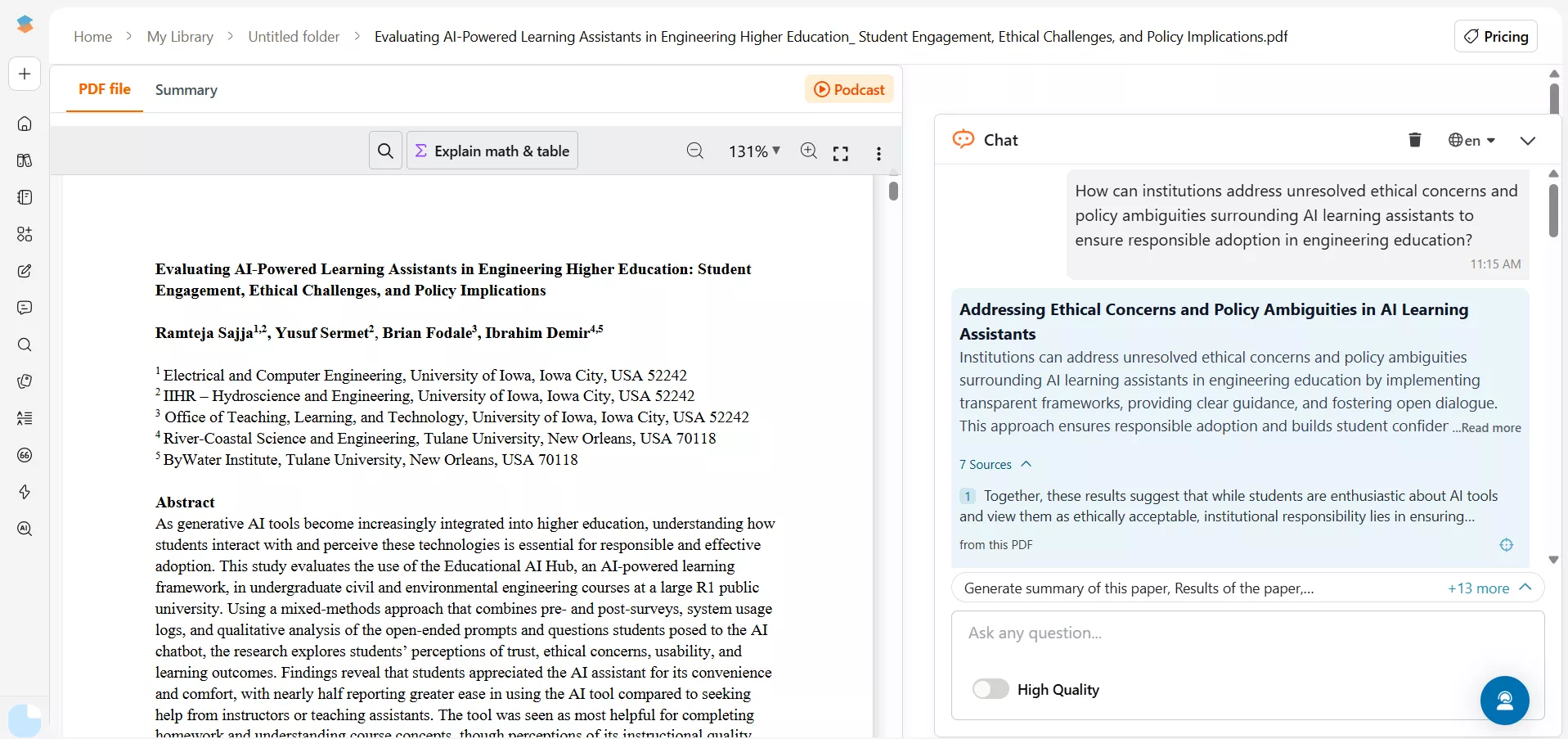
Summarizing, asking queries, and analyzing PDFs are part of the research work. UPDF AI and SciSpace are really good at chatting with PDFs.
When I uploaded a research paper to UPDF AI, I got multiple options:
- Summarize PDF
- Translate PDF
- Explain PDF
- Generate a mind map
- Convert PDF to Word
First, I started by asking a question and got a satisfactory answer in seconds.
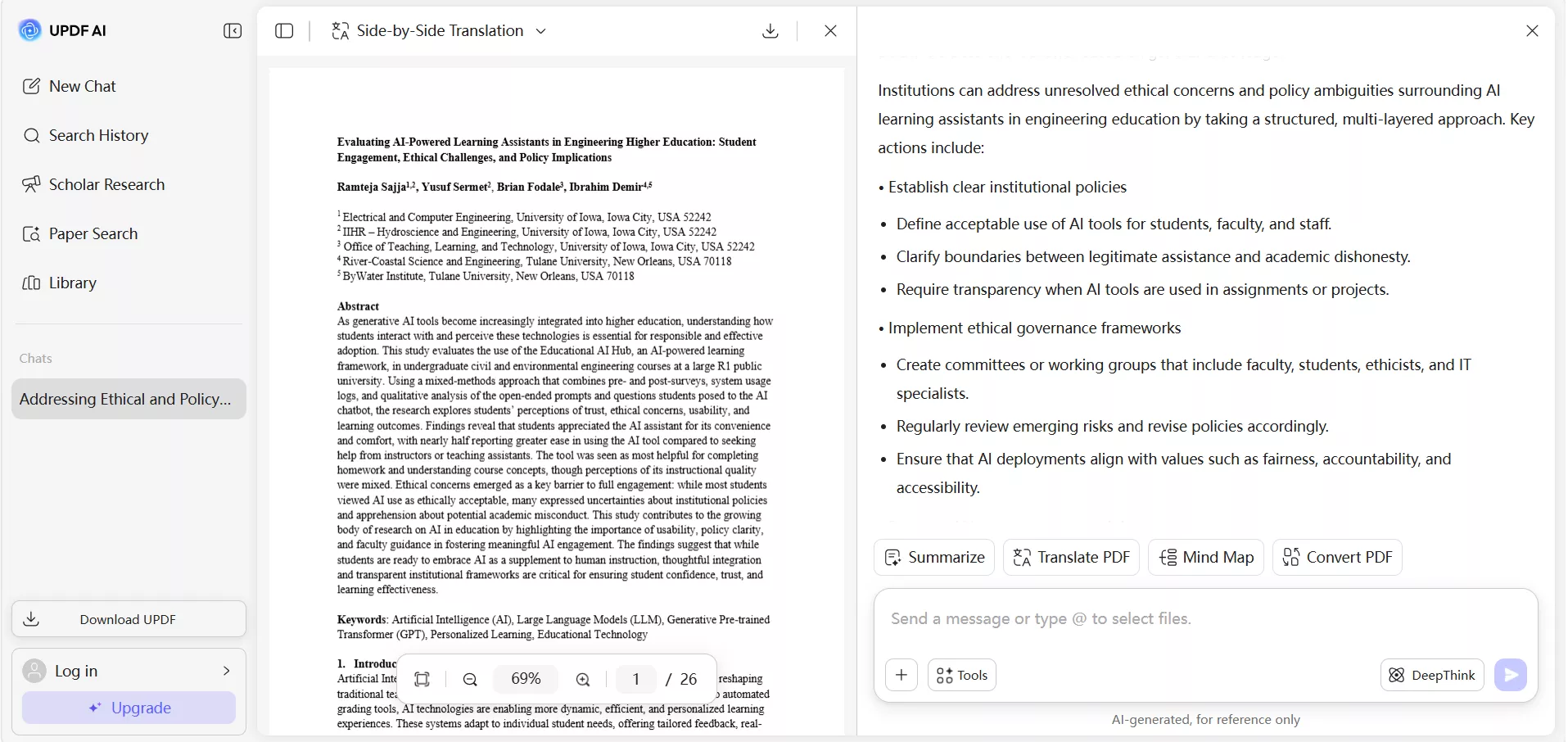
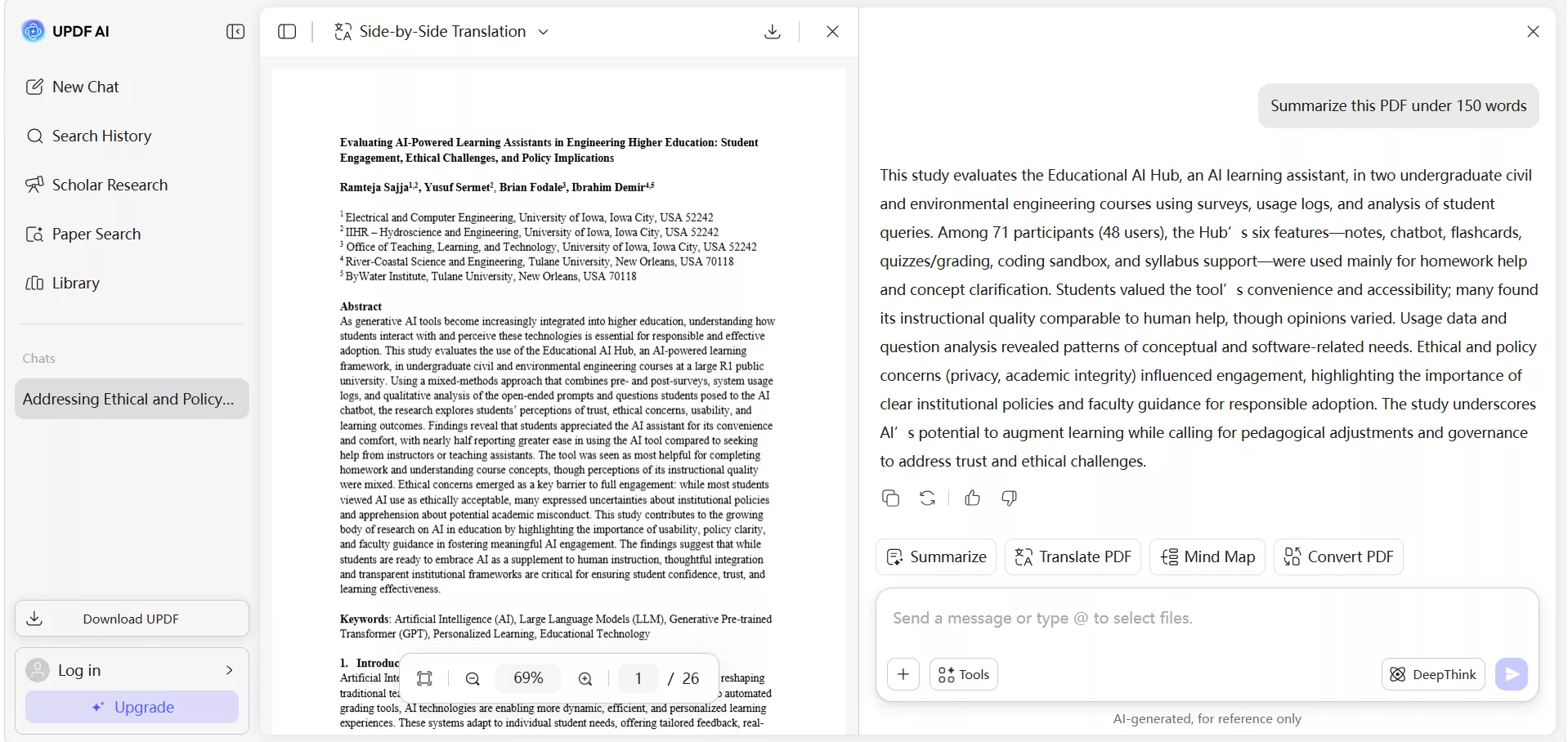
Next, I asked the AI to summarize the PDF in 150 words and got a complete summary.
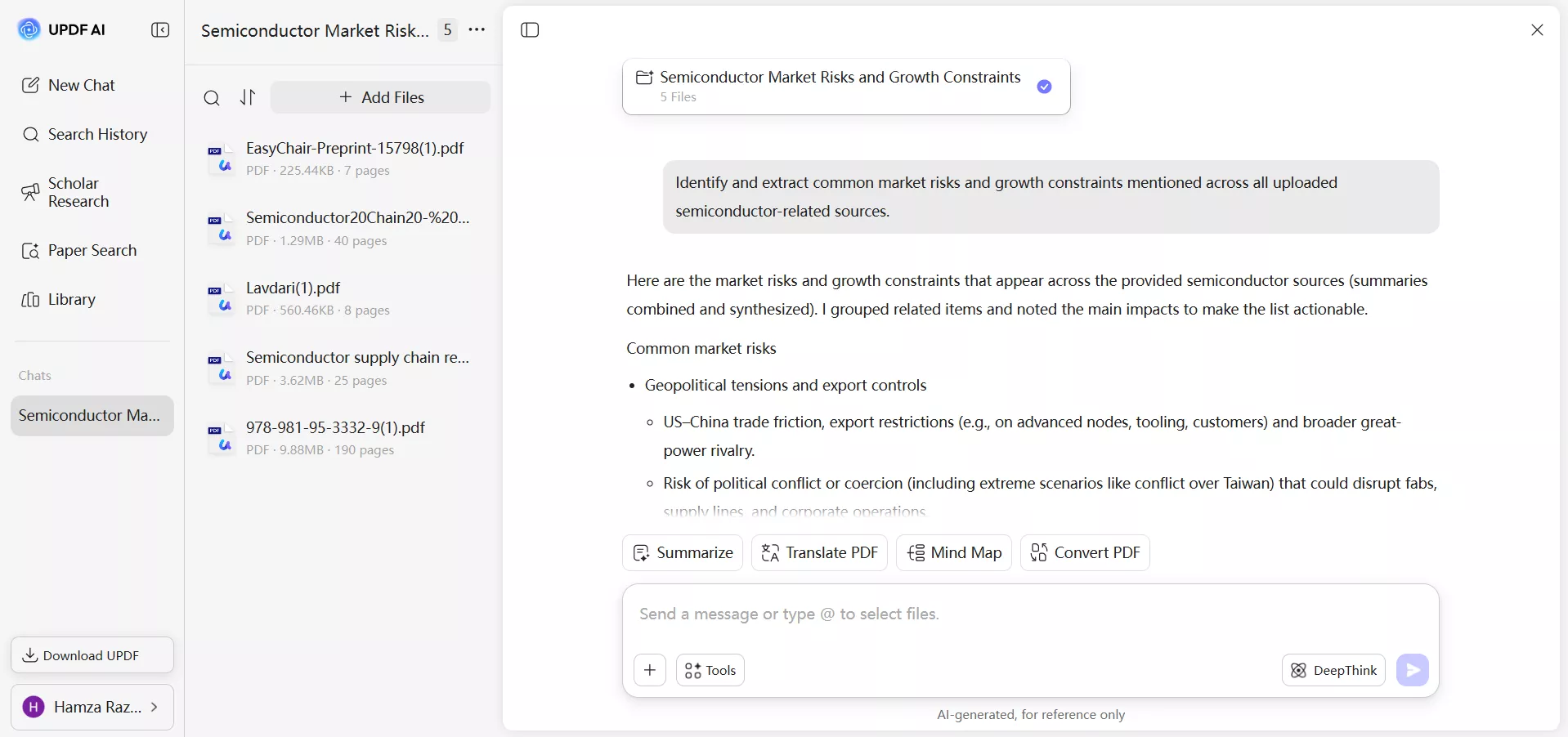
Similarly, I also tried doing multiple PDF chats with UPDF AI. I uploaded the PDFs and then asked questions. UPDF AI analyzed all the PDFs and gave to-the-point answers.
For SciSpace, I got a similar chatting experience. I used its "Chat with PDF" feature to ask questions and summarize the PDF. Similarly, it also supported multiple PDF chatting.
5. Visualizing Key Concepts
Another feature I found useful about UPDF AI is its PDF to mind map generation capability. I was able to get a visual overview of the entire PDF or specific pages, with key themes supporting evidence organized into a structured diagram.
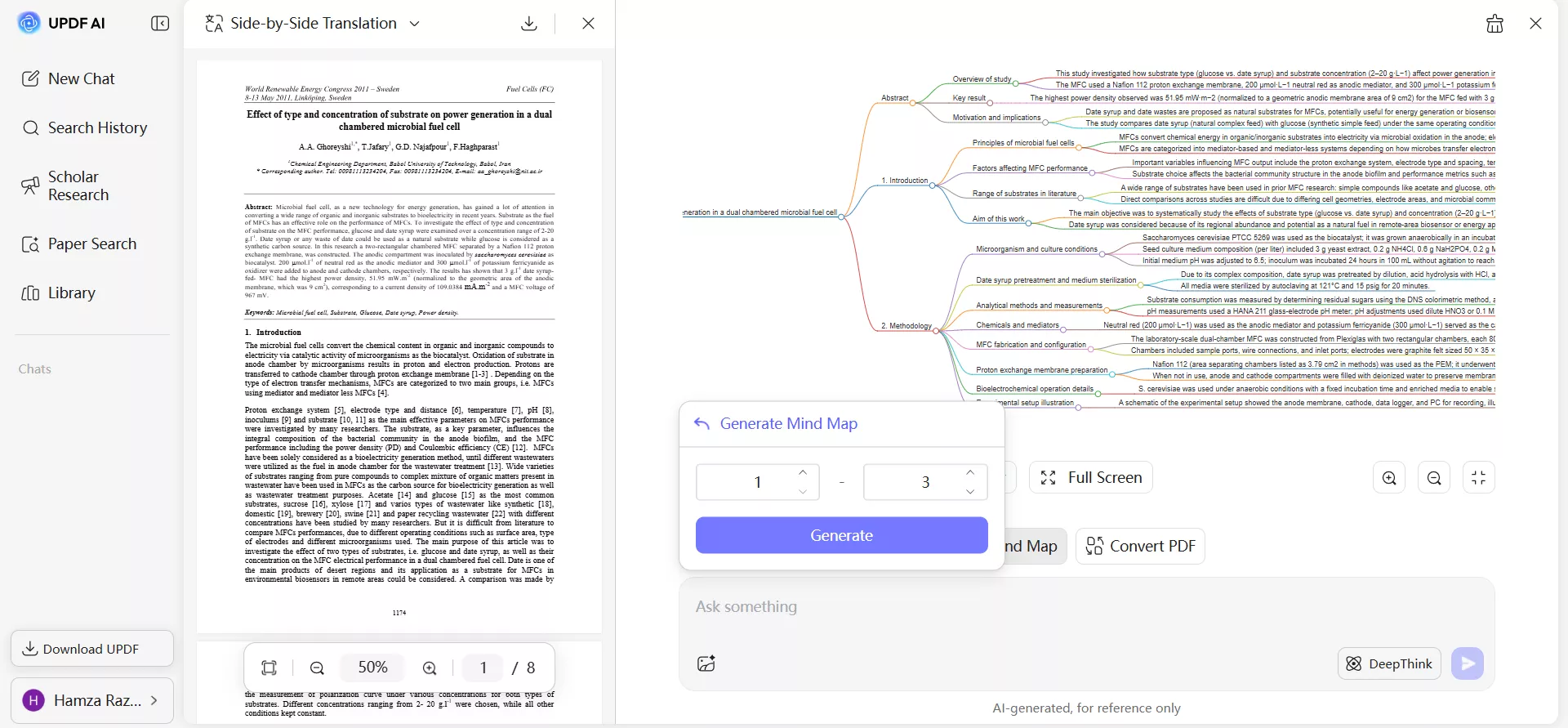
Unfortunately, SciSpace does not generate mind maps.
Pricing and Free Plan Comparison
UPDF AI and SciSpace are both offering free and paid access to their AI research agents.
UPDF AI Pricing
| Free Plan ($0/month) | Pro Plan ($29/quarter or $79/year) |
| 5 PDFs limit | Unlimited PDFs |
| 100 questions | Unlimited questions |
| 100 pages per PDF | Unlimited pages per PDF |
| 10MB per PDF | 2GB per PDF |
| 5 PDFs per collection | 100 PDFs per collection |
| 1GB cloud storage | 102GB cloud storage |
SciSpace Pricing
| Basic ($0/month) | Premium ($20/month or $144/year) | Advanced ($90/month or $840/year) |
| 100 credits per month | 1200 credits per month | 5500 credits per month |
| 1 parallel task | 2 parallel tasks | 4 parallel tasks |
| Standard model access only | High-quality model access | Deep review model access |
| Limited literature review search, chats with PDFs, paper summaries, etc. | Unlimited literature review search, chats with PDFs, paper summaries, etc. | Unlimited literature review search, chats with PDFs, paper summaries, etc. |
Looking at the pricing of UPDF AI vs SciSpace pricing, the choice depends on your usage requirements.
UPDF AI follows a capacity-based model. It expands document limits, file sizes, storage, and AI usage with the paid plan. This structure is useful for users who frequently analyze full research papers and want predictable access without tracking monthly credit consumption.
SciSpace uses a credit-based system in which AI interactions consume credits. Higher tiers increase both the number of credits and the sophistication of the model, which may appeal to users running multiple research queries or conducting complex literature-mapping tasks simultaneously.
Overall, UPDF AI is better suited for long-term academic users who need to perform frequent academic searches, pull literature reviews, and analyze individual PDFs. Its affordable quarterly/yearly plan and support for deeper scholarly research are handy for regular researchers. SciSpace may be more appropriate for occasional research needs, especially for users who prioritize structured literature comparisons, multi-task processing, or advanced model access for specific projects.
User Reviews and Ratings Overview
Feedback from academic communities suggests strong appreciation for each tool's strengths. Many UPDF AI users highlight its comprehensive PDF handling, interactive summaries, academic paper search, generation of cited literature reviews, and smooth questioning. They appreciate the convenience of integrating search, analysis, and visualization in one place. Users also value stability and productivity enhancements when dealing with large documents.
SciSpace users praise its clarity in extracting salient insights from complex academic texts. Particular emphasis is placed on its strong explanation capabilities, as it breaks down technical terminology and dense methodological sections into more digestible language. Custom column views and comparative tables are cited as time-savers when synthesizing findings across studies. Researchers working in early-stage exploration appreciate how SciSpace helps them uncover related studies and build contextual understanding.
Which One Should You Choose?
After a thorough UPDF AI vs SciSpace review, we arrive at the central question: which one should you choose? We cannot just declare one of them as a winner because they both are built around different academic priorities and research habits.
Choose UPDF AI if:
- You work with full academic PDFs and need deep interaction with documents.
- You want to build structured and citation-supported literature reviews from selected papers.
- You prefer a document-centered workflow that connects paper search, PDF chat, summarization, and visualization in one place.
- You conduct frequent academic research and need predictable access without managing monthly credits.
- You value cross-platform integration with desktop and mobile PDF tools.
Choose SciSpace if:
- You are in the early stages of research and want to explore a broad academic landscape.
- You prefer a credit-based system and occasionally run advanced research queries.
- You prioritize discovery and contextual understanding over deep PDF-centered workflows.
- You need strong explanation support for technical terms and unfamiliar methodologies.
The UPDF AI vs SciSpace decision is more about which aligns with your academic style. UPDF AI provides an ideal environment if your work revolves around structured document analysis and building literature reviews from selected PDFs. Similarly, SciSpace offers discovery-oriented capabilities if your focus is on exploration and explanation.
Conclusion
That's the wrap to our UPDF AI vs SciSpace comparison guide. We will invite you to definitely try the free version of UPDF AI Online and explore its features. If it fits your academic workflow, you can upgrade to the Pro plan and enjoy limitless access to the AI research agent.
No matter if you choose UPDF AI or SciSpace, always consider data security and privacy. UPDF AI protects your documents and data. They remain private and are not used to train models. This gives you confidence when working with sensitive academic content.
Note: The information on this page is based on UPDF writers' testing and publicly available product details at the time of writing. Features and pricing may change over time. If you notice any inaccuracies, please contact us at [email protected]


 Enya Moore
 Lizzy Lozano