UPDF
UPDF
 UPDF for Windows
 UPDF for Mac
 UPDF for iPhone/iPad
 UPDF for Android
 Nomostar
 UPDF AI Online
 UPDF Sign
 IvyCraft
 Edit PDF
 Annotate PDF
 Create PDF
 PDF Form
 Edit links
 Convert PDF
 OCR
OCR PDF to Word
 PDF to Image
 PDF to Excel
 Organize PDF
 Merge PDF
 Split PDF
 Crop PDF
 Rotate PDF
 Protect PDF
 Sign PDF
 Redact PDF
 Sanitize PDF
 Remove Security
 Read PDF
 UPDF Cloud
 Compress PDF
 Print PDF
 Batch Process
 About UPDF AI
 UPDF AI Solutions
 AI User Guide
 FAQ about UPDF AI
 Summarize PDF
 Translate PDF
 Chat with PDF
 Chat with AI
 Chat with image
 PDF to Mind Map
 Explain PDF
 PDF AI Tools
 Image AI Tools
 AI Chat Tools
 AI Writing Tools
 AI Study Tools
 AI Working Tools
 Other AI Tools
 AI Bookmark Generation
 AI Bookmark Summary
 AI Watermark Generation
 AI Background Generation
 AI Sticker Generation
 AI Stamp Generation
 AI Editing Suite
 UPDF Copilot
 AI Page Management
 AI Semantic Search
 PDF to Word
 PDF to Excel
 PDF to PowerPoint
 Enterprise Solution
 Enterprise Sign
 Enterprise AI
 Enterprise Plan
 Enterprise User Guide
 Enterprise Webinar
 IT
IT Education
 Construction
 Financial Service
 Healthcare
 Insurance
 Legal
Legal Manufacturing
 Government
 Researchers & PhDs
 Solopreneurs & Freelancers
 Lawyers & Legal Professionals
 Real Estate Agents & Brokers
 Education Solution
 Customer Stories
 User Guide
 UPDF Tricks
 FAQs
FAQs UPDF Reviews
 Download Center
 Blog
Blog Newsroom
 Tech Spec
 Updates
 UPDF vs. Adobe Acrobat
 UPDF vs. Foxit
 UPDF vs. PDF Expert

 UPDF AI
Free Online AI Introduction Generator
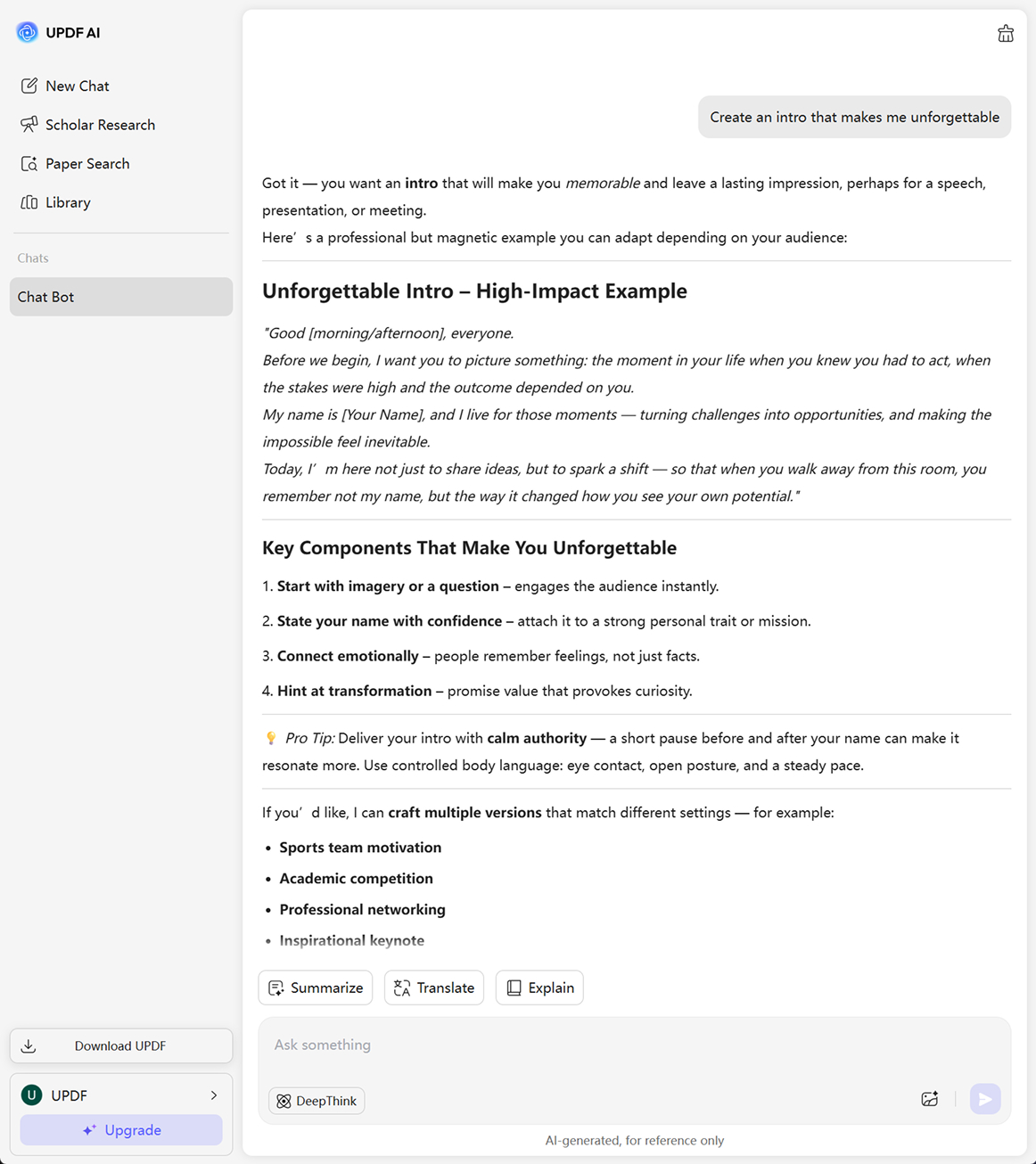
Turn first impressions into lasting impact with the Free AI Introduction Generator. Give prompts like ”Create an intro that makes me unforgettable” or “Write a strong opener for my brand,” and get powerful introductions crafted in seconds.
Powered by
 GPT-5 |
 DeepSeek R1
5000+ Reviews
 4.8
4.8
UPDF AI available on


 Desktop & mobile app

5M+ Users, 10M+ Introductions Generated, Trusted by Leading Medias:






How to Use UPDF AI Introduction Generator Online for Free?
-
Step 1. Write your prompt—tell UPDF AI what the introduction is for (resume, profile, social media, business), the tone you prefer (professional, friendly, bold, creative), and key details about yourself or your project—so it can craft the exact style you want.
-
Step 2. Choose the AI model that suits your style.
- GPT-5 for polished, natural, and professional-sounding introductions
- Deepthink (Deepseek R1) — Deep Thinking Mode for more analytical, structured, and detail-focused results -
Step 3. Click “Send” and get your introduction instantly.

Who Should Use UPDF AI Introduction Generator?
SEO Specialists
Perfect for writing optimized author bios, brand introductions, landing page descriptions, and content intros. This Free AI Introduction Generator helps marketers produce keyword-rich intros that support search visibility and enhance brand credibility.

Students
Create academic bios, project introductions, and internship applications with ease. Using the AI bio generator, students can convert simple information into confident, well-crafted introductions.

Founders
Perfect for crafting vision-driven founder bios for websites, investor decks, PR materials, and personal branding. The tool helps articulate mission, background, and leadership style with authority.

Why Use UPDF AI Introduction Generator?
All-in-One Editing and AI
UPDF is not just an AI tool — it’s a complete editor. You can create, refine, style, and finalize your introduction directly inside UPDF, then export to PDF, Word, Execl, or share instantly. No switching tools, no broken formatting, no friction.
Supports Multiple Content Types
UPDF AI Introduction Generator isn’t limited to personal bios. It can create engaging introductions for articles, reports, presentations, speeches, and social media posts, tailoring each intro to the context and helping you capture your audience’s attention instantly.
Avoid Generic
Create authentic introductions that truly reflect your voice. Add your ideas, examples, or background notes, and UPDF AI transforms them into fresh, original content. Unique intros build credibility and make your message stand out—something UPDF AI delivers effortlessly.
UPDF AI vs. Other AI Introduction Generators
UPDF AI Introduction Generator
Other AI Introduction Generators
Free
100 questions
2 questions
Creative Results
Human-like, engaging, context-aware
Conventional
Language Supported
100+ languages
No more than 30 languages
Relevance
Context-aware; matches article content
Sometimes off-topic or generic
AI Model Updates
Timely
Behind/Undisclosed
Clean Interface

Full of ads
Platform Supported
Online, Windows, Mac, Android, iOS
Online
FAQs About Using UPDF AI Introduction Generator
Q1. What makes a good introduction?
Q2. Is the introduction generator safe and reliable?
Q3. Can I use the introduction generator for free?
Other Popular UPDF AI Tools