UPDF
UPDF
 UPDF for Windows
 UPDF for Mac
 UPDF for iPhone/iPad
 UPDF for Android
 Nomostar
 UPDF AI Online
 UPDF Sign
 IvyCraft
 Edit PDF
 Annotate PDF
 Create PDF
 PDF Form
 Edit links
 Convert PDF
 OCR
OCR PDF to Word
 PDF to Image
 PDF to Excel
 Organize PDF
 Merge PDF
 Split PDF
 Crop PDF
 Rotate PDF
 Protect PDF
 Sign PDF
 Redact PDF
 Sanitize PDF
 Remove Security
 Read PDF
 UPDF Cloud
 Compress PDF
 Print PDF
 Batch Process
 About UPDF AI
 UPDF AI Solutions
 AI User Guide
 FAQ about UPDF AI
 Summarize PDF
 Translate PDF
 Chat with PDF
 Chat with AI
 Chat with image
 PDF to Mind Map
 Explain PDF
 PDF AI Tools
 Image AI Tools
 AI Chat Tools
 AI Writing Tools
 AI Study Tools
 AI Working Tools
 Other AI Tools
 AI Bookmark Generation
 AI Bookmark Summary
 AI Watermark Generation
 AI Background Generation
 AI Sticker Generation
 AI Stamp Generation
 AI Editing Suite
 UPDF Copilot
 AI Page Management
 AI Semantic Search
 PDF to Word
 PDF to Excel
 PDF to PowerPoint
 Enterprise Solution
 Enterprise Sign
 Enterprise AI
 Enterprise Plan
 Enterprise User Guide
 Enterprise Webinar
 IT
IT Education
 Construction
 Financial Service
 Healthcare
 Insurance
 Legal
Legal Manufacturing
 Government
 Researchers & PhDs
 Solopreneurs & Freelancers
 Lawyers & Legal Professionals
 Real Estate Agents & Brokers
 Education Solution
 Customer Stories
 User Guide
 UPDF Tricks
 FAQs
FAQs UPDF Reviews
 Download Center
 Blog
Blog Newsroom
 Tech Spec
 Updates
 UPDF vs. Adobe Acrobat
 UPDF vs. Foxit
 UPDF vs. PDF Expert

 UPDF AI
Chat with Multiple PDF Files Free Online
Use UPDF AI to chat with multiple PDFs to streamline your workflow—ask questions, find answers, and link ideas across files. Ideal for research, projects, or study sessions needing quick multi-document insights.
Powered by
 GPT-5 |
 DeepSeek R1
5000+ Reviews
 4.8
4.8
UPDF AI available on


 Desktop & mobile app

4M+ Users, 6M+ PDF Insights Created, Trusted by Leading Medias:






How to Chat with Multiple PDF Files with UPDF AI Online for free?
-
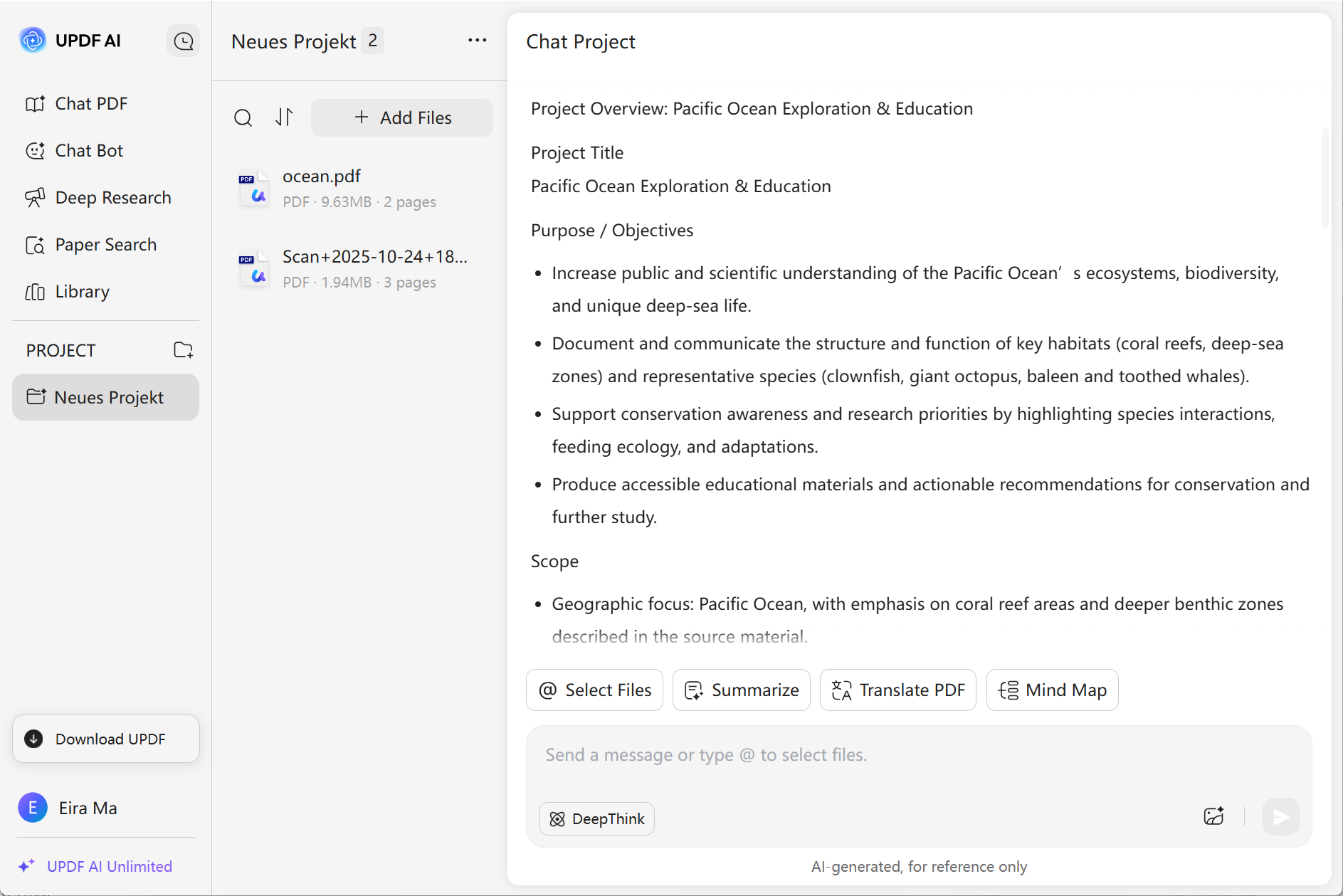
Click “New Project” in the PROJECT section to initiate a workspace, then upload multiple PDFs via the “Upload Multiple Files” dropdown. Once uploaded, click “Start Chat with Project” to open the chat interface.
-
UPDF AI will then instantly analyzes all uploaded PDFs, extracts key insights, and auto-generates a structured Project Overview.
-
You can then analyze contents, utilize tools like “Summarize,” “Translate PDF”, “Mind Map,” or enter a prompt in the text box to ask PDF and click “DeepThink” for deeper insights.

Where UPDF AI Excels in Chatting with Multiple PDF Files?
Academic Research
Researchers juggling dozens of papers (e.g., journal articles, theses) can instantly ask cross-document questions without manual flipping. Saves hours of reading while ensuring no critical detail is missed.

Legal & Contract Analysis
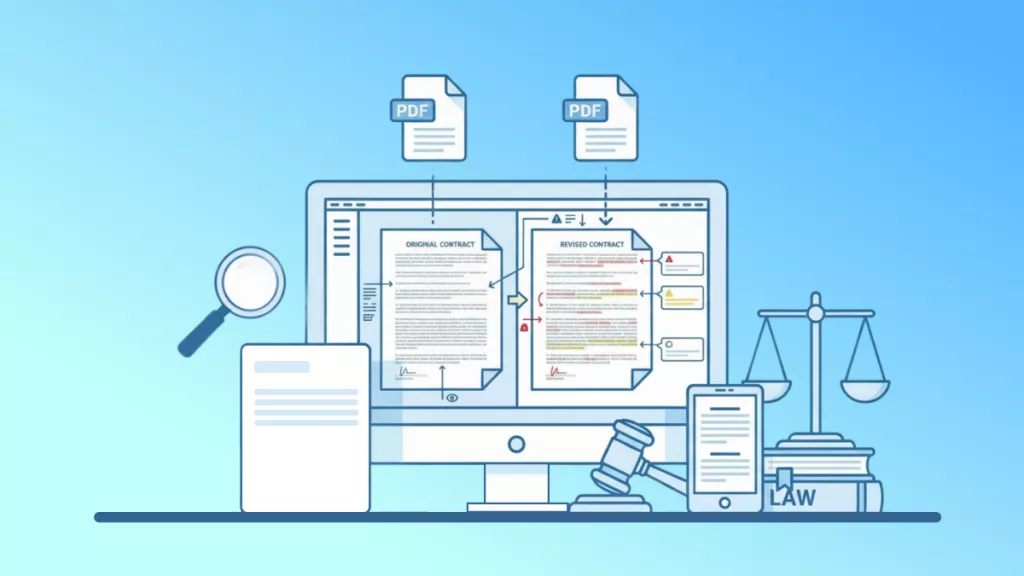
Lawyers or corporate teams handling multiple contracts/policy documents can query UPDF AI to pinpoints discrepancies, extracts clauses by keyword, and summarizes risks. Reduces human error in reviewing dense legal texts and accelerates decision-making.

Business & Market Intelligence
Teams analyzing industry reports, competitor whitepapers, and market data PDFs can use UPDF AI to consolidates scattered insights and generates actionable summaries. Turns fragmented documents into a strategic knowledge base for faster, data-driven choices.

Why Use UPDF AI to Chat with Multiple PDF Files?
Multi-PDF Context Awareness
Unlike basic AI chatbots that process files one at a time (or fail to retain cross-file context), UPDF AI simultaneously analyzes multiple uploaded PDFs, understanding how information connects across documents.
Project-Based Workflow
UPDF AI lets you create a dedicated “project” for a set of PDFs, enabling continuous dialogue. You can revisit the same files later, ask follow-up questions, and track insights over time.
No Ads, Just Insights
Dive into a distraction-free workspace where you can chat with multiple PDFs, uncover hidden connections, and generate insights — effortlessly and ad-free.
UPDF AI vs. Other AI tools
UPDF AI
Other AI Tools
Multi-PDF Simultaneous Analysis


Select File to Chat
Limited
ChatGPT-5 & Deepseek R1
Zero-Upload Repetition
Free to Use
Ad-Free, Distraction-Free UI
FAQs for Chatting with Multiple PDF Files Using UPDF AI
1. Can I revisit and continue chatting with the same PDFs in a future session?
2. Do I need to organize or rename my PDFs before uploading them for chat?
3. What types of PDFs can I upload for multi-PDF chat?
4. Can I use UPDF AI Chat with Multiple PDF Files for free?
Other Popular UPDF AI Tools