UPDF
UPDF
 UPDF for Windows
 UPDF for Mac
 UPDF for iPhone/iPad
 UPDF for Android
 Nomostar
 UPDF AI Online
 UPDF Sign
 IvyCraft
 Edit PDF
 Annotate PDF
 Create PDF
 PDF Form
 Edit links
 Convert PDF
 OCR
OCR PDF to Word
 PDF to Image
 PDF to Excel
 Organize PDF
 Merge PDF
 Split PDF
 Crop PDF
 Rotate PDF
 Protect PDF
 Sign PDF
 Redact PDF
 Sanitize PDF
 Remove Security
 Read PDF
 UPDF Cloud
 Compress PDF
 Print PDF
 Batch Process
 About UPDF AI
 UPDF AI Solutions
 AI User Guide
 FAQ about UPDF AI
 Summarize PDF
 Translate PDF
 Chat with PDF
 Chat with AI
 Chat with image
 PDF to Mind Map
 Explain PDF
 PDF AI Tools
 Image AI Tools
 AI Chat Tools
 AI Writing Tools
 AI Study Tools
 AI Working Tools
 Other AI Tools
 AI Bookmark Generation
 AI Bookmark Summary
 AI Watermark Generation
 AI Background Generation
 AI Sticker Generation
 AI Stamp Generation
 AI Editing Suite
 UPDF Copilot
 AI Page Management
 AI Semantic Search
 PDF to Word
 PDF to Excel
 PDF to PowerPoint
 Enterprise Solution
 Enterprise Sign
 Enterprise AI
 Enterprise Plan
 Enterprise User Guide
 Enterprise Webinar
 IT
IT Education
 Construction
 Financial Service
 Healthcare
 Insurance
 Legal
Legal Manufacturing
 Government
 Researchers & PhDs
 Solopreneurs & Freelancers
 Lawyers & Legal Professionals
 Real Estate Agents & Brokers
 Education Solution
 Customer Stories
 User Guide
 UPDF Tricks
 FAQs
FAQs UPDF Reviews
 Download Center
 Blog
Blog Newsroom
 Tech Spec
 Updates
 UPDF vs. Adobe Acrobat
 UPDF vs. Foxit
 UPDF vs. PDF Expert

 UPDF AI
Free Online AI for Analyzing Financial Statements
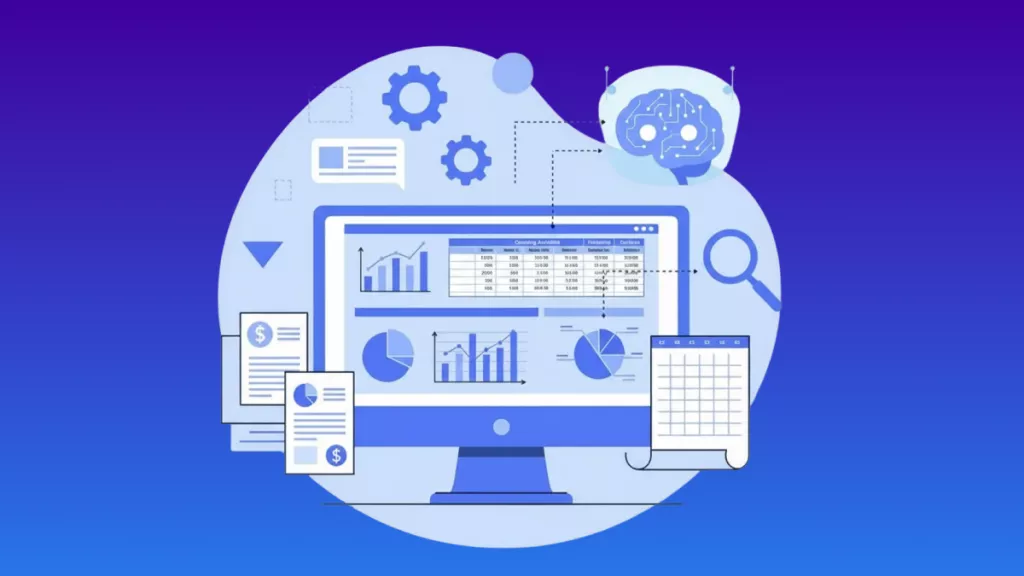
Type “Analysis financial statements”, upload a PDF or screenshot, and UPDF AI will instantly extract key metrics and insights in seconds.
Powered by
 GPT-5 |
 DeepSeek R1
5000+ Reviews
 4.8
4.8
UPDF AI available on


 Desktop & mobile app

4M+ Users, 15M+ Financial Statements Analyzed, Trusted by Leading Medias:






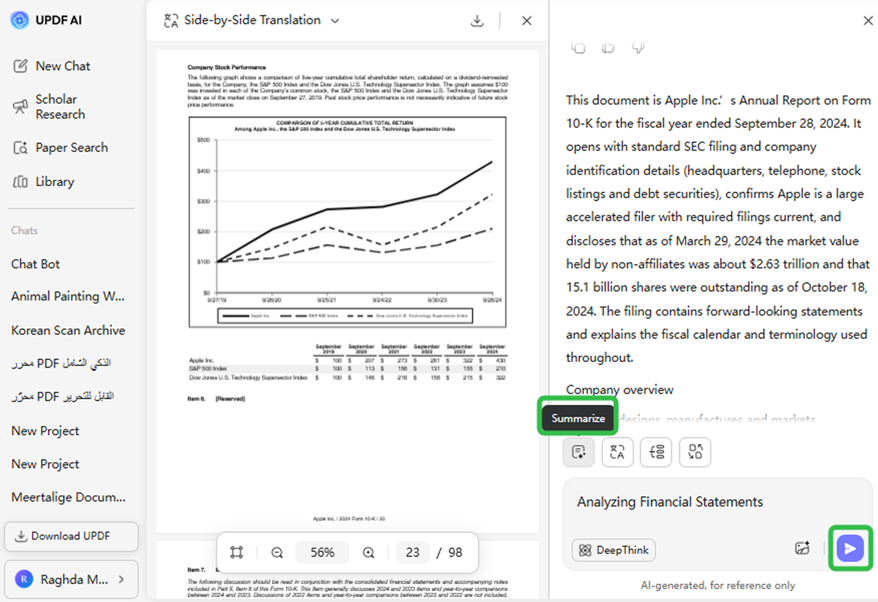
How to Use UPDF AI for Analyzing Financial Statements?
-
Prepare Your Document: Upload your PDF financial report or screenshots of your data (for other Other formats, convert them to PDF using UPDF before uploading).
-
Choose AI Mode: Use GPT-5 for fast, accurate insights or DeepSeek R1 for more detailed, scenario-based analysis to interpret financial data and uncover trends, risks, and opportunities.
-
Get Results Instantly: Enter "Analyzing Financial Statements" or request a summary report, and UPDF AI will generate clear, actionable insights in seconds.

Practical Scenarios with UPDF AI in Analyzing Financial Statements
Investor Insights
Quickly evaluate a company’s financial health by analyzing income statements, balance sheets, and cash flow reports, helping investors make informed decisions.

Internal Financial Review
Enable finance teams to efficiently analyze financial reports, track trends, and identify risks or anomalies across departments without manual spreadsheet work.

Executive Decision-Making
Support C-suite executives in interpreting financial data and generating concise summary reports for strategic planning and performance evaluation.

Benefits of UPDF AI in Analyzing Financial Statements
Batch Processing
Process multiple files at once and generate insights efficiently. This streamlines your workflow, making it easy to compare data and extract key metrics.
Flexible customization
Focus on the metrics that matter most, such as cost structures, revenue growth, working capital, or debt management. UPDF AI tailors the analysis to highlight key insights.
Multilingual Support
Analyze financial statements in any language, with UPDF AI delivering accurate insights across international documents. Perfect for global teams and cross-border financial analysis.
UPDF AI Analyzer vs. Other AI Analyzers
UPDF AI Analyzer
Other AI Analyzers
Free

Upload Pictures

GPT-5
GPT-4o
Ad-free Experience
Automatic OCR
Platform Supported
Online, Windows, macOS, iOS, Android
Online
UPDF AI for Analyzing Financial Statements FAQs
1. What is the best way to analyze financial statements?
2.Can UPDF AI analyze a balance sheet?
3. Is My Financial Data Safe with UPDF AI?
4. Can I always use UPDF AI Fiverr Description Generator for free?
Other Popular UPDF AI Tools