UPDF
UPDF
 UPDF for Windows
 UPDF for Mac
 UPDF for iPhone/iPad
 UPDF for Android
 Nomostar
 UPDF AI Online
 UPDF Sign
 IvyCraft
 Edit PDF
 Annotate PDF
 Create PDF
 PDF Form
 Edit links
 Convert PDF
 OCR
OCR PDF to Word
 PDF to Image
 PDF to Excel
 Organize PDF
 Merge PDF
 Split PDF
 Crop PDF
 Rotate PDF
 Protect PDF
 Sign PDF
 Redact PDF
 Sanitize PDF
 Remove Security
 Read PDF
 UPDF Cloud
 Compress PDF
 Print PDF
 Batch Process
 About UPDF AI
 UPDF AI Solutions
 AI User Guide
 FAQ about UPDF AI
 Summarize PDF
 Translate PDF
 Chat with PDF
 Chat with AI
 Chat with image
 PDF to Mind Map
 Explain PDF
 PDF AI Tools
 Image AI Tools
 AI Chat Tools
 AI Writing Tools
 AI Study Tools
 AI Working Tools
 Other AI Tools
 AI Bookmark Generation
 AI Bookmark Summary
 AI Watermark Generation
 AI Background Generation
 AI Sticker Generation
 AI Stamp Generation
 AI Editing Suite
 UPDF Copilot
 AI Page Management
 AI Semantic Search
 PDF to Word
 PDF to Excel
 PDF to PowerPoint
 Enterprise Solution
 Enterprise Sign
 Enterprise AI
 Enterprise Plan
 Enterprise User Guide
 Enterprise Webinar
 Banking
 Healthcare
 Insurance
 Legal
Legal Manufacturing
 Government
 Researchers & PhDs
 Solopreneurs & Freelancers
 Lawyers & Legal Professionals
 Real Estate Agents & Brokers
 Education Solution
 Customer Stories
 User Guide
 UPDF Tricks
 FAQs
FAQs UPDF Reviews
 Download Center
 Blog
Blog Newsroom
 Tech Spec
 Updates
 UPDF vs. Adobe Acrobat
 UPDF vs. Foxit
 UPDF vs. PDF Expert

 UPDF AI
Free Online AI AMA Citation Generator
Powered by ChatGPT-5 and DeepSeek R1, the UPDF AI AMA Citation Generator quickly produces accurate AMA-style citations — including in-text references and full reference entries — for journals, books, and more. Just enter your source details and click “Generate” to get ready-to-use citations.
Powered by
 GPT-5 |
 DeepSeek R1
5000+ Reviews
 4.8
4.8
UPDF AI available on


 Desktop & mobile app

4M+ Users, 14M+ AMA Citations Generated, Trusted by Leading Medias:






How to Use UPDF AI AMA Citation Generator
Online for Free?
-
Step 1: Enter Your Source Information
Provide the details of your source, such as author, title, journal/book name, year, volume, issue, and page numbers. -
Step 2: Instruct the AI
Tell the AI to generate the citation in AMA format. -
Step 3: Click “Generate”
Press the Generate button, and the AI will instantly create a precise, ready-to-use AMA citation. -
Step 4: Copy Your Citation
Once generated, you can copy the citation to your document for later use. -
Step 5 (Optional): Generate Multiple Citations
Repeat the steps to create citations for additional sources quickly and efficiently.

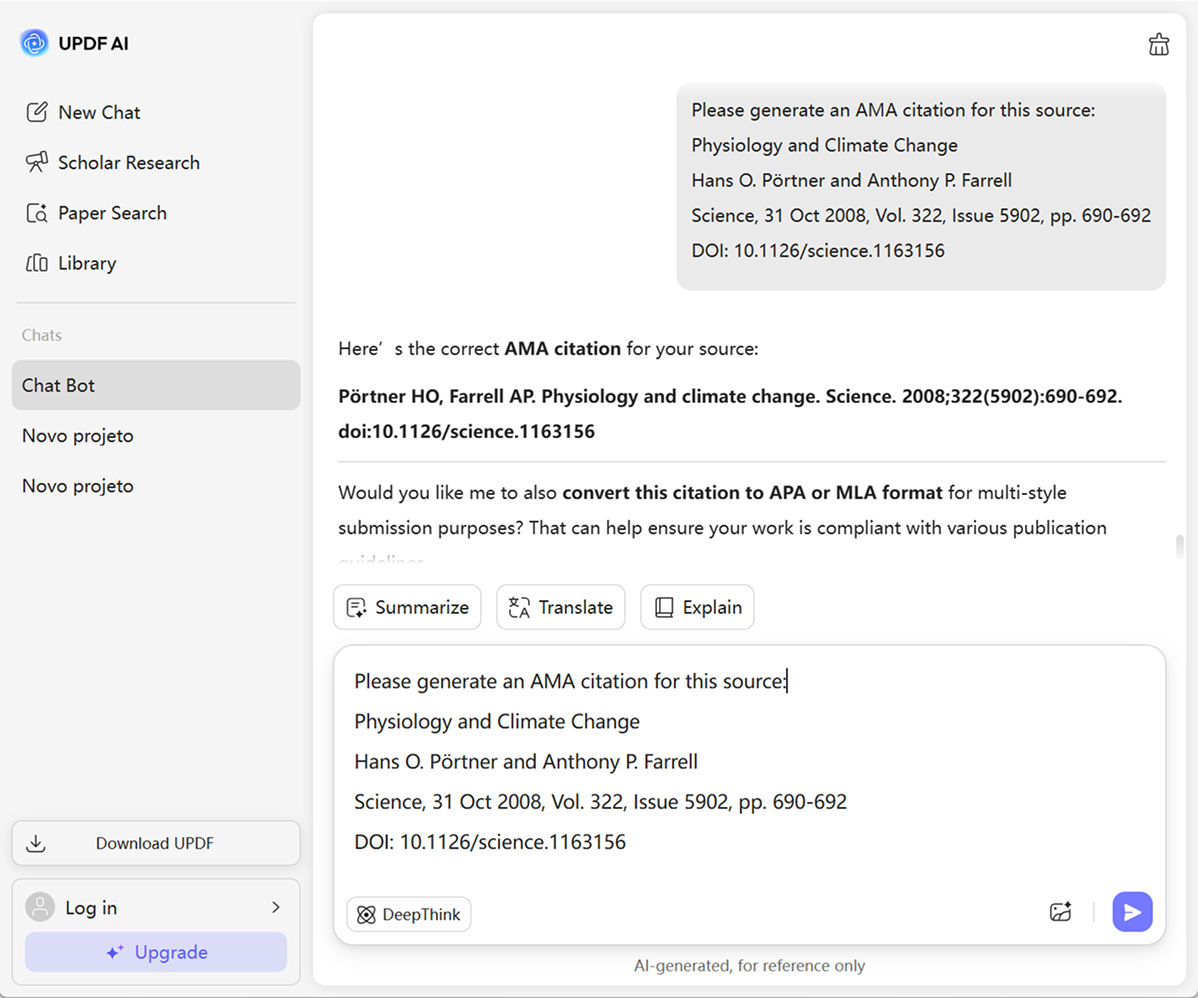
Example of Using UPDF AI AMA Citation Generator
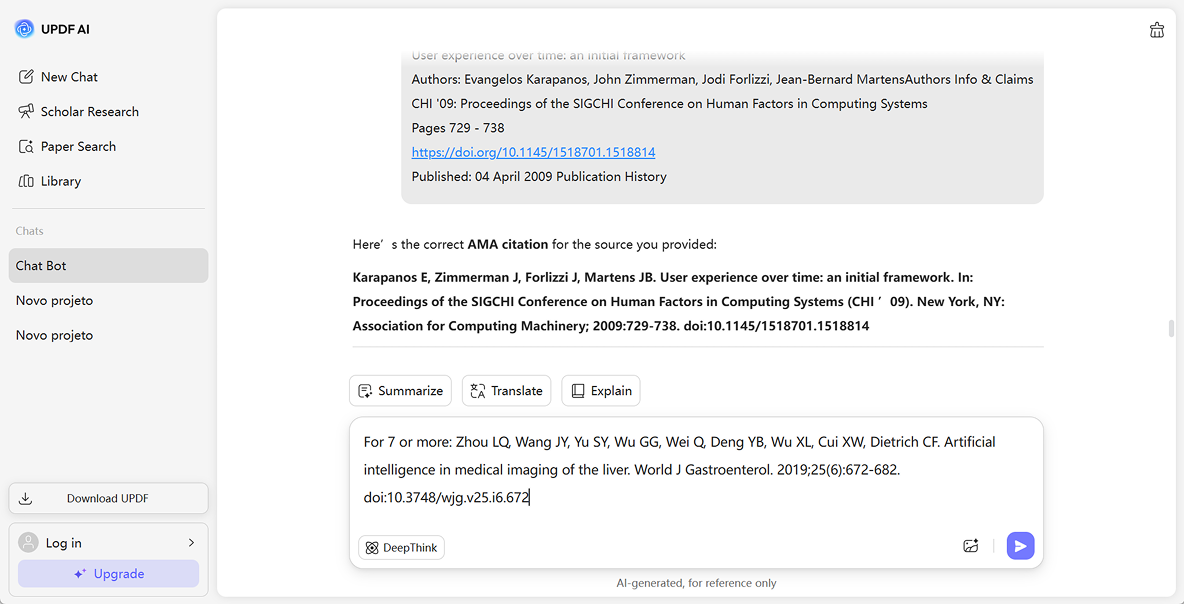
Multiple Authors
AMA guidelines specify listing up to six authors. For seven or more, list the first three followed by et al. This applies to both in-text citations and reference lists.
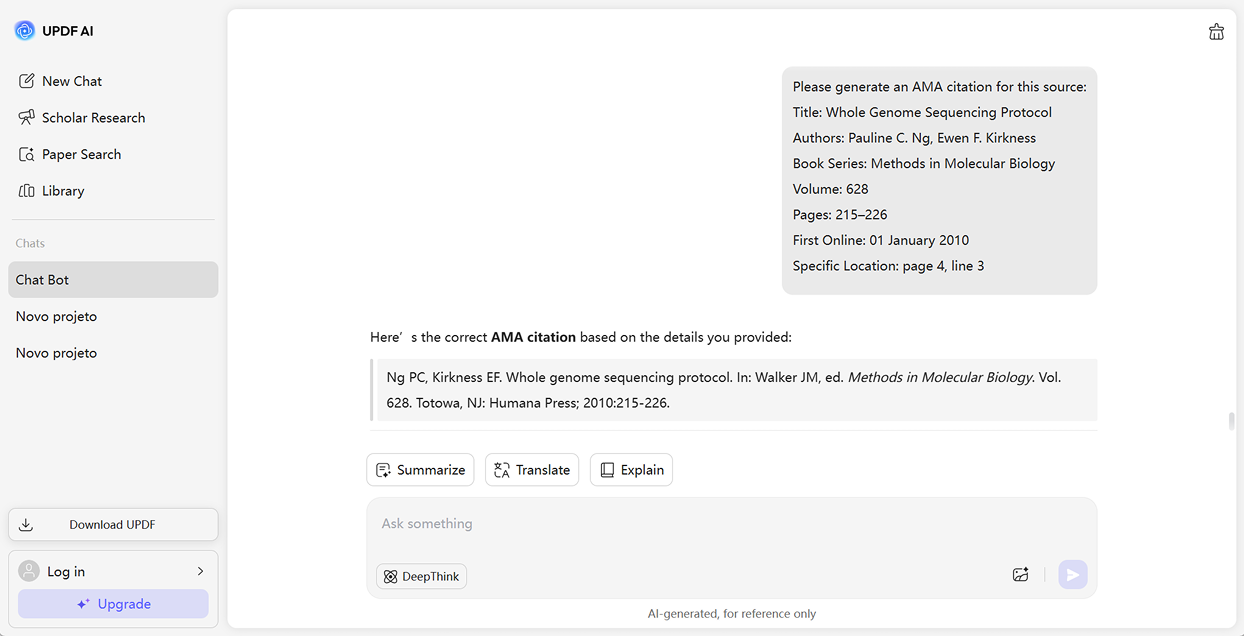
Books
Books provide foundational knowledge. An AMA-style citation example emphasizes the author’s name, the book title in italics, the edition (if not the first), the publisher, and the year.
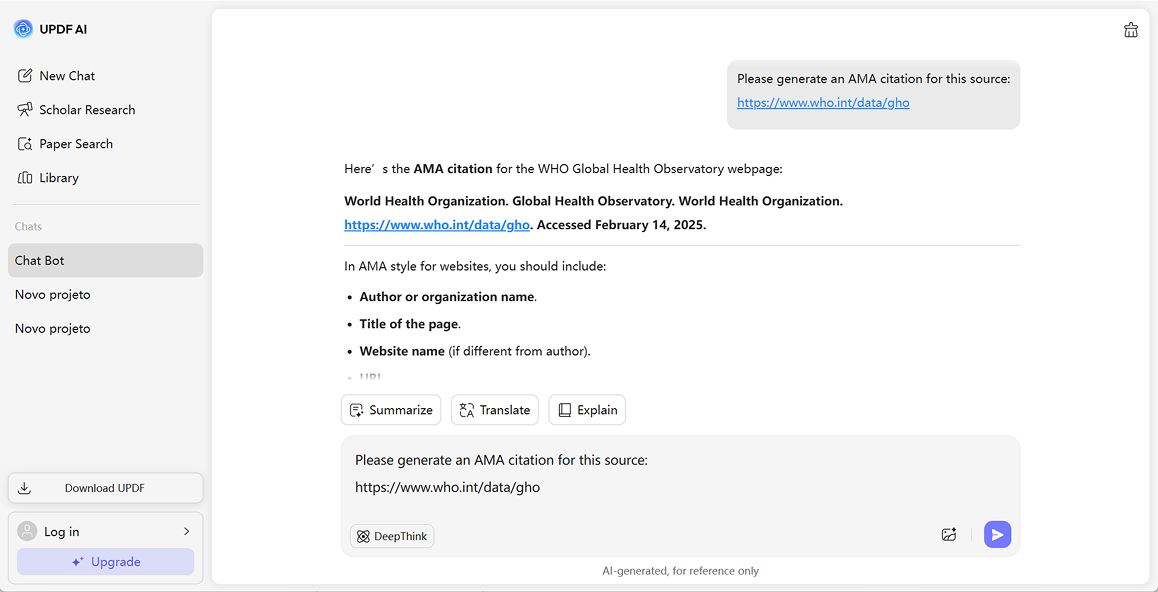
Online Resources
Websites should be cited similarly to print sources but include [Internet] and the access date if no publication date is provided. Always include the URL or DOI.
Why Use UPDF AI AMA Citation Generator?
Generate Citations in Seconds
Remember spending ages checking style guides and double-checking punctuation? Those days are over! In just seconds, our generator can create perfect AMA citations. Enter your source, click a button, and your citation is ready to copy instantly.
Adjust Anytime with Ease
The AMA citation generator is flexible: you can update your source information, edit details, or switch formats anytime. Your progress is saved automatically, but we recommend logging in or creating an account to keep all your citations organized and accessible.
Multiple Input Options for Convenience
Whether you have a book ISBN, article DOI, website URL, or just the title, our tool has you covered. Enter whatever information you have, and in seconds, get accurate AMA citations—saving time and making referencing effortless.
UPDF AI AMA Citation Generator vs. Others
UPDF AI AMA Citation Generator
Others
Free

Language Supported
100+
20+
AI Models
ChatGPT-5 & DeepSeek R1
ChatGPT-5
Number Of Outputs
Free version: 100 prompts
Free version: 2 prompts
Ads Included
No Ads — Clean Interface
Ads displayed
Platform Supported
Online, Windows, Mac, Android, iOS
Online
Citation Format Support
Multiple Formats Supported
AMA Only
Bulk Citation Generation

FAQs About Using UPDF AI AMA Citation Generator
1. Can you generate citations in APA/MLA/Chicago formats?
2. What types of sources can I cite using the AMA Citation Generator?
3. Are the AMA citations generated by UPDF AI accurate?
4. Is the UPDF AI AMA Citation Generator free?
Other Popular UPDF AI Tools