UPDF
UPDF
 UPDF for Windows
 UPDF for Mac
 UPDF for iPhone/iPad
 UPDF for Android
 UPDF AI Online
 UPDF Sign
 Edit PDF
 Annotate PDF
 Create PDF
 PDF Form
 Edit links
 Convert PDF
 OCR
OCR PDF to Word
 PDF to Image
 PDF to Excel
 Organize PDF
 Merge PDF
 Split PDF
 Crop PDF
 Rotate PDF
 Protect PDF
 Sign PDF
 Redact PDF
 Sanitize PDF
 Remove Security
 Read PDF
 UPDF Cloud
 Compress PDF
 Print PDF
 Batch Process
 About UPDF AI
 UPDF AI Solutions
 AI User Guide
 FAQ about UPDF AI
 Summarize PDF
 Translate PDF
 Chat with PDF
 Chat with AI
 Chat with image
 PDF to Mind Map
 Explain PDF
 Scholar Research
 Paper Search
 AI Proofreader
 AI Writer
 AI Homework Helper
 AI Quiz Generator
 AI Math Solver
 PDF to Word
 PDF to Excel
 PDF to PowerPoint
 Enterprise Solution
 Enterprise Sign
 Enterprise AI
 Enterprise Plan
 Enterprise User Guide
 Enterprise Webinar
 Banking
 Healthcare
 Insurance
 Legal
Legal Manufacturing
 Government
 Education Solution
 Customer Stories
 User Guide
 UPDF Tricks
 FAQs
FAQs UPDF Reviews
 Download Center
 Blog
Blog Newsroom
 Tech Spec
 Updates
 UPDF vs. Adobe Acrobat
 UPDF vs. Foxit
 UPDF vs. PDF Expert


In 2026, the physical lab notebook is rapidly becoming a relic as global data integrity mandates accelerate the shift toward Electronic Lab Notebooks. Laboratories are now required to maintain accurate, traceable, and audit-ready records, making digital documentation essential.
A truly digital lab relies on two key elements: a robust ELN system to securely store and manage experimental data, and a versatile PDF architect like UPDF to refine, annotate, and share that information. Before diving into the ELN reviews, you can download UPDF for a free trial to see how it can instantly digitize your legacy paper notes via OCR and support electronic lab notebook workflows.
Windows • macOS • iOS • Android 100% secure
Part 1. Top 4 Electronic Lab Notebooks for 2026
Choosing the right ELN is about matching your lab's specific "Data DNA" with the right solution. Based on user feedback and industry compliance standards in 2026, these four platforms stand out:
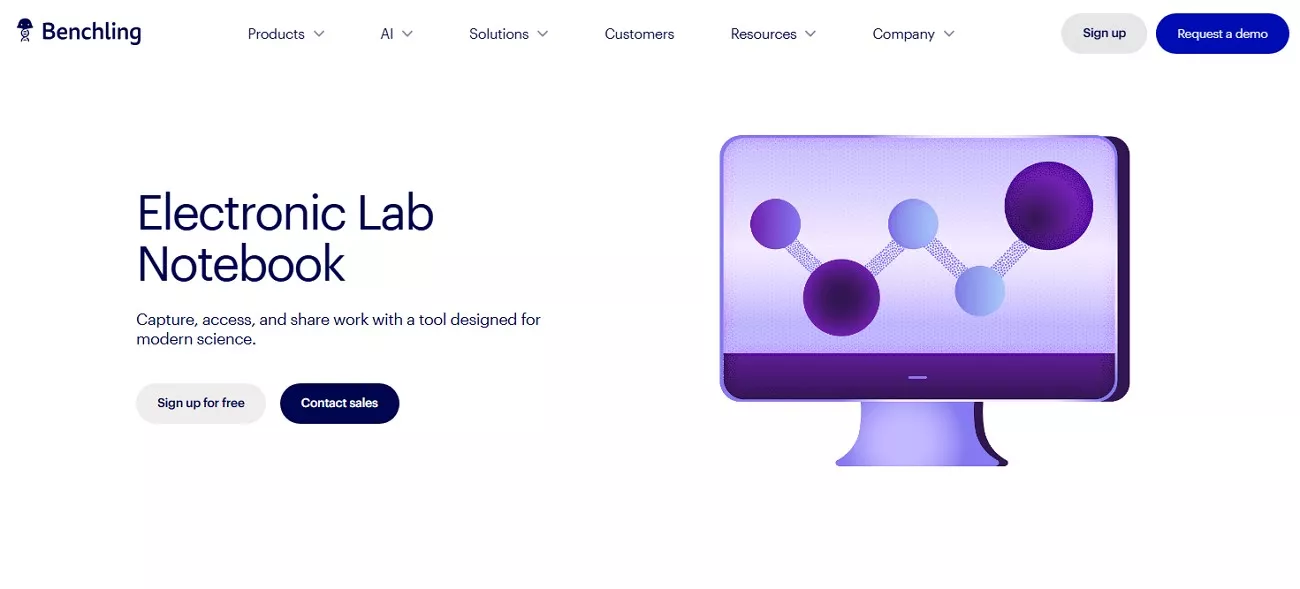
1. Benchling
Benchling remains the industry leader for biotech and molecular biology. It's not just a notebook; it's a unified R&D platform that integrates DNA/RNA design tools directly into your experimental entries.
- Best For: Fast-moving biotech startups and data-intensive molecular research.
- Key Advantage: Seamless synchronization between biological sequences and experimental results.
2. eLabFTW
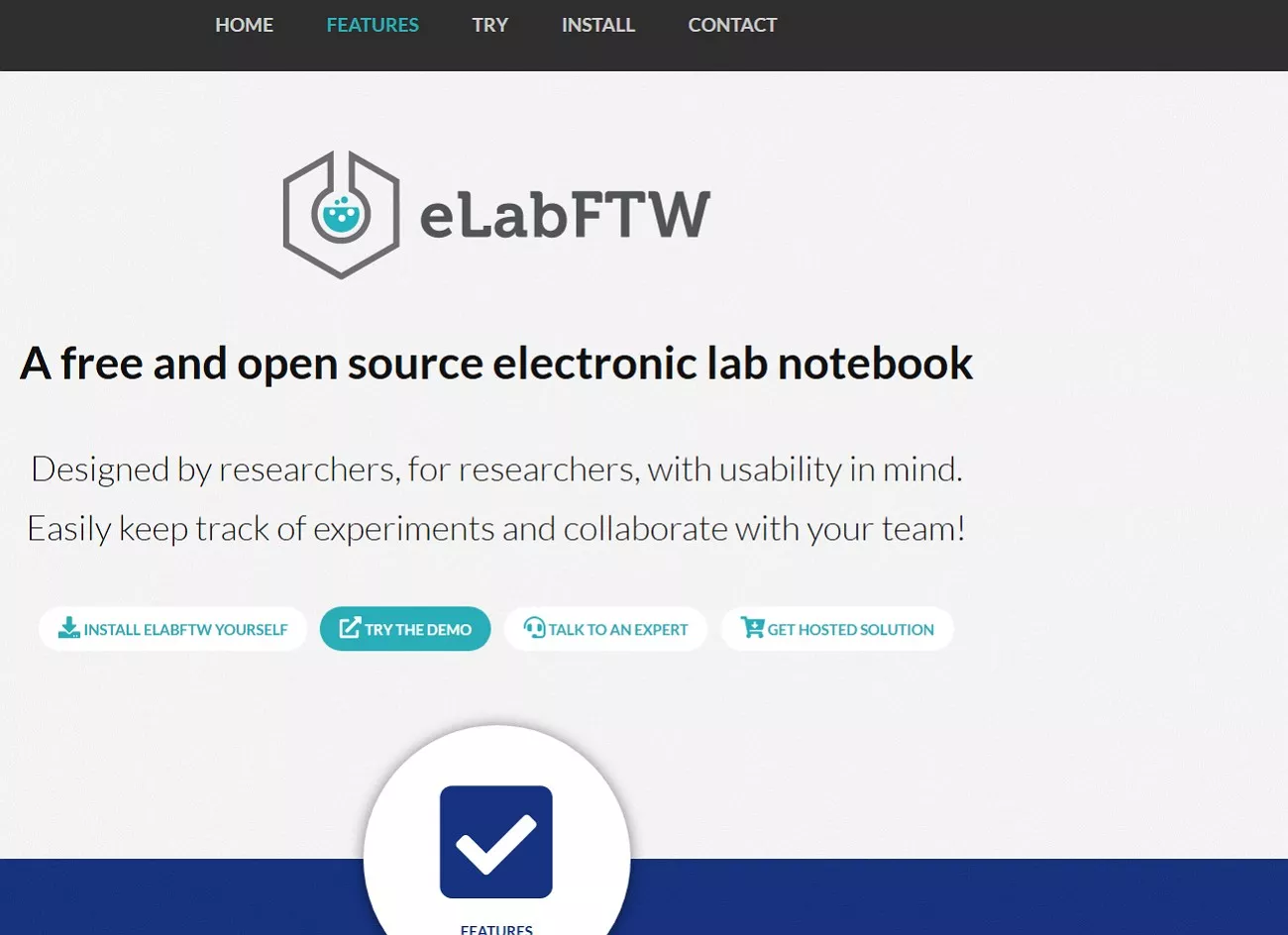
For labs that value transparency and control, eLabFTW offers a powerful open-source electronic lab notebook option. It enables experiment tracking, timestamping, and inventory management while allowing self-hosting for full data ownership. This flexibility makes it especially appealing to academic groups and research teams with strict privacy or budget constraints.
- Best For: Academic groups and research teams with strict privacy or budget constraints.
- Key Advantage: Completely free, highly customizable, and community-driven.
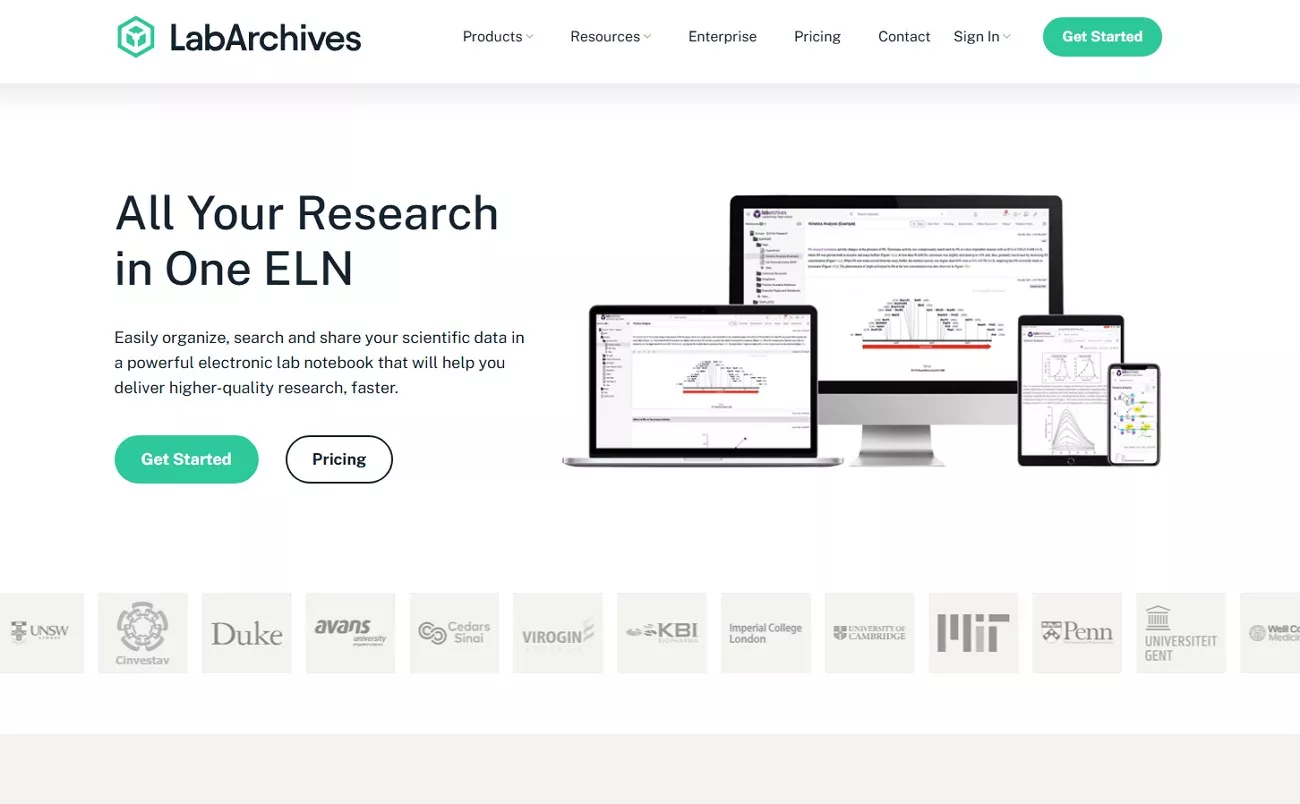
3. LabArchives
LabArchives is often considered the gold standard for academic institutions and teaching labs. It integrates seamlessly with learning platforms like Canvas and supports NIH data compliance, making it ideal for funded research environments. By reinforcing Electronic Lab Notebook best practices, LabArchives helps students and researchers maintain consistent documentation, collaboration, and long-term data integrity.
- Best For: Universities, teaching labs, and federally funded researchers.
- Key Advantage: Robust audit trails and easy "sharing" protocols for peer review.
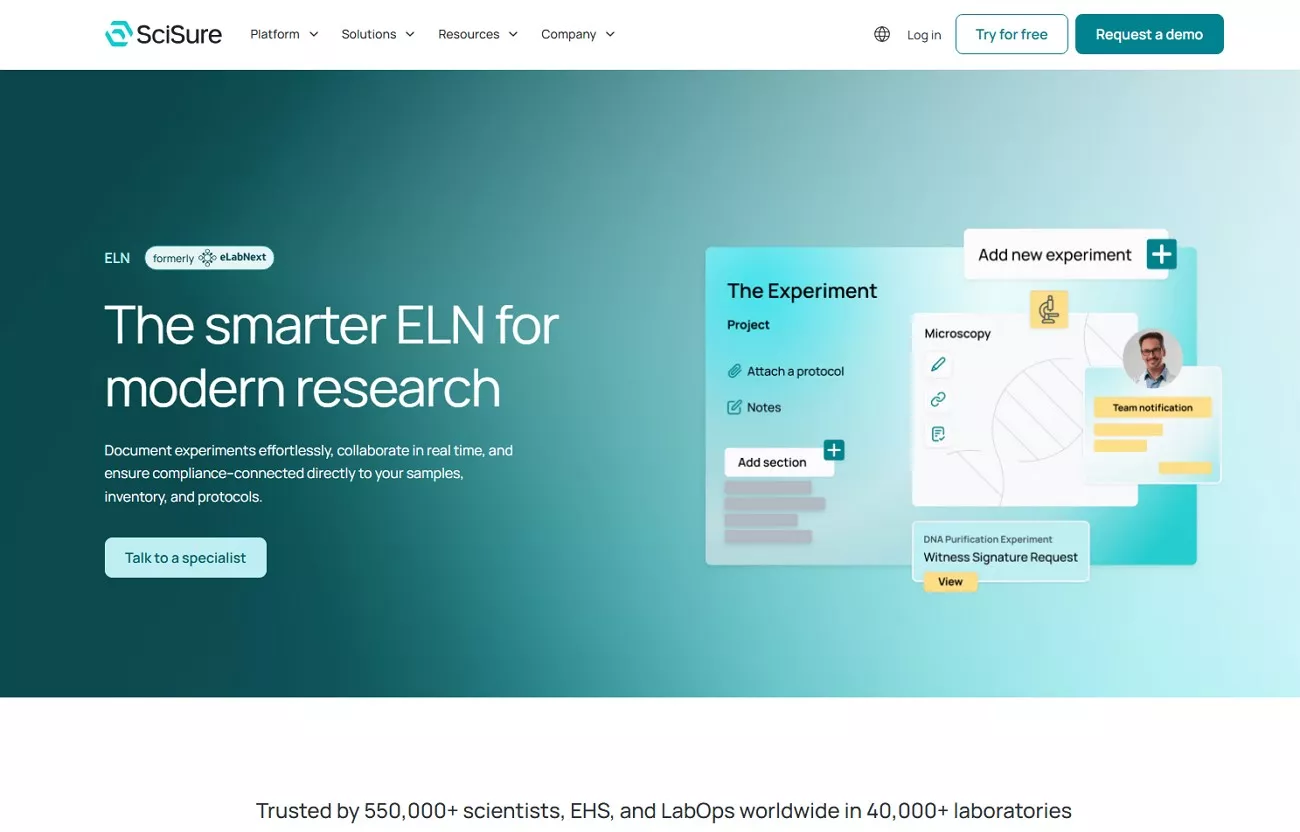
4. SciSure ELN
For compliance-driven and inventory-heavy workflows, SciSure ELN is designed to meet the demands of regulated laboratories. Its built-in support for FDA requirements, SOP enforcement, and audit readiness pairs seamlessly with inventory tracking. This ability makes it a strong fit for quality-focused research teams.
- Best For: Regulated pharmaceutical labs and quality-control (QC) environments.
- Key Advantage: Built-in "Audit-Ready" features that simplify regulatory inspections.
Side-by-Side Comparison: How Leading ELNs Compare at a Glance
The comparison table below offers a quick, scannable view of how top ELN platforms differ in different functionalities, helping you align the right tool with your lab's real-world needs:
| Tool | Target Discipline | Pricing Tier | Key Strength |
| Benchling | Life sciences, biotech, molecular biology | Customized | Unified R&D platform with advanced DNA, RNA, and protein tools |
| eLabFTW | Academic research, small labs, open-source users | Free | Open-source, self-hosted control with built-in compliance features |
| LabArchives | Academic institutions, teaching labs | ProfessionalAcademic:$330/year Corporate:$575/year ELN + InventoryAcademic:$360/year Corporate: $675/year | Strong academic adoption, Canvas integration, NIH compliance |
| SciSure ELN | Regulated labs, pharma, biotech | Customized | FDA-focused compliance, SOP enforcement, and inventory integration |
Part 2. The Workflow Synergy: Why ELNs and UPDF are Better Together
Modern laboratories increasingly rely on Electronic Lab Notebooks (ELNs) to manage complex experiments, enforce compliance, and support collaboration across research teams. While ELNs excel at capturing and organizing data, they don't always provide all the tools needed to finalize, polish, and share documents efficiently. This is where a versatile and budget-friendly PDF solution like UPDF seamlessly complements an ELN, creating a complete digital research workflow.
Features like OCR for digitizing legacy notes, annotation tools, and multi-document merging allow researchers to convert raw ELN data into professional, shareable reports efficiently. Beyond formatting, UPDF strengthens collaboration and security. Teams can annotate PDFs, highlight findings, and circulate documents without losing integrity, while password protection and redaction maintain confidentiality. For larger labs, UPDF's enterprise plans offer centralized management, licensing, and integration capabilities, seamlessly complementing ELNs.
Windows • macOS • iOS • Android 100% secure
Streamlined Research Workflow With UPDF
To maximize efficiency in modern laboratories, combining electronic lab notebooks (ELNs) with UPDF creates a seamless, end-to-end digital workflow. Here's a step-by-step breakdown of how they complement each other:
1. Digitizing Legacy Notes
UPDF's OCR capabilities allow researchers to convert handwritten or scanned paper notes into searchable digital documents. This ensures that past research aligns with modern ELN records and is fully integrated into the digital workflow. Follow the steps mentioned below to learn how to perform the OCR on PDFs:
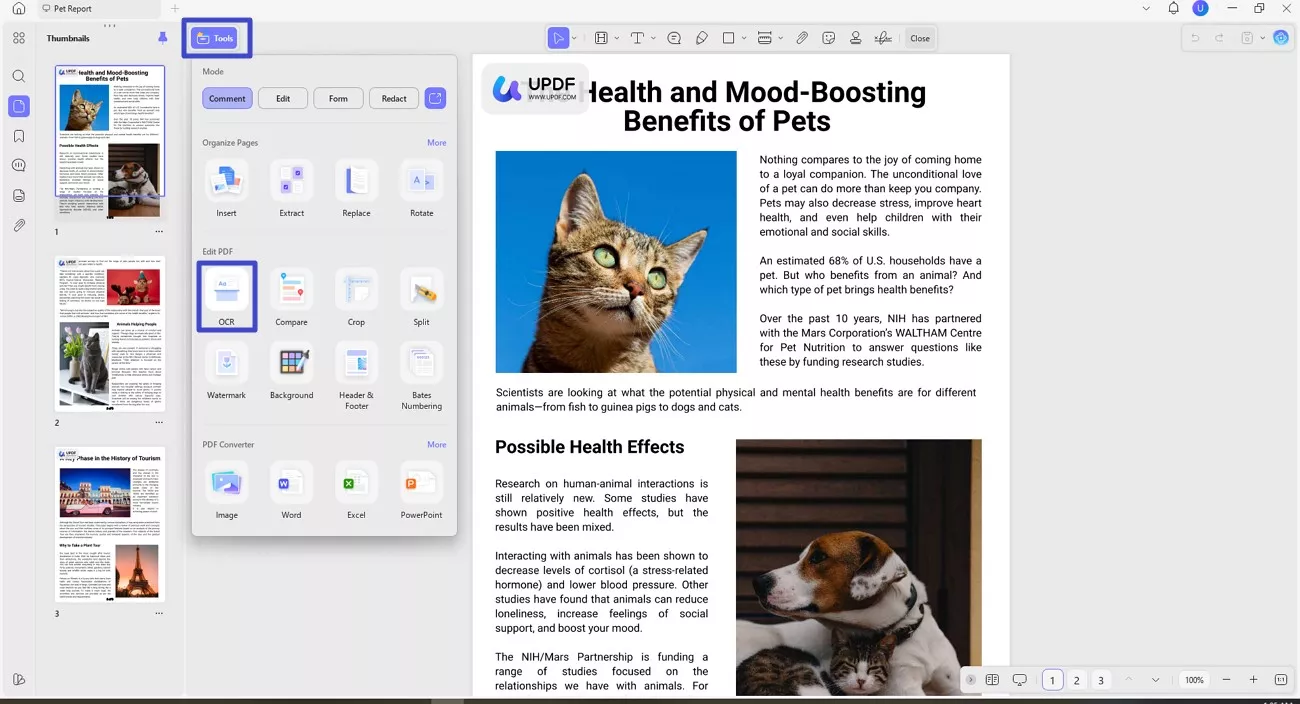
Step 1. Access OCR Feature
After you have accessed the tool within your device and imported the document to the tool, make it searchable by clicking on the "Tools" option and selecting "OCR."
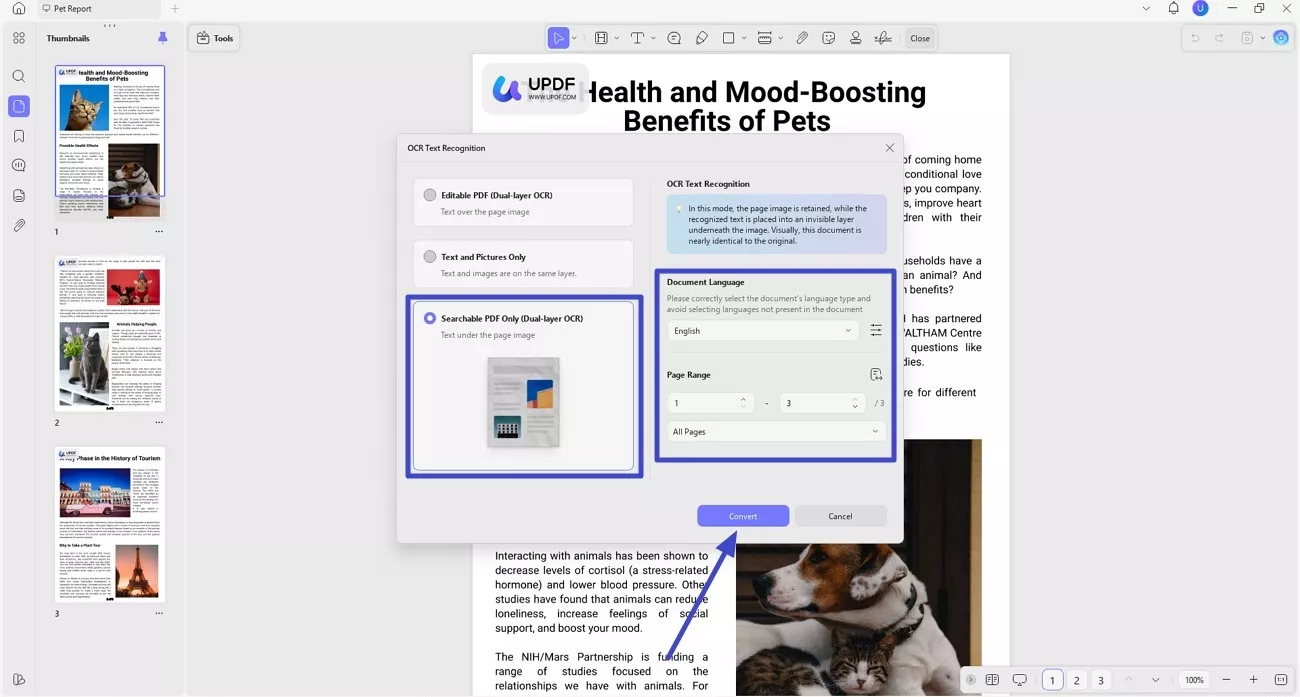
Step 2. Select Mode and Convert
In the following interface, choose the mode of text recognition from the options provided. Now, select the "Document Language" and "Page Range" and hit the "Convert" button to make the document searchable.
2. Polishing the Export
ELN report exports often come out disorganized, with inconsistent formatting or incomplete sections. UPDF's Text Editing feature allows researchers to clean up these exports and correct formatting issues. Read the steps provided next to transform raw ELN data into polished, presentation-ready reports:
Step 1. Acquire Edit Feature
Once the file becomes editable, head to the "Tools" option again and click on the "Edit" section.
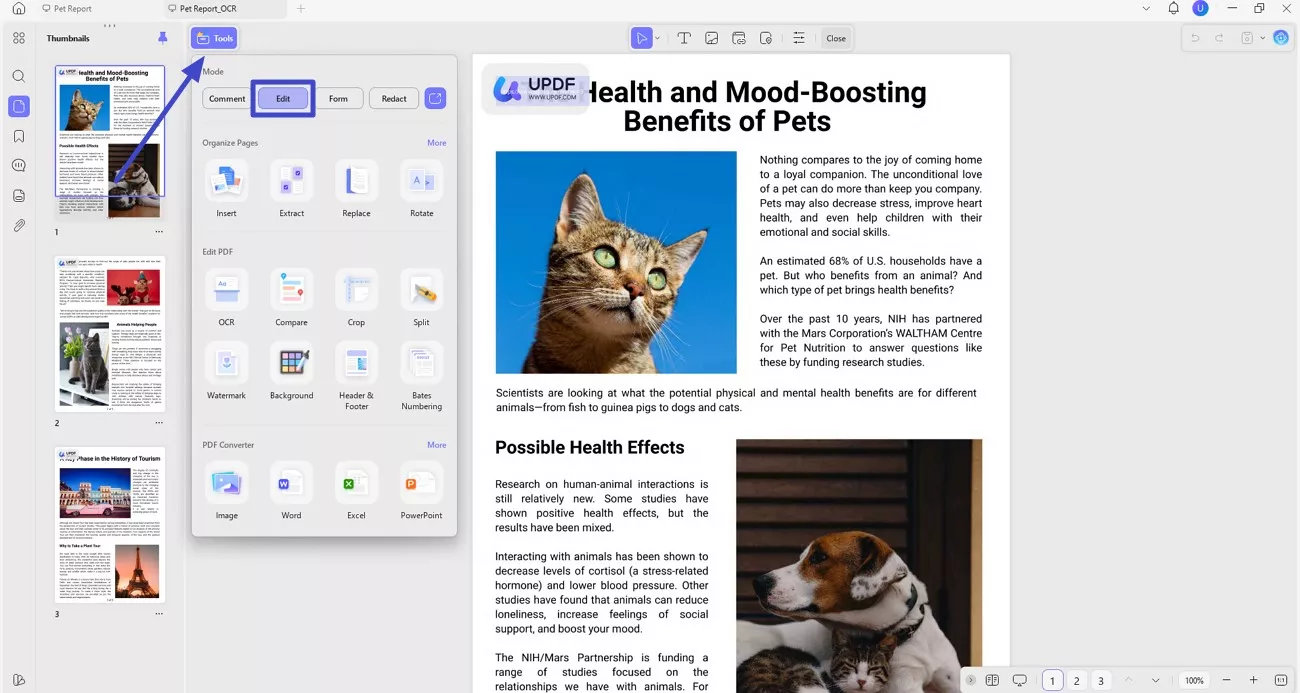
Step 2. Choose the Editing Option and Edit
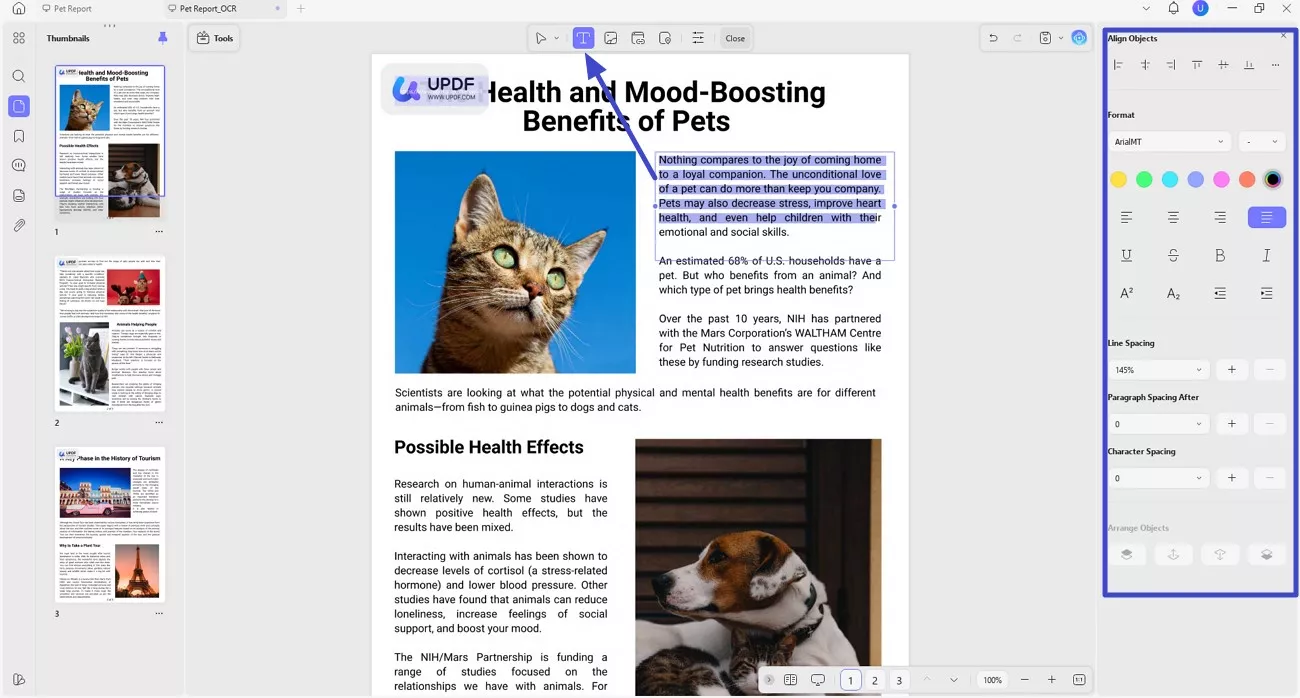
From the floating toolbar above the page, choose the editing option, such as edit text, image, or even a link. To edit text, press the "Edit Text" icon located on the toolbar. Now select the text and make changes to it according to your preferences. You can access the panel on the right, change the alignment, and perform other text customization.
3. Secure Certification
When preparing documents for patent filings or regulatory submissions, ensuring authenticity is critical. UPDF's Digital Signature feature allows researchers to add a legally binding timestamp to exported lab records, verifying authorship and integrity. Here is how you can add a Digital Signature to your report using UPDF:
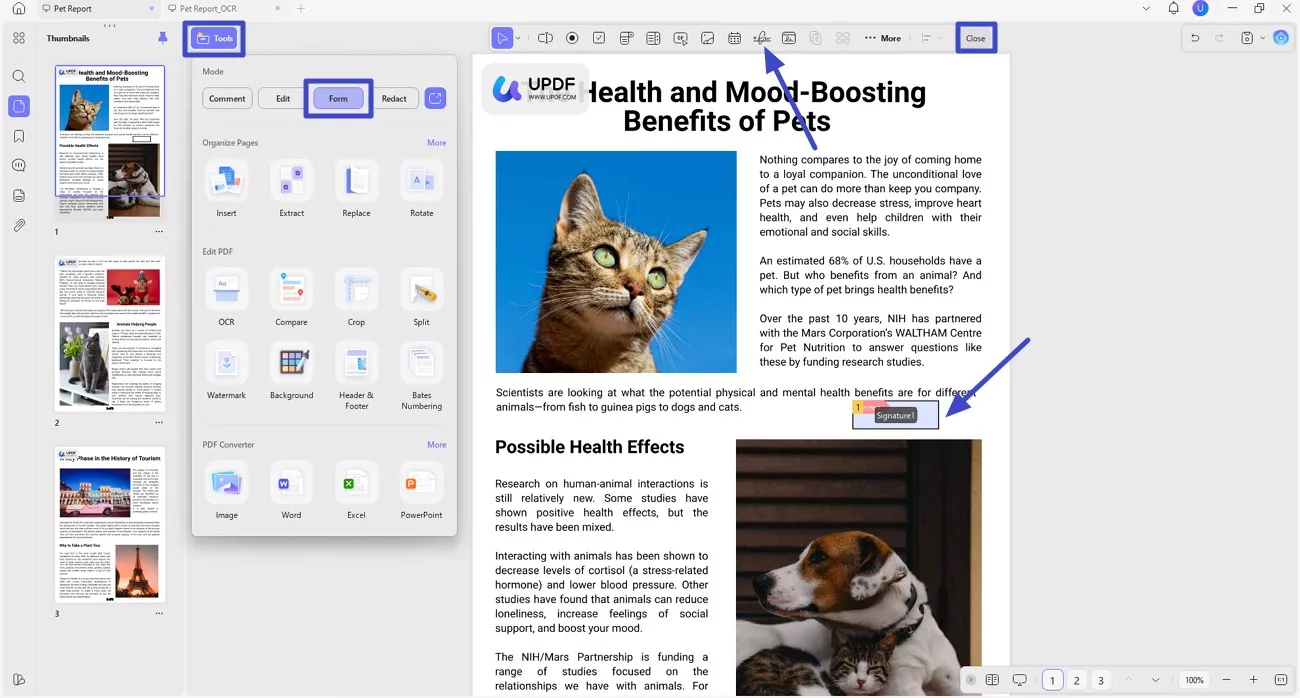
Step 1. Acquire Form Feature
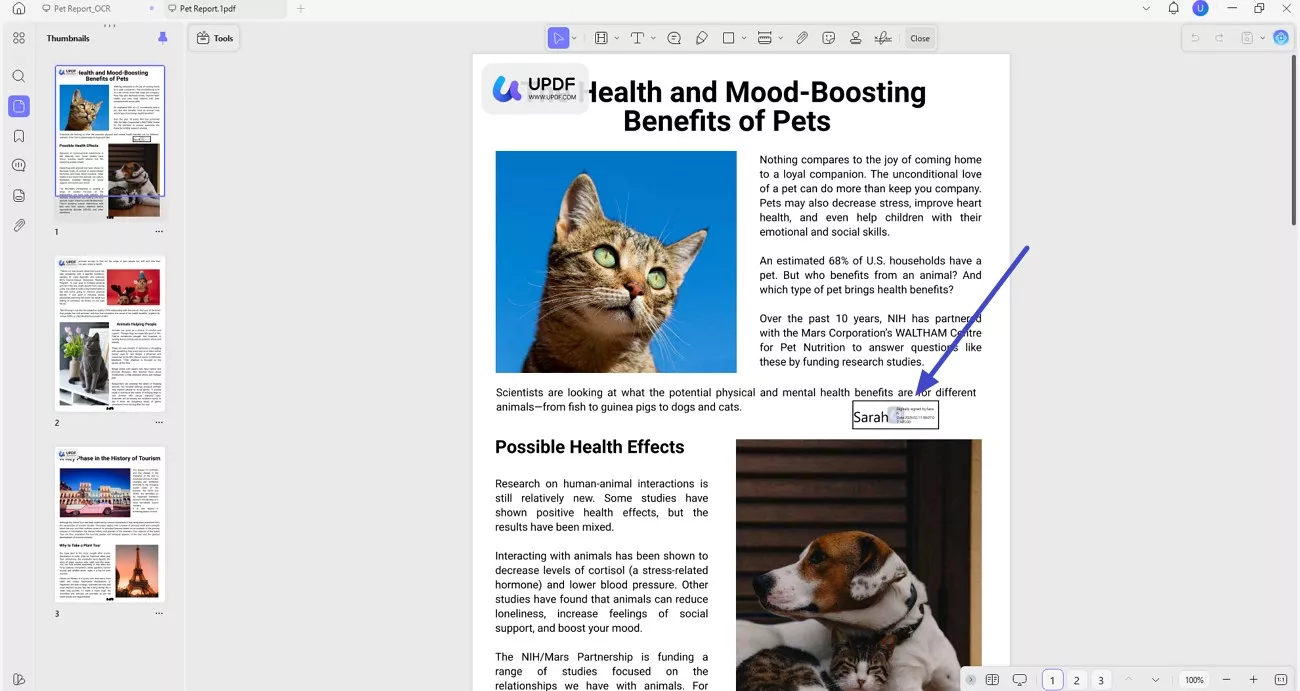
Head to the "Tools" option and locate the "Form" section to click on it. Now, find the "Digital Signature" option on the floating toolbar above the page and click on it. Place the signature field on the page wherever you want and press the "Close" icon.
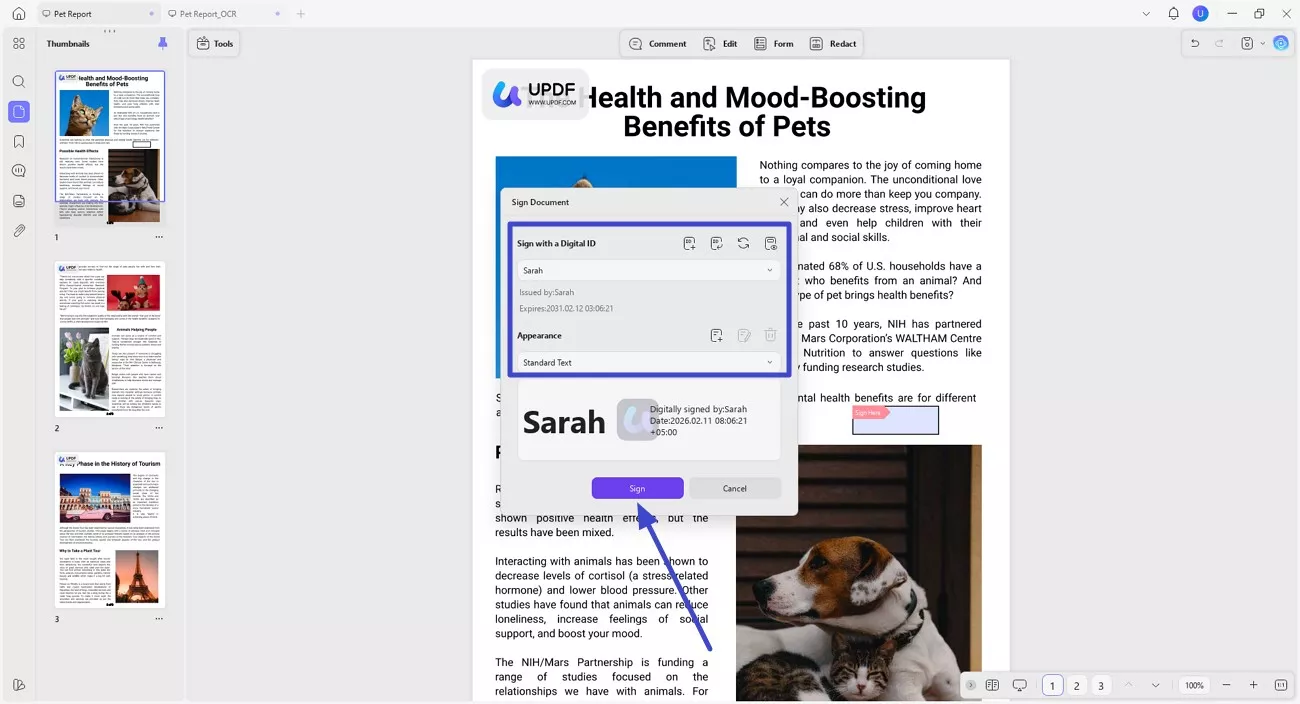
Step 2. Sign the Document
Next, click on the added signature field to open a small window. Here, select the signature ID or create a new one if you have no IDs already added. Press the "Sign" button and input the password to sign the document.
Step 3. Review the Applied Digital Signature
As soon as you input the password, the copy of the document with the applied signature will be saved. Review the added signature within the document and proceed further.
4. AI Research Assistant
UPDF AI can quickly analyze and summarize lengthy reference papers linked in your ELN entries. By condensing complex research into clear, digestible summaries, it saves hours of manual reading, helping researchers extract key insights faster and stay focused on experiments and data analysis. To learn how to summarize a PDF, read the steps provided next:
Step 1. Access UPDF AI
Windows • macOS • iOS • Android 100% secure
Once the document is fully opened within the tool, head to the right corner and click on the "UPDF AI" icon. Now, from the toolbar on the right, press the "Summarize" icon and select the lengthy text from the document to copy and paste within the chat field. Once done, hit the "Send" icon to let the tool generate the summary.

Step 2. Copy the Generated Summary
After the summary is successfully generated, press the "Copy" icon to copy it to the clipboard and then paste it wherever you want, according to your choice.

Frequently Asked Questions
Q1. What is an electronic lab notebook?
An electronic lab notebook is a digital platform used to record, organize, and store experimental data securely. It replaces paper notebooks with searchable, shareable, and audit-ready documentation.
Q2. Why use an ELN instead of paper?
ELNs protect research data through cloud backups and access controls, reducing the risk of loss from fire, spills, or misplacement. Paper notebooks, once damaged or lost, cannot be recovered or easily duplicated.
Q3. Can I use ELNs for patent applications?
Yes, ELNs can support patent applications if they comply with regulations such as 21 CFR Part 11. Features like audit trails, timestamps, and electronic signatures help establish data authenticity and ownership.
Q4. Do I need a PDF editor if I have an ELN?
Yes, a PDF editor is essential for polishing final reports, applying OCR to scanned legacy notes, and merging multiple documents. ELNs capture data, while PDF tools prepare it for sharing, review, and submission.
Conclusion
All in all, this article provided a clear overview of how Electronic Lab Notebooks are transforming research documentation across industries. From academic labs to regulated biotech environments, choosing the right ELN improves accuracy, compliance, and collaboration. To complete a digital workflow, tools like UPDF add value by refining reports, applying OCR to legacy notes, and securely sharing polished research documents.






 Engelbert White
 Enrica Taylor
  Delia Meyer